- add: multi-threading is now used to paint the minimap, gives faster painting with minimap
- change: partially revert changes for tab-group splitters from 1.126.0
- change: lexer VBScript was removed to add-ons
beta - http://uvviewsoft.com/c/
(beta has VBscript lexer yet)
I want to release it in 1-2 days. seems thread-change is stable now.
 Alexey-T
All 23 comments
beta updated!
- add: when UI-tabs are not 'angled', they have rounded corners
- change: angled UI-tabs were not painted ok on some OS/desktops, so disabled them yet: on Windows, on Linux qt5, on macOS
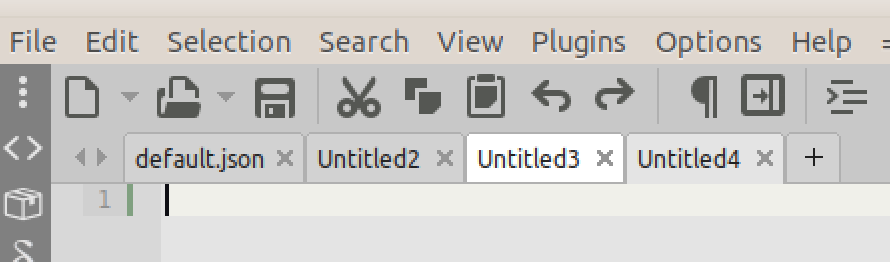
need feedback about 'rounded corners'! @kvichans @jairomartineza @OlehL @tmsg-gh @halfbrained
screenshot in 200% zoom
Alexey-T
on 27 Feb 2021
Aesthetically rounded edges look nice, although a bit jagged on some dark themes.
 halfbrained
on 27 Feb 2021
halfbrained
on 27 Feb 2021
Seems goooood! I never was a fan of angled tabs 😄 so is welcome this change.
 JairoMartinezA
on 27 Feb 2021
JairoMartinezA
on 27 Feb 2021
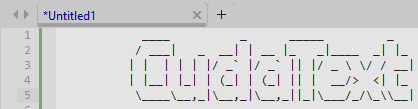
As a user of flat tabs, I not sure if in this case the top round corners need to be removed, or add some pixels to the bottom:
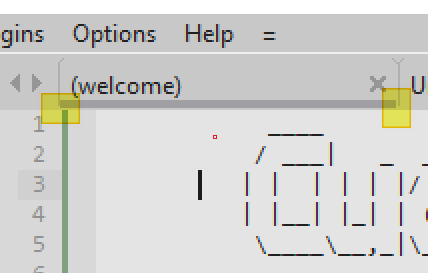
Something is not good using flat tabs that is my eye perception.
[Before]
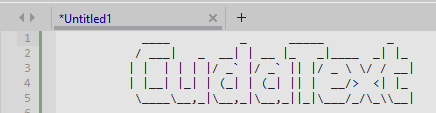
[Now]
JairoMartinezA
on 27 Feb 2021
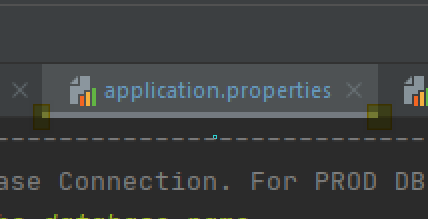
IMHO this would be the definitive flat tabs (From IJ IDE)
JairoMartinezA
on 27 Feb 2021
Jairo, that was a bug--fixed.
will upload beta in 30minutes.
corner is better now on Sub theme

Alexey-T
on 27 Feb 2021
underline bar for 'flat' tabs-- will fix later.
Alexey-T
on 27 Feb 2021
- UI-tabs were not painted ok on some OS/desktops, so disabled them yet: on Windows, on Linux qt5, on macOS
Is there a way to get them back? I like new ones but I also had no issues with old tabs.
add: multi-threading is now used to paint the minimap, gives faster painting with minimap
I found an interface glitch some time ago but was too lazy to open a ticket. Sometimes (about 60% of cases) when I use minimap I have not only to click there, but also move mouse pointer at least for one pixel in any direction, otherwise nothing happens. I have no idea how to reproduce it and what it depends on. It also looks like it's an some old issue, because 1.117.6.0 (the oldests version I have) also has it.
 xcme
on 27 Feb 2021
xcme
on 27 Feb 2021
@xcme Ok, now enabled angled-tabs on win32 back.
Alexey-T
on 27 Feb 2021
@Alexey-T, actually, I use win64 :)
I mean if there an option to choose it from user's side? Some parameter in settings...
xcme
on 27 Feb 2021
from next update, win32+win64 will support angled-tabs. again.
@xcme
Also see my report #3201 - same as yours?
Alexey-T
on 27 Feb 2021
@Alexey-T yes, it seems you have found the way to reproduce it :)
But you haven't answered about tabs. Would windows users switch tab form as they want or it will be predefined? I like possibility to switch. Now I use angled tabs but new ones also looks great, so I may change my mind later. :)
xcme
on 27 Feb 2021
Would windows users switch tab form as they want or it will be predefined?
they will switch it.
Alexey-T
on 27 Feb 2021
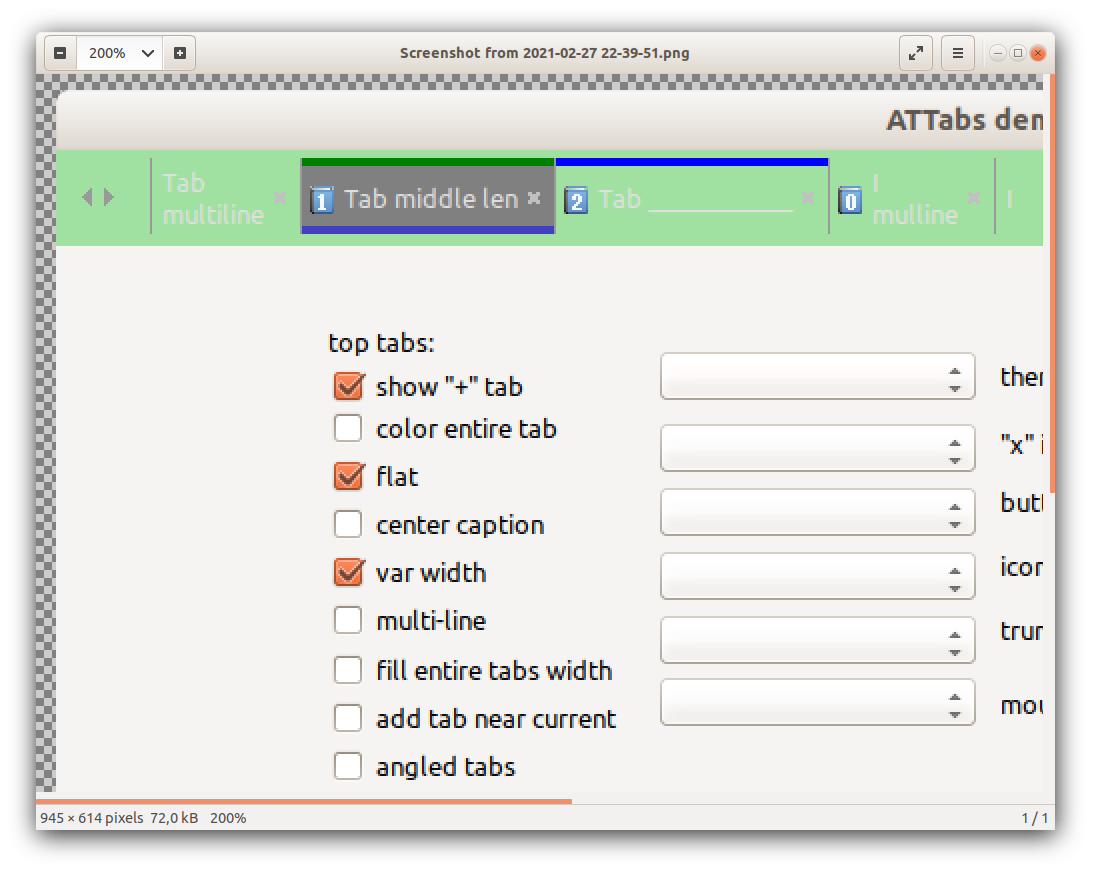
now I fixed pixels-issue for color-bar for flat tabs. will be in next upd.
Alexey-T
on 27 Feb 2021
Jairo, see 'artifacts on tabs' again. beta updated..
Alexey-T
on 27 Feb 2021
No words, really really amazing, so beautiful!!! I don't know if since now I will still be using flat tabs... 👍
JairoMartinezA
on 27 Feb 2021
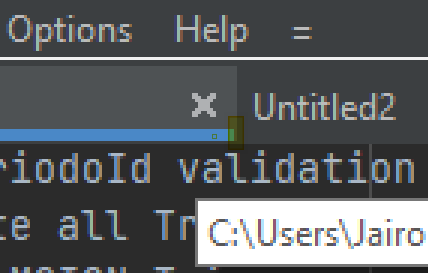
Consider only fill one more pixel, just if is possible, but I totally agree with the new UI:
JairoMartinezA
on 27 Feb 2021
Jairo,here is flat mode? it has v-line-separators. betweein tabs. you suggest to paint over that line.
Alexey-T
on 27 Feb 2021
IMHO this would be the definitive flat tabs (From IJ IDE)
I prefer to see as IJ IDE shows... The highlight in the bottom reach the and covers the pixels of right and left tab delimiters.
JairoMartinezA
on 27 Feb 2021
In one hour I come back to home. I will attach an image with default colors just to clarify my wish if is necessary.
Many thanks for all UI improvements really all seems cool 😎
JairoMartinezA
on 27 Feb 2021
Yes Alex as you said, I prefer that the highlight need to cover the v-line separators... I was testing the change using images and for me I think it's better.
JairoMartinezA
on 28 Feb 2021
Cannot agree, it's bad to paint over v-separators-- BG is not over separators, underline is over it
Alexey-T
on 28 Feb 2021
1.127 released.
Alexey-T
on 28 Feb 2021
Related issues
Alexey-T
·
5Comments
Alexey-T
·
5Comments
Alexey-T
·
7Comments
Alexey-T
·
3Comments
Alexey-T
·
4Comments