Cudatext: add a button to minimize/restore width of tab-group / Tab Group Resizer plugin
idea from @GHNewbiee from #3062
What about adding one more icon button before the "scroll tabs left" which will minimize the width of the group to the maximum practically possible or recover the group to the initial width; sliding splitters is not fast/ideal.
 Alexey-T
All 29 comments
not easy to add such a button in tab-title. better write a plugin which does resizes of splitters.
sorry.
https://wiki.freepascal.org/CudaText_API#Splitters
@GHNewbiee
@halfbrained maybe you see this is useful wish? Im not sure
Alexey-T
on 24 Feb 2021
The user is not talking about tab-title, but rather buttons to the sides of tabs, those that are governed by option ui_tab_button_layout.
If that is also difficult - I would also appreciate such functionality, so will gladly make the plugin.
 halfbrained
on 24 Feb 2021
halfbrained
on 24 Feb 2021
The user is not talking about tab-title, but rather buttons to the sides of tabs,...
That's correct! As I write
... before the "scroll tabs left" ...
 GHNewbiee
on 24 Feb 2021
GHNewbiee
on 24 Feb 2021
If that is also difficult - I would also appreciate such functionality, so will gladly make the plugin.
@halfbrained Yes, I meaned that button_layout near the tab titles. yes, plugin will be good here, thanks.
Alexey-T
on 24 Feb 2021
An icon in place of yellow rectangular.

GHNewbiee
on 24 Feb 2021
yes, plugin will be good here, thanks.
Ok. Than maybe allow to resize groups to less than ~60px width/height?
halfbrained
on 24 Feb 2021
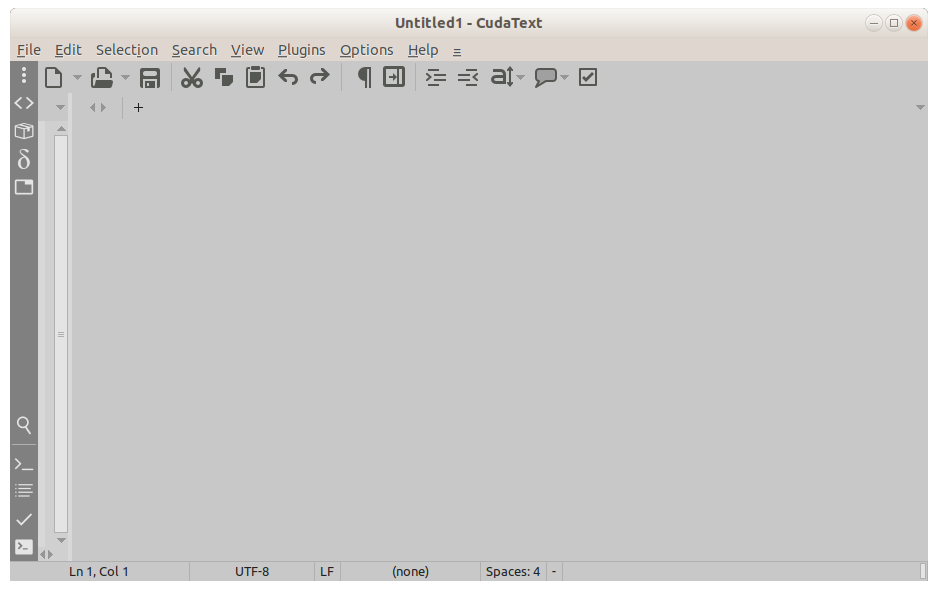
in last 1.126.x the minimum is about 30px
Alexey-T
on 24 Feb 2021
IMHO, the ideal size would be that in which only the new icon appears fully. Arrows in vertical groups are not necessary any more.
Smaller size is obviously not good because perhaps we will not be able to click the icon to open the group. Wider size is also not good because we waste workspace.
GHNewbiee
on 24 Feb 2021
IMHO, the ideal size would be that in which only the new icon appears fully
Unfortunately buttons won't be happening. Will be new commands instead.
halfbrained
on 24 Feb 2021
What a pity!
GHNewbiee
on 24 Feb 2021
with ConfigToolbar plugin, you are able to make a 1 toolbar btn with a dropdown for 2 actions.
Alexey-T
on 24 Feb 2021
@GHNewbiee -- Plugin from @halfbrained is ready!
published it in addons.
http://synwrite.sourceforge.net/forums/viewtopic.php?f=19&t=2647
Any feedback on it?
Alexey-T
on 28 Feb 2021
@halfbrained : Many thanks for your time and effort to write the plugin!
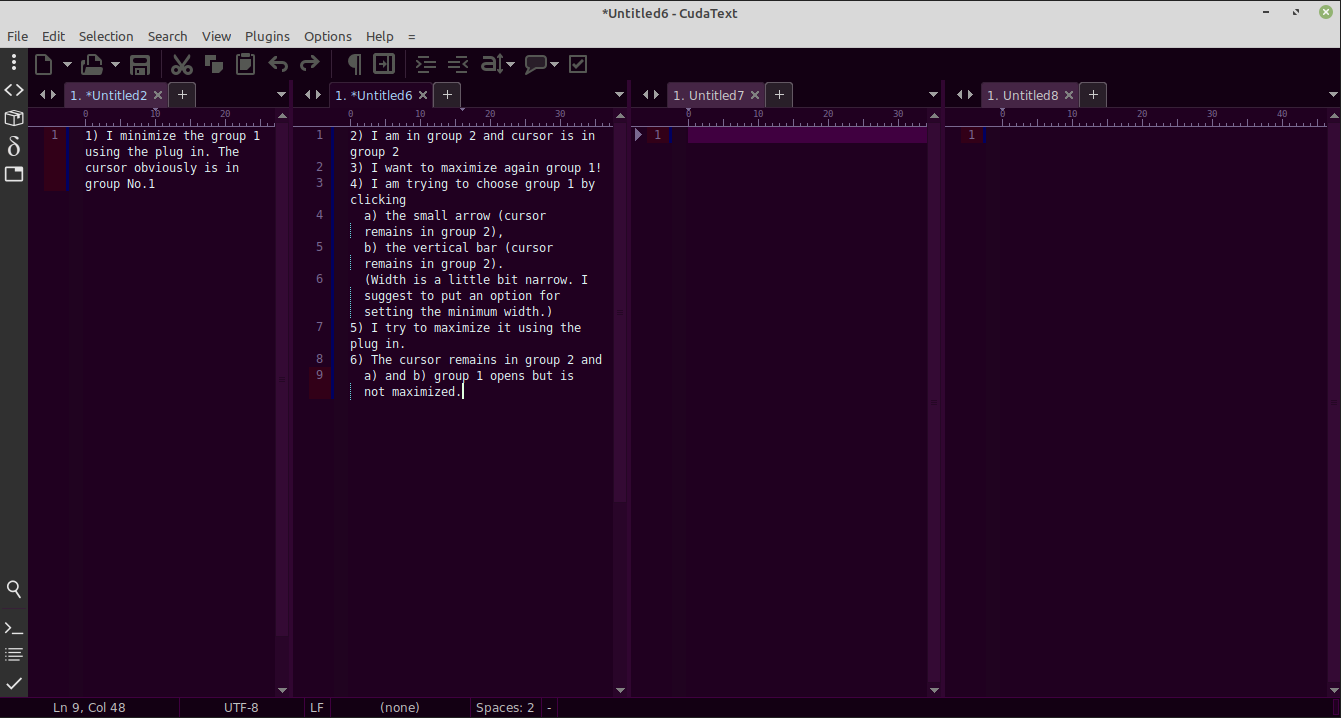
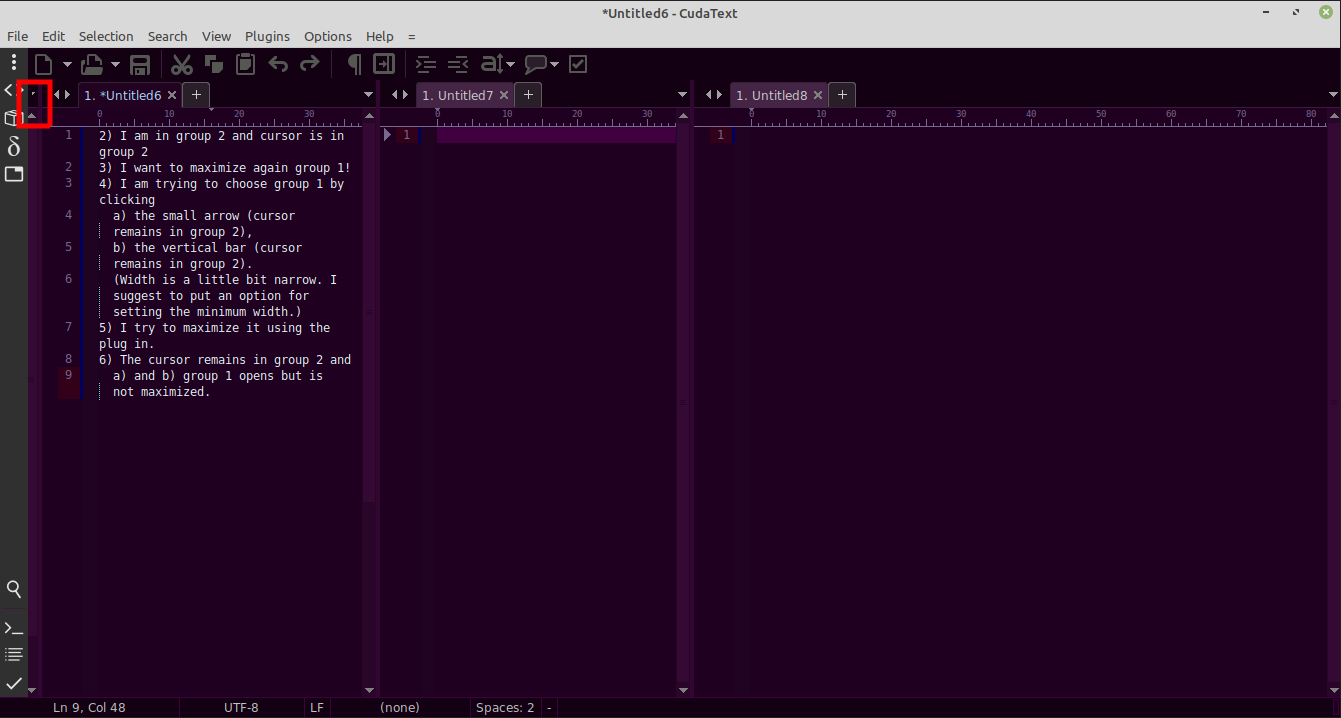
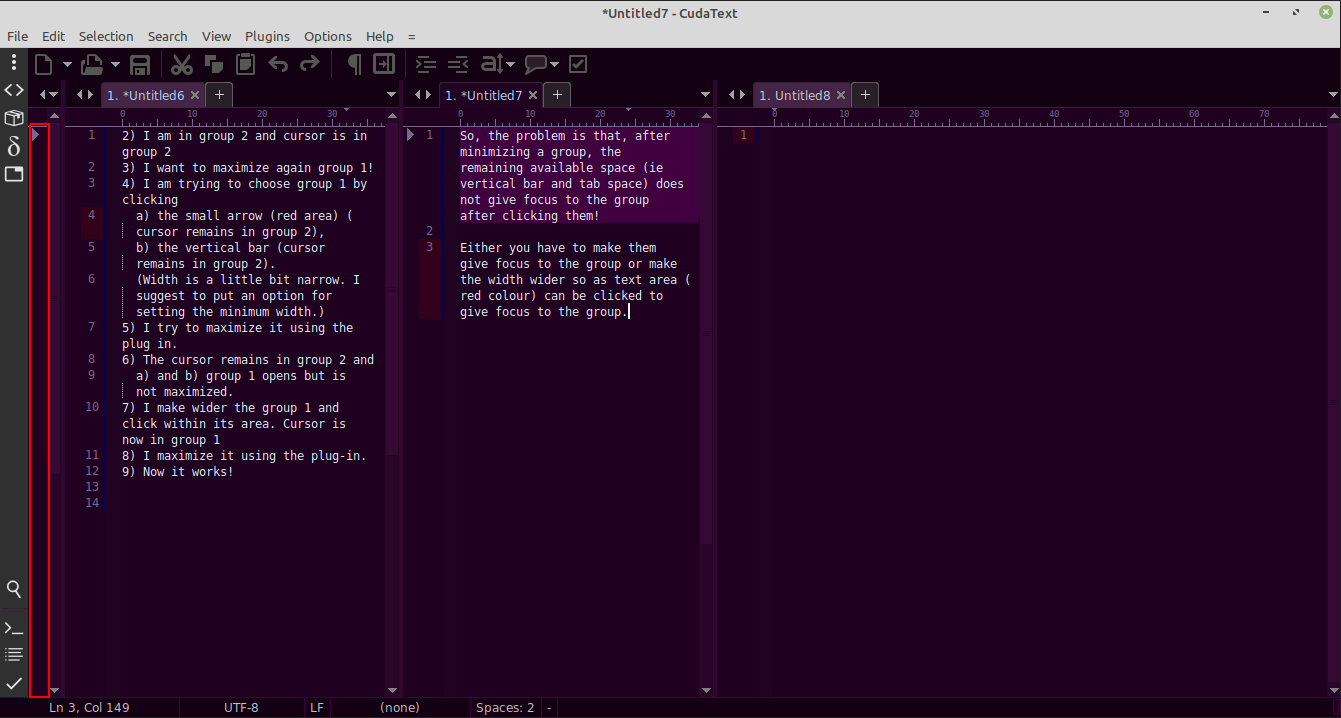
Unfortunately it does not work properly.
See the photos:
GHNewbiee
on 1 Mar 2021
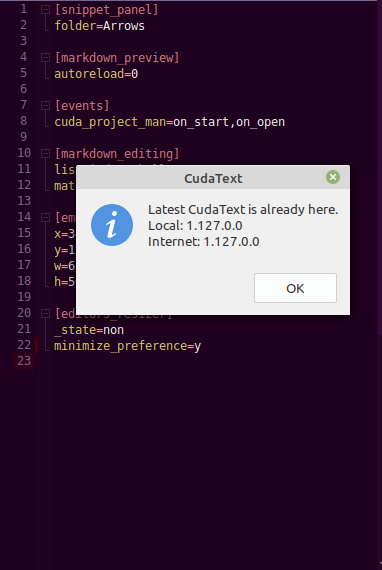
It won't work on the old versions, please update to the latest CudaText.
I'll look into un-minimizing on hidden group click.
halfbrained
on 1 Mar 2021
@halfbrained but it was new Cud-- UI-tabs are rounded on corners.
Alexey-T
on 1 Mar 2021
@halfbrained
I use the latest.
Which group takes focus after minimizing a group?
Please give us:
- the logic for minimizing you use.
- more info about 'minimize_preference'. A screen record would be ideal!
In addition,
- I have four groups of same width. I focus g1, I minimize it. Focus goes to g2. I minimize g2. g1 opens again in unminimized width and takes focus. Wrong! It should be: g1 minimized, g2 minimized, at least on of g3, g4 OR both modified.
- I have assigned keys to "maximize" and "minimize", when I press twice in same group it takes me back to the initial status. For example: I am in g1, I press "Alt+X" and maximize it. I press again "Alt+X" and takes me back to the initial widths. Which is OK!
GHNewbiee
on 1 Mar 2021
Both minimize and maximize at the moment are just toggles: minimize a group, then return previous layout; maximize and return... When group minimized focus goes to the largest editor.
minimize_preference - does not apply to your layout, only for grids (2x2 and 3x2). I'll add a .gif later since it unrelated.
So your desired workflow - minimize several groups and return them by clicking on their visible area?
Should real estate be divided evenly between remaining groups? Or how do you see this?
For me (on the fresh install with just this plugin) minimizing first group looks like this (and returns back on next toggle)
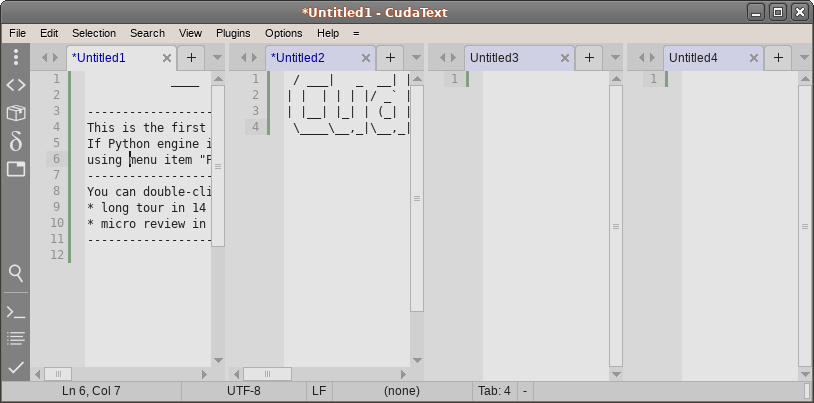
=>
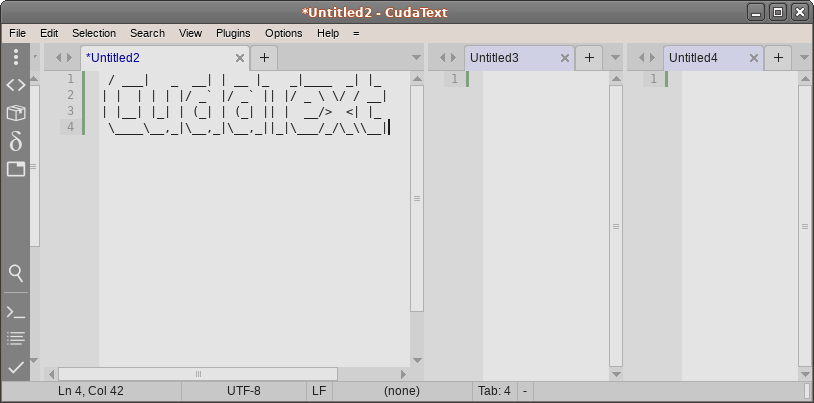
... why I thought you are using the old version.
halfbrained
on 1 Mar 2021
In above wrong case I can agree with the behaviour if g2 does not get the focus after minimizing g1 but focus remains in g1. Then when I press again "Alt+M" takes me back to the initial widths which is OK.
Summarizing, after minimizing a group
- focus remains to minimized group ->
Alt+Mtakes back to the initial widths (like maximizing) - focus passes to another group (which one? the left/up? the right/down? the first? the last?) ->
Alt+Mminimizes the "new-focused" group and focus passes to another available (not-minimized) group.
GHNewbiee
on 1 Mar 2021
Both minimize and maximize at the moment are just toggles: minimize a group, then return previous layout; maximize and return...
See the summary of my previous message.
When group minimized focus goes to the largest editor.
I would never imagine that! 😄 We can have a "larger" editor only if we move a splitter. If we do not move a splitter at all and use only "minimize", "maximize" and keys with toggling there will not be any larger, won't be?!!
minimize_preference- does not apply to your layout, only for grids (2x2 and 3x2). I'll add a .gif later since it unrelated.So your desired workflow - minimize several groups and return them by clicking on their visible area?
See the summary for the options. It is not my desired workflow. It is how the things have to work right. Desired behaviour has to do with options and only!
For example, what it will get the focus is an option:
- focus remains to the minimized group
- focus passes to the:
- left/up,
- right/down,
- first,
- last,
- largest 😄
- not interested at all (since all other groups are visible; hence I can easily choose)
- etc
but how the things will work after focus in each case is not an option.
Should real estate be divided evenly between remaining groups? Or how do you see this?
It makes more sense. If one has to suggest something else (ratio, eg 40:60, 30:70 ) then a dividing option can be adopted. For the time being, we are only interested in working right.
GHNewbiee
on 1 Mar 2021
@halfbrained
If you like, you would also add an extra 3rd command (eg "Reset tabs") which will open/reset all tabs with equal widths.
GHNewbiee
on 2 Mar 2021
'Reset group sizes'
Alexey-T
on 2 Mar 2021
Would this arrangement be satisfactory?
- MInimize now minimizes focused group, if focused group is minimized - un-minimizes it.
- Option where the focus goes on 'minimize'
- to the last-focused non-minimized group (found this in the API :) )
- focus stays, so next 'minimize' will return its size
Makes sense, right?
halfbrained
on 2 Mar 2021
If I understand correct:
1.
a)
- you are in a group eg 1
- you minimize it (
Alt+M) and focus remains on the same group - you press again
Alt+M('minimize') (toggling) - the group is unminimized
Yes, I think it is ok.
b)
- group 1 is already minimized
- group 2 is focused (you work there)
- you click the vertical bar of group 1, so it becomes focused again, and
- you press again
Alt+M('minimize'), so - group 1 is unminimized
Yes, I think it is OK.
2.
- you are in a group 1
- you press 'Alt+M' ('minimize) and
- focus goes to another group
- I think it's OK (Question: What happens if I minimize also this group? Does it get minimized?, so that I have now two minimized groups and a 3rd group is focused, ...?)
- I think it's OK, too.
Theoretical case: I have 6 groups and minimize 5 of them, so that the last one remains maximized. What will happen if I try to minimize the last 6th group?
GHNewbiee
on 2 Mar 2021
b)
* you click the vertical bar of group 1, so it becomes focused again, and
* you press again`Alt+M` ('minimize'), so
When minimized group gets focus it gets un-minimized.
**Question: What happens if I minimize also this group?** Does it get minimized?, so that I have now two minimized groups and a 3rd group is focused, ...?)
Yes.
Theoretical case: I have 6 groups and minimize 5 of them, so that the last one remains maximized. What will happen if I try to minimize the last 6th group?
Cops break down your doors and shoot your computer Nothing?
halfbrained
on 3 Mar 2021
@GHNewbiee if you would like to give some feedback, plugin resides here, just some cleanup left
halfbrained
on 5 Mar 2021
readme at https://github.com/halfbrained/cuda_ed_resize
shows pictures now.
Alexey-T
on 5 Mar 2021
@halfbrained Sometimes I face a small problem, e.g.,
- Open 4 groups
- Focus g2 and minimize it (Alt+M)
- Focus go to another tab
- Just minimize it (Alt+M)
- Focus go to another tab
- Now, JUST SINGLE CLICK to the other which is not minimized to get focused (single click, not multiple clicks).
- Maximize it (Alt+X)
- It does not get maximized but a minimized tab gets opened.
Does you face the same incident?
GHNewbiee
on 5 Mar 2021
@Alexey-T I have observed that a click on the vertical bar, not only the group gets focus but also it opens which is very cool!
GHNewbiee
on 5 Mar 2021
Made new issue in https://github.com/halfbrained/cuda_ed_resize/issues/1
Let's make new issues for plugin there!
I will close this soon
Alexey-T
on 9 Mar 2021
Related issues
 JairoMartinezA
·
5Comments
Alexey-T
·
7Comments
Alexey-T
·
5Comments
Alexey-T
·
4Comments
Alexey-T
·
7Comments
JairoMartinezA
·
5Comments
Alexey-T
·
7Comments
Alexey-T
·
5Comments
Alexey-T
·
4Comments
Alexey-T
·
7Comments
Most helpful comment
@GHNewbiee if you would like to give some feedback, plugin resides here, just some cleanup left