Covid19india-react: India Map and spread trends should swap their position when hovering on the below half of the state-table
when hovering on the down half part of the state wise information table it is impossible to see the India map. corresponding state Map and Spread Trends should swap their position.
 deep5050
All 15 comments
I understand the concern but the action to resolve the problem needs more thinking. If we swap positions of the map and spread trends we will be missing spread trends, the same way we miss the map now. Please correct me if I am wrong
 pk1997
on 31 Mar 2020
pk1997
on 31 Mar 2020
My suggestion would be to make the right component scrollable independently of the page.
pk1997
on 31 Mar 2020
@pk1997 is right. Another way could be to make the whole right half sticky
 shuklaayush
on 31 Mar 2020
shuklaayush
on 31 Mar 2020
what if we re-position them depending on the browser scroll bar position. I don't know anything about web development , so it may sound a little bit weird :) or what if we make the map in a similar sticky way like the table header? ( of course then the question arises about the position of the spread trends though! )
deep5050
on 31 Mar 2020
@deep5050 the scrollbar solution would involve an event listener to constantly be checking its positions and firing events on every change in event, which would reduce the performance of the site significantly.
I too agree with both @pk1997. We need a different strategy, and @shuklaayush's suggestion on making the right half sticky is a good one, but that only solves the solution for desktops. We need to look at it differently for mobiles (#372) since the whole table is out of the viewport when viewing the maps, or vice versa.
 jeremyphilemon
on 2 Apr 2020
jeremyphilemon
on 2 Apr 2020
@jeremyphilemon if we make the right sidebar sticky then there is no way we can scroll the right part and go to the graphs below the maps.
What we need to do is make the left and right scroll individuals of each other.
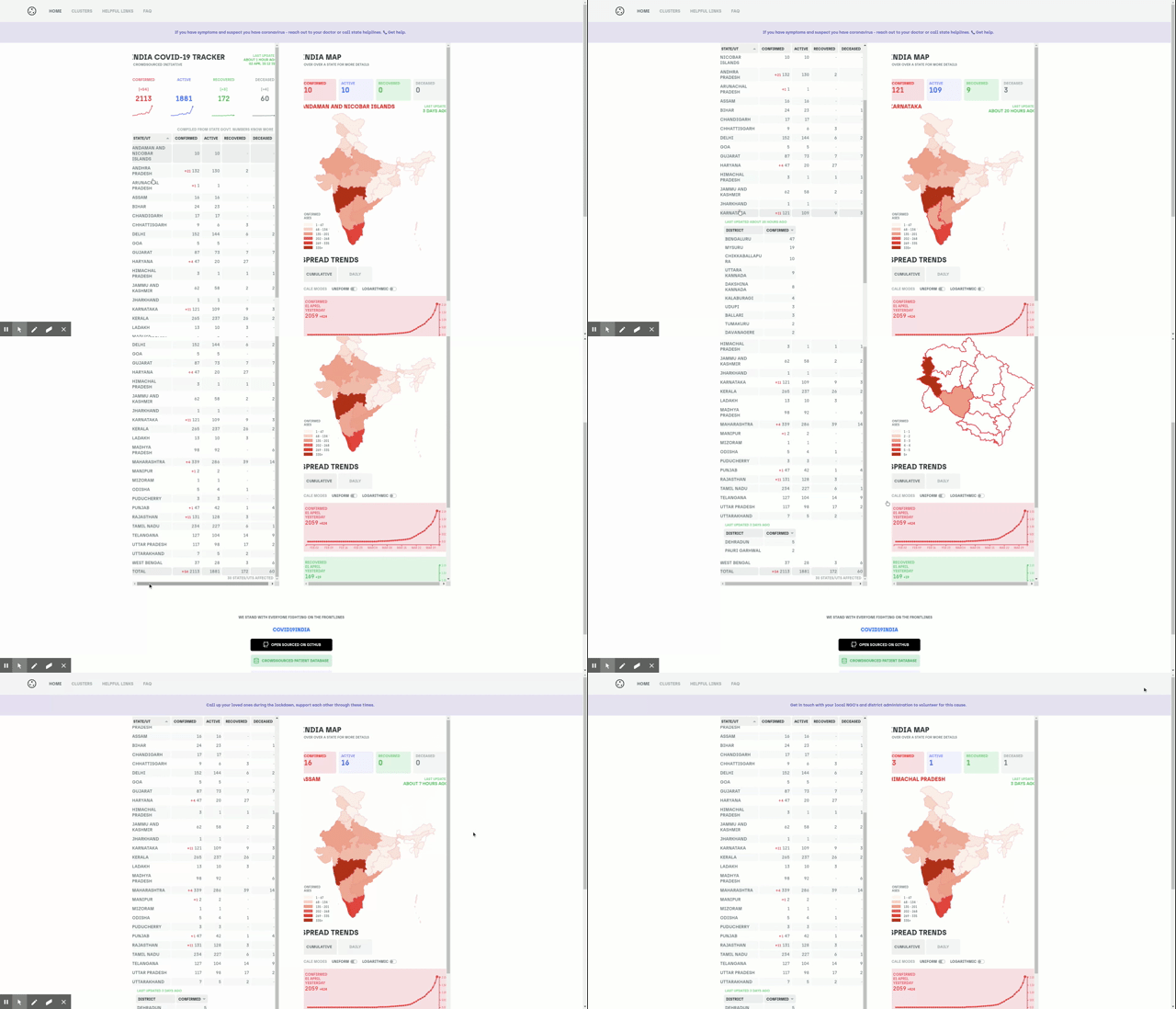
Something is shown in the image below but prettier and _without_ scrollbars
 tannakartikey
on 2 Apr 2020
tannakartikey
on 2 Apr 2020
Aren't all of these desktop specific solutions? The problem still will be there on mobiles.Nothing we can do about it.
 twozero88
on 3 Apr 2020
twozero88
on 3 Apr 2020
@twozero88 you're right.
tannakartikey
on 3 Apr 2020
For mobiles, we can have two floating buttons at the bottom. One for going to map and another one for the table. These buttons should be visible only when scrolling up. On scrolling down it should hide automatically.
 KrishnaPravin
on 4 Apr 2020
KrishnaPravin
on 4 Apr 2020
@KrishnaPravin that's a good idea. We can show the buttons regardless of the scrolling too, can't we?
tannakartikey
on 4 Apr 2020
@tannakartikey for smaller screens buttons might occupy some space
KrishnaPravin
on 4 Apr 2020
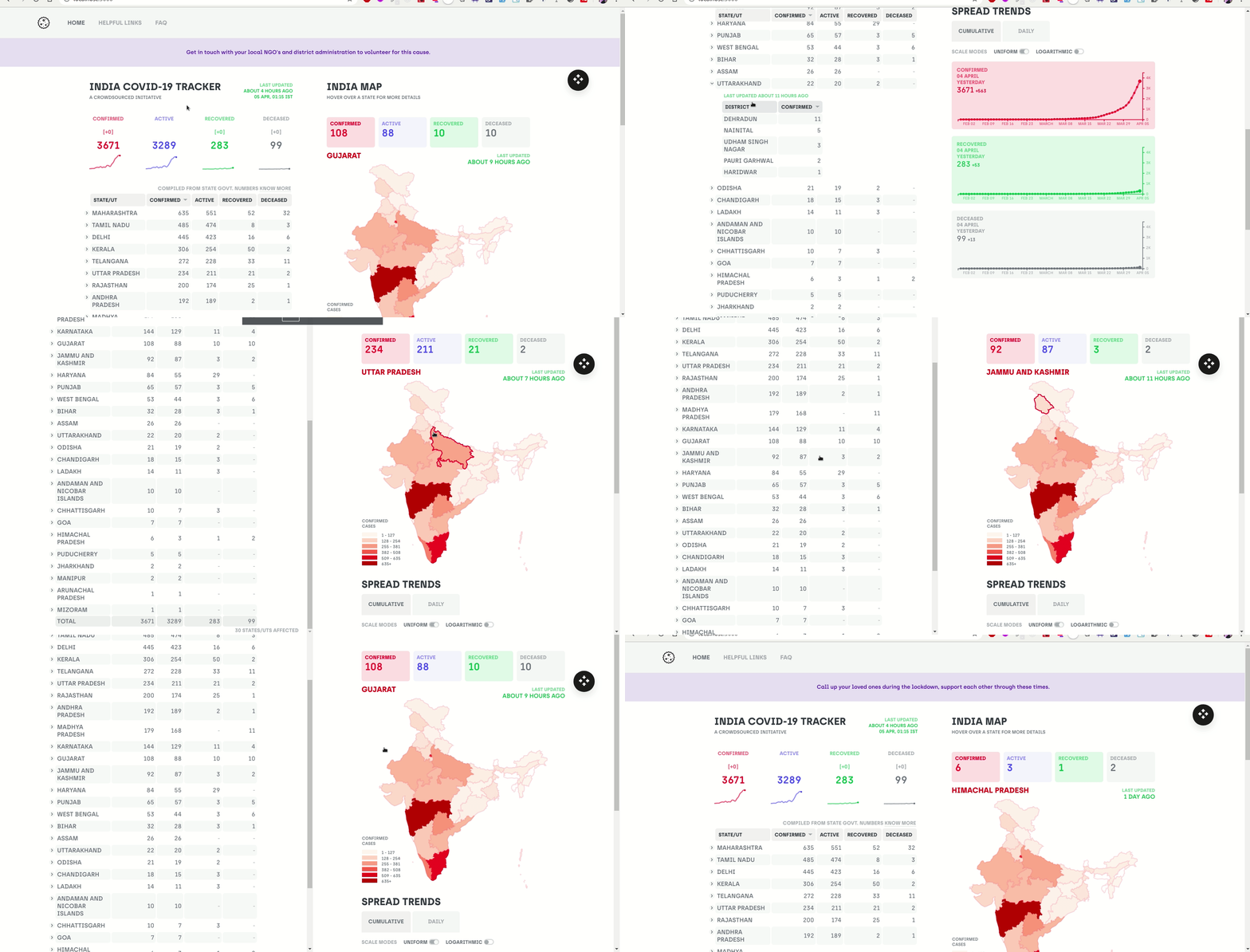
my idea is to give a button near map to open/close only home component (map and table) in full screen mode and then give scrolling option to both map and table. in this way they can see map and table simultaneously. this will solve the problem in desktops by keeping good UI. users can close full screen by pressing esc, F11 or enter key also. if this idea is accepted assign me. i would like to contribute. if any extra changes you want to suggest, please suggest.
Demo of my work on it.
 Binu42
on 5 Apr 2020
Binu42
on 5 Apr 2020
is it not a good idea to show spared trends to show in the popup on mouse hover. it will be good looking and user friendly as well.
 munna
on 6 Apr 2020
munna
on 6 Apr 2020
@deep5050 @shuklaayush @jeremyphilemon @tannakartikey
Maybe a useful solution could be by providing search option on the table itself. This could help in reducing the table length and at the same time can be a small feature too. What do you guys think ?
 parichay28
on 6 Apr 2020
parichay28
on 6 Apr 2020
Patched by #1364
jeremyphilemon
on 22 Apr 2020
Related issues
 ikshitiz
·
4Comments
ikshitiz
·
4Comments
 linkwithsid
·
3Comments
linkwithsid
·
3Comments
 Cryptonex7
·
6Comments
jeremyphilemon
·
6Comments
Cryptonex7
·
6Comments
jeremyphilemon
·
6Comments
 mohammedrehan275
·
6Comments
mohammedrehan275
·
6Comments
Most helpful comment
@pk1997 is right. Another way could be to make the whole right half sticky