Cosmos: Hi. I have some problem with it. Can you help me fix that please?
===================
Check Prerequisites
Check if User Kit Installer is already running.
Check if Visual Studio is running.
Check if Builder is running.
Check for .NET Core
Check for Visual Studio Extension Tools
Check for Inno Setup
Check for Inno Preprocessor
================
Init Directories
Cleaning up existing VSIP directory.
Creating VSIP as C:UsersASUSDesktopCosmos-masterBuildVSIP
Cleaning up existing User Kit directory.
Creating User Kit as C:UsersASUSAppDataRoamingCosmos User Kit
======================
Clean NuGet Local Feed
Starting: C:UsersASUSDesktopCosmos-masterBuildToolsnuget.exe
Params: sources List
Registered Sources:
- Cosmos MyGet Feed [Enabled]
https://www.myget.org/F/cosmos/api/v3/index.json - nuget.org [Enabled]
https://api.nuget.org/v3/index.json - Microsoft Visual Studio Offline Packages [Enabled]
C:Program Files (x86)Microsoft SDKsNuGetPackages
======================
Restore NuGet Packages
Starting: C:UsersASUSDesktopCosmos-masterBuildToolsnuget.exe
Params: restore "C:UsersASUSDesktopCosmos-masterBuild.sln"
MSBuild auto-detection: using msbuild version '15.5.180.51428' from 'C:Program Files (x86)Microsoft Visual Studio2017EnterpriseMSBuild15.0bin'.
WARNING: Project file C:UsersASUSDesktopCosmos-master..IL2CPUsourceIL2CPU.CompilerIL2CPU.Compiler.csproj cannot be found.
WARNING: Project file C:UsersASUSDesktopCosmos-master..IL2CPUsourceCosmos.IL2CPUCosmos.IL2CPU.csproj cannot be found.
WARNING: Project file C:UsersASUSDesktopCosmos-master..IL2CPUsourceIL2CPU.Debug.SymbolsIL2CPU.Debug.Symbols.csproj cannot be found.
WARNING: Project file C:UsersASUSDesktopCosmos-master..XSharpsourceXSharpXSharp.csproj cannot be found.
WARNING: Project file C:UsersASUSDesktopCosmos-master..XSharpsourceXSharp.AssemblerXSharp.Assembler.csproj cannot be found.
WARNING: Project file C:UsersASUSDesktopCosmos-master..IL2CPUsourceIL2CPU.APIIL2CPU.API.csproj cannot be found.
WARNING: Project file C:UsersASUSDesktopCosmos-master..XSharpsourceSpruceSpruce.csproj cannot be found.
WARNING: Project file C:UsersASUSDesktopCosmos-master..XSharpsourceXSharp.x86XSharp.x86.csproj cannot be found.
All packages listed in packages.config are already installed.
Committing restore...
Assets file has not changed. Skipping assets file writing. Path: C:UsersASUSDesktopCosmos-masterTestsCosmos.TestRunner.TestControllerobjproject.assets.json
Restore completed in 778.05 ms for C:UsersASUSDesktopCosmos-masterTestsCosmos.TestRunner.TestControllerCosmos.TestRunner.TestController.csproj.
Committing restore...
Assets file has not changed. Skipping assets file writing. Path: C:UsersASUSDesktopCosmos-mastersourceCosmos.Commonobjproject.assets.json
Restore completed in 8.21 ms for C:UsersASUSDesktopCosmos-mastersourceCosmos.CommonCosmos.Common.csproj.
Committing restore...
Assets file has not changed. Skipping assets file writing. Path: C:UsersASUSDesktopCosmos-mastersourceCosmos.Core.DebugStubobjproject.assets.json
Restore completed in 13.88 ms for C:UsersASUSDesktopCosmos-mastersourceCosmos.Core.DebugStubCosmos.Core.DebugStub.csproj.
Committing restore...
Assets file has not changed. Skipping assets file writing. Path: C:UsersASUSDesktopCosmos-masterToolsNASMobjproject.assets.json
Restore completed in 1.05 sec for C:UsersASUSDesktopCosmos-masterToolsNASMNASM.csproj.
Committing restore...
Assets file has not changed. Skipping assets file writing. Path: C:UsersASUSDesktopCosmos-mastersourceCosmos.Build.Commonobjproject.assets.json
Restore completed in 1.04 sec for C:UsersASUSDesktopCosmos-mastersourceCosmos.Build.CommonCosmos.Build.Common.csproj.
Committing restore...
Assets file has not changed. Skipping assets file writing. Path: C:UsersASUSDesktopCosmos-mastersourceCosmos.Core_Asmobjproject.assets.json
Restore completed in 40.68 ms for C:UsersASUSDesktopCosmos-mastersourceCosmos.Core_AsmCosmos.Core_Asm.csproj.
Committing restore...
Assets file has not changed. Skipping assets file writing. Path: C:UsersASUSDesktopCosmos-mastersourceCosmos.Core_Plugsobjproject.assets.json
Restore completed in 10.41 ms for C:UsersASUSDesktopCosmos-mastersourceCosmos.Core_PlugsCosmos.Core_Plugs.csproj.
Committing restore...
Assets file has not changed. Skipping assets file writing. Path: C:UsersASUSDesktopCosmos-mastersourceCosmos.Build.MSBuildobjproject.assets.json
Restore completed in 1.26 sec for C:UsersASUSDesktopCosmos-mastersourceCosmos.Build.MSBuildCosmos.Build.MSBuild.csproj.
Committing restore...
Assets file has not changed. Skipping assets file writing. Path: C:UsersASUSDesktopCosmos-mastersourceCosmos.Coreobjproject.assets.json
Restore completed in 329.88 ms for C:UsersASUSDesktopCosmos-mastersourceCosmos.CoreCosmos.Core.csproj.
Committing restore...
Assets file has not changed. Skipping assets file writing. Path: C:UsersASUSDesktopCosmos-mastersourceCosmos.Debug.Commonobjproject.assets.json
Restore completed in 135.74 ms for C:UsersASUSDesktopCosmos-mastersourceCosmos.Debug.CommonCosmos.Debug.Common.csproj.
Committing restore...
Assets file has not changed. Skipping assets file writing. Path: C:UsersASUSDesktopCosmos-mastersourceCosmos.Debug.Kernelobjproject.assets.json
Restore completed in 22.06 ms for C:UsersASUSDesktopCosmos-mastersourceCosmos.Debug.KernelCosmos.Debug.Kernel.csproj.
Committing restore...
Assets file has not changed. Skipping assets file writing. Path: C:UsersASUSDesktopCosmos-mastersourceCosmos.Debug.DebugConnectorsobjproject.assets.json
Restore completed in 287.18 ms for C:UsersASUSDesktopCosmos-mastersourceCosmos.Debug.DebugConnectorsCosmos.Debug.DebugConnectors.csproj.
Committing restore...
Assets file has not changed. Skipping assets file writing. Path: C:UsersASUSDesktopCosmos-mastersourceCosmos.Debug.Kernel.Plugs.Asmobjproject.assets.json
Restore completed in 34.98 ms for C:UsersASUSDesktopCosmos-mastersourceCosmos.Debug.Kernel.Plugs.AsmCosmos.Debug.Kernel.Plugs.Asm.csproj.
Committing restore...
Assets file has not changed. Skipping assets file writing. Path: C:UsersASUSDesktopCosmos-mastersourceCosmos.Debug.Hostsobjproject.assets.json
Restore completed in 46.14 ms for C:UsersASUSDesktopCosmos-mastersourceCosmos.Debug.HostsCosmos.Debug.Hosts.csproj.
Committing restore...
Assets file has not changed. Skipping assets file writing. Path: C:UsersASUSDesktopCosmos-mastersourceCosmos.HAL2objproject.assets.json
Restore completed in 42.15 ms for C:UsersASUSDesktopCosmos-mastersourceCosmos.HAL2Cosmos.HAL2.csproj.
Committing restore...
Assets file has not changed. Skipping assets file writing. Path: C:UsersASUSDesktopCosmos-mastersourceCosmos.System2_Plugsobjproject.assets.json
Restore completed in 27.9 ms for C:UsersASUSDesktopCosmos-mastersourceCosmos.System2_PlugsCosmos.System2_Plugs.csproj.
Committing restore...
Assets file has not changed. Skipping assets file writing. Path: C:UsersASUSDesktopCosmos-mastersourceCosmos.System2objproject.assets.json
Restore completed in 40.19 ms for C:UsersASUSDesktopCosmos-mastersourceCosmos.System2Cosmos.System2.csproj.
Committing restore...
Assets file has not changed. Skipping assets file writing. Path: C:UsersASUSDesktopCosmos-mastersourceTheRingMasterobjproject.assets.json
Restore completed in 19.21 ms for C:UsersASUSDesktopCosmos-mastersourceTheRingMasterTheRingMaster.csproj.
NuGet Config files used:
C:UsersASUSDesktopCosmos-masterNuGet.Config
C:UsersASUSAppDataRoamingNuGetNuGet.Config
C:Program Files (x86)NuGetConfigMicrosoft.VisualStudio.Offline.config
Feeds used:
C:Program Files (x86)Microsoft SDKsNuGetPackages
https://api.nuget.org/v3/index.json
https://www.myget.org/F/cosmos/api/v3/index.json
Starting: C:UsersASUSDesktopCosmos-masterBuildToolsnuget.exe
Params: restore "C:UsersASUSDesktopCosmos-master../IL2CPU/IL2CPU.sln"
Input file does not exist: C:UsersASUSDesktopCosmos-master../IL2CPU/IL2CPU.sln.
=====
Error
Console returned exit code. (0x00000001)
at Cosmos.Build.Installer.Task.StartConsole(String aExe, String aParams) in C:UsersASUSDesktopCosmos-mastersourceCosmos.Build.InstallerTask.cs:line 94
at Cosmos.Build.Builder.CosmosTask.Restore(String project) in C:UsersASUSDesktopCosmos-mastersourceCosmos.Build.BuilderCosmosTask.cs:line 279
at Cosmos.Build.Builder.CosmosTask.CompileCosmos() in C:UsersASUSDesktopCosmos-mastersourceCosmos.Build.BuilderCosmosTask.cs:line 309
at Cosmos.Build.Builder.CosmosTask.DoRun() in C:UsersASUSDesktopCosmos-mastersourceCosmos.Build.BuilderCosmosTask.cs:line 71
at Cosmos.Build.Installer.Task.Run() in C:UsersASUSDesktopCosmos-mastersourceCosmos.Build.InstallerTask.cs:line 16
It show me about this log but I don't know how about errors and how to fix it
 hwoadministrator
All 33 comments
You need to clone Cosmos, IL2CPU and XSharp in parallel.
 jp2masa
on 24 Dec 2017
jp2masa
on 24 Dec 2017
Where I clone it and clone from any folders?
hwoadministrator
on 24 Dec 2017
You need to create this folder structure:
Cosmos (or any other name)
|-- Cosmos (repo, cloned or downloaded, has to be this name)
|-- IL2CPU (repo, cloned or downloaded, has to be this name)
|-- XSharp (repo, cloned or downloaded, has to be this name)
jp2masa
on 24 Dec 2017
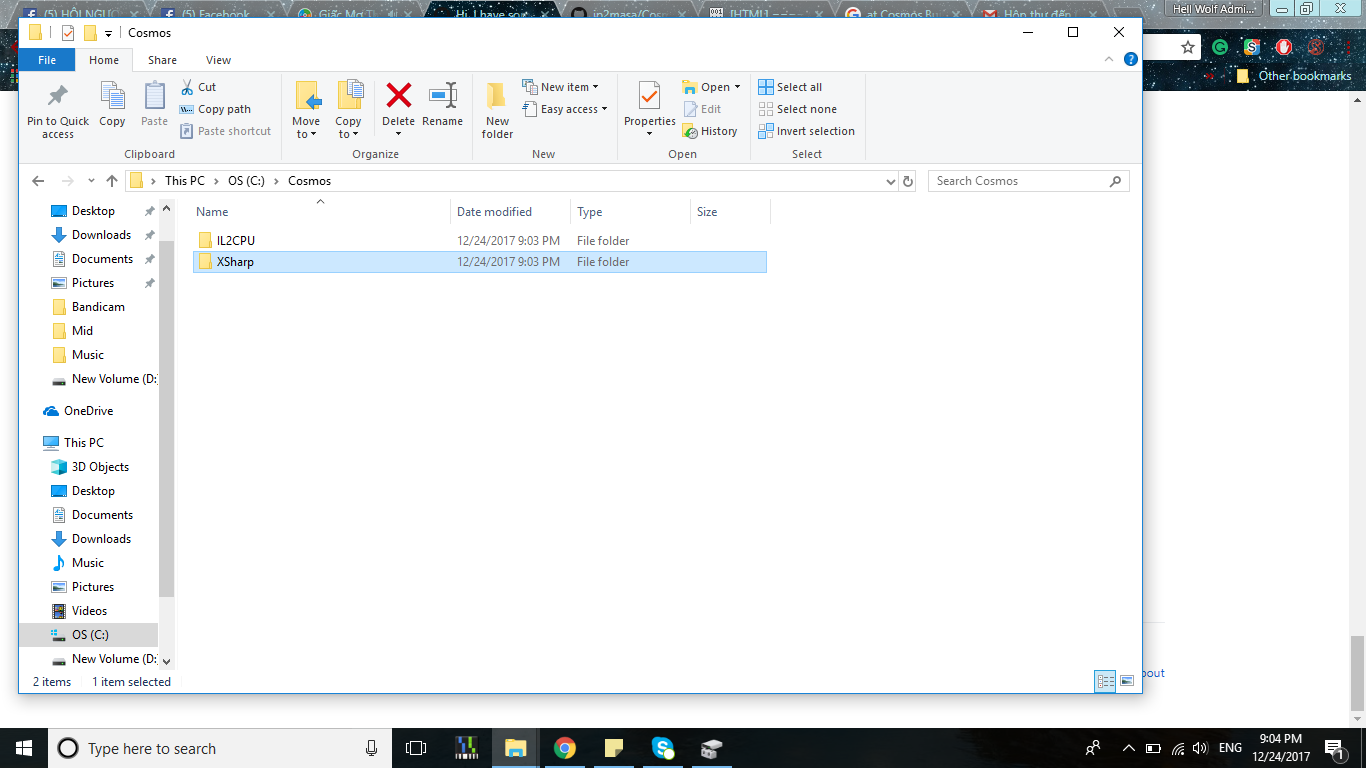
Sorry, but I can not understand where I put it? I put in cosmos-master or put it here?
hwoadministrator
on 24 Dec 2017
Put it there, the name of the folder has to be "Cosmos".
jp2masa
on 24 Dec 2017
It is not working correctly, can you help me with TeamViewer, please?
hwoadministrator
on 24 Dec 2017
What's not working correctly? Are you still getting the same error?
jp2masa
on 24 Dec 2017
Yes, I still get it again.
hwoadministrator
on 24 Dec 2017
How can I fix it. Please help me T.T
hwoadministrator
on 24 Dec 2017
Create a folder, open cmd in there and run the following commands:
git clone https://github.com/CosmosOS/Cosmos.git
git clone https://github.com/CosmosOS/IL2CPU.git
git clone https://github.com/CosmosOS/XSharp.git
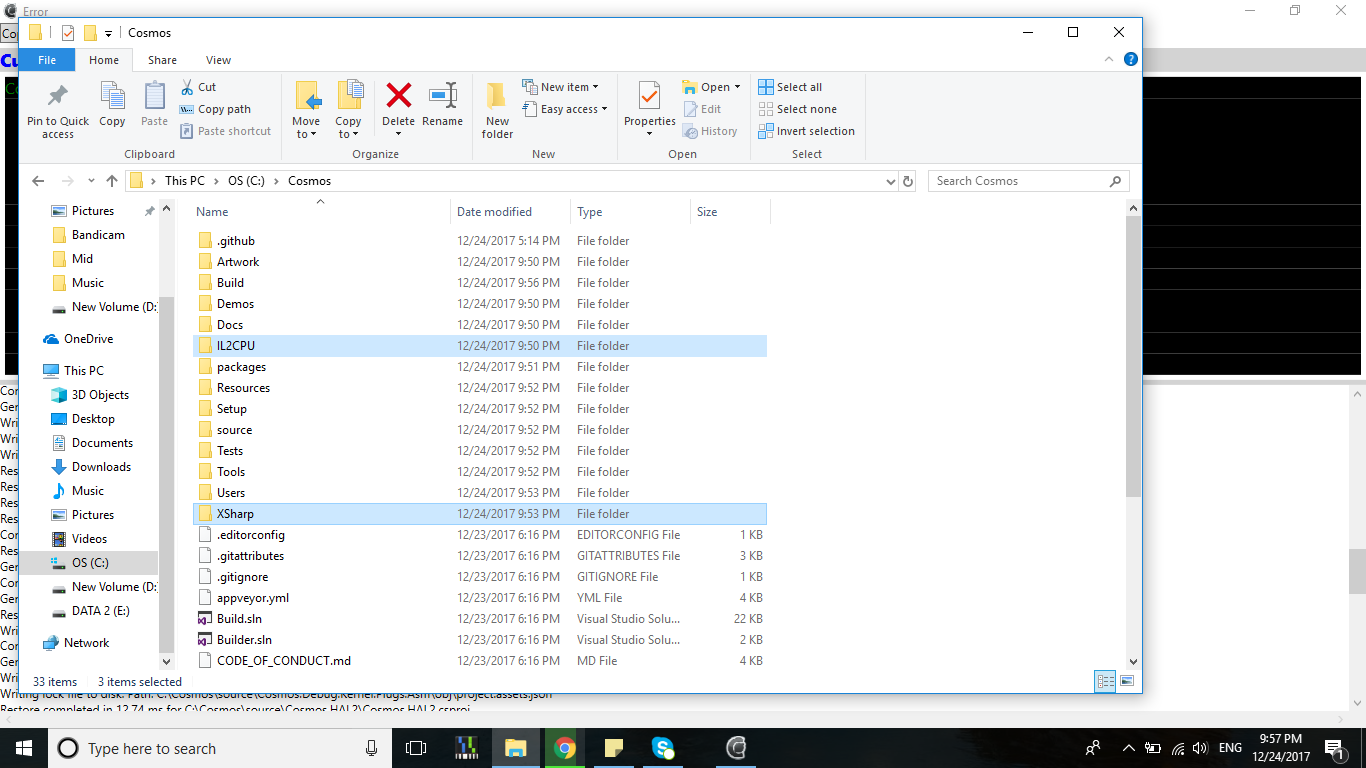
It all still here
hwoadministrator
on 24 Dec 2017
That's not what happens if you run the commands I mentioned.
jp2masa
on 24 Dec 2017
Okey I will try again. And I will reply you if I have it now.
hwoadministrator
on 24 Dec 2017
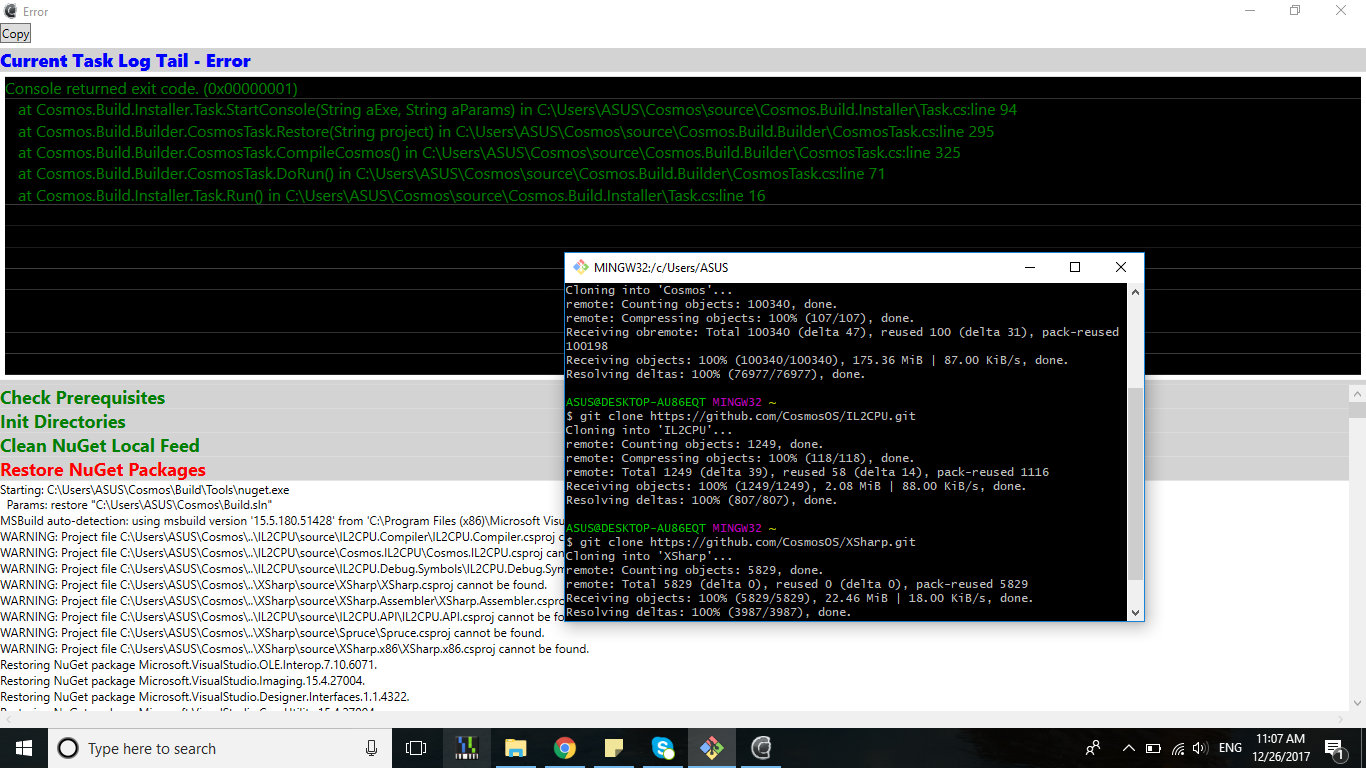
I get the same errors. But I have using the command you mentioned :(
hwoadministrator
on 26 Dec 2017
Check if there's any NuGet source which has an invalid path and remove it.
jp2masa
on 26 Dec 2017
How I can remove it?
hwoadministrator
on 26 Dec 2017
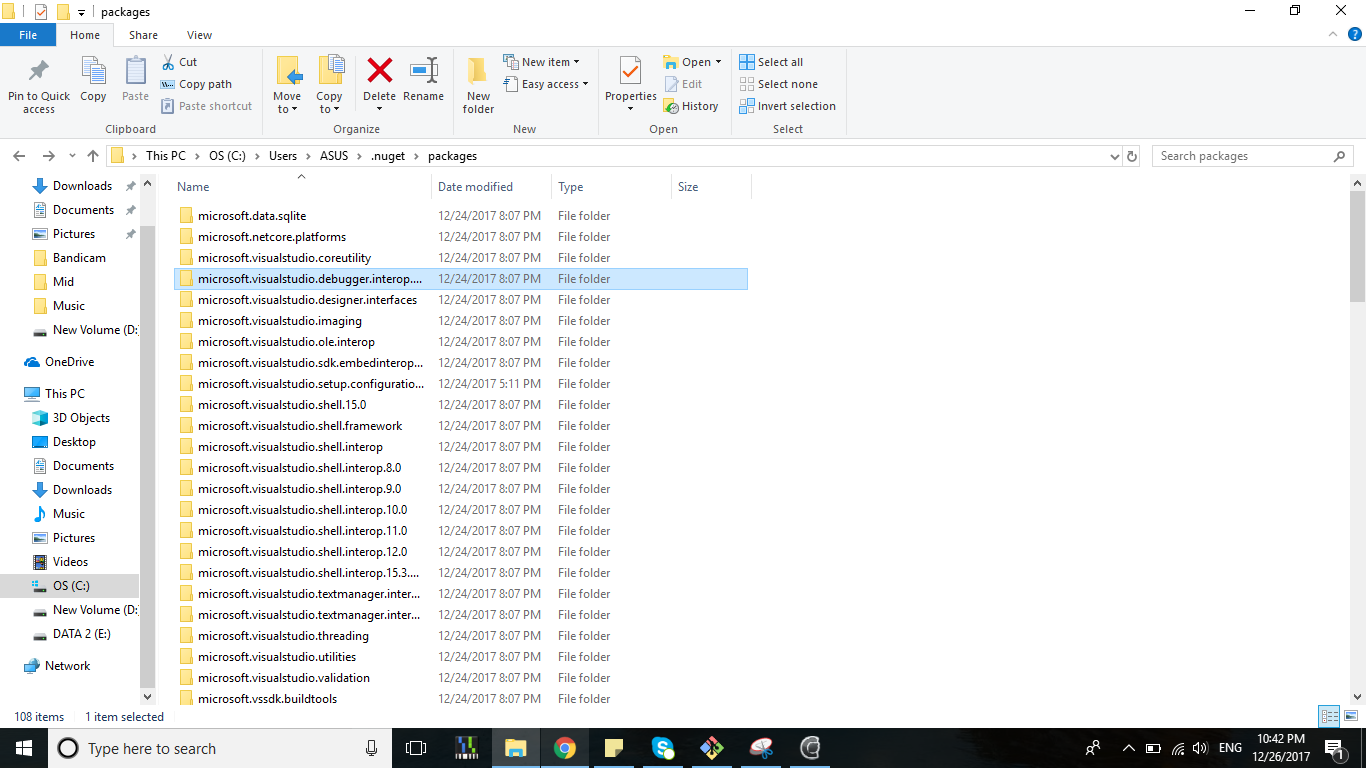
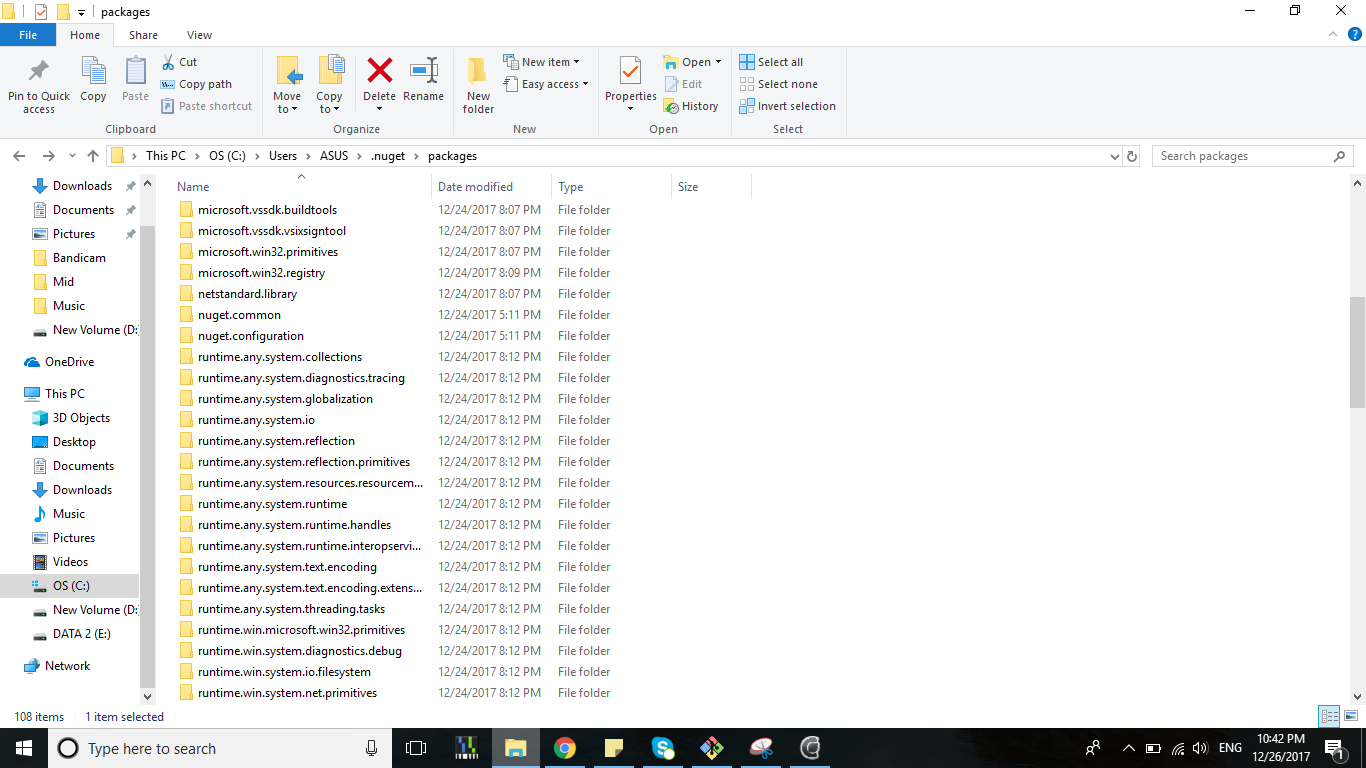
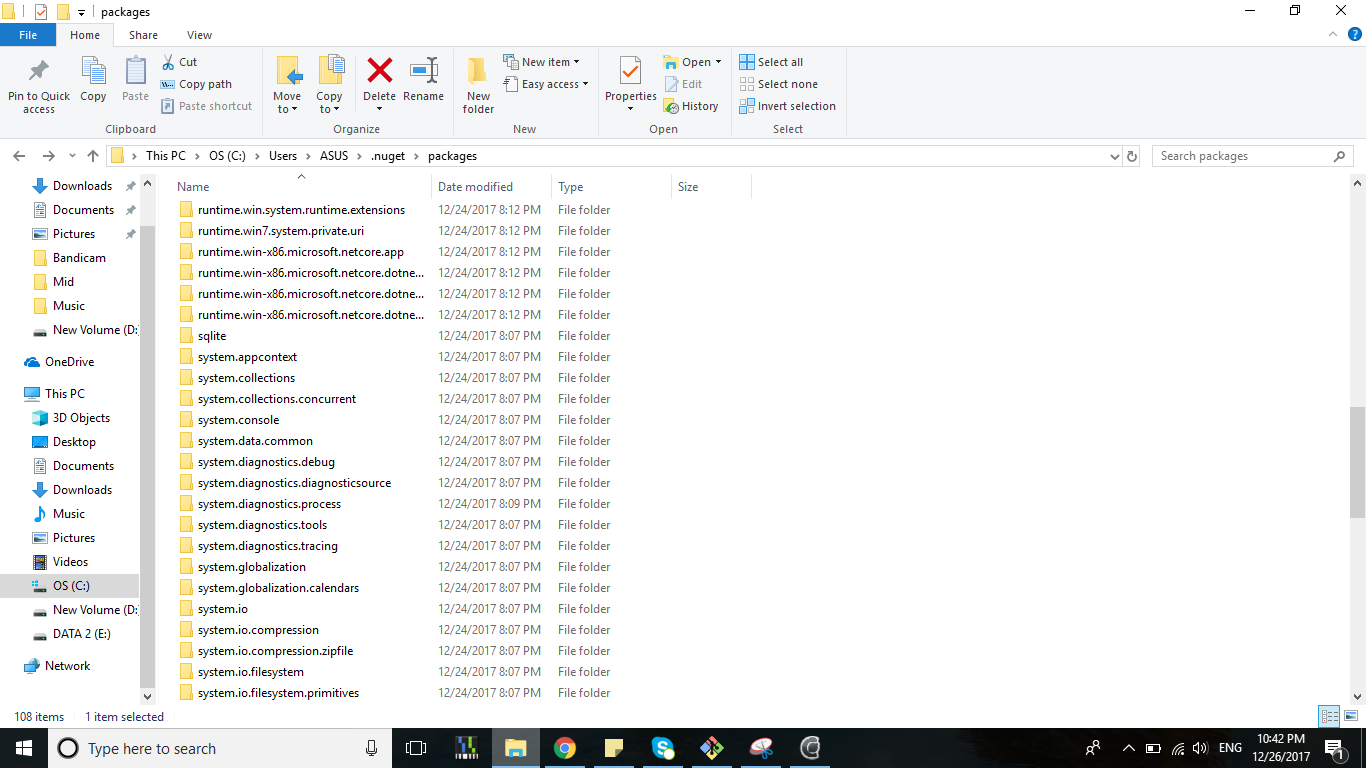
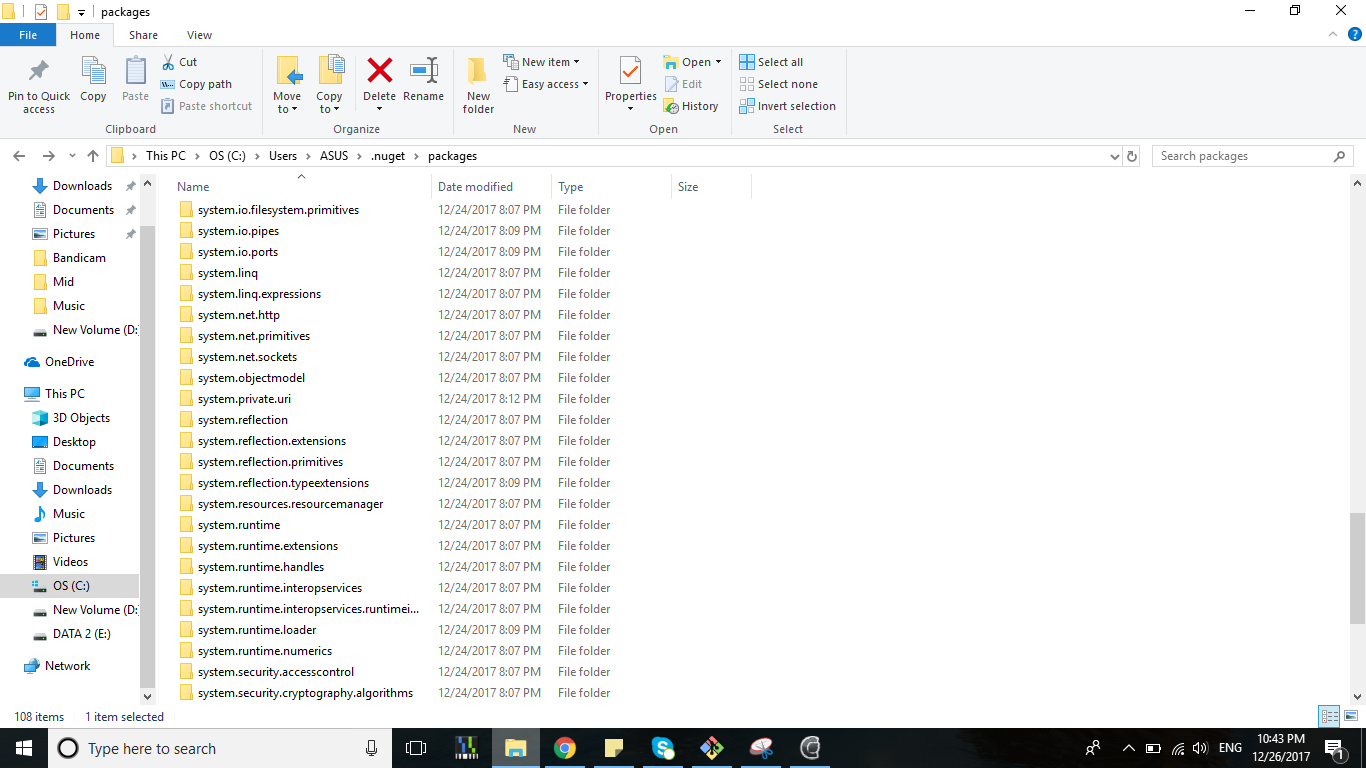
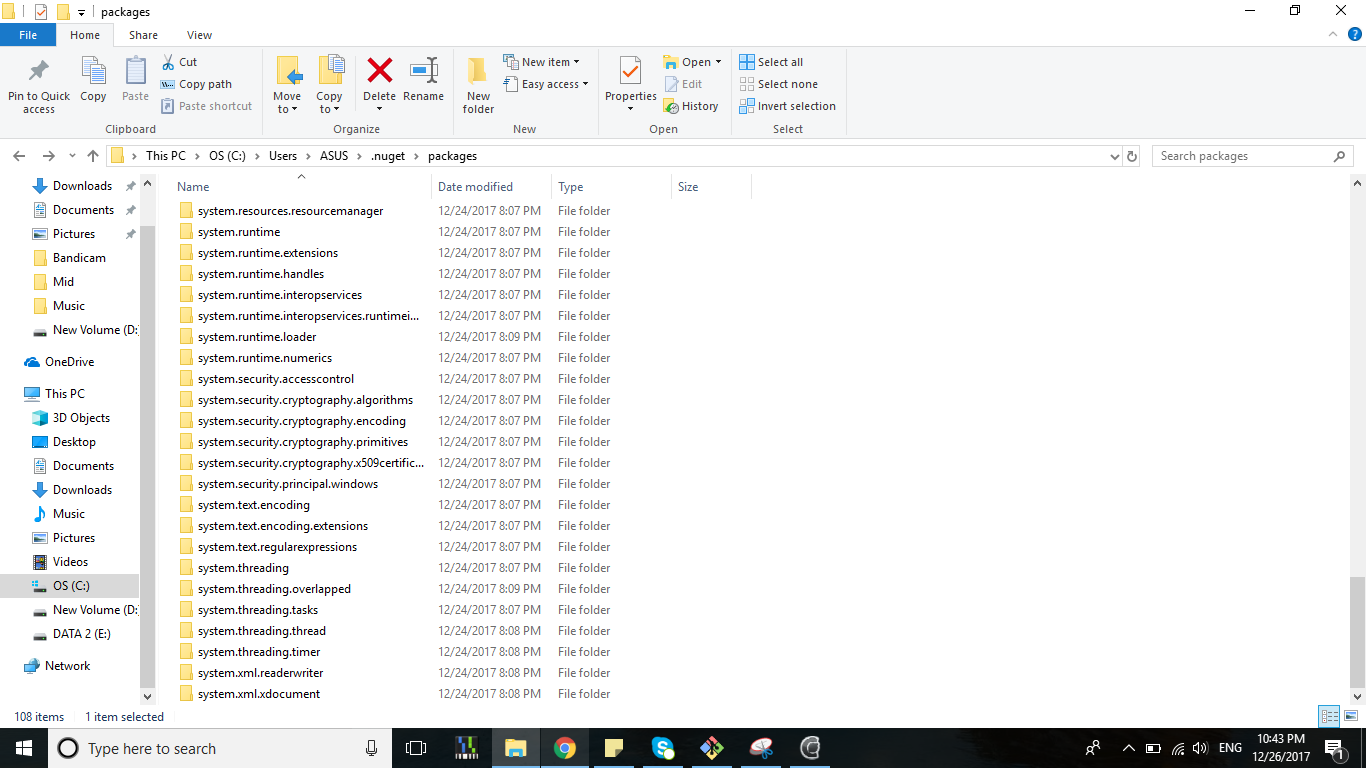
I don't see anything. Can you teamviews for me please?
hwoadministrator
on 26 Dec 2017
In a folder with nuget.exe:
To check the sources: nuget sources List
To remove a source: nuget sources Remove -Name "source name"
Also, the gitter chat room is better to ask for help.
jp2masa
on 26 Dec 2017
What the locator of file nuget.exe. I have used version visual 2017 but I don't see anything on Nuget Gallery Download.
hwoadministrator
on 26 Dec 2017
There's a nuget.exe in BuildTools .
jp2masa
on 26 Dec 2017
I click it open and it close with 1s :(
hwoadministrator
on 27 Dec 2017
That’s because you need to run nuget.exe from a command prompt
 midonator1305
on 27 Dec 2017
midonator1305
on 27 Dec 2017
How can I run it? Can you give me the command, please?
hwoadministrator
on 27 Dec 2017
Just do cd <where ever nuget.exe is located>
Then run nuget.exe <insert command here>
midonator1305
on 27 Dec 2017
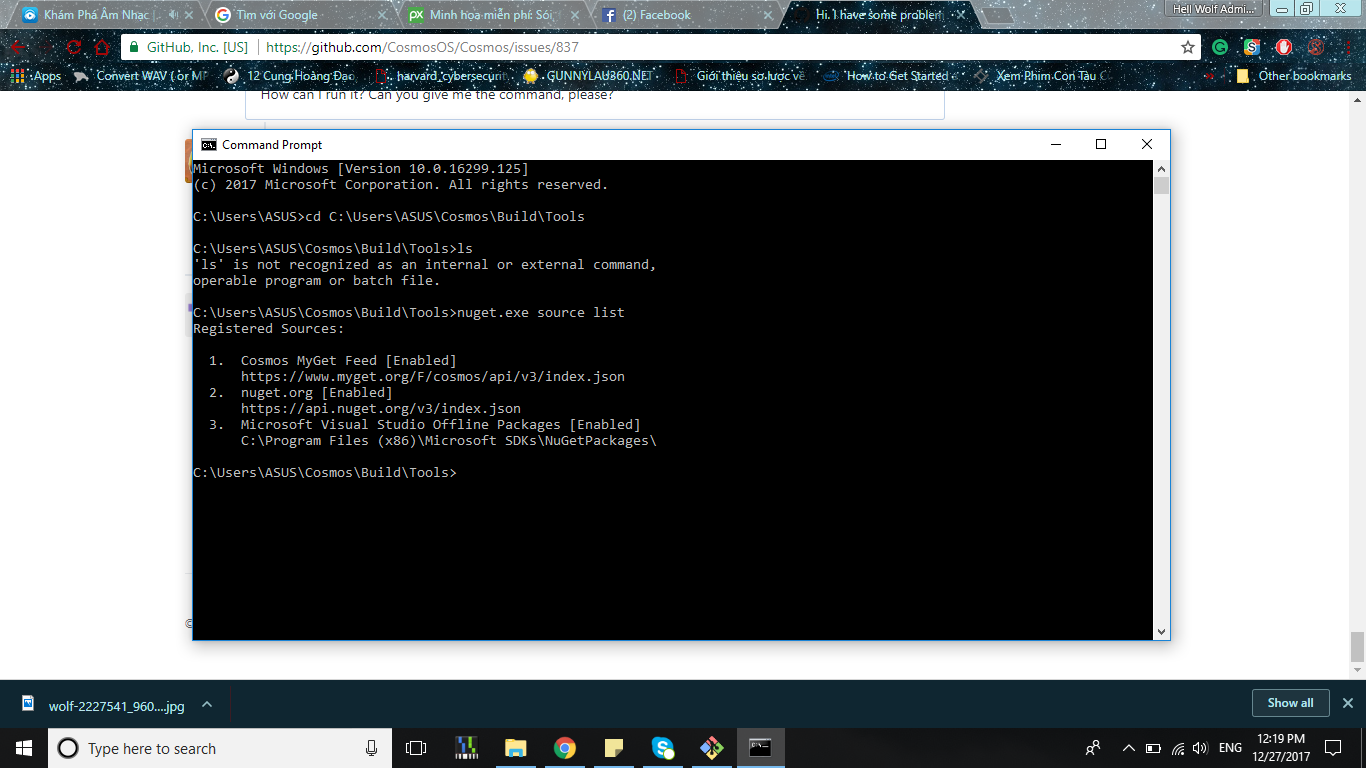
Are it good sir?
hwoadministrator
on 27 Dec 2017
Sorry but I’m not sure.
midonator1305
on 27 Dec 2017
But It also not working correct for nuget restore, I don't know how to fix it that :(
hwoadministrator
on 27 Dec 2017
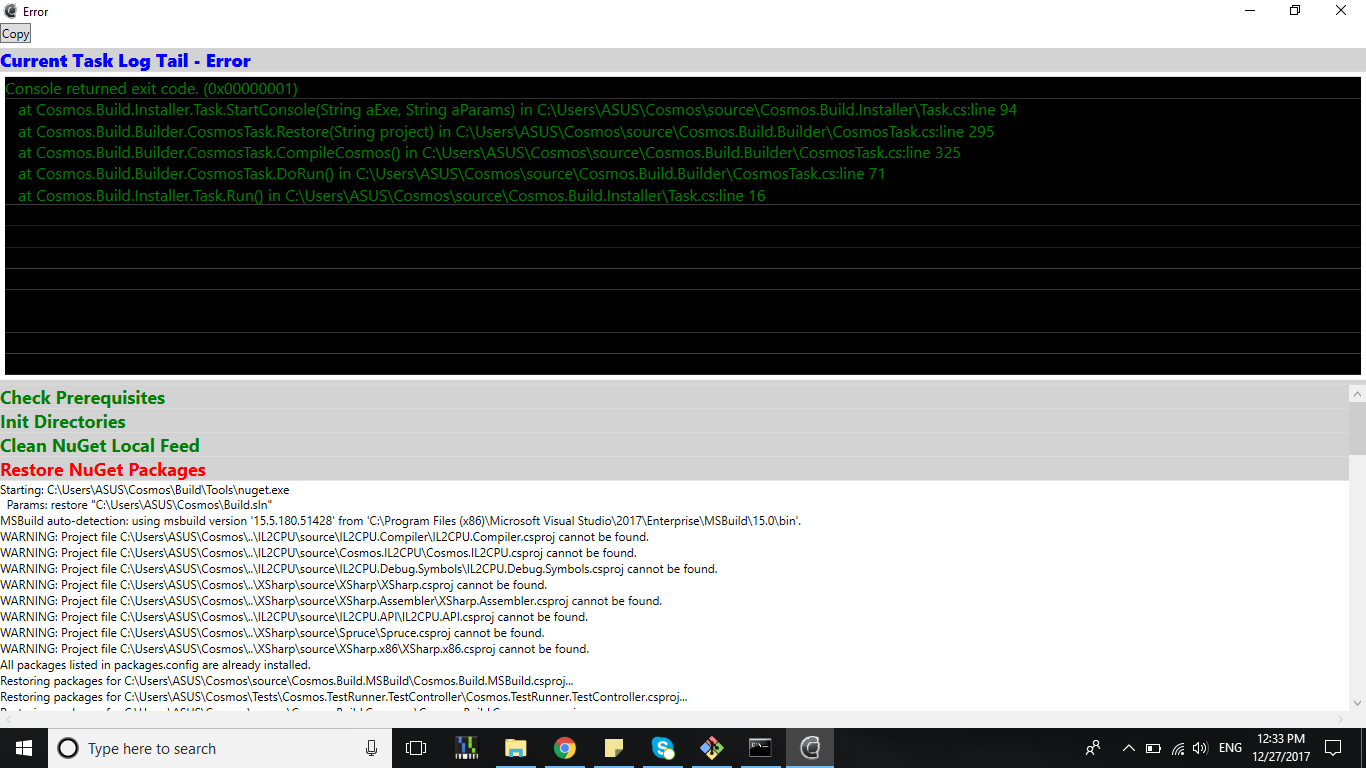
same errors :(
hwoadministrator
on 27 Dec 2017
Are you sure that XSharp and IL2CPU are in the right place?
midonator1305
on 27 Dec 2017
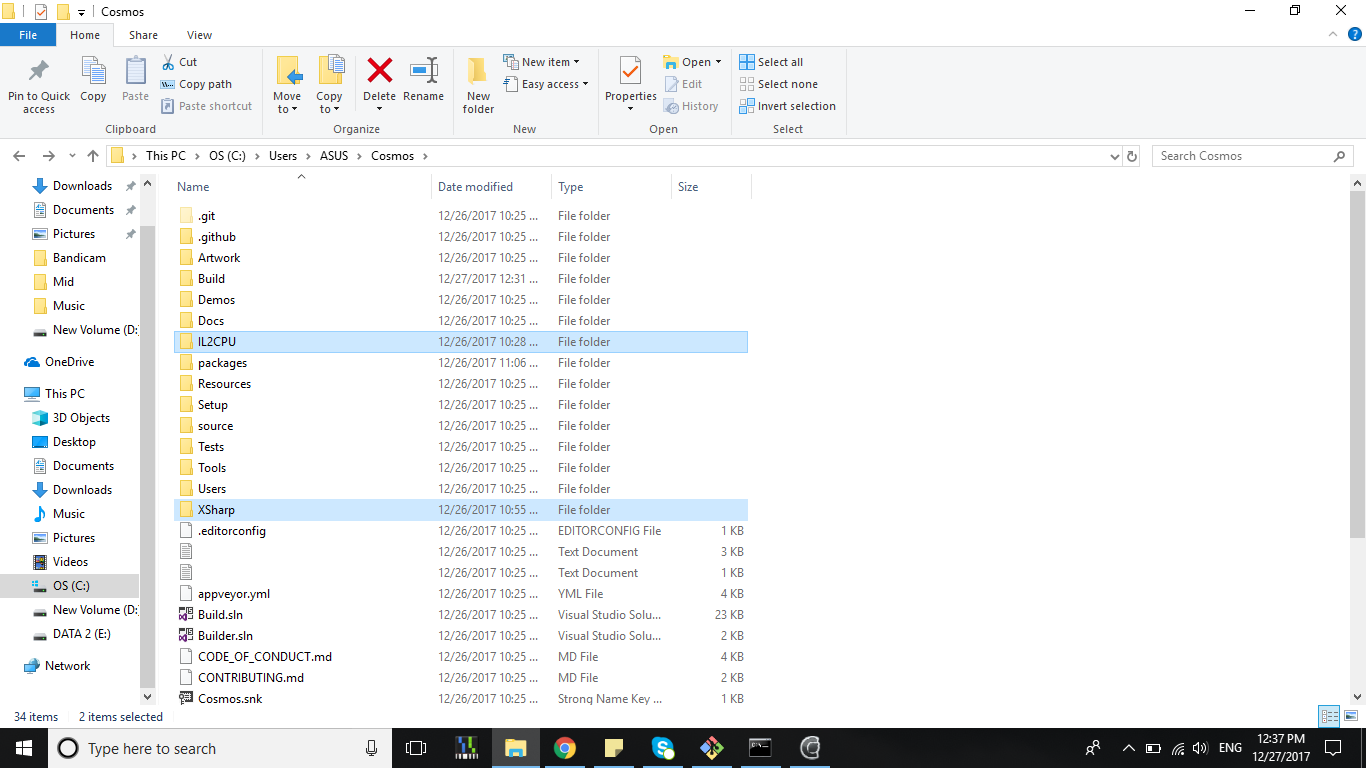
yeah I have it
hwoadministrator
on 27 Dec 2017
They should be outside the cosmos folder.
In your case they should be under C:UsersASUS
midonator1305
on 27 Dec 2017
Yeah, it's working now. Thank you and jshama for helping me very much
hwoadministrator
on 27 Dec 2017
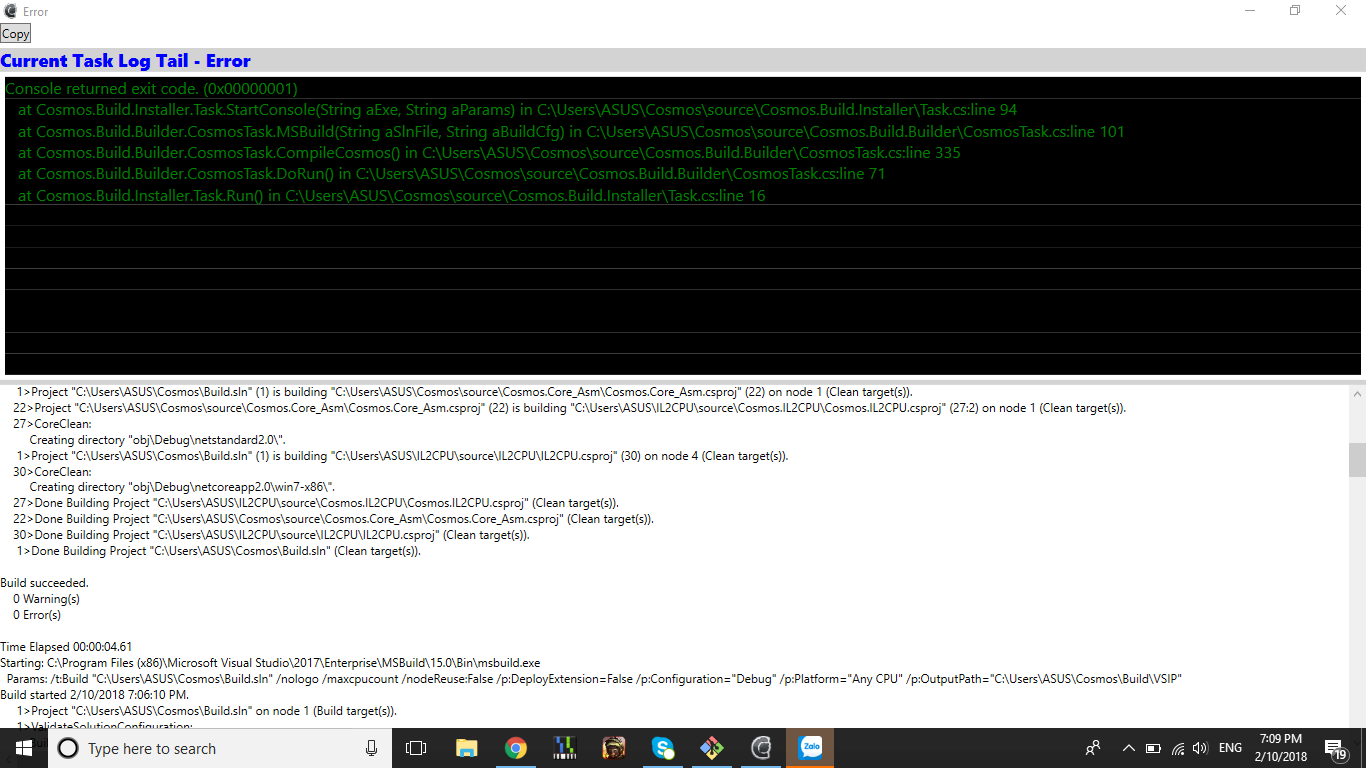
I must repair visual for some error show. Now I setting again and it tell me :( why?
hwoadministrator
on 10 Feb 2018
Related issues
 fanoI
·
8Comments
fanoI
·
8Comments
 ArtyIF
·
9Comments
ArtyIF
·
9Comments
 geomtech
·
9Comments
geomtech
·
9Comments
 omerhijazi404
·
9Comments
omerhijazi404
·
9Comments
 artizzq
·
9Comments
artizzq
·
9Comments