Cosmos: Dev Kit not installing: Visual Studio workloads not found
Area of Cosmos - What area of Cosmos are we dealing with?
Installation of Cosmos OS Dev Kit
Expected Behaviour - What do you think that should happen?
Properly installed Cosmos OS Dev Kit
Actual Behaviour - What unexpectedly happens?
On running "install-VS2019.bat" appears a message box "Cosmos Kit Builder" with the following text:
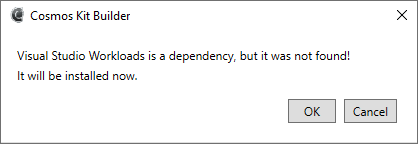
When I click OK, Visual Studio Installer is getting to run and appears for a while
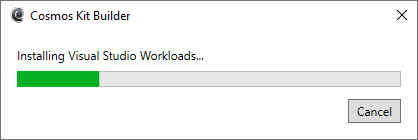
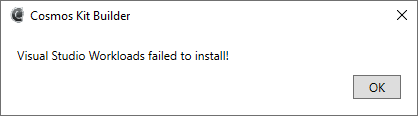
Then this message pops up:
The final log:
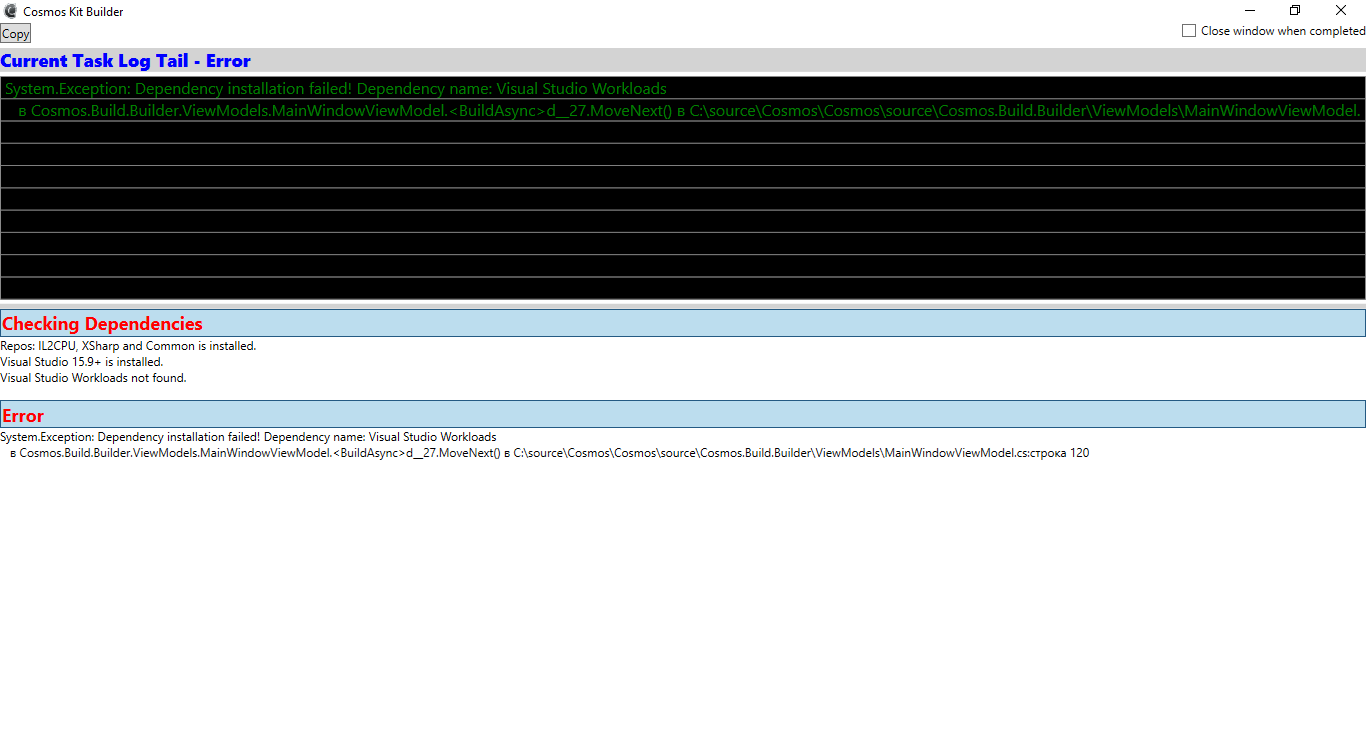
I believe I have installed all dependencies and the workloads mentioned:

What's going on?
Reproduction - How did you get this error to appear?
The steps are provided above.
Version - Were you using the User Kit or Dev Kit? And what User Kit version or Dev Kit commit (Cosmos, IL2CPU, X#)?
Dev Kit commit
ba2ace3
 artizzq
All 9 comments
try updating your visual studio or restarting your computer
 ghost
on 12 Oct 2019
ghost
on 12 Oct 2019
It doesnt work either.
сб, 12 окт. 2019 г., 21:36 BurgerlX notifications@github.com:
try updating your visual studio or restarting your computer
—
You are receiving this because you authored the thread.
Reply to this email directly, view it on GitHub
https://github.com/CosmosOS/Cosmos/issues/1233?email_source=notifications&email_token=ANNKXL2OPIHSNS73TCUCYKDQOH4IHA5CNFSM4JAC5OGKYY3PNVWWK3TUL52HS4DFVREXG43VMVBW63LNMVXHJKTDN5WW2ZLOORPWSZGOEBCDJ5Y#issuecomment-541340919,
or unsubscribe
https://github.com/notifications/unsubscribe-auth/ANNKXL7QDN6SDP3UOBTJPZLQOH4IHANCNFSM4JAC5OGA
.
artizzq
on 15 Oct 2019
Since updating Visual Studio and restarting your system doesn't work, it sounds like your installation of Visual Studio is either located somewhere other than where the Cosmos devkit is searching, or your installation could be corrupt. Go to Visual Studio Installer, select your installation, and click Repair. Since both the userkit and the devkit require Visual Studio Workloads, try downloading and installing the userkit. The only other thing you could try if the above two methods don't work is to reinstall Visual Studio.
 sudopigeek
on 18 Oct 2019
sudopigeek
on 18 Oct 2019
What I did:
Updated Visual Studio
Ran Visual Studio Installer as Admin
Ran the installer for Cosmos
This worked for me. Hope it helps. :)
 JohnSpahr
on 18 Oct 2019
JohnSpahr
on 18 Oct 2019
Thanks for suggestions, guys.
Since updating Visual Studio and restarting your system doesn't work, it sounds like your installation of Visual Studio is either located somewhere other than where the Cosmos devkit is searching, or your installation could be corrupt. Go to Visual Studio Installer, select your installation, and click Repair. Since both the userkit and the devkit require Visual Studio Workloads, try downloading and installing the userkit. The only other thing you could try if the above two methods don't work is to reinstall Visual Studio.
I tried it but it still didnt work although I have only one VS2019 version installed.
What I did:
Updated Visual Studio
Ran Visual Studio Installer as Admin
Ran the installer for CosmosThis worked for me. Hope it helps. :)
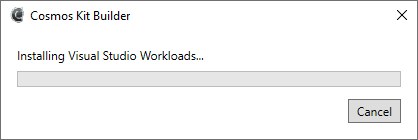
I did it too. But at least now I am stuck on infinite loading:
Here's what happens in Task Manager. It just eats the CPU but I dont see anything happening outside.
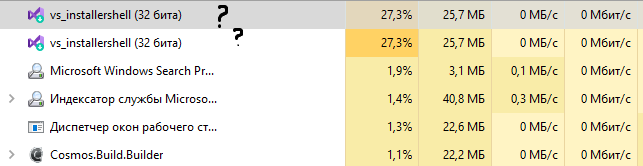
Does it install something or I am wrong? This happened sometimes before I used your solution and didnt throw any error. But it doesnt make any effect, it just hangs.
Still no luck.
Probably, I'll stick on user kit as it works okay.
artizzq
on 25 Oct 2019
Try commenting out (yield return new VisualStudioWorkloadsDependency(_visualStudioInstance);) here and rerunning the builder. https://github.com/CosmosOS/Cosmos/blob/dc794e0eb9283b5614f8dce1d5df21cd053cc335/source/Cosmos.Build.Builder/CosmosBuildDefinition.cs#L42
 quajak
on 25 Oct 2019
quajak
on 25 Oct 2019
It throws an error
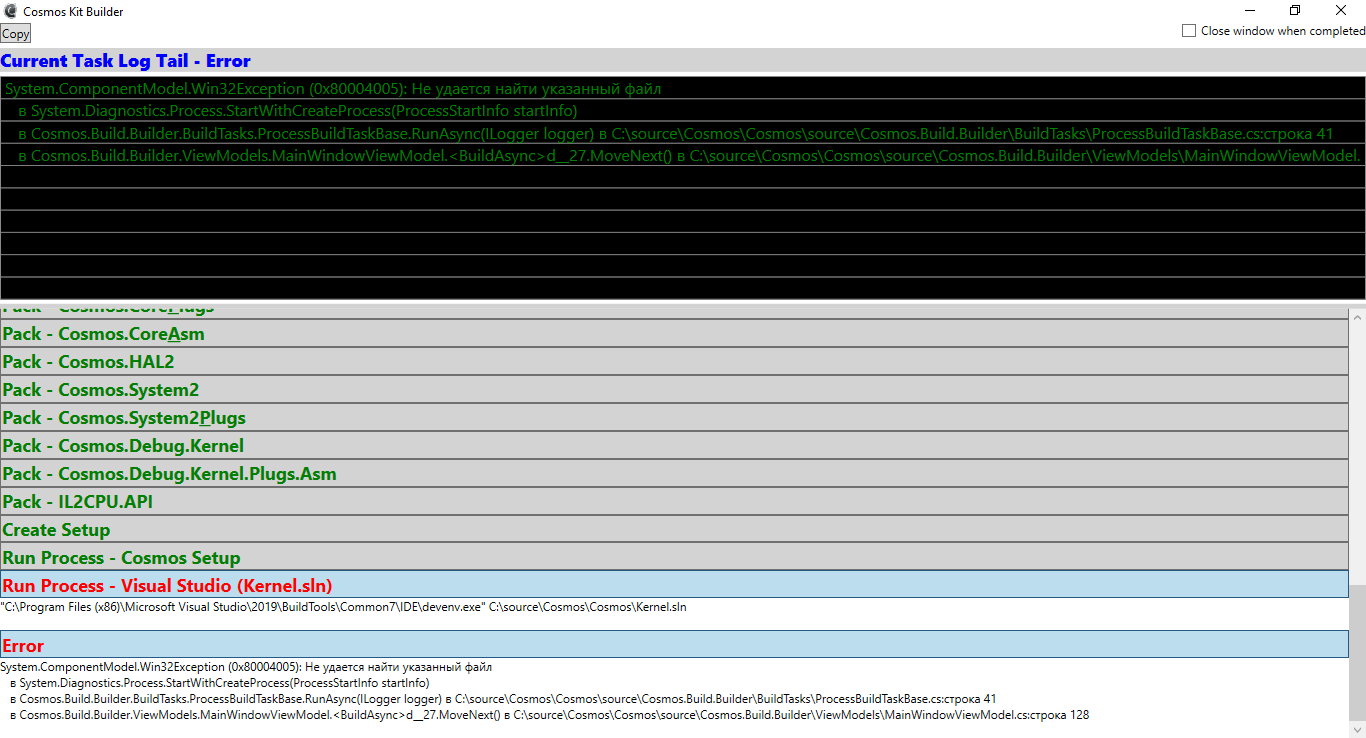
devenv.exe is somehow missing.
artizzq
on 25 Oct 2019
Can you use the copy button and paste the entire log in a pastebin?
quajak
on 26 Oct 2019
Can you use the copy button and paste the entire log in a pastebin?
Alright, I solved it just by repairing the Visual Studio 2019 Build Tools Installation. All is good. Thank you very much!
quajak, your solution worked fine!
artizzq
on 26 Oct 2019
Related issues
 geomtech
·
9Comments
geomtech
·
9Comments
 Vardan2009
·
11Comments
Vardan2009
·
11Comments
 365Tito
·
10Comments
365Tito
·
11Comments
365Tito
·
10Comments
365Tito
·
11Comments
 erikpro007
·
4Comments
erikpro007
·
4Comments
Most helpful comment
Try commenting out (
yield return new VisualStudioWorkloadsDependency(_visualStudioInstance);) here and rerunning the builder. https://github.com/CosmosOS/Cosmos/blob/dc794e0eb9283b5614f8dce1d5df21cd053cc335/source/Cosmos.Build.Builder/CosmosBuildDefinition.cs#L42