Corefreq: [SOLVED] No temperature report on Ryzen 2700X
First I'd like to say I'm really impressed by this software. I've been looking for a lightweight program to monitor frequency (and hopefully temperature, vcore, etc) while I set up a new system, and CoreFreq works well and has a ton of features. Plus, I like that it runs in the terminal.
Now for the issue: there is currently no reporting of temperature, Vcore, or power on the Ryzen 2700X as can be seen in the following screenshots.


The 2700X is a new CPU so it is understandable. If you need info or want me to try something, just let me know.
Even in the current state, CoreFreq is useful to me. Again, really impressed. It deserves more publicity!
 adatum
All 585 comments
Hello,
I appreciate it.
Could you please return the results of command lspci -nn
I'm expecting to read one PCI of device or function of value 0x60 to query thermal sensor.
 cyring
on 12 May 2018
cyring
on 12 May 2018
$ lspci -nn
00:00.0 Host bridge [0600]: Advanced Micro Devices, Inc. [AMD] Family 17h (Models 00h-0fh) Root Complex [1022:1450]
00:00.2 IOMMU [0806]: Advanced Micro Devices, Inc. [AMD] Family 17h (Models 00h-0fh) I/O Memory Management Unit [1022:1451]
00:01.0 Host bridge [0600]: Advanced Micro Devices, Inc. [AMD] Family 17h (Models 00h-0fh) PCIe Dummy Host Bridge [1022:1452]
00:01.3 PCI bridge [0604]: Advanced Micro Devices, Inc. [AMD] Family 17h (Models 00h-0fh) PCIe GPP Bridge [1022:1453]
00:02.0 Host bridge [0600]: Advanced Micro Devices, Inc. [AMD] Family 17h (Models 00h-0fh) PCIe Dummy Host Bridge [1022:1452]
00:03.0 Host bridge [0600]: Advanced Micro Devices, Inc. [AMD] Family 17h (Models 00h-0fh) PCIe Dummy Host Bridge [1022:1452]
00:03.1 PCI bridge [0604]: Advanced Micro Devices, Inc. [AMD] Family 17h (Models 00h-0fh) PCIe GPP Bridge [1022:1453]
00:04.0 Host bridge [0600]: Advanced Micro Devices, Inc. [AMD] Family 17h (Models 00h-0fh) PCIe Dummy Host Bridge [1022:1452]
00:07.0 Host bridge [0600]: Advanced Micro Devices, Inc. [AMD] Family 17h (Models 00h-0fh) PCIe Dummy Host Bridge [1022:1452]
00:07.1 PCI bridge [0604]: Advanced Micro Devices, Inc. [AMD] Family 17h (Models 00h-0fh) Internal PCIe GPP Bridge 0 to Bus B [1022:1454]
00:08.0 Host bridge [0600]: Advanced Micro Devices, Inc. [AMD] Family 17h (Models 00h-0fh) PCIe Dummy Host Bridge [1022:1452]
00:08.1 PCI bridge [0604]: Advanced Micro Devices, Inc. [AMD] Family 17h (Models 00h-0fh) Internal PCIe GPP Bridge 0 to Bus B [1022:1454]
00:14.0 SMBus [0c05]: Advanced Micro Devices, Inc. [AMD] FCH SMBus Controller [1022:790b] (rev 59)
00:14.3 ISA bridge [0601]: Advanced Micro Devices, Inc. [AMD] FCH LPC Bridge [1022:790e] (rev 51)
00:18.0 Host bridge [0600]: Advanced Micro Devices, Inc. [AMD] Family 17h (Models 00h-0fh) Data Fabric: Device 18h; Function 0 [1022:1460]
00:18.1 Host bridge [0600]: Advanced Micro Devices, Inc. [AMD] Family 17h (Models 00h-0fh) Data Fabric: Device 18h; Function 1 [1022:1461]
00:18.2 Host bridge [0600]: Advanced Micro Devices, Inc. [AMD] Family 17h (Models 00h-0fh) Data Fabric: Device 18h; Function 2 [1022:1462]
00:18.3 Host bridge [0600]: Advanced Micro Devices, Inc. [AMD] Family 17h (Models 00h-0fh) Data Fabric: Device 18h; Function 3 [1022:1463]
00:18.4 Host bridge [0600]: Advanced Micro Devices, Inc. [AMD] Family 17h (Models 00h-0fh) Data Fabric: Device 18h; Function 4 [1022:1464]
00:18.5 Host bridge [0600]: Advanced Micro Devices, Inc. [AMD] Family 17h (Models 00h-0fh) Data Fabric: Device 18h; Function 5 [1022:1465]
00:18.6 Host bridge [0600]: Advanced Micro Devices, Inc. [AMD] Family 17h (Models 00h-0fh) Data Fabric: Device 18h; Function 6 [1022:1466]
00:18.7 Host bridge [0600]: Advanced Micro Devices, Inc. [AMD] Family 17h (Models 00h-0fh) Data Fabric: Device 18h; Function 7 [1022:1467]
01:00.0 USB controller [0c03]: Advanced Micro Devices, Inc. [AMD] Device [1022:43d0] (rev 01)
01:00.1 SATA controller [0106]: Advanced Micro Devices, Inc. [AMD] Device [1022:43c8] (rev 01)
01:00.2 PCI bridge [0604]: Advanced Micro Devices, Inc. [AMD] Device [1022:43c6] (rev 01)
02:00.0 PCI bridge [0604]: Advanced Micro Devices, Inc. [AMD] Device [1022:43c7] (rev 01)
02:01.0 PCI bridge [0604]: Advanced Micro Devices, Inc. [AMD] Device [1022:43c7] (rev 01)
02:02.0 PCI bridge [0604]: Advanced Micro Devices, Inc. [AMD] Device [1022:43c7] (rev 01)
02:03.0 PCI bridge [0604]: Advanced Micro Devices, Inc. [AMD] Device [1022:43c7] (rev 01)
02:04.0 PCI bridge [0604]: Advanced Micro Devices, Inc. [AMD] Device [1022:43c7] (rev 01)
02:09.0 PCI bridge [0604]: Advanced Micro Devices, Inc. [AMD] Device [1022:43c7] (rev 01)
05:00.0 Ethernet controller [0200]: Intel Corporation I211 Gigabit Network Connection [8086:1539] (rev 03)
06:00.0 Network controller [0280]: Realtek Semiconductor Co., Ltd. RTL8822BE 802.11a/b/g/n/ac WiFi adapter [10ec:b822]
08:00.0 USB controller [0c03]: ASMedia Technology Inc. Device [1b21:2142]
09:00.0 VGA compatible controller [0300]: NVIDIA Corporation GP108 [GeForce GT 1030] [10de:1d01] (rev a1)
09:00.1 Audio device [0403]: NVIDIA Corporation GP108 High Definition Audio Controller [10de:0fb8] (rev a1)
0a:00.0 Non-Essential Instrumentation [1300]: Advanced Micro Devices, Inc. [AMD] Device [1022:145a]
0a:00.2 Encryption controller [1080]: Advanced Micro Devices, Inc. [AMD] Family 17h (Models 00h-0fh) Platform Security Processor [1022:1456]
0a:00.3 USB controller [0c03]: Advanced Micro Devices, Inc. [AMD] USB 3.0 Host controller [1022:145f]
0b:00.0 Non-Essential Instrumentation [1300]: Advanced Micro Devices, Inc. [AMD] Device [1022:1455]
0b:00.2 SATA controller [0106]: Advanced Micro Devices, Inc. [AMD] FCH SATA Controller [AHCI mode] [1022:7901] (rev 51)
0b:00.3 Audio device [0403]: Advanced Micro Devices, Inc. [AMD] Family 17h (Models 00h-0fh) HD Audio Controller [1022:1457]
Using last commit, you will need to add the Experimental argument when loading the driver.
insmod corefreqk.ko Experimental=1
Temperature is a raw value without decimal adjustment.
May crash, save you files.
CyrIng
cyring
on 18 May 2018
With the latest commit and insmod corefreqk.ko Experimental=1 I get non-zero temperature values, but they are static and don't seem to make sense:

Also, for both the latest and previous commits:
- The ratio/multiplier (and thus frequency) doesn't look right when at idle.
- There are frequent seg faults (core dumped) even with
nmi_watchdog=0kernel parameter.
$ cat /proc/cmdline
BOOT_IMAGE=/vmlinuz-4.16.7-200.fc27.x86_64 root=/dev/mapper/luks-4349f8ff-4c35-4635-9216-830f1234ec97 ro rd.lvm.lv=fedora/01 rd.luks.uuid=luks-4349f8ff-4c35-4635-9216-830f1234ec97 rd.lvm.lv=fedora/00 rd.luks.uuid=luks-bc5a5814-1247-4fb7-938b-59a15b0165bd rhgb quiet nmi_watchdog=0
Thanks for these returns.
*/ p-state ratios enumeration differs from previous screenshot. Max was 41 and now 30 => reason of segfault.
Max ratio can be obtained during driver startup (insmod corefreqk.ko) if full load is applied simultaneously or governor set to performance.
*/ temp is so far a raw debug value. I need now to apply offsets.
Do you have any Celsius reference (BIOS or other value) I can compare with ? (sampled at the same period)
cyring
on 19 May 2018
You're welcome. Thanks for the quick development.
Does insmod corefreqk.ko have to be done at the time of max expected ratio? Is a fix or workaround possible/likely? Max ratio can go above 41, depending on the number of cores stressed, boosting algorithms, and potentially manual overclocking.
There is a CPU temp readout from sensors/psensor (lm-sensors doesn't find any sensors):
$ sensors
asus-isa-0000
Adapter: ISA adapter
cpu_fan:        0 RPM

nouveau-pci-0900
Adapter: PCI adapter
temp1:        +44.0°C  (high = +95.0°C, hyst =  +3.0°C)
                       (crit = +105.0°C, hyst =  +5.0°C)
                       (emerg = +135.0°C, hyst =  +5.0°C)

k10temp-pci-00c3
Adapter: PCI adapter
temp1:        +52.0°C  (high = +70.0°C)
It's certainly not perfect (no fan rpm) but it's the only way I have found so far to get a CPU temp reading in linux. At least kernel 4.16.6 fixed the offset (previously off by 49C or 59C).
adatum
on 19 May 2018
I commit a change of the sensor register.
Can you please post the value.
Remark: it is a debug value, not meaningful yet.
cyring
on 19 May 2018
The Min/TMP/Max values are back to 0.
adatum
on 19 May 2018
Ok, let's try now with the index register commit
cyring
on 19 May 2018
Now the TMP value fluctuates. Max/Min are fixed. Sometimes the TMP value reads 0.
The digits of the values have different colors depending on the column position, possibly for denoting decimals? Some shifting and truncation can change meanings between eg. 10(27), 102(77) in the images below:


adatum
on 19 May 2018
The purpose of this new change is to:
- bind temperature to service processor b/c according to specs, sensor is common to all cores
- adjust the current temperature with the formula: (sensor x 5 / 40) - 49
_Based on BKDG Family 16h, I need for Family 17h , Ryzen(s), the confirmation of the Reported Temperature Control register specification to conditionally select the right constant offset (49) according to the RangeUnajusted bit._
cyring
on 20 May 2018
There is a reading for only 1 core now. Max seems to behave as expected. Min is still 0. TMP seems to be off by 10-11C compared to psensor. Is there anything you would like me to check specifically?


Maybe these links have useful info?
Ryzen 2700X has a temperature offset of 10 degrees C. If bit 19 of the Temperature Control register is set, there is an additional offset of 49 degrees C.
https://www.phoronix.com/scan.php?page=news_item&px=Linux-4.16.6-Released
adatum
on 20 May 2018
Thermal adjustment added.
There is only one sensor for all cores in those processors, but what about Threadripper: 2 registers ?
cyring
on 21 May 2018
Now TMP matches sensors/psensorand Min/Max behave as expected. Reporting is still for one core only.

I started using the it87 kernel driver for sensors and it looks like CoreFreq is matching temp1 rather than k10temp. Is there a way to check?
(Note: output below not taken at same time as screenshot above)
$ sensors
asus-isa-0000
Adapter: ISA adapter
cpu_fan:        0 RPM

nouveau-pci-0900
Adapter: PCI adapter
temp1:        +42.0°C  (high = +95.0°C, hyst =  +3.0°C)
                       (crit = +105.0°C, hyst =  +5.0°C)
                       (emerg = +135.0°C, hyst =  +5.0°C)

it8665-isa-0290
Adapter: ISA adapter
in0:          +1.49 V  (min =  +2.75 V, max =  +2.70 V)
in1:          +1.34 V  (min =  +1.92 V, max =  +0.97 V)
in2:          +2.39 V  (min =  +1.34 V, max =  +2.70 V)
in3:          +2.00 V  (min =  +0.68 V, max =  +0.87 V)
in4:          +1.12 V  (min =  +1.20 V, max =  +2.26 V)
in5:          +0.55 V  (min =  +2.23 V, max =  +2.26 V)
in6:          +0.91 V  (min =  +1.68 V, max =  +1.01 V)
3VSB:         +3.33 V  (min =  +5.49 V, max =  +5.47 V)
Vbat:         +3.25 V
+3.3V:        +3.33 V
fan1:         313 RPM  (min =   13 RPM)
fan5:           0 RPM  (min =   -1 RPM)  ALARM
temp1:        +44.0°C  (low  = +126.0°C, high = +119.0°C)
temp2:        +28.0°C  (low  = -12.0°C, high = +80.0°C)  sensor = thermistor
temp3:        +41.0°C  (low  = +48.0°C, high = -60.0°C)  sensor = thermistor
intrusion0:  ALARM

k10temp-pci-00c3
Adapter: PCI adapter
temp1:        +52.2°C  (high = +70.0°C)
Nice to see we have the expected results.
CoreFreq employs the same register than k10temp.
2 sensors exist in this AMD PCI space : die and hardware temperatures.
As states previously, the sensor is unique for all cores.
In your screenshot, the temperature is queried by the cpu #6 which is the current CoreFreq driver service cpu ; I called it the service processor on which some driver handler, daemon threads and UI are bound to, for atomic synchronization reasons.
The service processor may change at startup or if the associated cpu is disable, but in any case the temperature query will migrate to the new service cpu number.
With Intel we get one sensor per physical core.
cyring
on 21 May 2018
As a roadmap, there are many other enhancements to do :
- State of Turbo, C1E, Throttling and other features
- Enable or disable Core performance boost
- Add the XFR frequency ratio
- Debug the SMT topology
- Debug the cache level 3 size
- Read the C-states counters
- Enable, disable C-States (C6 seems feasible)
- Compute the instructions IPC
- Read the energy RAPL registers
- Query the Uncore, Bus, DDR4 geometry
cyring
on 21 May 2018
I read somewhere that there are many CPU temperature sensors, but perhaps they are not exposed externally.
That roadmap is fantastic.
Would it be feasible to add:
- accurate idle ratio/frequency
- avoid segfault if max ratio changes
- bus frequency (including possibly asynchronous bus)
- voltages (Vcore, SOC, etc)
- memory frequency/timings
Of course we can make separate issues for them.
adatum
on 21 May 2018
It's easier to see the temperature difference between temp1 (dark green) and k10temp (orange) when stressing a single core:

I wanted to check which reading CoreFreq corresponds to, but it segfaults when trying to launch with single core stress tests. It launches fine when all cores are stressed.
adatum
on 21 May 2018
Seg fault happens in the UI due to a buffer overflow: the histogram is going far away from the max known ratio (41) --> XFR ratio is missing.
Can you run and post result of corefreq-cli -s
You will notice that the highest ratio is 41 but this processor is able of 43 : the XFR frequency reached with a single core, I guess.
The remaing task is then to find the right register to query such ratio for all Ryzen series.
cyring
on 21 May 2018
Yes, on single core it can reach 4.35GHz (or more with watercooling). Though I'm not sure of the multiplier/ratio and base/bus clock combination for that. Some OC modes on some motherboards can change the bus clock from the default 100MHz to a bit more (or less), so that's another variable.
$ ./corefreq-cli -s
Processor                              [AMD Ryzen 7 2700X Eight-Core Processor ]
|- Architecture                                                     [Family 17h]
|- Vendor ID                                                      [AuthenticAMD]
|- Signature                                                            [ 8F_08]
|- Stepping                                                             [     2]
|- Microcode                                                            [     0]
|- Online CPU                                                           [ 16/16]
|- Base Clock                                                           [ 99.80]
|- Ratio Limited                                                        [  LOCK]
|- Frequency            (Mhz)                      Ratio
                 Min    399.21                    [   4 ]
                 Max   3692.71                    [  37 ]
|- Factory
                       3700                       [  37 ]
|- Turbo Boost
                  1C   2095.86                    [  21 ]
                  2C   3193.70                    [  32 ]
                  3C   2195.67                    [  22 ]
|- Uncore

ISA Extensions:
|- 3DNow!/Ext [N,N]        AES [Y]   AVX/AVX2 [Y/Y]   BMI1/BMI2 [Y/Y]
|- CLFSH        [Y]       CMOV [Y]      CMPXCH8 [Y]      CMPXCH16 [Y]
|- F16C         [Y]        FPU [Y]         FXSR [Y]     LAHF/SAHF [Y]
|- MMX/Ext    [Y/Y]    MONITOR [Y]        MOVBE [Y]      PCLMULDQ [Y]
|- POPCNT       [Y]     RDRAND [Y]       RDTSCP [Y]           SEP [Y]
|- SGX          [N]        SSE [Y]         SSE2 [Y]          SSE3 [Y]
|- SSSE3        [Y] SSE4.1/4A [Y/Y]      SSE4.2 [Y]       SYSCALL [Y]

Features:
|- 1 GB Pages Support                                      1GB-PAGES   [Present]
|- 100 MHz multiplier Control                            100MHzSteps   [Missing]
|- Advanced Configuration & Power Interface                     ACPI   [Present]
|- Advanced Programmable Interrupt Controller                   APIC   [Present]
|- Core Multi-Processing                                  CMP Legacy   [Present]
|- L1 Data Cache Context ID                                  CNXT-ID   [Missing]
|- Direct Cache Access                                           DCA   [Missing]
|- Debugging Extension                                            DE   [Present]
|- Debug Store & Precise Event Based Sampling               DS, PEBS   [Missing]
|- CPL Qualified Debug Store                                  DS-CPL   [Missing]
|- 64-Bit Debug Store                                         DTES64   [Missing]
|- Fast-String Operation                                Fast-Strings   [Missing]
|- Fused Multiply Add                                       FMA|FMA4   [Present]
|- Hardware Lock Elision                                         HLE   [Missing]
|- Long Mode 64 bits                                         IA64|LM   [Present]
|- LightWeight Profiling                                         LWP   [Missing]
|- Machine-Check Architecture                                    MCA   [Present]
|- Model Specific Registers                                      MSR   [Present]
|- Memory Type Range Registers                                  MTRR   [Present]
|- OS-Enabled Ext. State Management                          OSXSAVE   [Present]
|- Physical Address Extension                                    PAE   [Present]
|- Page Attribute Table                                          PAT   [Present]
|- Pending Break Enable                                          PBE   [Missing]
|- Process Context Identifiers                                  PCID   [Missing]
|- Perfmon and Debug Capability                                 PDCM   [Missing]
|- Page Global Enable                                            PGE   [Present]
|- Page Size Extension                                           PSE   [Present]
|- 36-bit Page Size Extension                                  PSE36   [Present]
|- Processor Serial Number                                       PSN   [Missing]
|- Restricted Transactional Memory                               RTM   [Missing]
|- Safer Mode Extensions                                         SMX   [Missing]
|- Self-Snoop                                                     SS   [Missing]
|- Time Stamp Counter                                            TSC [Invariant]
|- Time Stamp Counter Deadline                          TSC-DEADLINE   [Missing]
|- Virtual Mode Extension                                        VME   [Present]
|- Virtual Machine Extensions                                    VMX   [Missing]
|- Extended xAPIC Support                                     x2APIC   [Missing]
|- Execution Disable Bit Support                              XD-Bit   [Present]
|- XSAVE/XSTOR States                                          XSAVE   [Present]
|- xTPR Update Control                                          xTPR   [Missing]

Technologies:
|- Hyper-Threading                                               HTT       [OFF]
|- SpeedStep                                                    EIST       <OFF>
|- PowerNow!                                                PowerNow       [OFF]
|- Dynamic Acceleration                                          IDA       [OFF]
|- Turbo Boost/CPB                                             TURBO       < ON>
|- Virtualization                                         HYPERVISOR       [OFF]

Performance Monitoring:
|- Version                                                        PM       [  0]
|- Counters:          General                   Fixed
|                     0 x  0 bits             0 x  0 bits
|- Enhanced Halt State                                           C1E       <OFF>
|- C1 Auto Demotion                                              C1A       <OFF>
|- C3 Auto Demotion                                              C3A       <OFF>
|- C1 UnDemotion                                                 C1U       <OFF>
|- C3 UnDemotion                                                 C3U       <OFF>
|- Frequency ID control                                          FID       [OFF]
|- Voltage ID control                                            VID       [OFF]
|- P-State Hardware Coordination Feedback                MPERF/APERF       [ ON]
|- Hardware-Controlled Performance States                        HWP       [ ON]
|- Hardware Duty Cycling                                         HDC       [OFF]
|- Package C-State
   |- Configuration Control                                   CONFIG   [ UNLOCK]
   |- Lowest C-State                                           LIMIT   <      0>
   |- I/O MWAIT Redirection                                  IOMWAIT   <DISABLE>
   |- Max C-State Inclusion                                    RANGE   <      0>
|- MWAIT States:      C0      C1      C2      C3      C4
|                      1       1       0       0       0
|- Core Cycles                                                         [Missing]
|- Instructions Retired                                                [Missing]
|- Reference Cycles                                                    [Missing]
|- Last Level Cache References                                         [Missing]
|- Last Level Cache Misses                                             [Missing]
|- Branch Instructions Retired                                         [Missing]
|- Branch Mispredicts Retired                                          [Missing]

Power & Thermal Monitoring:
|- Clock Modulation                                             ODCM   <Disable>
   |- DutyCycle                                                        <  0.00%>
|- Power Management                                         PWR MGMT   [   LOCK]
   |- Energy Policy                                        Bias Hint   [      0]
|- Junction Temperature                                        TjMax   [     10]
|- Digital Thermal Sensor                                        DTS   [Present]
|- Power Limit Notification                                      PLN   [Missing]
|- Package Thermal Management                                    PTM   [Missing]
|- Thermal Monitor 1                                         TM1|TTP   [Present]
|- Thermal Monitor 2                                         TM2|HTC   [Present]
|- Units
   |- Power                                               watt   [  0.000000000]
   |- Energy                                             joule   [  0.000000000]
   |- Window                                            second   [  0.000000000]
Looking at these ratios, I believe system was idleing when starting the driver.
Can you load the kernel module corefreqk.ko in the following two cases and print corefreq-cli -s each time:
1- when all cores are stressed
2- when a single is core stressed
cyring
on 22 May 2018
Single core stressed (at least one core ~4.35GHz):
$ ./corefreq-cli -s
Processor                              [AMD Ryzen 7 2700X Eight-Core Processor ]
|- Architecture                                                     [Family 17h]
|- Vendor ID                                                      [AuthenticAMD]
|- Signature                                                            [ 8F_08]
|- Stepping                                                             [     2]
|- Microcode                                                            [     0]
|- Online CPU                                                           [ 16/16]
|- Base Clock                                                           [ 99.80]
|- Ratio Limited                                                        [  LOCK]
|- Frequency            (Mhz)                      Ratio
                 Min    399.21                    [   4 ]
                 Max   3692.71                    [  37 ]
|- Factory
                       3700                       [  37 ]
|- Turbo Boost
                  1C   2195.67                    [  22 ]
                  2C   3193.70                    [  32 ]
                  3C   2195.67                    [  22 ]
|- Uncore

ISA Extensions:
|- 3DNow!/Ext [N,N]        AES [Y]   AVX/AVX2 [Y/Y]   BMI1/BMI2 [Y/Y]
|- CLFSH        [Y]       CMOV [Y]      CMPXCH8 [Y]      CMPXCH16 [Y]
|- F16C         [Y]        FPU [Y]         FXSR [Y]     LAHF/SAHF [Y]
|- MMX/Ext    [Y/Y]    MONITOR [Y]        MOVBE [Y]      PCLMULDQ [Y]
|- POPCNT       [Y]     RDRAND [Y]       RDTSCP [Y]           SEP [Y]
|- SGX          [N]        SSE [Y]         SSE2 [Y]          SSE3 [Y]
|- SSSE3        [Y] SSE4.1/4A [Y/Y]      SSE4.2 [Y]       SYSCALL [Y]

Features:
|- 1 GB Pages Support                                      1GB-PAGES   [Present]
|- 100 MHz multiplier Control                            100MHzSteps   [Missing]
|- Advanced Configuration & Power Interface                     ACPI   [Present]
|- Advanced Programmable Interrupt Controller                   APIC   [Present]
|- Core Multi-Processing                                  CMP Legacy   [Present]
|- L1 Data Cache Context ID                                  CNXT-ID   [Missing]
|- Direct Cache Access                                           DCA   [Missing]
|- Debugging Extension                                            DE   [Present]
|- Debug Store & Precise Event Based Sampling               DS, PEBS   [Missing]
|- CPL Qualified Debug Store                                  DS-CPL   [Missing]
|- 64-Bit Debug Store                                         DTES64   [Missing]
|- Fast-String Operation                                Fast-Strings   [Missing]
|- Fused Multiply Add                                       FMA|FMA4   [Present]
|- Hardware Lock Elision                                         HLE   [Missing]
|- Long Mode 64 bits                                         IA64|LM   [Present]
|- LightWeight Profiling                                         LWP   [Missing]
|- Machine-Check Architecture                                    MCA   [Present]
|- Model Specific Registers                                      MSR   [Present]
|- Memory Type Range Registers                                  MTRR   [Present]
|- OS-Enabled Ext. State Management                          OSXSAVE   [Present]
|- Physical Address Extension                                    PAE   [Present]
|- Page Attribute Table                                          PAT   [Present]
|- Pending Break Enable                                          PBE   [Missing]
|- Process Context Identifiers                                  PCID   [Missing]
|- Perfmon and Debug Capability                                 PDCM   [Missing]
|- Page Global Enable                                            PGE   [Present]
|- Page Size Extension                                           PSE   [Present]
|- 36-bit Page Size Extension                                  PSE36   [Present]
|- Processor Serial Number                                       PSN   [Missing]
|- Restricted Transactional Memory                               RTM   [Missing]
|- Safer Mode Extensions                                         SMX   [Missing]
|- Self-Snoop                                                     SS   [Missing]
|- Time Stamp Counter                                            TSC [Invariant]
|- Time Stamp Counter Deadline                          TSC-DEADLINE   [Missing]
|- Virtual Mode Extension                                        VME   [Present]
|- Virtual Machine Extensions                                    VMX   [Missing]
|- Extended xAPIC Support                                     x2APIC   [Missing]
|- Execution Disable Bit Support                              XD-Bit   [Present]
|- XSAVE/XSTOR States                                          XSAVE   [Present]
|- xTPR Update Control                                          xTPR   [Missing]

Technologies:
|- Hyper-Threading                                               HTT       [OFF]
|- SpeedStep                                                    EIST       <OFF>
|- PowerNow!                                                PowerNow       [OFF]
|- Dynamic Acceleration                                          IDA       [OFF]
|- Turbo Boost/CPB                                             TURBO       < ON>
|- Virtualization                                         HYPERVISOR       [OFF]

Performance Monitoring:
|- Version                                                        PM       [  0]
|- Counters:          General                   Fixed
|                     0 x  0 bits             0 x  0 bits
|- Enhanced Halt State                                           C1E       <OFF>
|- C1 Auto Demotion                                              C1A       <OFF>
|- C3 Auto Demotion                                              C3A       <OFF>
|- C1 UnDemotion                                                 C1U       <OFF>
|- C3 UnDemotion                                                 C3U       <OFF>
|- Frequency ID control                                          FID       [OFF]
|- Voltage ID control                                            VID       [OFF]
|- P-State Hardware Coordination Feedback                MPERF/APERF       [ ON]
|- Hardware-Controlled Performance States                        HWP       [ ON]
|- Hardware Duty Cycling                                         HDC       [OFF]
|- Package C-State
   |- Configuration Control                                   CONFIG   [ UNLOCK]
   |- Lowest C-State                                           LIMIT   <      0>
   |- I/O MWAIT Redirection                                  IOMWAIT   <DISABLE>
   |- Max C-State Inclusion                                    RANGE   <      0>
|- MWAIT States:      C0      C1      C2      C3      C4
|                      1       1       0       0       0
|- Core Cycles                                                         [Missing]
|- Instructions Retired                                                [Missing]
|- Reference Cycles                                                    [Missing]
|- Last Level Cache References                                         [Missing]
|- Last Level Cache Misses                                             [Missing]
|- Branch Instructions Retired                                         [Missing]
|- Branch Mispredicts Retired                                          [Missing]

Power & Thermal Monitoring:
|- Clock Modulation                                             ODCM   <Disable>
   |- DutyCycle                                                        <  0.00%>
|- Power Management                                         PWR MGMT   [   LOCK]
   |- Energy Policy                                        Bias Hint   [      0]
|- Junction Temperature                                        TjMax   [     10]
|- Digital Thermal Sensor                                        DTS   [Present]
|- Power Limit Notification                                      PLN   [Missing]
|- Package Thermal Management                                    PTM   [Missing]
|- Thermal Monitor 1                                         TM1|TTP   [Present]
|- Thermal Monitor 2                                         TM2|HTC   [Present]
|- Units
   |- Power                                               watt   [  0.000000000]
   |- Energy                                             joule   [  0.000000000]
   |- Window                                            second   [  0.000000000]
All cores stressed (cores between 4.0GHz and 4.09GHz):
$ ./corefreq-cli -s
Processor                              [AMD Ryzen 7 2700X Eight-Core Processor ]
|- Architecture                                                     [Family 17h]
|- Vendor ID                                                      [AuthenticAMD]
|- Signature                                                            [ 8F_08]
|- Stepping                                                             [     2]
|- Microcode                                                            [     0]
|- Online CPU                                                           [ 16/16]
|- Base Clock                                                           [ 99.89]
|- Ratio Limited                                                        [  LOCK]
|- Frequency            (Mhz)                      Ratio
                 Min    399.58                    [   4 ]
                 Max   3696.08                    [  37 ]
|- Factory
                       3700                       [  37 ]
|- Turbo Boost
                  1C   4095.65                    [  41 ]
                  2C   3196.61                    [  32 ]
                  3C   2197.67                    [  22 ]
|- Uncore

ISA Extensions:
|- 3DNow!/Ext [N,N]        AES [Y]   AVX/AVX2 [Y/Y]   BMI1/BMI2 [Y/Y]
|- CLFSH        [Y]       CMOV [Y]      CMPXCH8 [Y]      CMPXCH16 [Y]
|- F16C         [Y]        FPU [Y]         FXSR [Y]     LAHF/SAHF [Y]
|- MMX/Ext    [Y/Y]    MONITOR [Y]        MOVBE [Y]      PCLMULDQ [Y]
|- POPCNT       [Y]     RDRAND [Y]       RDTSCP [Y]           SEP [Y]
|- SGX          [N]        SSE [Y]         SSE2 [Y]          SSE3 [Y]
|- SSSE3        [Y] SSE4.1/4A [Y/Y]      SSE4.2 [Y]       SYSCALL [Y]

Features:
|- 1 GB Pages Support                                      1GB-PAGES   [Present]
|- 100 MHz multiplier Control                            100MHzSteps   [Missing]
|- Advanced Configuration & Power Interface                     ACPI   [Present]
|- Advanced Programmable Interrupt Controller                   APIC   [Present]
|- Core Multi-Processing                                  CMP Legacy   [Present]
|- L1 Data Cache Context ID                                  CNXT-ID   [Missing]
|- Direct Cache Access                                           DCA   [Missing]
|- Debugging Extension                                            DE   [Present]
|- Debug Store & Precise Event Based Sampling               DS, PEBS   [Missing]
|- CPL Qualified Debug Store                                  DS-CPL   [Missing]
|- 64-Bit Debug Store                                         DTES64   [Missing]
|- Fast-String Operation                                Fast-Strings   [Missing]
|- Fused Multiply Add                                       FMA|FMA4   [Present]
|- Hardware Lock Elision                                         HLE   [Missing]
|- Long Mode 64 bits                                         IA64|LM   [Present]
|- LightWeight Profiling                                         LWP   [Missing]
|- Machine-Check Architecture                                    MCA   [Present]
|- Model Specific Registers                                      MSR   [Present]
|- Memory Type Range Registers                                  MTRR   [Present]
|- OS-Enabled Ext. State Management                          OSXSAVE   [Present]
|- Physical Address Extension                                    PAE   [Present]
|- Page Attribute Table                                          PAT   [Present]
|- Pending Break Enable                                          PBE   [Missing]
|- Process Context Identifiers                                  PCID   [Missing]
|- Perfmon and Debug Capability                                 PDCM   [Missing]
|- Page Global Enable                                            PGE   [Present]
|- Page Size Extension                                           PSE   [Present]
|- 36-bit Page Size Extension                                  PSE36   [Present]
|- Processor Serial Number                                       PSN   [Missing]
|- Restricted Transactional Memory                               RTM   [Missing]
|- Safer Mode Extensions                                         SMX   [Missing]
|- Self-Snoop                                                     SS   [Missing]
|- Time Stamp Counter                                            TSC [Invariant]
|- Time Stamp Counter Deadline                          TSC-DEADLINE   [Missing]
|- Virtual Mode Extension                                        VME   [Present]
|- Virtual Machine Extensions                                    VMX   [Missing]
|- Extended xAPIC Support                                     x2APIC   [Missing]
|- Execution Disable Bit Support                              XD-Bit   [Present]
|- XSAVE/XSTOR States                                          XSAVE   [Present]
|- xTPR Update Control                                          xTPR   [Missing]

Technologies:
|- Hyper-Threading                                               HTT       [OFF]
|- SpeedStep                                                    EIST       <OFF>
|- PowerNow!                                                PowerNow       [OFF]
|- Dynamic Acceleration                                          IDA       [OFF]
|- Turbo Boost/CPB                                             TURBO       < ON>
|- Virtualization                                         HYPERVISOR       [OFF]

Performance Monitoring:
|- Version                                                        PM       [  0]
|- Counters:          General                   Fixed
|                     0 x  0 bits             0 x  0 bits
|- Enhanced Halt State                                           C1E       <OFF>
|- C1 Auto Demotion                                              C1A       <OFF>
|- C3 Auto Demotion                                              C3A       <OFF>
|- C1 UnDemotion                                                 C1U       <OFF>
|- C3 UnDemotion                                                 C3U       <OFF>
|- Frequency ID control                                          FID       [OFF]
|- Voltage ID control                                            VID       [OFF]
|- P-State Hardware Coordination Feedback                MPERF/APERF       [ ON]
|- Hardware-Controlled Performance States                        HWP       [ ON]
|- Hardware Duty Cycling                                         HDC       [OFF]
|- Package C-State
   |- Configuration Control                                   CONFIG   [ UNLOCK]
   |- Lowest C-State                                           LIMIT   <      0>
   |- I/O MWAIT Redirection                                  IOMWAIT   <DISABLE>
   |- Max C-State Inclusion                                    RANGE   <      0>
|- MWAIT States:      C0      C1      C2      C3      C4
|                      1       1       0       0       0
|- Core Cycles                                                         [Missing]
|- Instructions Retired                                                [Missing]
|- Reference Cycles                                                    [Missing]
|- Last Level Cache References                                         [Missing]
|- Last Level Cache Misses                                             [Missing]
|- Branch Instructions Retired                                         [Missing]
|- Branch Mispredicts Retired                                          [Missing]

Power & Thermal Monitoring:
|- Clock Modulation                                             ODCM   <Disable>
   |- DutyCycle                                                        <  0.00%>
|- Power Management                                         PWR MGMT   [   LOCK]
   |- Energy Policy                                        Bias Hint   [      0]
|- Junction Temperature                                        TjMax   [     10]
|- Digital Thermal Sensor                                        DTS   [Present]
|- Power Limit Notification                                      PLN   [Missing]
|- Package Thermal Management                                    PTM   [Missing]
|- Thermal Monitor 1                                         TM1|TTP   [Present]
|- Thermal Monitor 2                                         TM2|HTC   [Present]
|- Units
   |- Power                                               watt   [  0.000000000]
   |- Energy                                             joule   [  0.000000000]
   |- Window                                            second   [  0.000000000]
Could you overclock the processor in the BIOS ?
And write down the selected coefficient of frequency.
Next run the two high load cases: single then multi-cores.
I would like to verify how ratios are reported by _CoreFreq_
It may help to discover which P-States registers are impacted.
cyring
on 22 May 2018
I believe manual OC disables XFR, Precision Boost2, etc. Is that still useful to you?
adatum
on 22 May 2018
Ok. Manual OC to 4.0GHz with 100MHz base clock and 40X ratio.
Single core stressed:
$ ./corefreq-cli -s
Processor                              [AMD Ryzen 7 2700X Eight-Core Processor ]
|- Architecture                                                     [Family 17h]
|- Vendor ID                                                      [AuthenticAMD]
|- Signature                                                            [ 8F_08]
|- Stepping                                                             [     2]
|- Microcode                                                            [     0]
|- Online CPU                                                           [ 16/16]
|- Base Clock                                                           [ 99.80]
|- Ratio Limited                                                        [  LOCK]
|- Frequency            (Mhz)                      Ratio
                 Min    399.20                    [   4 ]
                 Max   3991.96                    [  40 ]
|- Factory
                       4000                       [  40 ]
|- Turbo Boost
                  1C   2295.38                    [  23 ]
                  2C   2295.38                    [  23 ]
                  3C   2195.58                    [  22 ]
|- Uncore

ISA Extensions:
|- 3DNow!/Ext [N,N]        AES [Y]   AVX/AVX2 [Y/Y]   BMI1/BMI2 [Y/Y]
|- CLFSH        [Y]       CMOV [Y]      CMPXCH8 [Y]      CMPXCH16 [Y]
|- F16C         [Y]        FPU [Y]         FXSR [Y]     LAHF/SAHF [Y]
|- MMX/Ext    [Y/Y]    MONITOR [Y]        MOVBE [Y]      PCLMULDQ [Y]
|- POPCNT       [Y]     RDRAND [Y]       RDTSCP [Y]           SEP [Y]
|- SGX          [N]        SSE [Y]         SSE2 [Y]          SSE3 [Y]
|- SSSE3        [Y] SSE4.1/4A [Y/Y]      SSE4.2 [Y]       SYSCALL [Y]

Features:
|- 1 GB Pages Support                                      1GB-PAGES   [Present]
|- 100 MHz multiplier Control                            100MHzSteps   [Missing]
|- Advanced Configuration & Power Interface                     ACPI   [Present]
|- Advanced Programmable Interrupt Controller                   APIC   [Present]
|- Core Multi-Processing                                  CMP Legacy   [Present]
|- L1 Data Cache Context ID                                  CNXT-ID   [Missing]
|- Direct Cache Access                                           DCA   [Missing]
|- Debugging Extension                                            DE   [Present]
|- Debug Store & Precise Event Based Sampling               DS, PEBS   [Missing]
|- CPL Qualified Debug Store                                  DS-CPL   [Missing]
|- 64-Bit Debug Store                                         DTES64   [Missing]
|- Fast-String Operation                                Fast-Strings   [Missing]
|- Fused Multiply Add                                       FMA|FMA4   [Present]
|- Hardware Lock Elision                                         HLE   [Missing]
|- Long Mode 64 bits                                         IA64|LM   [Present]
|- LightWeight Profiling                                         LWP   [Missing]
|- Machine-Check Architecture                                    MCA   [Present]
|- Model Specific Registers                                      MSR   [Present]
|- Memory Type Range Registers                                  MTRR   [Present]
|- OS-Enabled Ext. State Management                          OSXSAVE   [Present]
|- Physical Address Extension                                    PAE   [Present]
|- Page Attribute Table                                          PAT   [Present]
|- Pending Break Enable                                          PBE   [Missing]
|- Process Context Identifiers                                  PCID   [Missing]
|- Perfmon and Debug Capability                                 PDCM   [Missing]
|- Page Global Enable                                            PGE   [Present]
|- Page Size Extension                                           PSE   [Present]
|- 36-bit Page Size Extension                                  PSE36   [Present]
|- Processor Serial Number                                       PSN   [Missing]
|- Restricted Transactional Memory                               RTM   [Missing]
|- Safer Mode Extensions                                         SMX   [Missing]
|- Self-Snoop                                                     SS   [Missing]
|- Time Stamp Counter                                            TSC [Invariant]
|- Time Stamp Counter Deadline                          TSC-DEADLINE   [Missing]
|- Virtual Mode Extension                                        VME   [Present]
|- Virtual Machine Extensions                                    VMX   [Missing]
|- Extended xAPIC Support                                     x2APIC   [Missing]
|- Execution Disable Bit Support                              XD-Bit   [Present]
|- XSAVE/XSTOR States                                          XSAVE   [Present]
|- xTPR Update Control                                          xTPR   [Missing]

Technologies:
|- Hyper-Threading                                               HTT       [OFF]
|- SpeedStep                                                    EIST       <OFF>
|- PowerNow!                                                PowerNow       [OFF]
|- Dynamic Acceleration                                          IDA       [OFF]
|- Turbo Boost/CPB                                             TURBO       < ON>
|- Virtualization                                         HYPERVISOR       [OFF]

Performance Monitoring:
|- Version                                                        PM       [  0]
|- Counters:          General                   Fixed
|                     0 x  0 bits             0 x  0 bits
|- Enhanced Halt State                                           C1E       <OFF>
|- C1 Auto Demotion                                              C1A       <OFF>
|- C3 Auto Demotion                                              C3A       <OFF>
|- C1 UnDemotion                                                 C1U       <OFF>
|- C3 UnDemotion                                                 C3U       <OFF>
|- Frequency ID control                                          FID       [OFF]
|- Voltage ID control                                            VID       [OFF]
|- P-State Hardware Coordination Feedback                MPERF/APERF       [ ON]
|- Hardware-Controlled Performance States                        HWP       [ ON]
|- Hardware Duty Cycling                                         HDC       [OFF]
|- Package C-State
   |- Configuration Control                                   CONFIG   [ UNLOCK]
   |- Lowest C-State                                           LIMIT   <      0>
   |- I/O MWAIT Redirection                                  IOMWAIT   <DISABLE>
   |- Max C-State Inclusion                                    RANGE   <      0>
|- MWAIT States:      C0      C1      C2      C3      C4
|                      1       1       0       0       0
|- Core Cycles                                                         [Missing]
|- Instructions Retired                                                [Missing]
|- Reference Cycles                                                    [Missing]
|- Last Level Cache References                                         [Missing]
|- Last Level Cache Misses                                             [Missing]
|- Branch Instructions Retired                                         [Missing]
|- Branch Mispredicts Retired                                          [Missing]

Power & Thermal Monitoring:
|- Clock Modulation                                             ODCM   <Disable>
   |- DutyCycle                                                        <  0.00%>
|- Power Management                                         PWR MGMT   [   LOCK]
   |- Energy Policy                                        Bias Hint   [      0]
|- Junction Temperature                                        TjMax   [     10]
|- Digital Thermal Sensor                                        DTS   [Present]
|- Power Limit Notification                                      PLN   [Missing]
|- Package Thermal Management                                    PTM   [Missing]
|- Thermal Monitor 1                                         TM1|TTP   [Present]
|- Thermal Monitor 2                                         TM2|HTC   [Present]
|- Units
   |- Power                                               watt   [  0.000000000]
   |- Energy                                             joule   [  0.000000000]
   |- Window                                            second   [  0.000000000]
All cores stressed:
$ ./corefreq-cli -s
Processor                              [AMD Ryzen 7 2700X Eight-Core Processor ]
|- Architecture                                                     [Family 17h]
|- Vendor ID                                                      [AuthenticAMD]
|- Signature                                                            [ 8F_08]
|- Stepping                                                             [     2]
|- Microcode                                                            [     0]
|- Online CPU                                                           [ 16/16]
|- Base Clock                                                           [ 99.87]
|- Ratio Limited                                                        [  LOCK]
|- Frequency            (Mhz)                      Ratio
                 Min    399.47                    [   4 ]
                 Max   3994.72                    [  40 ]
|- Factory
                       4000                       [  40 ]
|- Turbo Boost
                  1C   3994.72                    [  40 ]
                  2C   2296.96                    [  23 ]
                  3C   2197.10                    [  22 ]
|- Uncore

ISA Extensions:
|- 3DNow!/Ext [N,N]        AES [Y]   AVX/AVX2 [Y/Y]   BMI1/BMI2 [Y/Y]
|- CLFSH        [Y]       CMOV [Y]      CMPXCH8 [Y]      CMPXCH16 [Y]
|- F16C         [Y]        FPU [Y]         FXSR [Y]     LAHF/SAHF [Y]
|- MMX/Ext    [Y/Y]    MONITOR [Y]        MOVBE [Y]      PCLMULDQ [Y]
|- POPCNT       [Y]     RDRAND [Y]       RDTSCP [Y]           SEP [Y]
|- SGX          [N]        SSE [Y]         SSE2 [Y]          SSE3 [Y]
|- SSSE3        [Y] SSE4.1/4A [Y/Y]      SSE4.2 [Y]       SYSCALL [Y]

Features:
|- 1 GB Pages Support                                      1GB-PAGES   [Present]
|- 100 MHz multiplier Control                            100MHzSteps   [Missing]
|- Advanced Configuration & Power Interface                     ACPI   [Present]
|- Advanced Programmable Interrupt Controller                   APIC   [Present]
|- Core Multi-Processing                                  CMP Legacy   [Present]
|- L1 Data Cache Context ID                                  CNXT-ID   [Missing]
|- Direct Cache Access                                           DCA   [Missing]
|- Debugging Extension                                            DE   [Present]
|- Debug Store & Precise Event Based Sampling               DS, PEBS   [Missing]
|- CPL Qualified Debug Store                                  DS-CPL   [Missing]
|- 64-Bit Debug Store                                         DTES64   [Missing]
|- Fast-String Operation                                Fast-Strings   [Missing]
|- Fused Multiply Add                                       FMA|FMA4   [Present]
|- Hardware Lock Elision                                         HLE   [Missing]
|- Long Mode 64 bits                                         IA64|LM   [Present]
|- LightWeight Profiling                                         LWP   [Missing]
|- Machine-Check Architecture                                    MCA   [Present]
|- Model Specific Registers                                      MSR   [Present]
|- Memory Type Range Registers                                  MTRR   [Present]
|- OS-Enabled Ext. State Management                          OSXSAVE   [Present]
|- Physical Address Extension                                    PAE   [Present]
|- Page Attribute Table                                          PAT   [Present]
|- Pending Break Enable                                          PBE   [Missing]
|- Process Context Identifiers                                  PCID   [Missing]
|- Perfmon and Debug Capability                                 PDCM   [Missing]
|- Page Global Enable                                            PGE   [Present]
|- Page Size Extension                                           PSE   [Present]
|- 36-bit Page Size Extension                                  PSE36   [Present]
|- Processor Serial Number                                       PSN   [Missing]
|- Restricted Transactional Memory                               RTM   [Missing]
|- Safer Mode Extensions                                         SMX   [Missing]
|- Self-Snoop                                                     SS   [Missing]
|- Time Stamp Counter                                            TSC [Invariant]
|- Time Stamp Counter Deadline                          TSC-DEADLINE   [Missing]
|- Virtual Mode Extension                                        VME   [Present]
|- Virtual Machine Extensions                                    VMX   [Missing]
|- Extended xAPIC Support                                     x2APIC   [Missing]
|- Execution Disable Bit Support                              XD-Bit   [Present]
|- XSAVE/XSTOR States                                          XSAVE   [Present]
|- xTPR Update Control                                          xTPR   [Missing]

Technologies:
|- Hyper-Threading                                               HTT       [OFF]
|- SpeedStep                                                    EIST       <OFF>
|- PowerNow!                                                PowerNow       [OFF]
|- Dynamic Acceleration                                          IDA       [OFF]
|- Turbo Boost/CPB                                             TURBO       < ON>
|- Virtualization                                         HYPERVISOR       [OFF]

Performance Monitoring:
|- Version                                                        PM       [  0]
|- Counters:          General                   Fixed
|                     0 x  0 bits             0 x  0 bits
|- Enhanced Halt State                                           C1E       <OFF>
|- C1 Auto Demotion                                              C1A       <OFF>
|- C3 Auto Demotion                                              C3A       <OFF>
|- C1 UnDemotion                                                 C1U       <OFF>
|- C3 UnDemotion                                                 C3U       <OFF>
|- Frequency ID control                                          FID       [OFF]
|- Voltage ID control                                            VID       [OFF]
|- P-State Hardware Coordination Feedback                MPERF/APERF       [ ON]
|- Hardware-Controlled Performance States                        HWP       [ ON]
|- Hardware Duty Cycling                                         HDC       [OFF]
|- Package C-State
   |- Configuration Control                                   CONFIG   [ UNLOCK]
   |- Lowest C-State                                           LIMIT   <      0>
   |- I/O MWAIT Redirection                                  IOMWAIT   <DISABLE>
   |- Max C-State Inclusion                                    RANGE   <      0>
|- MWAIT States:      C0      C1      C2      C3      C4
|                      1       1       0       0       0
|- Core Cycles                                                         [Missing]
|- Instructions Retired                                                [Missing]
|- Reference Cycles                                                    [Missing]
|- Last Level Cache References                                         [Missing]
|- Last Level Cache Misses                                             [Missing]
|- Branch Instructions Retired                                         [Missing]
|- Branch Mispredicts Retired                                          [Missing]

Power & Thermal Monitoring:
|- Clock Modulation                                             ODCM   <Disable>
   |- DutyCycle                                                        <  0.00%>
|- Power Management                                         PWR MGMT   [   LOCK]
   |- Energy Policy                                        Bias Hint   [      0]
|- Junction Temperature                                        TjMax   [     10]
|- Digital Thermal Sensor                                        DTS   [Present]
|- Power Limit Notification                                      PLN   [Missing]
|- Package Thermal Management                                    PTM   [Missing]
|- Thermal Monitor 1                                         TM1|TTP   [Present]
|- Thermal Monitor 2                                         TM2|HTC   [Present]
|- Units
   |- Power                                               watt   [  0.000000000]
   |- Energy                                             joule   [  0.000000000]
   |- Window                                            second   [  0.000000000]
Thank you. Very useful.
So, the max ratio means that the first msr register MSR_AMD_PSTATE_DEF_BASE has a significant frequency id which reflects the BIOS setting.
And when XFR is enabled, this register holds the max none turbo coefficient.
40 vs 37
An XFR status bit or equivalent has to be queried.
cyring
on 22 May 2018
Glad it's useful.
The explanation is beyond my understanding, but let me know if there's anything else you need.
adatum
on 22 May 2018
A stress function will loop over the current frequency to reach the XFR or the max ratio.
One unit is added to the result.
1- Set BIOS frequency to auto (with XFR and Boost)
2- Load driver when system load is idle
Kernel scheduler may stall, save your files !
cyring
on 24 May 2018
Could you also check the UI if TURBO is light on ?
In both cases :
1- Enable in BIOS
2- Disable in BIOS
Thank you
cyring
on 24 May 2018
I get an error (not system crash) with $ sudo insmod corefreqk.ko Experimental=1: "watchdog: BUG: soft lockup - CPU#13 stuck for 22s!". (CPU # can vary) Loading the module takes several seconds and htop shows 100% cpu usage on only 1 core. Eventually the command exits and I'm able to run corefreqd and corefreq-cli.
CoreFreq hasn't crashed so far. It was started at idle.
Turbo indicator is lit. Haven't tried with CPB/PE/PBO disabled in BIOS yet.
Screenshots below at idle, single core loaded, all cores loaded. Also output of corefreq-cli -s. Turbo Boost printout for 1C/2C/3C doesn't seem right.


$ ./corefreq-cli -s
Processor                              [AMD Ryzen 7 2700X Eight-Core Processor ]
|- Architecture                                                     [Family 17h]
|- Vendor ID                                                      [AuthenticAMD]
|- Signature                                                            [ 8F_08]
|- Stepping                                                             [     2]
|- Microcode                                                            [     0]
|- Online CPU                                                           [ 16/16]
|- Base Clock                                                           [100.59]
|- Ratio Limited                                                        [  LOCK]
|- Frequency            (Mhz)                      Ratio
                 Min    402.36                    [   4 ]
                 Max   3721.83                    [  37 ]
|- Factory
                       3700                       [  37 ]
|- Turbo Boost
                  1C   4425.96                    [  44 ]
                  2C   3218.88                    [  32 ]
                  3C   2212.98                    [  22 ]
|- Uncore

ISA Extensions:
|- 3DNow!/Ext [N,N]        AES [Y]   AVX/AVX2 [Y/Y]   BMI1/BMI2 [Y/Y]
|- CLFSH        [Y]       CMOV [Y]      CMPXCH8 [Y]      CMPXCH16 [Y]
|- F16C         [Y]        FPU [Y]         FXSR [Y]     LAHF/SAHF [Y]
|- MMX/Ext    [Y/Y]    MONITOR [Y]        MOVBE [Y]      PCLMULDQ [Y]
|- POPCNT       [Y]     RDRAND [Y]       RDTSCP [Y]           SEP [Y]
|- SGX          [N]        SSE [Y]         SSE2 [Y]          SSE3 [Y]
|- SSSE3        [Y] SSE4.1/4A [Y/Y]      SSE4.2 [Y]       SYSCALL [Y]

Features:
|- 1 GB Pages Support                                      1GB-PAGES   [Present]
|- 100 MHz multiplier Control                            100MHzSteps   [Missing]
|- Advanced Configuration & Power Interface                     ACPI   [Present]
|- Advanced Programmable Interrupt Controller                   APIC   [Present]
|- Core Multi-Processing                                  CMP Legacy   [Present]
|- L1 Data Cache Context ID                                  CNXT-ID   [Missing]
|- Direct Cache Access                                           DCA   [Missing]
|- Debugging Extension                                            DE   [Present]
|- Debug Store & Precise Event Based Sampling               DS, PEBS   [Missing]
|- CPL Qualified Debug Store                                  DS-CPL   [Missing]
|- 64-Bit Debug Store                                         DTES64   [Missing]
|- Fast-String Operation                                Fast-Strings   [Missing]
|- Fused Multiply Add                                       FMA|FMA4   [Present]
|- Hardware Lock Elision                                         HLE   [Missing]
|- Long Mode 64 bits                                         IA64|LM   [Present]
|- LightWeight Profiling                                         LWP   [Missing]
|- Machine-Check Architecture                                    MCA   [Present]
|- Model Specific Registers                                      MSR   [Present]
|- Memory Type Range Registers                                  MTRR   [Present]
|- OS-Enabled Ext. State Management                          OSXSAVE   [Present]
|- Physical Address Extension                                    PAE   [Present]
|- Page Attribute Table                                          PAT   [Present]
|- Pending Break Enable                                          PBE   [Missing]
|- Process Context Identifiers                                  PCID   [Missing]
|- Perfmon and Debug Capability                                 PDCM   [Missing]
|- Page Global Enable                                            PGE   [Present]
|- Page Size Extension                                           PSE   [Present]
|- 36-bit Page Size Extension                                  PSE36   [Present]
|- Processor Serial Number                                       PSN   [Missing]
|- Restricted Transactional Memory                               RTM   [Missing]
|- Safer Mode Extensions                                         SMX   [Missing]
|- Self-Snoop                                                     SS   [Missing]
|- Time Stamp Counter                                            TSC [Invariant]
|- Time Stamp Counter Deadline                          TSC-DEADLINE   [Missing]
|- Virtual Mode Extension                                        VME   [Present]
|- Virtual Machine Extensions                                    VMX   [Missing]
|- Extended xAPIC Support                                     x2APIC   [Missing]
|- Execution Disable Bit Support                              XD-Bit   [Present]
|- XSAVE/XSTOR States                                          XSAVE   [Present]
|- xTPR Update Control                                          xTPR   [Missing]

Technologies:
|- Hyper-Threading                                               HTT       [OFF]
|- SpeedStep                                                    EIST       <OFF>
|- PowerNow!                                                PowerNow       [OFF]
|- Dynamic Acceleration                                          IDA       [OFF]
|- Turbo Boost/CPB                                             TURBO       < ON>
|- Virtualization                                         HYPERVISOR       [OFF]

Performance Monitoring:
|- Version                                                        PM       [  0]
|- Counters:          General                   Fixed
|                     0 x  0 bits             0 x  0 bits
|- Enhanced Halt State                                           C1E       <OFF>
|- C1 Auto Demotion                                              C1A       <OFF>
|- C3 Auto Demotion                                              C3A       <OFF>
|- C1 UnDemotion                                                 C1U       <OFF>
|- C3 UnDemotion                                                 C3U       <OFF>
|- Frequency ID control                                          FID       [OFF]
|- Voltage ID control                                            VID       [OFF]
|- P-State Hardware Coordination Feedback                MPERF/APERF       [ ON]
|- Hardware-Controlled Performance States                        HWP       [ ON]
|- Hardware Duty Cycling                                         HDC       [OFF]
|- Package C-State
   |- Configuration Control                                   CONFIG   [ UNLOCK]
   |- Lowest C-State                                           LIMIT   <      0>
   |- I/O MWAIT Redirection                                  IOMWAIT   <DISABLE>
   |- Max C-State Inclusion                                    RANGE   <      0>
|- MWAIT States:      C0      C1      C2      C3      C4
|                      1       1       0       0       0
|- Core Cycles                                                         [Missing]
|- Instructions Retired                                                [Missing]
|- Reference Cycles                                                    [Missing]
|- Last Level Cache References                                         [Missing]
|- Last Level Cache Misses                                             [Missing]
|- Branch Instructions Retired                                         [Missing]
|- Branch Mispredicts Retired                                          [Missing]

Power & Thermal Monitoring:
|- Clock Modulation                                             ODCM   <Disable>
   |- DutyCycle                                                        <  0.00%>
|- Power Management                                         PWR MGMT   [   LOCK]
   |- Energy Policy                                        Bias Hint   [      0]
|- Junction Temperature                                        TjMax   [     10]
|- Digital Thermal Sensor                                        DTS   [Present]
|- Power Limit Notification                                      PLN   [Missing]
|- Package Thermal Management                                    PTM   [Missing]
|- Thermal Monitor 1                                         TM1|TTP   [Present]
|- Thermal Monitor 2                                         TM2|HTC   [Present]
|- Units
   |- Power                                               watt   [  0.000000000]
   |- Energy                                             joule   [  0.000000000]
   |- Window                                            second   [  0.000000000]
Thanks
Those are the results I was expecting:
The XFR @ ~4.35GHz rounded to integer plus one
Thus max single core ratio frequency (1C) equals 44
However the algorithm is too aggressive, that why you get this bug.
Need to find another way to estimate or query the highest ratio...
cyring
on 24 May 2018
Thanks. Since it seems like the cores are being briefly benchmarked to establish max frequency/ratio, do you think it would be possible to rank the cores (best to worst)?
Note that I accidentally had enabled "Ai Overclock Tuner" in the Asus BIOS which caused the 100.6MHz base clock in the screenshots above. This also allowed boosting to 4.38GHz which puzzled me initially.
adatum
on 24 May 2018
With BIOS combinations of CPB, XFR, Manual OC, can you report the state of TURBO (green or not) ?
I expect to read the TURBO as disable when OC is manual.
cyring
on 24 May 2018
Yes, TURBO is grey and not green when CPB, PE, PBO are disabled and using manual OC.
adatum
on 24 May 2018
I change for a table of Boost and XFR frequency ratios.
If "AMD Ryzen 7 2700X" is found and CPB is enable on any core then
1C = Max ratio + 6 (Boost) + 2 (XFR)
else (case of manual OC)
1C = Max ratio
cyring
on 25 May 2018
Module loads quickly again, and corefreq-cli hasn't crashed so far starting from idle, stressing 1 to 16 cores, going back to idle.
Some limitations:
- Hard coded 2700X identification: other Ryzen CPUs will have similar ratios
- Hard coded boosting limits: OCers with great cooling might exceed the
1Climit (seems unlikely for this CPU). Manual OC isn't affected.
The good news is it works, and temperature (+min/max) match sensors
There's a discrepancy in the idle ratios/frequencies compared to watch -n1 "cat /sys/devices/system/cpu/cpu*/cpufreq/scaling_cur_freq"

adatum
on 25 May 2018
Give a look at source code for all other Ryzens:
https://github.com/cyring/CoreFreq/blob/b076c248e884b83132303d0b8ee0a2ab5122efba/corefreqk.c#L2559
Only additional beans are hard coded; base P0 ratio comes from the FID register (like the BIOS is doing, I guess).
However if CPB is off, because user is overclocking the processor, then this algorithm does not happen and the user's ratio becomes the limit.
Driver arguments can be listed with:
modinfo corefreqk.ko
Start with SleepInterval=100 for the highest accuracy. This will have a CPU overhead b/c of a tight 100 ms loop, but it should match the values of scaling_cur_freq
cyring
on 25 May 2018
Nice work. I didn't know you included values for other CPUs as well. The 2200G[E]/2400G[E] are missing though.
SleepInterval=100 gives the same values as before (refreshed much more quickly). I don't know what the lowest ratio is, but I haven't noticed much less than 18 maybe 16 in other tools, though I'm not fully confident of scaling_cur_freq either. Do you know what is the minimum frequency/ratio of the CPU?
adatum
on 25 May 2018
2200G[E]/2400G[E] but also EPYC series are missing into table: I need their exact cpuid brand string, with associated Core Coefficient and XFR ability: +50 or +100 or +200MHz or none
Any help to ding those informations are welcomed.
I believe scaling_cur_freq and _CoreFreq_ don't speak about the same subject: immediat vs relative frequency.
In the UI, look at lowest between 2C, 3C and so on
cyring
on 25 May 2018
Hello, there is something I can't see in your last screenshot: what is the highest ratio (computed by the driver) ?
cyring
on 25 May 2018
The highest ratio indicated in the GUI was 45 I believe.
Sorry I don't understand; what do you mean by immediate vs relative frequency? Seeing ~100MHz vs ~2GHz... they can't both be right or they are measuring different things. Since this is frequency and not a percentage I would think they should match.
adatum
on 25 May 2018
BIOS P-states guide.
If you have such options, it could be interested to check P1, P2 ... Pn against 2C, 3C, nC
cyring
on 26 May 2018
Here is the alpha code for the power energy and the voltage core. Remark: those are per Package readings.
In the UI, go to the view [Power & Voltage] to verify:
1- the VID and the computed Vcore
2- the Package and Cores Energy and Power consumed. (_no Uncore and Mermory_)
Open the window [Power & Thermal] to display the Units.
Could you also check that the temperature is still showing up and print the Processor topology ?
corefreq-cli -m
Thank you.
cyring
on 26 May 2018
I'll check P1.. Pn next time I'm in the BIOS.
VID and Vcore show up but remain constant. No change whether idle or full load. Energy and Power are zero. Units are displayed in [Power & Thermal] window.
Temperature still works.
$ ./corefreq-cli -m
CPU Pkg  Apic  Core Thread  Caches      (w)rite-Back (i)nclusive
 #   ID   ID    ID     ID  L1-Inst Way  L1-Data Way      L2  Way      L3  Way
00: BSP     0     0     -1      64  4        32  8       512  8        32  8
01:   0     1     1     -1      64  4        32  8       512  8        32  8
02:   0     2     2     -1      64  4        32  8       512  8        32  8
03:   0     3     3     -1      64  4        32  8       512  8        32  8
04:   0     4     4     -1      64  4        32  8       512  8        32  8
05:   0     5     5     -1      64  4        32  8       512  8        32  8
06:   0     6     6     -1      64  4        32  8       512  8        32  8
07:   0     7     7     -1      64  4        32  8       512  8        32  8
08:   0     8     8     -1      64  4        32  8       512  8        32  8
09:   0     9     9     -1      64  4        32  8       512  8        32  8
10:   0    10    10     -1      64  4        32  8       512  8        32  8
11:   0    11    11     -1      64  4        32  8       512  8        32  8
12:   0    12    12     -1      64  4        32  8       512  8        32  8
13:   0    13    13     -1      64  4        32  8       512  8        32  8
14:   0    14    14     -1      64  4        32  8       512  8        32  8
15:   0    15    15     -1      64  4        32  8       512  8        32  8

adatum
on 26 May 2018
Can you please run the rdmsr command for the followings hexa:
0xc0010062
0xc0010063
0xc0010071

0xc001029a
0xc001029b
0xc0010293

0x0005a000
# rdmsr 0xc0010061
22

# rdmsr 0xc0010062
2

# rdmsr 0xc0010063
2

# rdmsr 0xc0010071
rdmsr: CPU 0 cannot read MSR 0xc0010071

# rdmsr 0xc001029a
41670f

# rdmsr 0xc001029b
13ad785

# rdmsr 0xc0010293
874c84

# rdmsr 0x0005a000
rdmsr: CPU 0 cannot read MSR 0x0005a000
Also, I checked the P-states:
P0: 3700, 1.21V
P1: 3200, 0.99V
P2: 2200, 0.81V
P3: 400, 0V
Not defined for P4-P7.
The 0V for P3 caught my eye. But I really know nothing about P-states.
adatum
on 26 May 2018
I presume those are BIOS P-States frequency and voltage ?
cyring
on 27 May 2018
Yes.
adatum
on 27 May 2018
1- New voltage VID reading delivered
2- About RAPL (running average power limit), I'm not sure if the Ryzen counters work like the Intel ones; cumulative or instantaneous ?
cyring
on 28 May 2018
I try the new push later. Anything specific you'd like me to check?
For RAPL I just found it mentioned, but not defined, in an AMD developer document you might have seen.
This article mentions RAPL and this hardware monitoring project on github that maybe contains some hints?
adatum
on 28 May 2018
I see exactly two unique values: (VID, Vcore) = { (118, 0.8125), (54, 1.2125) }, where the first pair is at idle and the second pair under load.
adatum
on 29 May 2018
Thank you.
Do the Vcore values match your BIOS data ?
Do you read the same Vcore when only one or many CPU are full loaded ?
(you can press F3 in UI to apply CPU burning: random or round robin)
What about the Vcore when the OC is manual and 1 or many CPU are loaded ?
Do the RAPL hardware monitoring project match your BIOS ?
cyring
on 29 May 2018
The Vcore readings in BIOS and sensors (with it87 module) vary a lot more, so it does not match since it always shows one of only those two values.
The Vcore mostly remains at 0.8125 under low or single core load, occasionally jumping to 1.2125. Under full load it stays at 1.2125. I used mprime to stress (especially all cores).
I haven't tried the manual OC again.
Sorry I'm not familiar with RAPL. What would you like me to check?
adatum
on 29 May 2018
Thanks.
With a manual OC I would like to check if I stick with VID non boosted pstates or I have to switch to the VID of the Boosted register.
In the last case the algorithm will just test the CPB bit as we did with temperature.
For RAPL, we need a strong reference to compare with. Any AMD or motherboard tool for instance.
cyring
on 29 May 2018
This last RAPL commit tries the energy accumulators in cumulative mode.
Results will unlikely be accurate, but I expect to read values above zero.
Please let me also know about Vcore in manual OC.
Regards
CyrIng
cyring
on 29 May 2018
| Ratio | BIOS CPB setting | BIOS Vcore setting | CoreFreq readings (VID, Vcore) | it87 Vcore | UI Max Ratio | TURBO |
| --- | --- | --- | --- | --- | --- | --- |
| 40 | Enabled | Auto | { (118, 0.8125), (39, 1.3062) } | ?* | 48 | Green |
| 40 | Enabled | Manual 1.35V | { (118, 0.8125), (31, 1.3562) } | 1.34V (1.33V ACL) | 48 | Green |
| 40 | Disabled | Manual 1.30V | { (118, 0.8125), (39, 1.3062) } | 1.29V | 40 | Grey |
| Auto | Enabled | Auto | { (118, 0.8125), (54, 1.2125) } | 0.80V to 1.51V (1.24V ACL) | 45 | Green |
* I did not note it87 voltage reading for this test
** ACL = all core load, mprime small FFT
When setting the ratio manually I believe CPB is effectively disabled. Yet the indicator was green until I specifically disabled CPB in BIOS. A few days ago I wrote
Yes, TURBO is grey and not green when CPB, PE, PBO are disabled and using manual OC.
I think I had disabled all those settings manually in BIOS for that test.
I might get a multimeter eventually and see if I can reach the voltage measurement points on the motherboard (no guarantee).
adatum
on 30 May 2018
Excellent report.
Because the _CoreFreq_ driver reads the P-States, we get only the VID programmed into these registers. That's why the computed Vcore is static; the VIDs set in BIOS are the values read later by the driver.
My understanding is that the Processor switches to another voltage plan by selecting another P-State. However a VID is a target voltage, not the effective voltage. Can be the same or closed to it
Same rule is applied with the FID, Frequency Identifier. This time however _CoreFreq_ computes and shows the relative frequency (based on performance counters rather than FID)
In the _CoreFreq_ UI, 48, the max ratio is too hight, the driver Ryzen table needs to be adjusted.
Do you get some values in the Power view ?
cyring
on 30 May 2018
Would it be possible to have effective voltage readings too?
For frequency, CoreFreq shows similar results to turbostat which I recently discovered. These frequencies are as low as ~0 MHz at idle. In contrast, scaling_cur_freq shows maybe a minimum of 1.8GHz at the same time. Clearly I'm not familiar with the distinction between these two measurements.
Still zero values for Power, Energy, exactly as in the previous screenshot.
adatum
on 30 May 2018
I don't have any specifications to read voltage.
0 MHz is not for real. It is a frequency tendency based on _usage_. (in fact, number of clock cycles elapsed when processor is working)
Off course, one can read the effective frequency, looping arround the scaling_cur_freq; but with a GHz processor, what will be the best sampling interval ?
Every second, you won't record data at the right time.
Every nano second, the measurements will itself put _load_ on processor !
=> performance counters have been created to solve this case.
RAPL: your previous msr readings show that we get values. Need to debug the scalling computation based on the retrieved power unit.
cyring
on 30 May 2018
Can you please try the last RAPL commit ?
cyring
on 30 May 2018

Non-zero energy and power values show up, though they are static. I could compare very roughly with readings from the UPS (total system + monitor power, not just CPU).
What is the significance of the usage based frequency and when might someone want to know it instead of effective frequency?
I've been using watch -n1 "cat /sys/devices/system/cpu/cpu*/cpufreq/scaling_cur_freq" but of course there's the issue of sampling rate. ( -n0 is crazy)
A tool with min/max/avg/current values like HWiNFO seems lacking for linux so far; do you know what approach it takes on sampling and readings? It exists so it must be possible.
adatum
on 30 May 2018
Can't tell about HWInfo. Does it show, in the same time, the frequency increase/decrease ?
In first version of XFreq, I used to read the effective frequency without reaching the Turbo. See this thread at Intel.
cyring
on 30 May 2018
Not sure what you mean by frequency increase/decrease, but you can search for screenshots where it shows current/min/max/avg values for each core.
I would think that generally end users want to know effective values inclusive of Turbo and any other enhancements. Like in Task Manager, etc.
Very interesting thread. So much to learn from it.
adatum
on 30 May 2018
Definitely this is an idea to add on the roadmap.
I have programmed the fixed frequency and I suggest to combine then with the performance monitoring counters (pmc): in the UI, the histogram bars would be limited by the min, max and turbo frequency ratios; and with the help of the pmc, the bars could slide progressively between each limit.
This would be an innovation above the task mgr ?
I don't find motivation to clone other softwares -;)
We have however to complete the current _CoreFreq_ features for Ryzen ...
cyring
on 30 May 2018
Hello
Can you script 2 loops with a 1 second interval, arround respectively 0xc001029a
0xc001029b
I want see how these msr registers are moving.
cyring
on 31 May 2018
AMD uProf to compare values with _CoreFreq_
cyring
on 31 May 2018
Energy and Power values are updating for Package, Cores, and Uncore:

This is after I replaced the motherboard (for an identical one) and at default BIOS settings. Note that my system isn't the ideal for testing since I'm changing settings to tune it.
I can understand not wanting to clone other software. On the other hand, there's probably a reason why the programs that have those features are popular, and conversely, why the programs that are popular have those features.
Here's a text file with 100 pairs of values which was generated by:
#!/usr/bin/bash

MSR_A=0xc001029a
MSR_B=0xc001029b

echo $MSR_A $MSR_B > msr.txt

for ((i=1;i<=100;i++));
do
  echo `rdmsr $MSR_A; rdmsr $MSR_B;` | tee -a msr.txt
  sleep 1
done
I'll have to figure out how to use AMDuProf. I installed the rpm, but the documentation didn't even specify how to launch the program or where it installs to... I had to find that myself.
adatum
on 31 May 2018
Great, thanks for the msr values file.
Uncore Energy & Power must be a bug; there are no such msr.
Based on your motherboard setup, I will rollback to the previous Pkg & Cores RAPL formulas.
cyring
on 31 May 2018
I just found a possible explanation for why Energy and Power were zero before. This is about the Performance Enhancer (Precision Boost + Asus tweaks ?) setting on my motherboard:
Level 3 (OC)
Tweak from The Stilt which disables the power and current calculation, you might see the SMU calculated power/current in HWInfo showing 0 when using it.
I had it set to PE3 previously. For now I will avoid it.
adatum
on 31 May 2018
For your testings, I have put back the RAPL code.
cyring
on 1 Jun 2018

adatum
on 1 Jun 2018
RAPL additional code, tested w/ an i5-7500, below lines:
https://github.com/cyring/CoreFreq/blob/43bbd9c8cbfc4488bff8b0798b393fd12e7a635a/corefreqd.c#L505
Shm->Proc.Power.Unit.Times *= 1000.0 / (double) (Shm->Sleep.Interval);
Hello,
Using last commit, the L3 cache size should be equal to 16384 KB and the max boosted ratio equal to 44
cyring
on 2 Jun 2018

At the time of this screenshot, the UPS reported ~60W for the total system+display, sometimes spiking to above 100W, or down to ~50W.
adatum
on 2 Jun 2018
Oops I've messed up with all cache size. Will fix asap...
cyring
on 2 Jun 2018
L3 fixed: can you display the topology ?
Can you also monitor Power and Voltage using corefreq-cli -V in idle and load usage ?
cyring
on 2 Jun 2018
In addition to the above requests, may you also check the Hyper-Threading state (in the Technologies view); and dump the CPUID full table using corefreq-cli -u
Both tests to be executed with Hyper-Threading, first enabled in BIOS, next disabled.
You have to download the last commit once again.
Regards
cyring
on 2 Jun 2018
Topology w/SMT:

Topology w/o SMT:

Idle corefreq-cli -V:

Load corefreq-cli -V:

Technologies w/SMT:

Technologies w/o SMT:

Note that Technologies shows Virtualization=OFF, but I do have SVM enabled in BIOS.
adatum
on 2 Jun 2018
Thanks a lot.
That's great, HTT status is well queried. I'll rename it SMT when AMD processor is present; and HTT for Intel.
Virtualisation indicates that _CoreFreq_ is running into a VM. A CPUID processor bit can be queried for this.
SVM may be reflected by VMX you will get in the Features view.
I'm not sure if PowerNow, Cool'n Quiet still make sens with Ryzen ? Nothing about in specs.
cyring
on 3 Jun 2018
VME or VMX?

I'm not sure if PowerNow, Cool'n Quiet still make sens with Ryzen ? Nothing about in specs.
I've read some obscure comment by overclockers about these technologies even with Ryzen, but don't recall seeing them in BIOS. Next time I'm in BIOS I will search for them.
adatum
on 3 Jun 2018
Checking code, it is neither VME nor VMX.
SVM capability can be decoded from the CPUID view at 80000001 register ECX bit position 2 which is present in your dump.
SVM enablement should be stated in the System-Registers view at EFER
The other AMD msr registers have not been implemented.
cyring
on 3 Jun 2018

adatum
on 3 Jun 2018
Sorry it requires more work.
For the roadmap, I need to query the msr VM_CR at 0xc0010114 [Virtual Machine Control] to read:
- the SVME disablement
- the SVM lock bits
And the msr 0xc0010118 for the SVM lock key
cyring
on 3 Jun 2018
No worries. Did you want those msr values?
$ sudo rdmsr 0xc0010114
8
$ sudo rdmsr 0xc0010118
0
According to the msr 0xc0010114
Bits|Description|Value
-----|---------------|-------
63:32|Reserved.|0
31:5|Reserved. Read-only,Error-on-write-1. Reset: 0.|0
4|SvmeDisable: SVME disable. Configurable. Reset: 0. 0=Core::X86::Msr::EFER[SVME] is read-write. 1=Core::X86::Msr::EFER[SVME] is Read-only,Error-on-write-1. See Lock for the access type of this field. Attempting to set this field when (Core::X86::Msr::EFER[SVME]==1) causes a #GP fault, regardless of the state of Lock. See the APM2 section titled “Enabling SVM" for software use of this field.|0
3|Lock: SVM lock. Read-only,Write-1-only,Volatile. Reset: 0. 0=SvmeDisable is read-write. 1=SvmeDisable is read-only. See Core::X86::Msr::SvmLockKey[SvmLockKey] for the condition that causes hardware to clear this field.|1
2|Reserved.|0
1|InterceptInit: intercept INIT. Read-write,Volatile. Reset: 0. 0=INIT delivered normally. 1=INIT translated into a SX interrupt. This bit controls how INIT is delivered in host mode. This bit is set by hardware when the SKINIT instruction is executed.|0
0|Reserved.|0
SVME is not disable and SVM is locked with a key of value 0 thus _AMD Virtualization_ in BIOS is ON
cyring
on 3 Jun 2018
Based on the CPUID dump files, below the extracted extended topology to compute the thread id
t = a AND h
t = h x (a - (c x 2 x p))
- with Hyper-Threading enable in BIOS (h = 1):
CPU#|(a) APIC ID|(c) Core ID|Node ID|(p) Threads / Core|(t) Thread ID
--------|---------------|---------------|-----------|-------------------------|-----------------
00|0|0|0|1|0
01|1|0|0|1|1
02|2|1|0|1|0
03|3|1|0|1|1
04|4|2|0|1|0
05|5|2|0|1|1
06|6|3|0|1|0
07|7|3|0|1|1
08|8|4|0|1|0
09|9|4|0|1|1
10|10|5|0|1|0
11|11|5|0|1|1
12|12|6|0|1|0
13|13|6|0|1|1
14|14|7|0|1|0
15|15|7|0|1|1
- with HTT disable (h = 0):
CPU#|APIC ID| Core ID|Node ID|Threads / Core|(t) Thread ID
--------|-----------|-----------|-----------|--------------------|-----------------
00|0|0|0|0|0
01|1|1|0|0|0
02|2|2|0|0|0
03|3|3|0|0|0
04|8|8|0|0|0
05|9|9|0|0|0
06|10|10|0|0|0
07|11|11|0|0|0
cyring
on 3 Jun 2018
The code to map the Ryzen topology is committed.
You should get the results as the 2 tables above.
--- EDIT ---
I'm simplifying the thread id to a bitwise operation t = a AND h
HTT detection is also optimized.
cyring
on 3 Jun 2018
Can you also try the RAPL project at djselbeck/rapl-read-ryzen. I don't find in it many algorithm differences with _CoreFreq_ beside the sampling time.
Please, also print the msr 0xc0010299
cyring
on 3 Jun 2018
$ sudo rdmsr 0xc0010299
a1003
SMT disabled in BIOS:

corefreq-cli -u
SMT enabled in BIOS:

corefreq-cli -u
adatum
on 4 Jun 2018
Can you print corefreq-cli -m ?
cyring
on 5 Jun 2018
$ ./corefreq-cli -m
CPU Pkg  Apic  Core Thread  Caches      (w)rite-Back (i)nclusive
 #   ID   ID    ID     ID  L1-Inst Way  L1-Data Way      L2  Way      L3  Way
00: BSP     0     0      0      64  4        32  8       512  8     16384  8
01:   0     1     0      1      64  4        32  8       512  8     16384  8
02:   0     2     1      0      64  4        32  8       512  8     16384  8
03:   0     3     1      1      64  4        32  8       512  8     16384  8
04:   0     4     2      0      64  4        32  8       512  8     16384  8
05:   0     5     2      1      64  4        32  8       512  8     16384  8
06:   0     6     3      0      64  4        32  8       512  8     16384  8
07:   0     7     3      1      64  4        32  8       512  8     16384  8
08:   0     8     4      0      64  4        32  8       512  8     16384  8
09:   0     9     4      1      64  4        32  8       512  8     16384  8
10:   0    10     5      0      64  4        32  8       512  8     16384  8
11:   0    11     5      1      64  4        32  8       512  8     16384  8
12:   0    12     6      0      64  4        32  8       512  8     16384  8
13:   0    13     6      1      64  4        32  8       512  8     16384  8
14:   0    14     7      0      64  4        32  8       512  8     16384  8
15:   0    15     7      1      64  4        32  8       512  8     16384  8
Hyper-Threading detection
- LogicalProcessorCount (LC) is logical processor count of CPUID 0x00000001 in EBX [23-16]
- NC is number of threads of CPUID 0x80000008 in ECX [7:0] _plus_ 1
- ThreadsPerCore (TpC) is number of threads per core of CPUID 0x8000001e in EBX [15:8] _plus_ 1
- NodesPerProcessor (NpP) is Node per processor of CPUID 0x8000001e in ECX [10:8] _where_:
ECX [10:8]|NpP
--------------|------
000b|1 node per processor.
001b|2 nodes per processor.
010b|Reserved.
011b|4 nodes per processor.
111b-100b|Reserved.
- HTT is BIOS SMT state
Model|HTT|LC|NC|TpC|NpP
--------|------|----|----|------|-----
AMD Ryzen 7 2700X|OFF|8|8|1|1
AMD Ryzen 7 2700X|ON|8|16|2|1
AMD Ryzen 5 2500U|?|8|8|2|1
AMD Ryzen 3 2200G|?|8|4|1|1
AMD Ryzen 7 1700X|?|8|16|2|1
AMD Ryzen Threadripper 1950X|?|8|32|2|2
cyring
on 9 Jun 2018
Hello,
Hyper-Threading detection has be enhanced.
Can you print the topology (including the visual HTT indicator) in these two BIOS cases: SMT ON, SMT OFF
-- EDIT --
Could you also add scenarios where some Cores are deactivated in BIOS and verify if _CoreFreq_ is matching the HTT state and topology.
cyring
on 9 Jun 2018
Looking at the RAPL measurements from the tom's Hardware review, I'm noticing that the _CoreFreq_'s Package power is pretty closed to it, if value is divided by the number of physical cores (8).
Based on your previous screenshots:
Load|Pkg (W)|div by 8|THR
------|------------|----------|------
High|869.6832275|108.71|104.7
Idle|99.68884277|12.46|12.7
cyring
on 9 Jun 2018
SMT ON:

SMT OFF:

SMT OFF, cores loaded:

I noticed the readings from CoreFreq and the RAPL project were similar and just off by some factor.
CoreFreq's cores energy reading essentially matches RAPL's individual core energy readings (though they note watts instead of joules, maybe a typo).
I was about to say CoreFreq's package energy and cores power readings are similar, but then I saw this (also, is the 9 at uncore power an artifact?):

adatum
on 9 Jun 2018
Thank you for your screenshots.
Unfortunately I have to refactor the code: with Ryzen, the energy consumed is a per Core msr register.
MSRC001_029A [Core Energy Status] (CORE_ENERGY_STAT)
Core::X86::Msr::CORE_ENERGY_STAT_lthree[1:0]_core[3:0]; MSRC001029A
cyring
on 10 Jun 2018
- The RAPL code has been changed to adjust the power & energy values with the max number of Cores.
- The Vcore is now computed at the thread scope.
- The "Ratio Limited" is now defaulting to UNLOCK in the Processor window.
- The thermal trip status is experimented from a PCI register of the previous architectures: the UI HOT indicator will turn red when temperatures go insane.
(_for this last feature, just remove the driver Experimental argument to go back to safe mode_)
cyring
on 10 Jun 2018
- Energy and Power show
inffor Package and Cores, and-nanfor Uncore and Memory. - VID and Vcore are shown for each thread. I've observed only two unique values: (118, 08125) and (54, 1.2125)
- Confirmed. Ratio Limited has UNLOCK value in Processor window.
- With a quick stress test reaching 75-76C I did not see HOT indicator light up. I'm guessing the threshold is 85C or so?
adatum
on 10 Jun 2018
What units do you get in Power & Thermal ?
Concerning Vcore, do you confirm those only two results when load testing on 1 or 2 random cores ? (feel free to use the _CoreFreq_ tool to apply random & round robin turbo stress)
Did you start in Experimental ? If true then reading the legacy THERMTRIP register does not crash the Ryzen. However we can't tell if it is meaningful until the threshold is reached.
cyring
on 10 Jun 2018
Units of Power and Energy are both inf.
Yes, the first pair of (VID, Vcore) values are under idle, the second under load.
I tried without Experimental as well. Do you know what the threshold is?
Btw, does the current testing of CoreFreq still require the Experimental parameter? I've always been using it so far.
adatum
on 10 Jun 2018
RAPL: it's a division by 0
Will commit a fix of maxCoreCount
I have removed Experimental for all registers we have tested successfully so far.
Please pursue with this argument which I use for _hazardous_ cases.
No temperature threshold informations found in specs. Might be NDA !
cyring
on 10 Jun 2018
A fix to compute the RAPL units is committed
cyring
on 10 Jun 2018
Units are back, with the previous values divided by the number of physical cores (8).
Package Power under load shows ~160W, and my UPS indicates ~260W for the entire system and display.
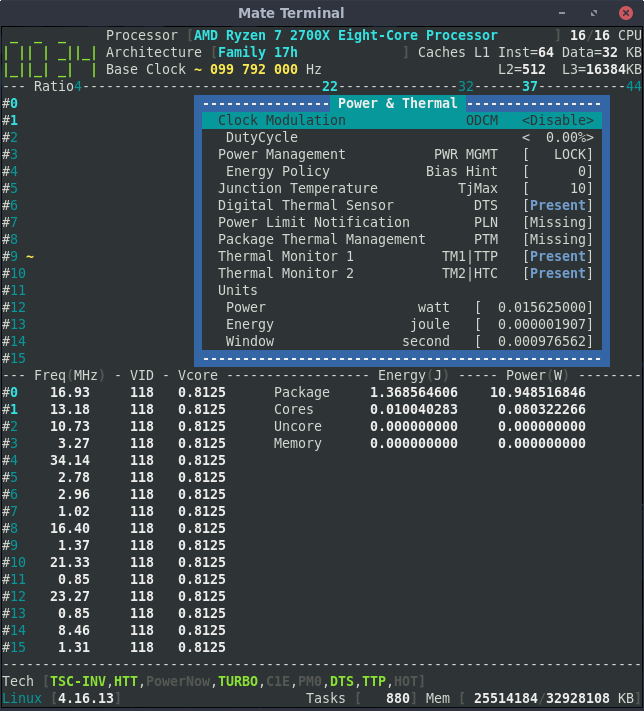
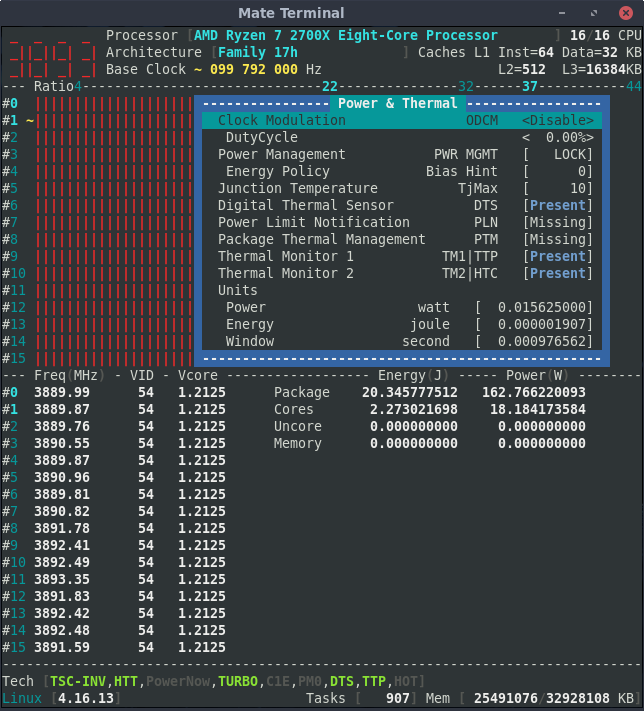
adatum
on 10 Jun 2018
Can you screenshot the same view but with high load on a single core : I would to verify how the package power is matching the Core power ?
cyring
on 10 Jun 2018
The Package Power matches the value from the RAPL project. Core Energy and Power seem to be the same whether one core or all cores are loaded.
Maybe it's for a single core, so missing a factor for all cores? How about displaying individual values for each core in addition to the totals?
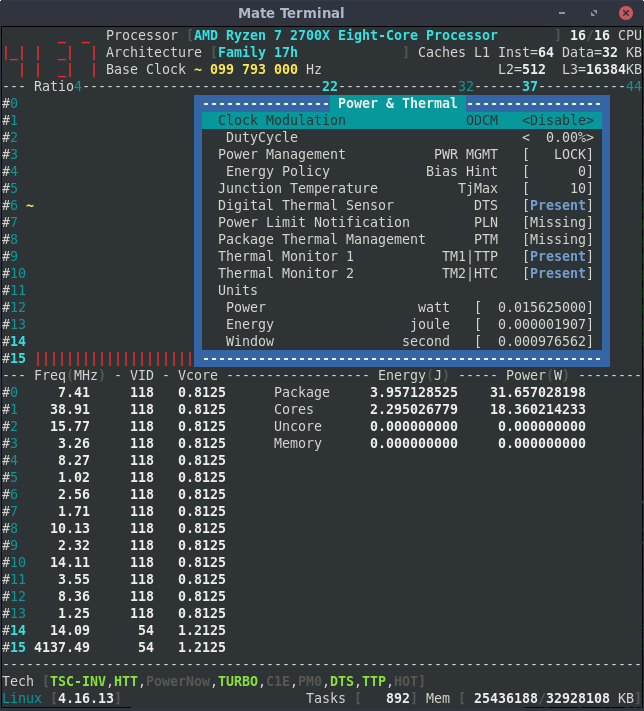
adatum
on 10 Jun 2018
Yes, code needs to evolve to a per core reading.
This the main difference with Intel processors whom RAPL PP0 register counts for all cores.
Nice, I clearly see now that VID are read per physical core and shared with SMT core.
cyring
on 10 Jun 2018
Hello,
We are trying now to compute for each SMT the instructions per second (IPS), per cycle (IPC), and cycles per instruction (CPI) that are shown in the "Inst cycles" view or using command argument corefreq-cli -i
By the way, I changed the frequency counter registers with their read-only counterparts; please let me know if you notice any regression in the cores' frequency computation.
cyring
on 16 Jun 2018
All of the IPS, IPC, and CPI values are zero. I haven't noticed any regressions so far.
adatum
on 17 Jun 2018
Can you read the msr 0xc0010015 ?
cyring
on 17 Jun 2018
In last commit, I try now to activate the fixed instruction performance counter.
- For a few CPU, mark down the msr
0xc0010015; for instance with CPU number 6
taskset -c 6 rdmsr 0xc0010015 - Load the
corefreqk.kodriver, daemon and UI - Print the IPC
- Stop _CoreFreq_ , especially unload its driver
- Check if the msr
0xc0010015is restored to the CPUs' original value
Note : The taskset command should be part of the Linux utilities package
cyring
on 17 Jun 2018
Yes, the value of msr 0xc0010015 returns to its original value after unloading the kernel module in the above procedure.
The IPC, IPS, and CPI were showing changing values in the "Inst cycles" view.
adatum
on 17 Jun 2018
You may also read 3 fixed perf counters and "Present" for "Core Cycles", "Instructions Retired" and "Reference Cycles" in the Performance window
cyring
on 17 Jun 2018
Confirmed.
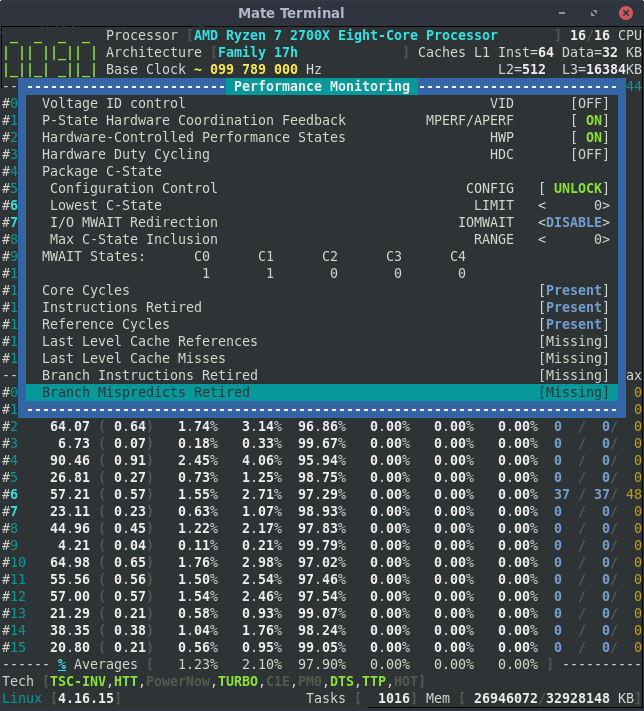
adatum
on 17 Jun 2018
Nice surprise is to see MWAIT States C0=1 and C1=1 which means that CPUID function 5 is compatible with Ryzen
cyring
on 17 Jun 2018
Hello,
I just add the detection of the Secure Virtual Machine bit; may you print the "System Registers" when SVM is enable then disable in BIOS.
The _CoreFreq_ column to look at is the last one, named SVM
EFCR    LCK VMX^SGX [SENTER] [ SGX ] LMC    EFER SCE LME LMA NXE SVM
    #0        1   0   1   0   0   0   0   0       1   1   1   1   0
    #1        1   0   1   0   0   0   0   0       1   1   1   1   0
    #2        1   0   1   0   0   0   0   0       1   1   1   1   0
    #3        1   0   1   0   0   0   0   0       1   1   1   1   0
    #4        1   0   1   0   0   0   0   0       1   1   1   1   0
    #5        1   0   1   0   0   0   0   0       1   1   1   1   0
    #6        1   0   1   0   0   0   0   0       1   1   1   1   0
    #7        1   0   1   0   0   0   0   0       1   1   1   1   0
Regards
CyrIng
cyring
on 20 Jun 2018
SVM disabled:
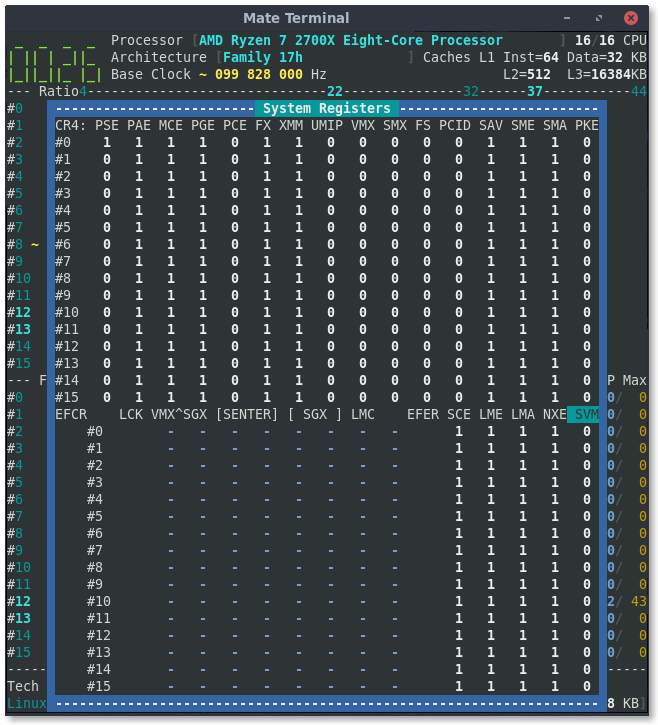
SVM enabled:
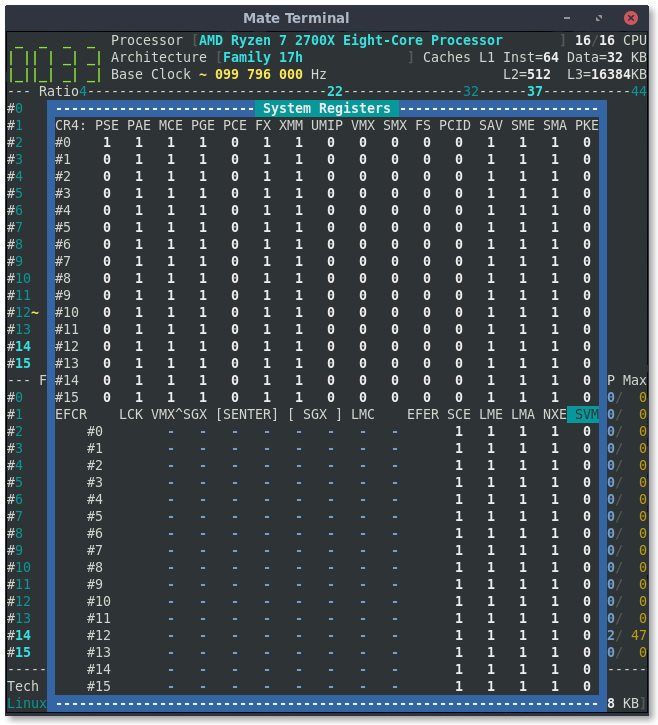
adatum
on 20 Jun 2018
Thank you for this test.
So I have to query the msr 0xc0010114 to get a reliable SVM _BIOS_ state.
I presume the EFER:SVM is set by a hypervisor.
cyring
on 20 Jun 2018
I would like to observe the differences with previous results when SVM is disable in BIOS: can you read those MSR ?
# rdmsr 0xc0010114

# rdmsr 0xc0010118
With SVM disabled in BIOS:
$ sudo rdmsr 0xc0010114
18
$ sudo rdmsr 0xc0010118
0
Great ! The SvmeDisable bit is set.
We now have a more reliable information. But on which Core ?
I just read in specs this register exists per Thread and I wonder if the BIOS is setting correctly all Threads when toggling SVM ?
(FYI with Intel architectures, one needs to set or clear a same msr bit to enable or disable a technology. For example Turbo Boost)
Could you loop 16 times over these 2 msrs with SVM on, then off ?
rdmsr has to be bound per CPU using taskset (where 0 is the first CPU)
cyring
on 21 Jun 2018
I just checked the msr values with taskset, and all threads report the same value for a given register and state, both with SVM enabled and disabled.
adatum
on 21 Jun 2018
Hello,
I have programmed the Virtualization BIOS mode detection
Here is what I get with Intel


What do you get with the Ryzen ?
cyring
on 23 Jun 2018
SVM enabled in BIOS:
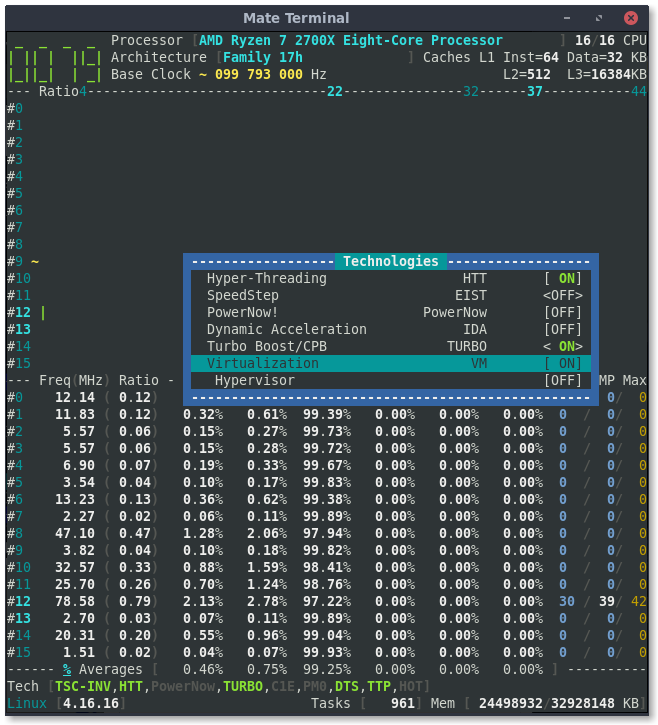
SVM disabled in BIOS:
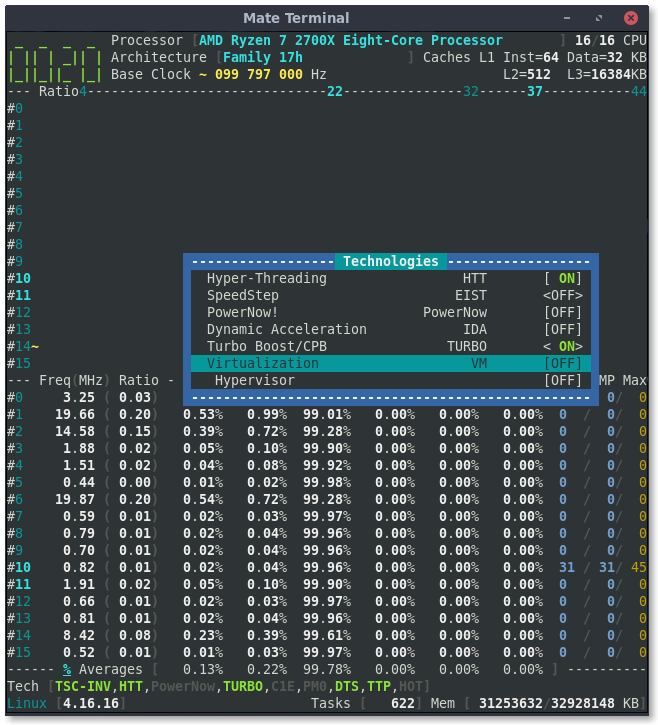
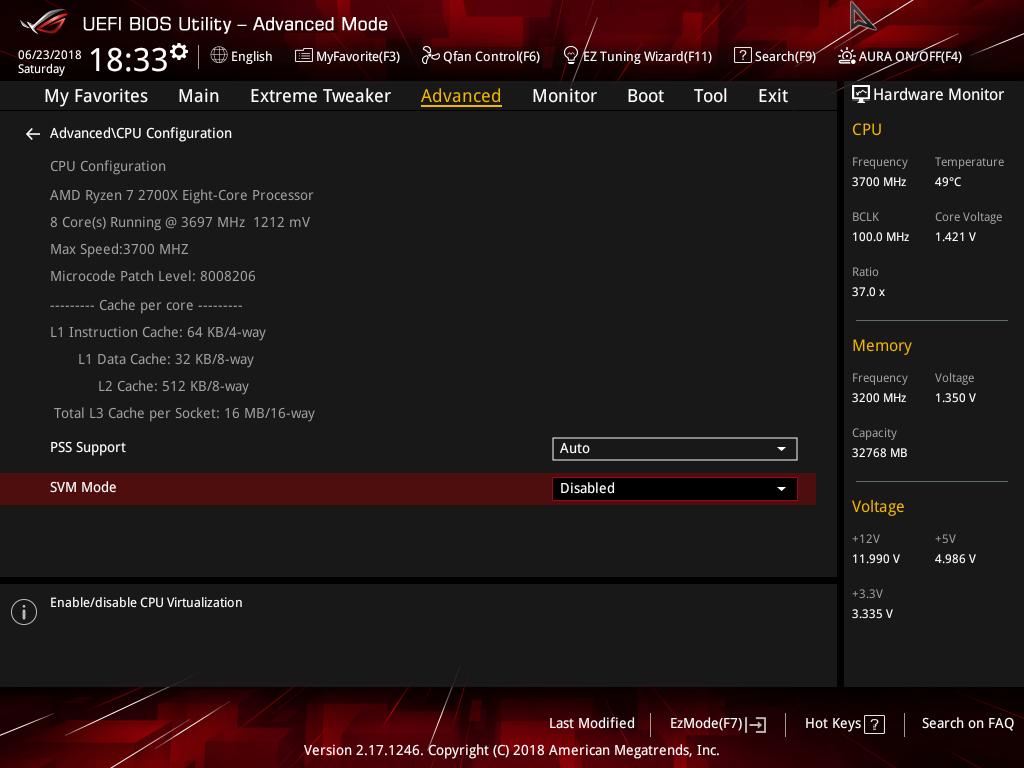
adatum
on 23 Jun 2018
It works great
cyring
on 23 Jun 2018
I have optimized the Zen detection. It may have regressions on ratios and temperature.
"HTT" is renamed to "SMT" and some "Turbo" to "Boost" when an AMD is present.
cyring
on 25 Jun 2018
So far no problems. I see both SMT and Boost modifications.
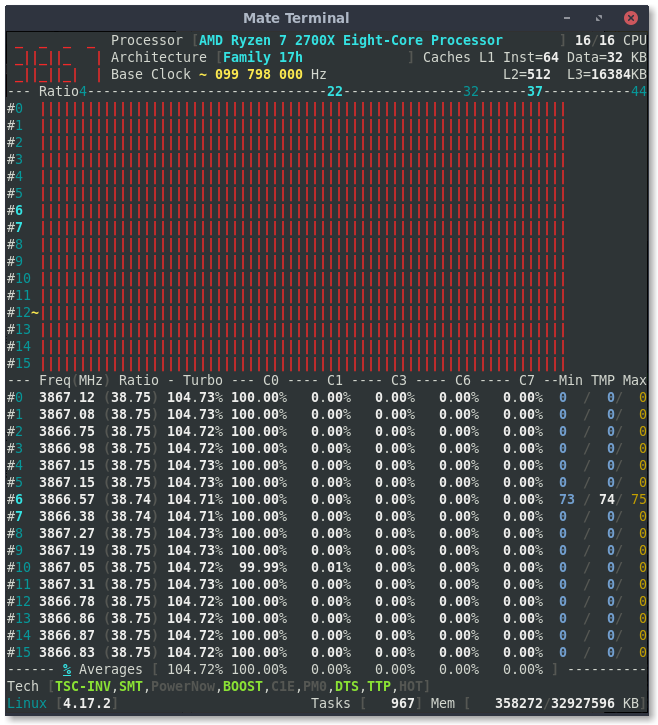
adatum
on 25 Jun 2018
Perfect thank you
cyring
on 25 Jun 2018
Technologies are now listed by Brand. For ex SpeedStep for Intel, PowerNow for AMD
SMM and I/O MMU are added for AMD Zen, Intel SNB & superior architectures
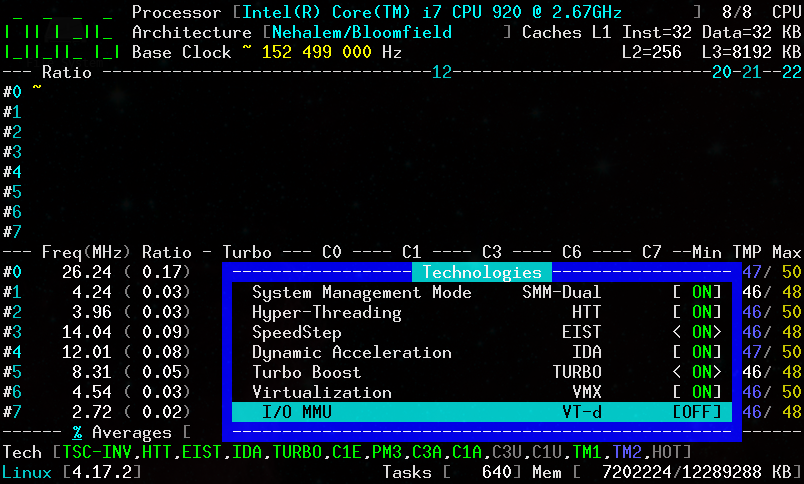
This is a risky code b/c of Zen PCI space addressing -> Backup your files
cyring
on 30 Jun 2018
I think IOMMU was on in BIOS. I'll check next time I reboot.
Items in <> brackets can be turned on/off via CoreFreq? eg. CPB. Interesting but a bit scary; I didn't try it.
I will be graduating this system to 'stable' so I may not want to test much more risky code on it.
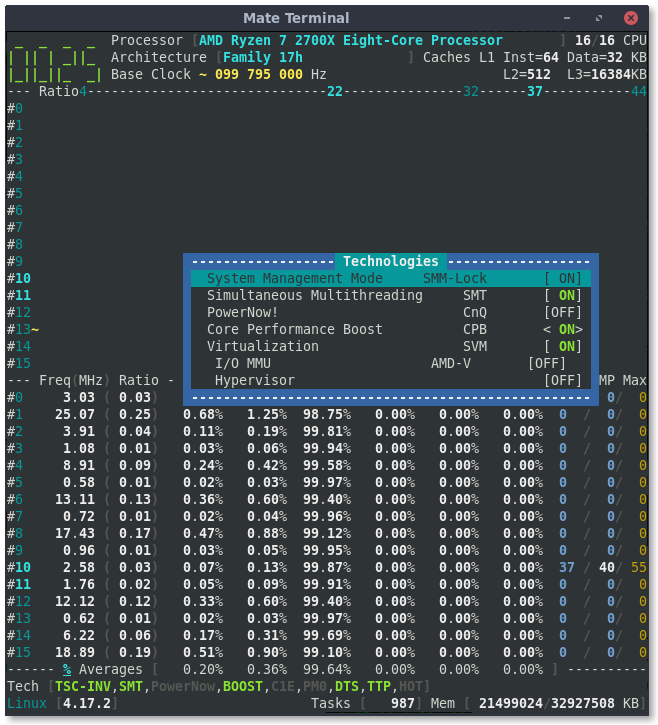
adatum
on 1 Jul 2018
A fix for the IOMMU detection is committed.
You can now toggle the CPB : you may need to stress a single core to verify the effect.
Here it's what I see with my Nehalem facing BIOS setting:
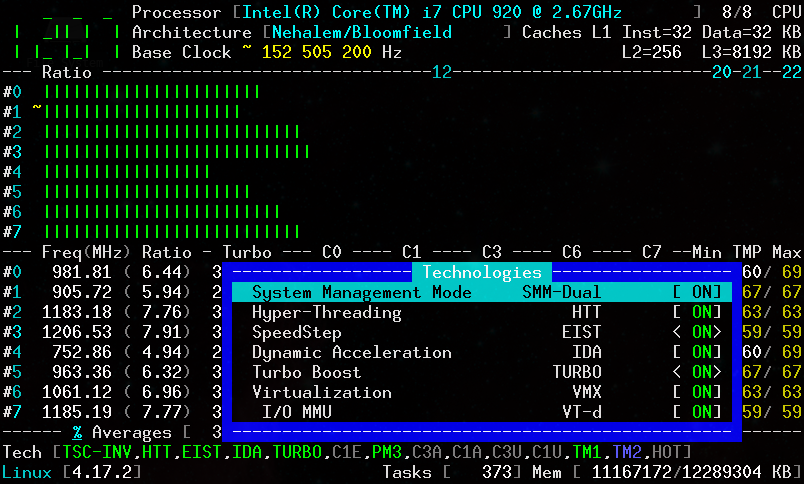
cyring
on 1 Jul 2018
IOMMU is enabled in BIOS but CoreFreq still reports OFF.
Toggling CPB works to limit frequency to 3.7GHz, and the BOOST indicator also toggles, but the label in Technologies windows is always ON.
adatum
on 1 Jul 2018
Thanks a lot for these testings. This a great, we can toggle Turbo.
With CPB disabled by _CoreFreq_, next you restart it, including its driver, do you read the same contradiction of the Boost indicator and label ?
Also what are the max turbo ratios displayed when restarted ?
Good thing: the SMM query does not crash but it's hard to debug remotely.
cyring
on 1 Jul 2018
Yes, Technologies window still shows CPB = ON, when it has been disabled, even after restarting the driver and CoreFreq.
Max Turbo ratio shows 37 when CPB is set to OFF and the kernel module is removed and re-inserted. If CPB is then turned on and CPU reaches more than 37 ratio, corefreq-cli crashes. After the kernel module is removed/re-inserted, it functions again with max ratio showing 44.
adatum
on 1 Jul 2018
I found the bug for the CPB UI label.
About ratios I need to recompute them after toggling CPB.
cyring
on 1 Jul 2018
CPB fix committed: ratios are re-computed after toggling. UI should update automatically.
cyring
on 1 Jul 2018
Can you comment on these two lines, make clean; make and test IOMMU
https://github.com/cyring/CoreFreq/blob/1445a1b097a4580831e62e4e6e727259471526a9/corefreqk.c#L2354
https://github.com/cyring/CoreFreq/blob/1445a1b097a4580831e62e4e6e727259471526a9/corefreqk.c#L2364
It will look like this:
//  if (BITVAL(low, 0)) {
        mmio = ioremap(base, 0x4000);
        if (mmio != NULL) {
            Proc->Uncore.Bus.IOMMU_CR = readq(mmio + 0x18);

            iounmap(mmio);

            return(0);
        } else
            return((PCI_CALLBACK) -ENOMEM);
//  }
    return((PCI_CALLBACK) -ENOMEM);
Next do a dmesg to check for any error ?
cyring
on 1 Jul 2018
The CPB ON/OFF label in the Technologies window is fixed.
Max ratio does not update after toggling CPB. It requires restarting the UI, but the daemon and kernel module do not need to be restarted.
dmesg when inserting corefreqd.ko after commenting out lines 2354 and 2364:
[12657.368340] CoreFreq(12:13): Processor [ 8F_08] Architecture [Family 17h] SMT [16/16]
[12657.368379] ioremap: invalid physical address 806000000000040
[12657.368387] WARNING: CPU: 13 PID: 16416 at arch/x86/mm/ioremap.c:155 __ioremap_caller.cold.15+0x24/0x42
[12657.368387] Modules linked in: corefreqk(OE+) nf_conntrack_netbios_ns nf_conntrack_broadcast xt_CT ccm rfcomm fuse ip6t_rpfilter ip6t_REJECT nf_reject_ipv6 xt_conntrack ip_set nfnetlink ebtable_nat ebtable_broute bridge stp llc ip6table_nat nf_conntrack_ipv6 nf_defrag_ipv6 nf_nat_ipv6 ip6table_mangle ip6table_raw ip6table_security iptable_nat nf_conntrack_ipv4 nf_defrag_ipv4 nf_nat_ipv4 nf_nat nf_conntrack libcrc32c iptable_mangle iptable_raw iptable_security ebtable_filter ebtables ip6table_filter ip6_tables bnep sunrpc vfat fat nvidia_drm(POE) nvidia_modeset(POE) nvidia(POE) snd_hda_codec_hdmi arc4 btusb r8822be(C) btrtl btbcm btintel bluetooth snd_hda_codec_realtek snd_hda_codec_generic edac_mce_amd snd_hda_intel kvm_amd snd_hda_codec mac80211 kvm ecdh_generic joydev snd_hda_core snd_hwdep eeepc_wmi
[12657.368421]  irqbypass snd_seq drm_kms_helper asus_wmi sparse_keymap snd_seq_device cfg80211 drm snd_pcm video wmi_bmof snd_timer snd ipmi_devintf sp5100_tco ipmi_msghandler rfkill soundcore k10temp i2c_piix4 shpchp gpio_amdpt pinctrl_amd gpio_generic acpi_cpufreq it87(OE) vboxpci(OE) vboxnetadp(OE) vboxnetflt(OE) vboxdrv(OE) dm_crypt hid_logitech_hidpp mxm_wmi igb crct10dif_pclmul crc32_pclmul crc32c_intel uas ghash_clmulni_intel ccp dca usb_storage i2c_algo_bit hid_logitech_dj wmi hwmon_vid i2c_dev [last unloaded: corefreqk]
[12657.368448] CPU: 13 PID: 16416 Comm: insmod Tainted: P         C OE     4.17.3-200.fc28.x86_64 #1
[12657.368449] Hardware name: System manufacturer System Product Name/ROG CROSSHAIR VII HERO (WI-FI), BIOS 0702 05/29/2018
[12657.368452] RIP: 0010:__ioremap_caller.cold.15+0x24/0x42
[12657.368453] RSP: 0018:ffffa0dc90b1fb08 EFLAGS: 00010246
[12657.368455] RAX: 0000000000000031 RBX: ffff8e973a7c9000 RCX: 0000000000000006
[12657.368456] RDX: 0000000000000000 RSI: 0000000000000082 RDI: ffff8e973e956930
[12657.368457] RBP: 0806000000000040 R08: 0000000000000044 R09: 0000000000000499
[12657.368458] R10: 0000000000000000 R11: 0000000000000001 R12: 0000000000004000
[12657.368459] R13: 0000000000000000 R14: ffffa0dc90b1fea0 R15: ffffffffc09fc700
[12657.368461] FS:  00007f679e2fc0c0(0000) GS:ffff8e973e940000(0000) knlGS:0000000000000000
[12657.368462] CS:  0010 DS: 0000 ES: 0000 CR0: 0000000080050033
[12657.368463] CR2: 00007fd01ff61cb4 CR3: 000000070e5c4000 CR4: 00000000003406e0
[12657.368464] Call Trace:
[12657.368474]  ? AMD_17h_IOMMU+0x7a/0xc0 [corefreqk]
[12657.368481]  AMD_17h_IOMMU+0x7a/0xc0 [corefreqk]
[12657.368487]  CoreFreqK_init+0x71f/0x1000 [corefreqk]
[12657.368490]  ? 0xffffffffc0551000
[12657.368493]  do_one_initcall+0x46/0x1c3
[12657.368496]  ? free_unref_page_commit+0x9b/0x110
[12657.368499]  ? _cond_resched+0x15/0x30
[12657.368502]  ? kmem_cache_alloc_trace+0x166/0x1d0
[12657.368504]  ? do_init_module+0x22/0x210
[12657.368507]  do_init_module+0x5a/0x210
[12657.368509]  load_module+0x210f/0x24a0
[12657.368511]  ? __vfs_read+0x124/0x170
[12657.368515]  ? __do_sys_finit_module+0xad/0x110
[12657.368517]  __do_sys_finit_module+0xad/0x110
[12657.368520]  do_syscall_64+0x5b/0x160
[12657.368523]  entry_SYSCALL_64_after_hwframe+0x44/0xa9
[12657.368524] RIP: 0033:0x7f679d7dea39
[12657.368525] RSP: 002b:00007ffee5350d98 EFLAGS: 00000246 ORIG_RAX: 0000000000000139
[12657.368527] RAX: ffffffffffffffda RBX: 000055af7b4e8840 RCX: 00007f679d7dea39
[12657.368528] RDX: 0000000000000000 RSI: 000055af7b4e8260 RDI: 0000000000000003
[12657.368529] RBP: 000055af7b4e8260 R08: 0000000000000000 R09: 0000000000000000
[12657.368529] R10: 0000000000000003 R11: 0000000000000246 R12: 0000000000000000
[12657.368530] R13: 000055af7b4eadf0 R14: 0000000000000000 R15: 000055af7b4e8260
[12657.368532] Code: 31 d2 e9 44 ff ff ff 48 8b 34 24 48 c7 c7 c0 70 0b 85 e8 a2 52 0a 00 e9 7a fb ff ff 48 89 fe 48 c7 c7 28 70 0b 85 e8 8e 52 0a 00 <0f> 0b 31 db e9 62 fb ff ff 89 c6 48 c7 c7 58 70 0b 85 31 db e8
[12657.368562] ---[ end trace 9086a411c666cce1 ]---
OK I will notify the UI to refresh itself.
Bad news for the IOMMU: apparently registers from previous AMD architectures are not compatible.
cyring
on 2 Jul 2018
Hello,
This archive CoreFreq.tar re-computes the ratios and updates dynamically the UI when toggling Turbo.
Remarks:
- Code for AMD Zen only. Intel CPUs will come later with overclock.
- Don't apply load while switching Turbo (drawing doesn't recover yet); but after applying, check if any load can reach the max ratio.
- Three BIOS scenarios of toggling tests will be helpful:
a. with a nominal frequency of 37 x 100 MHz
b. with a overclock of 44 x 100 MHz
c. with an underclock of 32 (or lower than nominal) x 100 MHz
cyring
on 3 Jul 2018
There is a problem with the functionality of CoreFreq in the above archive: the max ratio seems to be computed for the opposite scenario (37 when it should be 44, and vice versa).
When first launching corefreq-cli with CPB enabled in BIOS, the max ratio shows 44. If CPB is disabled with CoreFreq, the ratio remains at 44. Loading the CPUs confirms a max of 3700MHz.
Then if enabling CPB with CoreFreq, max ratio changes to 37. Loading CPUs goes beyond 3700MHz and CoreFreq segfaults.
Now that I have my system mostly set up, I rarely reboot except for kernel updates maybe once a month. But I can say that an (all-core) overclock with a ratio of 44 is almost certainly impossible especially on air cooling. I don't know whether individual core overclocks are possible.
adatum
on 5 Jul 2018
Thanks for returning results.
I understand that you want stop testings ?
cyring
on 6 Jul 2018
I'll still help as much as possible, but at a reduced frequency and level of risk to a stable "production" system. Ideally others will pitch in as well with testing.
Thanks for the rapid development. CoreFreq's functionality has improved dramatically for Ryzen processors.
adatum
on 6 Jul 2018
I'm fixing the ratios refresh in the last commit. Hope it will be more _stable_.
However I haven't found the inversion effect when enabling CPB.
Regards
cyring
on 6 Jul 2018
With the last commit, there's no more segfault when toggling CPB and loading the CPU, but the inversion remains. The inversion comes only after toggling.
Restoring expected max ratio requires not just stopping the daemon but removing/reinserting the kernel module.
CPB OFF (notice lack of BOOST indicator, 3700MHz, and 44 max ratio):
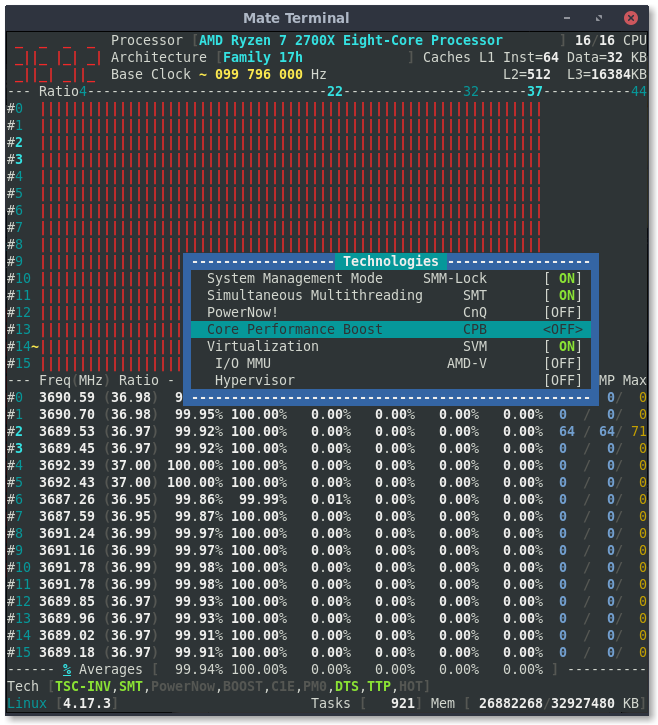
CPB ON (notice BOOST indicator, >3700MHz, and 37 max ratio):
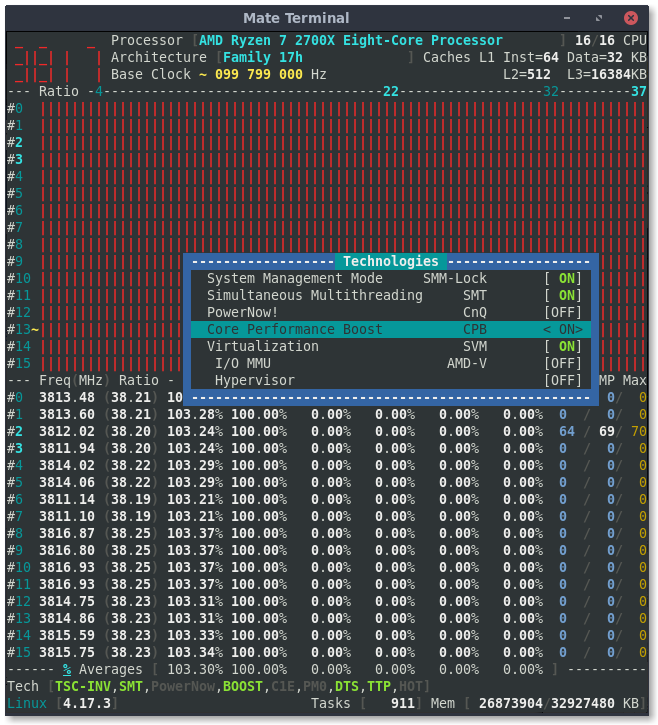
adatum
on 6 Jul 2018
I have to reset the ratios again before computation.
I will provide you a fix tomorrow morning (Paris time)
cyring
on 6 Jul 2018
Ratios are now reset whenever CPB is going to be changed.
cyring
on 7 Jul 2018
Unfortunately the inversion after toggling remains.
Since there is no segfault, it seems the changes are being made appropriately. Perhaps the inversion issue might just be with the GUI?
adatum
on 7 Jul 2018
Thanks, It might be in the UI.
I'm expecting to receive an unlocked Processor, it should be easier to debug ratio changes.
At this point, could you print the result corefreq-cli -s
cyring
on 7 Jul 2018
Sure, here it is:
$ ./corefreq-cli -s
Processor                              [AMD Ryzen 7 2700X Eight-Core Processor ]
|- Architecture                                                     [Family 17h]
|- Vendor ID                                                      [AuthenticAMD]
|- Signature                                                            [ 8F_08]
|- Stepping                                                             [     2]
|- Microcode                                                            [     0]
|- Online CPU                                                           [ 16/16]
|- Base Clock                                                           [ 99.78]
|- Ratio Limited                                                        [UNLOCK]
|- Frequency            (Mhz)                      Ratio
                 Min    399.13                    [   4 ]
                 Max   3691.93                    [  37 ]
|- Factory
                       3700                       [  37 ]
|- Turbo Boost
                  1C   4390.41                    <  44 >
                  2C   3193.02                    <  32 >
                  3C   2195.20                    <  22 >
|- Uncore

ISA Extensions:
|- 3DNow!/Ext [N,N]        AES [Y]   AVX/AVX2 [Y/Y]   BMI1/BMI2 [Y/Y]
|- CLFSH        [Y]       CMOV [Y]      CMPXCH8 [Y]      CMPXCH16 [Y]
|- F16C         [Y]        FPU [Y]         FXSR [Y]     LAHF/SAHF [Y]
|- MMX/Ext    [Y/Y]    MONITOR [Y]        MOVBE [Y]      PCLMULDQ [Y]
|- POPCNT       [Y]     RDRAND [Y]       RDTSCP [Y]           SEP [Y]
|- SGX          [N]        SSE [Y]         SSE2 [Y]          SSE3 [Y]
|- SSSE3        [Y] SSE4.1/4A [Y/Y]      SSE4.2 [Y]       SYSCALL [Y]

Features:
|- 1 GB Pages Support                                      1GB-PAGES   [Present]
|- 100 MHz multiplier Control                            100MHzSteps   [Missing]
|- Advanced Configuration & Power Interface                     ACPI   [Present]
|- Advanced Programmable Interrupt Controller                   APIC   [Present]
|- Core Multi-Processing                                  CMP Legacy   [Present]
|- L1 Data Cache Context ID                                  CNXT-ID   [Missing]
|- Direct Cache Access                                           DCA   [Missing]
|- Debugging Extension                                            DE   [Present]
|- Debug Store & Precise Event Based Sampling               DS, PEBS   [Missing]
|- CPL Qualified Debug Store                                  DS-CPL   [Missing]
|- 64-Bit Debug Store                                         DTES64   [Missing]
|- Fast-String Operation                                Fast-Strings   [Missing]
|- Fused Multiply Add                                       FMA|FMA4   [Present]
|- Hardware Lock Elision                                         HLE   [Missing]
|- Long Mode 64 bits                                         IA64|LM   [Present]
|- LightWeight Profiling                                         LWP   [Missing]
|- Machine-Check Architecture                                    MCA   [Present]
|- Model Specific Registers                                      MSR   [Present]
|- Memory Type Range Registers                                  MTRR   [Present]
|- OS-Enabled Ext. State Management                          OSXSAVE   [Present]
|- Physical Address Extension                                    PAE   [Present]
|- Page Attribute Table                                          PAT   [Present]
|- Pending Break Enable                                          PBE   [Missing]
|- Process Context Identifiers                                  PCID   [Missing]
|- Perfmon and Debug Capability                                 PDCM   [Missing]
|- Page Global Enable                                            PGE   [Present]
|- Page Size Extension                                           PSE   [Present]
|- 36-bit Page Size Extension                                  PSE36   [Present]
|- Processor Serial Number                                       PSN   [Missing]
|- Restricted Transactional Memory                               RTM   [Missing]
|- Safer Mode Extensions                                         SMX   [Missing]
|- Self-Snoop                                                     SS   [Missing]
|- Time Stamp Counter                                            TSC [Invariant]
|- Time Stamp Counter Deadline                          TSC-DEADLINE   [Missing]
|- Virtual Mode Extension                                        VME   [Present]
|- Virtual Machine Extensions                                    VMX   [Missing]
|- Extended xAPIC Support                                     x2APIC   [Missing]
|- Execution Disable Bit Support                              XD-Bit   [Present]
|- XSAVE/XSTOR States                                          XSAVE   [Present]
|- xTPR Update Control                                          xTPR   [Missing]

Technologies:
|- System Management Mode                                   SMM-Lock       [ ON]
|- Simultaneous Multithreading                                   SMT       [ ON]
|- PowerNow!                                                     CnQ       [OFF]
|- Core Performance Boost                                        CPB       < ON>
|- Virtualization                                                SVM       [ ON]
   |- I/O MMU                                                  AMD-V       [OFF]
   |- Hypervisor                                                           [OFF]

Performance Monitoring:
|- Version                                                        PM       [  0]
|- Counters:          General                   Fixed
|                     0 x  0 bits             3 x  0 bits
|- Enhanced Halt State                                           C1E       <OFF>
|- C1 Auto Demotion                                              C1A       <OFF>
|- C3 Auto Demotion                                              C3A       <OFF>
|- C1 UnDemotion                                                 C1U       <OFF>
|- C3 UnDemotion                                                 C3U       <OFF>
|- Frequency ID control                                          FID       [OFF]
|- Voltage ID control                                            VID       [OFF]
|- P-State Hardware Coordination Feedback                MPERF/APERF       [ ON]
|- Hardware-Controlled Performance States                        HWP       [ ON]
|- Hardware Duty Cycling                                         HDC       [OFF]
|- Package C-State
   |- Configuration Control                                   CONFIG   [ UNLOCK]
   |- Lowest C-State                                           LIMIT   <      0>
   |- I/O MWAIT Redirection                                  IOMWAIT   <DISABLE>
   |- Max C-State Inclusion                                    RANGE   <      0>
|- MWAIT States:      C0      C1      C2      C3      C4
|                      1       1       0       0       0
|- Core Cycles                                                         [Present]
|- Instructions Retired                                                [Present]
|- Reference Cycles                                                    [Present]
|- Last Level Cache References                                         [Missing]
|- Last Level Cache Misses                                             [Missing]
|- Branch Instructions Retired                                         [Missing]
|- Branch Mispredicts Retired                                          [Missing]

Power & Thermal Monitoring:
|- Clock Modulation                                             ODCM   <Disable>
   |- DutyCycle                                                        <  0.00%>
|- Power Management                                         PWR MGMT   [   LOCK]
   |- Energy Policy                                        Bias Hint   [      0]
|- Junction Temperature                                        TjMax   [     10]
|- Digital Thermal Sensor                                        DTS   [Present]
|- Power Limit Notification                                      PLN   [Missing]
|- Package Thermal Management                                    PTM   [Missing]
|- Thermal Monitor 1                                         TM1|TTP   [Present]
|- Thermal Monitor 2                                         TM2|HTC   [Present]
|- Units
   |- Power                                               watt   [  0.015625000]
   |- Energy                                             joule   [  0.000001907]
   |- Window                                            second   [  0.000976562]
There are _undocumented_ 2 registers (floating around on the Internet + GitHub) to enable / disable C6 C-State
Can you rdmsr 0xC0010292 and 0xC0010296 for all CPU
cyring
on 8 Jul 2018
The values of 0xC0010292 and 0xC0010296 are 104000052 and 484848, respectively, for all cores.
adatum
on 8 Jul 2018
MSR|FUNC|HEX|32|STATE
-------|--------|------|----|--------
C0010292|PC6|0000000104000052|1|ON
MSR|FUNC|HEX|22|14|06|STATE
-------|--------|------|----|----|----|-------
C0010296|CC6|0000000000484848|1|1|1|ON
cyring
on 8 Jul 2018
Using last commit, you will get two new states: CC6 and PC6 in the "Performance Monitoring" window.
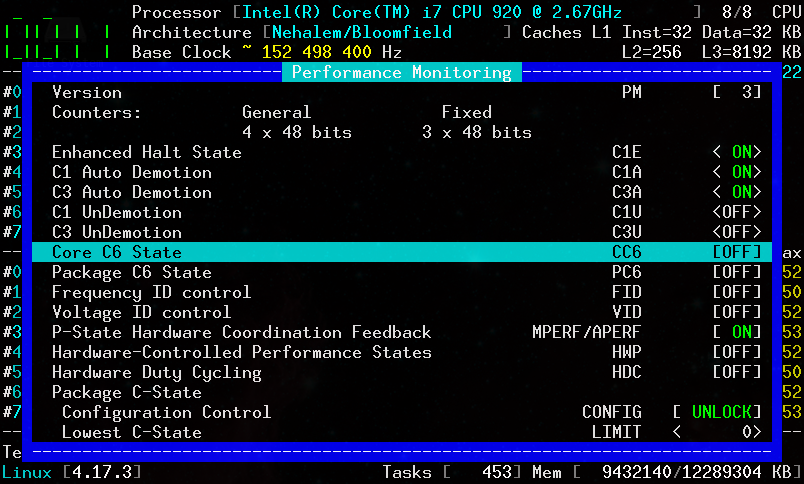
cyring
on 8 Jul 2018
Confirmed.
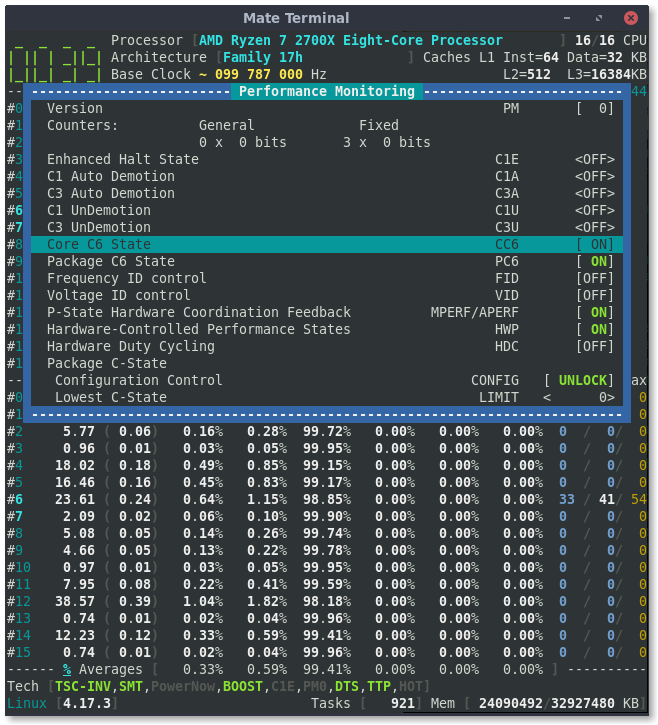
adatum
on 8 Jul 2018
Super !
I have been added 2 driver arguments to enable(1) or disable(0) the CC6, PC6
modinfo corefreqk.ko

parm:           CC6_Enable:Enable Core C6 State (short)
parm:           PC6_Enable:Enable Package C6 State (short)
Thus to disable both C6 States
insmod corefreqk.ko CC6_Enable=0 PC6_Enable=0
Is _CoreFreq_ coherent with BIOS C6 settings ?
cyring
on 8 Jul 2018
How can I check? I'm not familiar with CC6, PC6. I can say that the CPU is on default (no manual OC) settings.
adatum
on 8 Jul 2018
Indeed, some CC6 and PC6 counters need to be implemented to measure those cycles and verify the Cores usage in C0 vs C6
Because I saw on ASUS BIOS screenshots there are some "C6 settings", I just wonder if they are linked with the msr above. For example, if you enable/disable "C6" in BIOS, does _CoreFreq_ reflect the same state ?
By the way I just commit the UI code to manage CC6 and PC6
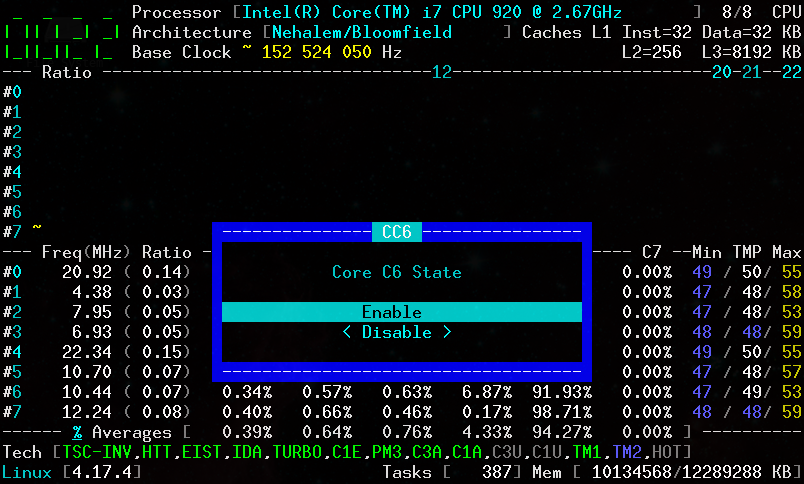
Edit: also, the number and size of general and fixed performance counters. With Zen, should be 6 x 64 bits and 3 x 64 bits respectively.
cyring
on 8 Jul 2018
I see the option to toggle CC6 and PC6 in CoreFreq, but disabling them does not seem to work. Performance Monitoring always shows them as ON.
C- and P-states are on Auto in BIOS, which I think would default to enabled.
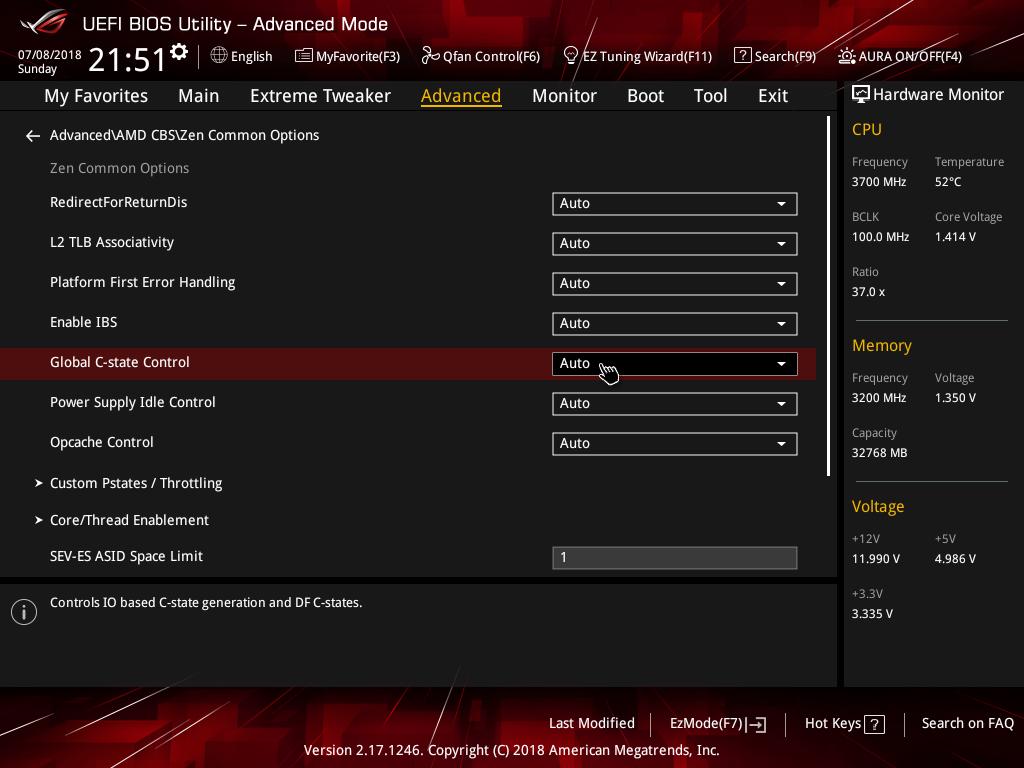
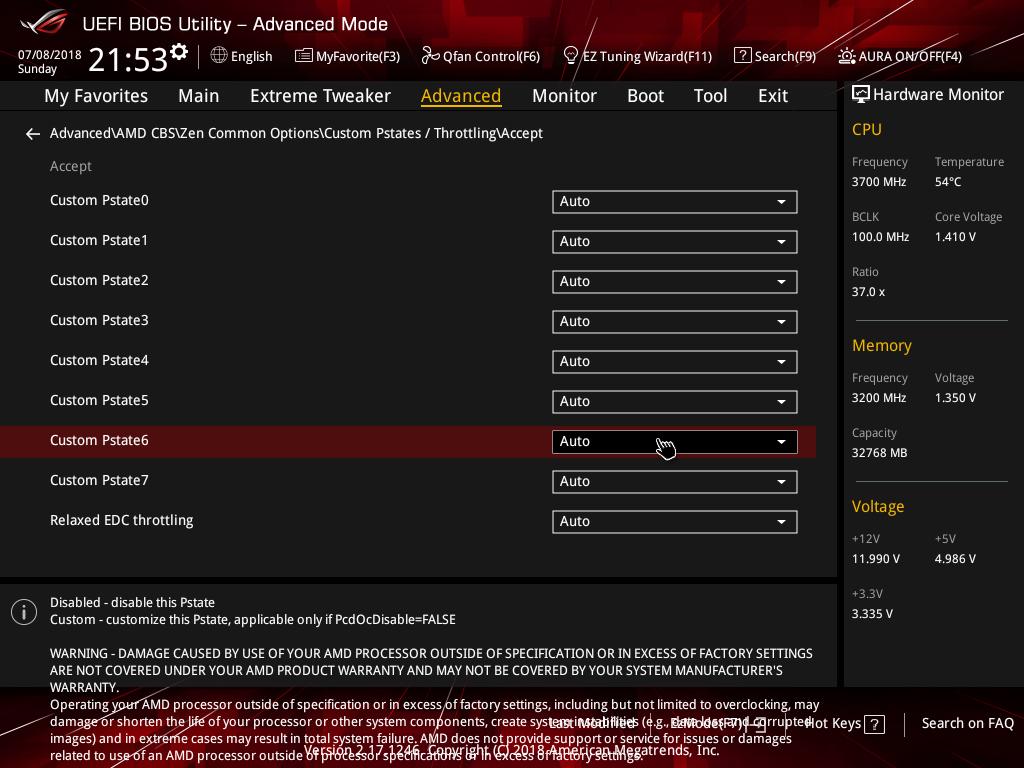
adatum
on 9 Jul 2018
I read on the X399 DESIGNARE EX manual:
_Global C-state Control
Allows you to determine whether to let the CPU enter C6 mode in system halt state. When enabled, the
CPU core frequency will be reduced during system halt state to decrease power consumption. The C6
state is a more enhanced power-saving state than C1. (Default: Enabled)_
"Custom Pstate6" is not an idle state but a runtime state.
I need to debug why CC6 & PC6 stay ON when disabling them in _CoreFreq_; but be aware that the employed msr are undocumented.
cyring
on 9 Jul 2018
Does this program work with your system: ZenStates-Linux ?
cyring
on 9 Jul 2018
It seems so. At least it reports the same CC6/PC6 states (enabled) as CoreFreq.
$ sudo ./zenstates.py -l
P0 - Enabled - FID = 94 - DID = 8 - VID = 36 - Ratio = 37.00 - vCore = 1.21250
P1 - Enabled - FID = 80 - DID = 8 - VID = 59 - Ratio = 32.00 - vCore = 0.99375
P2 - Enabled - FID = 84 - DID = C - VID = 76 - Ratio = 22.00 - vCore = 0.81250
P3 - Disabled
P4 - Disabled
P5 - Disabled
P6 - Disabled
P7 - Disabled
C6 State - Package - Enabled
C6 State - Core - Enabled
Is zenstates really able to disable CC6 & PC6 ?
Do you then notice the disablement state with it ?
When starting _CoreFreq_ after zenstates disablement, does _CoreFreq_ also show the same state ?
I'm asking all these questions because I want to be sure if the msr registers are doing what they are supposed to do: toggling enablement as much as we want or they are write once registers, reserved to the BIOS only.
Can you also confirm how many general and fixed counters are reported in the "Performance" window ?
Thank you
cyring
on 9 Jul 2018
sudo ./zenstates.py --c6-disable disables CC6 and PC6. sudo ./zenstates.py -l confirms it, and so does CoreFreq if it is started afterwards.
sudo ./zenstates.py --c6-enable enables both, also confirmed.
However, CoreFreq needs its kernel module unloaded/reloaded before it can see any changes in either direction.
What do you mean by "general and fixed counters"?
adatum
on 9 Jul 2018
Thanks I know now where to debug _CoreFreq_
In the UI, window "Performance Monitoring" the general counters should be 6 x 64 bits, the fixed = 3 x 64 bits (at least for the Zen architecture)
cyring
on 9 Jul 2018
Ok. In my screenshot of Performance Monitoring, about a dozen posts back, it shows General = 0 x 0 bits, and Fixed = 3 x 0 bits.
adatum
on 9 Jul 2018
Sorry, it was a late commit, you have to download code again.
Results with Kaby Lake
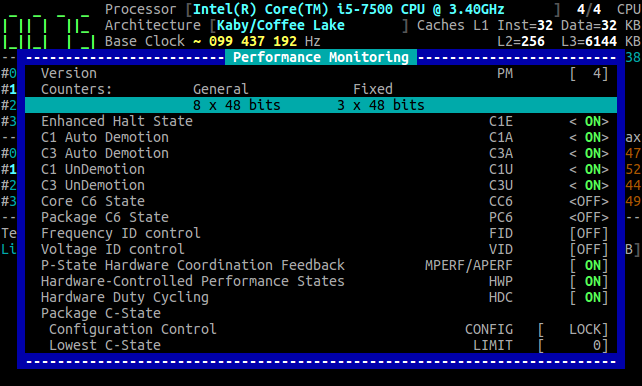
cyring
on 9 Jul 2018
Ah, I see. Yes, now it shows General = 6 x 64 bits, and Fixed = 3 x 64 bits.
adatum
on 9 Jul 2018
In corefreqk.h can you replace the 2 macros RDMSR64 and WRMSR64 https://github.com/cyring/CoreFreq/blob/680d3e85fb53e451009f4afde7c76d4f353a68f8/corefreqk.h#L55
with the code below:
#define RDMSR64(_data, _reg)                        \
    asm volatile                            \
    (                               \
        "xorq   %%rax, %%rax"   "\n\t"              \
        "xorq   %%rdx, %%rdx"   "\n\t"              \
        "movq   %1,%%rcx"   "\n\t"              \
        "rdmsr"         "\n\t"              \
        "shlq   $32, %%rdx" "\n\t"              \
        "orq    %%rdx, %%rax"   "\n\t"              \
        "movq   %%rax, %0"                  \
        : "=m" (_data)                      \
        : "i" (_reg)                        \
        : "%rax", "%rcx", "%rdx"                \
    )

#define WRMSR64(_data, _reg)                        \
    asm volatile                            \
    (                               \
        "movq   %0, %%rax"      "\n\t"          \
        "movq   %%rax, %%rdx"       "\n\t"          \
        "shrq   $32, %%rdx"     "\n\t"          \
        "movq   %1, %%rcx"      "\n\t"          \
        "wrmsr"                         \
        : "=m" (_data)                      \
        : "i" (_reg)                        \
        : "%rax", "%rcx", "%rdx"                \
    )
Next stop, unload _CoreFreq_ and rebuild all
make clean; make
Start _CoreFreq_ and try to disable/enable CC6/PC6 (from the UI, and if not OK, from the driver argument)
cyring
on 9 Jul 2018
The above modification works.
CC6 and PC6 can be toggled individually, confirmed by zenstates.
The changes take effect immediately and are reported ON/OFF correctly by CoreFreq UI, without needing to reload the kernel module.
adatum
on 9 Jul 2018
I'm so happy it works
But feel so shame about my asm code mistake.
cyring
on 9 Jul 2018
No worries. It's the end result that matters!
adatum
on 9 Jul 2018
Hello,
Can you test last commit for ratios update when toggling CPB ?
cyring
on 11 Jul 2018
Unfortunately, the ratios are still inverted when toggling CPB.
adatum
on 11 Jul 2018
Does it mean they are not sorted in an ascending order ?
Can you print the issue with corefreq-cli -s in 3 steps: before, after, last
cyring
on 11 Jul 2018
To clarify, by "inverted" I mean the displayed max ratio is the opposite of what is expected. Max ratio is correctly 44 initially, but remains at 44 when CPB is first disabled. Then when CPB is re-enabled the max ratio changes to 37. From this point on, if CPB is disabled max ratio is 44, and when CPB is enabled it's 37.
The order of ratios in the UI is always ascending as expected.
Initial state:
$ ./corefreq-cli -s
Processor                              [AMD Ryzen 7 2700X Eight-Core Processor ]
|- Architecture                                                     [Family 17h]
|- Vendor ID                                                      [AuthenticAMD]
|- Signature                                                            [ 8F_08]
|- Stepping                                                             [     2]
|- Microcode                                                            [     0]
|- Online CPU                                                           [ 16/16]
|- Base Clock                                                           [ 99.80]
|- Ratio Limited                                                        [UNLOCK]
|- Frequency            (Mhz)                      Ratio
                 Min    399.18                    [   4 ]
                 Max   3692.41                    [  37 ]
|- Factory
                       3700                       [  37 ]
|- Turbo Boost
                  1C   4390.98                    <  44 >
                  2C   3193.44                    <  32 >
                  3C   2195.49                    <  22 >
|- Uncore

ISA Extensions:
|- 3DNow!/Ext [N,N]        AES [Y]   AVX/AVX2 [Y/Y]   BMI1/BMI2 [Y/Y]
|- CLFSH        [Y]       CMOV [Y]      CMPXCH8 [Y]      CMPXCH16 [Y]
|- F16C         [Y]        FPU [Y]         FXSR [Y]     LAHF/SAHF [Y]
|- MMX/Ext    [Y/Y]    MONITOR [Y]        MOVBE [Y]      PCLMULDQ [Y]
|- POPCNT       [Y]     RDRAND [Y]       RDTSCP [Y]           SEP [Y]
|- SGX          [N]        SSE [Y]         SSE2 [Y]          SSE3 [Y]
|- SSSE3        [Y] SSE4.1/4A [Y/Y]      SSE4.2 [Y]       SYSCALL [Y]

Features:
|- 1 GB Pages Support                                      1GB-PAGES   [Present]
|- 100 MHz multiplier Control                            100MHzSteps   [Missing]
|- Advanced Configuration & Power Interface                     ACPI   [Present]
|- Advanced Programmable Interrupt Controller                   APIC   [Present]
|- Core Multi-Processing                                  CMP Legacy   [Present]
|- L1 Data Cache Context ID                                  CNXT-ID   [Missing]
|- Direct Cache Access                                           DCA   [Missing]
|- Debugging Extension                                            DE   [Present]
|- Debug Store & Precise Event Based Sampling               DS, PEBS   [Missing]
|- CPL Qualified Debug Store                                  DS-CPL   [Missing]
|- 64-Bit Debug Store                                         DTES64   [Missing]
|- Fast-String Operation                                Fast-Strings   [Missing]
|- Fused Multiply Add                                       FMA|FMA4   [Present]
|- Hardware Lock Elision                                         HLE   [Missing]
|- Long Mode 64 bits                                         IA64|LM   [Present]
|- LightWeight Profiling                                         LWP   [Missing]
|- Machine-Check Architecture                                    MCA   [Present]
|- Model Specific Registers                                      MSR   [Present]
|- Memory Type Range Registers                                  MTRR   [Present]
|- OS-Enabled Ext. State Management                          OSXSAVE   [Present]
|- Physical Address Extension                                    PAE   [Present]
|- Page Attribute Table                                          PAT   [Present]
|- Pending Break Enable                                          PBE   [Missing]
|- Process Context Identifiers                                  PCID   [Missing]
|- Perfmon and Debug Capability                                 PDCM   [Missing]
|- Page Global Enable                                            PGE   [Present]
|- Page Size Extension                                           PSE   [Present]
|- 36-bit Page Size Extension                                  PSE36   [Present]
|- Processor Serial Number                                       PSN   [Missing]
|- Restricted Transactional Memory                               RTM   [Missing]
|- Safer Mode Extensions                                         SMX   [Missing]
|- Self-Snoop                                                     SS   [Missing]
|- Time Stamp Counter                                            TSC [Invariant]
|- Time Stamp Counter Deadline                          TSC-DEADLINE   [Missing]
|- Virtual Mode Extension                                        VME   [Present]
|- Virtual Machine Extensions                                    VMX   [Missing]
|- Extended xAPIC Support                                     x2APIC   [Missing]
|- Execution Disable Bit Support                              XD-Bit   [Present]
|- XSAVE/XSTOR States                                          XSAVE   [Present]
|- xTPR Update Control                                          xTPR   [Missing]

Technologies:
|- System Management Mode                                   SMM-Lock       [ ON]
|- Simultaneous Multithreading                                   SMT       [ ON]
|- PowerNow!                                                     CnQ       [OFF]
|- Core Performance Boost                                        CPB       < ON>
|- Virtualization                                                SVM       [ ON]
   |- I/O MMU                                                  AMD-V       [OFF]
   |- Hypervisor                                                           [OFF]

Performance Monitoring:
|- Version                                                        PM       [  0]
|- Counters:          General                   Fixed
|                     6 x 64 bits             3 x 64 bits
|- Enhanced Halt State                                           C1E       <OFF>
|- C1 Auto Demotion                                              C1A       <OFF>
|- C3 Auto Demotion                                              C3A       <OFF>
|- C1 UnDemotion                                                 C1U       <OFF>
|- C3 UnDemotion                                                 C3U       <OFF>
|- Core C6 State                                                 CC6       < ON>
|- Package C6 State                                              PC6       < ON>
|- Frequency ID control                                          FID       [OFF]
|- Voltage ID control                                            VID       [OFF]
|- P-State Hardware Coordination Feedback                MPERF/APERF       [ ON]
|- Hardware-Controlled Performance States                        HWP       [ ON]
|- Hardware Duty Cycling                                         HDC       [OFF]
|- Package C-State
   |- Configuration Control                                   CONFIG   [ UNLOCK]
   |- Lowest C-State                                           LIMIT   <      0>
   |- I/O MWAIT Redirection                                  IOMWAIT   <DISABLE>
   |- Max C-State Inclusion                                    RANGE   <      0>
|- MWAIT States:      C0      C1      C2      C3      C4
|                      1       1       0       0       0
|- Core Cycles                                                         [Present]
|- Instructions Retired                                                [Present]
|- Reference Cycles                                                    [Present]
|- Last Level Cache References                                         [Missing]
|- Last Level Cache Misses                                             [Missing]
|- Branch Instructions Retired                                         [Missing]
|- Branch Mispredicts Retired                                          [Missing]

Power & Thermal Monitoring:
|- Clock Modulation                                             ODCM   <Disable>
   |- DutyCycle                                                        <  0.00%>
|- Power Management                                         PWR MGMT   [   LOCK]
   |- Energy Policy                                        Bias Hint   [      0]
|- Junction Temperature                                        TjMax   [     10]
|- Digital Thermal Sensor                                        DTS   [Present]
|- Power Limit Notification                                      PLN   [Missing]
|- Package Thermal Management                                    PTM   [Missing]
|- Thermal Monitor 1                                         TM1|TTP   [Present]
|- Thermal Monitor 2                                         TM2|HTC   [Present]
|- Units
   |- Power                                               watt   [  0.015625000]
   |- Energy                                             joule   [  0.000001907]
   |- Window                                            second   [  0.000976562]
CPB disabled first time:
$ ./corefreq-cli -s
Processor                              [AMD Ryzen 7 2700X Eight-Core Processor ]
|- Architecture                                                     [Family 17h]
|- Vendor ID                                                      [AuthenticAMD]
|- Signature                                                            [ 8F_08]
|- Stepping                                                             [     2]
|- Microcode                                                            [     0]
|- Online CPU                                                           [ 16/16]
|- Base Clock                                                           [ 99.80]
|- Ratio Limited                                                        [UNLOCK]
|- Frequency            (Mhz)                      Ratio
                 Min    399.18                    [   4 ]
                 Max   3692.41                    [  37 ]
|- Factory
                       3700                       [  37 ]
|- Turbo Boost
                  1C   4390.98                    <  44 >
                  2C   3193.44                    <  32 >
                  3C   2195.49                    <  22 >
|- Uncore

ISA Extensions:
|- 3DNow!/Ext [N,N]        AES [Y]   AVX/AVX2 [Y/Y]   BMI1/BMI2 [Y/Y]
|- CLFSH        [Y]       CMOV [Y]      CMPXCH8 [Y]      CMPXCH16 [Y]
|- F16C         [Y]        FPU [Y]         FXSR [Y]     LAHF/SAHF [Y]
|- MMX/Ext    [Y/Y]    MONITOR [Y]        MOVBE [Y]      PCLMULDQ [Y]
|- POPCNT       [Y]     RDRAND [Y]       RDTSCP [Y]           SEP [Y]
|- SGX          [N]        SSE [Y]         SSE2 [Y]          SSE3 [Y]
|- SSSE3        [Y] SSE4.1/4A [Y/Y]      SSE4.2 [Y]       SYSCALL [Y]

Features:
|- 1 GB Pages Support                                      1GB-PAGES   [Present]
|- 100 MHz multiplier Control                            100MHzSteps   [Missing]
|- Advanced Configuration & Power Interface                     ACPI   [Present]
|- Advanced Programmable Interrupt Controller                   APIC   [Present]
|- Core Multi-Processing                                  CMP Legacy   [Present]
|- L1 Data Cache Context ID                                  CNXT-ID   [Missing]
|- Direct Cache Access                                           DCA   [Missing]
|- Debugging Extension                                            DE   [Present]
|- Debug Store & Precise Event Based Sampling               DS, PEBS   [Missing]
|- CPL Qualified Debug Store                                  DS-CPL   [Missing]
|- 64-Bit Debug Store                                         DTES64   [Missing]
|- Fast-String Operation                                Fast-Strings   [Missing]
|- Fused Multiply Add                                       FMA|FMA4   [Present]
|- Hardware Lock Elision                                         HLE   [Missing]
|- Long Mode 64 bits                                         IA64|LM   [Present]
|- LightWeight Profiling                                         LWP   [Missing]
|- Machine-Check Architecture                                    MCA   [Present]
|- Model Specific Registers                                      MSR   [Present]
|- Memory Type Range Registers                                  MTRR   [Present]
|- OS-Enabled Ext. State Management                          OSXSAVE   [Present]
|- Physical Address Extension                                    PAE   [Present]
|- Page Attribute Table                                          PAT   [Present]
|- Pending Break Enable                                          PBE   [Missing]
|- Process Context Identifiers                                  PCID   [Missing]
|- Perfmon and Debug Capability                                 PDCM   [Missing]
|- Page Global Enable                                            PGE   [Present]
|- Page Size Extension                                           PSE   [Present]
|- 36-bit Page Size Extension                                  PSE36   [Present]
|- Processor Serial Number                                       PSN   [Missing]
|- Restricted Transactional Memory                               RTM   [Missing]
|- Safer Mode Extensions                                         SMX   [Missing]
|- Self-Snoop                                                     SS   [Missing]
|- Time Stamp Counter                                            TSC [Invariant]
|- Time Stamp Counter Deadline                          TSC-DEADLINE   [Missing]
|- Virtual Mode Extension                                        VME   [Present]
|- Virtual Machine Extensions                                    VMX   [Missing]
|- Extended xAPIC Support                                     x2APIC   [Missing]
|- Execution Disable Bit Support                              XD-Bit   [Present]
|- XSAVE/XSTOR States                                          XSAVE   [Present]
|- xTPR Update Control                                          xTPR   [Missing]

Technologies:
|- System Management Mode                                   SMM-Lock       [ ON]
|- Simultaneous Multithreading                                   SMT       [ ON]
|- PowerNow!                                                     CnQ       [OFF]
|- Core Performance Boost                                        CPB       <OFF>
|- Virtualization                                                SVM       [ ON]
   |- I/O MMU                                                  AMD-V       [OFF]
   |- Hypervisor                                                           [OFF]

Performance Monitoring:
|- Version                                                        PM       [  0]
|- Counters:          General                   Fixed
|                     6 x 64 bits             3 x 64 bits
|- Enhanced Halt State                                           C1E       <OFF>
|- C1 Auto Demotion                                              C1A       <OFF>
|- C3 Auto Demotion                                              C3A       <OFF>
|- C1 UnDemotion                                                 C1U       <OFF>
|- C3 UnDemotion                                                 C3U       <OFF>
|- Core C6 State                                                 CC6       < ON>
|- Package C6 State                                              PC6       < ON>
|- Frequency ID control                                          FID       [OFF]
|- Voltage ID control                                            VID       [OFF]
|- P-State Hardware Coordination Feedback                MPERF/APERF       [ ON]
|- Hardware-Controlled Performance States                        HWP       [ ON]
|- Hardware Duty Cycling                                         HDC       [OFF]
|- Package C-State
   |- Configuration Control                                   CONFIG   [ UNLOCK]
   |- Lowest C-State                                           LIMIT   <      0>
   |- I/O MWAIT Redirection                                  IOMWAIT   <DISABLE>
   |- Max C-State Inclusion                                    RANGE   <      0>
|- MWAIT States:      C0      C1      C2      C3      C4
|                      1       1       0       0       0
|- Core Cycles                                                         [Present]
|- Instructions Retired                                                [Present]
|- Reference Cycles                                                    [Present]
|- Last Level Cache References                                         [Missing]
|- Last Level Cache Misses                                             [Missing]
|- Branch Instructions Retired                                         [Missing]
|- Branch Mispredicts Retired                                          [Missing]

Power & Thermal Monitoring:
|- Clock Modulation                                             ODCM   <Disable>
   |- DutyCycle                                                        <  0.00%>
|- Power Management                                         PWR MGMT   [   LOCK]
   |- Energy Policy                                        Bias Hint   [      0]
|- Junction Temperature                                        TjMax   [     10]
|- Digital Thermal Sensor                                        DTS   [Present]
|- Power Limit Notification                                      PLN   [Missing]
|- Package Thermal Management                                    PTM   [Missing]
|- Thermal Monitor 1                                         TM1|TTP   [Present]
|- Thermal Monitor 2                                         TM2|HTC   [Present]
|- Units
   |- Power                                               watt   [  0.015625000]
   |- Energy                                             joule   [  0.000001907]
   |- Window                                            second   [  0.000976562]
CPB re-enabled:
$ ./corefreq-cli -s
Processor                              [AMD Ryzen 7 2700X Eight-Core Processor ]
|- Architecture                                                     [Family 17h]
|- Vendor ID                                                      [AuthenticAMD]
|- Signature                                                            [ 8F_08]
|- Stepping                                                             [     2]
|- Microcode                                                            [     0]
|- Online CPU                                                           [ 16/16]
|- Base Clock                                                           [ 99.80]
|- Ratio Limited                                                        [UNLOCK]
|- Frequency            (Mhz)                      Ratio
                 Min    399.18                    [   4 ]
                 Max   3692.41                    [  37 ]
|- Factory
                       3700                       [  37 ]
|- Turbo Boost
                  1C   3692.41                    <  37 >
                  2C   3193.44                    <  32 >
                  3C   2195.49                    <  22 >
|- Uncore

ISA Extensions:
|- 3DNow!/Ext [N,N]        AES [Y]   AVX/AVX2 [Y/Y]   BMI1/BMI2 [Y/Y]
|- CLFSH        [Y]       CMOV [Y]      CMPXCH8 [Y]      CMPXCH16 [Y]
|- F16C         [Y]        FPU [Y]         FXSR [Y]     LAHF/SAHF [Y]
|- MMX/Ext    [Y/Y]    MONITOR [Y]        MOVBE [Y]      PCLMULDQ [Y]
|- POPCNT       [Y]     RDRAND [Y]       RDTSCP [Y]           SEP [Y]
|- SGX          [N]        SSE [Y]         SSE2 [Y]          SSE3 [Y]
|- SSSE3        [Y] SSE4.1/4A [Y/Y]      SSE4.2 [Y]       SYSCALL [Y]

Features:
|- 1 GB Pages Support                                      1GB-PAGES   [Present]
|- 100 MHz multiplier Control                            100MHzSteps   [Missing]
|- Advanced Configuration & Power Interface                     ACPI   [Present]
|- Advanced Programmable Interrupt Controller                   APIC   [Present]
|- Core Multi-Processing                                  CMP Legacy   [Present]
|- L1 Data Cache Context ID                                  CNXT-ID   [Missing]
|- Direct Cache Access                                           DCA   [Missing]
|- Debugging Extension                                            DE   [Present]
|- Debug Store & Precise Event Based Sampling               DS, PEBS   [Missing]
|- CPL Qualified Debug Store                                  DS-CPL   [Missing]
|- 64-Bit Debug Store                                         DTES64   [Missing]
|- Fast-String Operation                                Fast-Strings   [Missing]
|- Fused Multiply Add                                       FMA|FMA4   [Present]
|- Hardware Lock Elision                                         HLE   [Missing]
|- Long Mode 64 bits                                         IA64|LM   [Present]
|- LightWeight Profiling                                         LWP   [Missing]
|- Machine-Check Architecture                                    MCA   [Present]
|- Model Specific Registers                                      MSR   [Present]
|- Memory Type Range Registers                                  MTRR   [Present]
|- OS-Enabled Ext. State Management                          OSXSAVE   [Present]
|- Physical Address Extension                                    PAE   [Present]
|- Page Attribute Table                                          PAT   [Present]
|- Pending Break Enable                                          PBE   [Missing]
|- Process Context Identifiers                                  PCID   [Missing]
|- Perfmon and Debug Capability                                 PDCM   [Missing]
|- Page Global Enable                                            PGE   [Present]
|- Page Size Extension                                           PSE   [Present]
|- 36-bit Page Size Extension                                  PSE36   [Present]
|- Processor Serial Number                                       PSN   [Missing]
|- Restricted Transactional Memory                               RTM   [Missing]
|- Safer Mode Extensions                                         SMX   [Missing]
|- Self-Snoop                                                     SS   [Missing]
|- Time Stamp Counter                                            TSC [Invariant]
|- Time Stamp Counter Deadline                          TSC-DEADLINE   [Missing]
|- Virtual Mode Extension                                        VME   [Present]
|- Virtual Machine Extensions                                    VMX   [Missing]
|- Extended xAPIC Support                                     x2APIC   [Missing]
|- Execution Disable Bit Support                              XD-Bit   [Present]
|- XSAVE/XSTOR States                                          XSAVE   [Present]
|- xTPR Update Control                                          xTPR   [Missing]

Technologies:
|- System Management Mode                                   SMM-Lock       [ ON]
|- Simultaneous Multithreading                                   SMT       [ ON]
|- PowerNow!                                                     CnQ       [OFF]
|- Core Performance Boost                                        CPB       < ON>
|- Virtualization                                                SVM       [ ON]
   |- I/O MMU                                                  AMD-V       [OFF]
   |- Hypervisor                                                           [OFF]

Performance Monitoring:
|- Version                                                        PM       [  0]
|- Counters:          General                   Fixed
|                     6 x 64 bits             3 x 64 bits
|- Enhanced Halt State                                           C1E       <OFF>
|- C1 Auto Demotion                                              C1A       <OFF>
|- C3 Auto Demotion                                              C3A       <OFF>
|- C1 UnDemotion                                                 C1U       <OFF>
|- C3 UnDemotion                                                 C3U       <OFF>
|- Core C6 State                                                 CC6       < ON>
|- Package C6 State                                              PC6       < ON>
|- Frequency ID control                                          FID       [OFF]
|- Voltage ID control                                            VID       [OFF]
|- P-State Hardware Coordination Feedback                MPERF/APERF       [ ON]
|- Hardware-Controlled Performance States                        HWP       [ ON]
|- Hardware Duty Cycling                                         HDC       [OFF]
|- Package C-State
   |- Configuration Control                                   CONFIG   [ UNLOCK]
   |- Lowest C-State                                           LIMIT   <      0>
   |- I/O MWAIT Redirection                                  IOMWAIT   <DISABLE>
   |- Max C-State Inclusion                                    RANGE   <      0>
|- MWAIT States:      C0      C1      C2      C3      C4
|                      1       1       0       0       0
|- Core Cycles                                                         [Present]
|- Instructions Retired                                                [Present]
|- Reference Cycles                                                    [Present]
|- Last Level Cache References                                         [Missing]
|- Last Level Cache Misses                                             [Missing]
|- Branch Instructions Retired                                         [Missing]
|- Branch Mispredicts Retired                                          [Missing]

Power & Thermal Monitoring:
|- Clock Modulation                                             ODCM   <Disable>
   |- DutyCycle                                                        <  0.00%>
|- Power Management                                         PWR MGMT   [   LOCK]
   |- Energy Policy                                        Bias Hint   [      0]
|- Junction Temperature                                        TjMax   [     10]
|- Digital Thermal Sensor                                        DTS   [Present]
|- Power Limit Notification                                      PLN   [Missing]
|- Package Thermal Management                                    PTM   [Missing]
|- Thermal Monitor 1                                         TM1|TTP   [Present]
|- Thermal Monitor 2                                         TM2|HTC   [Present]
|- Units
   |- Power                                               watt   [  0.015625000]
   |- Energy                                             joule   [  0.000001907]
   |- Window                                            second   [  0.000976562]
Go it. I'm computing ratios before toggling CPB
https://github.com/cyring/CoreFreq/blob/edce406db9476682bda46f6f02a3399fad61cf2a/corefreqk.c#L6342
In corefreqk.c, code has to be reordered this way:
    case COREFREQ_IOCTL_TURBO:
        switch (arg) {
            case COREFREQ_TOGGLE_OFF:
            case COREFREQ_TOGGLE_ON:
                    TurboBoost_Enable = arg;
                    Controller_Stop(1);
                    Controller_Start(1);
                    TurboBoost_Enable = -1;
                    if (Proc->ArchID == AMD_Family_17h) {
                        Compute_AMD_Zen_Boost();
                        rc = 2;
                    } else {
                        rc = 0;
                    }
                break;
        }
        break;
The above fix is committed.
Regards
cyring
on 11 Jul 2018
It works.
Toggling CPB works, tested by applying single- and all-core loads, and the max ratio adjusts correctly. Also, toggling while CPU(s) are loaded didn't cause problems to the load or to CoreFreq.
adatum
on 11 Jul 2018
Great !
Version 1.25.7 is pushed:
- comment code of the IOMMU detection
- (Intel) "Package C-State: Configuration Control" is locked
cyring
on 12 Jul 2018
Bad news for the IOMMU: apparently registers from previous AMD architectures are not compatible.
comment code of the IOMMU detection
I take it this mean IOMMU detection is not supported on Ryzen for now?
It looks like most of the enhancements on the roadmap have been achieved. Nice work.
As a roadmap, there are many other enhancements to do :
State of Turbo, C1E, Throttling and other features
Enable or disable Core performance boost
Add the XFR frequency ratio
Debug the SMT topology
Debug the cache level 3 size
Read the C-states counters
Enable, disable C-States (C6 seems feasible)
Compute the instructions IPC
Read the energy RAPL registers
Query the Uncore, Bus, DDR4 geometry
adatum
on 12 Jul 2018
IOMMU: I bet it is supported on Ryzen. I just don't have any documentation how to detect its state.
The code we tried should work with the previous architectures.C1E state is a remaining task.
Memory controller features & Dimm geometry: No documentation found.
Uncore: probably a Frequency ID can be queried from a msr register. I need to gather my notes.
C-States: I would like to experiment the
rdpmcinstruction.
How is working the "Slice counters" view after you start the benchmark "Tools" ?
Can you read the counters TSC and PMC0 ?
You may have to unlock Kernelrdpmcin userspace by echoing 2 in/sys/devices/cpu/rdpmcbefore starting _CoreFreq_ and probably force the driver argumentRDPMC_Enable=1
cyring
on 12 Jul 2018
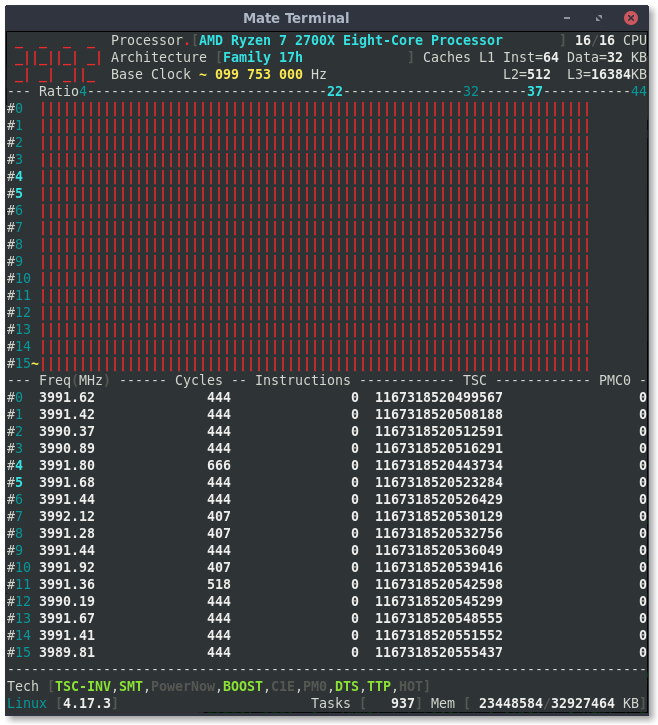
adatum
on 12 Jul 2018
I forgot that I specialized code to Intel.
Please try again after changing the following line in corefreqd.c
https://github.com/cyring/CoreFreq/blob/cf35ac1057fc973b2b706e96d94ce28d5d34fb4e/corefreqd.c#L352
    const int withTSCP = ((Pkg->Features.AdvPower.EDX.Inv_TSC == 1)
               || (Pkg->Features.ExtInfo.EDX.RDTSCP == 1)),
        withRDPMC = ( ((Shm->Proc.Features.Info.Vendor.CRC == CRC_INTEL)
            && (Shm->Proc.PM_version >= 1))
            || (Shm->Proc.Features.Info.Vendor.CRC == CRC_AMD) )
            && (BITVAL(Cpu->SystemRegister.CR4, CR4_PCE) == 1);
The change resulted in zero values for Cycles, Instructions, TSC, and PMC0 columns.
Also, it created a regression where the benchmark Tools crash corefreqd "(corefreqd-cmgr) of user 0 dumped core."
Not sure if this is useful to you:
$ dmesg | grep IOMMU
[    0.348787] AMD-Vi: IOMMU performance counters supported
[    0.351066] AMD-Vi: Found IOMMU at 0000:00:00.2 cap 0x40
[    0.352237] perf/amd_iommu: Detected AMD IOMMU #0 (2 banks, 4 counters/bank).
[   25.568120] vboxpci: IOMMU found
Thanks.
I need to activate the user-space bits and supply the expected PMC values which probably differ from the Intel ones.
IOMMU traces are useful: I will give a look into VirtualBox and Perf...
cyring
on 12 Jul 2018
Hello,
I added new Ryzen references.
Please let me know if you notice any regression.
cyring
on 20 Jul 2018
No regressions noticed so far.
adatum
on 21 Jul 2018
Thank you
cyring
on 21 Jul 2018
Hello,
Once again I have made latency optimizations ...
In the UI, are also added :
- the Package temperature (for capable processors)
- the Base Clock can be restimated in real time (switch "Auto Clock" ON in the Settings menu)
- HOT label (shortcut 'H') may alert AMDs only when thermal exceeds specs threshold
Please, let me know if you notice any regression.
Screenshots and cli outputs are welcomed.
Regards
CyrIng
cyring
on 1 Sep 2018
I think could test in a few min on a X470 / Ryzen 2700. I have to disable nmi_watchdog.
I can't see the temps on the 2700. I have to go. I will have to look at this later.
 drescherjm
on 1 Sep 2018
drescherjm
on 1 Sep 2018
I have fixed the Temperature regression in version 1.33.1
cyring
on 1 Sep 2018
In a quick run, I did not notice regressions. I like the addition of the temperature in the "status bar" area!
Here is a screenshot and cli output. Let me know if you want any specific screens.
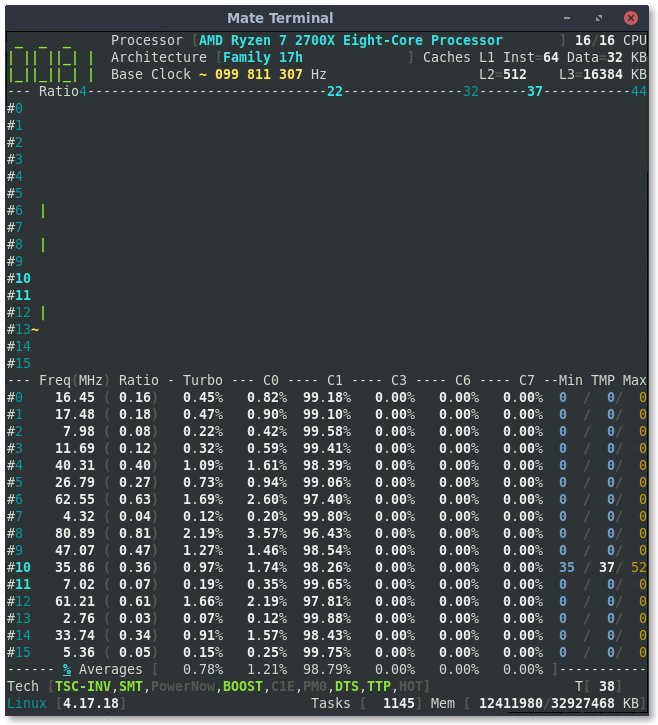
$ ./corefreq-cli -s
Processor                              [AMD Ryzen 7 2700X Eight-Core Processor ]
|- Architecture                                                     [Family 17h]
|- Vendor ID                                                      [AuthenticAMD]
|- Signature                                                            [ 8F_08]
|- Stepping                                                             [     2]
|- Microcode                                                            [     0]
|- Online CPU                                                           [ 16/16]
|- Base Clock                                                           [ 99.81]
|- Frequency            (Mhz)                      Ratio
                 Min    399.24                    [   4 ]
                 Max   3693.00                    [  37 ]
|- Factory                                                              [100.00]
                       3700                       [  37 ]
|- Turbo Boost                                                          [UNLOCK]
                  1C   4391.67                    <  44 >
                  2C   3193.94                    <  32 >
                  3C   2195.84                    <  22 >
|- Uncore                                                               [  LOCK]

ISA Extensions:
|- 3DNow!/Ext [N,N]        AES [Y]   AVX/AVX2 [Y/Y]   BMI1/BMI2 [Y/Y]
|- CLFSH        [Y]       CMOV [Y]      CMPXCH8 [Y]      CMPXCH16 [Y]
|- F16C         [Y]        FPU [Y]         FXSR [Y]     LAHF/SAHF [Y]
|- MMX/Ext    [Y/Y]    MONITOR [Y]        MOVBE [Y]      PCLMULDQ [Y]
|- POPCNT       [Y]     RDRAND [Y]       RDTSCP [Y]           SEP [Y]
|- SGX          [N]        SSE [Y]         SSE2 [Y]          SSE3 [Y]
|- SSSE3        [Y] SSE4.1/4A [Y/Y]      SSE4.2 [Y]       SYSCALL [Y]

Features:
|- 1 GB Pages Support                                      1GB-PAGES   [Present]
|- 100 MHz multiplier Control                            100MHzSteps   [Missing]
|- Advanced Configuration & Power Interface                     ACPI   [Present]
|- Advanced Programmable Interrupt Controller                   APIC   [Present]
|- Core Multi-Processing                                  CMP Legacy   [Present]
|- L1 Data Cache Context ID                                  CNXT-ID   [Missing]
|- Direct Cache Access                                           DCA   [Missing]
|- Debugging Extension                                            DE   [Present]
|- Debug Store & Precise Event Based Sampling               DS, PEBS   [Missing]
|- CPL Qualified Debug Store                                  DS-CPL   [Missing]
|- 64-Bit Debug Store                                         DTES64   [Missing]
|- Fast-String Operation                                Fast-Strings   [Missing]
|- Fused Multiply Add                                       FMA|FMA4   [Present]
|- Hardware Lock Elision                                         HLE   [Missing]
|- Long Mode 64 bits                                         IA64|LM   [Present]
|- LightWeight Profiling                                         LWP   [Missing]
|- Machine-Check Architecture                                    MCA   [Present]
|- Model Specific Registers                                      MSR   [Present]
|- Memory Type Range Registers                                  MTRR   [Present]
|- OS-Enabled Ext. State Management                          OSXSAVE   [Present]
|- Physical Address Extension                                    PAE   [Present]
|- Page Attribute Table                                          PAT   [Present]
|- Pending Break Enable                                          PBE   [Missing]
|- Process Context Identifiers                                  PCID   [Missing]
|- Perfmon and Debug Capability                                 PDCM   [Missing]
|- Page Global Enable                                            PGE   [Present]
|- Page Size Extension                                           PSE   [Present]
|- 36-bit Page Size Extension                                  PSE36   [Present]
|- Processor Serial Number                                       PSN   [Missing]
|- Restricted Transactional Memory                               RTM   [Missing]
|- Safer Mode Extensions                                         SMX   [Missing]
|- Self-Snoop                                                     SS   [Missing]
|- Time Stamp Counter                                            TSC [Invariant]
|- Time Stamp Counter Deadline                          TSC-DEADLINE   [Missing]
|- Virtual Mode Extension                                        VME   [Present]
|- Virtual Machine Extensions                                    VMX   [Missing]
|- Extended xAPIC Support                                     x2APIC   [Missing]
|- Execution Disable Bit Support                              XD-Bit   [Present]
|- XSAVE/XSTOR States                                          XSAVE   [Present]
|- xTPR Update Control                                          xTPR   [Missing]

Technologies:
|- System Management Mode                                   SMM-Lock       [ ON]
|- Simultaneous Multithreading                                   SMT       [ ON]
|- PowerNow!                                                     CnQ       [OFF]
|- Core Performance Boost                                        CPB       < ON>
|- Virtualization                                                SVM       [ ON]
   |- I/O MMU                                                  AMD-V       [OFF]
   |- Hypervisor                                                           [OFF]

Performance Monitoring:
|- Version                                                        PM       [  0]
|- Counters:          General                   Fixed
|                     6 x 64 bits             3 x 64 bits
|- Enhanced Halt State                                           C1E       <OFF>
|- Core C6 State                                                 CC6       < ON>
|- Package C6 State                                              PC6       < ON>
|- Frequency ID control                                          FID       [OFF]
|- Voltage ID control                                            VID       [OFF]
|- P-State Hardware Coordination Feedback                MPERF/APERF       [ ON]
|- Hardware-Controlled Performance States                        HWP       [ ON]
|- Hardware Duty Cycling                                         HDC       [OFF]
|- Package C-State
   |- Configuration Control                                   CONFIG   [   LOCK]
   |- Lowest C-State                                           LIMIT   [      0]
   |- I/O MWAIT Redirection                                  IOMWAIT   [DISABLE]
   |- Max C-State Inclusion                                    RANGE   [      0]
|- MWAIT States:      C0      C1      C2      C3      C4
|                      1       1       0       0       0
|- Core Cycles                                                         [Present]
|- Instructions Retired                                                [Present]
|- Reference Cycles                                                    [Present]
|- Last Level Cache References                                         [Missing]
|- Last Level Cache Misses                                             [Missing]
|- Branch Instructions Retired                                         [Missing]
|- Branch Mispredicts Retired                                          [Missing]

Power & Thermal Monitoring:
|- Clock Modulation                                             ODCM   <Disable>
   |- DutyCycle                                                        <  0.00%>
|- Power Management                                         PWR MGMT   [   LOCK]
   |- Energy Policy                                        Bias Hint   [      0]
|- Junction Temperature                                        TjMax   [     10]
|- Digital Thermal Sensor                                        DTS   [Present]
|- Power Limit Notification                                      PLN   [Missing]
|- Package Thermal Management                                    PTM   [Missing]
|- Thermal Monitor 1                                         TM1|TTP   [Present]
|- Thermal Monitor 2                                         TM2|HTC   [Present]
|- Units
   |- Power                                               watt   [  0.015625000]
   |- Energy                                             joule   [  0.000001907]
   |- Window                                            second   [  0.000976562]
Here is what I am getting for the temp.
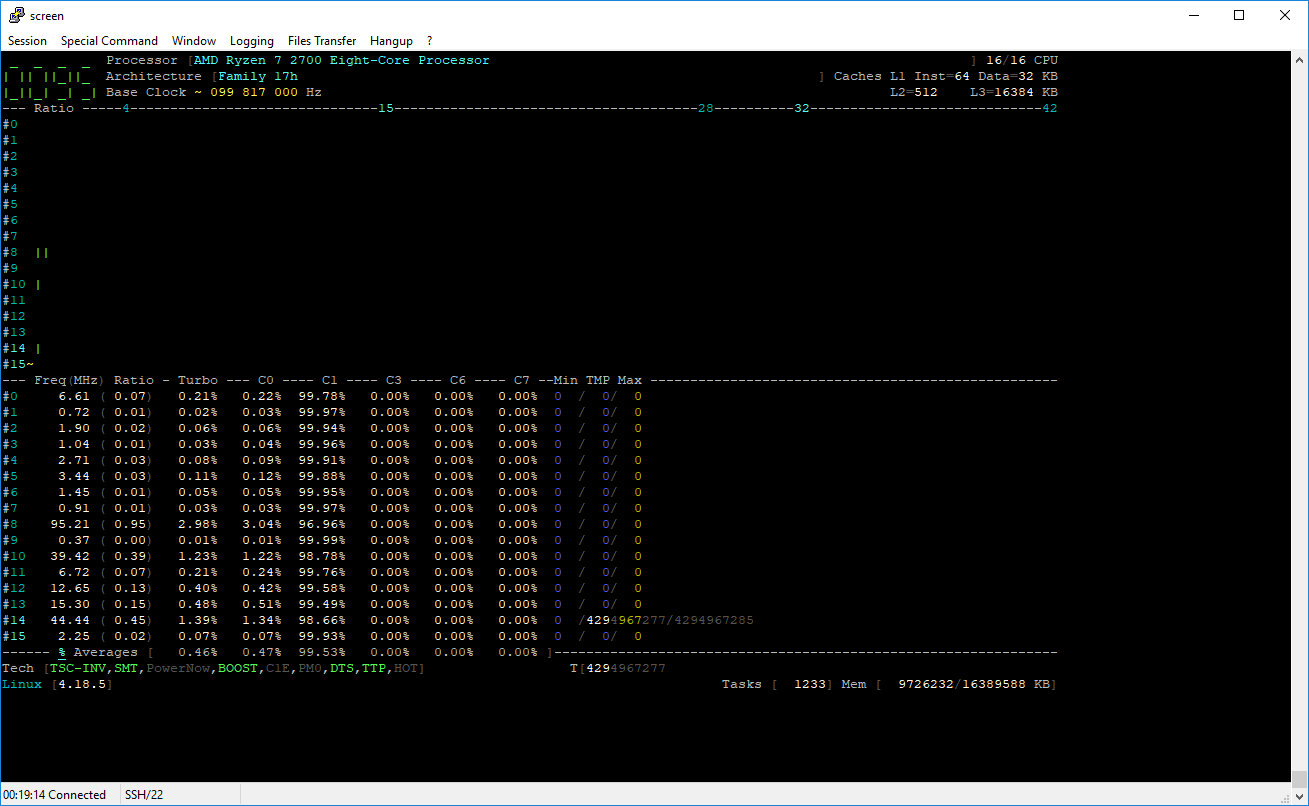
drescherjm
on 2 Sep 2018
@adatum : Thank you.
In the menu Settings, can you switch the "Auto Clock" on and tell me if the estimated Base Clock is getting closer to the factory frequency (100 MHz) ?
cyring
on 2 Sep 2018
@drescherjm : thank you for this Ryzen 2700 test.
- Is the Linux virtualized ?
- can you print
corefreq-cli -s
cyring
on 2 Sep 2018
I would like to make use of the instruction rdtscp instead of rdtsp with Ryzen.
- Can you replace the following macro function:
https://github.com/cyring/CoreFreq/blob/5e4173e3ec2c85881c1a5d92fe9b15e97b905266/corefreqk.c#L4694
with:
#define SMT_Counters_AMD_Family_17h(Core, T)                \
({                                  \
    RDTSCP_COUNTERx3(Core->Counter[T].TSC,              \
            MSR_AMD_F17H_APERF, Core->Counter[T].C0.UCC,    \
            MSR_AMD_F17H_MPERF, Core->Counter[T].C0.URC,    \
            MSR_AMD_F17H_IRPERF, Core->Counter[T].INST);    \
    /* Derive C1 */                         \
    Core->Counter[T].C1 =                       \
      (Core->Counter[T].TSC > Core->Counter[T].C0.URC) ?        \
        Core->Counter[T].TSC - Core->Counter[T].C0.URC      \
        : 0;                            \
})
- In function:
https://github.com/cyring/CoreFreq/blob/5e4173e3ec2c85881c1a5d92fe9b15e97b905266/corefreqk.c#L6810
Replace
RDTSC64(_TSC);
with
RDTSCP64(_TSC);
- Rebuild _CoreFreq_
- Save your files ...
- Start the driver with
corefreqk.ko AutoClock=3(_it will be confirmed in the UI " Settings " menu_) - In the UI, go to the View " Core cycles " to the verify the TSC estimation
- Remark: system load can improve the TSC (_press F3 for " Atomic Burn "_)
cyring
on 2 Sep 2018
On Sun, Sep 2, 2018 at 3:57 AM CYRIL INGENIERIE notifications@github.com
wrote:
@drescherjm https://github.com/drescherjm : thank you for this Ryzen
2700 test.
- Is the Linux virtualized ?
No. HW Virtualization is probably enabled in the bios but I am not using
that at the moment.
>
- can you print corefreq-cli -s
jmd1 ~/experimental/CoreFreq # ./corefreq-cli -s
Processor                               [AMD Ryzen 7 2700 Eight-Core Processor ]
|- Architecture                                                     [Family 17h]
|- Vendor ID                                                      [AuthenticAMD]
|- Signature                                                            [ 8F_08]
|- Stepping                                                             [     2]
|- Microcode                                                            [     0]
|- Online CPU                                                           [ 16/16]
|- Base Clock                                                           [ 99.79]
|- Frequency            (Mhz)                      Ratio
                 Min    399.14                    [   4 ]
                 Max   3193.15                    [  32 ]
|- Factory                                                              [100.00]
                       3200                       [  32 ]
|- Turbo Boost                                                          [UNLOCK]
                  1C   4191.01                    <  42 >
                  2C   2794.01                    <  28 >
                  3C   1496.79                    <  15 >
|- Uncore                                                               [  LOCK]

ISA Extensions:
|- 3DNow!/Ext [N,N]        AES [Y]   AVX/AVX2 [Y/Y]   BMI1/BMI2 [Y/Y]
|- CLFSH        [Y]       CMOV [Y]      CMPXCH8 [Y]      CMPXCH16 [Y]
|- F16C         [Y]        FPU [Y]         FXSR [Y]     LAHF/SAHF [Y]
|- MMX/Ext    [Y/Y]    MONITOR [Y]        MOVBE [Y]      PCLMULDQ [Y]
|- POPCNT       [Y]     RDRAND [Y]       RDTSCP [Y]           SEP [Y]
|- SGX          [N]        SSE [Y]         SSE2 [Y]          SSE3 [Y]
|- SSSE3        [Y] SSE4.1/4A [Y/Y]      SSE4.2 [Y]       SYSCALL [Y]

Features:
|- 1 GB Pages Support                                      1GB-PAGES   [Present]
|- 100 MHz multiplier Control                            100MHzSteps   [Missing]
|- Advanced Configuration & Power Interface                     ACPI   [Present]
|- Advanced Programmable Interrupt Controller                   APIC   [Present]
|- Core Multi-Processing                                  CMP Legacy   [Present]
|- L1 Data Cache Context ID                                  CNXT-ID   [Missing]
|- Direct Cache Access                                           DCA   [Missing]
|- Debugging Extension                                            DE   [Present]
|- Debug Store & Precise Event Based Sampling               DS, PEBS   [Missing]
|- CPL Qualified Debug Store                                  DS-CPL   [Missing]
|- 64-Bit Debug Store                                         DTES64   [Missing]
|- Fast-String Operation                                Fast-Strings   [Missing]
|- Fused Multiply Add                                       FMA|FMA4   [Present]
|- Hardware Lock Elision                                         HLE   [Missing]
|- Long Mode 64 bits                                         IA64|LM   [Present]
|- LightWeight Profiling                                         LWP   [Missing]
|- Machine-Check Architecture                                    MCA   [Present]
|- Model Specific Registers                                      MSR   [Present]
|- Memory Type Range Registers                                  MTRR   [Present]
|- OS-Enabled Ext. State Management                          OSXSAVE   [Present]
|- Physical Address Extension                                    PAE   [Present]
|- Page Attribute Table                                          PAT   [Present]
|- Pending Break Enable                                          PBE   [Missing]
|- Process Context Identifiers                                  PCID   [Missing]
|- Perfmon and Debug Capability                                 PDCM   [Missing]
|- Page Global Enable                                            PGE   [Present]
|- Page Size Extension                                           PSE   [Present]
|- 36-bit Page Size Extension                                  PSE36   [Present]
|- Processor Serial Number                                       PSN   [Missing]
|- Restricted Transactional Memory                               RTM   [Missing]
|- Safer Mode Extensions                                         SMX   [Missing]
|- Self-Snoop                                                     SS   [Missing]
|- Time Stamp Counter                                            TSC [Invariant]
|- Time Stamp Counter Deadline                          TSC-DEADLINE   [Missing]
|- Virtual Mode Extension                                        VME   [Present]
|- Virtual Machine Extensions                                    VMX   [Missing]
|- Extended xAPIC Support                                     x2APIC   [Missing]
|- Execution Disable Bit Support                              XD-Bit   [Present]
|- XSAVE/XSTOR States                                          XSAVE   [Present]
|- xTPR Update Control                                          xTPR   [Missing]

Technologies:
|- System Management Mode                                   SMM-Lock       [ ON]
|- Simultaneous Multithreading                                   SMT       [ ON]
|- PowerNow!                                                     CnQ       [OFF]
|- Core Performance Boost                                        CPB       < ON>
|- Virtualization                                                SVM       [ ON]
   |- I/O MMU                                                  AMD-V       [OFF]
   |- Hypervisor                                                           [OFF]

Performance Monitoring:
|- Version                                                        PM       [  0]
|- Counters:          General                   Fixed
|                     6 x 64 bits             3 x 64 bits
|- Enhanced Halt State                                           C1E       <OFF>
|- Core C6 State                                                 CC6       < ON>
|- Package C6 State                                              PC6       < ON>
|- Frequency ID control                                          FID       [OFF]
|- Voltage ID control                                            VID       [OFF]
|- P-State Hardware Coordination Feedback                MPERF/APERF       [ ON]
|- Hardware-Controlled Performance States                        HWP       [ ON]
|- Hardware Duty Cycling                                         HDC       [OFF]
|- Package C-State
   |- Configuration Control                                   CONFIG   [   LOCK]
   |- Lowest C-State                                           LIMIT   [      0]
   |- I/O MWAIT Redirection                                  IOMWAIT   [DISABLE]
   |- Max C-State Inclusion                                    RANGE   [      0]
|- MWAIT States:      C0      C1      C2      C3      C4
|                      1       1       0       0       0
|- Core Cycles                                                         [Present]
|- Instructions Retired                                                [Present]
|- Reference Cycles                                                    [Present]
|- Last Level Cache References                                         [Missing]
|- Last Level Cache Misses                                             [Missing]
|- Branch Instructions Retired                                         [Missing]
|- Branch Mispredicts Retired                                          [Missing]

Power & Thermal Monitoring:
|- Clock Modulation                                             ODCM   <Disable>
   |- DutyCycle                                                        <  0.00%>
|- Power Management                                         PWR MGMT   [   LOCK]
   |- Energy Policy                                        Bias Hint   [      0]
|- Junction Temperature                                        TjMax   [      0]
|- Digital Thermal Sensor                                        DTS   [Present]
|- Power Limit Notification                                      PLN   [Missing]
|- Package Thermal Management                                    PTM   [Missing]
|- Thermal Monitor 1                                         TM1|TTP   [Present]
|- Thermal Monitor 2                                         TM2|HTC   [Present]
|- Units
   |- Power                                               watt   [  0.015625000]
   |- Energy                                             joule   [  0.000001907]
   |- Window                                            second   [  0.000976562]
In the menu Settings, can you switch the "Auto Clock" on and tell me if the estimated Base Clock is getting closer to the factory frequency (100 MHz) ?
Do you mean the "Base Clock ~ " reading at the top? It is about 99.8 MHz and I don't notice a difference with "Auto Clock" on or off.
Note that the BIOS also shows a value that isn't exactly 100 MHz. I'm not sure if it's due to measurement/reporting, or actual frequency.
adatum
on 2 Sep 2018
Start the driver with corefreqk.ko AutoClock=3 (it will be confirmed in the UI " Settings " menu)
By confirmed, you mean the Settings menu will show AutoClock = ON ?
Here are screenshots before and after the code changes:
rdtsp
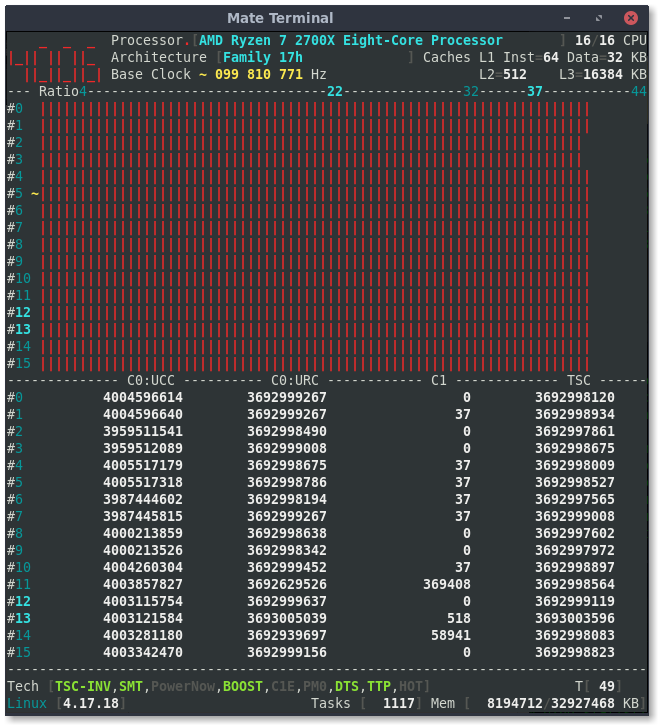
rdtscp
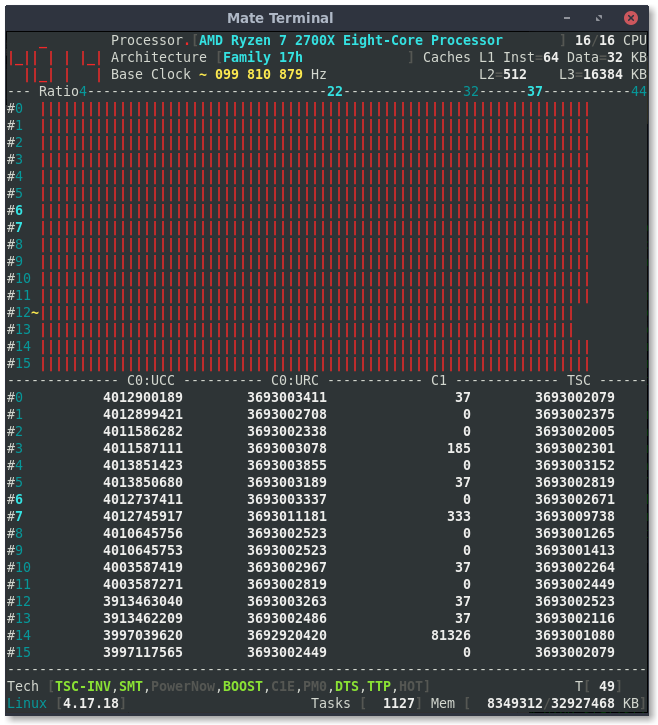
adatum
on 2 Sep 2018
@adatum
From the previous BIOS screen, I see an exact 100.0 MHz (BCLK on right side): this could be just the bare specification and not an estimation.
With Intel I notice that disabling C-States in BIOS and Kernel, can improve a bit the accuracy. You may notice a difference when deactivating CC6 and PC6 ?
Thanks for the RDTSCP test, it can safely be implemented.
cyring
on 2 Sep 2018
@drescherjm : the difference with the 2700X temperature result may be due to the undocumented PCI register. Not the same in the following function, but I have no clue for the 2700.
https://github.com/cyring/CoreFreq/blob/5e4173e3ec2c85881c1a5d92fe9b15e97b905266/corefreqk.c#L5087
Can you print lspci -nn ?
-Edit-
Probably the condition TTP is not met. Can you replace the function with the following code:
void Core_AMD_Family_17h_Temp(CORE *Core)
{
/* Source: BKDG for AMD Family 16h
    D0F0x60: miscellaneous index to access the registers at D0F0x64_x[FF:00]
    59800h : undocumented AMD 17h
*/
    {
        unsigned int indexRegister = 0x00059800, sensor = 0;

        WRPCI(indexRegister, PCI_CONFIG_ADDRESS(0, 0, 0, 0x60));
        RDPCI(sensor, PCI_CONFIG_ADDRESS(0, 0, 0, 0x64));

        Core->PowerThermal.Sensor = (sensor >> 21) & 0x7ff;
    }
    if (Proc->Registration.Experimental) {
        THERMTRIP_STATUS ThermTrip;
        RDPCI(ThermTrip, PCI_CONFIG_ADDRESS(0, 24, 3, 0xe4));
        Core->PowerThermal.Events = ThermTrip.SensorTrip << 0;
    }
}
Rebuild and try
cyring
on 2 Sep 2018
jmd1 /home/jdrescher # lspci -nn
00:00.0 Host bridge [0600]: Advanced Micro Devices, Inc. [AMD] Family 17h
(Models 00h-0fh) Root Complex [1022:1450]
00:00.2 IOMMU [0806]: Advanced Micro Devices, Inc. [AMD] Family 17h (Models
00h-0fh) I/O Memory Management Unit [1022:1451]
00:01.0 Host bridge [0600]: Advanced Micro Devices, Inc. [AMD] Family 17h
(Models 00h-0fh) PCIe Dummy Host Bridge [1022:1452]
00:01.1 PCI bridge [0604]: Advanced Micro Devices, Inc. [AMD] Family 17h
(Models 00h-0fh) PCIe GPP Bridge [1022:1453]
00:01.3 PCI bridge [0604]: Advanced Micro Devices, Inc. [AMD] Family 17h
(Models 00h-0fh) PCIe GPP Bridge [1022:1453]
00:02.0 Host bridge [0600]: Advanced Micro Devices, Inc. [AMD] Family 17h
(Models 00h-0fh) PCIe Dummy Host Bridge [1022:1452]
00:03.0 Host bridge [0600]: Advanced Micro Devices, Inc. [AMD] Family 17h
(Models 00h-0fh) PCIe Dummy Host Bridge [1022:1452]
00:03.1 PCI bridge [0604]: Advanced Micro Devices, Inc. [AMD] Family 17h
(Models 00h-0fh) PCIe GPP Bridge [1022:1453]
00:04.0 Host bridge [0600]: Advanced Micro Devices, Inc. [AMD] Family 17h
(Models 00h-0fh) PCIe Dummy Host Bridge [1022:1452]
00:07.0 Host bridge [0600]: Advanced Micro Devices, Inc. [AMD] Family 17h
(Models 00h-0fh) PCIe Dummy Host Bridge [1022:1452]
00:07.1 PCI bridge [0604]: Advanced Micro Devices, Inc. [AMD] Family 17h
(Models 00h-0fh) Internal PCIe GPP Bridge 0 to Bus B [1022:1454]
00:08.0 Host bridge [0600]: Advanced Micro Devices, Inc. [AMD] Family 17h
(Models 00h-0fh) PCIe Dummy Host Bridge [1022:1452]
00:08.1 PCI bridge [0604]: Advanced Micro Devices, Inc. [AMD] Family 17h
(Models 00h-0fh) Internal PCIe GPP Bridge 0 to Bus B [1022:1454]
00:14.0 SMBus [0c05]: Advanced Micro Devices, Inc. [AMD] FCH SMBus
Controller [1022:790b] (rev 59)
00:14.3 ISA bridge [0601]: Advanced Micro Devices, Inc. [AMD] FCH LPC
Bridge [1022:790e] (rev 51)
00:18.0 Host bridge [0600]: Advanced Micro Devices, Inc. [AMD] Family 17h
(Models 00h-0fh) Data Fabric: Device 18h; Function 0 [1022:1460]
00:18.1 Host bridge [0600]: Advanced Micro Devices, Inc. [AMD] Family 17h
(Models 00h-0fh) Data Fabric: Device 18h; Function 1 [1022:1461]
00:18.2 Host bridge [0600]: Advanced Micro Devices, Inc. [AMD] Family 17h
(Models 00h-0fh) Data Fabric: Device 18h; Function 2 [1022:1462]
00:18.3 Host bridge [0600]: Advanced Micro Devices, Inc. [AMD] Family 17h
(Models 00h-0fh) Data Fabric: Device 18h; Function 3 [1022:1463]
00:18.4 Host bridge [0600]: Advanced Micro Devices, Inc. [AMD] Family 17h
(Models 00h-0fh) Data Fabric: Device 18h; Function 4 [1022:1464]
00:18.5 Host bridge [0600]: Advanced Micro Devices, Inc. [AMD] Family 17h
(Models 00h-0fh) Data Fabric: Device 18h; Function 5 [1022:1465]
00:18.6 Host bridge [0600]: Advanced Micro Devices, Inc. [AMD] Family 17h
(Models 00h-0fh) Data Fabric: Device 18h; Function 6 [1022:1466]
00:18.7 Host bridge [0600]: Advanced Micro Devices, Inc. [AMD] Family 17h
(Models 00h-0fh) Data Fabric: Device 18h; Function 7 [1022:1467]
01:00.0 Non-Volatile memory controller [0108]: Samsung Electronics Co Ltd
NVMe SSD Controller SM961/PM961 [144d:a804]
02:00.0 USB controller [0c03]: Advanced Micro Devices, Inc. [AMD] Device
[1022:43d0] (rev 01)
02:00.1 SATA controller [0106]: Advanced Micro Devices, Inc. [AMD] Device
[1022:43c8] (rev 01)
02:00.2 PCI bridge [0604]: Advanced Micro Devices, Inc. [AMD] Device
[1022:43c6] (rev 01)
03:00.0 PCI bridge [0604]: Advanced Micro Devices, Inc. [AMD] Device
[1022:43c7] (rev 01)
03:04.0 PCI bridge [0604]: Advanced Micro Devices, Inc. [AMD] Device
[1022:43c7] (rev 01)
03:06.0 PCI bridge [0604]: Advanced Micro Devices, Inc. [AMD] Device
[1022:43c7] (rev 01)
03:07.0 PCI bridge [0604]: Advanced Micro Devices, Inc. [AMD] Device
[1022:43c7] (rev 01)
03:09.0 PCI bridge [0604]: Advanced Micro Devices, Inc. [AMD] Device
[1022:43c7] (rev 01)
05:00.0 USB controller [0c03]: ASMedia Technology Inc. ASM1142 USB 3.1 Host
Controller [1b21:1242]
07:00.0 Ethernet controller [0200]: Intel Corporation I211 Gigabit Network
Connection [8086:1539] (rev 03)
09:00.0 VGA compatible controller [0300]: NVIDIA Corporation GP107 [GeForce
GTX 1050 Ti] [10de:1c82] (rev a1)
09:00.1 Audio device [0403]: NVIDIA Corporation GP107GL High Definition
Audio Controller [10de:0fb9] (rev a1)
0a:00.0 Non-Essential Instrumentation [1300]: Advanced Micro Devices, Inc.
[AMD] Device [1022:145a]
0a:00.2 Encryption controller [1080]: Advanced Micro Devices, Inc. [AMD]
Family 17h (Models 00h-0fh) Platform Security Processor [1022:1456]
0a:00.3 USB controller [0c03]: Advanced Micro Devices, Inc. [AMD] USB 3.0
Host controller [1022:145f]
0b:00.0 Non-Essential Instrumentation [1300]: Advanced Micro Devices, Inc.
[AMD] Device [1022:1455]
0b:00.2 SATA controller [0106]: Advanced Micro Devices, Inc. [AMD] FCH SATA
Controller [AHCI mode] [1022:7901] (rev 51)
0b:00.3 Audio device [0403]: Advanced Micro Devices, Inc. [AMD] Family 17h
(Models 00h-0fh) HD Audio Controller [1022:1457]
jmd1 /home/jdrescher #
@drescherjm : the PCI address looks the same as the 2700X' one
00:00.0 Host bridge [0600]: Advanced Micro Devices, Inc. [AMD] Family 17h (Models 00h-0fh) Root Complex [1022:1450]
Can you try the change above on Core_AMD_Family_17h_Temp ?
cyring
on 3 Sep 2018
I just tested this (did a reboot then git pull and changed the code then make clean and make ..) and it is still the same.
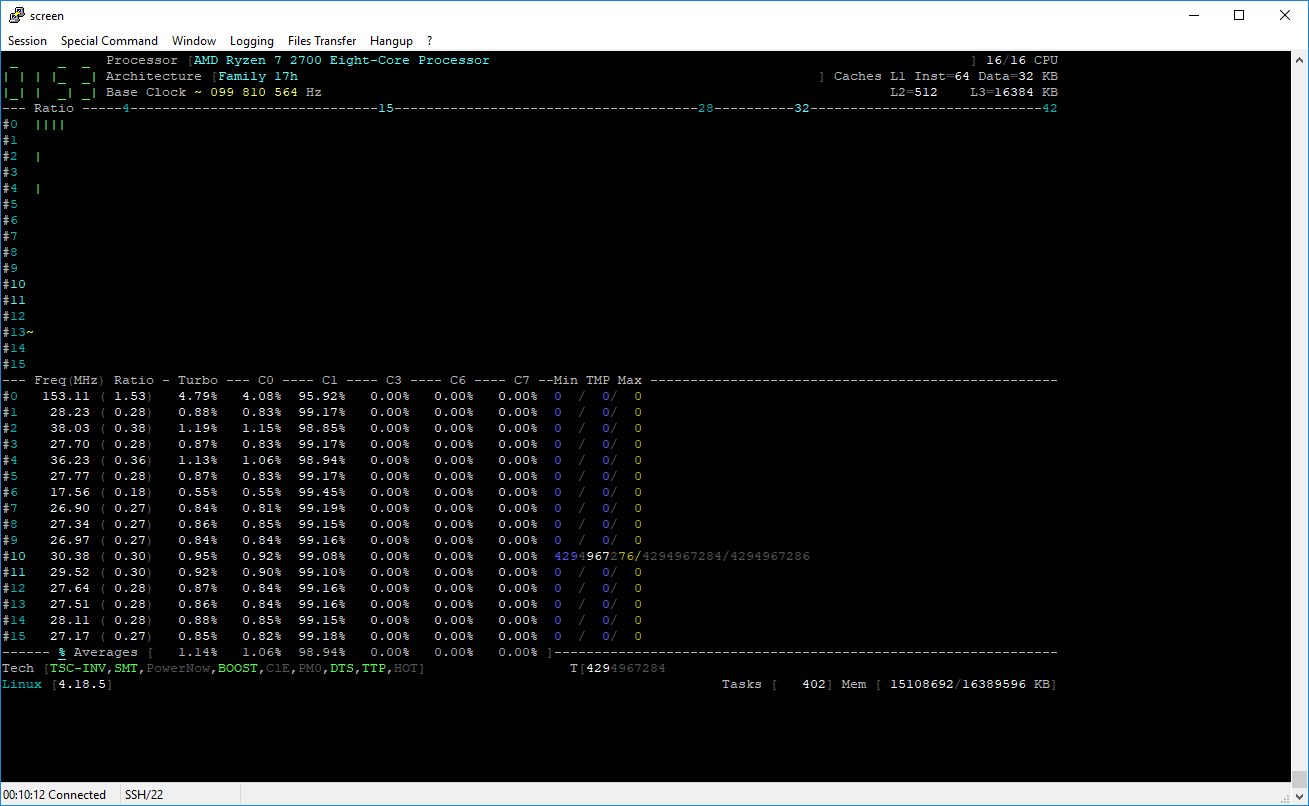
drescherjm
on 3 Sep 2018
jmd1 ~/experimental/CoreFreq # ./corefreq-cli -s
Processor                               [AMD Ryzen 7 2700 Eight-Core Processor ]
|- Architecture                                                     [Family 17h]
|- Vendor ID                                                      [AuthenticAMD]
|- Signature                                                            [ 8F_08]
|- Stepping                                                             [     2]
|- Microcode                                                            [     0]
|- Online CPU                                                           [ 16/16]
|- Base Clock                                                           [ 99.81]
|- Frequency            (Mhz)                      Ratio
                 Min    399.25                    [   4 ]
                 Max   3194.00                    [  32 ]
|- Factory                                                              [100.00]
                       3200                       [  32 ]
|- Turbo Boost                                                          [UNLOCK]
                  1C   4192.12                    <  42 >
                  2C   2794.75                    <  28 >
                  3C   1497.19                    <  15 >
|- Uncore                                                               [  LOCK]

ISA Extensions:
|- 3DNow!/Ext [N,N]        AES [Y]   AVX/AVX2 [Y/Y]   BMI1/BMI2 [Y/Y]
|- CLFSH        [Y]       CMOV [Y]      CMPXCH8 [Y]      CMPXCH16 [Y]
|- F16C         [Y]        FPU [Y]         FXSR [Y]     LAHF/SAHF [Y]
|- MMX/Ext    [Y/Y]    MONITOR [Y]        MOVBE [Y]      PCLMULDQ [Y]
|- POPCNT       [Y]     RDRAND [Y]       RDTSCP [Y]           SEP [Y]
|- SGX          [N]        SSE [Y]         SSE2 [Y]          SSE3 [Y]
|- SSSE3        [Y] SSE4.1/4A [Y/Y]      SSE4.2 [Y]       SYSCALL [Y]

Features:
|- 1 GB Pages Support                                      1GB-PAGES   [Present]
|- 100 MHz multiplier Control                            100MHzSteps   [Missing]
|- Advanced Configuration & Power Interface                     ACPI   [Present]
|- Advanced Programmable Interrupt Controller                   APIC   [Present]
|- Core Multi-Processing                                  CMP Legacy   [Present]
|- L1 Data Cache Context ID                                  CNXT-ID   [Missing]
|- Direct Cache Access                                           DCA   [Missing]
|- Debugging Extension                                            DE   [Present]
|- Debug Store & Precise Event Based Sampling               DS, PEBS   [Missing]
|- CPL Qualified Debug Store                                  DS-CPL   [Missing]
|- 64-Bit Debug Store                                         DTES64   [Missing]
|- Fast-String Operation                                Fast-Strings   [Missing]
|- Fused Multiply Add                                       FMA|FMA4   [Present]
|- Hardware Lock Elision                                         HLE   [Missing]
|- Long Mode 64 bits                                         IA64|LM   [Present]
|- LightWeight Profiling                                         LWP   [Missing]
|- Machine-Check Architecture                                    MCA   [Present]
|- Model Specific Registers                                      MSR   [Present]
|- Memory Type Range Registers                                  MTRR   [Present]
|- OS-Enabled Ext. State Management                          OSXSAVE   [Present]
|- Physical Address Extension                                    PAE   [Present]
|- Page Attribute Table                                          PAT   [Present]
|- Pending Break Enable                                          PBE   [Missing]
|- Process Context Identifiers                                  PCID   [Missing]
|- Perfmon and Debug Capability                                 PDCM   [Missing]
|- Page Global Enable                                            PGE   [Present]
|- Page Size Extension                                           PSE   [Present]
|- 36-bit Page Size Extension                                  PSE36   [Present]
|- Processor Serial Number                                       PSN   [Missing]
|- Restricted Transactional Memory                               RTM   [Missing]
|- Safer Mode Extensions                                         SMX   [Missing]
|- Self-Snoop                                                     SS   [Missing]
|- Time Stamp Counter                                            TSC [Invariant]
|- Time Stamp Counter Deadline                          TSC-DEADLINE   [Missing]
|- Virtual Mode Extension                                        VME   [Present]
|- Virtual Machine Extensions                                    VMX   [Missing]
|- Extended xAPIC Support                                     x2APIC   [Missing]
|- Execution Disable Bit Support                              XD-Bit   [Present]
|- XSAVE/XSTOR States                                          XSAVE   [Present]
|- xTPR Update Control                                          xTPR   [Missing]

Technologies:
|- System Management Mode                                   SMM-Lock       [ ON]
|- Simultaneous Multithreading                                   SMT       [ ON]
|- PowerNow!                                                     CnQ       [OFF]
|- Core Performance Boost                                        CPB       < ON>
|- Virtualization                                                SVM       [ ON]
   |- I/O MMU                                                  AMD-V       [OFF]
   |- Hypervisor                                                           [OFF]

Performance Monitoring:
|- Version                                                        PM       [  0]
|- Counters:          General                   Fixed
|                     6 x 64 bits             3 x 64 bits
|- Enhanced Halt State                                           C1E       <OFF>
|- Core C6 State                                                 CC6       < ON>
|- Package C6 State                                              PC6       < ON>
|- Frequency ID control                                          FID       [OFF]
|- Voltage ID control                                            VID       [OFF]
|- P-State Hardware Coordination Feedback                MPERF/APERF       [ ON]
|- Hardware-Controlled Performance States                        HWP       [ ON]
|- Hardware Duty Cycling                                         HDC       [OFF]
|- Package C-State
   |- Configuration Control                                   CONFIG   [   LOCK]
   |- Lowest C-State                                           LIMIT   [      0]
   |- I/O MWAIT Redirection                                  IOMWAIT   [DISABLE]
   |- Max C-State Inclusion                                    RANGE   [      0]
|- MWAIT States:      C0      C1      C2      C3      C4
|                      1       1       0       0       0
|- Core Cycles                                                         [Present]
|- Instructions Retired                                                [Present]
|- Reference Cycles                                                    [Present]
|- Last Level Cache References                                         [Missing]
|- Last Level Cache Misses                                             [Missing]
|- Branch Instructions Retired                                         [Missing]
|- Branch Mispredicts Retired                                          [Missing]

Power & Thermal Monitoring:
|- Clock Modulation                                             ODCM   <Disable>
   |- DutyCycle                                                        <  0.00%>
|- Power Management                                         PWR MGMT   [   LOCK]
   |- Energy Policy                                        Bias Hint   [      0]
|- Junction Temperature                                        TjMax   [      0]
|- Digital Thermal Sensor                                        DTS   [Present]
|- Power Limit Notification                                      PLN   [Missing]
|- Package Thermal Management                                    PTM   [Missing]
|- Thermal Monitor 1                                         TM1|TTP   [Present]
|- Thermal Monitor 2                                         TM2|HTC   [Present]
|- Units
   |- Power                                               watt   [  0.015625000]
   |- Energy                                             joule   [  0.000001907]
   |- Window                                            second   [  0.000976562]
@drescherjm : Thanks for trying.
The displayed temperature 4294967276 is an unsigned values near -49
Looking in the formula code:
#define COMPUTE_THERMAL_AMD_17h(Temp, Target, Sensor)           \
        (Temp = ((Sensor * 5 / 40) - 49) - Target)
(_where Target=0 for Ryzen 2700_)
It means that the sensor value is equal to /or near zero from:
RDPCI(sensor, PCI_CONFIG_ADDRESS(0, 0, 0, 0x64));
Without any register specifications, I can't tell why it works with the 2700X
cyring
on 3 Sep 2018
@drescherjm : can you change this formula:
https://github.com/cyring/CoreFreq/blob/8176d4311e8f445b3431ac266aa5ce0dc69a3030/coretypes.h#L163
To:
#define COMPUTE_THERMAL_AMD_17h(Temp, Target, Sensor)           \
        (Temp = (Sensor * 5 / 40) - Target)
Success. And the temp looks similar to lm_sensors.
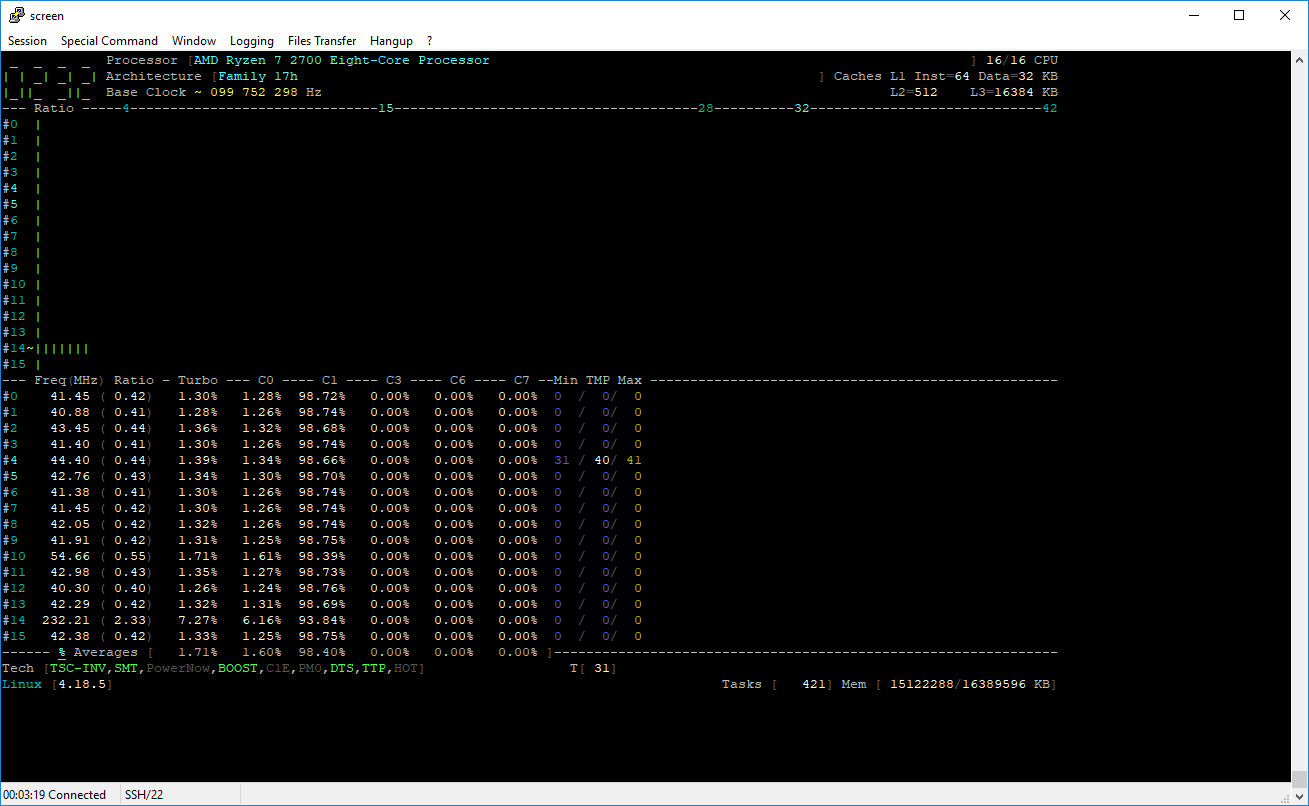
drescherjm
on 3 Sep 2018
@cyring I believe the X and non-X processors have different offsets. eg. https://github.com/lm-sensors/lm-sensors/issues/101#issuecomment-384125827
adatum
on 3 Sep 2018
Yes all credits go to k10temp
cyring
on 3 Sep 2018
From the previous BIOS screen, I see an exact 100.0 MHz (BCLK on right side): this could be just the bare specification and not an estimation.
You're right, it shows 100.0 MHz in BIOS. That is the set value, but perhaps not the actual measured value. I thought I had seen a measured value in BIOS somewhere, but apparently not.
I forget where I saw/read about varying BCLK. It might have actually been comments from the community like:
Ryzen has no hardware to readback BCLK correctly.
https://rog.asus.com/forum/showthread.php?101617-Crosshair-VII-Hero-Essential-Info-Thread
adatum
on 3 Sep 2018
@adatum @drescherjm : I have pushed a new version which handles two thermal offsets with Ryzen Processors.
So far, only the 2700X applies a 49° offset, and none for the 2700.
Hardware is missing to calibrate the other Ryzens !
The UI now shows these two parameters in TjMax
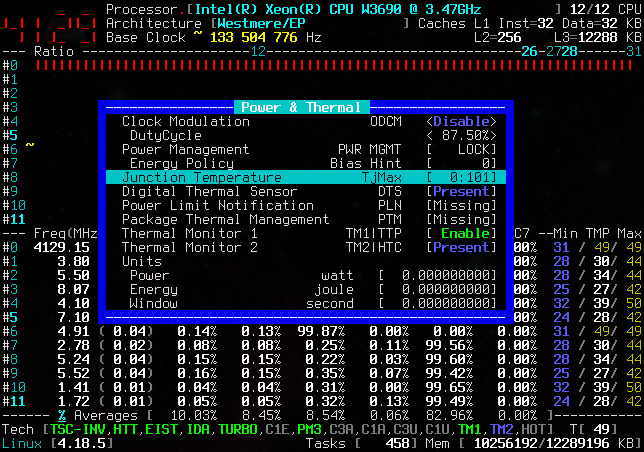
cyring
on 4 Sep 2018
@adatum : you may have a better BCLK estimation when deactivating all C-States and Frequency modulation of any kind in BIOS and the Kernel command line.
With _CoreFreq_ you can disable CC6, PC6 and see if it gets closer to 100 MHz
cyring
on 4 Sep 2018
jmd1 ~/experimental/CoreFreq # ./corefreq-cli -s
Processor                               [AMD Ryzen 7 2700 Eight-Core Processor ]
|- Architecture                                                     [Family 17h]
|- Vendor ID                                                      [AuthenticAMD]
|- Signature                                                            [ 8F_08]
|- Stepping                                                             [     2]
|- Microcode                                                            [     0]
|- Online CPU                                                           [ 16/16]
|- Base Clock                                                           [ 99.80]
|- Frequency            (Mhz)                      Ratio
                 Min    399.22                    [   4 ]
                 Max   3193.76                    [  32 ]
|- Factory                                                              [100.00]
                       3200                       [  32 ]
|- Turbo Boost                                                          [UNLOCK]
                  1C   4191.81                    <  42 >
                  2C   2794.54                    <  28 >
                  3C   1497.07                    <  15 >
|- Uncore                                                               [  LOCK]

ISA Extensions:
|- 3DNow!/Ext [N,N]        AES [Y]   AVX/AVX2 [Y/Y]   BMI1/BMI2 [Y/Y]
|- CLFSH        [Y]       CMOV [Y]      CMPXCH8 [Y]      CMPXCH16 [Y]
|- F16C         [Y]        FPU [Y]         FXSR [Y]     LAHF/SAHF [Y]
|- MMX/Ext    [Y/Y]    MONITOR [Y]        MOVBE [Y]      PCLMULDQ [Y]
|- POPCNT       [Y]     RDRAND [Y]       RDTSCP [Y]           SEP [Y]
|- SGX          [N]        SSE [Y]         SSE2 [Y]          SSE3 [Y]
|- SSSE3        [Y] SSE4.1/4A [Y/Y]      SSE4.2 [Y]       SYSCALL [Y]

Features:
|- 1 GB Pages Support                                      1GB-PAGES   [Present]
|- 100 MHz multiplier Control                            100MHzSteps   [Missing]
|- Advanced Configuration & Power Interface                     ACPI   [Present]
|- Advanced Programmable Interrupt Controller                   APIC   [Present]
|- Core Multi-Processing                                  CMP Legacy   [Present]
|- L1 Data Cache Context ID                                  CNXT-ID   [Missing]
|- Direct Cache Access                                           DCA   [Missing]
|- Debugging Extension                                            DE   [Present]
|- Debug Store & Precise Event Based Sampling               DS, PEBS   [Missing]
|- CPL Qualified Debug Store                                  DS-CPL   [Missing]
|- 64-Bit Debug Store                                         DTES64   [Missing]
|- Fast-String Operation                                Fast-Strings   [Missing]
|- Fused Multiply Add                                       FMA|FMA4   [Present]
|- Hardware Lock Elision                                         HLE   [Missing]
|- Long Mode 64 bits                                         IA64|LM   [Present]
|- LightWeight Profiling                                         LWP   [Missing]
|- Machine-Check Architecture                                    MCA   [Present]
|- Model Specific Registers                                      MSR   [Present]
|- Memory Type Range Registers                                  MTRR   [Present]
|- OS-Enabled Ext. State Management                          OSXSAVE   [Present]
|- Physical Address Extension                                    PAE   [Present]
|- Page Attribute Table                                          PAT   [Present]
|- Pending Break Enable                                          PBE   [Missing]
|- Process Context Identifiers                                  PCID   [Missing]
|- Perfmon and Debug Capability                                 PDCM   [Missing]
|- Page Global Enable                                            PGE   [Present]
|- Page Size Extension                                           PSE   [Present]
|- 36-bit Page Size Extension                                  PSE36   [Present]
|- Processor Serial Number                                       PSN   [Missing]
|- Restricted Transactional Memory                               RTM   [Missing]
|- Safer Mode Extensions                                         SMX   [Missing]
|- Self-Snoop                                                     SS   [Missing]
|- Time Stamp Counter                                            TSC [Invariant]
|- Time Stamp Counter Deadline                          TSC-DEADLINE   [Missing]
|- Virtual Mode Extension                                        VME   [Present]
|- Virtual Machine Extensions                                    VMX   [Missing]
|- Extended xAPIC Support                                     x2APIC   [Missing]
|- Execution Disable Bit Support                              XD-Bit   [Present]
|- XSAVE/XSTOR States                                          XSAVE   [Present]
|- xTPR Update Control                                          xTPR   [Missing]

Technologies:
|- System Management Mode                                   SMM-Lock       [ ON]
|- Simultaneous Multithreading                                   SMT       [ ON]
|- PowerNow!                                                     CnQ       [OFF]
|- Core Performance Boost                                        CPB       < ON>
|- Virtualization                                                SVM       [ ON]
   |- I/O MMU                                                  AMD-V       [OFF]
   |- Hypervisor                                                           [OFF]

Performance Monitoring:
|- Version                                                        PM       [  0]
|- Counters:          General                   Fixed
|                     6 x 64 bits             3 x 64 bits
|- Enhanced Halt State                                           C1E       <OFF>
|- Core C6 State                                                 CC6       < ON>
|- Package C6 State                                              PC6       < ON>
|- Frequency ID control                                          FID       [OFF]
|- Voltage ID control                                            VID       [OFF]
|- P-State Hardware Coordination Feedback                MPERF/APERF       [ ON]
|- Hardware-Controlled Performance States                        HWP       [ ON]
|- Hardware Duty Cycling                                         HDC       [OFF]
|- Package C-State
   |- Configuration Control                                   CONFIG   [   LOCK]
   |- Lowest C-State                                           LIMIT   [      0]
   |- I/O MWAIT Redirection                                  IOMWAIT   [DISABLE]
   |- Max C-State Inclusion                                    RANGE   [      0]
|- MWAIT States:      C0      C1      C2      C3      C4
|                      1       1       0       0       0
|- Core Cycles                                                         [Present]
|- Instructions Retired                                                [Present]
|- Reference Cycles                                                    [Present]
|- Last Level Cache References                                         [Missing]
|- Last Level Cache Misses                                             [Missing]
|- Branch Instructions Retired                                         [Missing]
|- Branch Mispredicts Retired                                          [Missing]

Power & Thermal Monitoring:
|- Clock Modulation                                             ODCM   <Disable>
   |- DutyCycle                                                        <  0.00%>
|- Power Management                                         PWR MGMT   [   LOCK]
   |- Energy Policy                                        Bias Hint   [      0]
|- Junction Temperature                                        TjMax   [  0:  0]
|- Digital Thermal Sensor                                        DTS   [Present]
|- Power Limit Notification                                      PLN   [Missing]
|- Package Thermal Management                                    PTM   [Missing]
|- Thermal Monitor 1                                         TM1|TTP   [Present]
|- Thermal Monitor 2                                         TM2|HTC   [Present]
|- Units
   |- Power                                               watt   [  0.015625000]
   |- Energy                                             joule   [  0.000001907]
   |- Window                                            second   [  0.000976562]
jmd1 ~/experimental/CoreFreq #
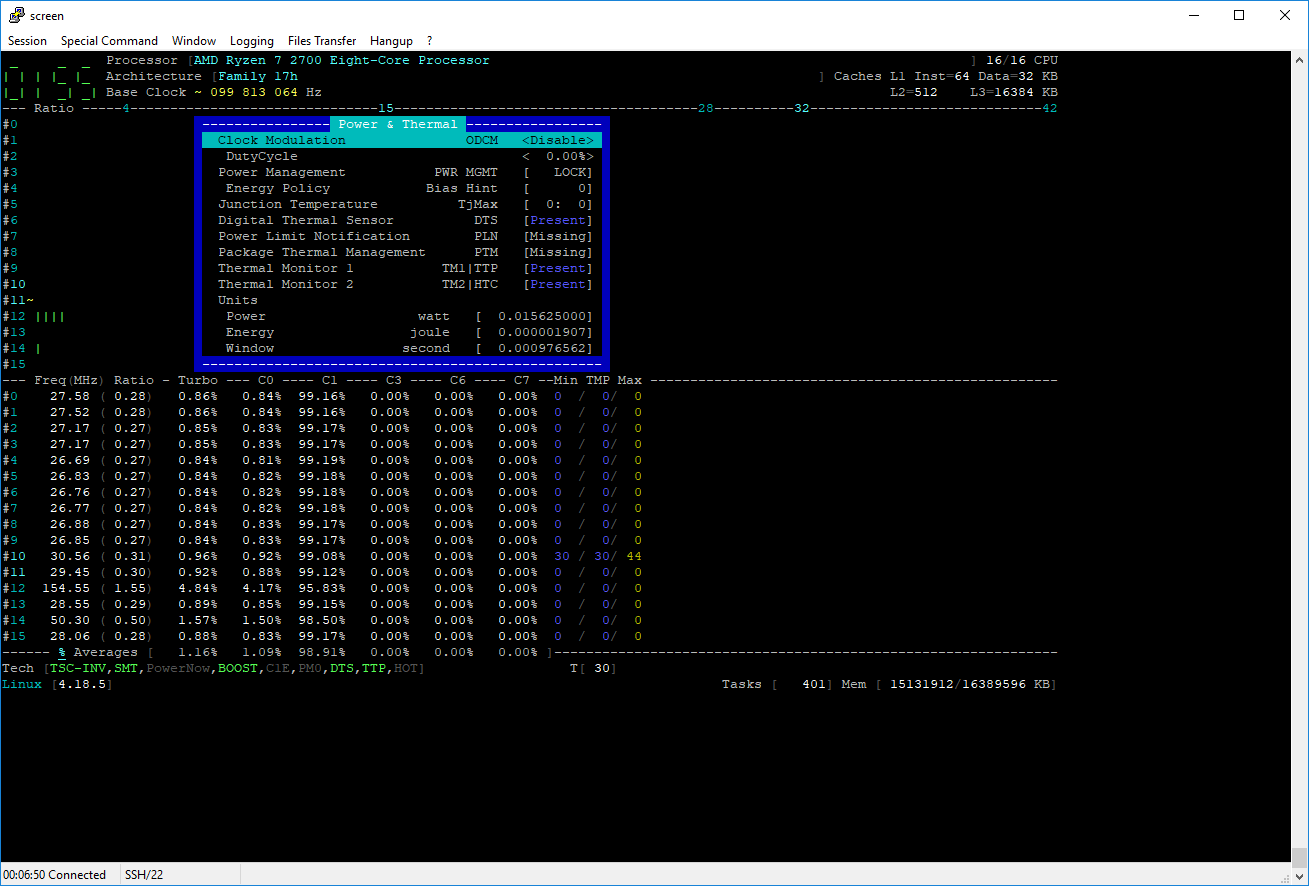
drescherjm
on 4 Sep 2018
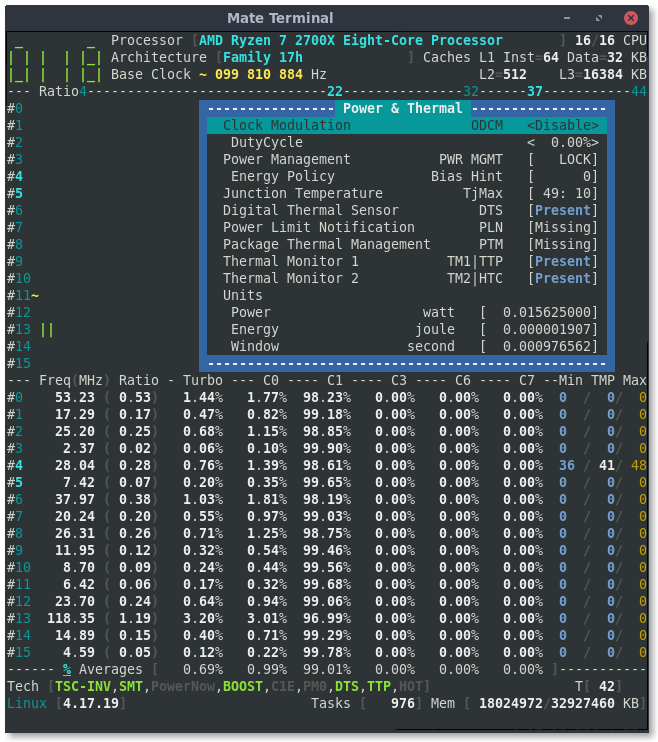
I tried disabled CC6/PC6 but it made no difference. However, turning AutoClock OFF gives a base clock reading of exactly 100 MHz:
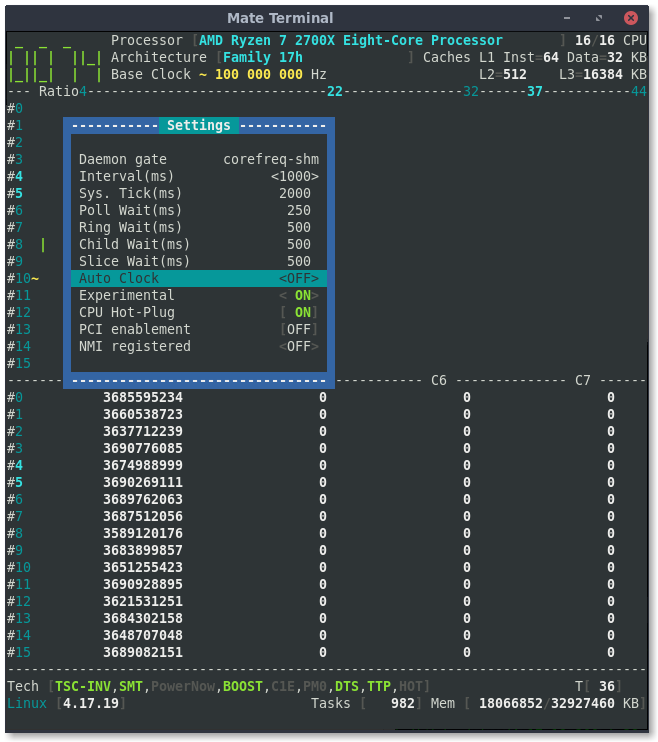
adatum
on 4 Sep 2018
@drescherjm : temperature looks ok. No offset applied. Thank you.
cyring
on 4 Sep 2018
@adatum : offsets applied to temperature. Sounds good.
When Auto Clock is OFF, the BCLK is the reference value; thus a hard coded 100 MHz. It may help in certain circonstances... but does not estimate any over-clocking.
cyring
on 4 Sep 2018
For Ryzen, in the UI footer are added the CC6 and PC6 states
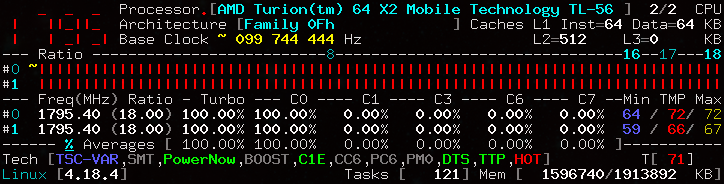
Mine is an old Turion. 😓 But I can be notified of a thermal issue. 😎
cyring
on 4 Sep 2018
Tested on my 2700.
drescherjm
on 4 Sep 2018
CC6 and PC6 indicators and toggling work for me too.
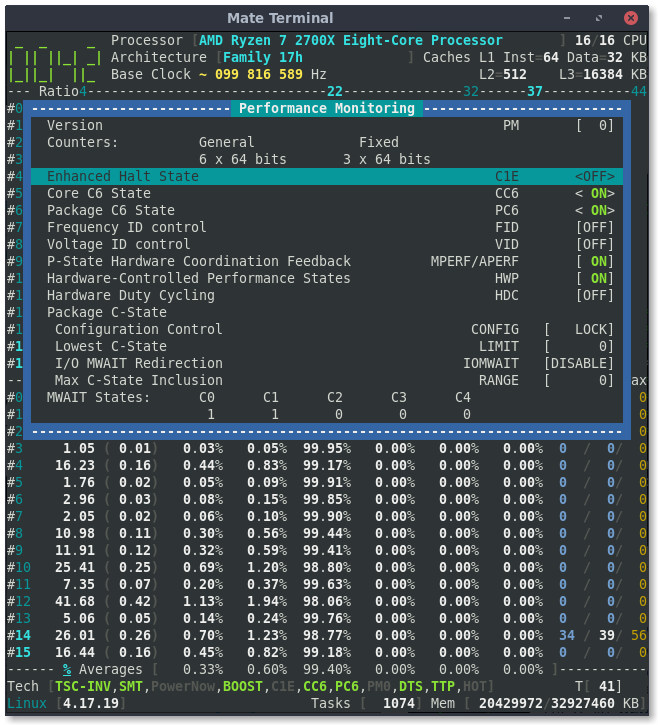
adatum
on 4 Sep 2018
@adatum @drescherjm Cool ! thank you.
cyring
on 4 Sep 2018
The Vcore now displays in the footer.
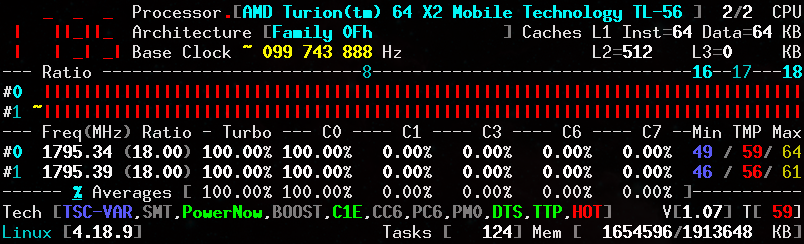
cyring
on 22 Sep 2018
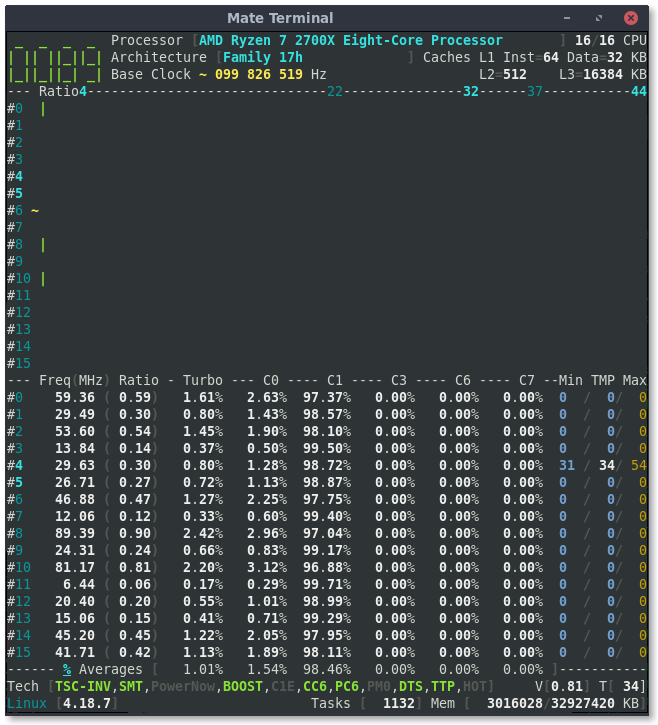
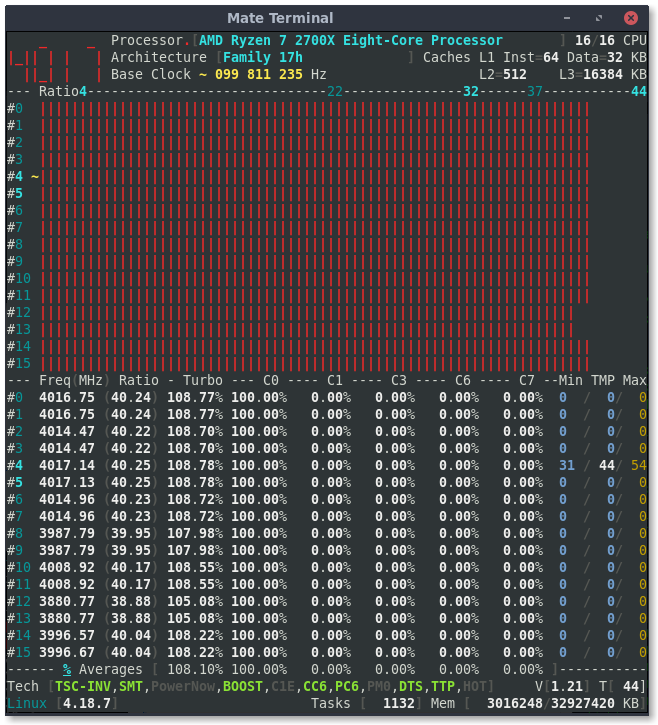
adatum
on 22 Sep 2018
@adatum : Thank you !
cyring
on 22 Sep 2018
I love these enhancements. They might seem minor, but having more information in a compact and easily accessible way makes tools so much more usable. Thanks for the continual improvements!
adatum
on 22 Sep 2018
Hello,
I'm working on building with Clang.
Zen Coef function and others have been changed.
Could you please give a shot ?
Link to code in issue #83
cyring
on 6 Oct 2018
Perhaps you've already come across it before, but this blog/post has interesting details about Ryzen: https://www.agner.org/optimize/blog/read.php?i=838
There are also links to test programs/utilities, instruction tables, optimization manuals, and more.
adatum
on 15 Oct 2018
@adatum Thanks, I will dig inside them for the missing informations.
What I hope is that AMD publishes the full BIOS & Kernel Development Guide of the Zen family : I need the informations to query the Memory Controller.
cyring
on 15 Oct 2018
I just noticed that there is a regression in the max temp reading. This is with the latest git pull as of today. Not sure at what point it appeared. Here's a screenshot:

adatum
on 16 Nov 2018
@adatum : the max temp fix is pushed. Value can also be reset when a disabled CPU is activated or when the _CoreFreq_ state machine is stopped/started
cyring
on 17 Nov 2018
The max temp bug seems to be fixed.
I cannot confirm the reset of max temp value by disabling/enabling a CPU core, or by stopping/starting CoreFreq. Note that it is not possible to disable core 0.
Also, if the core that is reporting temps (core 2 in screenshot below) is disabled, readings appear for a different core (core 0 in screenshot), but after re-enabling the core (2), the readings are not consistent.
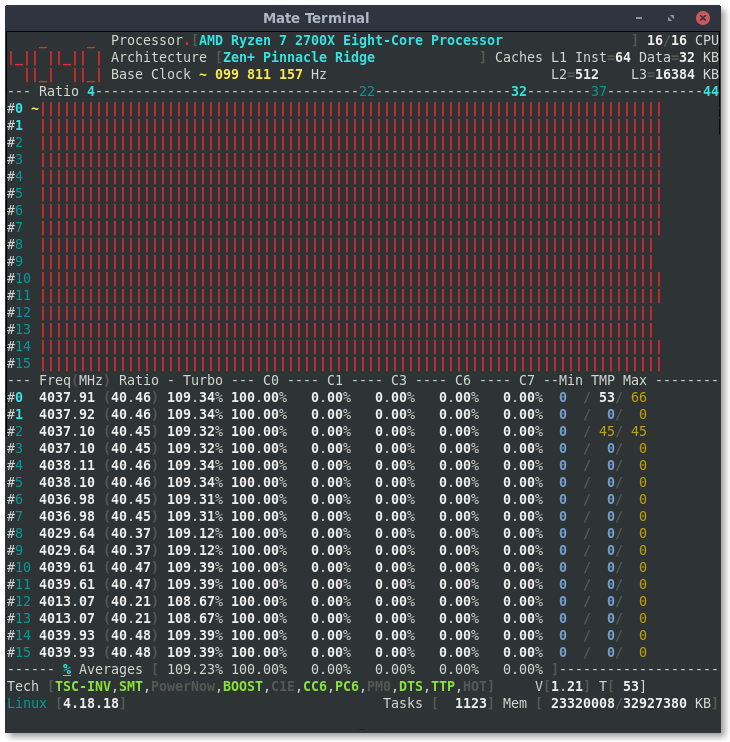
Here's another screenshot with the result of playing "whack-a-mole" with the temp reporting core: disabling the core reporting temps, noting which core takes on reporting and disabling it, repeating this several times, then re-enabling the cores to see inconsistent readings.
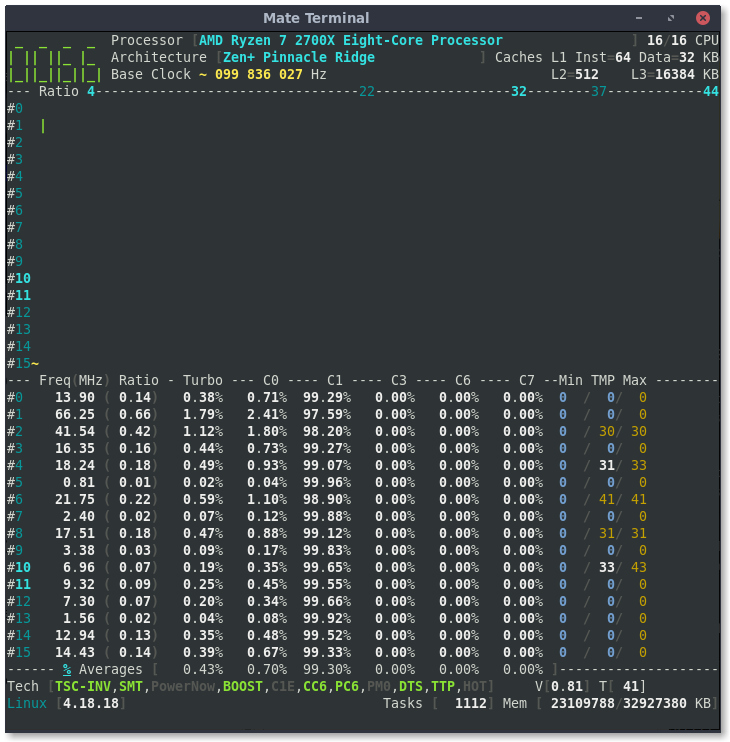
adatum
on 17 Nov 2018
I have not solved this _migration_ bug yet. :cry:
I'm able to disable CPU 0 when cpu0_hotplug is added to the Linux Kernel command line.
cyring
on 17 Nov 2018
I'm able to disable CPU 0 when cpu0_hotplug is added to the Linux Kernel command line.
How is cpu0_hotplug specified? When loading the kernel module, daemon, or starting the program?
adatum
on 17 Nov 2018
When booting Linux.
In the bootloader you append the arguments:
APPEND nmi_watchdog=0 cpu0_hotplug
Here my full ArchLinux toolchain to build a _CoreFreq_ live image
cyring
on 17 Nov 2018
This fresh release try to fix the above migration issue.
This version also brings processing changes when thermal, voltage and power formulas are not implemented.
For example with Ryzen, the temperature & voltage will be displayed for the _service_ cpu. The others remain blank to avoid confusion when value = 0
cyring
on 18 Nov 2018
The min temperature value is set to 0 when the service cpu is disabled. Also, the blank area is transparent and breaks the aesthetics:
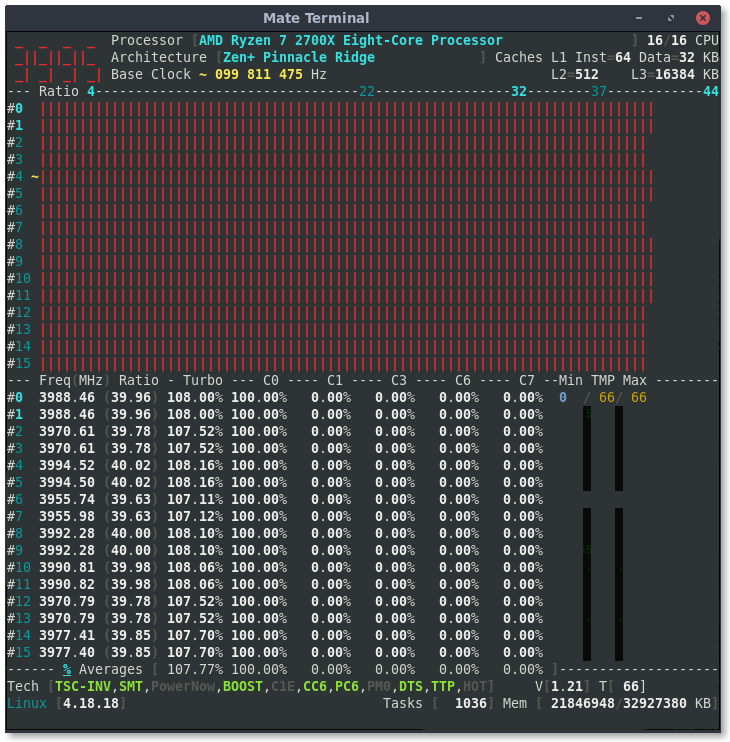
When a disabled cpu is re-enabled, the blank area matches the background color again (cpu6 above).
adatum
on 18 Nov 2018
Thks. Can you please show the nominal run, all CPU enabled.
And also the Voltage view.
cyring
on 18 Nov 2018
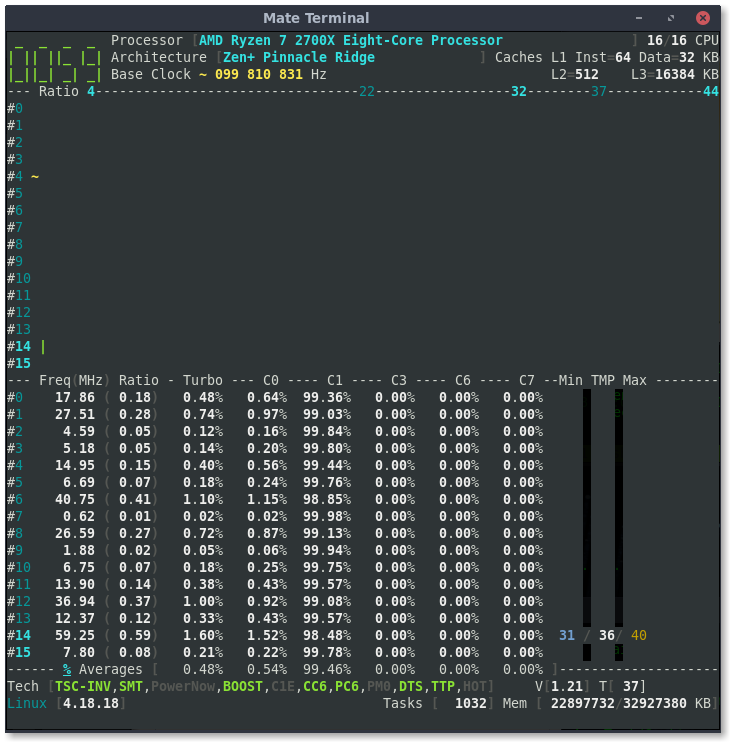
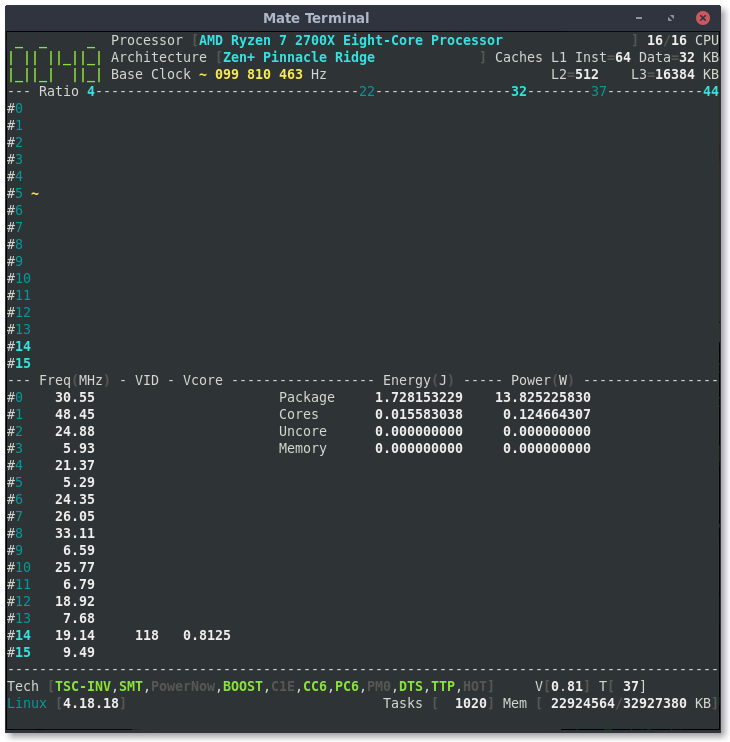
After returning from Voltage view to Frequency view, the background is a solid color again and there are some artifacts near the min column:
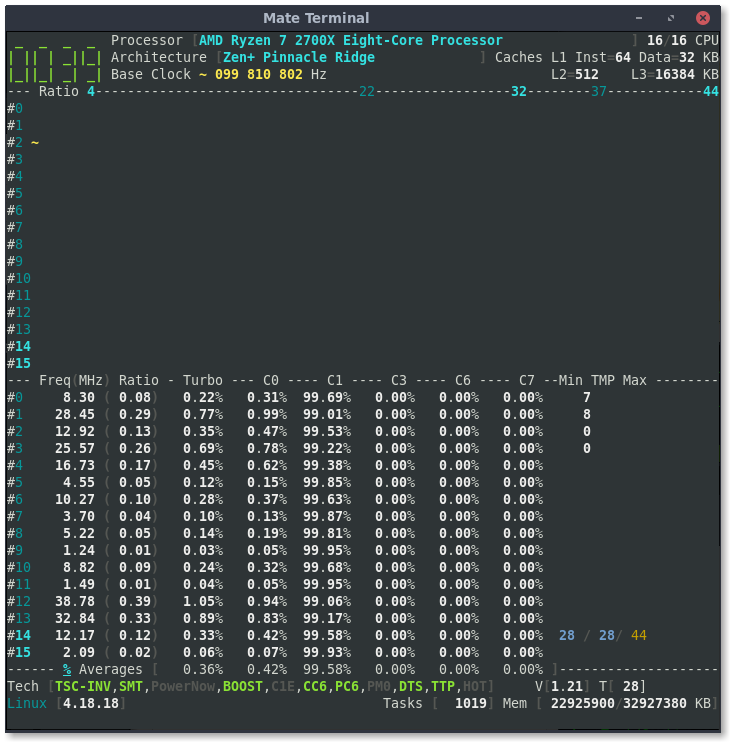
adatum
on 18 Nov 2018
Ok, I see. Will send asap a fix to clean layout up.
cyring
on 18 Nov 2018
Sorry wrong button, reopening issue...
cyring
on 18 Nov 2018
The fix is pushed. I've tested with reverse video to chase any artifact up :roll_eyes:
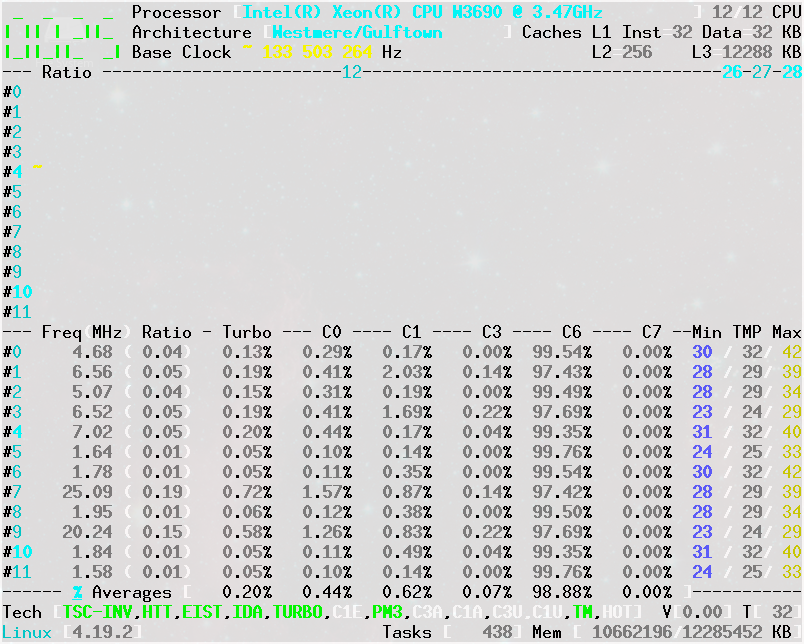
Could you also print corefreq-cli -s b/c I've brought some additions into "ISA Extensions" and "Features". Thks
cyring
on 18 Nov 2018
The artifacts are fixed.
The min temp going to zero after disabling/re-enabling cores is still present. Also, the temp in the lower right "status bar" area gives a different reading, I think lagged:
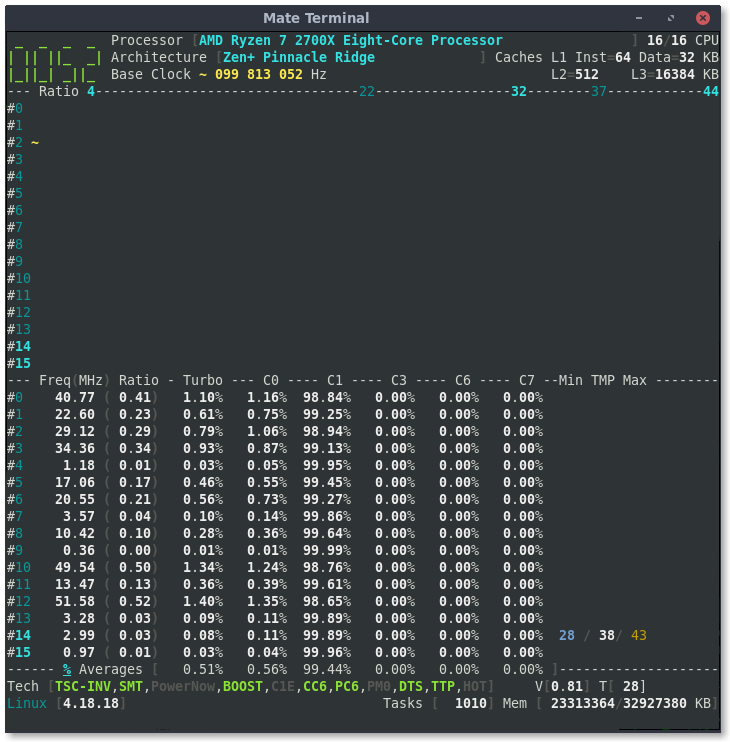
I'm not sure how, but at some point the "status bar" temp reading also got stuck after disabling/re-enabling cores. In the screenshot below, it read a constant 48:
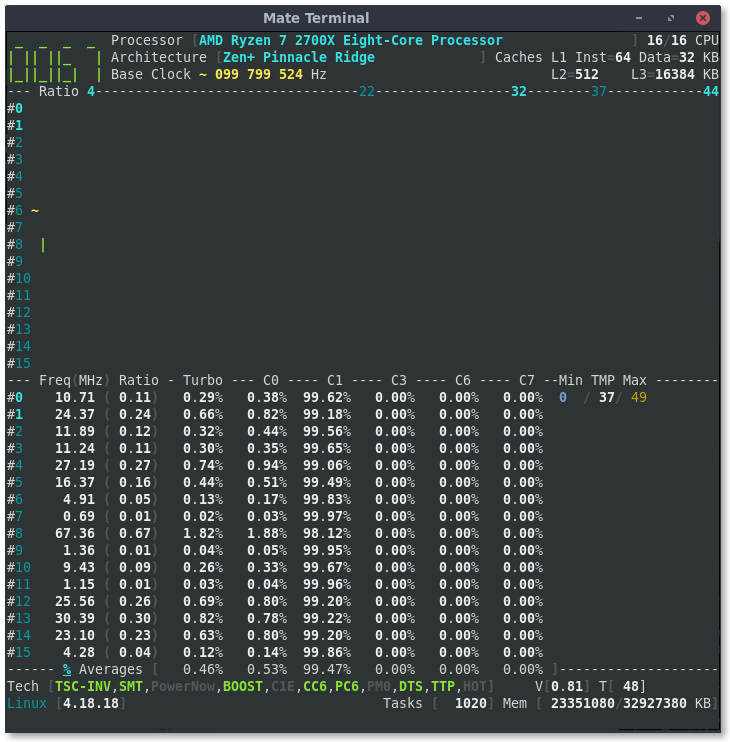
$ ./corefreq-cli -s
Processor                              [AMD Ryzen 7 2700X Eight-Core Processor ]
|- Architecture                                            [Zen+ Pinnacle Ridge]
|- Vendor ID                                                      [AuthenticAMD]
|- Signature                                                            [ 8F_08]
|- Stepping                                                             [     2]
|- Microcode                                                            [     0]
|- Online CPU                                                           [ 16/16]
|- Base Clock                                                           [ 99.82]
|- Frequency            (Mhz)                      Ratio
                 Min    399.27                    [   4 ]
                 Max   3693.24                    [  37 ]
|- Factory                                                              [100.00]
                       3700                       [  37 ]
|- Turbo Boost                                                          [UNLOCK]
                  1C   4391.96                    <  44 >
                  2C   3194.16                    <  32 >
                  3C   2195.98                    <  22 >
|- Uncore                                                               [  LOCK]

ISA Extensions:
|- 3DNow!/Ext [N,N]          ADX [Y]          AES [Y]  AVX/AVX2 [Y/Y]
|- AVX-512      [N]  BMI1/BMI2 [Y/Y]        CLFSH [Y]        CMOV [Y]
|- CMPXCH8      [Y]     CMPXCH16 [Y]         F16C [Y]         FPU [Y]
|- FXSR         [Y]    LAHF/SAHF [Y]    MMX/Ext [Y/Y]     MONITOR [Y]
|- MOVBE        [Y]          MPX [N]     PCLMULDQ [Y]      POPCNT [Y]
|- RDRAND       [Y]       RDSEED [Y]       RDTSCP [Y]         SEP [Y]
|- SGX          [N]          SSE [Y]         SSE2 [Y]        SSE3 [Y]
|- SSSE3        [Y]  SSE4.1/4A [Y/Y]       SSE4.2 [Y]     SYSCALL [Y]

Features:
|- 1 GB Pages Support                                      1GB-PAGES   [Present]
|- 100 MHz multiplier Control                            100MHzSteps   [Missing]
|- Advanced Configuration & Power Interface                     ACPI   [Present]
|- Advanced Programmable Interrupt Controller                   APIC   [Present]
|- Core Multi-Processing                                  CMP Legacy   [Present]
|- L1 Data Cache Context ID                                  CNXT-ID   [Missing]
|- Direct Cache Access                                           DCA   [Missing]
|- Debugging Extension                                            DE   [Present]
|- Debug Store & Precise Event Based Sampling               DS, PEBS   [Missing]
|- CPL Qualified Debug Store                                  DS-CPL   [Missing]
|- 64-Bit Debug Store                                         DTES64   [Missing]
|- Fast-String Operation                                Fast-Strings   [Missing]
|- Fused Multiply Add                                       FMA|FMA4   [Present]
|- Hardware Lock Elision                                         HLE   [Missing]
|- Long Mode 64 bits                                         IA64|LM   [Present]
|- LightWeight Profiling                                         LWP   [Missing]
|- Machine-Check Architecture                                    MCA   [Present]
|- Model Specific Registers                                      MSR   [Present]
|- Memory Type Range Registers                                  MTRR   [Present]
|- No-Execute Page Protection                                     NX   [Present]
|- OS-Enabled Ext. State Management                          OSXSAVE   [Present]
|- Physical Address Extension                                    PAE   [Present]
|- Page Attribute Table                                          PAT   [Present]
|- Pending Break Enable                                          PBE   [Missing]
|- Process Context Identifiers                                  PCID   [Missing]
|- Perfmon and Debug Capability                                 PDCM   [Missing]
|- Page Global Enable                                            PGE   [Present]
|- Page Size Extension                                           PSE   [Present]
|- 36-bit Page Size Extension                                  PSE36   [Present]
|- Processor Serial Number                                       PSN   [Missing]
|- Restricted Transactional Memory                               RTM   [Missing]
|- Safer Mode Extensions                                         SMX   [Missing]
|- Self-Snoop                                                     SS   [Missing]
|- Time Stamp Counter                                            TSC [Invariant]
|- Time Stamp Counter Deadline                          TSC-DEADLINE   [Missing]
|- Virtual Mode Extension                                        VME   [Present]
|- Virtual Machine Extensions                                    VMX   [Missing]
|- Extended xAPIC Support                                     x2APIC   [Missing]
|- XSAVE/XSTOR States                                          XSAVE   [Present]
|- xTPR Update Control                                          xTPR   [Missing]

Technologies:
|- System Management Mode                                   SMM-Lock       [ ON]
|- Simultaneous Multithreading                                   SMT       [ ON]
|- PowerNow!                                                     CnQ       [OFF]
|- Core Performance Boost                                        CPB       < ON>
|- Virtualization                                                SVM       [ ON]
   |- I/O MMU                                                  AMD-V       [OFF]
   |- Hypervisor                                                           [OFF]

Performance Monitoring:
|- Version                                                        PM       [  0]
|- Counters:          General                   Fixed
|                     6 x 64 bits             3 x 64 bits
|- Enhanced Halt State                                           C1E       <OFF>
|- Core C6 State                                                 CC6       < ON>
|- Package C6 State                                              PC6       < ON>
|- Frequency ID control                                          FID       [OFF]
|- Voltage ID control                                            VID       [OFF]
|- P-State Hardware Coordination Feedback                MPERF/APERF       [ ON]
|- Hardware-Controlled Performance States                        HWP       [ ON]
|- Hardware Duty Cycling                                         HDC       [OFF]
|- Package C-State
   |- Configuration Control                                   CONFIG   [   LOCK]
   |- Lowest C-State                                           LIMIT   [      0]
   |- I/O MWAIT Redirection                                  IOMWAIT   [DISABLE]
   |- Max C-State Inclusion                                    RANGE   [      0]
|- MWAIT States:      C0      C1      C2      C3      C4
|                      1       1       0       0       0
|- Core Cycles                                                         [Present]
|- Instructions Retired                                                [Present]
|- Reference Cycles                                                    [Present]
|- Last Level Cache References                                         [Missing]
|- Last Level Cache Misses                                             [Missing]
|- Branch Instructions Retired                                         [Missing]
|- Branch Mispredicts Retired                                          [Missing]

Power & Thermal Monitoring:
|- Clock Modulation                                             ODCM   <Disable>
   |- DutyCycle                                                        <  0.00%>
|- Power Management                                         PWR MGMT   [   LOCK]
   |- Energy Policy                                        Bias Hint   [      0]
|- Junction Temperature                                        TjMax   [ 49: 10]
|- Digital Thermal Sensor                                        DTS   [Present]
|- Power Limit Notification                                      PLN   [Missing]
|- Package Thermal Management                                    PTM   [Missing]
|- Thermal Monitor 1                                         TM1|TTP   [Present]
|- Thermal Monitor 2                                         TM2|HTC   [Present]
|- Units
   |- Power                                               watt   [  0.015625000]
   |- Energy                                             joule   [  0.000001907]
   |- Window                                            second   [  0.000976562]
Hello,
- The minimum temperature fix for Zen is pushed.
- Next, to debug to footer temperature, can you replace the following code
https://github.com/cyring/CoreFreq/blob/d106c6ed42f6d109870df56a38dbb87a3a47a78c/corefreqd.c#L3422
with:
            case THERMAL_FORMULA_AMD_17h:
            if (CFlop->Thermal.Sensor < PFlip->Thermal.Sensor)
                PFlip->Thermal.Sensor = CFlop->Thermal.Sensor;
            break;
Thanks. It might be a few days before I can get to testing this, but I'll do it eventually.
adatum
on 19 Nov 2018
Minimum temperature still went to zero as soon as the service core was disabled and the temperature info "moved" to core 0.
Did you want just line 3422 replaced with those 4 lines of code, or the 4 lines starting at line 3422? I changed the ">" to a "<" in the conditional as in your code above. The result is nonsense temperature and voltage readings in the footer:
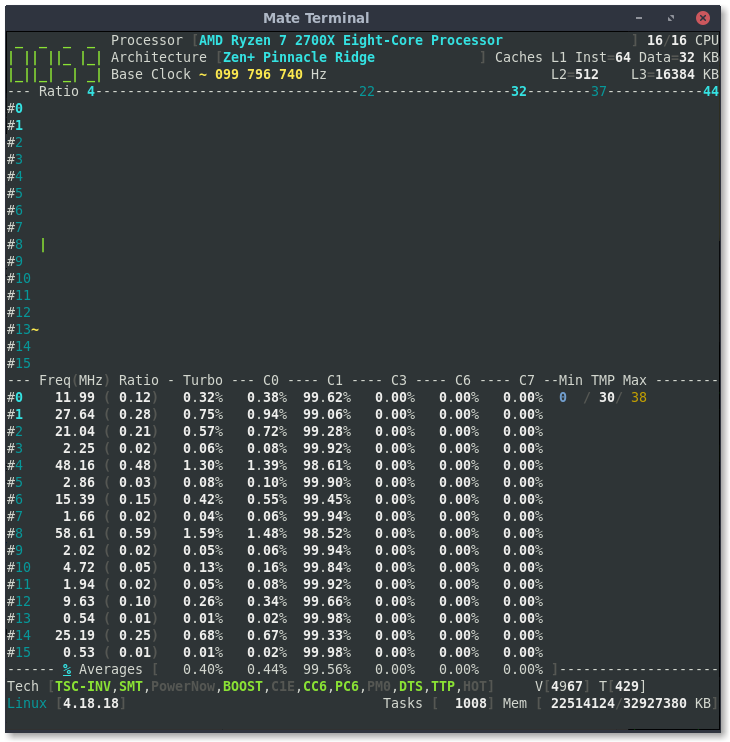
adatum
on 21 Nov 2018
Yes, the change consists in replacing '>' by '<' , like I do with Intel.
But I don't remember why I have such compare with Zen !
Looking a the Vcore and Temp in the footer of your screenshot, something looks broken. We should rollback code.
cyring
on 21 Nov 2018
Yes, after changing back to ">" the readings make sense again, just with the lagging temperature reading remaining.
adatum
on 21 Nov 2018
Hello,
Here is a new feature released for the AMD Zen experimental overclocking.
Please comment in issue #87
cyring
on 24 Nov 2018
Hello,
This is for the microcode revision number.
Can you rdmsr 0x0000008b on different CPUs and check the hexa value against /proc/cpuinfo and/or BIOS screen
cyring
on 10 Dec 2018
It returns 8008206 for me which matches /proc/cpuinfo.
adatum
on 11 Dec 2018
Version 1.39.1 released to show the microcode version.
cyring
on 11 Dec 2018
New code is being brought to support Opteron 6300 series in issue #91
Thermal Trip indicator might now work with Zen.
Zen is using same registers, please let me know if you encounter any regression.
cyring
on 13 Jan 2019
Thermal Trip does seem to be working but the threshold isn't right.
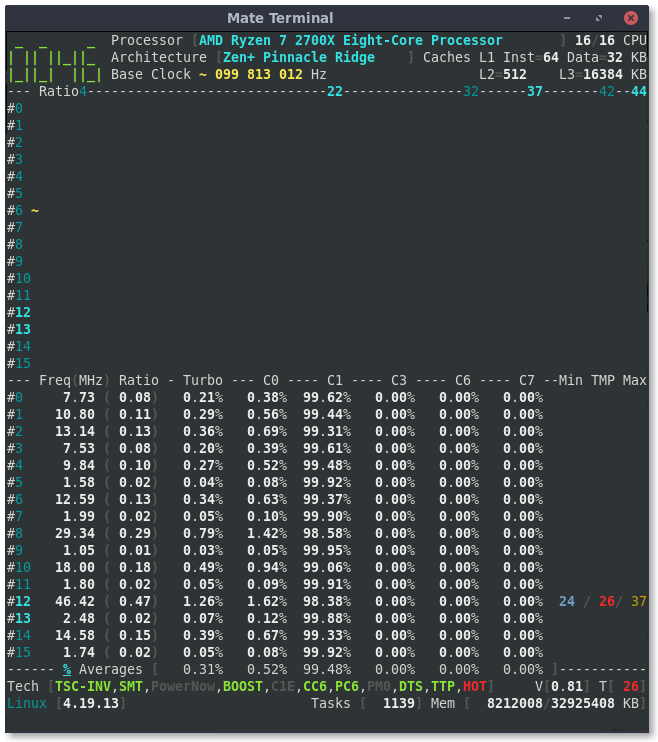
````
$ ./corefreq-cli -s
Processor [AMD Ryzen 7 2700X Eight-Core Processor ]
|- Architecture [Zen+ Pinnacle Ridge]
|- Vendor ID [AuthenticAMD]
|- Microcode [ 134251019]
|- Signature [ 8F_08]
|- Stepping [ 2]
|- Online CPU [ 16/16]
|- Base Clock [ 99.81]
|- Frequency (MHz) Ratio
Min 399.25 [ 4 ]
Max 3693.02 < 37 >
|- Factory [100.00]
3700 [ 37 ]
|- Turbo Boost [UNLOCK]
1C 3193.97 < 32 >
2C 2195.85 < 22 >
8C 4192.08 < 42 >
9C 4391.70 < 44 >
|- Uncore [ LOCK]
ISA Extensions:
|- 3DNow!/Ext [N,N] ADX [Y] AES [Y] AVX/AVX2 [Y/Y]
|- AVX-512 [N] BMI1/BMI2 [Y/Y] CLFSH [Y] CMOV [Y]
|- CMPXCH8 [Y] CMPXCH16 [Y] F16C [Y] FPU [Y]
|- FXSR [Y] LAHF/SAHF [Y] MMX/Ext [Y/Y] MONITOR [Y]
|- MOVBE [Y] MPX [N] PCLMULDQ [Y] POPCNT [Y]
|- RDRAND [Y] RDSEED [Y] RDTSCP [Y] SEP [Y]
|- SGX [N] SSE [Y] SSE2 [Y] SSE3 [Y]
|- SSSE3 [Y] SSE4.1/4A [Y/Y] SSE4.2 [Y] SYSCALL [Y]
Features:
|- 1 GB Pages Support 1GB-PAGES [Present]
|- 100 MHz multiplier Control 100MHzSteps [Missing]
|- Advanced Configuration & Power Interface ACPI [Present]
|- Advanced Programmable Interrupt Controller APIC [Present]
|- Core Multi-Processing CMP Legacy [Present]
|- L1 Data Cache Context ID CNXT-ID [Missing]
|- Direct Cache Access DCA [Missing]
|- Debugging Extension DE [Present]
|- Debug Store & Precise Event Based Sampling DS, PEBS [Missing]
|- CPL Qualified Debug Store DS-CPL [Missing]
|- 64-Bit Debug Store DTES64 [Missing]
|- Fast-String Operation Fast-Strings [Missing]
|- Fused Multiply Add FMA|FMA4 [Present]
|- Hardware Lock Elision HLE [Missing]
|- Long Mode 64 bits IA64|LM [Present]
|- LightWeight Profiling LWP [Missing]
|- Machine-Check Architecture MCA [Present]
|- Model Specific Registers MSR [Present]
|- Memory Type Range Registers MTRR [Present]
|- No-Execute Page Protection NX [Present]
|- OS-Enabled Ext. State Management OSXSAVE [Present]
|- Physical Address Extension PAE [Present]
|- Page Attribute Table PAT [Present]
|- Pending Break Enable PBE [Missing]
|- Process Context Identifiers PCID [Missing]
|- Perfmon and Debug Capability PDCM [Missing]
|- Page Global Enable PGE [Present]
|- Page Size Extension PSE [Present]
|- 36-bit Page Size Extension PSE36 [Present]
|- Processor Serial Number PSN [Missing]
|- Restricted Transactional Memory RTM [Missing]
|- Safer Mode Extensions SMX [Missing]
|- Self-Snoop SS [Missing]
|- Time Stamp Counter TSC [Invariant]
|- Time Stamp Counter Deadline TSC-DEADLINE [Missing]
|- Virtual Mode Extension VME [Present]
|- Virtual Machine Extensions VMX [Missing]
|- Extended xAPIC Support x2APIC [Missing]
|- XSAVE/XSTOR States XSAVE [Present]
|- xTPR Update Control xTPR [Missing]
Technologies:
|- System Management Mode SMM-Lock [ ON]
|- Simultaneous Multithreading SMT [ ON]
|- PowerNow! CnQ [OFF]
|- Core Performance Boost CPB < ON>
|- Virtualization SVM [ ON]
|- I/O MMU AMD-V [OFF]
|- Hypervisor [OFF]
Performance Monitoring:
|- Version PM [ 0]
|- Counters: General Fixed
| 6 x 64 bits 3 x 64 bits
|- Enhanced Halt State C1E
|- Core C6 State CC6 < ON>
|- Package C6 State PC6 < ON>
|- Frequency ID control FID [ ON]
|- Voltage ID control VID [ ON]
|- P-State Hardware Coordination Feedback MPERF/APERF [ ON]
|- Hardware-Controlled Performance States HWP [ ON]
|- Hardware Duty Cycling HDC [OFF]
|- Package C-State
|- Configuration Control CONFIG [ LOCK]
|- Lowest C-State LIMIT [ 0]
|- I/O MWAIT Redirection IOMWAIT [Disable]
|- Max C-State Inclusion RANGE [ 0]
|- MWAIT States: C0 C1 C2 C3 C4 C5 C6 C7
| 1 1 0 0 0 0 0 0
|- Core Cycles [Present]
|- Instructions Retired [Present]
|- Reference Cycles [Present]
|- Last Level Cache References [Missing]
|- Last Level Cache Misses [Missing]
|- Branch Instructions Retired [Missing]
|- Branch Mispredicts Retired [Missing]
Power & Thermal Monitoring:
|- Clock Modulation ODCM
|- DutyCycle < 0.00%>
|- Power Management PWR MGMT [ LOCK]
|- Energy Policy Bias Hint [ 0]
|- Junction Temperature TjMax [ 49: 10]
|- Digital Thermal Sensor DTS [Present]
|- Power Limit Notification PLN [Missing]
|- Package Thermal Management PTM [Missing]
|- Thermal Monitor 1 TM1|TTP [Present]
|- Thermal Monitor 2 TM2|HTC [Present]
|- Units
|- Power watt [ 0.015625000]
|- Energy joule [ 0.000001907]
|- Window second [ 0.000976562]
````
adatum
on 13 Jan 2019
Last code, Thermal Trip is removed.
cyring
on 13 Jan 2019
Hello,
I'm working on the Intel Performance Target and I'm trying to convert the AMD P-state to a Target Ratio
Could you please test the last version ? It requires to enable the Experimental Mode.
A ratio and associated frequency should be printed below the Performance section. So far read-only with Zen.
cyring
on 22 Apr 2019
Here it is:
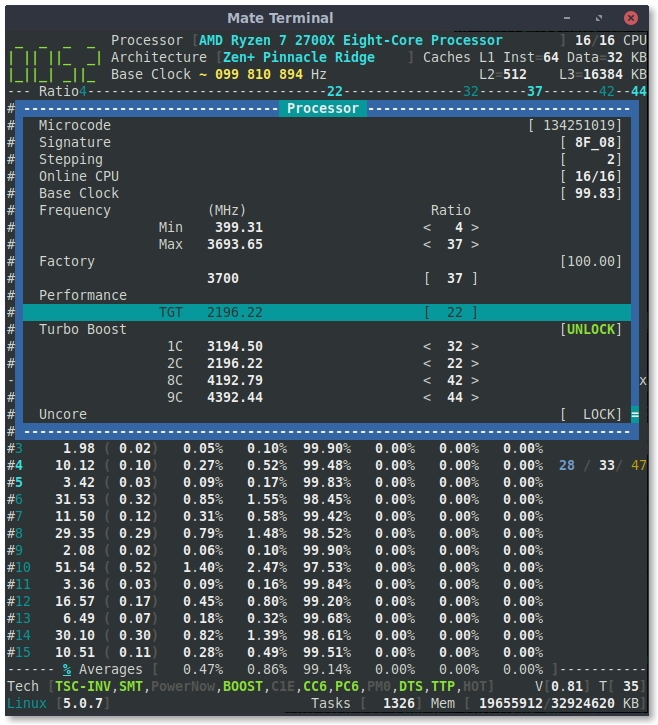
adatum
on 22 Apr 2019
Thank you for your quick return.
Before going further with the above subject; next steps are about changing the Target P-state; I have just pushed a commit to reorganize the CPB and XFR ratios. On screen, those ratios should be descending ordered.
cyring
on 23 Apr 2019
You're welcome. I'm happy to help.
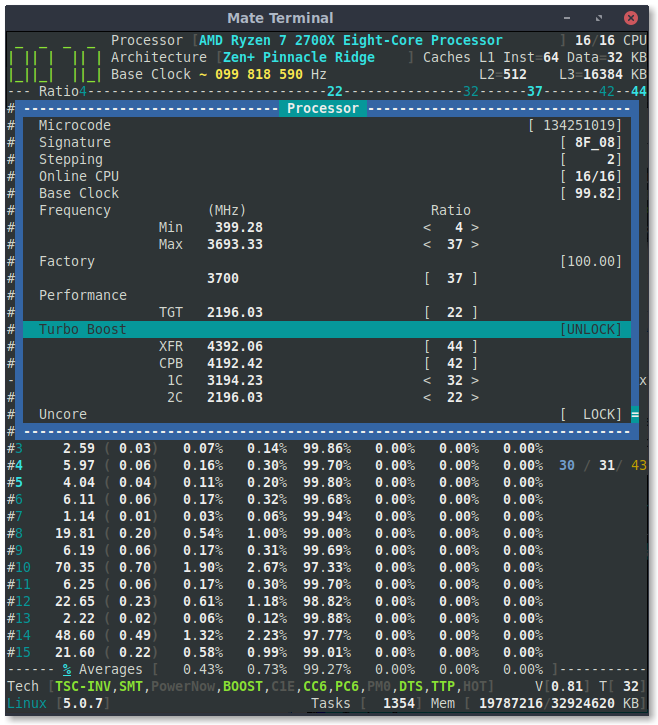
adatum
on 23 Apr 2019
I appreciate your help.
The list looks better in this order.
Two things that still tickle me:
Ratios 1C, 2C are not part of Turbo Boost.
At the coding time, all the enabled P-state have been stored in those placeholders for convenience.
I'm now waiting to have a large vision of the AMD architectures to reorganize the non-boosted and boosted P-states.The Uncore section stays on screen b/c I hope to get some AMD specification details to fulfill values.
Regards
Cyril
cyring
on 23 Apr 2019
Hello,
I saw these registers in Kernel, can you investigate them and rdmsr -a them with 1 second elapsed; in high and idle load cases
#define MSR_AMD64_FREQ_SENSITIVITY_ACTUAL   0xc0010080
#define MSR_AMD64_FREQ_SENSITIVITY_REFERENCE    0xc0010081
Also try wrmsr with a zero value then read again as above.
I think they are related to the frequency correlated with a power saver hint. You may have such driver running.
Thanks in advance,
Cyril
cyring
on 27 Apr 2019
I did not get a result. Here's what I tried:
$ sudo rdmsr -a 0xc0010080
rdmsr: CPU 0 cannot read MSR 0xc0010080
$ sudo rdmsr -a 0xc0010081
rdmsr: CPU 0 cannot read MSR 0xc0010081
Any ideas?
My kernel version at the moment is 5.0.7-200.fc29.x86_64
adatum
on 28 Apr 2019
Thanks for trying.
Those MSR have to be limited to the family 16H
cyring
on 28 Apr 2019
Hello,
Do you have this EDAC driver running ?
Although made for ECC, with debug kernel log, it may reveal DDR data such as the size, the chanel count, and other base addresses of family 17h
cyring
on 19 May 2019
I don't think so. There is a amd64_edac_mod module, but it's not loaded.
$ lsmod | grep edac
edac_mce_amd           28672  0
$ tree /lib/modules/5.0.16-300.fc30.x86_64/ | grep edac
│   │   ├── edac
│   │   │   ├── amd64_edac_mod.ko.xz
│   │   │   ├── e752x_edac.ko.xz
│   │   │   ├── edac_mce_amd.ko.xz
│   │   │   ├── i3000_edac.ko.xz
│   │   │   ├── i3200_edac.ko.xz
│   │   │   ├── i5000_edac.ko.xz
│   │   │   ├── i5100_edac.ko.xz
│   │   │   ├── i5400_edac.ko.xz
│   │   │   ├── i7300_edac.ko.xz
│   │   │   ├── i7core_edac.ko.xz
│   │   │   ├── i82975x_edac.ko.xz
│   │   │   ├── ie31200_edac.ko.xz
│   │   │   ├── pnd2_edac.ko.xz
│   │   │   ├── sb_edac.ko.xz
│   │   │   ├── skx_edac.ko.xz
│   │   │   └── x38_edac.ko.xz
$ modinfo amd64_edac_mod
filename:       /lib/modules/5.0.16-300.fc30.x86_64/kernel/drivers/edac/amd64_edac_mod.ko.xz
description:    MC support for AMD64 memory controllers - 3.5.0
author:         SoftwareBitMaker: Doug Thompson, Dave Peterson, Thayne Harbaugh
license:        GPL
alias:          cpu:type:x86,ven0009fam0018mod*:feature:*
alias:          cpu:type:x86,ven0002fam0017mod*:feature:*
alias:          cpu:type:x86,ven0002fam0016mod*:feature:*
alias:          cpu:type:x86,ven0002fam0015mod*:feature:*
alias:          cpu:type:x86,ven0002fam0010mod*:feature:*
alias:          cpu:type:x86,ven0002fam000Fmod*:feature:*
depends:        edac_mce_amd
retpoline:      Y
intree:         Y
name:           amd64_edac_mod
vermagic:       5.0.16-300.fc30.x86_64 SMP mod_unload
sig_id:         PKCS#7
signer:
sig_key:
sig_hashalgo:   md4
signature:      30:82:02:DA:06:09:2A:86:48:86:F7:0D:01:07:02:A0:82:02:CB:30:
        82:02:C7:02:01:01:31:0D:30:0B:06:09:60:86:48:01:65:03:04:02:
        01:30:0B:06:09:2A:86:48:86:F7:0D:01:07:01:31:82:02:A4:30:82:
        02:A0:02:01:01:30:7B:30:63:31:0F:30:0D:06:03:55:04:0A:0C:06:
        46:65:64:6F:72:61:31:22:30:20:06:03:55:04:03:0C:19:46:65:64:
        6F:72:61:20:6B:65:72:6E:65:6C:20:73:69:67:6E:69:6E:67:20:6B:
        65:79:31:2C:30:2A:06:09:2A:86:48:86:F7:0D:01:09:01:16:1D:6B:
        65:72:6E:65:6C:2D:74:65:61:6D:40:66:65:64:6F:72:61:70:72:6F:
        6A:65:63:74:2E:6F:72:67:02:14:2F:3F:21:3C:38:6C:56:3D:DD:51:
        A8:21:2C:1C:EF:8D:48:BC:9C:AE:30:0B:06:09:60:86:48:01:65:03:
        04:02:01:30:0D:06:09:2A:86:48:86:F7:0D:01:01:01:05:00:04:82:
        02:00:59:77:8C:C1:2B:7A:4A:66:AC:5B:D5:3E:EC:7D:04:EE:D4:F4:
        D0:E0:B7:86:B0:8E:7B:8D:5D:22:4E:4F:24:AE:74:CF:29:D8:B9:65:
        65:8D:39:B0:FB:9F:E4:E5:D5:99:D6:DB:F2:CF:8A:6E:19:2B:D8:4C:
        28:F0:90:5B:FA:04:A7:D1:B6:AD:EE:EE:63:50:99:16:F6:B1:BF:F5:
        48:E2:36:2D:C8:27:9F:DF:E6:14:E8:90:F9:86:A4:16:9D:BE:70:FA:
        52:B9:77:FB:C9:58:71:3F:59:90:FD:A8:A0:1D:2C:D3:40:28:80:99:
        7F:D9:28:D7:C2:54:B1:D5:1B:27:7A:DE:9F:25:5A:DB:E5:95:16:7E:
        E6:E8:DF:93:0D:FD:11:98:1F:1C:B6:1B:69:58:29:C2:21:C1:C5:AD:
        26:15:8C:0E:2B:F3:C2:C9:12:83:DE:C0:69:ED:97:58:29:68:D9:E2:
        A7:50:92:6A:F1:D5:88:5F:3E:80:40:A2:0E:9C:4F:87:6D:53:FE:27:
        EA:8A:6B:2B:5B:71:9A:C4:2F:AA:C2:CE:D9:77:DE:A4:99:23:C6:98:
        AA:33:65:3B:11:2F:3F:11:DD:6F:9C:6D:E3:65:48:05:2F:E9:B1:E2:
        80:9B:20:C1:45:DD:32:87:7D:15:A6:AE:4F:D8:26:A0:03:F3:CD:21:
        6D:4A:D8:7A:C4:13:2E:C0:B8:69:58:F2:4D:33:7B:23:EF:16:5A:02:
        B6:70:74:F5:B8:38:A3:2B:C4:58:9E:E4:13:6C:37:3C:32:0A:91:BB:
        C6:3B:C3:7D:6B:DD:E5:35:07:F4:04:03:A8:C5:EE:A1:E0:39:43:38:
        9F:CF:D3:C8:9D:C8:9B:52:81:F3:DA:23:4B:93:5C:A2:E4:6B:3B:1D:
        74:46:1E:CA:E5:D1:E3:55:BB:E6:4C:3D:74:1A:62:89:48:F1:B3:7F:
        4F:02:7A:F0:56:7C:8B:97:BF:00:DC:F8:57:32:4E:68:CA:85:1A:9C:
        F8:B9:45:FC:F7:A8:45:A7:A1:CC:2C:14:6E:27:48:FB:E0:B9:99:B1:
        7F:63:B9:73:04:19:C8:4D:84:97:5D:FC:E2:A2:3A:E9:D3:D7:92:34:
        DD:01:67:B9:9D:E5:0E:8A:C7:71:91:E4:29:B4:F1:C8:62:7D:1C:49:
        FF:19:73:08:98:80:4C:3C:32:3A:8B:EE:C2:BB:25:29:5B:F8:C0:A5:
        12:F3:C7:7D:02:37:4B:13:E9:82:88:38:14:49:DF:13:29:92:6F:44:
        65:87:01:27:C7:26:19:DC:F4:98:98:55:0A:92:17:01:18:39:C5:04:
        0A:2B:B3:09:20:D1:3D:47:D7:6D:8B:84:B4:23
parm:           report_gart_errors:int
parm:           ecc_enable_override:int
parm:           edac_op_state:EDAC Error Reporting state: 0=Poll,1=NMI (int)
Attempting to load it gives an error:
modprobe: ERROR: could not insert 'amd64_edac_mod': No such device
adatum
on 19 May 2019
Thank you for trying
I still can't find valuable information to query the memory controller...
cyring
on 19 May 2019
Hello,
In this part of code:
https://github.com/cyring/CoreFreq/blob/aba2980e5b205ece6ec9ac9a7295b5e71d7fd83e/coretypes.h#L1543
I'm trying to mov 128 bits using xmm registers.
But I wonder if it woks fine with other architectures ?
Using the latest commit, can you please rebuild in level 2 ...
make FEAT_DBG=2 clean all
... then test any UI actions which request a command; such as: Stress a selected CPU number.
The purpose is to check if the daemon and the driver are still decoding correctly the orders.
cyring
on 25 May 2019
Using the latest commit, can you please rebuild in level 2 ...
make FEAT_DBG=2 clean all... then test any UI actions which request a command; such as: Stress a selected CPU number.
Done. It functioned normally without problem.
adatum
on 25 May 2019
Thanks a lot
cyring
on 25 May 2019
Hello, can you run this dump script to dump DRAM SPD registers
bdf="00:18.2"; sudo echo "dump[${bdf}]"; for c in 0 1 2; do for r in 0 1 2 4 5 6 7 8 9 a b c d e f; do a=0; echo -n "${c}${r}${a}: "; for a in 0 4 8 c; do v=$(sudo setpci -s ${bdf} ${c}${r}${a}.L); echo -n "${v} "; done; echo ":"; done; done
May crash, save your files
Thanks
cyring
on 31 May 2019
Here it is, and fortunately it came with no crash.
dump[00:18.2]
000: 14621022 00000000 06000000 00800000 :
010: 00000000 00000000 00000000 00000000 :
020: 00000000 00000000 00000000 00000000 :
040: 001f1080 09400908 00000080 00000011 :
050: 00000004 00000000 00000000 00000000 :
060: 00000000 00000000 00065019 10040611 :
070: 02000100 08000400 20001000 80004000 :
080: 0000df0f 0000dfff 06000007 00000000 :
090: 00000000 00000000 00000000 00000000 :
0a0: 00000000 00000000 00000000 00000000 :
0b0: 00000000 00000000 00000000 00000000 :
0c0: 00000000 00000000 00000000 00000000 :
0d0: 00000000 00000000 00000000 00000000 :
0e0: 00000000 00000000 00000000 00000000 :
0f0: 00000000 00000000 00000000 00000000 :
100: 00000000 00000000 00000000 00000000 :
110: 00000000 00000000 00000000 00000000 :
120: 00000000 00000000 00000000 00000000 :
140: 00010001 00010001 00010001 00010001 :
150: 00000000 00000000 00000000 00000000 :
160: 00000000 00000000 00000000 00000000 :
170: 00000000 00000000 00000000 00000000 :
180: 00000000 00000000 00000000 00000000 :
190: 00000000 00000000 00000000 00000000 :
1a0: 00000000 00000000 00000000 00000000 :
1b0: 00000000 00000000 00000000 00000000 :
1c0: 00000000 00000000 00000000 00000000 :
1d0: 00000000 00000000 00000000 00000000 :
1e0: 00000000 00000000 00000000 00000000 :
1f0: 00000000 00000000 00000000 00000000 :
200: c0180000 00000000 00000000 00000000 :
210: 00000000 00000000 00000000 00000000 :
220: 00000000 00000000 00000144 00000000 :
240: 00000000 00000000 00000000 00000000 :
250: 00000000 00000000 00000000 00000000 :
260: 00000000 00000000 00000000 00000000 :
270: 00000000 00000000 00000000 00000000 :
280: 00000000 00000000 00000000 00000000 :
290: 00000000 00000000 00000000 00000000 :
2a0: 00000000 00000000 00000000 00000000 :
2b0: 00000000 00000000 00000000 00000000 :
2c0: 00000000 00000000 00000000 00000000 :
2d0: 00000000 00000000 00000000 00000000 :
2e0: 00000000 00000000 00000000 00000000 :
2f0: 00000000 00000000 00000000 00000000 :
Thanks a lot.
Based on family 16h specs, I bet I could see timings values around the 200's addresses. It appears they are barely not (or my PCI script is wrong)
cyring
on 31 May 2019
This bug shows Memory Controller data but the edac driver should only work with ECC DIMM.
Within the last comment, I notice that the triggered PCI is device 00:18.3
Can you please try the above dump script with the variable bdf="00:18.3"
cyring
on 8 Jun 2019
Sure. I'm afraid it looks even less interesting.
Fortunately I have not experienced that bug. Note that I'm not using ECC memory.
dump[00:18.3]
000: 14631022 00000000 06000000 00800000 :
010: 00000000 00000000 00000000 00000000 :
020: 00000000 00000000 00000000 00000000 :
040: 00000004 00000000 00000001 00000127 :
050: 00000000 00000000 00000000 00000000 :
060: 00000000 00000000 00000000 00000000 :
070: 00000000 00000000 00000000 00000000 :
080: 00000000 00000000 00000000 00000000 :
090: 00000000 00000000 00000000 00000000 :
0a0: 00000000 00000000 00000000 00000000 :
0b0: 00000000 00000000 00000000 00000000 :
0c0: 00000000 00000000 00000000 00000000 :
0d0: 00000000 00000000 00000000 00000000 :
0e0: 00000000 00000000 00000000 00000000 :
0f0: 00000000 00000000 00000000 00000000 :
100: 00000000 143f1fc2 0380fc40 00000000 :
110: 00000000 00000000 00000000 00000000 :
120: 00000000 00000000 00000000 00000000 :
140: 00000000 00000000 00000000 00000000 :
150: 00000000 00000000 00000000 00000000 :
160: 00000000 00000000 00000000 00000000 :
170: 00000000 00000000 00000000 00000000 :
180: 00000000 00000000 00000000 00000000 :
190: 00000000 00000000 00000000 00000000 :
1a0: 00000000 00000000 00000000 00000000 :
1b0: 00000000 00000000 00000000 00000000 :
1c0: 00000000 00000000 00000000 00000000 :
1d0: 00000000 00000000 00000000 00000000 :
1e0: 00000000 00000000 00000000 00000000 :
1f0: 00000000 00000000 00000000 00000000 :
200: 00000000 00000000 00000000 00000000 :
210: 00000000 00000000 00000000 00000000 :
220: 00000000 00000000 00000000 00000000 :
240: 00000000 00000000 00000000 00000000 :
250: 00000000 00000000 00000000 00000000 :
260: 00000000 00000000 00000000 00000000 :
270: 00000000 00000000 00000000 00000000 :
280: 00000000 00000000 00000000 00000000 :
290: 00000000 00000000 00000000 00000000 :
2a0: 00000000 00000000 00000000 00000000 :
2b0: 00000000 00000000 00000000 00000000 :
2c0: 00000000 00000000 00000000 00000000 :
2d0: 00000000 00000000 00000000 00000000 :
2e0: 00000000 00000000 00000000 00000000 :
2f0: 00000000 00000000 00000000 00000000 :
Reading the article inside the bug reveals that the UMC has to be prob on a bdf range which could begin at 00:18.0
When you lspci, you will find the bdf numbers of Memory Controller. At least one of them should provide much more bits than the others.
Can you try all of them ?
save, sync, your files before
Edit: All bdf of PCI named Data Fabric
cyring
on 8 Jun 2019
From lspci:
00:18.0 Host bridge: Advanced Micro Devices, Inc. [AMD] Family 17h (Models 00h-0fh) Data Fabric: Device 18h; Function 0
00:18.1 Host bridge: Advanced Micro Devices, Inc. [AMD] Family 17h (Models 00h-0fh) Data Fabric: Device 18h; Function 1
00:18.2 Host bridge: Advanced Micro Devices, Inc. [AMD] Family 17h (Models 00h-0fh) Data Fabric: Device 18h; Function 2
00:18.3 Host bridge: Advanced Micro Devices, Inc. [AMD] Family 17h (Models 00h-0fh) Data Fabric: Device 18h; Function 3
00:18.4 Host bridge: Advanced Micro Devices, Inc. [AMD] Family 17h (Models 00h-0fh) Data Fabric: Device 18h; Function 4
00:18.5 Host bridge: Advanced Micro Devices, Inc. [AMD] Family 17h (Models 00h-0fh) Data Fabric: Device 18h; Function 5
00:18.6 Host bridge: Advanced Micro Devices, Inc. [AMD] Family 17h (Models 00h-0fh) Data Fabric: Device 18h; Function 6
00:18.7 Host bridge: Advanced Micro Devices, Inc. [AMD] Family 17h (Models 00h-0fh) Data Fabric: Device 18h; Function 7
There are 8 (maybe due to 8 cores?). We've already done 00:18.2 and 00:18.3, so here are the rest.
dump[00:18.0]
000: 14601022 00000000 06000000 00800000 :
010: 00000000 00000000 00000000 00000000 :
020: 00000000 00000000 00000000 00000000 :
040: 00000013 0097122f 0f1f1f1f 00000011 :
050: 0000071f 00000000 00000000 00000000 :
060: 00000000 00000000 00000000 00000000 :
070: 00000000 00000000 00000000 00000000 :
080: 00000041 00000000 00000000 00000000 :
090: 00000001 00000000 04040405 04040404 :
0a0: 0b000043 00000040 00000040 00000040 :
0b0: 00000040 00000040 00000040 00000040 :
0c0: 0000c013 0000e004 00000000 00000004 :
0d0: 00000000 00000004 00000000 00000004 :
0e0: 00000000 00000004 00000000 00000004 :
0f0: 00000000 00000004 00000000 00000004 :
100: 00000000 e0000001 00000000 00000000 :
110: 00000083 00081000 00000000 00000000 :
120: 00000000 00000000 00000000 00000000 :
140: 00000000 00000000 00000000 00000000 :
150: 00000000 00000000 00000000 00000000 :
160: 00000000 00000000 00000000 00000000 :
170: 00000000 00000000 00000000 00000000 :
180: 00000000 00000000 00000000 00000000 :
190: 00000000 00000000 00000000 00000000 :
1a0: 00000000 00000000 00000000 00000000 :
1b0: 00000000 00000000 00000000 00000000 :
1c0: 00000000 00000000 00000000 00000000 :
1d0: 00000000 00000000 00000000 00000000 :
1e0: 00000000 00000000 00000000 00000000 :
1f0: 00000000 00000000 00000000 00000000 :
200: 0000e000 0000feff 00000043 00000000 :
210: 01000000 ffffffff 00000043 00000000 :
220: 00000000 00000000 00000040 00000000 :
240: 00000000 00000000 00000040 00000000 :
250: 00000000 00000000 00000040 00000000 :
260: 00000000 00000000 00000040 00000000 :
270: 00000000 00000000 00000040 00000000 :
280: 00000000 00000000 00000040 00000000 :
290: 00000000 00000000 00000040 00000000 :
2a0: 00000000 00000000 00000040 00000000 :
2b0: 00000000 00000000 00000040 00000000 :
2c0: 00000000 00000000 00000040 00000000 :
2d0: 00000000 00000000 00000040 00000000 :
2e0: 00000000 00000000 00000040 00000000 :
2f0: 00000000 00000000 00000040 00000000 :
dump[00:18.1]
000: 14611022 00000000 06000000 00800000 :
010: 00000000 00000000 00000000 00000000 :
020: 00000000 00000000 00000000 00000000 :
040: 00000000 00000000 00000000 00000000 :
050: 00000000 00000000 00000000 00000000 :
060: 04040505 00000000 00000000 00000000 :
070: 00000000 00000000 00000000 00000000 :
080: 00000000 00000000 00000000 00000000 :
090: 00000000 00000000 00000000 00000000 :
0a0: 42424200 01ff01ff 000000e0 00000000 :
0b0: 00000001 00000000 00000008 00000000 :
0c0: 00000001 0006fc81 00000000 00000000 :
0d0: 00000000 00000000 00000000 00000000 :
0e0: 00000000 00000000 00000000 0b1fbf1f :
0f0: 051d5d0f 05bf7f1f 03ffbf1f 01f7570f :
100: 00000000 00000003 00000000 00000000 :
110: 00100000 00100020 00100020 00100000 :
120: 00100000 00000000 00000000 00000000 :
140: 00100020 00000000 00100000 00000000 :
150: 00000000 00000000 00000000 00000000 :
160: 00001020 00000000 00000000 00000000 :
170: 00000000 0000810d 00000000 00008105 :
180: 00000000 00000040 00000000 00000030 :
190: 00000000 00000040 0000003e 00000001 :
1a0: 48201020 00000000 00000000 00000000 :
1b0: 0003040c 00000048 00000040 00000000 :
1c0: 00000020 00000034 01003030 00000000 :
1d0: 00000000 00000000 00000000 00000000 :
1e0: 00000004 0001014e 00000048 00000000 :
1f0: 00000000 00000000 00000000 00000000 :
200: 00010001 00010001 75000000 00000202 :
210: 06000105 00000200 00000202 01040104 :
220: 00000000 00000000 046f0459 75806007 :
240: 00000000 00000000 00000000 0000000f :
250: 00000000 00000000 00000000 00000000 :
260: 00000000 00000000 00000000 7680403f :
270: 00000000 00000000 00000000 00000000 :
280: ffffffff ffffffff ffffffff ffffffff :
290: ffffffff ffffffff ffffffff ffffffff :
2a0: ffffffff ffffffff ffffffff ffffffff :
2b0: ffffffff ffffffff ffffffff ffffffff :
2c0: ffffffff ffffffff ffffffff ffffffff :
2d0: ffffffff ffffffff ffffffff ffffffff :
2e0: ffffffff ffffffff ffffffff ffffffff :
2f0: ffffffff ffffffff ffffffff ffffffff :
dump[00:18.4]
000: 14641022 00000000 06000000 00800000 :
010: 00000000 00000000 00000000 00000000 :
020: 00000000 00000000 00000000 00000000 :
040: 00000002 00000000 00000000 00000000 :
050: 00011051 00031841 00000000 00040189 :
060: 00000208 00000000 00000000 00000000 :
070: 00000000 00000000 00000000 00000000 :
080: 00000004 00000004 00000004 00000004 :
090: 14601022 14601022 00000000 00000000 :
0a0: 00000043 00000043 14601022 14601022 :
0b0: 00000000 00000000 00000000 00000000 :
0c0: 00000001 00020001 01020000 000e0b03 :
0d0: 00000000 00000000 00000000 00000000 :
0e0: 00000000 00000000 00000000 00000000 :
0f0: 00000000 00000000 00000000 00000000 :
100: 00000000 0000015f 000009ff 000002bf :
110: 00400000 00010000 0001e000 0001ff01 :
120: 0001ff00 00010000 0001ff02 0001ff07 :
140: 00000000 00000000 00000000 00000000 :
150: 00000000 00000000 00000000 00000000 :
160: 00000000 00000000 00000000 00000000 :
170: 00000000 00000000 00000000 00000000 :
180: 000f0f0f 000f0f0f 001b1b1b 000f0f0f :
190: 000f0f0f 000f0f0f 00000000 00000000 :
1a0: 00000000 00000000 00000000 00000000 :
1b0: 00000000 00000000 00000000 00000000 :
1c0: 00000000 00000000 00000000 00000000 :
1d0: 00000000 00000000 00000000 00000000 :
1e0: 00000000 00000000 00000000 00000000 :
1f0: 00000000 00000000 00000000 00000000 :
200: 00000000 00000000 00000000 00000000 :
210: 00000000 00000000 00000000 00000000 :
220: 00000000 00000000 00000000 00000000 :
240: 00000000 00000000 00000000 00000000 :
250: 00000000 00000000 00000000 00000000 :
260: 00000000 00000000 00000000 00000000 :
270: 00000000 00000000 00000000 00000000 :
280: 00000000 00000000 00000000 00000000 :
290: 00000000 00000000 00000000 00000000 :
2a0: 00000000 00000000 00000000 00000000 :
2b0: 00000000 00000000 00000000 00000000 :
2c0: 00000000 00000000 00000000 00000000 :
2d0: 00000000 00000000 00000000 00000000 :
2e0: 00000000 00000000 00000000 00000000 :
2f0: 00000000 00000000 00000000 00000000 :
dump[00:18.5]
000: 14651022 00000000 06000000 00800000 :
010: 00000000 00000000 00000000 00000000 :
020: 00000000 00000000 00000000 00000000 :
040: 00000000 00000000 00000000 00000000 :
050: 00000000 00000000 00000000 00000000 :
060: 00000000 00000000 00000000 00000000 :
070: 00000000 00000000 00000000 00000000 :
080: 00000000 00000000 00000000 00000000 :
090: 01d70000 00000001 00000001 00000000 :
0a0: 00000000 00000000 00000000 00000000 :
0b0: 00000000 00000000 00000000 00000000 :
0c0: 00000000 00000000 00000000 00000000 :
0d0: 00000000 00000000 00000000 00000000 :
0e0: 00000000 00000000 00000000 00000000 :
0f0: 00000000 00000000 00000000 00000080 :
100: 00000000 04000000 00700281 00000000 :
110: 00000000 00000000 00000000 00000000 :
120: 00000000 00000000 00000000 00000000 :
140: 00000000 00000000 00000000 00000000 :
150: 00000000 00000000 00000000 00000000 :
160: 00000000 00000000 00000000 00000000 :
170: 00000000 00000000 00000000 00000000 :
180: 00000000 00000000 00000000 00000000 :
190: 00000008 00000100 00000000 00000000 :
1a0: 00000000 00000040 00200000 00000000 :
1b0: 00000000 00000000 00000000 00000000 :
1c0: 00000000 00000000 00000000 00000000 :
1d0: 00000000 00000000 00000000 00000000 :
1e0: 00000000 00000000 00000000 00000000 :
1f0: 00000000 00000000 00000000 00000000 :
200: 00000000 00000000 00000000 00000000 :
210: 00000000 00000000 00000000 00000000 :
220: 00000000 00000000 00000000 00000000 :
240: 00000000 00000000 00000000 00000000 :
250: 00000000 00000000 00000000 00000000 :
260: 00000000 00000000 00000000 00000000 :
270: 00000000 00000000 00000000 00000000 :
280: 00000000 00000000 00000000 00000000 :
290: 00000000 00000000 00000000 00000000 :
2a0: 00000000 00000000 00000000 00000000 :
2b0: 00000000 00000000 00000000 00000000 :
2c0: 00000000 00000000 00000000 00000000 :
2d0: 00000000 00000000 00000000 00000000 :
2e0: 00000000 00000000 00000000 00000000 :
2f0: 00000000 00000000 00000000 00000000 :
dump[00:18.6]
000: 14661022 00000000 06000000 00800000 :
010: 00000000 00000000 00000000 00000000 :
020: 00000000 00000000 00000000 00000000 :
040: 00000000 00000000 00000000 00000000 :
050: 00000000 00000000 00000000 00000000 :
060: 00000000 00000000 00000000 00000000 :
070: 00000000 00000000 00000000 00000000 :
080: 00000000 00000000 00000000 00000000 :
090: 00000000 00000000 00000000 00000000 :
0a0: 00000000 00000000 00000000 00000000 :
0b0: 00000000 00000000 00000000 00000000 :
0c0: 00000000 00000000 00000000 00000000 :
0d0: 00000000 00000000 00000000 000f0000 :
0e0: 00000000 00000000 00000000 00000000 :
0f0: 00000000 00000000 00000000 00000000 :
100: 00000000 00000000 00000000 00000000 :
110: 00000000 00000000 00000000 00000000 :
120: 00000000 00000000 00000000 00000000 :
140: 00000006 00000000 00000000 00000000 :
150: 00000000 00000000 00000000 00000000 :
160: 00000000 00000000 00000000 00000000 :
170: 00000000 00000000 00000000 00000000 :
180: 00000000 00000000 00000000 00000000 :
190: 00000000 00000000 00000000 00000000 :
1a0: 00000000 00000000 00000000 00000000 :
1b0: 00000000 00000000 00000000 00000000 :
1c0: 00000000 00000000 00000000 00000000 :
1d0: 00000000 00000000 00000000 00000000 :
1e0: 00000000 00000000 00000000 00000000 :
1f0: 00000000 00000000 00000083 90000000 :
200: 18090100 18090200 18090300 18090400 :
210: 18490100 18490200 18490300 18490400 :
220: 00050f00 00150f00 03b30400 03830400 :
240: 00000001 00000001 00000001 00000001 :
250: 00000001 00000001 00000001 00000001 :
260: 00000001 00000001 00000001 00000001 :
270: 00000001 00000001 00000001 00000001 :
280: 00000000 00000000 00000000 00000000 :
290: 00000000 00000000 00000000 00000000 :
2a0: 00000000 00000000 00000000 00000000 :
2b0: 00000000 00000000 00000000 00000000 :
2c0: 00000000 00000000 00000000 00000000 :
2d0: 00000000 00000000 00000000 00000000 :
2e0: 00000000 00000000 00000000 00000000 :
2f0: 00000000 00000000 00000000 00000000 :


md5-ee661f42c64612cd393b564940cf6873


dump[00:18.7]
000: 14671022 00000000 06000000 00800000 :
010: 00000000 00000000 00000000 00000000 :
020: 00000000 00000000 00000000 00000000 :
040: 00000000 00000000 00000000 00000000 :
050: 00000000 00000000 00000000 00000000 :
060: 00000000 00000000 00000000 00000000 :
070: 00000000 00000000 00000000 00000000 :
080: 00000000 00000000 00000000 00000000 :
090: 00000000 00000000 00000000 00000000 :
0a0: 00000000 00000000 00000000 00000000 :
0b0: 00000000 00000000 00000000 00000000 :
0c0: 00000000 00000000 00000000 00000000 :
0d0: 00000000 00000000 00000000 00000000 :
0e0: 00000000 00000000 00000000 00000000 :
0f0: 00000000 00000000 00000000 00000000 :
100: 00000000 00000000 00000000 00000000 :
110: 00000000 00000000 00000000 00000000 :
120: 00000000 00000000 00000000 00000000 :
140: 00000000 00000000 00000000 00000000 :
150: 00000000 00000000 00000000 00000000 :
160: 00000000 00000000 00000000 00000000 :
170: 00000000 00000000 00000000 00000000 :
180: 00000000 00000000 00000000 00000000 :
190: 00000000 00000000 00000000 00000000 :
1a0: 00000000 00000000 00000000 00000000 :
1b0: 00000000 00000000 00000000 00000000 :
1c0: 00000000 00000000 00000000 00000000 :
1d0: 00000000 00000000 00000000 00000000 :
1e0: 00000000 00000000 00000000 00000000 :
1f0: 00000000 00000000 00000000 00000000 :
200: 00000000 00000000 00000000 00000000 :
210: 00000000 00000000 00000000 00000000 :
220: 00000000 00000000 00000000 00000000 :
240: 00000000 00000000 00000000 00000000 :
250: 00000000 00000000 00000000 00000000 :
260: 00000000 00000000 00000000 00000000 :
270: 00000000 00000000 00000000 00000000 :
280: 00000000 00000000 00000000 00000000 :
290: 00000000 00000000 00000000 00000000 :
2a0: 00000000 00000000 00000000 00000000 :
2b0: 00000000 00000000 00000000 00000000 :
2c0: 00000000 00000000 00000000 00000000 :
2d0: 00000000 00000000 00000000 00000000 :
2e0: 00000000 00000000 00000000 00000000 :
2f0: 00000000 00000000 00000000 00000000 :
Looks like bdf numbers 6, 1 and 0 are trying to say something @ 200h
Edac driver says UMC per Node rather than per Core
According to your screenshots, Linux reports 32GB of total memory. Is it split in 2 DIMM stick of 16 GB each ?
cyring
on 9 Jun 2019
Yes, I have 2 X 16GB DIMMs. They are running at 3200 MHz set by DOCP in the BIOS (similar to Intel's XMP). If it helps, here is the model: https://www.gskill.com/en/product/f4-3200c14d-32gtz
adatum
on 9 Jun 2019
Thank you. Nice CAS latency, btw.
cyring
on 9 Jun 2019
The latest commit will print some registers of the SMU
The driver has to be started with Experimental=1
Can you please returns all kernel traces beginning with TEST
TEST: Core[ ] Channel[ ] REGISTER_NAME[ ]
Enjoy!
TEST: Core[0] Channel[0] UMCCH_DIMM_CFG[0]
TEST: Core[1] Channel[0] UMCCH_DIMM_CFG[0]
TEST: Core[0] Channel[0] UMCCH_UMC_CFG[80000200]
TEST: Core[2] Channel[0] UMCCH_DIMM_CFG[80000200]
TEST: Core[3] Channel[0] UMCCH_DIMM_CFG[0]
TEST: Core[0] Channel[0] UMCCH_SDP_CTRL[b0408082]
TEST: Core[2] Channel[0] UMCCH_UMC_CFG[80000200]
TEST: Core[0] Channel[0] UMCCH_ECC_CTRL[0]
TEST: Core[5] Channel[0] UMCCH_DIMM_CFG[0]
TEST: Core[1] Channel[0] UMCCH_UMC_CFG[b0408082]
TEST: Core[4] Channel[0] UMCCH_DIMM_CFG[b0408082]
TEST: Core[2] Channel[0] UMCCH_SDP_CTRL[b0408082]
TEST: Core[3] Channel[0] UMCCH_UMC_CFG[80000200]
TEST: Core[5] Channel[0] UMCCH_UMC_CFG[80000200]
TEST: Core[1] Channel[0] UMCCH_SDP_CTRL[b0408082]
TEST: Core[4] Channel[0] UMCCH_UMC_CFG[80000200]
TEST: Core[3] Channel[0] UMCCH_SDP_CTRL[b0408082]
TEST: Core[5] Channel[0] UMCCH_SDP_CTRL[b0408082]
TEST: Core[1] Channel[0] UMCCH_ECC_CTRL[1fe2c]
TEST: Core[0] Channel[0] UMCCH_UMC_CAP[1fe2c]
TEST: Core[4] Channel[0] UMCCH_SDP_CTRL[b0408082]
TEST: Core[5] Channel[0] UMCCH_ECC_CTRL[0]
TEST: Core[1] Channel[0] UMCCH_UMC_CAP[1fe2c]
TEST: Core[0] Channel[0] UMCCH_UMC_CAP_HI[0]
TEST: Core[2] Channel[0] UMCCH_ECC_CTRL[0]
TEST: Core[4] Channel[0] UMCCH_ECC_CTRL[0]
TEST: Core[1] Channel[0] UMCCH_UMC_CAP_HI[0]
TEST: Core[0] Channel[1] UMCCH_DIMM_CFG[0]
TEST: Core[2] Channel[0] UMCCH_UMC_CAP[0]
TEST: Core[3] Channel[0] UMCCH_ECC_CTRL[0]
TEST: Core[4] Channel[0] UMCCH_UMC_CAP[1fe2c]
TEST: Core[0] Channel[1] UMCCH_UMC_CFG[80000200]
TEST: Core[2] Channel[0] UMCCH_UMC_CAP_HI[0]
TEST: Core[3] Channel[0] UMCCH_UMC_CAP[1fe2c]
TEST: Core[5] Channel[0] UMCCH_UMC_CAP[1fe2c]
TEST: Core[4] Channel[0] UMCCH_UMC_CAP_HI[0]
TEST: Core[2] Channel[1] UMCCH_DIMM_CFG[0]
TEST: Core[3] Channel[0] UMCCH_UMC_CAP_HI[0]
TEST: Core[5] Channel[0] UMCCH_UMC_CAP_HI[0]
TEST: Core[1] Channel[1] UMCCH_DIMM_CFG[0]
TEST: Core[4] Channel[1] UMCCH_DIMM_CFG[0]
TEST: Core[3] Channel[1] UMCCH_DIMM_CFG[0]
TEST: Core[5] Channel[1] UMCCH_DIMM_CFG[0]
TEST: Core[1] Channel[1] UMCCH_UMC_CFG[80000200]
TEST: Core[4] Channel[1] UMCCH_UMC_CFG[b0408082]
TEST: Core[0] Channel[1] UMCCH_SDP_CTRL[b0408082]
TEST: Core[5] Channel[1] UMCCH_UMC_CFG[80000200]
TEST: Core[1] Channel[1] UMCCH_SDP_CTRL[80000200]
TEST: Core[2] Channel[1] UMCCH_UMC_CFG[80000200]
TEST: Core[4] Channel[1] UMCCH_SDP_CTRL[b0408082]
TEST: Core[0] Channel[1] UMCCH_ECC_CTRL[0]
TEST: Core[1] Channel[1] UMCCH_ECC_CTRL[0]
TEST: Core[2] Channel[1] UMCCH_SDP_CTRL[b0408082]
TEST: Core[4] Channel[1] UMCCH_ECC_CTRL[80000200]
TEST: Core[3] Channel[1] UMCCH_UMC_CFG[80000200]
TEST: Core[0] Channel[1] UMCCH_UMC_CAP[1fe2c]
TEST: Core[2] Channel[1] UMCCH_ECC_CTRL[0]
TEST: Core[4] Channel[1] UMCCH_UMC_CAP[1fe2c]
TEST: Core[3] Channel[1] UMCCH_SDP_CTRL[b0408082]
TEST: Core[5] Channel[1] UMCCH_SDP_CTRL[b0408082]
TEST: Core[0] Channel[1] UMCCH_UMC_CAP_HI[0]
TEST: Core[4] Channel[1] UMCCH_UMC_CAP_HI[0]
TEST: Core[3] Channel[1] UMCCH_ECC_CTRL[0]
TEST: Core[5] Channel[1] UMCCH_ECC_CTRL[1fe2c]
TEST: Core[1] Channel[1] UMCCH_UMC_CAP[1fe2c]
TEST: Core[3] Channel[1] UMCCH_UMC_CAP[1fe2c]
TEST: Core[5] Channel[1] UMCCH_UMC_CAP[1fe2c]
TEST: Core[1] Channel[1] UMCCH_UMC_CAP_HI[1fe2c]
TEST: Core[2] Channel[1] UMCCH_UMC_CAP[1fe2c]
TEST: Core[5] Channel[1] UMCCH_UMC_CAP_HI[0]
TEST: Core[2] Channel[1] UMCCH_UMC_CAP_HI[0]
TEST: Core[3] Channel[1] UMCCH_UMC_CAP_HI[0]
TEST: Core[6] Channel[0] UMCCH_DIMM_CFG[0]
TEST: Core[7] Channel[0] UMCCH_DIMM_CFG[0]
TEST: Core[6] Channel[0] UMCCH_UMC_CFG[80000200]
TEST: Core[8] Channel[0] UMCCH_DIMM_CFG[0]
TEST: Core[7] Channel[0] UMCCH_UMC_CFG[80000200]
TEST: Core[9] Channel[0] UMCCH_DIMM_CFG[b0408082]
TEST: Core[8] Channel[0] UMCCH_UMC_CFG[b0408082]
TEST: Core[6] Channel[0] UMCCH_SDP_CTRL[b0408082]
TEST: Core[10] Channel[0] UMCCH_DIMM_CFG[0]
TEST: Core[11] Channel[0] UMCCH_DIMM_CFG[b0408082]
TEST: Core[9] Channel[0] UMCCH_UMC_CFG[b0408082]
TEST: Core[8] Channel[0] UMCCH_SDP_CTRL[b0408082]
TEST: Core[6] Channel[0] UMCCH_ECC_CTRL[0]
TEST: Core[12] Channel[0] UMCCH_DIMM_CFG[0]
TEST: Core[11] Channel[0] UMCCH_UMC_CFG[50100]
TEST: Core[9] Channel[0] UMCCH_SDP_CTRL[b0408082]
TEST: Core[8] Channel[0] UMCCH_ECC_CTRL[b0408082]
TEST: Core[7] Channel[0] UMCCH_SDP_CTRL[b0408082]
TEST: Core[6] Channel[0] UMCCH_UMC_CAP[1fe2c]
TEST: Core[13] Channel[0] UMCCH_DIMM_CFG[b0408082]
TEST: Core[11] Channel[0] UMCCH_SDP_CTRL[b0408082]
TEST: Core[14] Channel[0] UMCCH_DIMM_CFG[b0408082]
TEST: Core[9] Channel[0] UMCCH_ECC_CTRL[50080]
TEST: Core[8] Channel[0] UMCCH_UMC_CAP[1fe2c]
TEST: Core[15] Channel[0] UMCCH_DIMM_CFG[1fe2c]
TEST: Core[7] Channel[0] UMCCH_ECC_CTRL[80000200]
TEST: Core[10] Channel[0] UMCCH_UMC_CFG[80000200]
TEST: Core[6] Channel[0] UMCCH_UMC_CAP_HI[0]
TEST: Core[11] Channel[0] UMCCH_ECC_CTRL[0]
TEST: Core[14] Channel[0] UMCCH_UMC_CFG[80000200]
TEST: Core[9] Channel[0] UMCCH_UMC_CAP[1fe2c]
TEST: Core[8] Channel[0] UMCCH_UMC_CAP_HI[0]
TEST: Core[15] Channel[0] UMCCH_UMC_CFG[50100]
TEST: Core[7] Channel[0] UMCCH_UMC_CAP[1fe2c]
TEST: Core[10] Channel[0] UMCCH_SDP_CTRL[b0408082]
TEST: Core[12] Channel[0] UMCCH_UMC_CFG[80000200]
TEST: Core[6] Channel[1] UMCCH_DIMM_CFG[0]
TEST: Core[14] Channel[0] UMCCH_SDP_CTRL[b0408082]
TEST: Core[9] Channel[0] UMCCH_UMC_CAP_HI[0]
TEST: Core[8] Channel[1] UMCCH_DIMM_CFG[0]
TEST: Core[15] Channel[0] UMCCH_SDP_CTRL[b0408082]
TEST: Core[7] Channel[0] UMCCH_UMC_CAP_HI[0]
TEST: Core[10] Channel[0] UMCCH_ECC_CTRL[0]
TEST: Core[12] Channel[0] UMCCH_SDP_CTRL[80000200]
TEST: Core[13] Channel[0] UMCCH_UMC_CFG[80000200]
TEST: Core[6] Channel[1] UMCCH_UMC_CFG[80000200]
TEST: Core[9] Channel[1] UMCCH_DIMM_CFG[1fe2c]
TEST: Core[8] Channel[1] UMCCH_UMC_CFG[1fe2c]
TEST: Core[15] Channel[0] UMCCH_ECC_CTRL[50df0]
TEST: Core[10] Channel[0] UMCCH_UMC_CAP[0]
TEST: Core[11] Channel[0] UMCCH_UMC_CAP[0]
TEST: Core[7] Channel[1] UMCCH_DIMM_CFG[0]
TEST: Core[14] Channel[0] UMCCH_ECC_CTRL[0]
TEST: Core[13] Channel[0] UMCCH_SDP_CTRL[b0408082]
TEST: Core[6] Channel[1] UMCCH_SDP_CTRL[b0408082]
TEST: Core[8] Channel[1] UMCCH_SDP_CTRL[b0408082]
TEST: Core[15] Channel[0] UMCCH_UMC_CAP[1fe2c]
TEST: Core[10] Channel[0] UMCCH_UMC_CAP_HI[0]
TEST: Core[11] Channel[0] UMCCH_UMC_CAP_HI[0]
TEST: Core[7] Channel[1] UMCCH_UMC_CFG[80000200]
TEST: Core[14] Channel[0] UMCCH_UMC_CAP[0]
TEST: Core[12] Channel[0] UMCCH_ECC_CTRL[0]
TEST: Core[13] Channel[0] UMCCH_ECC_CTRL[0]
TEST: Core[6] Channel[1] UMCCH_ECC_CTRL[0]
TEST: Core[15] Channel[0] UMCCH_UMC_CAP_HI[0]
TEST: Core[10] Channel[1] UMCCH_DIMM_CFG[0]
TEST: Core[11] Channel[1] UMCCH_DIMM_CFG[0]
TEST: Core[7] Channel[1] UMCCH_SDP_CTRL[b0408082]
TEST: Core[14] Channel[0] UMCCH_UMC_CAP_HI[0]
TEST: Core[12] Channel[0] UMCCH_UMC_CAP[1fe2c]
TEST: Core[13] Channel[0] UMCCH_UMC_CAP[80000200]
TEST: Core[9] Channel[1] UMCCH_UMC_CFG[80000200]
TEST: Core[6] Channel[1] UMCCH_UMC_CAP[1fe2c]
TEST: Core[10] Channel[1] UMCCH_UMC_CFG[80000200]
TEST: Core[11] Channel[1] UMCCH_UMC_CFG[80000200]
TEST: Core[7] Channel[1] UMCCH_ECC_CTRL[0]
TEST: Core[14] Channel[1] UMCCH_DIMM_CFG[0]
TEST: Core[12] Channel[0] UMCCH_UMC_CAP_HI[0]
TEST: Core[13] Channel[0] UMCCH_UMC_CAP_HI[0]
TEST: Core[9] Channel[1] UMCCH_SDP_CTRL[0]
TEST: Core[8] Channel[1] UMCCH_ECC_CTRL[0]
TEST: Core[6] Channel[1] UMCCH_UMC_CAP_HI[0]
TEST: Core[11] Channel[1] UMCCH_SDP_CTRL[b0408082]
TEST: Core[7] Channel[1] UMCCH_UMC_CAP[1fe2c]
TEST: Core[14] Channel[1] UMCCH_UMC_CFG[80000200]
TEST: Core[12] Channel[1] UMCCH_DIMM_CFG[0]
TEST: Core[13] Channel[1] UMCCH_DIMM_CFG[0]
TEST: Core[9] Channel[1] UMCCH_ECC_CTRL[0]
TEST: Core[8] Channel[1] UMCCH_UMC_CAP[0]
TEST: Core[15] Channel[1] UMCCH_DIMM_CFG[0]
TEST: Core[7] Channel[1] UMCCH_UMC_CAP_HI[0]
TEST: Core[14] Channel[1] UMCCH_SDP_CTRL[b0408082]
TEST: Core[12] Channel[1] UMCCH_UMC_CFG[80000200]
TEST: Core[13] Channel[1] UMCCH_UMC_CFG[80000200]
TEST: Core[9] Channel[1] UMCCH_UMC_CAP[1fe2c]
TEST: Core[8] Channel[1] UMCCH_UMC_CAP_HI[0]
TEST: Core[15] Channel[1] UMCCH_UMC_CFG[b0408082]
TEST: Core[10] Channel[1] UMCCH_SDP_CTRL[b0408082]
TEST: Core[14] Channel[1] UMCCH_ECC_CTRL[0]
TEST: Core[12] Channel[1] UMCCH_SDP_CTRL[b0408082]
TEST: Core[13] Channel[1] UMCCH_SDP_CTRL[b0408082]
TEST: Core[9] Channel[1] UMCCH_UMC_CAP_HI[0]
TEST: Core[11] Channel[1] UMCCH_ECC_CTRL[0]
TEST: Core[15] Channel[1] UMCCH_SDP_CTRL[b0408082]
TEST: Core[10] Channel[1] UMCCH_ECC_CTRL[0]
TEST: Core[12] Channel[1] UMCCH_ECC_CTRL[0]
TEST: Core[13] Channel[1] UMCCH_ECC_CTRL[0]
TEST: Core[11] Channel[1] UMCCH_UMC_CAP[1fe2c]
TEST: Core[15] Channel[1] UMCCH_ECC_CTRL[0]
TEST: Core[10] Channel[1] UMCCH_UMC_CAP[1fe2c]
TEST: Core[13] Channel[1] UMCCH_UMC_CAP[1fe2c]
TEST: Core[11] Channel[1] UMCCH_UMC_CAP_HI[0]
TEST: Core[15] Channel[1] UMCCH_UMC_CAP[1fe2c]
TEST: Core[14] Channel[1] UMCCH_UMC_CAP[1fe2c]
TEST: Core[10] Channel[1] UMCCH_UMC_CAP_HI[0]
TEST: Core[15] Channel[1] UMCCH_UMC_CAP_HI[0]
TEST: Core[14] Channel[1] UMCCH_UMC_CAP_HI[1fe2c]
TEST: Core[12] Channel[1] UMCCH_UMC_CAP[1fe2c]
TEST: Core[12] Channel[1] UMCCH_UMC_CAP_HI[0]
TEST: Core[13] Channel[1] UMCCH_UMC_CAP_HI[0]
It's time to decode now !
First look shows similar numbers patterns which could means that those SMN registers are not per Core but per Node (or other architectural group, per Northbridge, per module)
I should also print the CPU SMT ID which could be the reason why some values are equaled to zero.
I forgot to warn you that the temperature, also queried through the SMU, was refactored in this version.
Apparently you did not notice a regression in the temperature obtained.
cyring
on 9 Jun 2019
New commit to dump the UMC space.
The Kernel log will print:
--- DUMP CHANNEL[0] ---
OFFSET[        ] VALUE[        ]
...
--- DUMP CHANNEL[1] ---
OFFSET[        ] VALUE[        ]
...
--- END OF DUMP ---
Remark: make sure the k10temp is not loaded b/c corefreqk.ko conflicts with it on the SMU
Thank you
cyring
on 9 Jun 2019
I got the kernel traces from journalctl -k after just loading corefreqk.ko, so you're right that I didn't run corefreq-cli or notice temperatures. I just check the temperature readings now and they look fine.
With the summer weather, temperatures jump around a lot, so no two readings match exactly, since readings constantly fluctuate. That said, k10temp, corefreq-cli, and asus-wmi-sensors all give very similar readings.
Thanks for your remark about k10temp because I normally always have it loaded.
Here's the kernel trace:
--- DUMP CHANNEL[0] ---
OFFSET[80] VALUE[0]
OFFSET[84] VALUE[1]
OFFSET[88] VALUE[0]
OFFSET[8c] VALUE[0]
OFFSET[90] VALUE[0]
OFFSET[94] VALUE[0]
OFFSET[98] VALUE[0]
OFFSET[9c] VALUE[0]
OFFSET[a0] VALUE[0]
OFFSET[a4] VALUE[0]
OFFSET[a8] VALUE[0]
OFFSET[ac] VALUE[0]
OFFSET[b0] VALUE[2b15]
OFFSET[b4] VALUE[360c2b0b]
OFFSET[b8] VALUE[c2b1536]
OFFSET[bc] VALUE[c2b162c]
OFFSET[c0] VALUE[0]
OFFSET[c4] VALUE[0]
OFFSET[c8] VALUE[4444001]
OFFSET[cc] VALUE[8888001]
OFFSET[d0] VALUE[111107f1]
OFFSET[d4] VALUE[22220001]
OFFSET[d8] VALUE[0]
OFFSET[dc] VALUE[0]
OFFSET[e0] VALUE[0]
OFFSET[e4] VALUE[0]
OFFSET[e8] VALUE[3fffc01]
OFFSET[ec] VALUE[3fffc00]
OFFSET[f0] VALUE[804]
OFFSET[f4] VALUE[8040000]
OFFSET[f8] VALUE[0]
OFFSET[fc] VALUE[0]
OFFSET[100] VALUE[80000200]
OFFSET[104] VALUE[b0408082]
OFFSET[108] VALUE[48400091]
OFFSET[10c] VALUE[90]
OFFSET[110] VALUE[b0b030]
OFFSET[114] VALUE[20203028]
OFFSET[118] VALUE[47]
OFFSET[11c] VALUE[0]
OFFSET[120] VALUE[0]
OFFSET[124] VALUE[3100480a]
OFFSET[128] VALUE[0]
OFFSET[12c] VALUE[21100468]
OFFSET[130] VALUE[10000000]
OFFSET[134] VALUE[0]
OFFSET[138] VALUE[740c0c0]
OFFSET[13c] VALUE[0]
OFFSET[140] VALUE[0]
OFFSET[144] VALUE[ffff0101]
OFFSET[148] VALUE[da7a5c11]
OFFSET[14c] VALUE[0]
OFFSET[150] VALUE[f00]
OFFSET[154] VALUE[81]
OFFSET[158] VALUE[60108200]
OFFSET[15c] VALUE[0]
OFFSET[160] VALUE[f00a0000]
OFFSET[164] VALUE[0]
OFFSET[168] VALUE[0]
OFFSET[16c] VALUE[0]
OFFSET[170] VALUE[0]
OFFSET[174] VALUE[0]
OFFSET[178] VALUE[0]
OFFSET[17c] VALUE[0]
OFFSET[180] VALUE[0]
OFFSET[184] VALUE[0]
OFFSET[188] VALUE[0]
OFFSET[18c] VALUE[0]
OFFSET[190] VALUE[0]
OFFSET[194] VALUE[0]
OFFSET[198] VALUE[0]
OFFSET[19c] VALUE[0]
OFFSET[1a0] VALUE[0]
OFFSET[1a4] VALUE[0]
OFFSET[1a8] VALUE[0]
OFFSET[1ac] VALUE[0]
OFFSET[1b0] VALUE[0]
OFFSET[1b4] VALUE[0]
OFFSET[1b8] VALUE[200]
OFFSET[1bc] VALUE[800]
OFFSET[1c0] VALUE[0]
OFFSET[1c4] VALUE[0]
OFFSET[1c8] VALUE[0]
OFFSET[1cc] VALUE[0]
OFFSET[1d0] VALUE[0]
OFFSET[1d4] VALUE[0]
OFFSET[1d8] VALUE[0]
OFFSET[1dc] VALUE[0]
OFFSET[1e0] VALUE[1b]
OFFSET[1e4] VALUE[0]
OFFSET[1e8] VALUE[0]
OFFSET[1ec] VALUE[0]
OFFSET[1f0] VALUE[0]
OFFSET[1f4] VALUE[0]
OFFSET[1f8] VALUE[0]
OFFSET[1fc] VALUE[0]
OFFSET[200] VALUE[1930]
OFFSET[204] VALUE[e0e220e]
OFFSET[208] VALUE[e004b]
OFFSET[20c] VALUE[c000906]
OFFSET[210] VALUE[22]
OFFSET[214] VALUE[c040e]
OFFSET[218] VALUE[14]
OFFSET[21c] VALUE[0]
OFFSET[220] VALUE[46010505]
OFFSET[224] VALUE[46010707]
OFFSET[228] VALUE[704]
OFFSET[22c] VALUE[c420080]
--- DUMP CHANNEL[1] ---
OFFSET[80] VALUE[0]
OFFSET[84] VALUE[1]
OFFSET[88] VALUE[0]
OFFSET[8c] VALUE[0]
OFFSET[90] VALUE[0]
OFFSET[94] VALUE[0]
OFFSET[98] VALUE[0]
OFFSET[9c] VALUE[0]
OFFSET[a0] VALUE[0]
OFFSET[a4] VALUE[0]
OFFSET[a8] VALUE[0]
OFFSET[ac] VALUE[0]
OFFSET[b0] VALUE[2b15]
OFFSET[b4] VALUE[360c2b0b]
OFFSET[b8] VALUE[c2b1536]
OFFSET[bc] VALUE[c2b162c]
OFFSET[c0] VALUE[0]
OFFSET[c4] VALUE[0]
OFFSET[c8] VALUE[4444001]
OFFSET[cc] VALUE[8888001]
OFFSET[d0] VALUE[111107f1]
OFFSET[d4] VALUE[22220001]
OFFSET[d8] VALUE[0]
OFFSET[dc] VALUE[0]
OFFSET[e0] VALUE[0]
OFFSET[e4] VALUE[0]
OFFSET[e8] VALUE[3fffc01]
OFFSET[ec] VALUE[3fffc00]
OFFSET[f0] VALUE[804]
OFFSET[f4] VALUE[8040000]
OFFSET[f8] VALUE[0]
OFFSET[fc] VALUE[0]
OFFSET[100] VALUE[80000200]
OFFSET[104] VALUE[b0408082]
OFFSET[108] VALUE[48400091]
OFFSET[10c] VALUE[90]
OFFSET[110] VALUE[b0b030]
OFFSET[114] VALUE[20203028]
OFFSET[118] VALUE[47]
OFFSET[11c] VALUE[0]
OFFSET[120] VALUE[0]
OFFSET[124] VALUE[3100480a]
OFFSET[128] VALUE[0]
OFFSET[12c] VALUE[21100468]
OFFSET[130] VALUE[10000000]
OFFSET[134] VALUE[0]
OFFSET[138] VALUE[740c0c0]
OFFSET[13c] VALUE[0]
OFFSET[140] VALUE[0]
OFFSET[144] VALUE[ffff0101]
OFFSET[148] VALUE[da7a5c11]
OFFSET[14c] VALUE[0]
OFFSET[150] VALUE[f00]
OFFSET[154] VALUE[81]
OFFSET[158] VALUE[60108200]
OFFSET[15c] VALUE[0]
OFFSET[160] VALUE[f00a0000]
OFFSET[164] VALUE[0]
OFFSET[168] VALUE[0]
OFFSET[16c] VALUE[0]
OFFSET[170] VALUE[0]
OFFSET[174] VALUE[0]
OFFSET[178] VALUE[0]
OFFSET[17c] VALUE[0]
OFFSET[180] VALUE[0]
OFFSET[184] VALUE[0]
OFFSET[188] VALUE[0]
OFFSET[18c] VALUE[0]
OFFSET[190] VALUE[0]
OFFSET[194] VALUE[0]
OFFSET[198] VALUE[0]
OFFSET[19c] VALUE[0]
OFFSET[1a0] VALUE[0]
OFFSET[1a4] VALUE[0]
OFFSET[1a8] VALUE[0]
OFFSET[1ac] VALUE[0]
OFFSET[1b0] VALUE[0]
OFFSET[1b4] VALUE[0]
OFFSET[1b8] VALUE[200]
OFFSET[1bc] VALUE[800]
OFFSET[1c0] VALUE[0]
OFFSET[1c4] VALUE[0]
OFFSET[1c8] VALUE[0]
OFFSET[1cc] VALUE[0]
OFFSET[1d0] VALUE[0]
OFFSET[1d4] VALUE[0]
OFFSET[1d8] VALUE[0]
OFFSET[1dc] VALUE[0]
OFFSET[1e0] VALUE[1b]
OFFSET[1e4] VALUE[0]
OFFSET[1e8] VALUE[0]
OFFSET[1ec] VALUE[0]
OFFSET[1f0] VALUE[0]
OFFSET[1f4] VALUE[0]
OFFSET[1f8] VALUE[0]
OFFSET[1fc] VALUE[0]
OFFSET[200] VALUE[1930]
OFFSET[204] VALUE[e0e220e]
OFFSET[208] VALUE[e004b]
OFFSET[20c] VALUE[c000906]
OFFSET[210] VALUE[22]
OFFSET[214] VALUE[c040e]
OFFSET[218] VALUE[14]
OFFSET[21c] VALUE[0]
OFFSET[220] VALUE[46010505]
OFFSET[224] VALUE[46010707]
OFFSET[228] VALUE[803]
OFFSET[22c] VALUE[c420080]
--- END OF DUMP ---
Thank you.
Last week my Xeon had its first thermal event which has been well monitored by CoreFreq. I hope to find the good thermal register within Zen to provide such event
cyring
on 9 Jun 2019
Here is my change in the last commit:
Conditionally subtracts 49°C to the sensor based on bit 19 (CurTempRangeSel) of TCTL register.
This is a specification I went across into the Open-Source Register Reference For AMD Family 17h Processors Models 00h-2Fh at chapter 4.2.1
Can you please do some temperature non-regression tests ?
Edit: to my understanding, it means that when the processor is at low temperature ( such as: just after power on or idle state cases ), 49°C has not to be subtracted to the read sensor.
Thank you.
cyring
on 17 Jun 2019
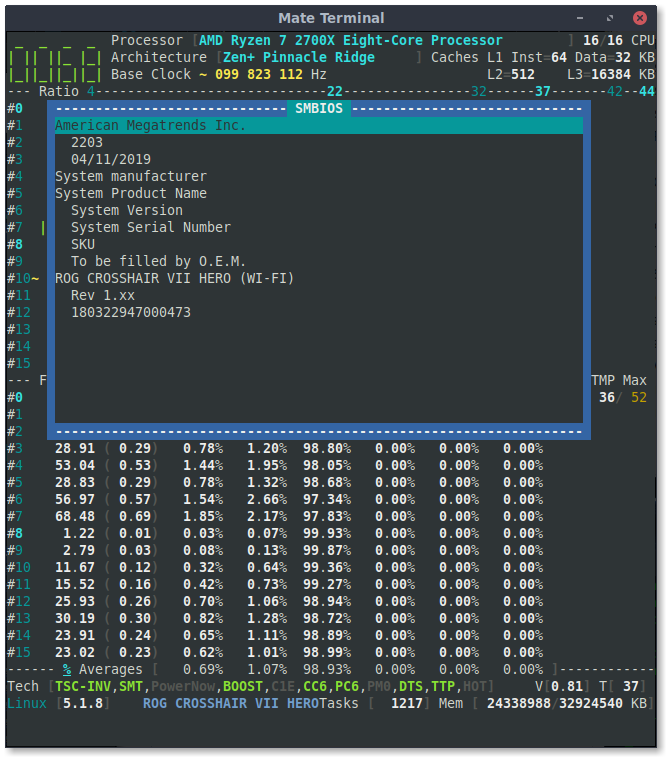
Not extensively tested (idle and a bit of load), but so far the temperature readings look fine relative to sensors.
Notice again the difference in readings between the status area (T[37]) and main panel (TMP 36), but this is not new. Different reading timing?
Also, I noticed the motherboard now shows up in the status area and there's a new SMBIOS entry!
adatum
on 17 Jun 2019
Based on my previous SMBIOS project, CoreMod, the first idea was to show the Motherboard Name in the _CoreFreq_ footer, until I browsed the DMI Kernel implementation where the parsing job is already done. Unfortunately, the DMI is not well fulfilled by Board manufacturers. See issue #127
Looking again at the gap b/w Package and Core temperatures, I will refactor the Daemon code where a workaround to non Package sensor availability is faking its value. The Core temperature is however OK.
What I suggest, to read the cold temperature of the processor:
- Start CoreFreq
- Suspend to RAM
- Wait sufficient time to let processor gets cold
- Resume
- Read temperature in CoreFreq
cyring
on 18 Jun 2019
What I suggest, to read the cold temperature of the processor:
Start CoreFreq
Suspend to RAM
Wait sufficient time to let processor gets cold
Resume
Read temperature in CoreFreq
I tried this, but the first readings/screenshot I got were hotter than idle. The warm ambient temperature and the spike in activity to unlock the screen negate the cooling off from suspending. I can try again sometime when the weather is cooler.
I can at least confirm the motherboard model name (though no brand) and BIOS version are reported correctly in CoreFreq.
adatum
on 18 Jun 2019
I'm slowly reviewing code in issue #128, can you please substitute the function Compute_AMD_Zen_Boost() and test the Frequencies in the Processor Window for non-regression ?
cyring
on 19 Jun 2019
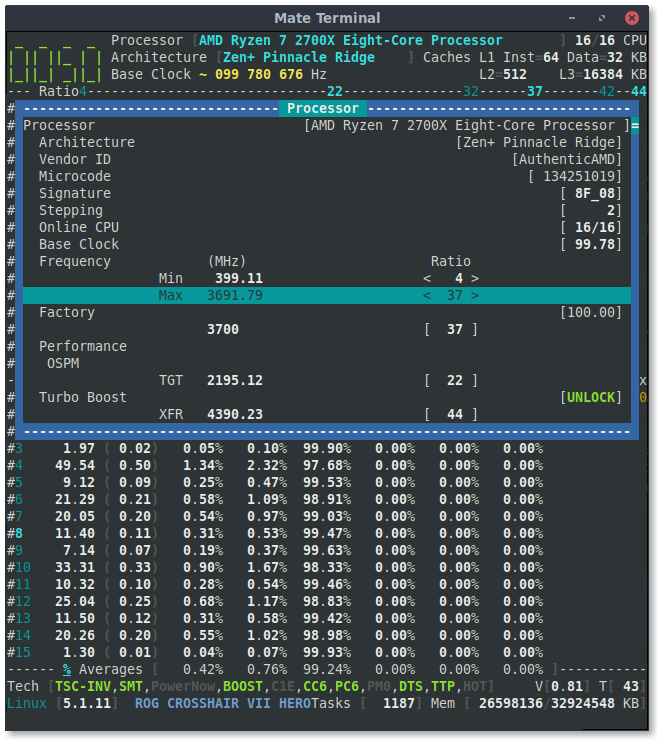
Did you have a particular testing methodology in mind?
adatum
on 19 Jun 2019
It looks OK, thanks.
Next version, I will provide code to select a new OSPM Target frequency
cyring
on 19 Jun 2019
OK, here we are, with the capability to change the Target frequency.
Activate the Experimental mode in the Settings window. Press [s]
As shown in screenshots, press [p] , go to TGT , press [Enter] to open the frequency selector.
- First test as a non hardware regression
- select the same frequency as current.
- back in
Processorwindow,TGThas to be unchanged press
[F3]to stress withTurbo Select CPU...
---> you still have the same highest frequencyNext tests, change for a new frequency
- select a lower
TGTfrequency - stress a single CPU
---> check if the frequency is limited to the one chosen
_Remark: I'm not sure if you can select a highest frequency_
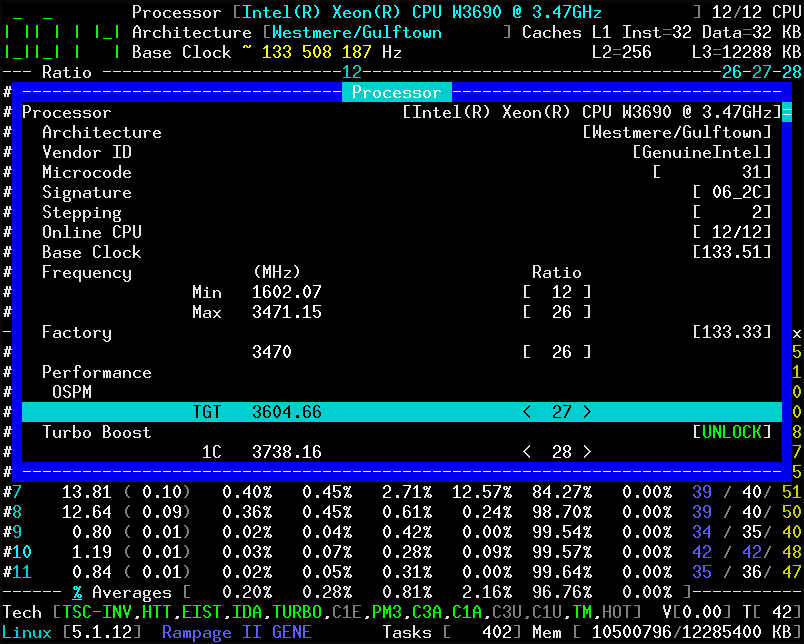
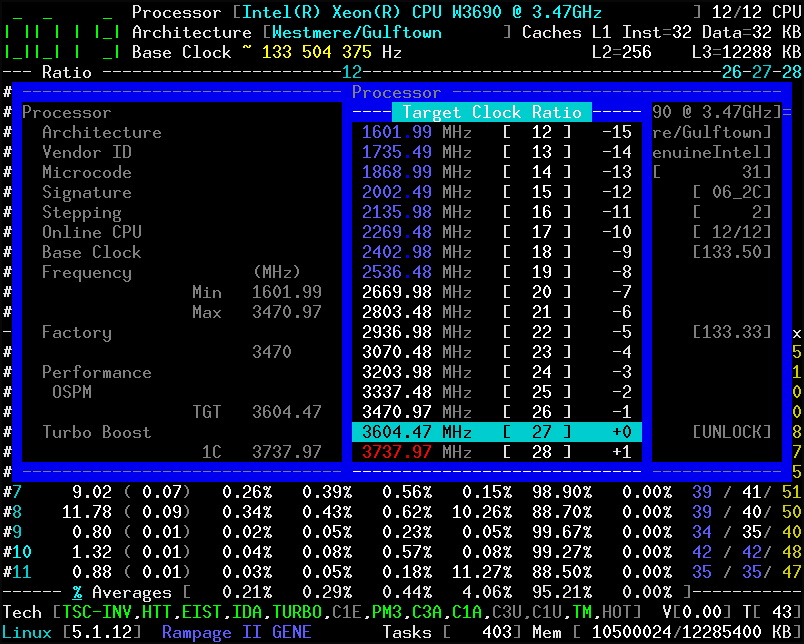
cyring
on 22 Jun 2019
Thanks for the clear instructions.
No hardware regression observed.
Changing TGT frequency is not taking effect, whether lower or higher. It always returns to the default 22 ratio in the Processor menu, and the same max frequency in single core stress tests.
Notice though that the TGT is different with my CPU than yours. In your case, TGT is greater than the Max, while on mine, it is between the Min and Max, and also less than the Turbo Boosts.
Also I'm not sure if it makes sense to have XFR and CPB listed with specific frequencies, since they are adaptive.
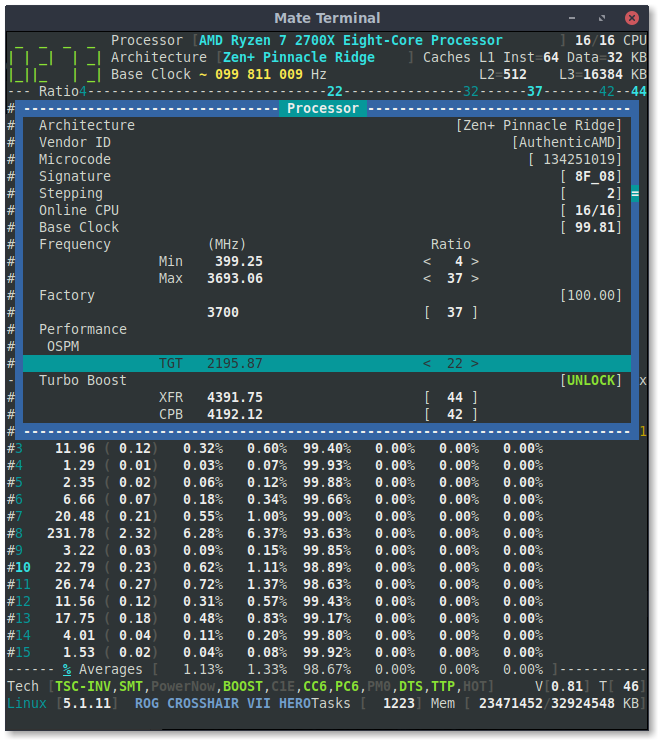
adatum
on 22 Jun 2019
Thanks for your returns.
Indeed there's is a big chance that the target of frequency doesn't work the same on AMD than Intel (where it can be set up to the Turbo ratios)
I remember 22 is the coefficient of frequency of the second enabled non-boosted P-State of your 2700X. Thus the current target.
But what I forgot to tell you is that an ACPI Kernel module could drive the Target P-State as will.
Register_CPU_Freq is one of the latest features I've added into corefreqk which then acts as the Kernel CPU frequency driver.
I have only tested it with Intel architectures and my old AMD Turion
This option requires that you unload the current cpufreq module (seems only one driver can be registered at a time).
The "Settings" or "Kernel" windows will confirm a successful registration.
If you manage to make CoreFreq the cpufreq driver, you can then try the tests again.
cyring
on 22 Jun 2019
Remark: I've read that Ryzen disabled P-States can not enabled. Your Processor might have only two non-boosted P-States P1 and P2
To my understanding, P0 being the base clock
cyring
on 23 Jun 2019
Changing the cpufreq module sounds... increasingly risky.
You might be right about the P-States. Maybe this is of some use:
$ sudo cpupower frequency-info
analyzing CPU 0:
  driver: acpi-cpufreq
  CPUs which run at the same hardware frequency: 0
  CPUs which need to have their frequency coordinated by software: 0
  maximum transition latency:  Cannot determine or is not supported.
  hardware limits: 2.20 GHz - 3.70 GHz
  available frequency steps:  3.70 GHz, 3.20 GHz, 2.20 GHz
  available cpufreq governors: conservative userspace powersave ondemand performance schedutil
  current policy: frequency should be within 2.20 GHz and 3.70 GHz.
                  The governor "performance" may decide which speed to use
                  within this range.
  current CPU frequency: 3.70 GHz (asserted by call to hardware)
  boost state support:
    Supported: yes
    Active: yes
    Boost States: 0
    Total States: 3
    Pstate-P0:  3700MHz
    Pstate-P1:  3200MHz
    Pstate-P2:  2200MHz
I respect the risk you are mentioning about.
To my concerns, I don't fear to crash my Processors. Off course after studying the specs and other kernel source code. cpufreq, cpuidle, ACPI P-States, etc are not such a big deal and not so complicated to do your own.
Edit:
- The cpuidle _CoreFreq_ sub-driver is not programmed for AMD processors yet.
Register_CPU_Idleoption will be ignored.
- cpufreq sub-driver has not been tested on AMD archs, including Zen
cyring
on 23 Jun 2019
Just to share something which puzzles me is my estimation of the Base Clock.
I have google-ize for 2700X on Windows and the Bus clock is very closed to my estimation
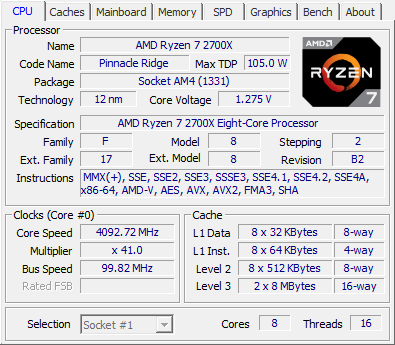
However why is it bellow the 100MHz nominal BCLK ?
In the Cli, it leads to _strange_ Core frequencies, such a max of 3637 MHz. Off course I could round up numbers but it may hide any BCLK overclocking
cyring
on 25 Jun 2019
I'm not sure what to believe for the reported BCLK from different programs.
Unfortunately, but understandably, CPU-Z does not report the multiplier or bus speed when run in a virtual machine.
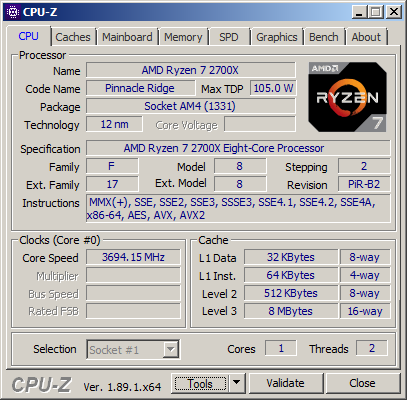
I also tried CPU-X in linux, but the multiplier range (22-36) and bus speed are clearly incorrectly reported.
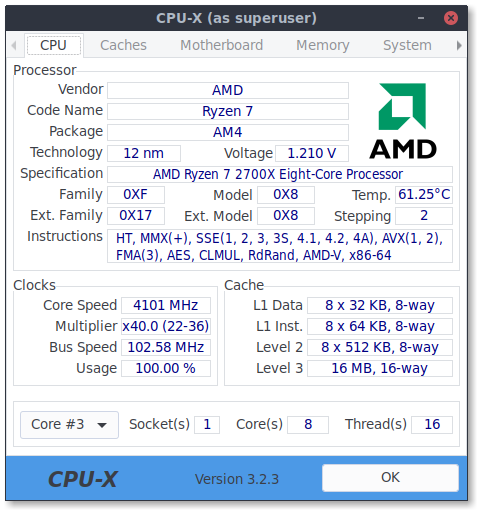
adatum
on 25 Jun 2019
I believe that like CoreFreq these software use the TSC to estimate the Base Clock, combined with various registers.
Virtualization does not play well with TSC.
I have found Xen to be the most accurate hypervisor, especially when running CoreFreq in dom0
cyring
on 25 Jun 2019
Hello,
Can you tell if the latest version runs OK with your 2700X ?
The Ryzen series 3000 encounters an UI bug in issue #133
Thank you
cyring
on 13 Jul 2019
I now get a segmentation fault.
From journalctl:
corefreq-cli[5019]: segfault at a0 ip 00000000004385e7 sp 00007ffea611f230 error 4 in corefreq-cli[402000+4c000]
Code: c7 b8 08 00 00 00 e8 18 9d fc ff 48 98 48 83 c4 10 5b 41 5c 5d c3 55 48 89 e5 48 83 ec 10 48 89 7d f8 48 89 75 f0 48 8b 45 f0 <8b> b8 a0 00 00 00 48 8b 45 f8 8b 88 b4 00 00 00 48 8b 45 f0 8b 90
Thks, I don't find the change which segfault !
Can you run with valgrind, plz
cyring
on 13 Jul 2019
$ valgrind -v ./corefreq-cli
==7134== Memcheck, a memory error detector
==7134== Copyright (C) 2002-2017, and GNU GPL'd, by Julian Seward et al.
==7134== Using Valgrind-3.15.0-608cb11914-20190413 and LibVEX; rerun with -h for copyright info
==7134== Command: ./corefreq-cli
==7134==
--7134-- Valgrind options:
--7134--    -v
--7134-- Contents of /proc/version:
--7134--   Linux version 5.1.16-300.fc30.x86_64 ([email protected]) (gcc version 9.1.1 20190503 (Red Hat 9.1.1-1) (GCC)) #1 SMP Wed Jul 3 15:06:51 UTC 2019
--7134--
--7134-- Arch and hwcaps: AMD64, LittleEndian, amd64-cx16-lzcnt-rdtscp-sse3-ssse3-avx-avx2-bmi-f16c-rdrand
--7134-- Page sizes: currently 4096, max supported 4096
--7134-- Valgrind library directory: /usr/libexec/valgrind
--7134-- Reading syms from /home/[USER]/src/CoreFreq/corefreq-cli
--7134-- Reading syms from /usr/lib64/ld-2.29.so
--7134-- Reading syms from /usr/libexec/valgrind/memcheck-amd64-linux
--7134--    object doesn't have a symbol table
--7134--    object doesn't have a dynamic symbol table
--7134-- Scheduler: using generic scheduler lock implementation.
--7134-- Reading suppressions file: /usr/libexec/valgrind/default.supp
==7134== embedded gdbserver: reading from /tmp/vgdb-pipe-from-vgdb-to-7134-by-[USER]-on-[HOST]
==7134== embedded gdbserver: writing to   /tmp/vgdb-pipe-to-vgdb-from-7134-by--on-[HOST]
==7134== embedded gdbserver: shared mem   /tmp/vgdb-pipe-shared-mem-vgdb-7134-by-[USER]-on-[HOST]
==7134==
==7134== TO CONTROL THIS PROCESS USING vgdb (which you probably
==7134== don't want to do, unless you know exactly what you're doing,
==7134== or are doing some strange experiment):
==7134==   /usr/libexec/valgrind/../../bin/vgdb --pid=7134 ...command...
==7134==
==7134== TO DEBUG THIS PROCESS USING GDB: start GDB like this
==7134==   /path/to/gdb ./corefreq-cli
==7134== and then give GDB the following command
==7134==   target remote | /usr/libexec/valgrind/../../bin/vgdb --pid=7134
==7134== --pid is optional if only one valgrind process is running
==7134==
--7134-- REDIR: 0x401fee0 (ld-linux-x86-64.so.2:strlen) redirected to 0x580c9da2 (???)
--7134-- REDIR: 0x401fcb0 (ld-linux-x86-64.so.2:index) redirected to 0x580c9dbc (???)
--7134-- Reading syms from /usr/libexec/valgrind/vgpreload_core-amd64-linux.so
--7134-- Reading syms from /usr/libexec/valgrind/vgpreload_memcheck-amd64-linux.so
==7134== WARNING: new redirection conflicts with existing -- ignoring it
--7134--     old: 0x0401fee0 (strlen              ) R-> (0000.0) 0x580c9da2 ???
--7134--     new: 0x0401fee0 (strlen              ) R-> (2007.0) 0x0483bd00 strlen
--7134-- REDIR: 0x401c6c0 (ld-linux-x86-64.so.2:strcmp) redirected to 0x483cc70 (strcmp)
--7134-- REDIR: 0x4020440 (ld-linux-x86-64.so.2:mempcpy) redirected to 0x4840790 (mempcpy)
--7134-- Reading syms from /usr/lib64/libm-2.29.so
--7134-- Reading syms from /usr/lib64/librt-2.29.so
--7134-- Reading syms from /usr/lib64/libc-2.29.so
--7134-- Reading syms from /usr/lib64/libpthread-2.29.so
--7134-- REDIR: 0x4a5e8c0 (libc.so.6:memmove) redirected to 0x482e1e1 (_vgnU_ifunc_wrapper)
--7134-- REDIR: 0x4a5db40 (libc.so.6:strncpy) redirected to 0x482e1e1 (_vgnU_ifunc_wrapper)
--7134-- REDIR: 0x4a5ebf0 (libc.so.6:strcasecmp) redirected to 0x482e1e1 (_vgnU_ifunc_wrapper)
--7134-- REDIR: 0x4a5d460 (libc.so.6:strcat) redirected to 0x482e1e1 (_vgnU_ifunc_wrapper)
--7134-- REDIR: 0x4a5dba0 (libc.so.6:rindex) redirected to 0x482e1e1 (_vgnU_ifunc_wrapper)
--7134-- REDIR: 0x4a60050 (libc.so.6:rawmemchr) redirected to 0x482e1e1 (_vgnU_ifunc_wrapper)
--7134-- REDIR: 0x4a78750 (libc.so.6:wmemchr) redirected to 0x482e1e1 (_vgnU_ifunc_wrapper)
--7134-- REDIR: 0x4a781c0 (libc.so.6:wcscmp) redirected to 0x482e1e1 (_vgnU_ifunc_wrapper)
--7134-- REDIR: 0x4a5ea20 (libc.so.6:mempcpy) redirected to 0x482e1e1 (_vgnU_ifunc_wrapper)
--7134-- REDIR: 0x4a5e850 (libc.so.6:bcmp) redirected to 0x482e1e1 (_vgnU_ifunc_wrapper)
--7134-- REDIR: 0x4a5dad0 (libc.so.6:strncmp) redirected to 0x482e1e1 (_vgnU_ifunc_wrapper)
--7134-- REDIR: 0x4a5d510 (libc.so.6:strcmp) redirected to 0x482e1e1 (_vgnU_ifunc_wrapper)
--7134-- REDIR: 0x4a5e980 (libc.so.6:memset) redirected to 0x482e1e1 (_vgnU_ifunc_wrapper)
--7134-- REDIR: 0x4a78180 (libc.so.6:wcschr) redirected to 0x482e1e1 (_vgnU_ifunc_wrapper)
--7134-- REDIR: 0x4a5da30 (libc.so.6:strnlen) redirected to 0x482e1e1 (_vgnU_ifunc_wrapper)
--7134-- REDIR: 0x4a5d5f0 (libc.so.6:strcspn) redirected to 0x482e1e1 (_vgnU_ifunc_wrapper)
--7134-- REDIR: 0x4a5ec40 (libc.so.6:strncasecmp) redirected to 0x482e1e1 (_vgnU_ifunc_wrapper)
--7134-- REDIR: 0x4a5d590 (libc.so.6:strcpy) redirected to 0x482e1e1 (_vgnU_ifunc_wrapper)
--7134-- REDIR: 0x4a5ed90 (libc.so.6:memcpy@@GLIBC_2.14) redirected to 0x482e1e1 (_vgnU_ifunc_wrapper)
--7134-- REDIR: 0x4a79a30 (libc.so.6:wcsnlen) redirected to 0x482e1e1 (_vgnU_ifunc_wrapper)
--7134-- REDIR: 0x4a5dbe0 (libc.so.6:strpbrk) redirected to 0x482e1e1 (_vgnU_ifunc_wrapper)
--7134-- REDIR: 0x4a5d4c0 (libc.so.6:index) redirected to 0x482e1e1 (_vgnU_ifunc_wrapper)
--7134-- REDIR: 0x4a5d9f0 (libc.so.6:strlen) redirected to 0x482e1e1 (_vgnU_ifunc_wrapper)
--7134-- REDIR: 0x4a645d0 (libc.so.6:memrchr) redirected to 0x482e1e1 (_vgnU_ifunc_wrapper)
--7134-- REDIR: 0x4a5ec90 (libc.so.6:strcasecmp_l) redirected to 0x482e1e1 (_vgnU_ifunc_wrapper)
--7134-- REDIR: 0x4a5e810 (libc.so.6:memchr) redirected to 0x482e1e1 (_vgnU_ifunc_wrapper)
--7134-- REDIR: 0x4a782d0 (libc.so.6:wcslen) redirected to 0x482e1e1 (_vgnU_ifunc_wrapper)
--7134-- REDIR: 0x4a5dea0 (libc.so.6:strspn) redirected to 0x482e1e1 (_vgnU_ifunc_wrapper)
--7134-- REDIR: 0x4a5eb90 (libc.so.6:stpncpy) redirected to 0x482e1e1 (_vgnU_ifu--7134-- REDIR: 0x4b2c100 (libc.so.6:__memchr_avx2) redirected to 0x483ccf0 (memchr)
--7134-- REDIR: 0x4b2fee0 (libc.so.6:__strchrnul_avx2) redirected to 0x48402b0 (strchrnul)
--7134-- REDIR: 0x4b33290 (libc.so.6:__mempcpy_avx_unaligned_erms) redirected to 0x48403d0 (mempcpy)
--7134-- REDIR: 0x4a5a000 (libc.so.6:free) redirected to 0x483999a (free)
--7134-- REDIR: 0x4b324d0 (libc.so.6:__stpcpy_avx2) redirected to 0x483efa0 (stpcpy)
--7134-- REDIR: 0x4a5a790 (libc.so.6:calloc) redirected to 0x483aa90 (calloc)
--7134-- REDIR: 0x4b33730 (libc.so.6:__memset_avx2_unaligned_erms) redirected to==7134== Checked 733,424 bytes
==7134==
==7134== LEAK SUMMARY:
==7134==    definitely lost: 0 bytes in 0 blocks
==7134==    indirectly lost: 0 bytes in 0 blocks
==7134==      possibly lost: 0 bytes in 0 blocks
==7134==    still reachable: 787,939 bytes in 41 blocks
==7134==         suppressed: 0 bytes in 0 blocks
==7134== Rerun with --leak-check=full to see details of leaked memory
==7134==
==7134== ERROR SUMMARY: 1 errors from 1 contexts (suppressed: 0 from 0)
==7134==
==7134== 1 errors in context 1 of 1:
==7134== Invalid read of size 4
==7134==    at 0x4385E7: Draw_Frequency_Celsius (corefreq-cli.c:7590)
==7134==    by 0x4389F0: Draw_Monitor_Frequency (corefreq-cli.c:7646)
==7134==    by 0x43BFAE: Dynamic_Header_DualView_Footer (corefreq-cli.c:8357)
==7134==    by 0x43EF5C: Top (corefreq-cli.c:9025)
==7134==    by 0x43FBA0: main (corefreq-cli.c:9231)
==7134==  Address 0xa0 is not stack'd, malloc'd or (recently) free'd
==7134==
==7134== ERROR SUMMARY: 1 errors from 1 contexts (suppressed: 0 from 0)
Segmentation fault (core dumped)
I guess I found the bug, can you try the last commit please
cyring
on 13 Jul 2019
It's working again!
adatum
on 13 Jul 2019
Yes !
Thank you
cyring
on 13 Jul 2019
Hello,
Apparently with the 3700X, the RAPL units workaround does not make it.
Can you please comment those lines of code:
https://github.com/cyring/CoreFreq/blob/f2108e8445cd0fb8e5de72ec91bab363cca196c2/corefreqd.c#L493
as below:
/*  if (maxCoreCount != 0) {
        Shm->Proc.Power.Unit.Watts  /= maxCoreCount;
        Shm->Proc.Power.Unit.Joules /= maxCoreCount;
    }   */
Rebuild and check the consumed power facing the 2700X specs
cyring
on 14 Jul 2019
Forget my above request. I found the difference b/w AMD and Intel counter. See #133
cyring
on 14 Jul 2019
Hello,
Can you test the Power measurements of the latest version ?
- Press
V - For each case { idle; single Core load; full load }
- Monitor the
Corespower against your 2700X specs - Check if the
Packagepower has no regression
- Monitor the
- screenshots welcomed
cyring
on 15 Jul 2019
It's working, though the Power (W) doesn't make sense--way too high. I've listed the power (W) readings from my UPS for the entire system (and display) for each state.
I don't have a sense of what Energy (J) draw is to be expected, but hopefully the screenshots are helpful.
Idle (UPS: ~60W):
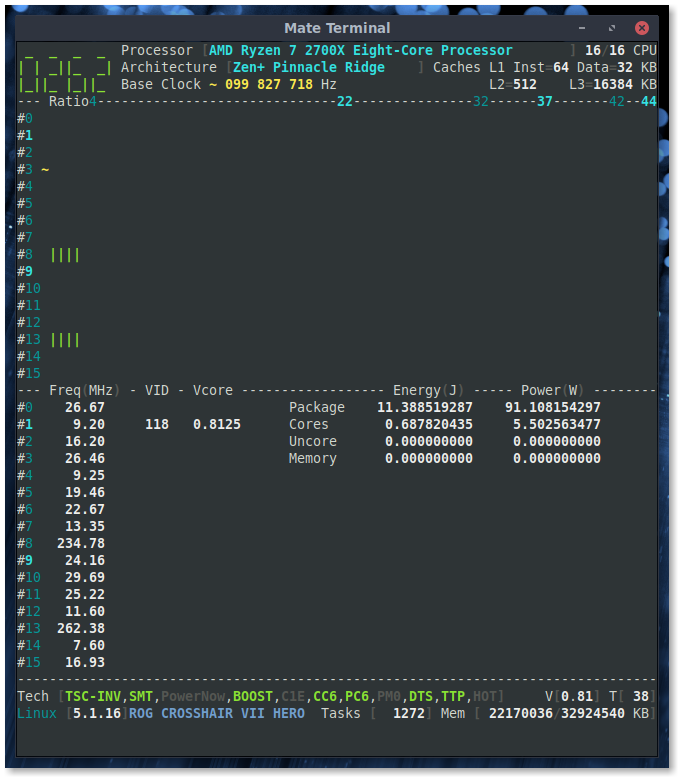
Single-core load (UPS: ~80W):
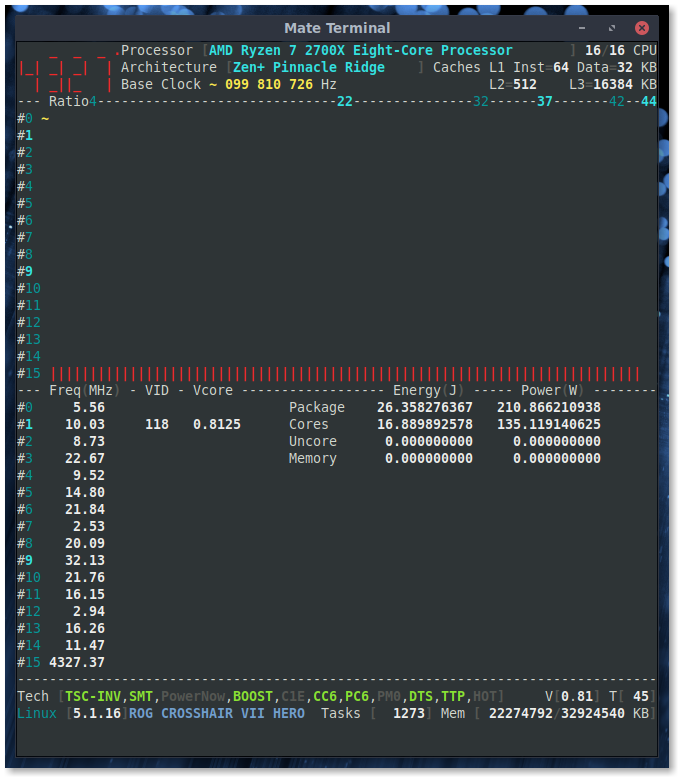
All-core load (UPS: ~150W):

adatum
on 15 Jul 2019
Values far too high, the algorithm is still wrong.
Thanks for your tests
Edit: I read s/w that the counters are incremented every 100 ms. The default _CoreFreq_ interval is 1000 ms.
Divide by 10 the values above and it looks more _coherent_
Edit/2: comparing with other tool, what is Joule in _CoreFreq_ is Watt in other !
cyring
on 15 Jul 2019
Can you modify corefreqd.c with these lines and try again. It gives better results on Intel processors (even if changing the interval in Settings)
https://github.com/cyring/CoreFreq/blob/406bc4b02282d74d501550a831f7d9b4f6359115/corefreqd.c#L3792
        for (pw = PWR_DOMAIN(PKG); pw < PWR_DOMAIN(SIZE); pw++)
        {
        PFlip->Delta.ACCU[pw] = Proc->Delta.Power.ACCU[pw];

        Shm->Proc.State.Energy[pw] = (double) PFlip->Delta.ACCU[pw]
                       * Shm->Proc.Power.Unit.Joules;

        Shm->Proc.State.Power[pw] = (1000.0*Shm->Proc.State.Energy[pw])
                      / (double) Shm->Sleep.Interval;
        }
https://github.com/cyring/CoreFreq/blob/406bc4b02282d74d501550a831f7d9b4f6359115/corefreqd.c#L455
void PowerInterface(SHM_STRUCT *Shm, PROC *Proc)
{
    if (Shm->Proc.Features.Info.Vendor.CRC == CRC_AMD) { /* AMD PowerNow */
    if (Proc->Features.AdvPower.EDX.FID)
        BITSET(LOCKLESS, Shm->Proc.PowerNow, 0);
    else
        BITCLR(LOCKLESS, Shm->Proc.PowerNow, 0);

    if (Proc->Features.AdvPower.EDX.VID)
        BITSET(LOCKLESS, Shm->Proc.PowerNow, 1);
    else
        BITCLR(LOCKLESS, Shm->Proc.PowerNow, 1);
    }
    else
    Shm->Proc.PowerNow = 0;

    switch (Proc->powerFormula) {
      case POWER_FORMULA_INTEL:
      case POWER_FORMULA_AMD:
      case POWER_FORMULA_AMD_17h:
    Shm->Proc.Power.Unit.Watts = Proc->PowerThermal.Unit.PU > 0 ?
            1.0 / (double) (1 << Proc->PowerThermal.Unit.PU) : 0;
    Shm->Proc.Power.Unit.Joules= Proc->PowerThermal.Unit.ESU > 0 ?
            1.0 / (double)(1 << Proc->PowerThermal.Unit.ESU) : 0;
    break;
      case POWER_FORMULA_INTEL_ATOM:
    Shm->Proc.Power.Unit.Watts = Proc->PowerThermal.Unit.PU > 0 ?
            0.001 / (double)(1 << Proc->PowerThermal.Unit.PU) : 0;
    Shm->Proc.Power.Unit.Joules= Proc->PowerThermal.Unit.ESU > 0 ?
            0.001 / (double)(1 << Proc->PowerThermal.Unit.ESU) : 0;
    break;
      case POWER_FORMULA_NONE:
    break;
    }
    Shm->Proc.Power.Unit.Times = Proc->PowerThermal.Unit.TU > 0 ?
            1.0 / (double) (1 << Proc->PowerThermal.Unit.TU) : 0;
}
Now the Energy and Power values are identical.
Idle:
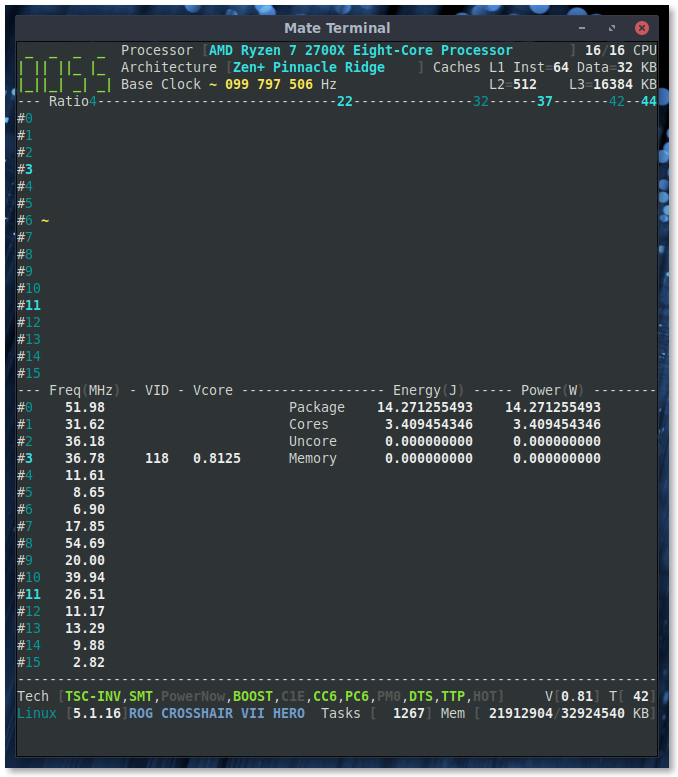
Single-core load:
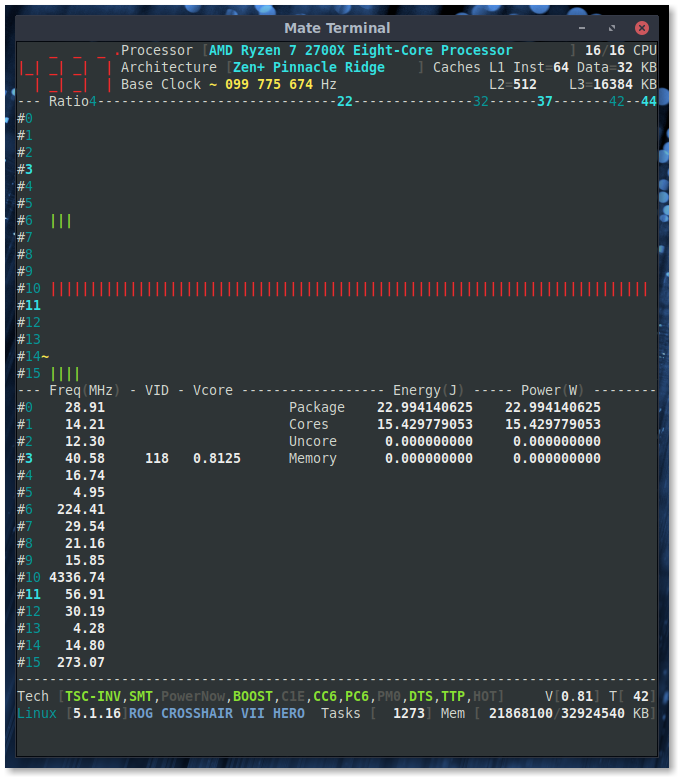
All-core load:

adatum
on 15 Jul 2019
@AMD the 2700X TDP is specified to 105W. The energy consumed is, this time, lower than with previous code. However the Processor RAPL counter is made to record the average of the energy sample values.
The J to W formula makes no change in one second. Change the Interval to see the effects
I'll apply this source code change, thank you
cyring
on 16 Jul 2019
I'm back on work with the RAPL measurements in this issue
Could you full load your processor using one of the stress tools powered by _CoreFreq_ ?
I believe that the Conic > Hyperboloid of two sheets algorithm, when SMT is OFF, should reach the processor's TDP
Please also check if the Power & Thermal > Units > Energy is still equaled to 0.000015259 ?
In advance, thank you
cyring
on 21 Jul 2019
This is with SMT ON. I'm not sure what frequency the 105W TDP rating is for (i.e. base 3.7GHz frequency or also boost?), but in any case CoreFreq's reading is close to the spec.
After running the stress test for several minutes the frequency reduces boost and reaches an equilibrium:
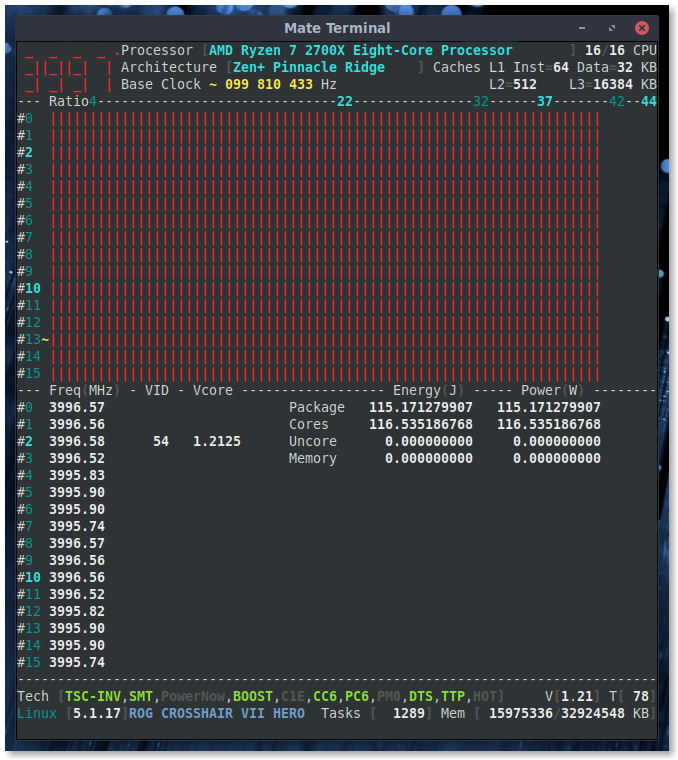
Initially when first launched, the frequency and power are slightly greater:
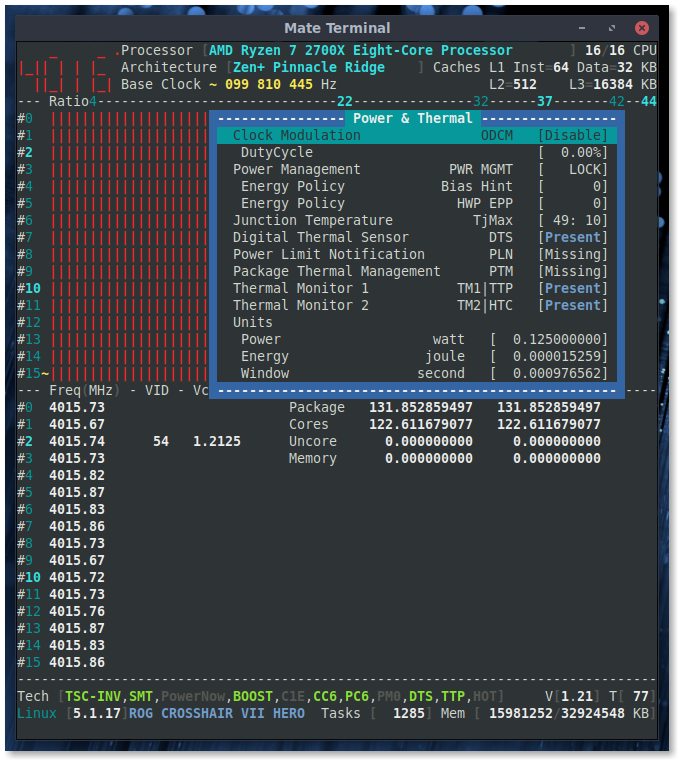
Power & Thermal > Units > Energy is still equaled to 0.000015259 ?
Confirmed.
adatum
on 21 Jul 2019
Very nice, thank you.
It confirms that the sum of the physical core Energy counters on SMT is doing well.
Remember: the counter is shared between the physical core and its SMT coreTDP 105W is based on AMD product specifications.
I believe that the TDP is a max average value; such as the RAPL Energy counter which is an average runtime value.I'm thinking about changing the view like this
cyring
on 21 Jul 2019
I'm thinking about changing the view like this
I like it. Having per core power might be interesting to see which cores are more efficient.
adatum
on 21 Jul 2019
Yes, and I should revere the Counter and Energy columns for easy reading
cyring
on 21 Jul 2019
Hello,
Using latest version, do you still get the following topology ?
CPU Pkg  Apic  Core Thread  Caches      (w)rite-Back (i)nclusive
 #   ID   ID    ID     ID  L1-Inst Way  L1-Data Way      L2  Way      L3  Way
00: BSP     0     0      0      64  4        32  8       512  8     16384  8
01:   0     1     0      1      64  4        32  8       512  8     16384  8
02:   0     2     1      0      64  4        32  8       512  8     16384  8
03:   0     3     1      1      64  4        32  8       512  8     16384  8
04:   0     4     2      0      64  4        32  8       512  8     16384  8
05:   0     5     2      1      64  4        32  8       512  8     16384  8
06:   0     6     3      0      64  4        32  8       512  8     16384  8
07:   0     7     3      1      64  4        32  8       512  8     16384  8
08:   0     8     4      0      64  4        32  8       512  8     16384  8
09:   0     9     4      1      64  4        32  8       512  8     16384  8
10:   0    10     5      0      64  4        32  8       512  8     16384  8
11:   0    11     5      1      64  4        32  8       512  8     16384  8
12:   0    12     6      0      64  4        32  8       512  8     16384  8
13:   0    13     6      1      64  4        32  8       512  8     16384  8
14:   0    14     7      0      64  4        32  8       512  8     16384  8
15:   0    15     7      1      64  4        32  8       512  8     16384  8
Almost, but the CPU# vs (Apic/Core/Thread ID) is rearranged.
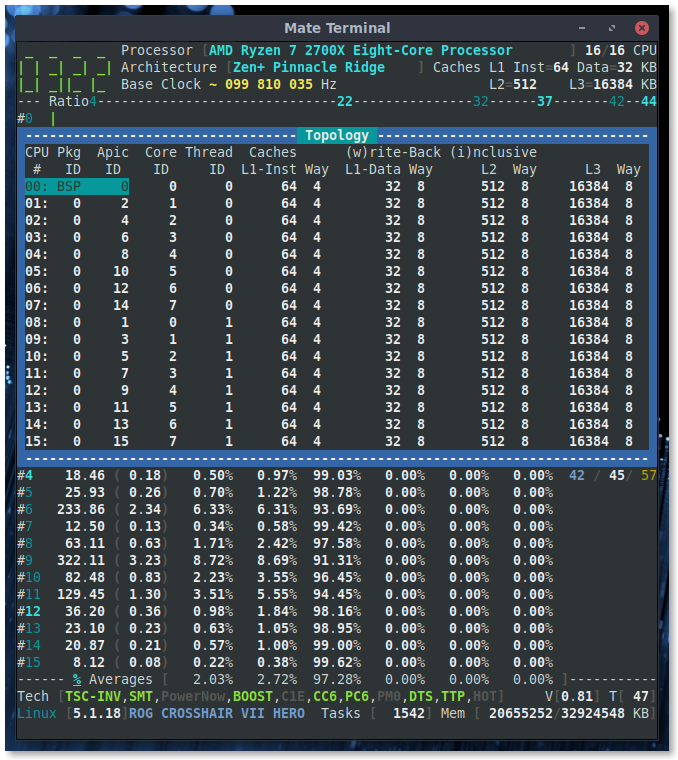
adatum
on 27 Jul 2019
It looks like the 2700X is now have the same IDs layout than the 3700X
I feel better with this result. Thanks
cyring
on 28 Jul 2019
Hello,
Last version brings the AMD Core Complex ID in the topology, could you please add your screenshot in this issue
cyring
on 28 Jul 2019
131W Package and 122W all Cores measured above: however in this screenshot PPT talks about 141W and 1000W limit.
Any idea what is PPT ?
cyring
on 31 Jul 2019
PPT, TDC, EDC are power and current limits to the Precision Boost 2 algorithm. They are configurable on some motherboard/BIOS combinations, and can be increased/tuned for overclocking.
I wish I could find AMD's documentation on this. From a quick search I found this and this description. These parameters are commonly discussed on overclocking forums, though I have not experimented with them myself.
adatum
on 31 Jul 2019
I wonder if CCD is Ryzen Master tool specific, or it belongs to the Processor Topology ?
cyring
on 31 Jul 2019
Since CCD and CCX are referring to the hardware layout and aren't software-specific terms, they could belong in Processor Topology. Maybe lstopo can help for comparison?
adatum
on 31 Jul 2019
There are two main classes of Zen 2 chiplet: the Core Chiplet die (CCD), and the IO Chiplet die (cIOD); each Matisse CPU may have up to two CCDs and will always have one cIOD.
cyring
on 31 Jul 2019
Hello,
Testing code for temperature per primary CCX core
(written with smartphone, no computer b/c vacation, sorry if it looks messy)
- First part : Client & Daemon
https://github.com/cyring/CoreFreq/blob/e21a6d5480fff6a095edec7b6ea01310ad25c0e9/corefreq-cli.c#L7735
    case THERMAL_FORMULA_AMD_17h:
      if ((Shm->Cpu[cpu].Topology.ApicID == 0) ¦¦ (Shm->Cpu[cpu].Topology.ApicID == 8)) {
    len = Draw_Frequency_Temp[draw.Flag.fahrCels](CFlop, &Shm->Cpu[cpu]);
      } else {
    len = Draw_Frequency_Temp[2](CFlop, NULL);
      }
    break;
https://github.com/cyring/CoreFreq/blob/e21a6d5480fff6a095edec7b6ea01310ad25c0e9/corefreqd.c#L208
    case THERMAL_FORMULA_AMD_17h:
        if ((Shm->Cpu[cpu].Topology.ApicID == 0) ¦¦ (Shm->Cpu[cpu].Topology.ApicID == 8))
        COMPUTE_THERMAL(AMD_17h,
                CFlip->Thermal.Temp,
                Cpu->PowerThermal.Param,
                CFlip->Thermal.Sensor);
        break;
- Second part : Driver
https://github.com/cyring/CoreFreq/blob/e21a6d5480fff6a095edec7b6ea01310ad25c0e9/corefreqk.c#L8004
        if (Core->Bind == Proc->Service.Core) {
            PKG_Counters_Generic(Core, 1);

            RDCOUNTER(Proc->Counter[1].Power.ACCU[PWR_DOMAIN(PKG)],
                    MSR_AMD_PKG_ENERGY_STATUS);

            Delta_PTSC_OVH(Proc, Core);

            Delta_PWR_ACCU(Proc, PKG);

            Save_PTSC(Proc);

            Save_PWR_ACCU(Proc, PKG);

            Sys_Tick(Proc);
        }
        if ((Core->T.ApicID == 0) ¦¦ (Core->T.ApicID == 8))
        {
        Core_AMD_Family_17h_Temp(Core);
       }
- Last part : Rebuilt & test instructions
- apply single core load on the CPU whom APIC ID is 8
- temperature should be high for this CPU but reasonably low for CPU whom APIC ID = 0
- reverse load test situation applying load on CPU APIC ID 0, the CPU belonging to the other CCX should be low
Remarks:
- don't care about temperature limits or package, code is just testing the per Core/CCX sensor
- it should not be your case but make sure both the concerned CPUs are not disabled
- I'm expecting to read discreet temperatures whatever the SMT state is.
Thank you
cyring
on 5 Aug 2019
I am seeing identical temperature readings for both CCX.
APIC ID = 8
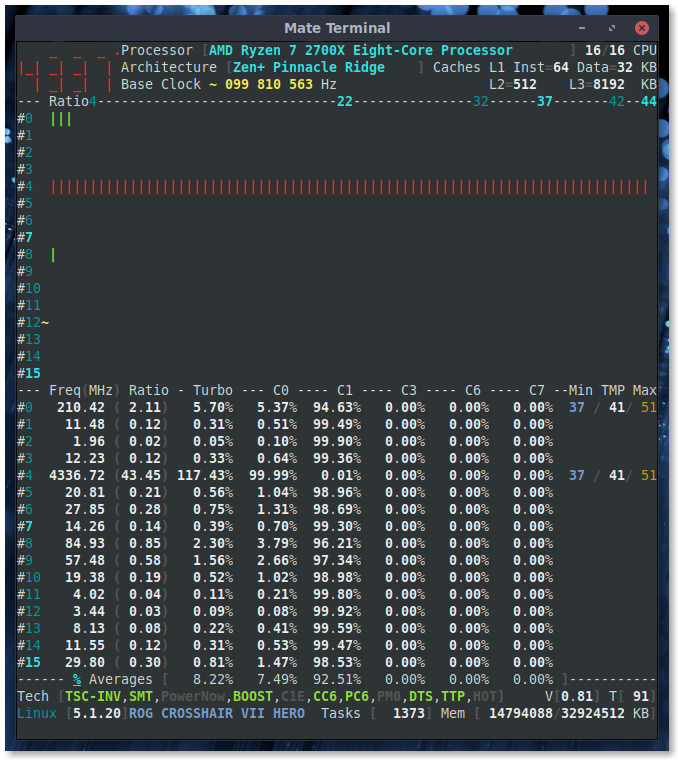
APIC ID = 0
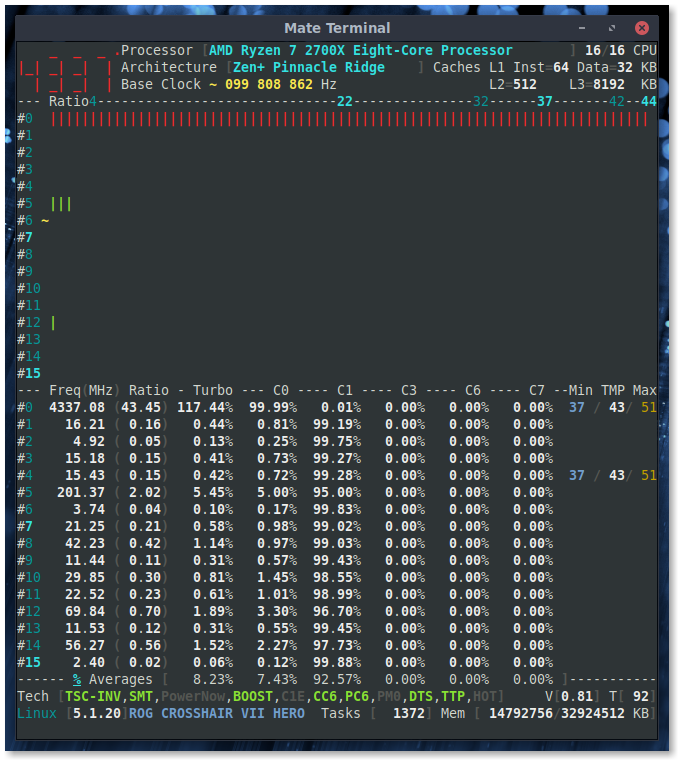
Note that I had to replace ¦ with | (6 times in total) in the code snippets above for it to compile without error.
Enjoy your vacation and don't worry too much about bugs; they'll still be here when you get back!
adatum
on 5 Aug 2019
Thanks a lot for trying (and fixing hand coding. edit: double ¦ was there on purpose )
I was almost sure CCX will make a difference, but we have to conclude it is a package sensor.
Meanwhile I wonder if it could make sens with Threadripper or EPYC ?
I believe we may find other registers which are CCX scope
During vacation, I'm following the "early" issues of Ryzen 3000 and I've the feeling that some advertised frequencies (CPB, XFR) are bound to the CCX yield ?
I also have been remotely granted to port CoreFreq on 3700X : the low power consumed during load is still something I don't explain, especially w/ 2 motherboards !
Lack of the complete BKDG specs, a subset of registers in PPR, low availability in Europe, several BIOS updates, I don't even know if Xen can boot the architecture, including PCI paththrough...
Cyril
cyring
on 6 Aug 2019
double ¦ was there on purpose
I mean I changed the broken bar to a solid vertical bar anywhere it appeared i the code snippet. I also checked the rest of the source files and verified that solid vertical bar is always used, never broken bar.
To be clear, I did not change logical OR operator to a bitwise OR.
Sorry I don't have answers to the questions, but yes it does look like Ryzen 3000 has some "early" issues. It's not clear if these are BIOS related, or AGESA, or both.. interesting times for early adopters.
It makes me appreciate my 2700X all the more.
adatum
on 6 Aug 2019
Thanks again for fixing my smartphone mistakes.
cyring
on 6 Aug 2019
Hey!
Can you try this amazing work.
https://github.com/FlyGoat/ryzen_nb_smu
Remark : according to its author, only the user-space program is running fine
cyring
on 11 Aug 2019
What specifically would you like me to try?
adatum
on 12 Aug 2019
I wish to know first if this reversed engineering of the SMU protocol is working fine with the Desktop Ryzen. If you get traces of successful running.
For instance try SetFrequencyMax with one of low p-state ratio you have read w/ CoreFreq. Check if stressing the Core frequency is indeed limited.
This driver is apparently allowing several low level BIOS features such as the PPT limits that you can try to change by a little.
To my understanding, the PCI address employed by this program for SMU access is not the one specified by AMD for Ryzen... The one CoreFreq is using for the thermal sensor.
cyring
on 12 Aug 2019
Not sure I want to use this unknown program to set values. But even if just reading values, I don't understand how to build or use this tool.
adatum
on 13 Aug 2019
I understand your point of view.
Anyway, I will try it if I another chance to do remote test...
cyring
on 13 Aug 2019
Hello,
Can you try this development code at archive link
Feel free to comment but I believe I've assembly code issues with Zen
cyring
on 18 Aug 2019
Hello,
Can you please try the stress tests of the last _CoreFreq_ version.
If Conics, especially, crash your processor ?
In the issue #131 , Threadripper hard locks with Conics
cyring
on 16 Sep 2019
Attaching log for reference. Lowered clock as a test. Can confirm the XFR does get hit in linux, be it briefly and single core.
Processor                      [AMD Ryzen Threadripper 1950X 16-Core Processor ]
|- Architecture                                                 [Zen/Whitehaven]
|- Vendor ID                                                      [AuthenticAMD]
|- Microcode                                                        [ 134222135]
|- Signature                                                           [  8F_01]
|- Stepping                                                            [      1]
|- Online CPU                                                          [ 32/ 32]
|- Base Clock                                                          [ 99.811]
|- Frequency            (MHz)                      Ratio
                 Min    399.25                    <   4 >
                 Max   4092.27                    <  41 >
|- Factory                                                             [100.000]
                       4100                       [  41 ]
|- Performance
   |- OSPM
                 TGT   4092.27                    <  41 >
|- Turbo Boost                                                         [ UNLOCK]
                 XFR   4890.76                    [  49 ]
                 CPB   4691.14                    [  47 ]
                  1C   2794.72                    <  28 >
                  2C   2195.85                    <  22 >
|- Uncore                                                              [   LOCK]

Instruction Set Extensions
|- 3DNow!/Ext [N/N]          ADX [Y]          AES [Y]  AVX/AVX2 [Y/Y]
|- AVX-512      [N]  BMI1/BMI2 [Y/Y]      CLFLUSH [Y]        CMOV [Y]
|- CMPXCHG8B    [Y]   CMPXCHG16B [Y]         F16C [Y]         FPU [Y]
|- FXSR         [Y]    LAHF/SAHF [Y]    MMX/Ext [Y/Y]  MONITOR/X[Y/Y]
|- MOVBE        [Y]          MPX [N]    PCLMULQDQ [Y]      POPCNT [Y]
|- RDRAND       [Y]       RDSEED [Y]       RDTSCP [Y]         SEP [Y]
|- SGX          [N]          SSE [Y]         SSE2 [Y]        SSE3 [Y]
|- SSSE3        [Y]  SSE4.1/4A [Y/Y]       SSE4.2 [Y]     SYSCALL [Y]

Features
|- 1 GB Pages Support                                      1GB-PAGES   [Present]
|- 100 MHz multiplier Control                            100MHzSteps   [Missing]
|- Advanced Configuration & Power Interface                     ACPI   [Present]
|- Advanced Programmable Interrupt Controller                   APIC   [Present]
|- Core Multi-Processing                                  CMP Legacy   [Present]
|- L1 Data Cache Context ID                                  CNXT-ID   [Missing]
|- Direct Cache Access                                           DCA   [Missing]
|- Debugging Extension                                            DE   [Present]
|- Debug Store & Precise Event Based Sampling               DS, PEBS   [Missing]
|- CPL Qualified Debug Store                                  DS-CPL   [Missing]
|- 64-Bit Debug Store                                         DTES64   [Missing]
|- Fast-String Operation                                Fast-Strings   [Missing]
|- Fused Multiply Add                                       FMA|FMA4   [Present]
|- Hardware Lock Elision                                         HLE   [Missing]
|- Long Mode 64 bits                                         IA64|LM   [Present]
|- LightWeight Profiling                                         LWP   [Missing]
|- Machine-Check Architecture                                    MCA   [Present]
|- Model Specific Registers                                      MSR   [Present]
|- Memory Type Range Registers                                  MTRR   [Present]
|- No-Execute Page Protection                                     NX   [Present]
|- OS-Enabled Ext. State Management                          OSXSAVE   [Present]
|- Physical Address Extension                                    PAE   [Present]
|- Page Attribute Table                                          PAT   [Present]
|- Pending Break Enable                                          PBE   [Missing]
|- Process Context Identifiers                                  PCID   [Missing]
|- Perfmon and Debug Capability                                 PDCM   [Missing]
|- Page Global Enable                                            PGE   [Present]
|- Page Size Extension                                           PSE   [Present]
|- 36-bit Page Size Extension                                  PSE36   [Present]
|- Processor Serial Number                                       PSN   [Missing]
|- Restricted Transactional Memory                               RTM   [Missing]
|- Safer Mode Extensions                                         SMX   [Missing]
|- Self-Snoop                                                     SS   [Missing]
|- Time Stamp Counter                                            TSC [Invariant]
|- Time Stamp Counter Deadline                          TSC-DEADLINE   [Missing]
|- Virtual Mode Extension                                        VME   [Present]
|- Virtual Machine Extensions                                    VMX   [Missing]
|- Extended xAPIC Support                                     x2APIC   [Missing]
|- XSAVE/XSTOR States                                          XSAVE   [Present]
|- xTPR Update Control                                          xTPR   [Missing]

Technologies
|- System Management Mode                                   SMM-Lock       [ ON]
|- Simultaneous Multithreading                                   SMT       [ ON]
|- PowerNow!                                                     CnQ       [OFF]
|- Core Performance Boost                                        CPB       < ON>
|- Virtualization                                                SVM       [ ON]
   |- I/O MMU                                                  AMD-V       [OFF]
   |- Hypervisor                                                           [OFF]

Performance Monitoring
|- Version                                                        PM       [  0]
|- Counters:          General                   Fixed
|                     6 x 64 bits             3 x 64 bits
|- Enhanced Halt State                                           C1E       <OFF>
|- Core C6 State                                                 CC6       <OFF>
|- Package C6 State                                              PC6       <OFF>
|- Frequency ID control                                          FID       [ ON]
|- Voltage ID control                                            VID       [ ON]
|- P-State Hardware Coordination Feedback                MPERF/APERF       [ ON]
|- Hardware-Controlled Performance States                        HWP       <OFF>
   |- Capabilities      (MHz)                      Ratio
              Lowest       nan                    [   0 ]
           Efficient       nan                    [   0 ]
          Guaranteed       nan                    [   0 ]
             Highest       nan                    [   0 ]
|- Hardware Duty Cycling                                         HDC       [OFF]
|- Package C-State
   |- Configuration Control                                   CONFIG   [   LOCK]
   |- Lowest C-State                                           LIMIT   [      0]
   |- I/O MWAIT Redirection                                  IOMWAIT   [Disable]
   |- Max C-State Inclusion                                    RANGE   [      0]
|- MONITOR/MWAIT
   |- State index:    #0    #1    #2    #3    #4    #5    #6    #7
   |- Sub C-State:     0     0     0     0     0     0     0     0
|- Core Cycles                                                         [Present]
|- Instructions Retired                                                [Present]
|- Reference Cycles                                                    [Present]
|- Last Level Cache References                                         [Missing]
|- Last Level Cache Misses                                             [Missing]
|- Branch Instructions Retired                                         [Missing]
|- Branch Mispredicts Retired                                          [Missing]

Power & Thermal
|- Clock Modulation                                             ODCM   [Disable]
   |- DutyCycle                                                        [  0.00%]
|- Power Management                                         PWR MGMT   [   LOCK]
   |- Energy Policy                                        Bias Hint   [      0]
   |- Energy Policy                                          HWP EPP   [      0]
|- Junction Temperature                                        TjMax   [  0: 27]
|- Digital Thermal Sensor                                        DTS   [Present]
|- Power Limit Notification                                      PLN   [Missing]
|- Package Thermal Management                                    PTM   [Missing]
|- Thermal Monitor 1                                             TTP   [Present]
|- Thermal Monitor 2                                             HTC   [Present]
|- Units
   |- Power                                               watt   [  0.125000000]
   |- Energy                                             joule   [  0.000015259]
   |- Window                                            second   [  0.000976562]
Not sure you want to track this here but I noticed IOMMU reported as disabled though it isn't:
[    0.713399] AMD-Vi: IOMMU performance counters supported
[    0.713455] AMD-Vi: IOMMU performance counters supported
[    0.725083] AMD-Vi: Found IOMMU at 0000:00:00.2 cap 0x40
[    0.725088] AMD-Vi: Found IOMMU at 0000:40:00.2 cap 0x40
[    0.727734] perf/amd_iommu: Detected AMD IOMMU #0 (2 banks, 4 counters/bank).
[    0.727757] perf/amd_iommu: Detected AMD IOMMU #1 (2 banks, 4 counters/bank).
Pstates are also enabled
 h1z1
on 16 Sep 2019
h1z1
on 16 Sep 2019
Thanks for this TR run.
I'm definitely interested in this IOMMU addresses. Probing code was commented b/c specs missing.
cyring
on 16 Sep 2019
Not sure what you mean, lspci output or ? Guessing you're aware of this ?
h1z1
on 16 Sep 2019
@cyring Looks ok on the 2700X:
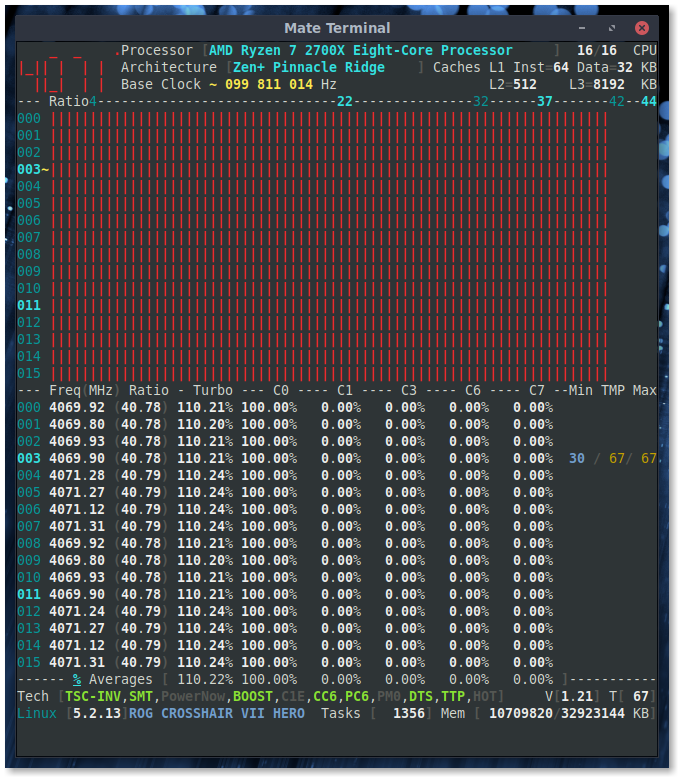
adatum
on 16 Sep 2019
@cyring Looks ok on the 2700X:
Thank you very much
cyring
on 16 Sep 2019
Hello,
Version 1.67, you will get per Core RAPL counters in the view Power & Voltage
Key [$] will toggle Joule and Watt
Thanks for your tests
Regards
cyring
on 12 Oct 2019
I'm not sure that toggling between power and energy is working.
Load:
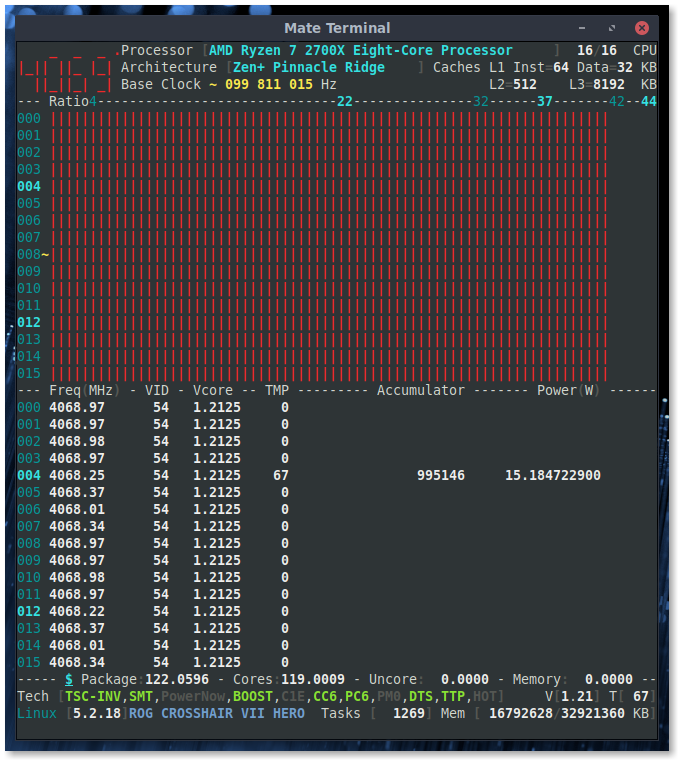
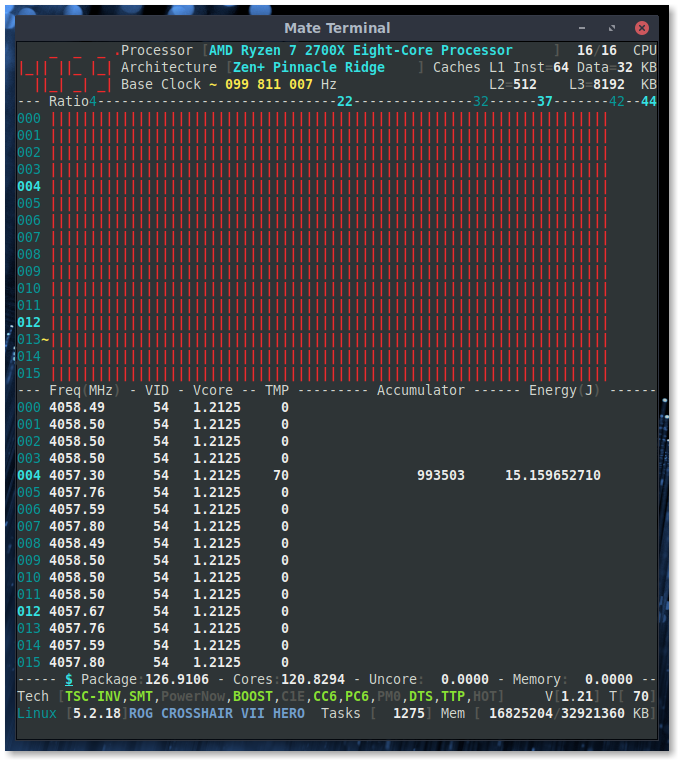
Idle:
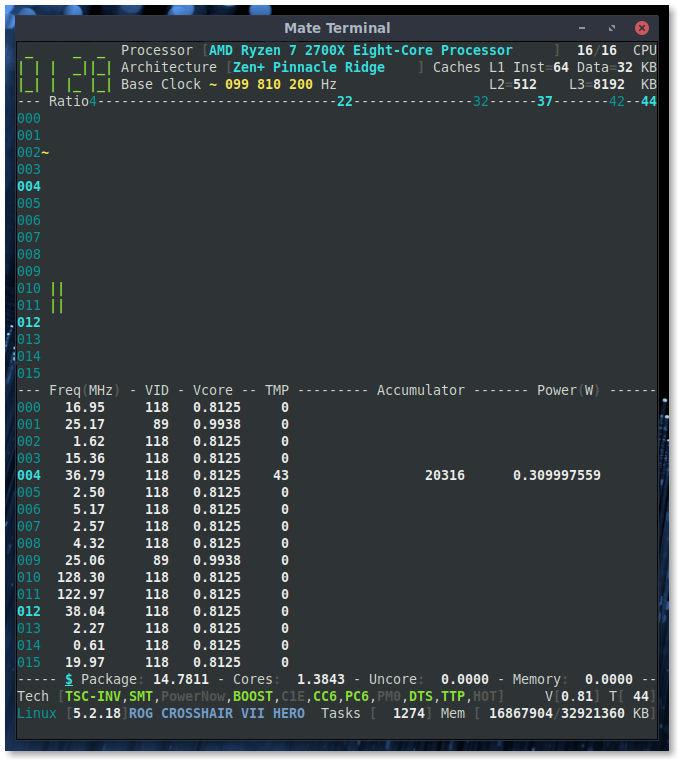
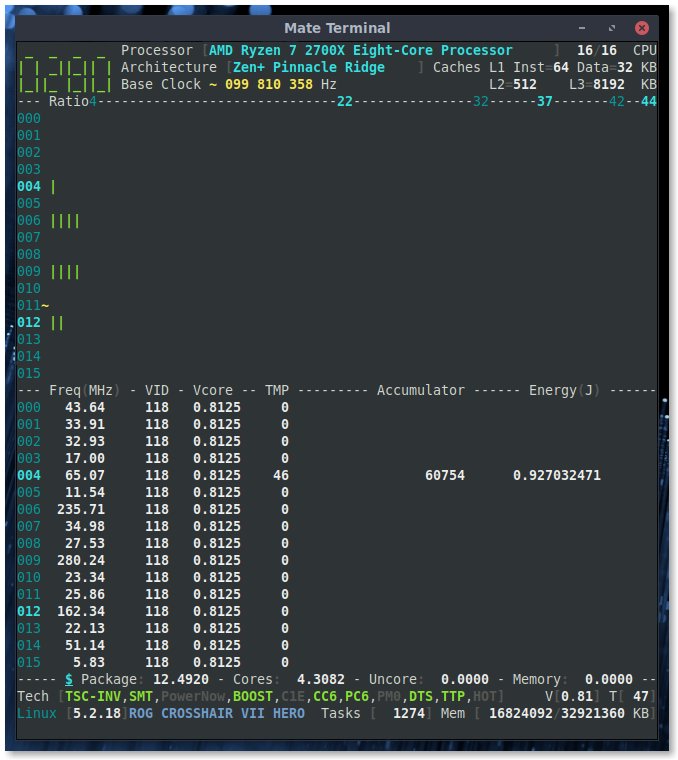
adatum
on 12 Oct 2019
Thanks, I see my mistakes.
- I have made the opposite for Zen: should be an accumulator per Core.
- Joule is indeed wrong: regression error.
I'll come back shortly with fixes.
cyring
on 12 Oct 2019
I push a fix to verify values for all Core accus.
This fix does not mask the zero TMP and unbound Vcore yet...tbc
Joule and Watt make the same for 1 second but will differ when you change the Interval in the Settings menu.
cyring
on 13 Oct 2019
Energy and Power still look the same to me, including after changing the interval to 0.5s.
There's a regression in the temperature reading. Looks like a factor of 2.
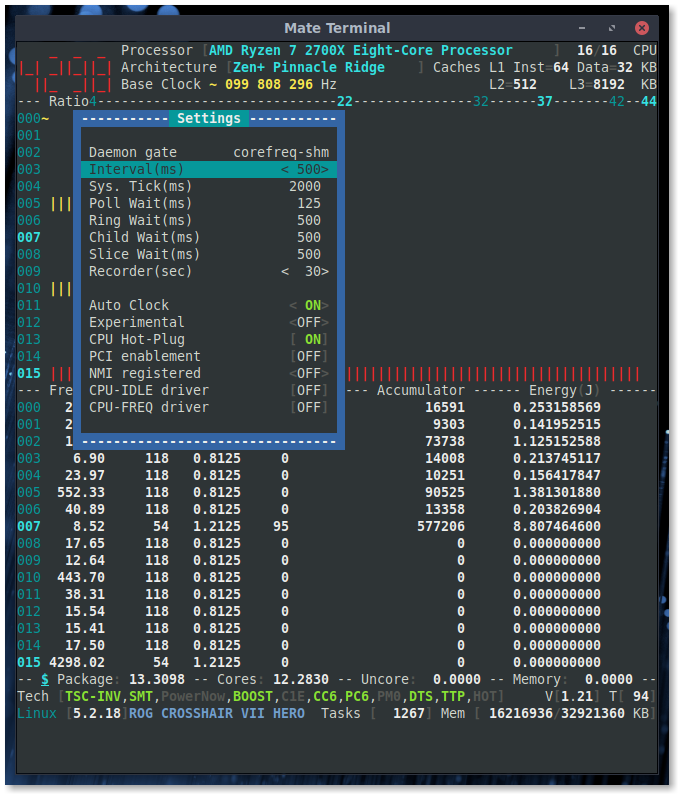
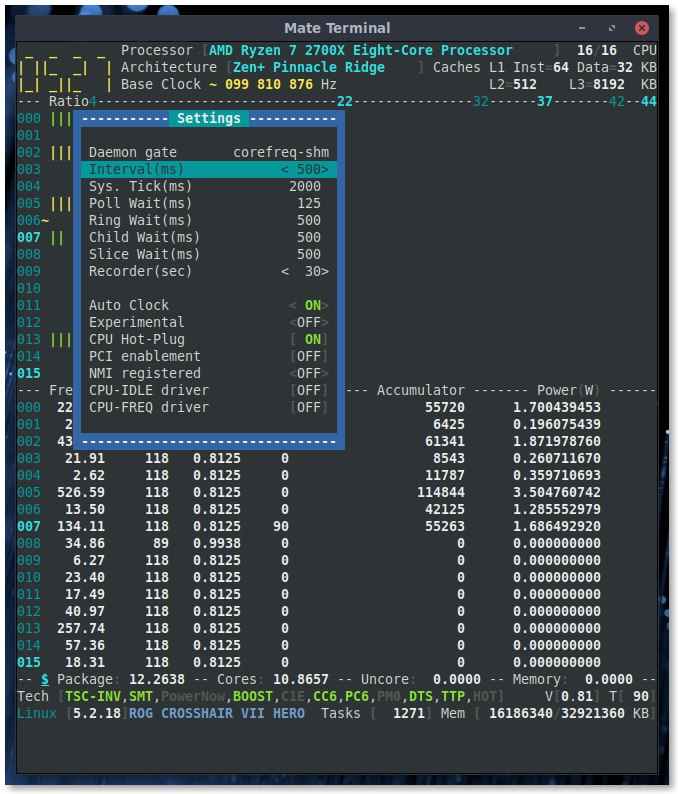
adatum
on 13 Oct 2019
Thks.
With all these architecture differences, it becomes tricky to add new features ... I may refactor all these switches for something easier to maintain...
About temperature, do you confirm it is Celsius ?
If Key [F] is pressed, it will toggle to Fahrenheit
cyring
on 13 Oct 2019
The temperature changed to the "regression" after changing the interval. Setting it back to 1s doesn't restore the correct temperature reading. Using [K] Key makes it worse: quite sure the cpu isn't at 200 degrees Fahrenheit or Celsius! :grin:
adatum
on 13 Oct 2019
Do you have any other driver which is writing to the SMU registers, such as k10temp ? CoreFreq claims an exclusive access to the hardware.
cyring
on 13 Oct 2019
Update version 1.67.2: RAPL is restored to the previous code.
UI will show global values (Package, Cores) and zeros for per Core Accus.
Please test full stressed CPUs.
cyring
on 13 Oct 2019
Yes, I've always had k10temp and asus_wmi_sensors. I tested again after removing them with modprobe -r but the result is still the same.
I also tested with v1.67.2 and the issue is again present. Changing the interval alters the temperature reading by about a factor of two.
There is also an asus_wmi module but modprobe would not remove it, reporting that it is in use. I'm not sure if the wmi modules interfere though.
Confirmed, 1.67.2 shows global Package, Cores values in the status bar area and zeros for per core Accumulator and Power/Energy.
adatum
on 13 Oct 2019
I believe this issue was here since a while.
Here is the function reading the sensor:
https://github.com/cyring/CoreFreq/blob/18ab2cbbe41ed6dd5e692e3176b70e5fec2b8bd9/corefreqk.c#L6341
The SMU has first to be written to select one of its registers, then immediately after, read to get the target register value, the sensor.
Because of its _switch_ nature, the SMU will behave badly if requested by multiple driver.
Kernel is providing a protected SMU access for k10temp but my attempt to use it just freeze the system...
I have not idea yet about the relation between the sampling interval and the SMU collect, and I wonder if lowering time to 2 seconds reduces value by 2 ?
cyring
on 14 Oct 2019
I wonder if lowering time to 2 seconds reduces value by 2 ?
I tried both decreasing (0.5s, 0.75s) and increasing (1.5s, 2s) the interval, but it made no difference to the resulting ~2X change to temperature values. Also, returning to 1s interval does not restore normal readings.
Kernel is providing a protected SMU access for k10temp but my attempt to use it just freeze the system...
I'm not sure what if anything is different in my setup, but k10temp and CoreFreq running simultaneously does not crash my system. Interesting... I can provide you the output of lsmod if you like.
adatum
on 14 Oct 2019
I will ask for a Ryzen 3000 test to check if we have the same side effects
cyring
on 14 Oct 2019
So tests have been made with X570 + 3600X and the issue did not happen.
Could it be hardware changes or SMU drivers conflict, it's not easy to debug.
cyring
on 14 Oct 2019
Hello,
Could you update to the latest version and test again RAPL per Core
Test instructions and your comments in this thread
Thank you
cyring
on 14 Oct 2019
In latest release, you should read:
N/Ainstead ofNaNfor the out-of-range values, such as in the OC viewMissingwill also display when some values are resolving to zero, b/c registers are not available, such as the AMDTDP
cyring
on 10 Nov 2019
N/A instead of NaN for the out-of-range values, such as in the OC view
Could you remind me where to find the OC view?
Missing will also display when some values are resolving to zero, b/c registers are not available, such as the AMD TDP
Confirmed:
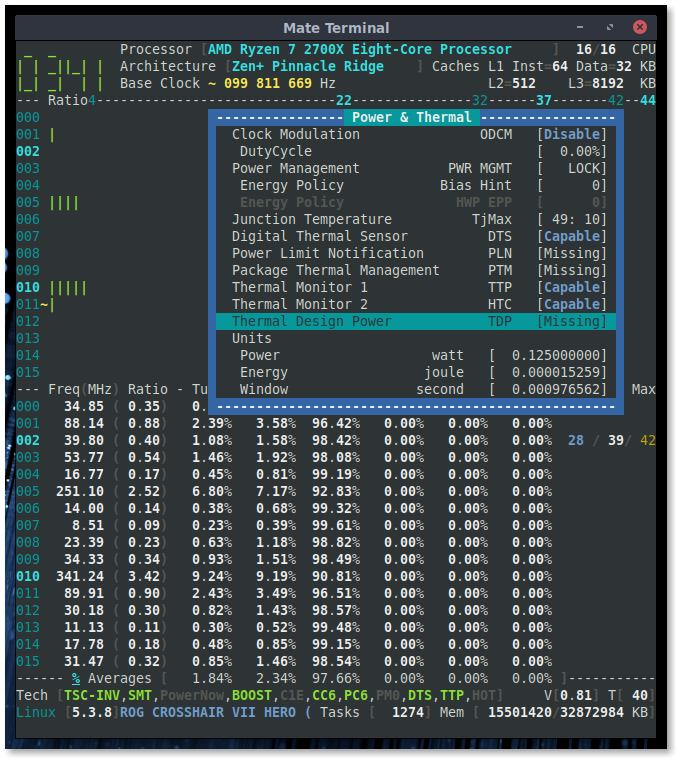
adatum
on 10 Nov 2019
- Enable the Experimental mode in Settings menu
- Open Processor window, then go to one Turbo row
- If the ratio is surrounded by
<>, press Enter to open the OC window
cyring
on 10 Nov 2019
Thanks, it's been a while. :)
No N/A or NaN values, but here is the image anyway. Note however that the temperature reading became incorrect when Experimental mode was turned on.
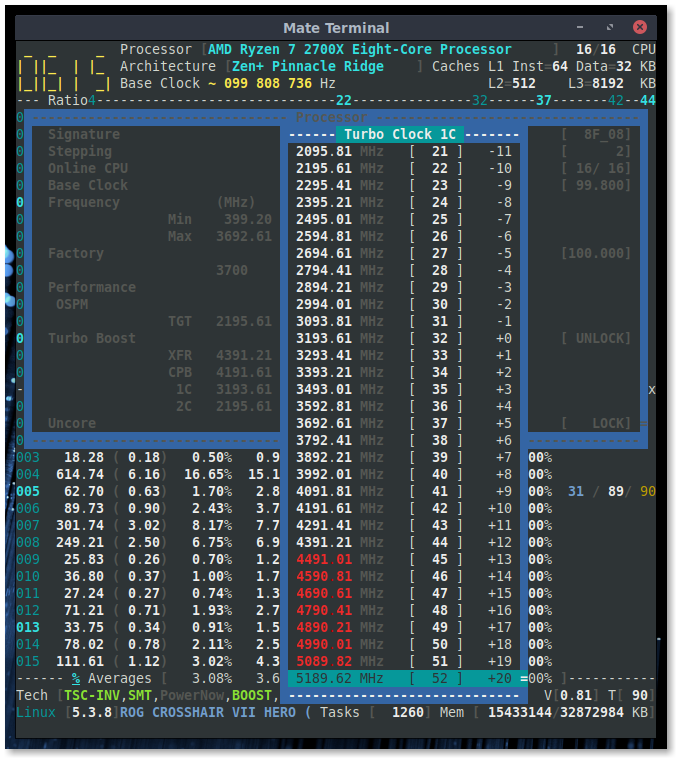
adatum
on 10 Nov 2019
- Thank you for your confirmed screenshots
- I will verify code for the Experimental side effect but I wonder if it is not just a coincidence with other driver claiming the sensor, such as lm_sensors ?
cyring
on 10 Nov 2019
I will verify code for the Experimental side effect but I wonder if it is not just a coincidence with other driver claiming the sensor, such as lm_sensors ?
Possible, but I don't think this side effect was present before. Not sure if it's coincidence, but notice that the temperature reading is again roughly 2X of what it should be.
adatum
on 10 Nov 2019
What I'm sure is that my driver is writing a SMU register to switch to the sensor register, every interval. If other driver is doing the same, lm_sensors through kernel does it, then there is a SMU access conflict ; temperature is thus wrong.
I've send testing code to a Zen user, but it crashed kernel.
Other attempts have to be made to use kernel API, if you are OK to try them ?
cyring
on 10 Nov 2019
Other attempts have to be made to use kernel API, if you are OK to try them ?
I'm not familiar with this. How safe or intrusive would it be?
Would it help to check for the Experimental side effect after unloading potentially conflicting kernel modules?
adatum
on 10 Nov 2019
Other attempts have to be made to use kernel API, if you are OK to try them ?
I'm not familiar with this. How safe or intrusive would it be?
Would it help to check for the Experimental side effect after unloading potentially conflicting kernel modules?
No safe at all.
Experimental code has been first tested in this issue, but it has crashed.
Today, I'm revisiting this code and I'm noticing that a NULL pointer was not checked before passing to kernel. The CoreFreq archive bellow, contains the fix, but I can't guarantee it won't crash.
If you are ok to test, save and close all your files before loading the driver.
CoreFreq_16799.tar.gz
cyring
on 11 Nov 2019
I tested CoreFreq 1.67.99 according to your instructions at https://github.com/cyring/CoreFreq/issues/145#issuecomment-534208820 (which is what I normally do anyway). No crash, and the temperature reading changed to an inaccurate value roughly double the real one, as before, upon enabling Experimental mode.
In case it helps, here is the output of lsmod:
Module                  Size  Used by
nls_utf8               16384  0
isofs                  49152  0
uas                    28672  0
usb_storage            77824  1 uas
loop                   36864  0
nf_conntrack_netbios_ns    16384  1
nf_conntrack_broadcast    16384  1 nf_conntrack_netbios_ns
ccm                    20480  6
xt_CHECKSUM            16384  1
xt_MASQUERADE          20480  3
nf_nat_tftp            16384  0
nf_conntrack_tftp      20480  3 nf_nat_tftp
xt_CT                  16384  3
tun                    57344  1
bridge                208896  0
stp                    16384  1 bridge
llc                    16384  2 bridge,stp
rfcomm                 90112  4
ip6t_REJECT            16384  12
nf_reject_ipv6         20480  1 ip6t_REJECT
ip6t_rpfilter          16384  1
ipt_REJECT             16384  5
nf_reject_ipv4         16384  1 ipt_REJECT
xt_conntrack           16384  47
ebtable_nat            16384  1
ebtable_broute         16384  1
ip6table_nat           16384  1
ip6table_mangle        16384  1
ip6table_raw           16384  1
ip6table_security      16384  1
iptable_nat            16384  1
nf_nat                 49152  4 ip6table_nat,nf_nat_tftp,iptable_nat,xt_MASQUERADE
iptable_mangle         16384  1
iptable_raw            16384  1
iptable_security       16384  1
nf_conntrack          159744  8 xt_conntrack,nf_nat,nf_conntrack_tftp,nf_conntrack_netbios_ns,nf_nat_tftp,nf_conntrack_broadcast,xt_CT,xt_MASQUERADE
nf_defrag_ipv6         24576  1 nf_conntrack
nf_defrag_ipv4         16384  1 nf_conntrack
libcrc32c              16384  2 nf_conntrack,nf_nat
ip_set                 53248  0
nfnetlink              16384  1 ip_set
ebtable_filter         16384  1
ebtables               40960  3 ebtable_nat,ebtable_filter,ebtable_broute
ip6table_filter        16384  1
ip6_tables             32768  7 ip6table_filter,ip6table_raw,ip6table_nat,ip6table_mangle,ip6table_security
iptable_filter         16384  1
cmac                   16384  4
bnep                   28672  2
sunrpc                462848  1
vfat                   20480  1
fat                    86016  1 vfat
nvidia_drm             57344  10
nvidia_modeset       1126400  19 nvidia_drm
nvidia_uvm           1032192  0
nvidia              19558400  773 nvidia_uvm,nvidia_modeset
btusb                  57344  0
btrtl                  24576  1 btusb
btbcm                  16384  1 btusb
btintel                28672  1 btusb
bluetooth             626688  31 btrtl,btintel,btbcm,bnep,btusb,rfcomm
snd_hda_codec_hdmi     65536  1
snd_usb_audio         274432  2
snd_hda_codec_realtek   126976  1
ecdh_generic           16384  1 bluetooth
snd_usbmidi_lib        40960  1 snd_usb_audio
snd_rawmidi            45056  1 snd_usbmidi_lib
uvcvideo              114688  0
videobuf2_vmalloc      20480  1 uvcvideo
videobuf2_memops       20480  1 videobuf2_vmalloc
videobuf2_v4l2         28672  1 uvcvideo
videobuf2_common       57344  2 videobuf2_v4l2,uvcvideo
videodev              237568  3 videobuf2_v4l2,uvcvideo,videobuf2_common
snd_hda_codec_generic    94208  1 snd_hda_codec_realtek
mc                     61440  5 videodev,snd_usb_audio,videobuf2_v4l2,uvcvideo,videobuf2_common
joydev                 28672  0
ledtrig_audio          16384  2 snd_hda_codec_generic,snd_hda_codec_realtek
ecc                    32768  1 ecdh_generic
snd_hda_intel          53248  9
snd_hda_codec         159744  4 snd_hda_codec_generic,snd_hda_codec_hdmi,snd_hda_intel,snd_hda_codec_realtek
eeepc_wmi              16384  0
rtwpci                 24576  0
edac_mce_amd           32768  0
rtw88                 421888  1 rtwpci
drm_kms_helper        212992  1 nvidia_drm
asus_wmi               36864  1 eeepc_wmi
snd_hda_core          102400  5 snd_hda_codec_generic,snd_hda_codec_hdmi,snd_hda_intel,snd_hda_codec,snd_hda_codec_realtek
kvm_amd               106496  0
snd_hwdep              16384  2 snd_usb_audio,snd_hda_codec
kvm                   765952  1 kvm_amd
snd_seq                86016  0
mac80211              974848  2 rtwpci,rtw88
drm                   512000  13 drm_kms_helper,nvidia_drm
irqbypass              16384  1 kvm
sparse_keymap          16384  1 asus_wmi
k10temp                16384  0
snd_seq_device         16384  2 snd_seq,snd_rawmidi
i2c_piix4              28672  0
ipmi_devintf           20480  0
video                  49152  1 asus_wmi
snd_pcm               118784  6 snd_hda_codec_hdmi,snd_hda_intel,snd_usb_audio,snd_hda_codec,snd_hda_core
snd_timer              40960  3 snd_seq,snd_pcm
snd                    98304  33 snd_hda_codec_generic,snd_seq,snd_seq_device,snd_hda_codec_hdmi,snd_hwdep,snd_hda_intel,snd_usb_audio,snd_usbmidi_lib,snd_hda_codec,snd_hda_codec_realtek,snd_timer,snd_pcm,snd_rawmidi
soundcore              16384  1 snd
cfg80211              835584  2 mac80211,rtw88
rfkill                 28672  7 asus_wmi,bluetooth,cfg80211
libarc4                16384  1 mac80211
wmi_bmof               16384  0
ipmi_msghandler        73728  2 ipmi_devintf,nvidia
gpio_amdpt             20480  0
gpio_generic           16384  1 gpio_amdpt
acpi_cpufreq           28672  0
vboxpci                28672  0
vboxnetadp             28672  0
vboxnetflt             32768  0
binfmt_misc            24576  1
vboxdrv               503808  3 vboxpci,vboxnetadp,vboxnetflt
ip_tables              32768  5 iptable_filter,iptable_security,iptable_raw,iptable_nat,iptable_mangle
dm_crypt               53248  1
hid_logitech_hidpp     45056  0
crct10dif_pclmul       16384  1
igb                   249856  0
crc32_pclmul           16384  0
crc32c_intel           24576  5
dca                    16384  1 igb
ghash_clmulni_intel    16384  0
ccp                    98304  1 kvm_amd
i2c_algo_bit           16384  1 igb
hid_logitech_dj        28672  0
pinctrl_amd            32768  0
mxm_wmi                16384  0
fuse                  139264  5
i2c_dev                24576  0
asus_wmi_sensors       20480  0
wmi                    36864  4 asus_wmi_sensors,asus_wmi,wmi_bmof,mxm_wmi
Thanks. So It is possible to have k10temp and CoreFreq share the access to the sensor.
- Can you run some script which loops around lm_sensors to display its temperature output in the meantime of CoreFreq ?
- Even if inaccurate, are they reporting the same temperature value ?
- Don't you have any CoreFreq warnings in the Kernel log ?
cyring
on 11 Nov 2019
- No CoreFreq errors or warnings in
journalctl -k - The reported temperatures are the same with Experimental = OFF, but different after turning ON
- Screenshots of CoreFreq and
watch -n1 sensorsrunning simultaneously:
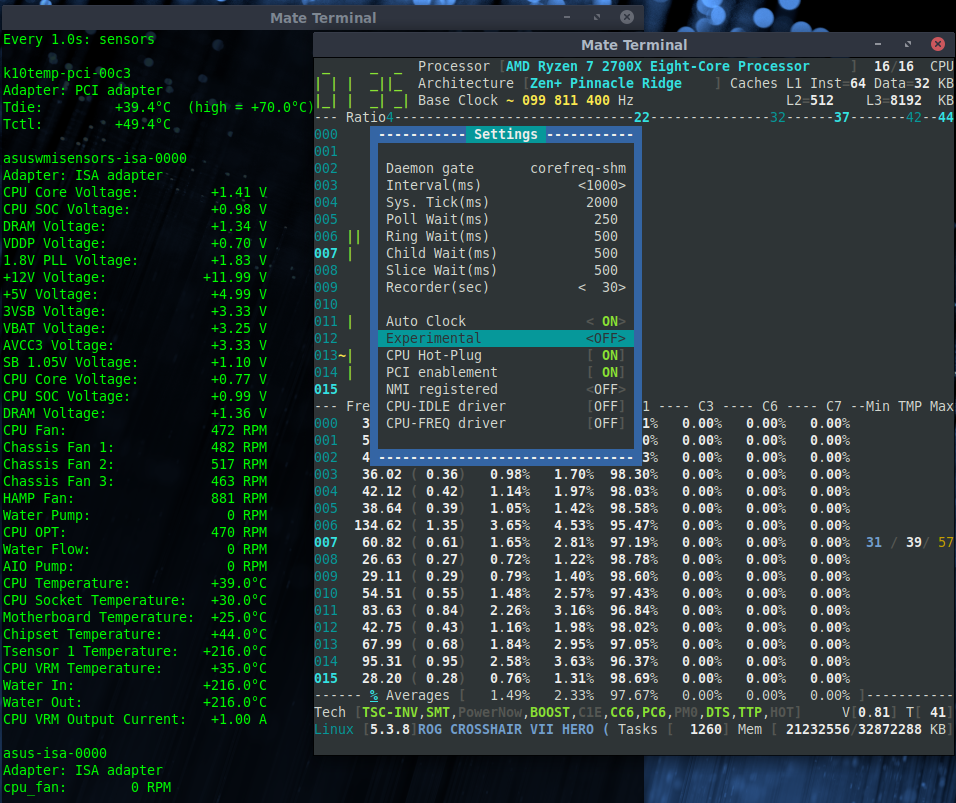
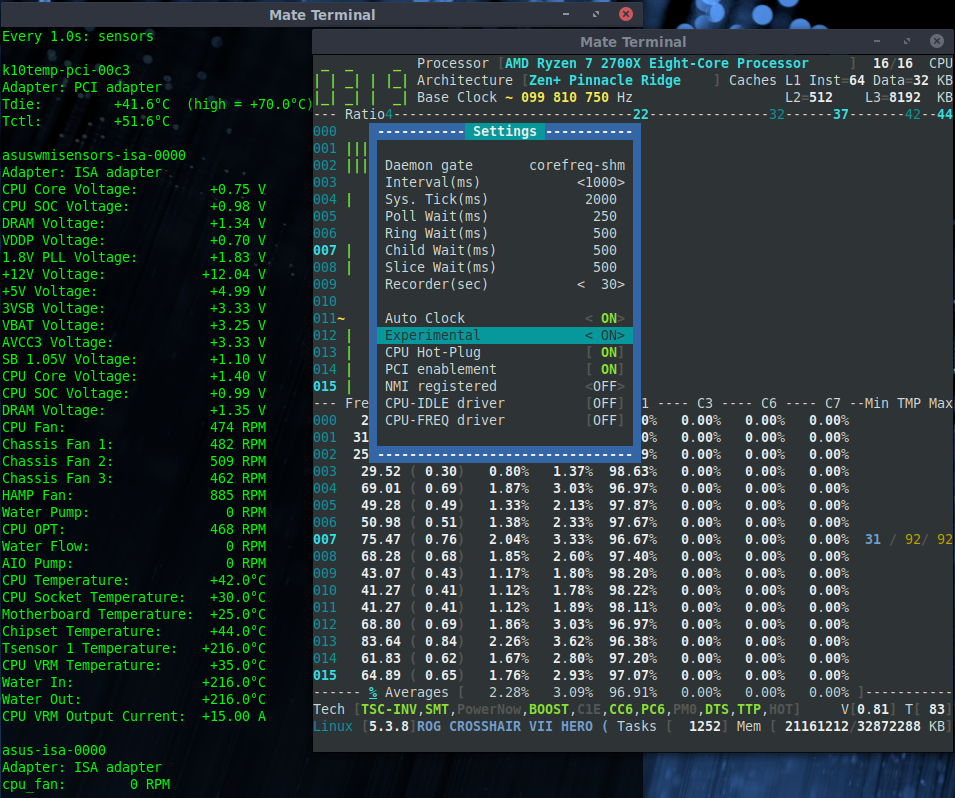
adatum
on 11 Nov 2019
Very helpful screenshots. Thank you.
- Let's try to assign once the device (_in case toggling Experimental change the pointer_).
- Edit source file
corefreqk.c - Replace function
AMD_17h_IF, around line 3149 , with the following code
static PCI_CALLBACK AMD_17h_IF(struct pci_dev *dev)
{
    if (Proc->Uncore.Bus.ZenIF_dev == NULL) {
        Proc->Uncore.Bus.ZenIF_dev = dev;
    }
    return(0);
}
- Rebuild all
make clean all - Restart tests
Thank you
cyring
on 11 Nov 2019
I tried the above. The results are the same.
However, I found that it is not the state of Experimental that matters, but rather the toggling creates the side effect of inaccurate temperature readings.
Running CoreFreq the first time, the readings are ok. Then toggling to Experimental=ON results in wrong temps. Closing corefreq-cli and restarting it still shows wrong temps. After closing corefreq-cli and corefreqd, then restarting both without unloading/reloading the corefreqk.ko, the Experimental value remains ON but the temps are correct. Toggling to OFF this time results in wrong temps again.
If you recall, I had earlier reported such an artifact with temperatures when toggling some other settings (sorry I forget which) with other tests we did a few weeks ago. Also, someone else with a Ryzen (3000 series?) CPU had been unable to reproduce the issue.
adatum
on 11 Nov 2019
Great analysis. I'm gonna review the Daemon.
cyring
on 11 Nov 2019
Fyi, all code above is released. To make use of the kernel SMU API, build with:
make FEAT_DBG=2 clean all
You will read messages among the build which confirm the API usage.
The Experimental issue has not be debugged yet...
cyring
on 11 Nov 2019
About the Experimental side effect, are you getting the same issue when:
- Press
}to stop _CoreFreq_' machine - Press
{to start machine
cyring
on 21 Nov 2019
Yes.
adatum
on 21 Nov 2019
Right after stop / start the machine, if you disable or enable CPB, do you get the temperature back ?
cyring
on 21 Nov 2019
No
adatum
on 21 Nov 2019
I presume the TjMax has been overridden.
Can you please do the followings:
- Build with
make FEAT_DBG=0 clean all(to stay with original algorithm) - Screenshot the
Power & Thermalwindow (to show the TjMax) .wis the shortcut of this window. - STOP then START machine
- Screenshot again the
Power & Thermalwindow
cyring
on 21 Nov 2019
You're right, a value changes for TjMax (before 49:10 -> after 0:10)
Before:
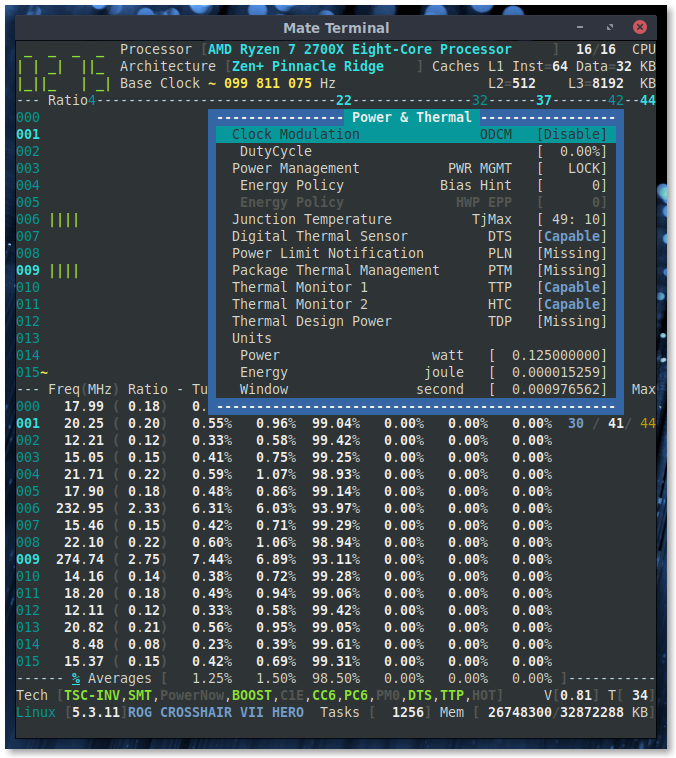
After:
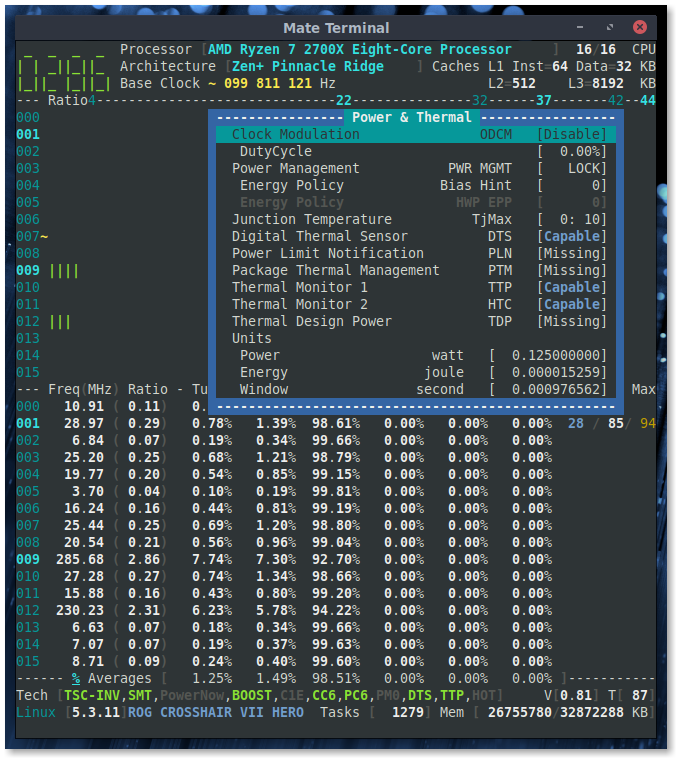
adatum
on 21 Nov 2019
Very helpful, thank you.
I see where I've mess with the TjMax up.
cyring
on 21 Nov 2019
Fyi, I don't see this AMD driver in the mainstream kernel yet, but to my understanding, those _CPPC optional registers_ are coming from the ACPI space.
I believe it will somewhat work like the Intel Hardware-Controlled Performance States (HWP)
cyring
on 21 Nov 2019
Can you please replace the function Core_AMD_Family_17h_Temp
https://github.com/cyring/CoreFreq/blob/62a3a75581024e93ddb04a4f3477728ee66678cb/corefreqk.c#L6542
with this code:
void Core_AMD_Family_17h_Temp(CORE *Core)
{
    TCTL_REGISTER TctlSensor = {.value = 0};
#if (FEAT_DBG > 1) && (LINUX_VERSION_CODE >= KERNEL_VERSION(4, 10, 0))
FEAT_MSG("Compiling:Function:Core_AMD_Family_17h_Temp(amd_smn_read)")
    if (KPrivate->ZenIF_dev != NULL)
    {
    if (amd_smn_read(amd_pci_dev_to_node_id(KPrivate->ZenIF_dev),
            SMU_AMD_THM_TCTL_REGISTER_F17H, &TctlSensor.value))
    {
        pr_warn("CoreFreq: Failed to read TctlSensor\n");
    }
    } else {
        pr_warn("CoreFreq: No AMD Family 17h probed device\n");
    }
#else
    Core_AMD_SMN_Read(Core ,    TctlSensor,
                    SMU_AMD_THM_TCTL_REGISTER_F17H,
                    SMU_AMD_INDEX_REGISTER_F17H,
                    SMU_AMD_DATA_REGISTER_F17H);
#endif
    Core->PowerThermal.Sensor = TctlSensor.CurTmp;

    if (TctlSensor.CurTempRangeSel == 1)
    {
    /* Register: SMU::THM::THM_TCON_CUR_TMP - Bit 19: CUR_TEMP_RANGE_SEL
        0 = Report on 0C to 225C scale range.
        1 = Report on -49C to 206C scale range.
    */
        Core->PowerThermal.Param.Offset[1] = 49;
    } else {
        Core->PowerThermal.Param.Offset[1] = 49;
    }
}
- Rebuild and stop/start machine.
Does it make a difference ?
cyring
on 21 Nov 2019
No, and the TjMax value still went from 49:10 to 0:10 in Power & Thermal.
adatum
on 22 Nov 2019
Can you rollback
Core_AMD_Family_17h_Tempto original code at:
https://github.com/cyring/CoreFreq/blob/62a3a75581024e93ddb04a4f3477728ee66678cb/corefreqk.c#L6542Next replace
PerCore_AMD_Family_17h_Query
https://github.com/cyring/CoreFreq/blob/62a3a75581024e93ddb04a4f3477728ee66678cb/corefreqk.c#L5627
with this code:
static void PerCore_AMD_Family_17h_Query(void *arg)
{
    CORE *Core = (CORE*) arg;

    SystemRegisters(Core);

    AMD_Microcode(Core);

    Dump_CPUID(Core);

    BITSET_CC(LOCKLESS, Proc->ODCM_Mask , Core->Bind);
    BITSET_CC(LOCKLESS, Proc->PowerMgmt_Mask, Core->Bind);
    BITSET_CC(LOCKLESS, Proc->SpeedStep_Mask, Core->Bind);

    BITSET_CC(LOCKLESS, Proc->C3A_Mask  , Core->Bind);
    BITSET_CC(LOCKLESS, Proc->C1A_Mask  , Core->Bind);
    BITSET_CC(LOCKLESS, Proc->C3U_Mask  , Core->Bind);
    BITSET_CC(LOCKLESS, Proc->C1U_Mask  , Core->Bind);

    BITSET_CC(LOCKLESS, Proc->SPEC_CTRL_Mask, Core->Bind);
    BITSET_CC(LOCKLESS, Proc->ARCH_CAP_Mask , Core->Bind);

    Query_AMD_Zen(Core);
}
- Finally test again
cyring
on 22 Nov 2019
Good news and bad news. Stopping/starting the CoreFreq machine no longer has the temperature glitch, but the reported temperature is now Tctl instead of Tdie.
adatum
on 22 Nov 2019
Reviewing code again and all changes above just break the whole algorithm.
Coming back to the original source, I'm still searching why the -49 offset does not apply in some cases.
This offset is queried from the sensor register. It is specified that this offset bit does not raise up when exceeding certain temperature threshold.
Has the hardware changed since ? Such as new microcode ?
Does another driver is conflicting with a raw SMU access ? such as k10temp through the kernel access ?
cyring
on 22 Nov 2019
Based on original code, you can monitor differently with:
corefreq-cli -c
It will print the raw TS sensor, alongside the computed temperature.
The offset should be refreshed at each interval and shown in the footer lines in TjMax
You will have to apply long idle pauses followed by long stressing sessions to monitor the offset changes.
About the machine update, you can send to the Daemon PID, the SIGUSR1, SIGUSR2 signals to respectively stop, start the tasks collect which should trigger a machine update, while you are monitoring the offset.
cyring
on 22 Nov 2019
There have been no hardware changes since the system was built.
No experimentation with microcode, just the whatever comes with the linux kernel.
The UEFI/BIOS was last upgraded probably more than six months ago.
The loaded kernel modules (including k10temp) have been consistent, same as the lsmod output posted earlier.
When running with corefreq-cli -c, TjMax remains 10C consistently at idle and load. This is as expected, yes?
How should I send signals to the Daemon PID? And is it expected for corefreqd to have two processes and PIDs?
$ pgrep corefreqd
109335
109336
When running with
corefreq-cli -c, TjMax remains 10C consistently at idle and load. This is as expected, yes?
As I found in specs:
    /* Register: SMU::THM::THM_TCON_CUR_TMP - Bit 19: CUR_TEMP_RANGE_SEL
        0 = Report on 0C to 225C scale range.
        1 = Report on -49C to 206C scale range.
    */
So the processor has not encountered the case when sensor is in -49C to 206C scale range. Or the monitoring loop has missed the change during the interval of 1 sec.
How should I send signals to the Daemon PID? And is it expected for
corefreqdto have two processes and PIDs?
I should have warned you that the Daemon is split in 2 processes.
Signals have to be sent to the Parent corefreqd-pmgr
# ps -e|grep corefreqd
   1600 ---    00:01:02 corefreqd-pmgr
   1601 ---    00:00:26 corefreqd-cmgr
# kill -s USR2 1600 # SysGate is OFF
# kill -s USR1 1600 # SysGate is ON
I'm still looking for a solution to his bug ...
cyring
on 22 Nov 2019
With corefreq-cli -c running I have tried both
sudo kill -s USR1 $(pgrep corefreqd-pmgr)
sudo kill -s USR2 $(pgrep corefreqd-pmgr)
but I see no effect. The values continue to update. Am I missing something?
adatum
on 22 Nov 2019
With
corefreq-cli -crunning I have tried bothsudo kill -s USR1 $(pgrep corefreqd-pmgr)
sudo kill -s USR2 $(pgrep corefreqd-pmgr)but I see no effect. The values continue to update. Am I missing something?
It doesn't stop counters but restart the tasks collect and I was expecting it will trigger an update. But looking code, it won't.
Only the UI can, through a few shortcuts like toggling Experimental, CPB, Stop/Start
We couldn't reproduce the issue with a Zen 3000
cyring
on 23 Nov 2019
Stand-by, I got it with Intel where TjMax is missing...
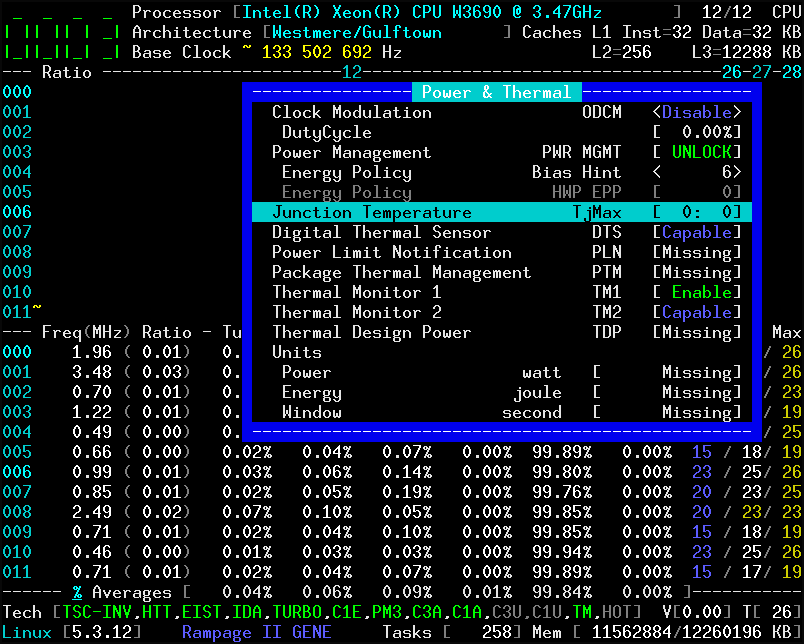
cyring
on 23 Nov 2019
The mystery gets more mysterious...
So you reproduced the glitch on an Intel W3690, but not on an AMD 3600X. But on the Intel the temperature still looks correct. What a twist.
adatum
on 23 Nov 2019
The mystery gets more mysterious...
So you reproduced the glitch on an Intel W3690, but not on an AMD 3600X. But on the Intel the temperature still looks correct. What a twist.
kernel has been upgraded to 5.3.12 and I'm experimenting the boot options init_on_free=0 init_on_alloc=0 to avoid zeroing any slab memory allocations.
Yesterday I got a hard crash 8-|
cyring
on 23 Nov 2019
Can you try with this change:
https://github.com/cyring/CoreFreq/blob/62a3a75581024e93ddb04a4f3477728ee66678cb/corefreqd.c#L3393
    Shm->Cpu[cpu].PowerThermal.Param.Target =
                    Core[cpu]->PowerThermal.Param.Target;
Same temperature glitch and TjMax result after stopping/starting the CoreFreq machine:
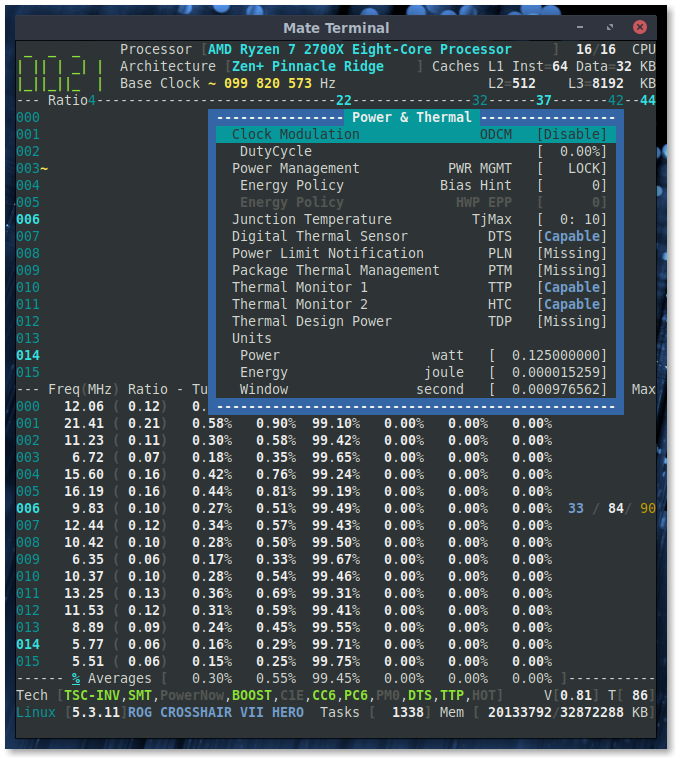
adatum
on 23 Nov 2019
What is sure is that the offset of -49 is lost somewhere: 84 - 49 = 35°C
I just push _CoreFreq_ 1.69.2 which now auto updates the TjMax in the Power & Thermal window.
It may help to monitor when the offset ceases to show up.
Edit: when your test encounters the issue, can you reduce the interval down to minimum to try catching the offset. The interval is in the Settings menu.
cyring
on 23 Nov 2019
What is sure is that the offset of -49 is lost somewhere: 84 - 49 = 35°C
That makes perfect sense.
CoreFreq 1.69.2 which now auto updates the TjMax in the Power & Thermal window.
It may help to monitor when the offset ceases to show up.
What do you mean to monitor? The offset disappears immediately after certain changes like stopping/starting the CoreFreq machine.
when your test encounters the issue, can you reduce the interval down to minimum to try catching the offset. The interval is in the Settings menu.
Incidentally, changing the interval also causes the offset issue. :P I'm still not sure how the interval (100ms?) will help.
adatum
on 23 Nov 2019
Incidentally, changing the interval also causes the offset issue. :P I'm still not sure how the interval (100ms?) will help.
There's only one location where the offset is queried:
https://github.com/cyring/CoreFreq/blob/2e5dd21ed2bf30347d4a6e3d32e4e380731547af/corefreqk.c#L6565
I'm just wondering if during the default interval on 1 second, the driver does not miss this reading.
cyring
on 23 Nov 2019
Oh, I see. Changing the interval to 100ms did not help.
I started the daemon and UI, changed interval to 100ms which caused the offset glitch, then closed the UI and daemon and restarted them so that the offset was present. Now with the interval at 100ms, stopping/starting the CoreFreq machine still caused the offset glitch.
adatum
on 23 Nov 2019
Thanks for this.
So it has to be in the Daemon.
cyring
on 23 Nov 2019
Hello,
Can you try these changes:
- comment this line:
https://github.com/cyring/CoreFreq/blob/2e5dd21ed2bf30347d4a6e3d32e4e380731547af/corefreqd.c#L3393
/* Shm->Cpu[cpu].PowerThermal.Param = Core[cpu]->PowerThermal.Param; */
- replace with these lines
https://github.com/cyring/CoreFreq/blob/2e5dd21ed2bf30347d4a6e3d32e4e380731547af/corefreqd.c#L409
    /* Per Core, evaluate thermal properties.           */
    Cpu->PowerThermal.Param = Core->PowerThermal.Param;
    CFlip->Thermal.Sensor = Core->PowerThermal.Sensor;
    CFlip->Thermal.Events = Core->PowerThermal.Events;
- rebuild and test the issue
Thank you
cyring
on 23 Nov 2019
The modified code fails to compile:
corefreqd.c:3396:2: error: ‘Cpu’ undeclared (first use in this function); did you mean ‘cpu’?
 3396 |  Cpu->PowerThermal.Param = Core->PowerThermal.Param;
      |  ^~~
      |  cpu
corefreqd.c:3396:2: note: each undeclared identifier is reported only once for each function it appears in
corefreqd.c:3396:32: error: ‘*Core’ is a pointer; did you mean to use ‘->’?
 3396 |  Cpu->PowerThermal.Param = Core->PowerThermal.Param;
      |                                ^~
      |                                ->
corefreqd.c:3397:2: error: ‘CFlip’ undeclared (first use in this function)
 3397 |  CFlip->Thermal.Sensor = Core->PowerThermal.Sensor;
      |  ^~~~~
corefreqd.c:3397:30: error: ‘*Core’ is a pointer; did you mean to use ‘->’?
 3397 |  CFlip->Thermal.Sensor = Core->PowerThermal.Sensor;
      |                              ^~
      |                              ->
corefreqd.c:3398:30: error: ‘*Core’ is a pointer; did you mean to use ‘->’?
 3398 |  CFlip->Thermal.Events = Core->PowerThermal.Events;
      |                              ^~
      |                              ->
make: *** [Makefile:52: corefreqd.o] Error 1
make: *** Waiting for unfinished jobs....
OK, I just push a new version with the fix.
Edit: Version 1.69.3 is available
cyring
on 23 Nov 2019
Oh, now I see you meant for me to change the lines at 409 with your part 2, rather than replace the line at 3393...
Good news: with the latest code, the offset now does not vanish. :+1: I have tried stopping/starting, changing interval, so far so good.
adatum
on 23 Nov 2019
Oh, now I see you meant for me to change the lines at 409 with your part 2, rather than replace the line at 3393...
Good news: with the latest code, the offset now does not vanish. I have tried stopping/starting, changing interval, so far so good.
Hooray! this was such a _tiny_ bug which only concerns the _dynamic_ TjMax of Zen
Thank you again for your support
cyring
on 23 Nov 2019
The tiniest bugs can give the biggest headaches. ;) This one has been buzzing around for some time.
Does this fix also resolve the issue you demonstrated on the W3690?
adatum
on 23 Nov 2019
Does this fix also resolve the issue you demonstrated on the W3690?
I don't believe so, TjMax was a side effect. I also got a full CPU load during that test. Can't reproduce it. Probably the shared memory was not aligned among processes. That's why I had implemented a watermark in it. To be sure Driver, Daemon and Client are based on the same SHM version. For one test, I may have been lazy changing the version...
cyring
on 23 Nov 2019
So the observation on the W3690 was an anomaly?
Also, do you understand why the offset glitch would happen on a 2700X but not on a 3600X?
adatum
on 23 Nov 2019
So the observation on the W3690 was an anomaly?
Really, I can't tell what I've messed up during those builds.
Also, do you understand why the offset glitch would happen on a 2700X but not on a 3600X?
Yep, the offset appears not to change on 3600X, that's why _CoreFreq_ was not de-synchronized
- Attached here is a refactoring to maintain the offset in pair with the sensor. Can you please give a try.
CoreFreq_1694.tar.gz
cyring
on 23 Nov 2019
The fix remains valid on v1.69.4.
Yep, the offset appears not to change on 3600X, that's why CoreFreq was not de-synchronized
Well, that adds to the debugging challenge.
Also note that I still have k10temp and asus-wmi-sensors loaded and in use, so apparently those aren't conflicting with CoreFreq at least in my use case.
adatum
on 23 Nov 2019
Thanks a lot.
cyring
on 23 Nov 2019
Hello,
Last version 1.69.7 now builds with the Kernel function amd_smn_read() to let _CoreFreq_ runs in parallel of k10temp (lm_sensors).
In case if CONFIG_AMD_NB is not included when Kernel was built, corefreqk will build with its own SMU implementation.
Please let me know if you encounter any regressions ?
cyring
on 1 Dec 2019
Looks good. I checked temperature readings, tried a stress test, changed interval, looked at different views, no problems noticed.
adatum
on 1 Dec 2019
_Great ! I was afraid of breaking something_
Thank you.
cyring
on 1 Dec 2019
You're welcome. Better luck breaking something next time. :D
adatum
on 1 Dec 2019
Noticed this with 1.69.7 ..
I'm getting zero-temps and also 'CoreFreq: No AMD Family 17h probed device' in dmesg on the newest 1.69.7 on a Ryzen 3600 .. Tested kernel 5.4.1 and 4.19.87 ..
Different machine with a Ryzen 1600 is showing temperatures properly still.
Never seen this before, and I am constantly in sync and rebuilding against your git-head ...
 chrisleup
on 1 Dec 2019
chrisleup
on 1 Dec 2019
Howdy everybody!
I'm getting zero-temps and also 'CoreFreq: No AMD Family 17h probed device' on the newest 1.69.7 on a Ryzen 3600X .. Different machine with a Ryzen 1600 is showing temperatures properly still.
Never seen this before, and I am constantly in sync and rebuilding against your git-head ...
Can you post the output of corefreq-cli -s
(for better readability, please format the output with Markdown source code)
cyring
on 1 Dec 2019
Apologies also, origninal post I incorrectly said 3600X .. CPU is just a 3600 ..
dmesg/cli -s --
[ 183.282319] CoreFreq(2:8): Processor [ 8F_71] Architecture [Zen2/Matisse] SMT [12/12]
[ 184.282358] CoreFreq: No AMD Family 17h probed device
root@oro:~# corefreq-cli -s
Processor [AMD Ryzen 5 3600 6-Core Processor ]
|- Architecture [Zen2/Matisse]
|- Vendor ID [AuthenticAMD]
|- Microcode [ 141561875]
|- Signature [ 8F_71]
|- Stepping [ 0]
|- Online CPU [ 12/ 12]
|- Base Clock [ 99.810]
|- Frequency (MHz) Ratio
Min 399.24 < 4 >
Max 3593.18 < 36 >
|- Factory [100.000]
3600 [ 36 ]
|- Performance
|- OSPM
TGT 2195.83 < 22 >
|- Turbo Boost [ UNLOCK]
XFR 4291.85 [ 43 ]
CPB 4192.04 [ 42 ]
1C 2794.69 < 28 >
2C 2195.83 < 22 >
|- Uncore [ LOCK]
Instruction Set Extensions
|- 3DNow!/Ext [N/N] ADX [Y] AES [Y] AVX/AVX2 [Y/Y]
|- AVX-512 [N] BMI1/BMI2 [Y/Y] CLFLUSH [Y] CMOV [Y]
|- CMPXCHG8B [Y] CMPXCHG16B [Y] F16C [Y] FPU [Y]
|- FXSR [Y] LAHF/SAHF [Y] MMX/Ext [Y/Y] MONITOR/X[Y/Y]
|- MOVBE [Y] MPX [N] PCLMULQDQ [Y] POPCNT [Y]
|- RDRAND [Y] RDSEED [Y] RDTSCP [Y] SEP [Y]
|- SGX [N] SSE [Y] SSE2 [Y] SSE3 [Y]
|- SSSE3 [Y] SSE4.1/4A [Y/Y] SSE4.2 [Y] SYSCALL [Y]
Features
|- 1 GB Pages Support 1GB-PAGES [Capable]
|- 100 MHz multiplier Control 100MHzSteps [Missing]
|- Advanced Configuration & Power Interface ACPI [Capable]
|- Advanced Programmable Interrupt Controller APIC [Capable]
|- Core Multi-Processing CMP Legacy [Capable]
|- L1 Data Cache Context ID CNXT-ID [Missing]
|- Direct Cache Access DCA [Missing]
|- Debugging Extension DE [Capable]
|- Debug Store & Precise Event Based Sampling DS, PEBS [Missing]
|- CPL Qualified Debug Store DS-CPL [Missing]
|- 64-Bit Debug Store DTES64 [Missing]
|- Fast-String Operation Fast-Strings [Missing]
|- Fused Multiply Add FMA | FMA4 [Capable]
|- Hardware Lock Elision HLE [Missing]
|- Long Mode 64 bits IA64 | LM [Capable]
|- LightWeight Profiling LWP [Missing]
|- Machine-Check Architecture MCA [Capable]
|- Model Specific Registers MSR [Capable]
|- Memory Type Range Registers MTRR [Capable]
|- No-Execute Page Protection NX [Capable]
|- OS-Enabled Ext. State Management OSXSAVE [Capable]
|- Physical Address Extension PAE [Capable]
|- Page Attribute Table PAT [Capable]
|- Pending Break Enable PBE [Missing]
|- Process Context Identifiers PCID [Missing]
|- Perfmon and Debug Capability PDCM [Missing]
|- Page Global Enable PGE [Capable]
|- Page Size Extension PSE [Capable]
|- 36-bit Page Size Extension PSE36 [Capable]
|- Processor Serial Number PSN [Missing]
|- Restricted Transactional Memory RTM [Missing]
|- Safer Mode Extensions SMX [Missing]
|- Self-Snoop SS [Missing]
|- Supervisor-Mode Execution Prevention SMEP [Capable]
|- Time Stamp Counter TSC [Invariant]
|- Time Stamp Counter Deadline TSC-DEADLINE [Missing]
|- Virtual Mode Extension VME [Capable]
|- Virtual Machine Extensions VMX [Missing]
|- Extended xAPIC Support x2APIC [Missing]
|- XSAVE/XSTOR States XSAVE [Capable]
|- xTPR Update Control xTPR [Missing]
Technologies
|- System Management Mode SMM-Lock [ ON]
|- Simultaneous Multithreading SMT [ ON]
|- PowerNow! CnQ [OFF]
|- Core Performance Boost CPB < ON>
|- Virtualization SVM [ ON]
|- I/O MMU AMD-V [OFF]
|- Hypervisor [OFF]
Performance Monitoring
|- Version PM [ 0]
|- Counters: General Fixed
| 6 x 64 bits 3 x 64 bits
|- Enhanced Halt State C1E <OFF>
|- Core C6 State CC6 < ON>
|- Package C6 State PC6 < ON>
|- Frequency ID control FID [ ON]
|- Voltage ID control VID [ ON]
|- P-State Hardware Coordination Feedback MPERF/APERF [ ON]
|- Hardware-Controlled Performance States HWP <OFF>
|- Capabilities (MHz) Ratio
Lowest N/A [ 0 ]
Efficient N/A [ 0 ]
Guaranteed N/A [ 0 ]
Highest N/A [ 0 ]
|- Hardware Duty Cycling HDC [OFF]
|- Package C-State
|- Configuration Control CONFIG [ LOCK]
|- Lowest C-State LIMIT [ 0]
|- I/O MWAIT Redirection IOMWAIT [Disable]
|- Max C-State Inclusion RANGE [ 0]
|- MONITOR/MWAIT
|- State index: #0 #1 #2 #3 #4 #5 #6 #7
|- Sub C-State: 1 1 0 0 0 0 0 0
|- Core Cycles [Capable]
|- Instructions Retired [Capable]
|- Reference Cycles [Capable]
|- Last Level Cache References [Missing]
|- Last Level Cache Misses [Missing]
|- Branch Instructions Retired [Missing]
|- Branch Mispredicts Retired [Missing]
Power & Thermal
|- Clock Modulation ODCM [Disable]
|- DutyCycle [ 0.00%]
|- Power Management PWR MGMT [ LOCK]
|- Energy Policy Bias Hint [ 0]
|- Energy Policy HWP EPP [ 0]
|- Junction Temperature TjMax [ 0: 0]
|- Digital Thermal Sensor DTS [Capable]
|- Power Limit Notification PLN [Missing]
|- Package Thermal Management PTM [Missing]
|- Thermal Monitor 1 TTP [Capable]
|- Thermal Monitor 2 HTC [Capable]
|- Thermal Design Power TDP [Missing]
|- Minimum Power Min [Missing]
|- Maximum Power Max [Missing]
|- Units
|- Power watt [ 0.125000000]
|- Energy joule [ 0.000015259]
|- Window second [ 0.000976562]
For your testings, version 1.69.8 is adding device ids I collected here: STARSHIP, RENOIR, ARIEL, FIREFLIGHT, ARDEN
In case the driver does not probe the current Data Fabric id through Kernel, _CoreFreq_ will fallback to its own SMU implementation (the original solution)
cyring
on 1 Dec 2019
FYI I checked the system log and I do not have any indication of problems with my 2700X, just:
kernel: CoreFreq(6:14): Processor [ 8F_08] Architecture [Zen+ Pinnacle Ridge] SMT [16/16]
I did notice one small issue: the max temperature reading sometimes spikes to a higher, unrealistic value (85C, or 113C, etc). I managed to do this sometimes by changing the interval.
Resetting the max value requires stopping/starting corefreqd.
adatum
on 1 Dec 2019
Don't you have any screenshot of the spike issue?
cyring
on 2 Dec 2019
There's not much to show. Idle temperature is 30-40C. At the moment of changing interval, the TMP jumps to a high value like 86C, which the max temp records, after which the TMP reading comes back to an accurate reading.
Specifically, sometimes immediately after changing the interval at t=0, the temperature reading at t=1 is accurate, at t=2 it spikes, and at t=3+ is accurate again. The temperature at t=2 remains recorded as the max.
Maybe this is still related to the offset issue and its fix.
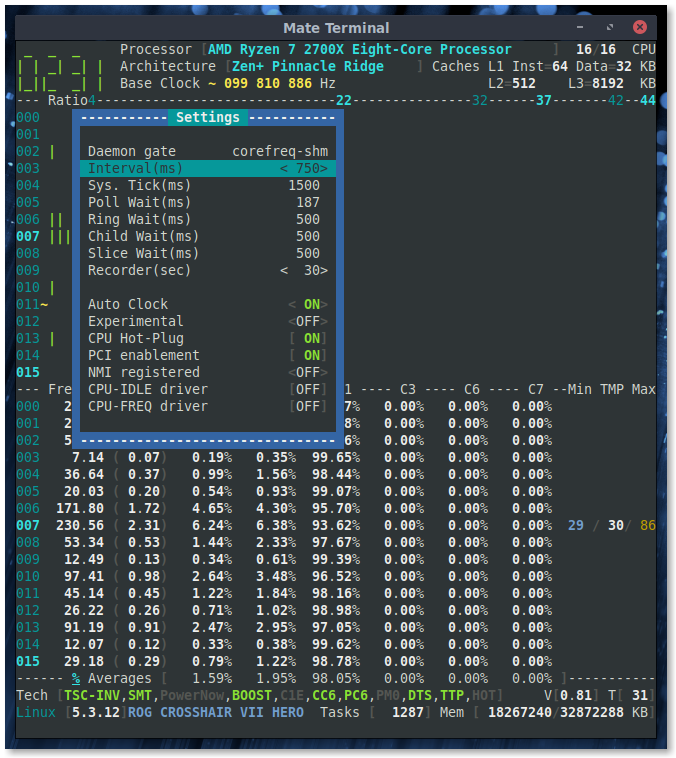
adatum
on 2 Dec 2019
Ah, I thought it was an issue in the Max column only. But in fact the current temperature spikes since the code changed to read the sensor through the Kernel (SMU access)
cyring
on 2 Dec 2019
Yes, the Max column is functioning as expected, based on the TMP values. The issue seems to be a momentary spike in the TMP reading, reminiscent of the offset issue, which then corrects itself after one interval.
adatum
on 2 Dec 2019
OK, I will bring a Makefile option to let user build _CoreFreq_ with my native SMU function (as default) or through the Kernel SMU function (which allows concurrent access with other temperature software)
cyring
on 2 Dec 2019
- Can you replace the folowing function with this code:
https://github.com/cyring/CoreFreq/blob/29cf53b70ffd4f3c5dfe7926216c7ea11ed2dfdb/corefreqk.c#L6540
void Core_AMD_Family_17h_Temp(CORE *Core)
{
    TCTL_REGISTER TctlSensor = {.value = 0};

    Core_AMD_SMN_Read(Core ,    TctlSensor,
                    SMU_AMD_THM_TCTL_REGISTER_F17H,
                    SMU_AMD_INDEX_REGISTER_F17H,
                    SMU_AMD_DATA_REGISTER_F17H);

    Core->PowerThermal.Sensor = TctlSensor.CurTmp;

    if (TctlSensor.CurTempRangeSel == 1)
    {
    /* Register: SMU::THM::THM_TCON_CUR_TMP - Bit 19: CUR_TEMP_RANGE_SEL
        0 = Report on 0C to 225C scale range.
        1 = Report on -49C to 206C scale range.
    */
        Core->PowerThermal.Param.Offset[1] = 49;
    } else {
        Core->PowerThermal.Param.Offset[1] = 0;
    }
}
- Then rebuild and reload all
- Test for any value spikes
Thank you.
cyring
on 2 Dec 2019
I was still able to reproduce spikes with the above modification.
adatum
on 2 Dec 2019
Tested 1.69.8 and it has brought back the temperature reading and eliminated the errors in dmesg. Thank you Cyril, your work and project are very much appreciated by so many, truly do appreciate the efforts!
chrisleup
on 2 Dec 2019
@adatum : I'm trying to solve the temperature shown in footer, the current hottest value. Can you please try the following change:
https://github.com/cyring/CoreFreq/blob/29cf53b70ffd4f3c5dfe7926216c7ea11ed2dfdb/corefreqd.c#L4051
static inline void Pkg_ComputeHotCore_AMD_17h(  struct PKG_FLIP_FLOP *PFlip,
                        struct FLIP_FLOP *CFlop,
                            SHM_STRUCT *Shm )
{
    if (!Shm->Proc.Features.Power.EAX.PTM) {
    if (CFlop->Thermal.Sensor >= PFlip->Thermal.Sensor)
        PFlip->Thermal.Sensor = CFlop->Thermal.Sensor;
    }
}
- There's only one sensor in Ryzen, thus I expect to read the same temperature in CPU line and in the footer ?
Edit: have fixed the wrong copy/past of code above
cyring
on 2 Dec 2019
Well, I went back to my 4.19.87 kernel and ran into issues with the 1.69.8 build.. My confirmation earlier was with 5.4.1.. When module gets inserted--
[   42.880249] CoreFreq(4:10): Processor [ 8F_71] Architecture [Zen2/Matisse] SMT [12/12]
[   43.880349] ------------[ cut here ]------------
[   43.880352] Unable to find AMD Northbridge id for 0000:00:18.3
[   43.880371] WARNING: CPU: 4 PID: 0 at arch/x86/include/asm/amd_nb.h:100 Core_AMD_Family_17h_Temp+0x117/0x140 [corefre                                                                                                        qk]
[   43.880372] Modules linked in: corefreqk(OE) edac_mce_amd(E) kvm_amd(E) kvm(E) irqbypass(E) crct10dif_pclmul(E) crc32                                                                                                        _pclmul(E) ghash_clmulni_intel(E) pcbc(E) snd_hda_codec_realtek(E) snd_hda_codec_generic(E) snd_hda_intel(E) aesni_intel                                                                                                        (E) aes_x86_64(E) wmi_bmof(E) evdev(E) crypto_simd(E) snd_hda_codec(E) cryptd(E) glue_helper(E) snd_hda_core(E) snd_hwde                                                                                                        p(E) pcspkr(E) snd_pcm(E) snd_timer(E) snd(E) soundcore(E) ccp(E) sp5100_tco(E) wmi(E) tpm_crb(E) tpm_tis(E) tpm_tis_cor                                                                                                        e(E) tpm(E) rng_core(E) pcc_cpufreq(E) button(E) acpi_cpufreq(E) nct6775(E) hwmon_vid(E) ip_tables(E) x_tables(E) autofs                                                                                                        4(E) ext4(E) crc32c_generic(E) crc16(E) mbcache(E) jbd2(E) fscrypto(E) ahci(E) xhci_pci(E) libahci(E) crc32c_intel(E) xh                                                                                                        ci_hcd(E) r8169(E) realtek(E) libata(E) i2c_piix4(E) libphy(E) nvme(E) usbcore(E) scsi_mod(E)
[   43.880396]  nvme_core(E) gpio_amdpt(E) gpio_generic(E)
[   43.880399] CPU: 4 PID: 0 Comm: swapper/4 Tainted: G           OE     4.19.87 #1
[   43.880400] Hardware name: To Be Filled By O.E.M. To Be Filled By O.E.M./B450M Pro4, BIOS P3.60 07/31/2019
[   43.880405] RIP: 0010:Core_AMD_Family_17h_Temp+0x117/0x140 [corefreqk]
[   43.880406] Code: 48 83 c4 10 5b 5d 41 5c c3 49 8b b4 24 f8 00 00 00 48 85 f6 75 08 49 8b b4 24 b8 00 00 00 48 c7 c7                                                                                                         f8 18 2e c0 e8 43 01 fa d4 <0f> 0b 31 ff 48 8d 54 24 04 be 00 98 05 00 e8 f6 f1 f7 d4 85 c0 74
[   43.880407] RSP: 0018:ffff931a7e703eb8 EFLAGS: 00010086
[   43.880408] RAX: 0000000000000000 RBX: 0000000000000000 RCX: 0000000000000006
[   43.880409] RDX: 0000000000000007 RSI: 0000000000000096 RDI: ffff931a7e7166b0
[   43.880410] RBP: ffff931a741f9000 R08: 00000000000002f5 R09: 0000000000000004
[   43.880410] R10: 0000000000000000 R11: 0000000000000001 R12: ffff931a7bfe3000
[   43.880411] R13: 00000000003cfd77 R14: ffffffffc02dcc20 R15: ffff931a7e71cdf8
[   43.880412] FS:  0000000000000000(0000) GS:ffff931a7e700000(0000) knlGS:0000000000000000
[   43.880413] CS:  0010 DS: 0000 ES: 0000 CR0: 0000000080050033
[   43.880414] CR2: 00007f2519a68114 CR3: 00000003fa26e000 CR4: 0000000000340ee0
[   43.880415] Call Trace:
[   43.880417]  <IRQ>
[   43.880423]  Cycle_AMD_Family_17h+0x2c9/0x380 [corefreqk]
[   43.880428]  __hrtimer_run_queues+0x100/0x280
[   43.880431]  hrtimer_interrupt+0x100/0x220
[   43.880435]  smp_apic_timer_interrupt+0x6a/0x140
[   43.880437]  apic_timer_interrupt+0xf/0x20
[   43.880438]  </IRQ>
[   43.880442] RIP: 0010:cpuidle_enter_state+0xb9/0x320
[   43.880443] Code: e8 2c c5 b0 ff 80 7c 24 0b 00 74 17 9c 58 0f 1f 44 00 00 f6 c4 02 0f 85 3b 02 00 00 31 ff e8 2e ad                                                                                                         b6 ff fb 66 0f 1f 44 00 00 <48> b8 ff ff ff ff f3 01 00 00 48 2b 1c 24 ba ff ff ff 7f 48 39 c3
[   43.880443] RSP: 0018:ffffb0d98194be90 EFLAGS: 00000246 ORIG_RAX: ffffffffffffff13
[   43.880444] RAX: ffff931a7e7220c0 RBX: 0000000a3778e931 RCX: 000000000000001f
[   43.880445] RDX: 0000000a3778e931 RSI: 00000000239f52d0 RDI: 0000000000000000
[   43.880446] RBP: ffff931a71dd9000 R08: 0000000000000002 R09: 0000000000021980
[   43.880446] R10: 0000003eab7be1e8 R11: ffff931a7e7210a8 R12: 0000000000000002
[   43.880447] R13: ffffffff962ba638 R14: 0000000000000002 R15: 0000000000000000
[   43.880451]  do_idle+0x228/0x270
[   43.880453]  cpu_startup_entry+0x6f/0x80
[   43.880456]  start_secondary+0x1a4/0x1f0
[   43.880458]  secondary_startup_64+0xa4/0xb0
[   43.880460] ---[ end trace 3c81eb26d9861196 ]---
[   43.880461] CoreFreq: Failed to read TctlSensor
[   44.880441] ------------[ cut here ]------------
@cyring I tried the change above. I still get the spike.
I'm trying to solve the temperature shown in footer, the current hottest value.
?
I'm not sure exactly what you mean by expecting to read the same temperature in the CPU line and footer. They are the same but slightly out of sync (I'm not sure which one lags).
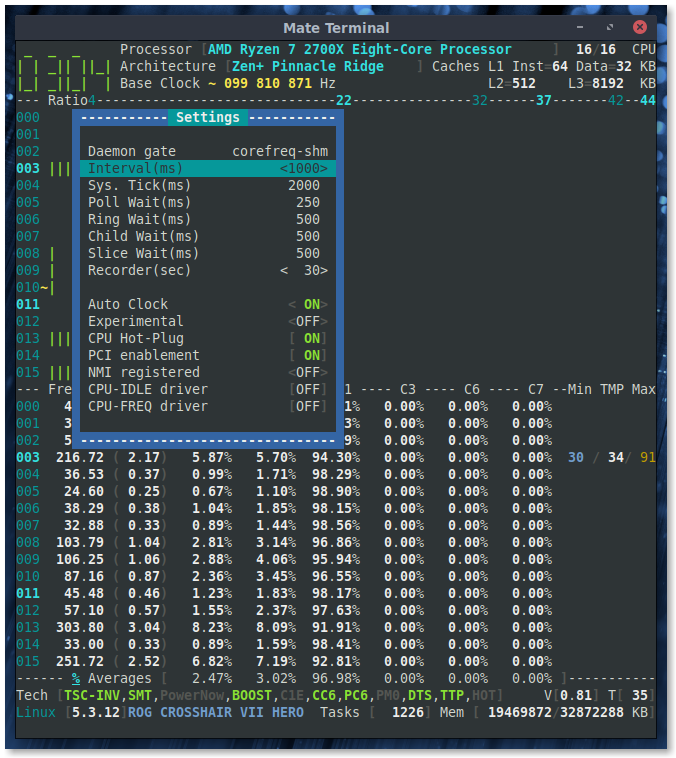
adatum
on 2 Dec 2019
@chrisleup : In my function Core_AMD_Family_17h_Temp I've put a condition against the kernel version which has to be greater 4.10 to support the API amd_smn_read for any AMD families
https://github.com/cyring/CoreFreq/blob/29cf53b70ffd4f3c5dfe7926216c7ea11ed2dfdb/corefreqk.c#L6540
But I remember reading that thermal for Zen has been implemented for a version proabably higher than 4.10. Do you have any idea which one is it ?
Well, I went back to my 4.19.87 kernel and ran into issues with the 1.69.8 build.. My confirmation earlier was with 5.4.1.. When module gets inserted--
[   42.880249] CoreFreq(4:10): Processor [ 8F_71] Architecture [Zen2/Matisse] SMT [12/12]
[   43.880349] ------------[ cut here ]------------
[   43.880352] Unable to find AMD Northbridge id for 0000:00:18.3
[   43.880371] WARNING: CPU: 4 PID: 0 at arch/x86/include/asm/amd_nb.h:100 Core_AMD_Family_17h_Temp+0x117/0x140 [corefre                                                                                                        qk]
[   43.880372] Modules linked in: corefreqk(OE) edac_mce_amd(E) kvm_amd(E) kvm(E) irqbypass(E) crct10dif_pclmul(E) crc32                                                                                                        _pclmul(E) ghash_clmulni_intel(E) pcbc(E) snd_hda_codec_realtek(E) snd_hda_codec_generic(E) snd_hda_intel(E) aesni_intel                                                                                                        (E) aes_x86_64(E) wmi_bmof(E) evdev(E) crypto_simd(E) snd_hda_codec(E) cryptd(E) glue_helper(E) snd_hda_core(E) snd_hwde                                                                                                        p(E) pcspkr(E) snd_pcm(E) snd_timer(E) snd(E) soundcore(E) ccp(E) sp5100_tco(E) wmi(E) tpm_crb(E) tpm_tis(E) tpm_tis_cor                                                                                                        e(E) tpm(E) rng_core(E) pcc_cpufreq(E) button(E) acpi_cpufreq(E) nct6775(E) hwmon_vid(E) ip_tables(E) x_tables(E) autofs                                                                                                        4(E) ext4(E) crc32c_generic(E) crc16(E) mbcache(E) jbd2(E) fscrypto(E) ahci(E) xhci_pci(E) libahci(E) crc32c_intel(E) xh                                                                                                        ci_hcd(E) r8169(E) realtek(E) libata(E) i2c_piix4(E) libphy(E) nvme(E) usbcore(E) scsi_mod(E)
[   43.880396]  nvme_core(E) gpio_amdpt(E) gpio_generic(E)
[   43.880399] CPU: 4 PID: 0 Comm: swapper/4 Tainted: G           OE     4.19.87 #1
[   43.880400] Hardware name: To Be Filled By O.E.M. To Be Filled By O.E.M./B450M Pro4, BIOS P3.60 07/31/2019
[   43.880405] RIP: 0010:Core_AMD_Family_17h_Temp+0x117/0x140 [corefreqk]
[   43.880406] Code: 48 83 c4 10 5b 5d 41 5c c3 49 8b b4 24 f8 00 00 00 48 85 f6 75 08 49 8b b4 24 b8 00 00 00 48 c7 c7                                                                                                         f8 18 2e c0 e8 43 01 fa d4 <0f> 0b 31 ff 48 8d 54 24 04 be 00 98 05 00 e8 f6 f1 f7 d4 85 c0 74
[   43.880407] RSP: 0018:ffff931a7e703eb8 EFLAGS: 00010086
[   43.880408] RAX: 0000000000000000 RBX: 0000000000000000 RCX: 0000000000000006
[   43.880409] RDX: 0000000000000007 RSI: 0000000000000096 RDI: ffff931a7e7166b0
[   43.880410] RBP: ffff931a741f9000 R08: 00000000000002f5 R09: 0000000000000004
[   43.880410] R10: 0000000000000000 R11: 0000000000000001 R12: ffff931a7bfe3000
[   43.880411] R13: 00000000003cfd77 R14: ffffffffc02dcc20 R15: ffff931a7e71cdf8
[   43.880412] FS:  0000000000000000(0000) GS:ffff931a7e700000(0000) knlGS:0000000000000000
[   43.880413] CS:  0010 DS: 0000 ES: 0000 CR0: 0000000080050033
[   43.880414] CR2: 00007f2519a68114 CR3: 00000003fa26e000 CR4: 0000000000340ee0
[   43.880415] Call Trace:
[   43.880417]  <IRQ>
[   43.880423]  Cycle_AMD_Family_17h+0x2c9/0x380 [corefreqk]
[   43.880428]  __hrtimer_run_queues+0x100/0x280
[   43.880431]  hrtimer_interrupt+0x100/0x220
[   43.880435]  smp_apic_timer_interrupt+0x6a/0x140
[   43.880437]  apic_timer_interrupt+0xf/0x20
[   43.880438]  </IRQ>
[   43.880442] RIP: 0010:cpuidle_enter_state+0xb9/0x320
[   43.880443] Code: e8 2c c5 b0 ff 80 7c 24 0b 00 74 17 9c 58 0f 1f 44 00 00 f6 c4 02 0f 85 3b 02 00 00 31 ff e8 2e ad                                                                                                         b6 ff fb 66 0f 1f 44 00 00 <48> b8 ff ff ff ff f3 01 00 00 48 2b 1c 24 ba ff ff ff 7f 48 39 c3
[   43.880443] RSP: 0018:ffffb0d98194be90 EFLAGS: 00000246 ORIG_RAX: ffffffffffffff13
[   43.880444] RAX: ffff931a7e7220c0 RBX: 0000000a3778e931 RCX: 000000000000001f
[   43.880445] RDX: 0000000a3778e931 RSI: 00000000239f52d0 RDI: 0000000000000000
[   43.880446] RBP: ffff931a71dd9000 R08: 0000000000000002 R09: 0000000000021980
[   43.880446] R10: 0000003eab7be1e8 R11: ffff931a7e7210a8 R12: 0000000000000002
[   43.880447] R13: ffffffff962ba638 R14: 0000000000000002 R15: 0000000000000000
[   43.880451]  do_idle+0x228/0x270
[   43.880453]  cpu_startup_entry+0x6f/0x80
[   43.880456]  start_secondary+0x1a4/0x1f0
[   43.880458]  secondary_startup_64+0xa4/0xb0
[   43.880460] ---[ end trace 3c81eb26d9861196 ]---
[   43.880461] CoreFreq: Failed to read TctlSensor
[   44.880441] ------------[ cut here ]------------
cyring
on 2 Dec 2019
@cyring I tried the change above. I still get the spike.
I've not solved this one yet. I'm thinking about the same previous issue we had in Daemon when stop/starting it
I'm trying to solve the temperature shown in footer, the current hottest value.
?
I'm not sure exactly what you mean by expecting to read the same temperature in the CPU line and footer. They are the same but slightly out of sync (I'm not sure which one lags).
I have to fully review the code b/c the time shared among the alternate structures (_Flip Flop_) might be the reason it is out of sync.
cyring
on 2 Dec 2019
@cyring
I do not know which version was the first to implement it however I did noticed that with my 4.19.86/87 kernel on 1.69.4 I was seeing temperature values.. So 4.19 seems safe to whitelist or include.. Strange it's showing 0s now on 1.69.8 ...
chrisleup
on 2 Dec 2019
@cyring
... Strange it's showing 0s now on 1.69.8 ...
The main reason to use the Kernel to read temperature is that the SMU access is protected by a mutex which allows concurrent readings from _CoreFreq_ and k10temp and zenpower...
Can _CoreFreq_ be refused the access ? Is the Zen base address register really present or not for a kernel version ? all these cases have to be studied, debug on hardware.
My original SMU implementation , based on AMD datasheet, works with any Linux down to version 3.x but it requires _CoreFreq_ to be the unique temperature monitor.
It was one user request: a lm_sensors _cohabitation_....
cyring
on 3 Dec 2019
@cyring
I do not know which version was the first to implement it however I did noticed that with my 4.19.86/87 kernel on 1.69.4 I was seeing temperature values.. So 4.19 seems safe to whitelist or include.. Strange it's showing 0s now on 1.69.8 ...
@chrisleup
4.15: k10temp use register0x00059800
https://elixir.bootlin.com/linux/v4.15/source/drivers/hwmon/k10temp.c#L694.14nop
Thus we can safely raise the conditional build to 4.15.0 rather than 4.10.0
https://github.com/cyring/CoreFreq/blob/29cf53b70ffd4f3c5dfe7926216c7ea11ed2dfdb/corefreqk.c#L6543
cyring
on 3 Dec 2019
@chrisleup
Edit : Looking closer we also need to track call to amd_smn_read which appears in version 4.17.0 (which will be the stating point)
https://elixir.bootlin.com/linux/v4.17/source/drivers/hwmon/k10temp.c#L140
cyring
on 3 Dec 2019
@chrisleup
Well, I went back to my 4.19.87 kernel and ran into issues with the 1.69.8 build.. My confirmation earlier was with 5.4.1.. When module gets inserted--
[   42.880249] CoreFreq(4:10): Processor [ 8F_71] Architecture [Zen2/Matisse] SMT [12/12]
[   43.880349] ------------[ cut here ]------------
[   43.880352] Unable to find AMD Northbridge id for 0000:00:18.3
- Does
lspci -nnreports a device @ bus0device0x18function3? - If yes, do you find the facing PCI identifier among those definitions ?
https://github.com/cyring/CoreFreq/blob/29cf53b70ffd4f3c5dfe7926216c7ea11ed2dfdb/coretypes.h#L1487
#ifndef PCI_DEVICE_ID_AMD_17H_ZEPPELIN_DF_F3
    #define PCI_DEVICE_ID_AMD_17H_ZEPPELIN_DF_F3    0x1463  /* Zeppelin */
#endif
#ifndef PCI_DEVICE_ID_AMD_17H_RAVEN_DF_F3
    #define PCI_DEVICE_ID_AMD_17H_RAVEN_DF_F3   0x15eb  /* Raven */
#endif
#ifndef PCI_DEVICE_ID_AMD_17H_MATISSE_DF_F3
    #define PCI_DEVICE_ID_AMD_17H_MATISSE_DF_F3 0x1443  /* Zen2 */
#endif
#ifndef PCI_DEVICE_ID_AMD_17H_STARSHIP_DF_F3
    #define PCI_DEVICE_ID_AMD_17H_STARSHIP_DF_F3    0x1493  /* Zen2 */
#endif
#ifndef PCI_DEVICE_ID_AMD_17H_RENOIR_DF_F3
    #define PCI_DEVICE_ID_AMD_17H_RENOIR_DF_F3  0x144b  /* Renoir */
#endif
#ifndef PCI_DEVICE_ID_AMD_17H_ARIEL_DF_F3
    #define PCI_DEVICE_ID_AMD_17H_ARIEL_DF_F3   0x13f3  /* Ariel */
#endif
#ifndef PCI_DEVICE_ID_AMD_17H_FIREFLIGHT_DF_F3
    #define PCI_DEVICE_ID_AMD_17H_FIREFLIGHT_DF_F3  0x15f3  /* FireFlight*/
#endif
#ifndef PCI_DEVICE_ID_AMD_17H_ARDEN_DF_F3
    #define PCI_DEVICE_ID_AMD_17H_ARDEN_DF_F3   0x160b  /* Arden */
#endif
- If not, please let me known which id number is it and the associated Zen architecture codename.
cyring
on 3 Dec 2019
I do ..
00:18.3 "0600" "1022" "1443" "" ""
and hence
#define PCI_DEVICE_ID_AMD_17H_MATISSE_DF_F3 0x1443 /* Zen2 */
On Tue, Dec 3, 2019 at 2:19 PM CYRIL INGENIERIE notifications@github.com
wrote:
@chrisleup https://github.com/chrisleup
Well, I went back to my 4.19.87 kernel and ran into issues with the 1.69.8
build.. My confirmation earlier was with 5.4.1.. When module gets inserted--[ 42.880249] CoreFreq(4:10): Processor [ 8F_71] Architecture [Zen2/Matisse] SMT [12/12]
[ 43.880349] ------------[ cut here ]------------
[ 43.880352] Unable to find AMD Northbridge id for 0000:00:18.3
Does lspci -nn reports a device @ bus 0 device 0x18 function 3 ?
If yes, do you find the facing PCI identifier among those
definitions ?https://github.com/cyring/CoreFreq/blob/29cf53b70ffd4f3c5dfe7926216c7ea11ed2dfdb/coretypes.h#L1487
ifndef PCI_DEVICE_ID_AMD_17H_ZEPPELIN_DF_F3
#define PCI_DEVICE_ID_AMD_17H_ZEPPELIN_DF_F3 0x1463 /* Zeppelin */
endif
ifndef PCI_DEVICE_ID_AMD_17H_RAVEN_DF_F3
#define PCI_DEVICE_ID_AMD_17H_RAVEN_DF_F3 0x15eb /* Raven */
endif
ifndef PCI_DEVICE_ID_AMD_17H_MATISSE_DF_F3
#define PCI_DEVICE_ID_AMD_17H_MATISSE_DF_F3 0x1443 /* Zen2 */
endif
ifndef PCI_DEVICE_ID_AMD_17H_STARSHIP_DF_F3
#define PCI_DEVICE_ID_AMD_17H_STARSHIP_DF_F3 0x1493 /* Zen2 */
endif
ifndef PCI_DEVICE_ID_AMD_17H_RENOIR_DF_F3
#define PCI_DEVICE_ID_AMD_17H_RENOIR_DF_F3 0x144b /* Renoir */
endif
ifndef PCI_DEVICE_ID_AMD_17H_ARIEL_DF_F3
#define PCI_DEVICE_ID_AMD_17H_ARIEL_DF_F3 0x13f3 /* Ariel */
endif
ifndef PCI_DEVICE_ID_AMD_17H_FIREFLIGHT_DF_F3
#define PCI_DEVICE_ID_AMD_17H_FIREFLIGHT_DF_F3 0x15f3 /* FireFlight*/
endif
ifndef PCI_DEVICE_ID_AMD_17H_ARDEN_DF_F3
#define PCI_DEVICE_ID_AMD_17H_ARDEN_DF_F3 0x160b /* Arden */
endif
- If not, please let me known which id number is it and the
associated Zen architecture codename.—
You are receiving this because you were mentioned.
Reply to this email directly, view it on GitHub
https://github.com/cyring/CoreFreq/issues/54?email_source=notifications&email_token=AMT32GRAQU2SL4SUTA6N4KDQW25NHA5CNFSM4E7RDBIKYY3PNVWWK3TUL52HS4DFVREXG43VMVBW63LNMVXHJKTDN5WW2ZLOORPWSZGOEF2VZII#issuecomment-561339553,
or unsubscribe
https://github.com/notifications/unsubscribe-auth/AMT32GWVLH4OAEKJRLW63MLQW25NHANCNFSM4E7RDBIA
.
chrisleup
on 3 Dec 2019
@chrisleup Thanks
No more such message using latest _CoreFreq_ version ?
Unable to find AMD Northbridge id for 0000:00:18.3
@cyring
Unfortunately, no.. With the newest 1.69.9 build I am still getting the
following on 4.19.87 -
[ 573.492871] ------------[ cut here ]------------
[ 573.492875] Unable to find AMD Northbridge id for 0000:00:18.3
[ 573.492895] WARNING: CPU: 2 PID: 0 at arch/x86/include/asm/amd_nb.h:100
Core_AMD_Family_17h_Temp+0x117/0x140 [corefre
qk]
On Wed, Dec 4, 2019 at 12:23 AM CYRIL INGENIERIE notifications@github.com
wrote:
@chrisleup https://github.com/chrisleup Thanks
No more such message using latest CoreFreq version ?Unable to find AMD Northbridge id for 0000:00:18.3
—
You are receiving this because you were mentioned.
Reply to this email directly, view it on GitHub
https://github.com/cyring/CoreFreq/issues/54?email_source=notifications&email_token=AMT32GTOH774JCNA2RUFVJDQW5EF3A5CNFSM4E7RDBIKYY3PNVWWK3TUL52HS4DFVREXG43VMVBW63LNMVXHJKTDN5WW2ZLOORPWSZGOEF34DDI#issuecomment-561496461,
or unsubscribe
https://github.com/notifications/unsubscribe-auth/AMT32GTKBQBBXJB2LJDRJBTQW5EF3ANCNFSM4E7RDBIA
.
chrisleup
on 4 Dec 2019
@cyring Unfortunately, no.. With the newest 1.69.9 build I am still getting the following on 4.19.87 - [ 573.492871] ------------[ cut here ]------------ [ 573.492875] Unable to find AMD Northbridge id for 0000:00:18.3 [ 573.492895] WARNING: CPU: 2 PID: 0 at arch/x86/include/asm/amd_nb.h:100 Core_AMD_Family_17h_Temp+0x117/0x140 [corefre qk]
[…](#)
On Wed, Dec 4, 2019 at 12:23 AM CYRIL INGENIERIE @.*> wrote: @chrisleup https://github.com/chrisleup Thanks No more such message using latest CoreFreq version ? Unable to find AMD Northbridge id for 0000:00:18.3 — You are receiving this because you were mentioned. Reply to this email directly, view it on GitHub <#54?email_source=notifications&email_token=AMT32GTOH774JCNA2RUFVJDQW5EF3A5CNFSM4E7RDBIKYY3PNVWWK3TUL52HS4DFVREXG43VMVBW63LNMVXHJKTDN5WW2ZLOORPWSZGOEF34DDI#issuecomment-561496461>, or unsubscribe https://github.com/notifications/unsubscribe-auth/AMT32GTKBQBBXJB2LJDRJBTQW5EF3ANCNFSM4E7RDBIA .
Thanks for the test.
Is it possible you edit/change the build condition to 4.20.0 then rebuild all and test.
If unsuccessful, change for the upper versions until it works.
This line, please
https://github.com/cyring/CoreFreq/blob/9d9495ad92a5de3603e75ed8146be1abb677c334/corefreqk.c#L6543
cyring
on 4 Dec 2019
Absolutely..
I confirmed that changing the 17 to 20 for the version conditional worked
successfully ..
chrisleup
on 4 Dec 2019
I'm trying to solve the accuracy of the Voltage Core in #154
@adatum : with your 2700X , @chrisleup : with your Matisse
Can you please:
- Replace this instruction line
https://github.com/cyring/CoreFreq/blob/69c2cd77a9ae35b88cf0897dfc255812bb382b6f/corefreqk.c#L8308
with this code
RDMSR(PstateDef, MSR_AMD_PSTATE_F17H_BOOST);
Rebuild and reload all (driver, daemon, client)
Screenshot the Vcore in the view "Power & Voltage" in 3 cases:
- Idle
- Single Core stressed (use "Tools->Turbo Select CPU..." for this)
- All Cores stressed ("Atomic Burn" should be fine)
cyring
on 10 Dec 2019
So glad to see a change from VID to actual voltages!
It looks good, and readings are similar to asus-wmi-sensors. Note that the 2700X does not have individual Vcore per core, at least not reported externally.
Idle:
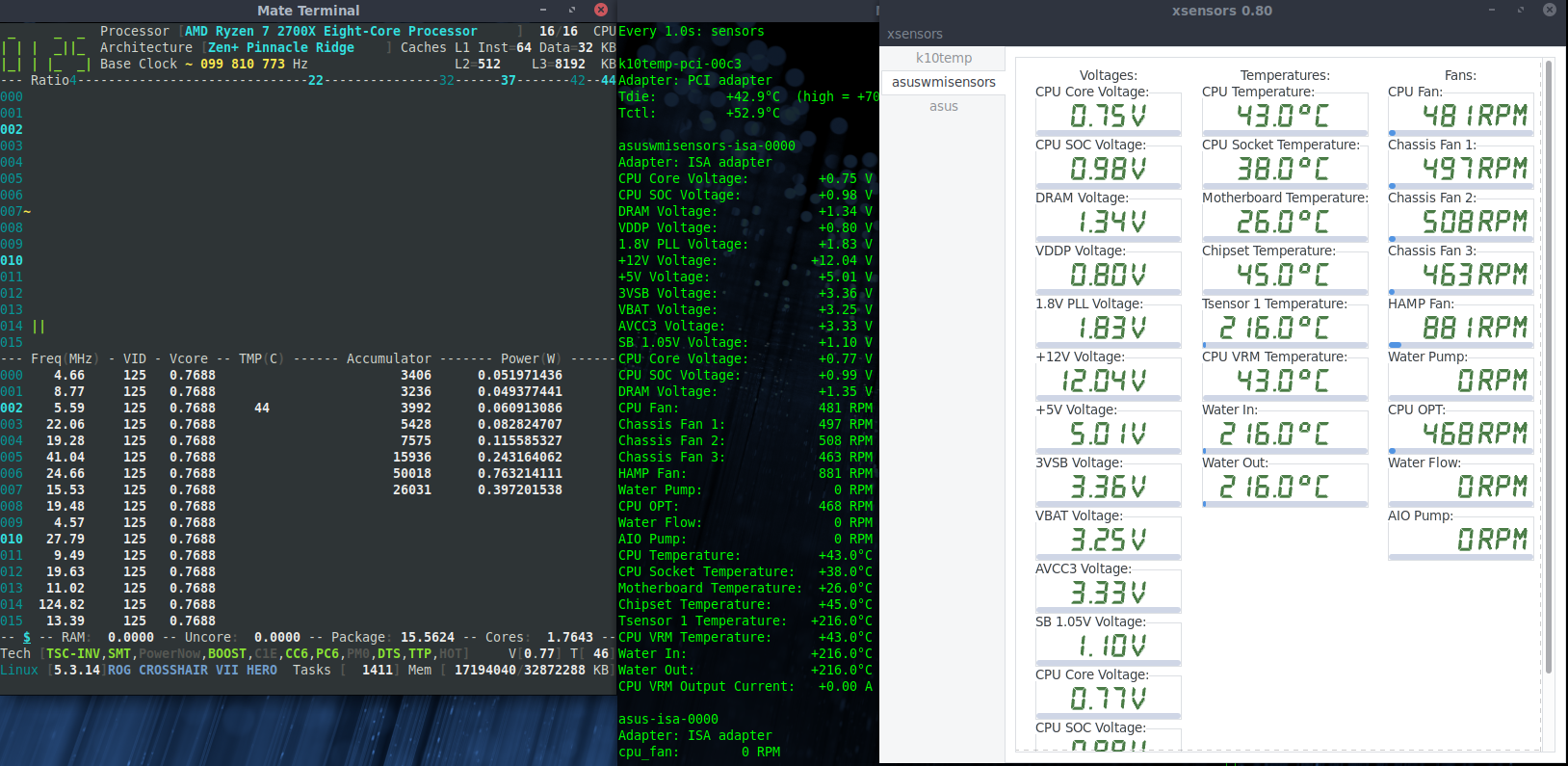
Single core load:
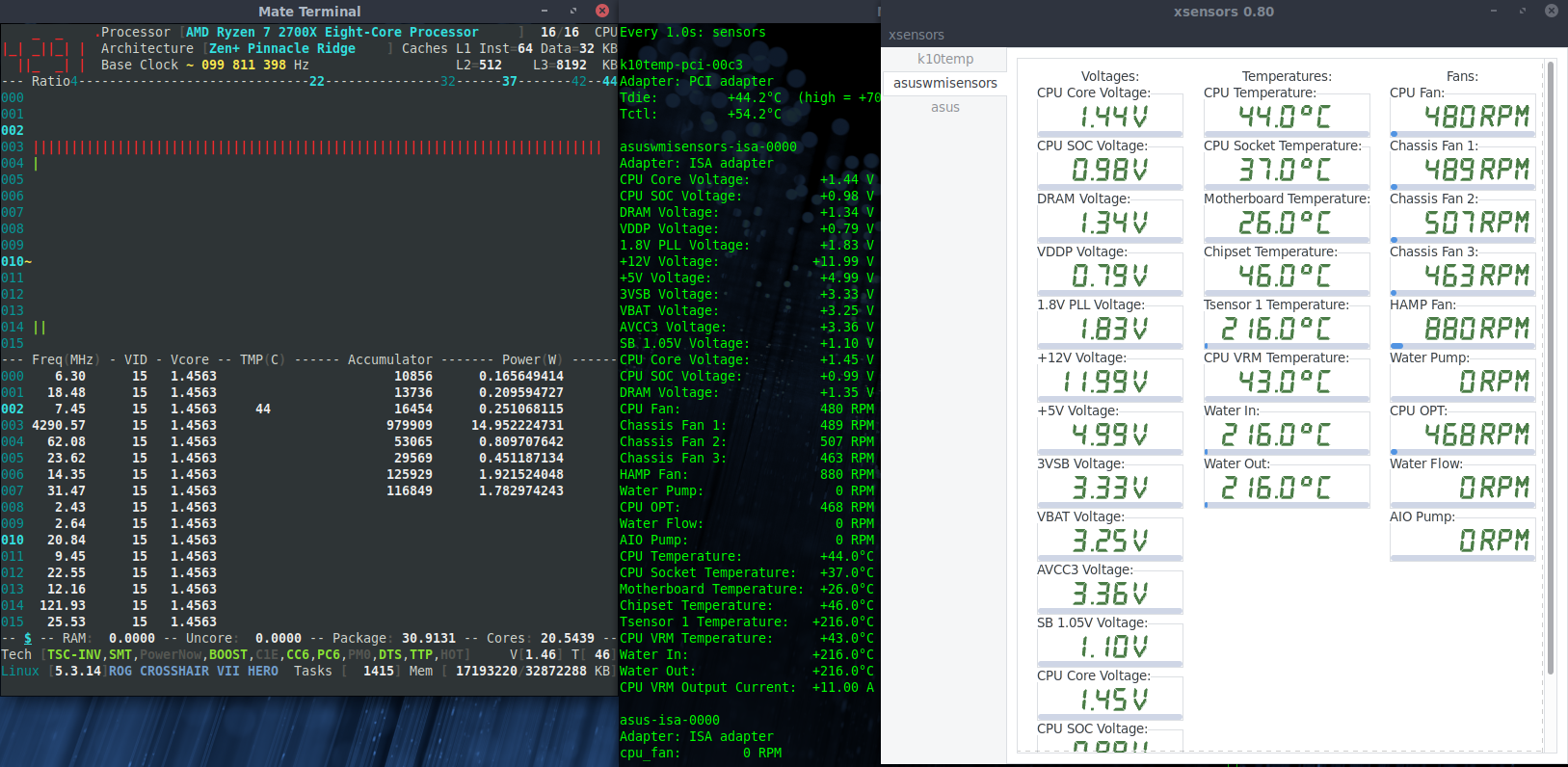
All core load:
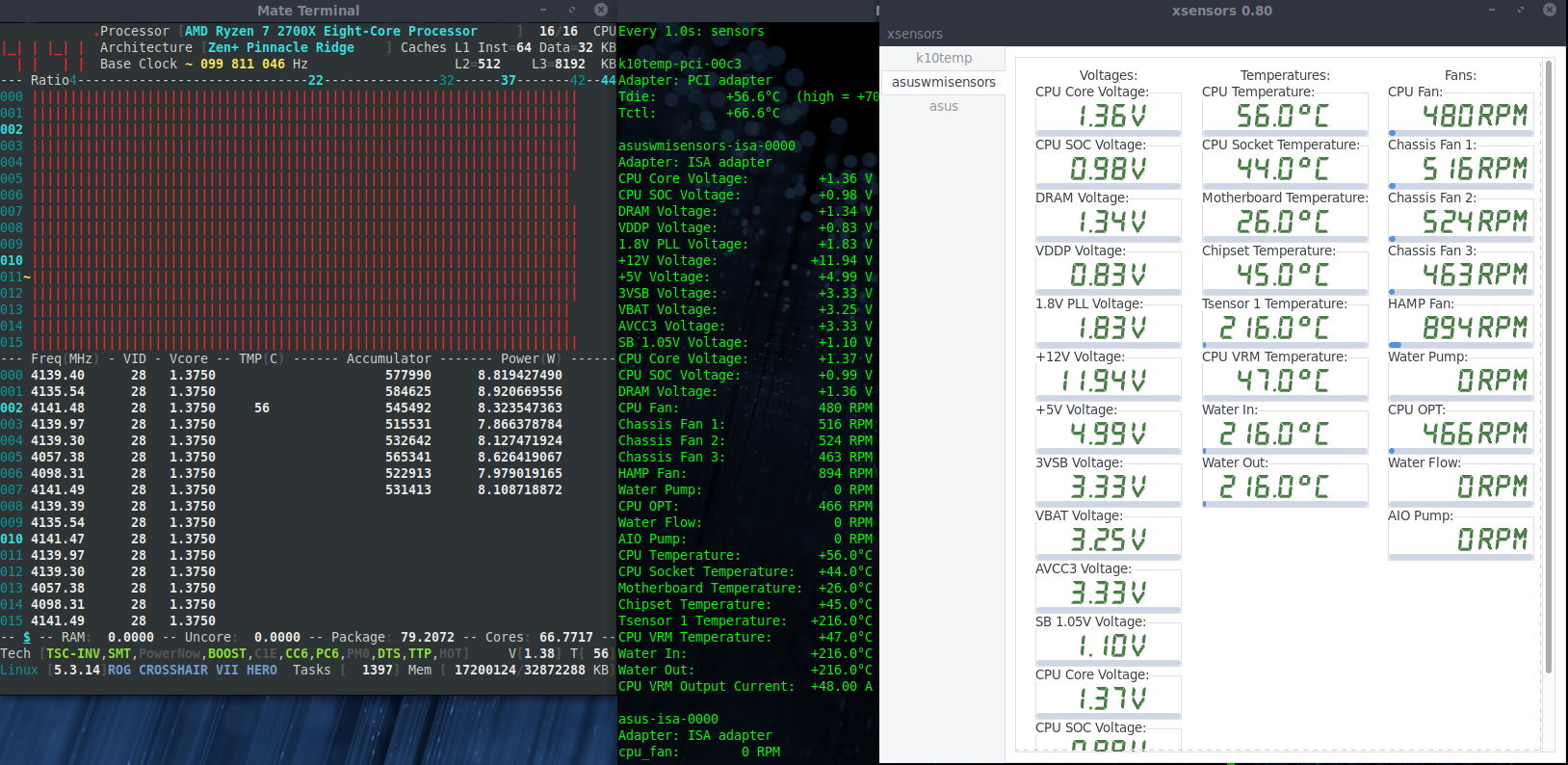
adatum
on 10 Dec 2019
3600
idle
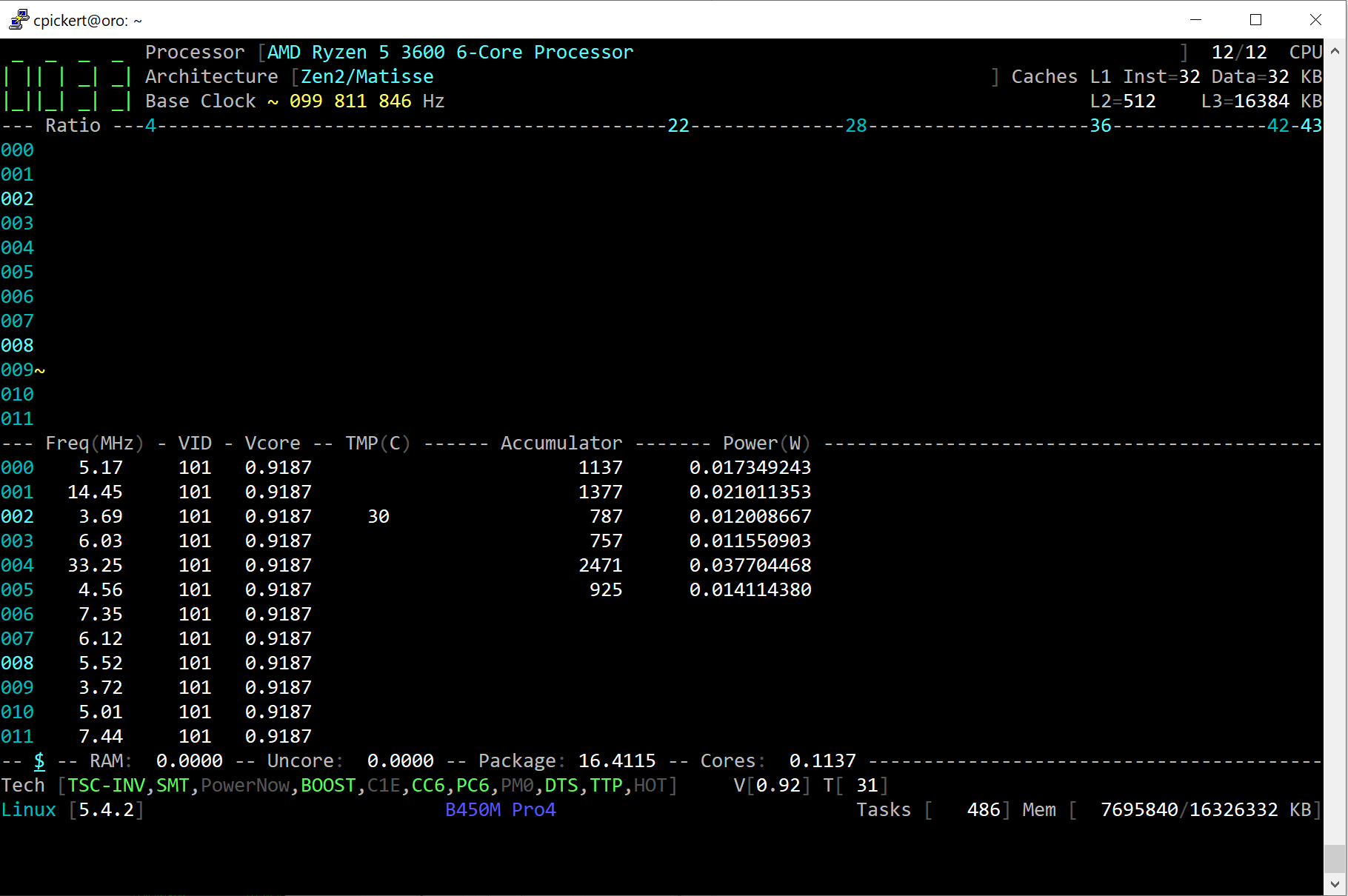
single
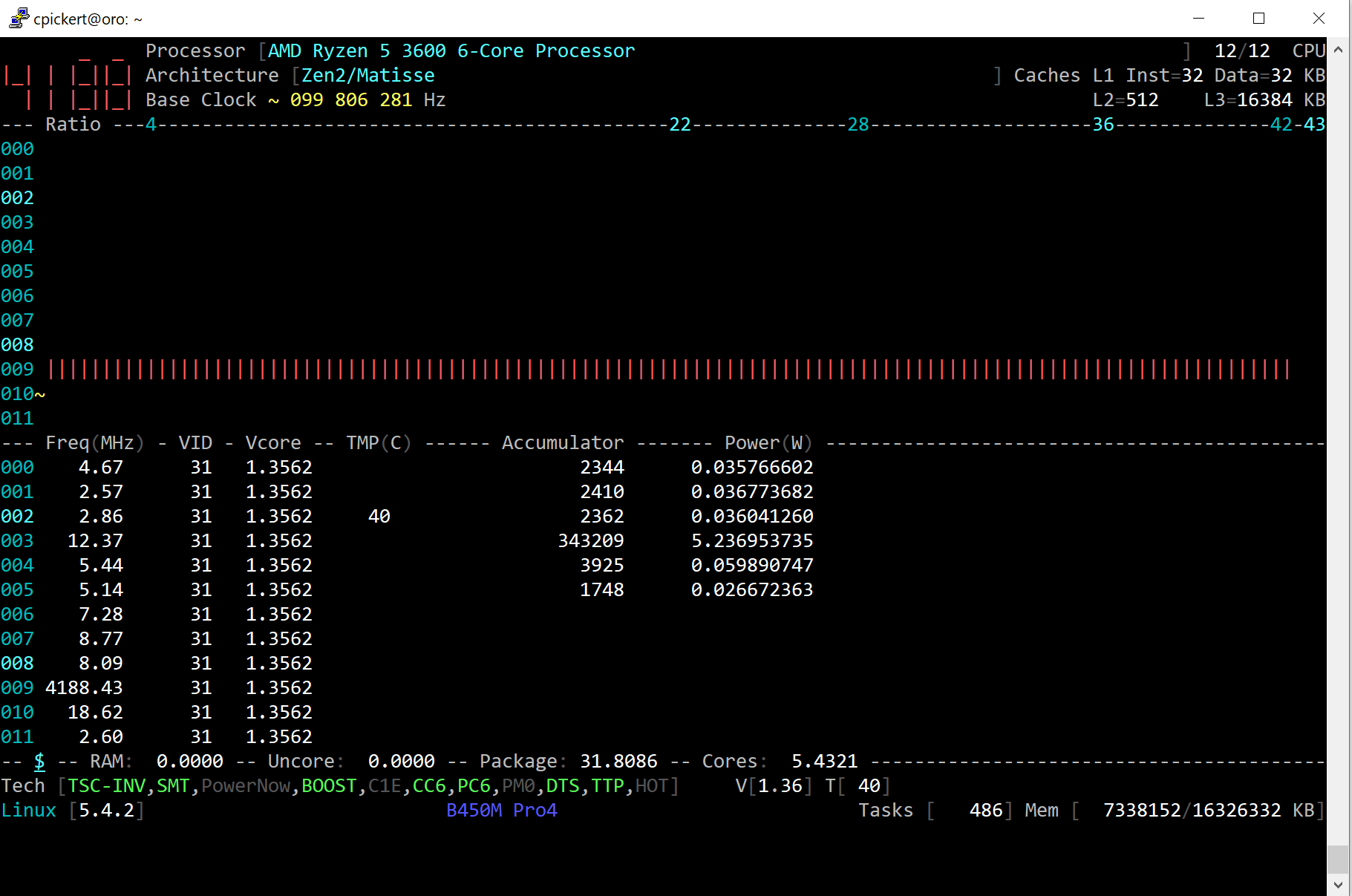
all cores/atomic burn
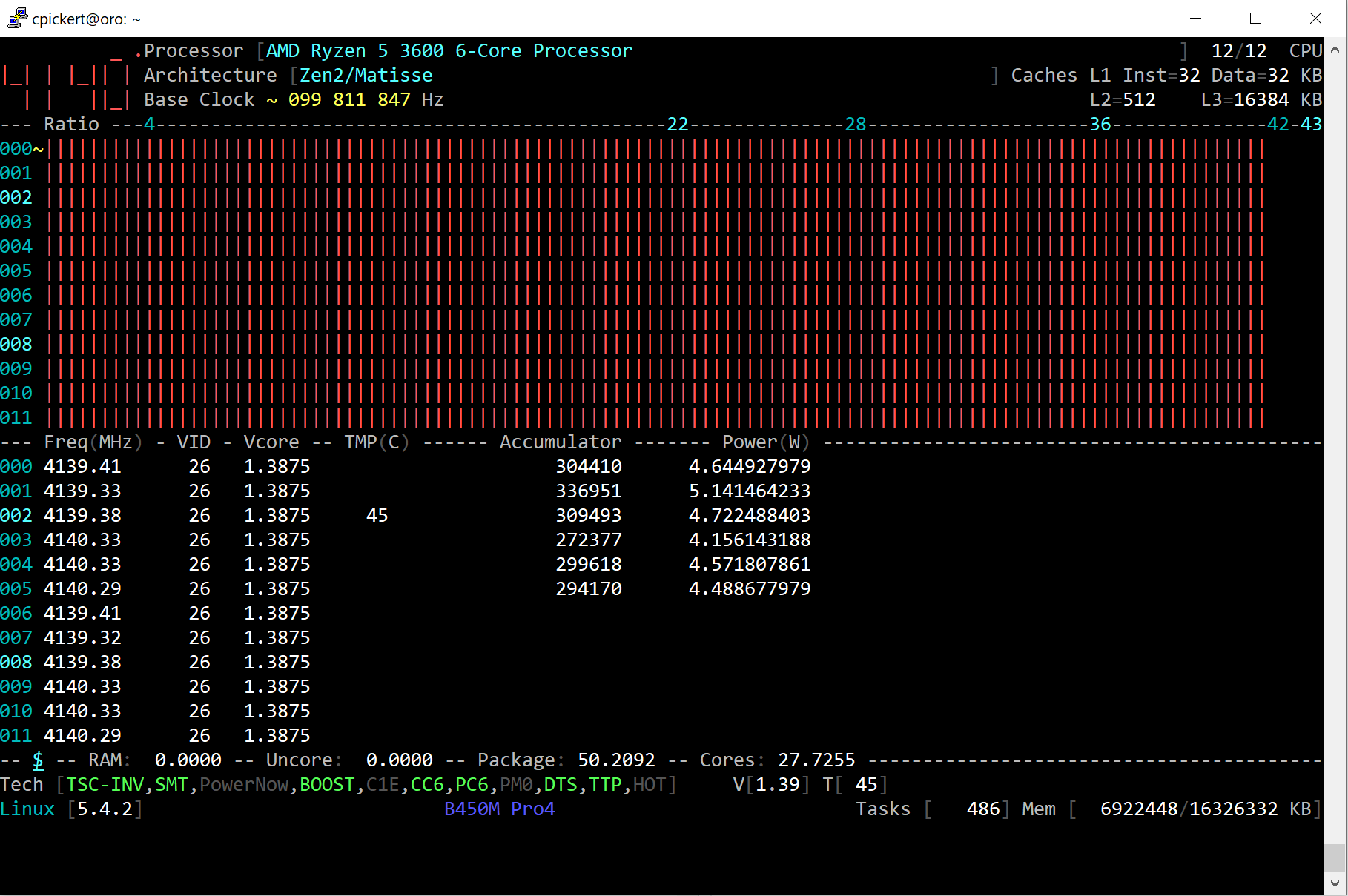
chrisleup
on 10 Dec 2019
ryzen 1600
idle
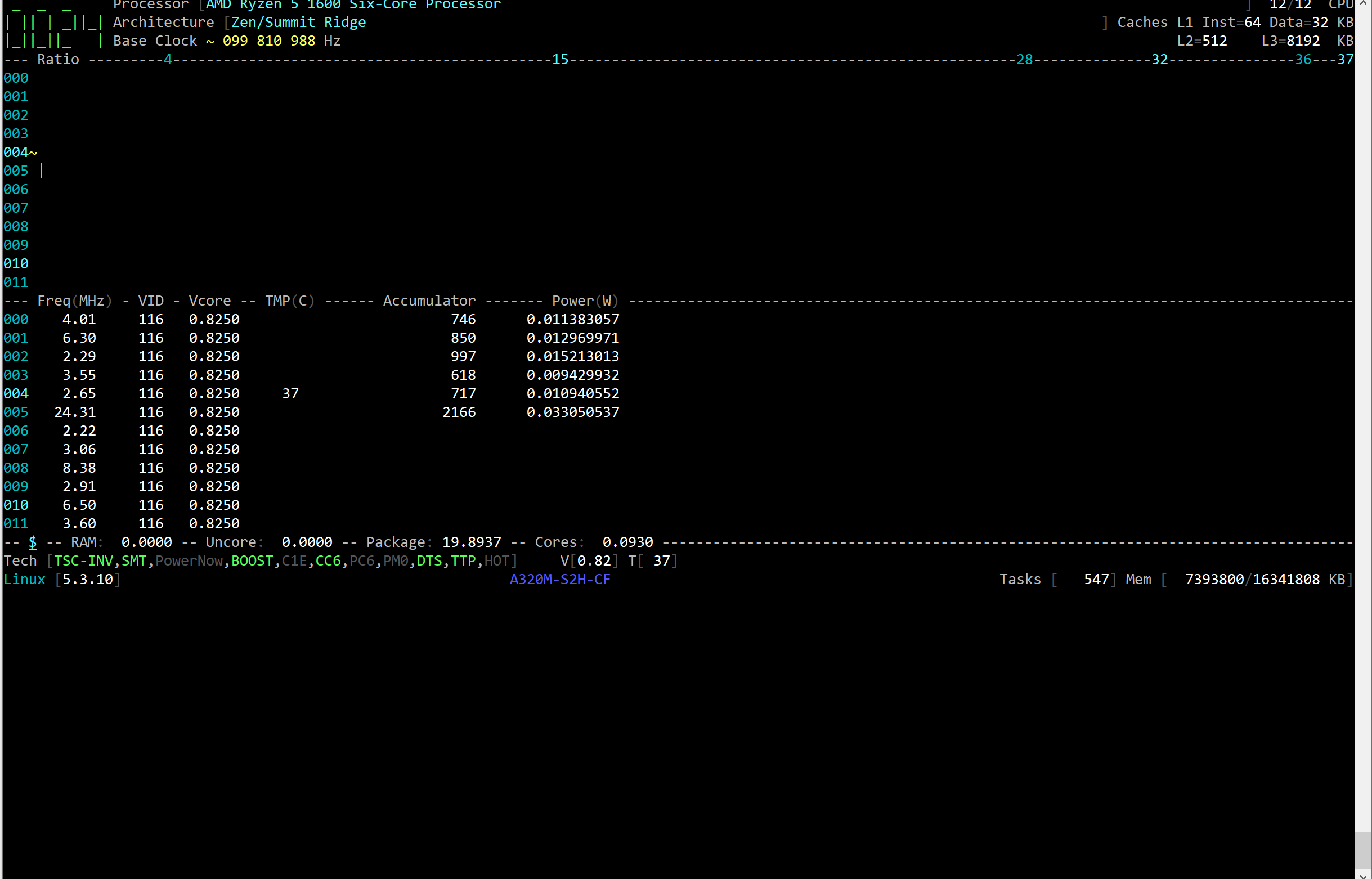
single
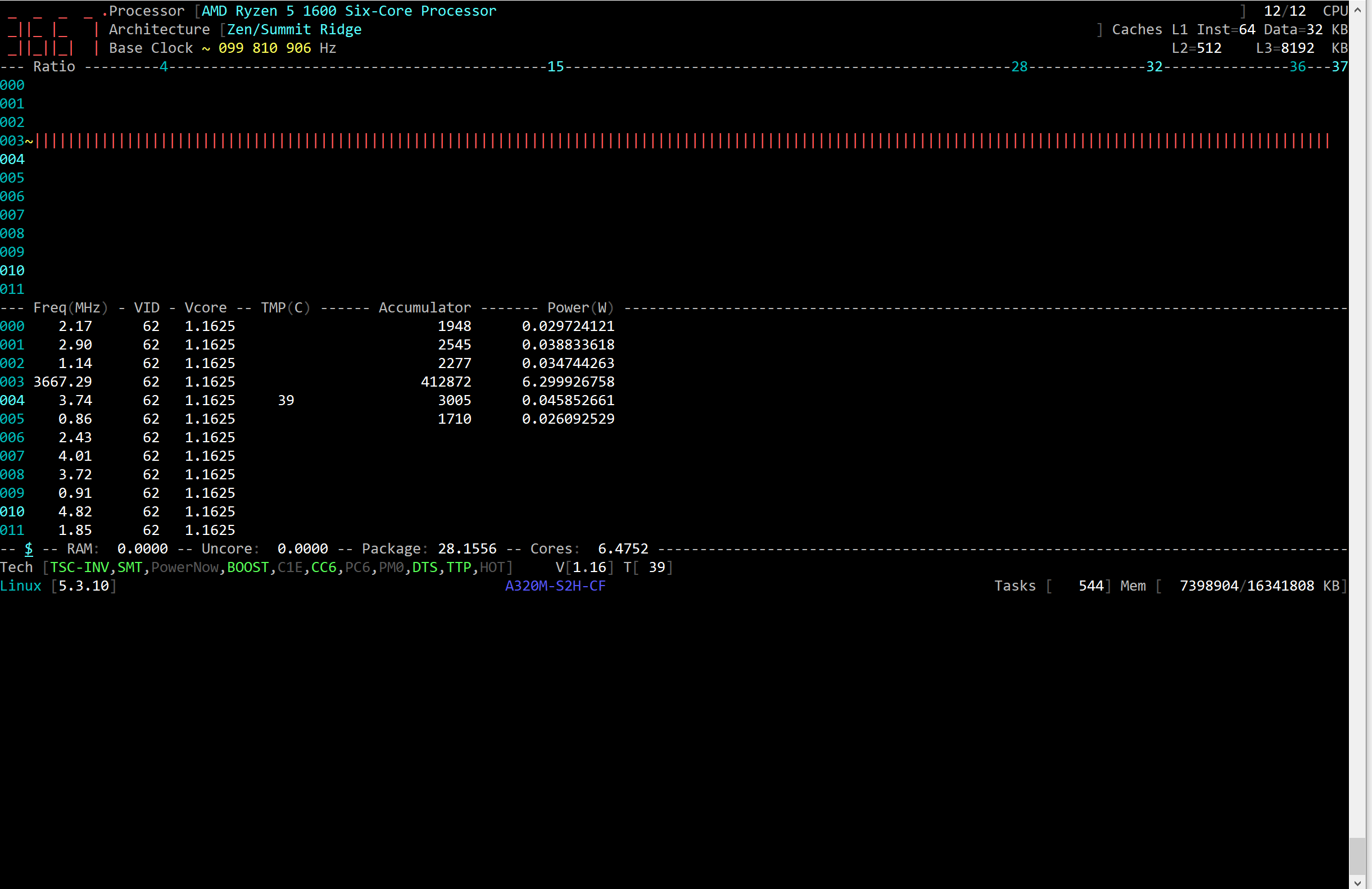
all cores
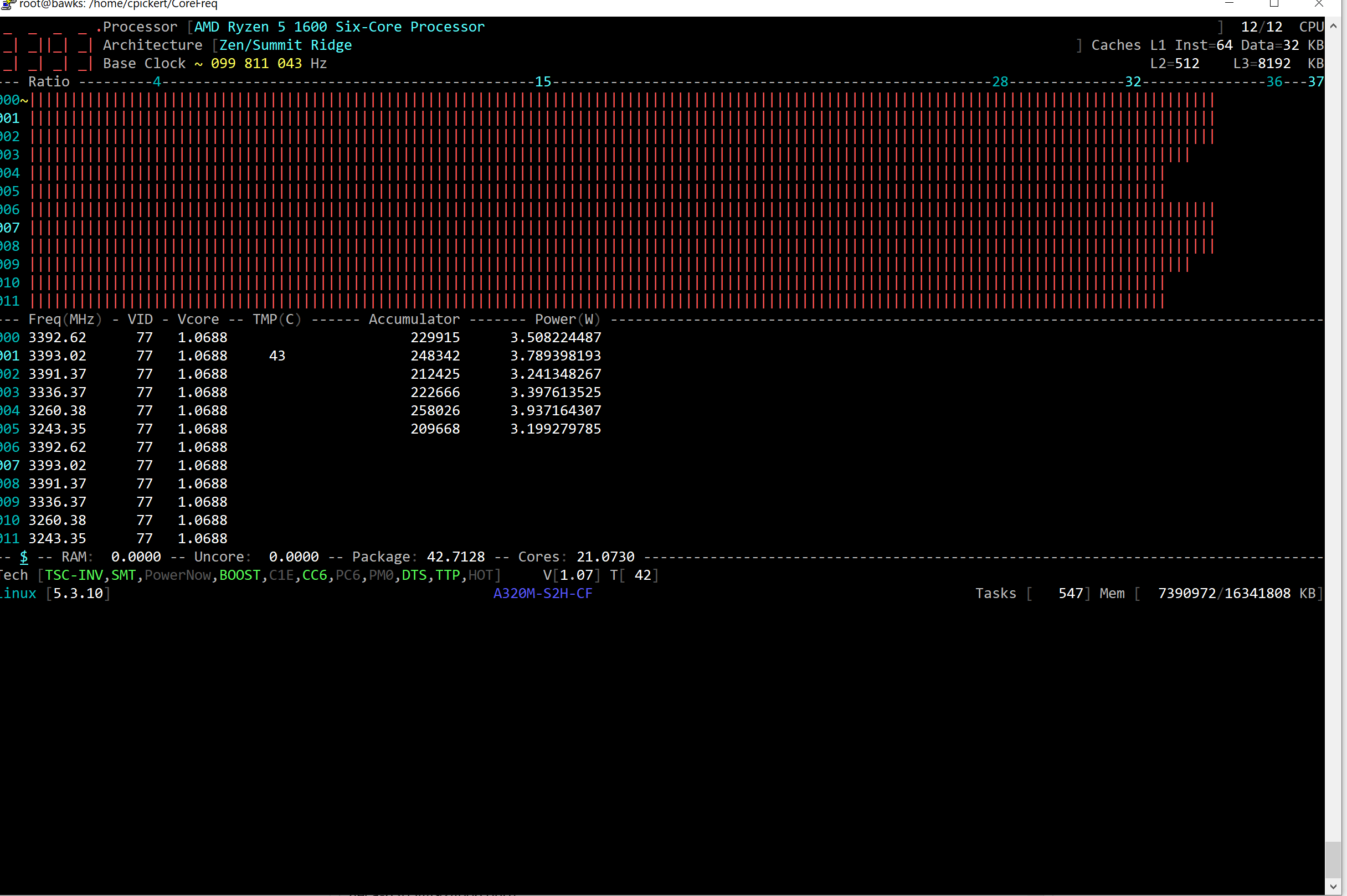
chrisleup
on 10 Dec 2019
@adatum, @chrisleup : Thank you very much for your tests.
I'm still processing those results, here are my thoughts for the future developments:
- Indeed, one Vcore for all Cores but what about Threadripper and EPYC ?
I remember reading sensors differ from one MCM module or some kind of CCX cluster to another one.
I would leave the VID per Thread until a TR, EPYC user can show the case when one module is stressed, not the other ones
1700X: great addition to the CoreFreq _wall_ ; I was missing to see this one in action. But the Vcore value for full CPU stressed (compared to single stressed) seems wrong.
@chrisleup : Can you rollback to the previous line of code, and check the 1700X Vcore results. ThksAnother case would be to disable the Turbo CPB in BIOS, and why not change the VID in the Performance P-State.
B/c this MSR register is apparently linked with the Turbo but what is happening when doing manual Overclocking (or just plain disabled CPB, XFR, and so on) ? Do we have to read the VID with the original line of code (I mean the P-State base address MSR)
If true then I'll put a CPB enablement condition in the driver to switch to the right register.
cyring
on 11 Dec 2019
So my question is: with the change we made in code, above, what CoreFreq Vcore do we get when Turbo or CPB is disabled in BIOS ?
In advance, thank you for these tests.
cyring
on 11 Dec 2019
Here are the results with CPB disabled through CoreFreq -> Technologies.
Idle:
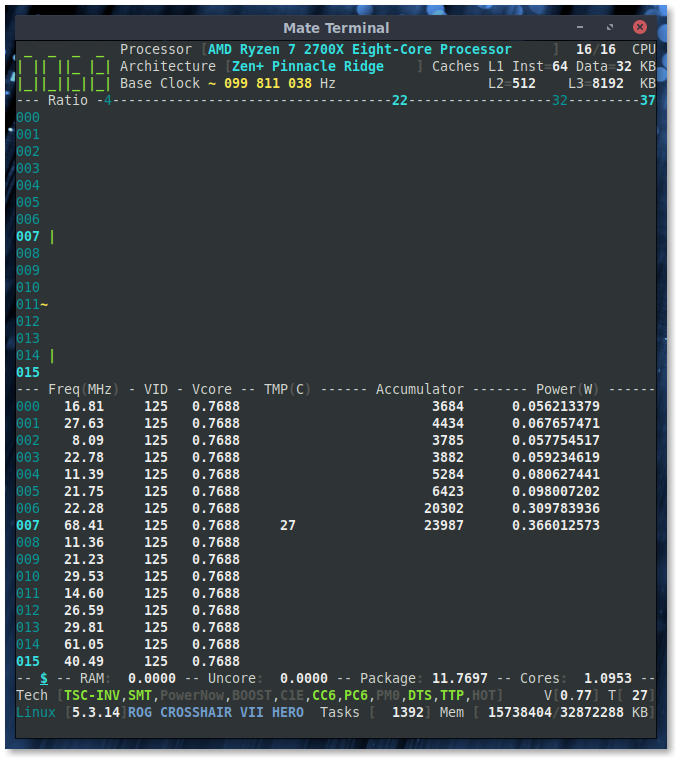
Single core load:
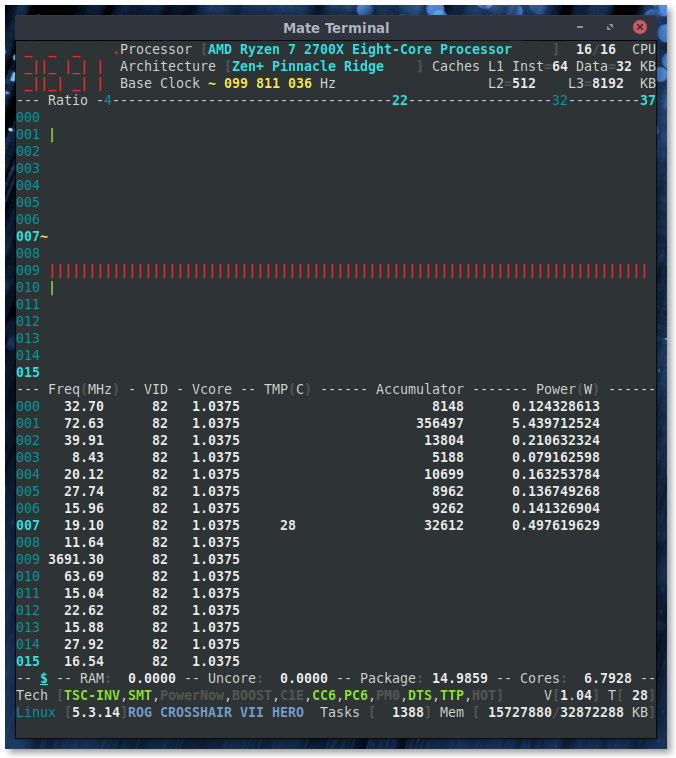
All core load:
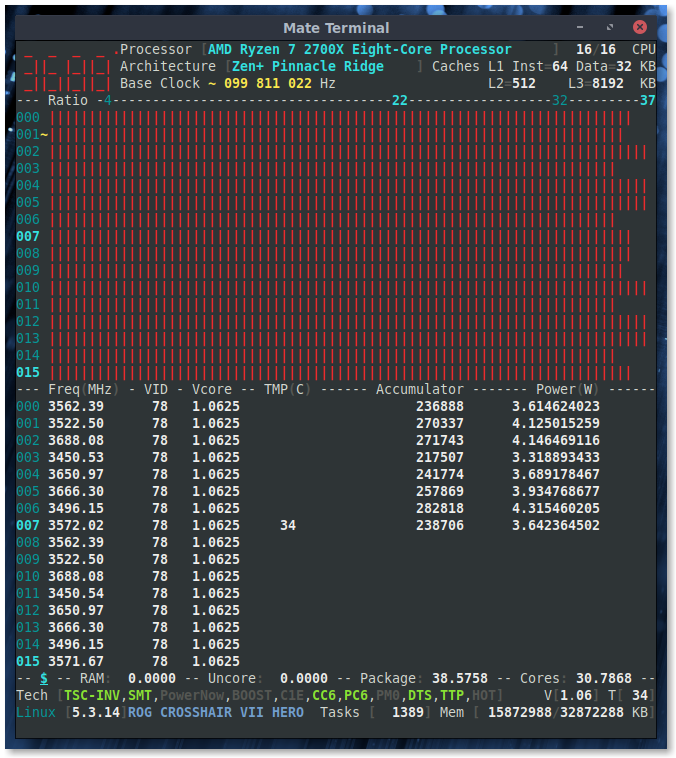
adatum
on 11 Dec 2019
@adatum : same Vcore in idle but different when processor is stressed
I read that Zen Vcore is changing frequently, thus CoreFreq polling may have missed the tiny variation.
I believe we can now use this _undocumented_ register to query the VID whatever the settings are : CPB on or off
Btw, this register is a boosted p-state; and like any AMD p-state MSR, it may also carry a boosted Frequency ID which can then be converted in a coefficient of frequency.
To be short, beside VID, I don't know if the remaining bits are meaningful.
cyring
on 11 Dec 2019
I should note that all my "idle" measurements still had a browser open with many tabs. Also sensors are constantly read. These keep the Vcore somewhat elevated.
In truly idle condition after a fresh boot, I have previously seen Vcore around 0.5V, maybe even 0.35V if I recall correctly.
So yes, polling and programs waking the CPU do cause variations that are not obvious from the screenshots.
adatum
on 11 Dec 2019
Version 1.70.2 released with above change.
cyring
on 11 Dec 2019
@cyring
Just to clarify, my CPUs are a 1600 and 3600 ..
Also, I decided to try a new MuQQS kernel patch on 5.4.2 .. It's the reinvention of the BFS (Brain F**k) scheduler (http://ck-hack.blogspot.com/) with lots of Ryzen specific enhancements. For instance, optimized LLC cache awareness for tuned scheduler affinity. (https://www.phoronix.com/scan.php?page=news_item&px=Linux-5.3-ck1-MuQSS-0.195) .. Wanted to see it's behavior in general and then noticed it is properly showing indepenant Vcore per core when idling ... =) they bump up and down all over the place.. down to 0.200 sometimes =)
On new 1.70.2 build ..
1600
idle
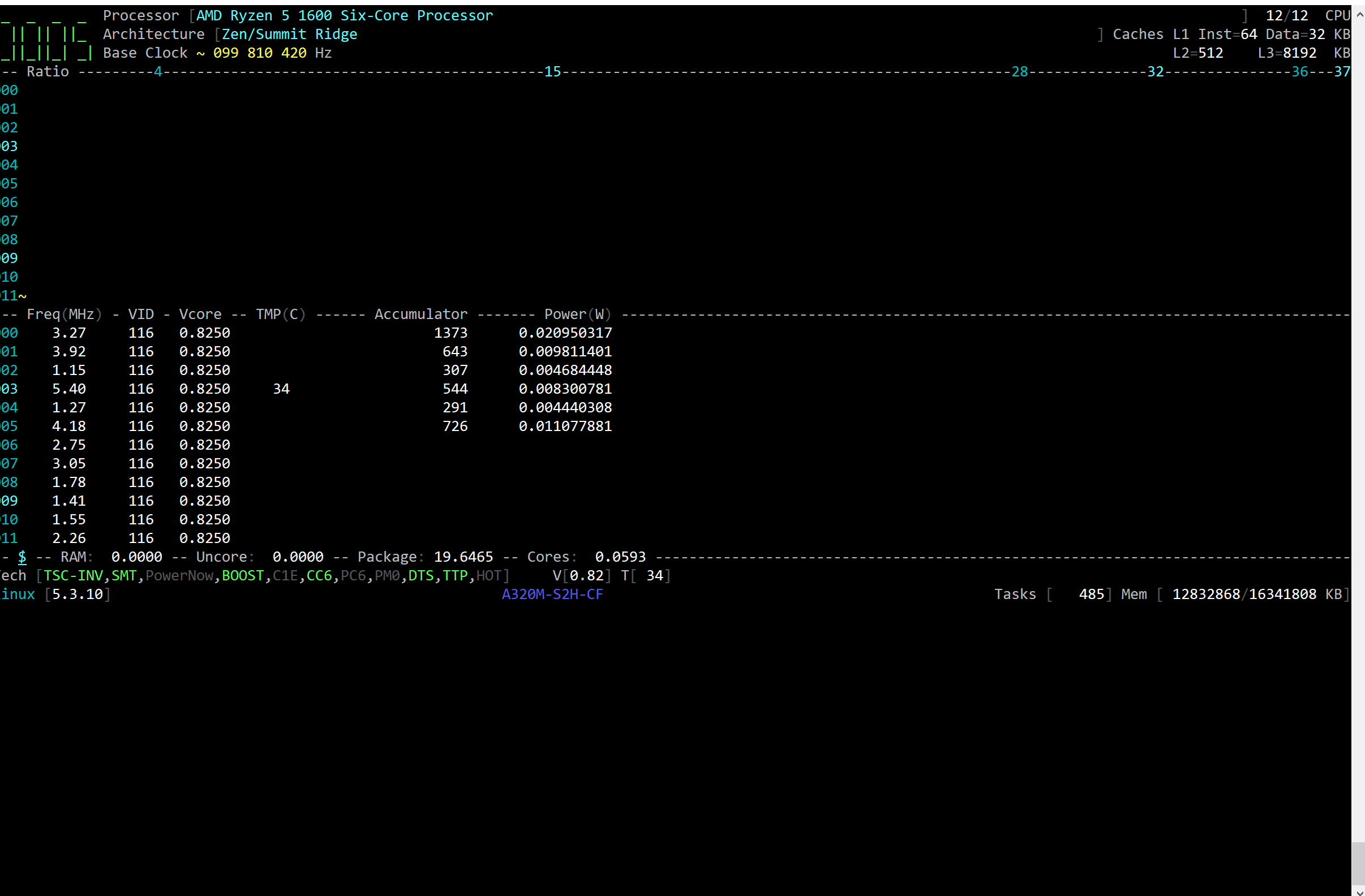
single
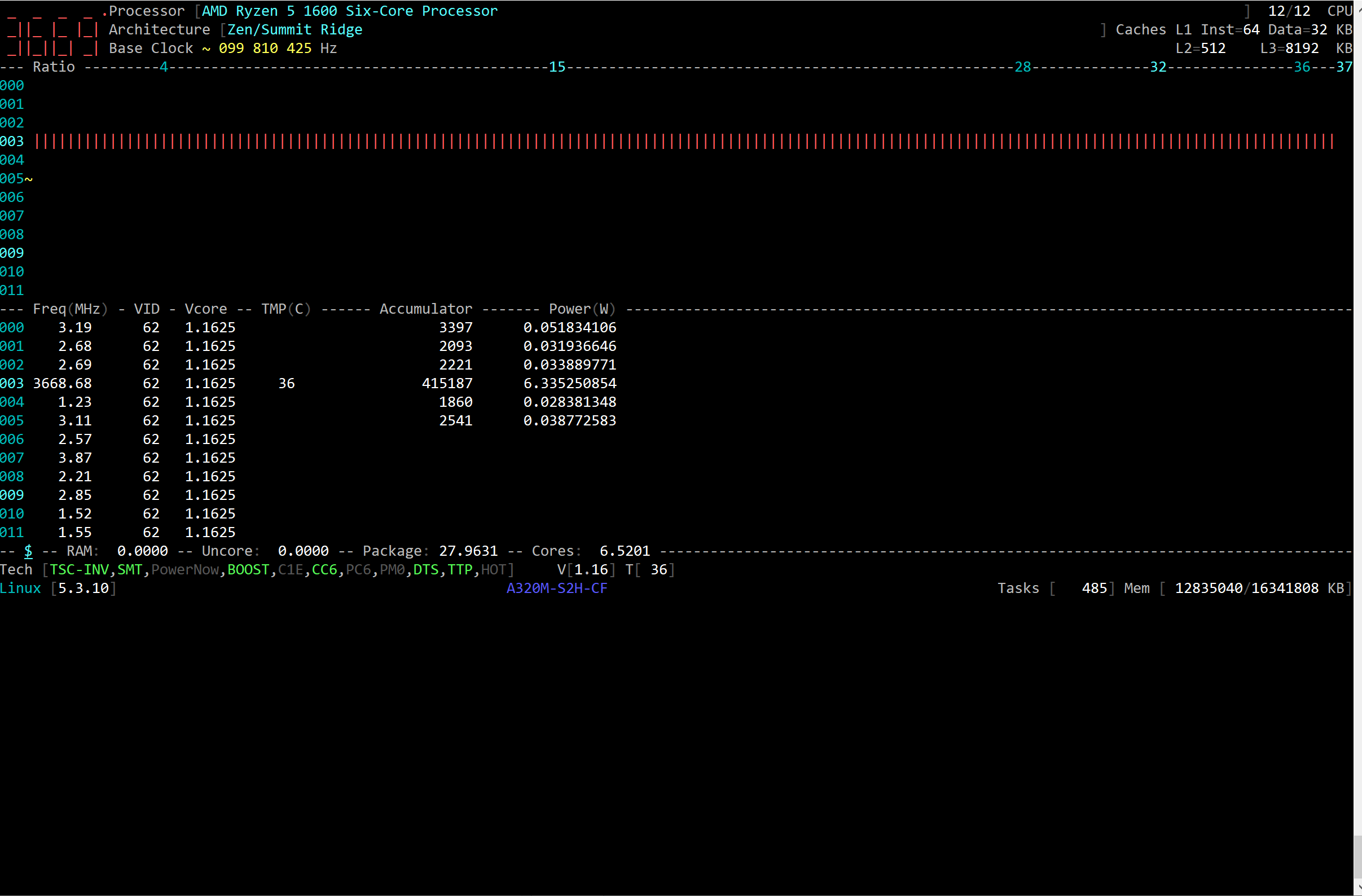
all
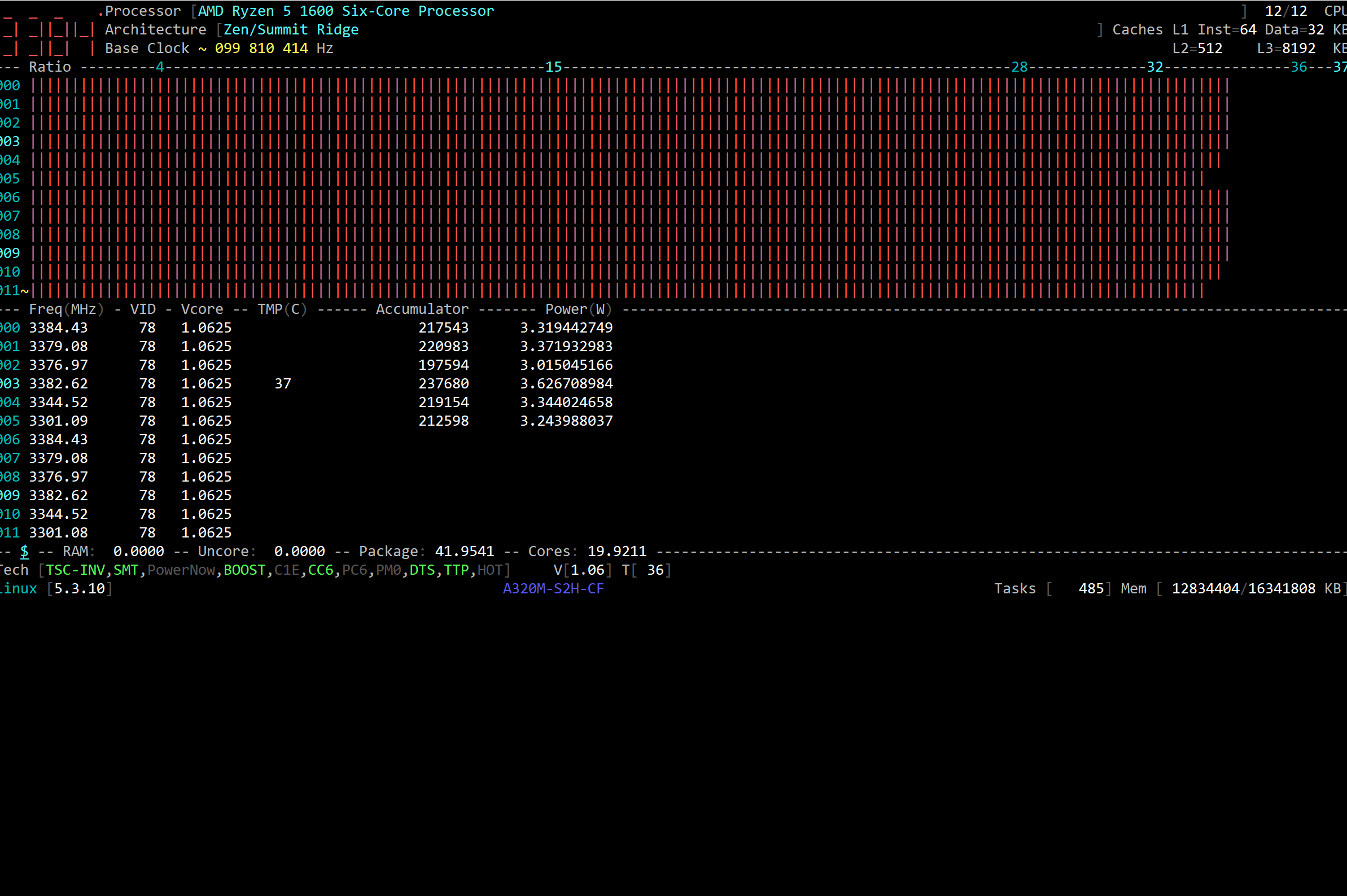
3600
5.4.2
idle
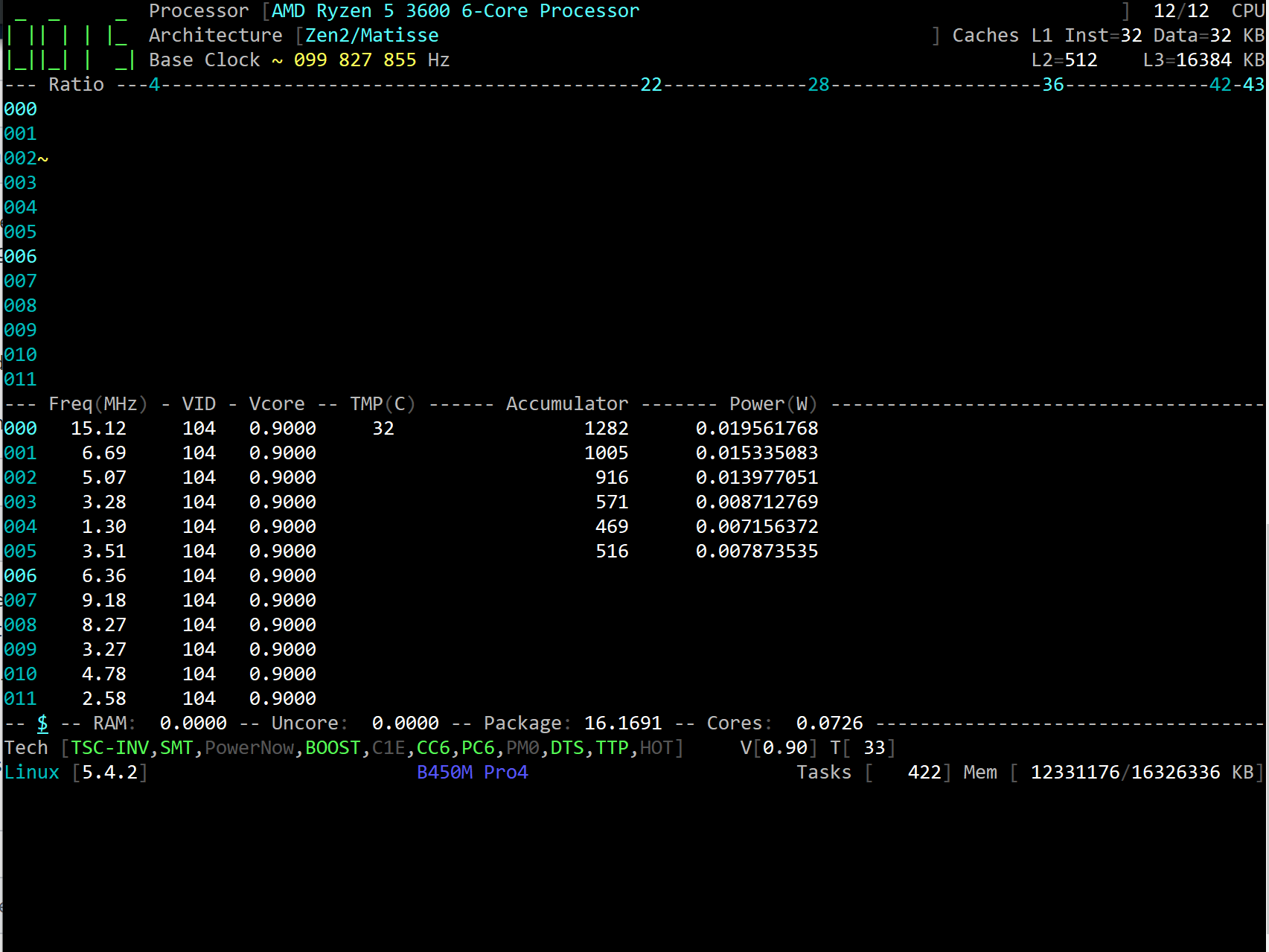
single
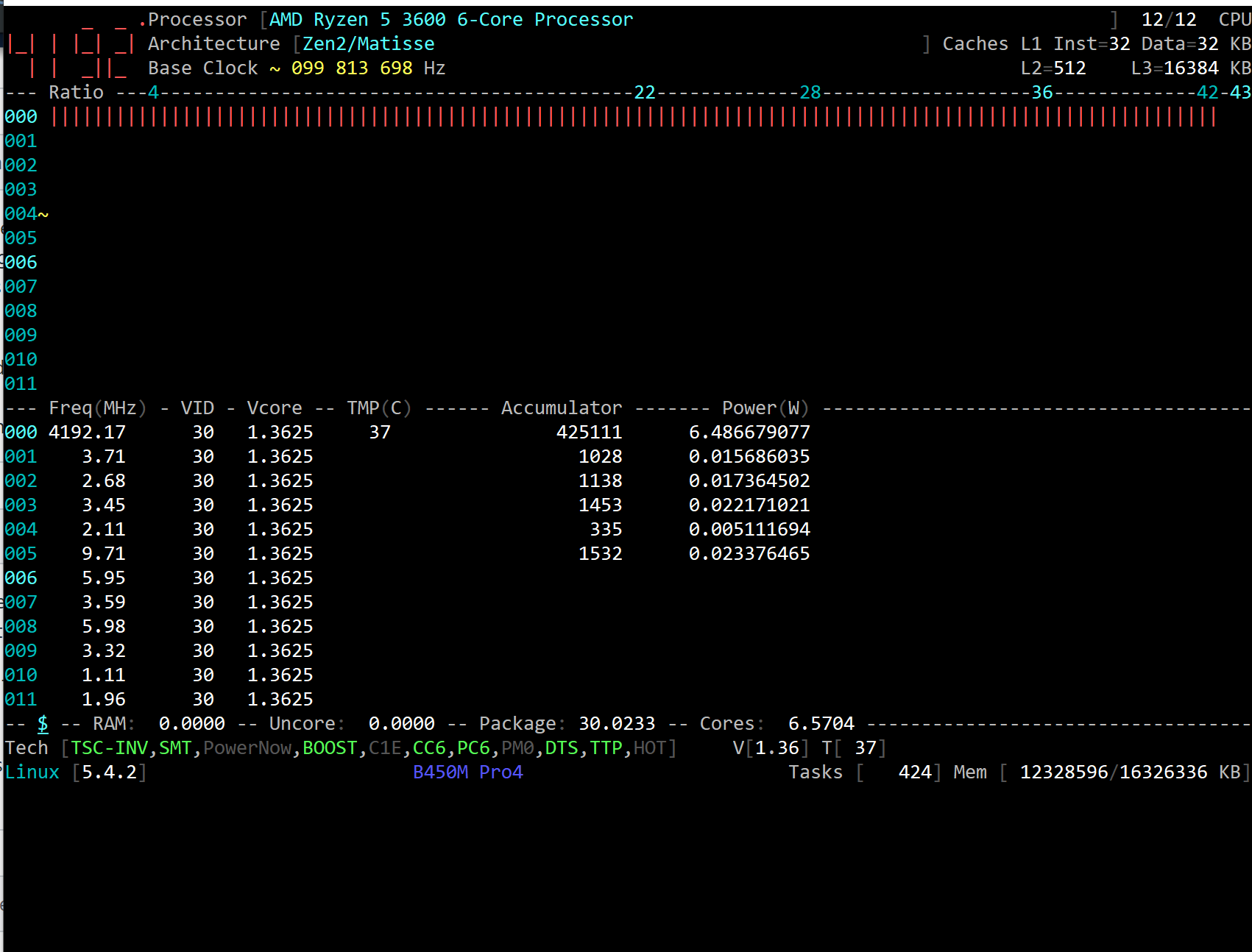
all
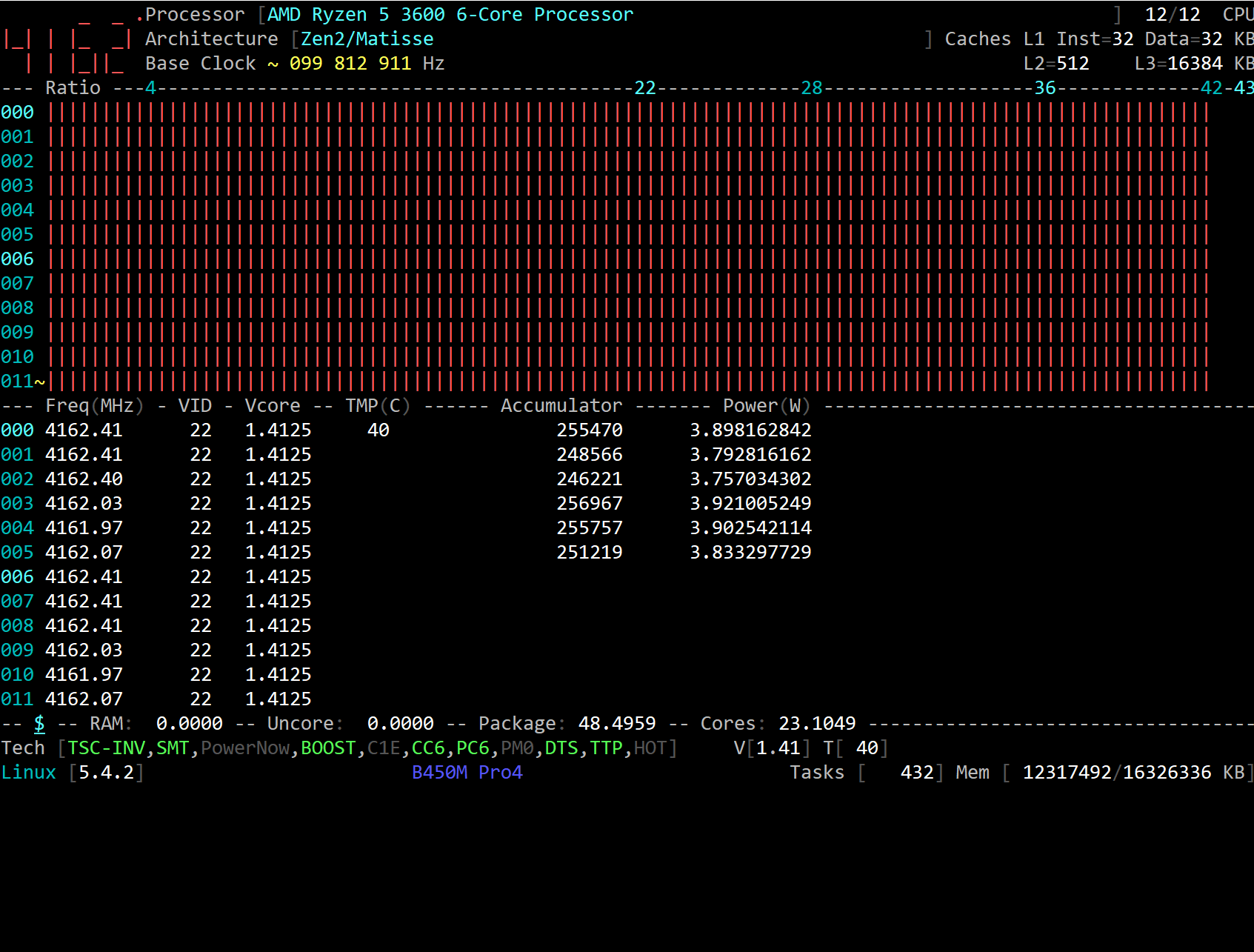
5.4.2-ck1 idle video - https://chris-leupfitter.tinytake.com/tt/Mzk0MjI5MV8xMjA5NzU3Ng
idle
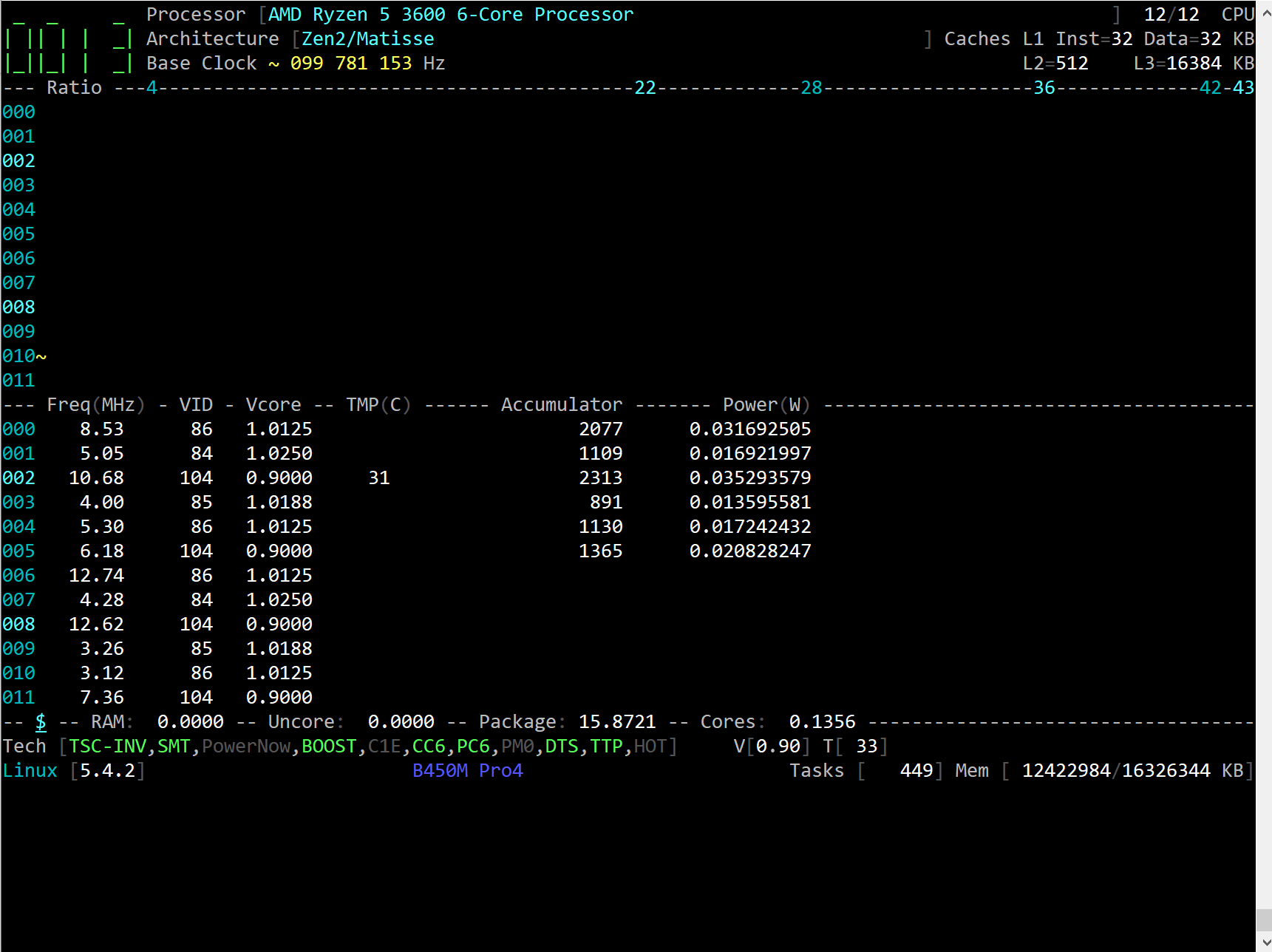
single
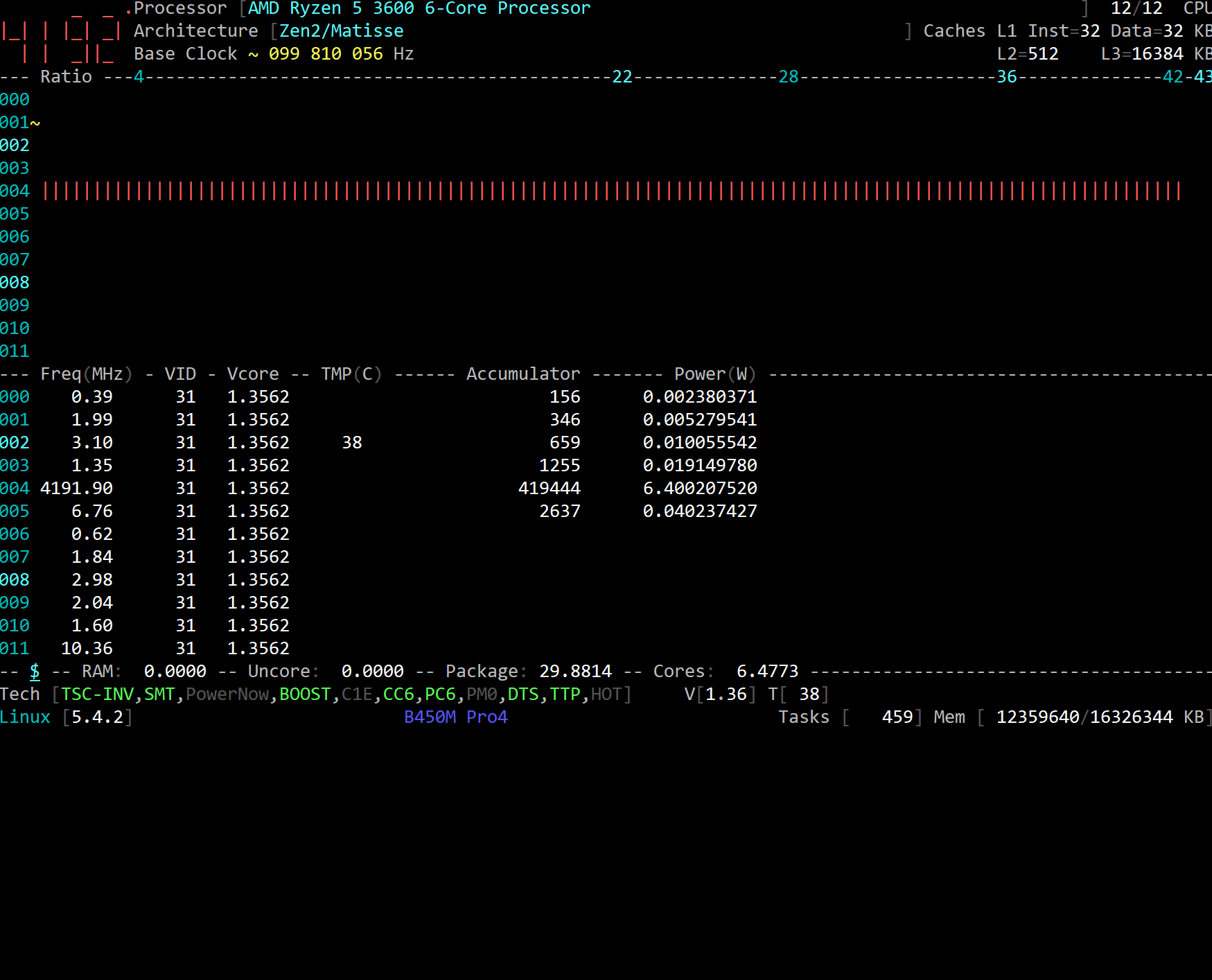
all
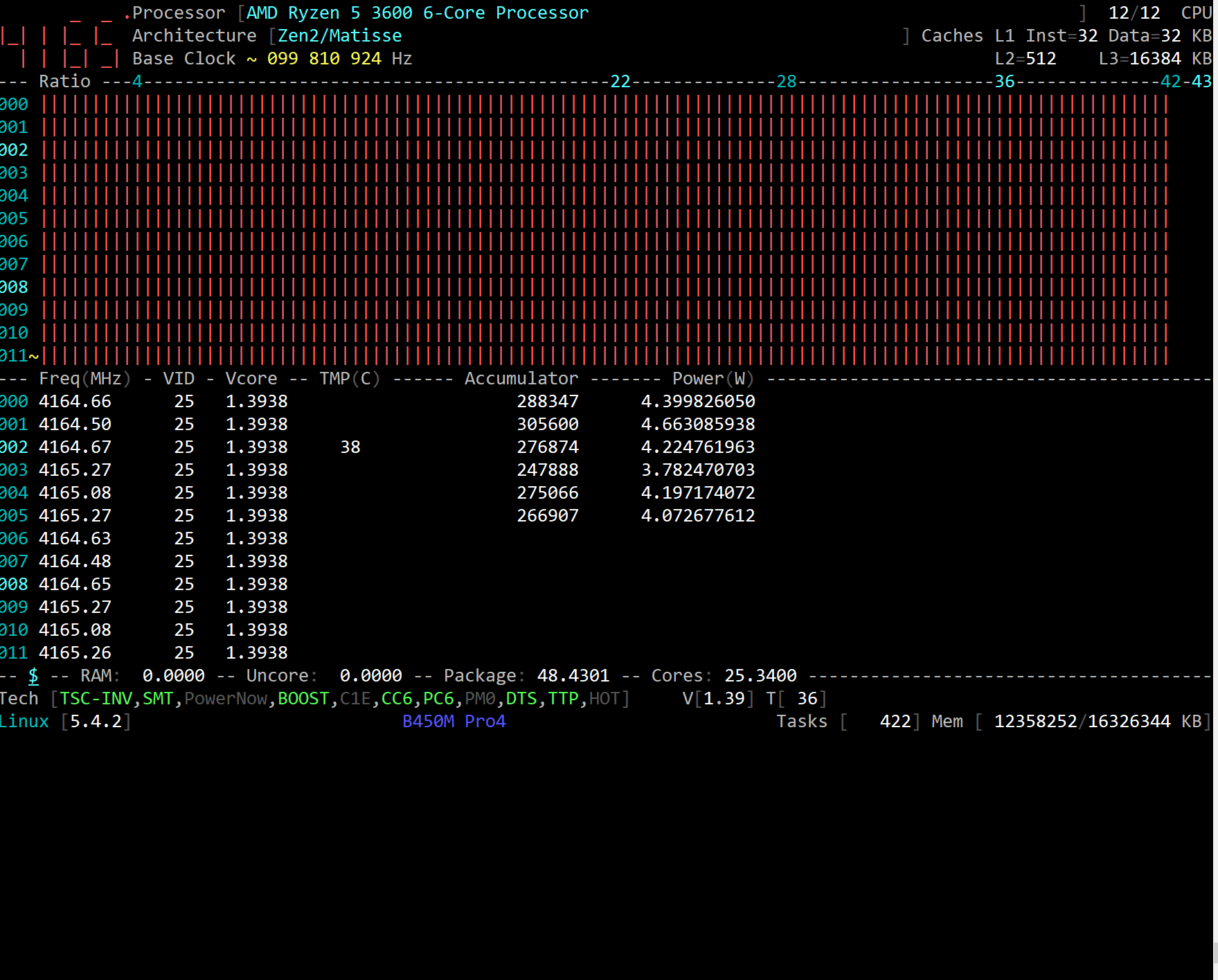
chrisleup
on 12 Dec 2019
@chrisleup : I just love your video. Thanks.
Clearly there are lots to do with the MuQQS kernel flavor: the TASK_STRUCT is heavy patched, such as the RT kernel does. Let me know what could be relevant to bring into _CoreFreq_.
Feel free to open another issue for any enhancements.
Regards
Cyril
cyring
on 12 Dec 2019
Version 1.70.2 is looking fine.
5.4.2-ck1 idle video - https://chris-leupfitter.tinytake.com/tt/Mzk0MjI5MV8xMjA5NzU3Ng
Interesting that the cores have individual voltage readings! Not sure if that's due to the patch or Zen2.
adatum
on 12 Dec 2019
Version 1.70.2 is looking fine.
Thank you
Interesting that the cores have individual voltage readings! Not sure if that's due to the patch or Zen2.
Be aware that the CoreFreq driver runs independently a high resolution timer per CPU. Thus each SMT Core registers are not read at the _same time_
Next the Daemon, through CPU bound threads, collects register results. Each thread monitors a status bit, set by its HR timer counterpart, in a 50 ms waiting loop.
Data is stored in a Flip-flop structure, per CPU. The Daemon full aggregation takes place on the N-1 collection.
In final, you may just see a shift among the Vcore collect; only the AMD specs will tell us the topology of this Vcore MSR.
You can try to decrease the timers interval down to 100 ms in the Settings menu to check if idle Vcore(s) are getting closer.
cyring
on 12 Dec 2019
You can try to decrease the timers interval down to 100 ms in the Settings menu to check if idle Vcore(s) are getting closer.
Closer to what? I tried 100ms interval and the Vcores were still consistent with each other.
Given the screenshots above with the unpatched vs patched kernel with Zen2, I would assume that the individually varied Vcores are due to the kernel patch, whether it's real or a glitch. Interesting that it is seen only for idle.
adatum
on 12 Dec 2019
Sorry I meant closer in Vcore value.
I have not found the definition of the boost register 0xc0010293 in the AMD PPR, link in my Wiki - Documentation, but about the _nominal_ P-States, we read:
Each of these registers specify the frequency and voltage associated with each of the core P-States. The CpuVid field in these registers is required to be programmed to the same value in all cores of a processor, but are
allowed to be different between processors in a multi-processor system. All other fields in these registers are required to
be programmed to the same value in each core of the coherent fabric.
The topology of MSRC001_006[B:4] is :
_lthree[1:0]_core[3:0]_thread[1:0]_n[7:0];
Thus, for each cache L3, each Core, each SMT, each Cluster (CCX ?)
Can we assume the boost register has the same topology ?
I think that a TR or EPYC, which have more than 1 cluster, stressed on one cluster, and not the one, would help to understand the Vcore
Also, not recommended by AMD, but programming each Core VID on your Ryzen, if BIOS allows it, may reveal things...
cyring
on 12 Dec 2019
I have isolate the code to compute the coefficient of frequency and the voltage from the P-State value in this program code4zen.c
Once compiled, enter for example:
./code4zen 0x000000000053C894
You get:
 COF [        37]      FID[       148]      DID[         8]
Vcore[    1.0562]      VID[        79]
- There are a few ways to read the P-State
- using the Linux
msr.kodriver:
rdmsr -aX 0xC0010293
- dump from an Internet source
- Zen has 3 enabled nominal P-States:
0xC0010064,0xC0010065and0xC0010066; plus one undocumented0xC0010293
cyring
on 12 Dec 2019
Hello,
Searching for the Ryzen sensors leads me to this Nuvoton IC
Datasheet here which is similar to the Winbond IC I've added recently for Westmere + Rampage ; and I would like to test the Vcore reading on your Ryzen processors.
- Can you plz replace these instructions :
https://github.com/cyring/CoreFreq/blob/a69ab7abb2604c4efbbf2e100cac23a9891290a2/corefreqk.c#L8323
        /* Read the boosted voltage VID. TODO(boosted FID)  */
        RDMSR(PstateDef, MSR_AMD_PSTATE_F17H_BOOST);
        Core->PowerThermal.VID = PstateDef.Family_17h.CpuVid;
with:
            outb_p(0x20, 0x295);
            Core->PowerThermal.VID = inb_p(0x295 + 1);
Replace this voltage formula:
https://github.com/cyring/CoreFreq/blob/a69ab7abb2604c4efbbf2e100cac23a9891290a2/corefreqk.h#L4715with:
.voltageFormula = VOLTAGE_FORMULA_WINBOND_IO,
- Rebuild and reload all
- If no crash, plz screenshot the Voltage Cli view when Processor is idle next high load to compare later Vcore results
Thanks for this, wish you a merry Xmas
Cyril
cyring
on 24 Dec 2019
Merry Xmas!
The modifications work with no crashes, but the voltage values are not correct.
Idle:
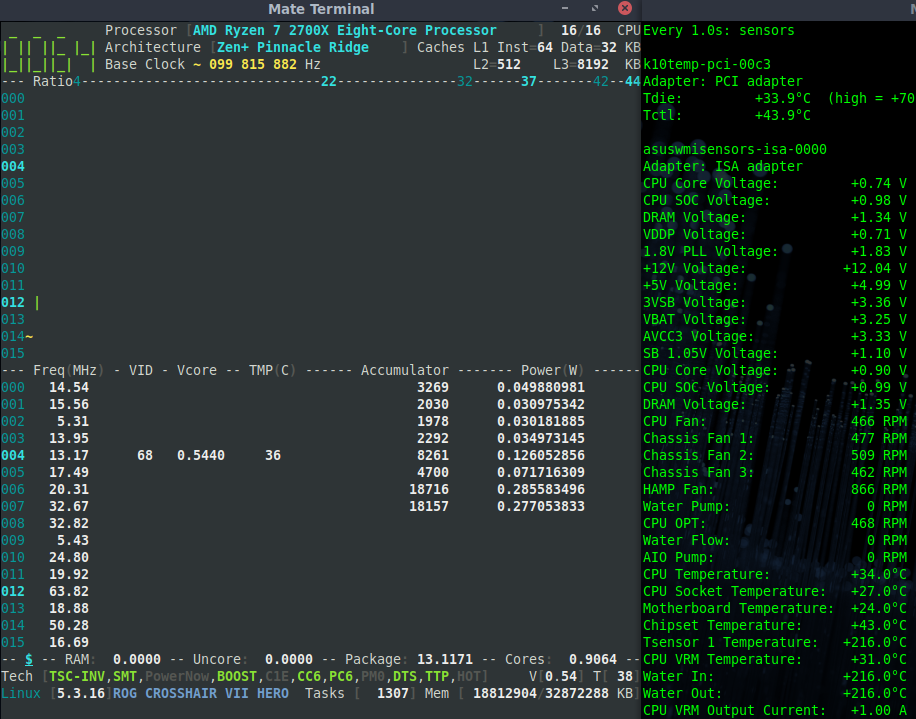
Single core load:
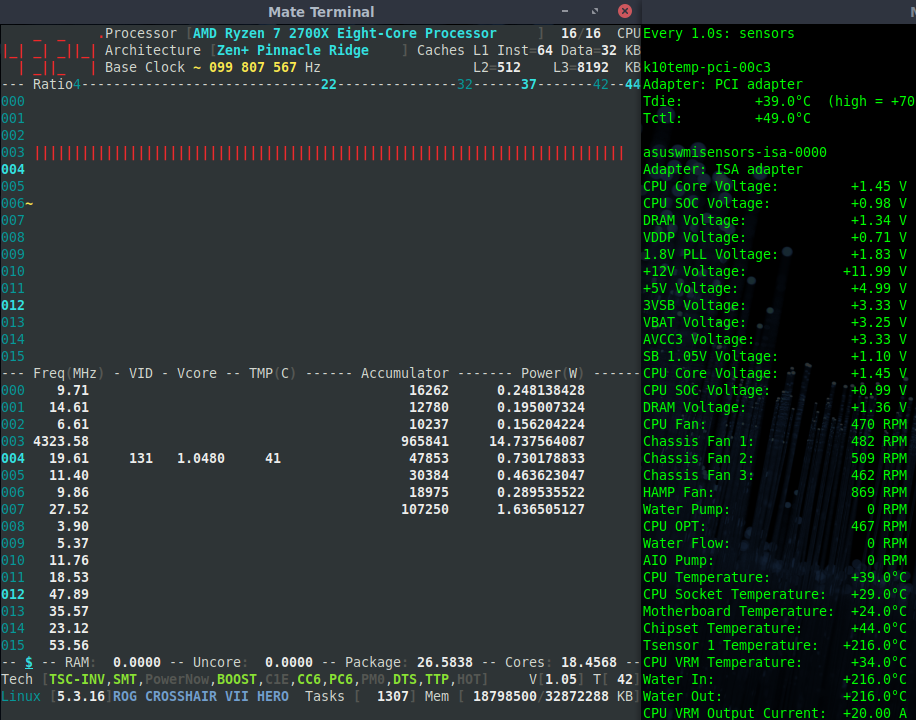
All core load:
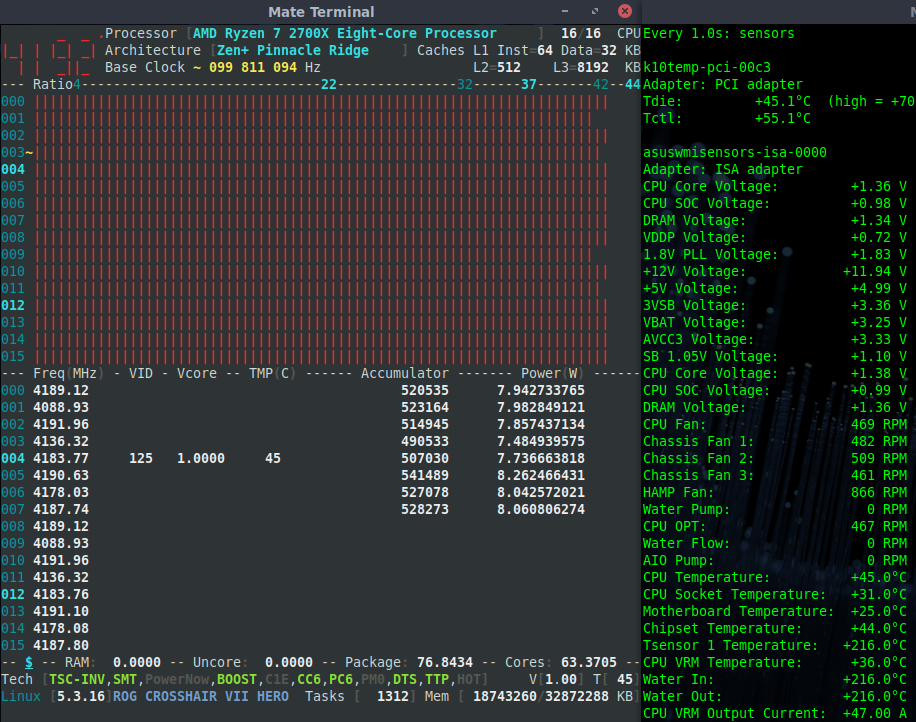
adatum
on 24 Dec 2019
Thanks. Looking at the VID, registers seem to be compatible, but this Vcore factor (0.008) has to be discovered for the Nuvoton chip embedded in your motherboard
https://github.com/cyring/CoreFreq/blob/a69ab7abb2604c4efbbf2e100cac23a9891290a2/coretypes.h#L347
cyring
on 24 Dec 2019
Strange to see that the VID=125 applies with the IC, Cores all loaded, and with the P-State MSR, all Cores idle !
Like the P-State VID is the reversed value of the IC VID
I'm looking at these from smartphone, thus it's hard to read. But I don't establish this relation in the opposite case: idle w/ IC, load w/ P-State
I believe your hwm IC is Nuvoton but it's a new release whom I haven't find the model and datasheet. Model should be directly written on motherboard.
Asus wmi gets all those data from the ACPI space because they are written by the BIOS blob.
cyring
on 25 Dec 2019
I believe I read the Nuvoton chips are more linux friendly. My Asus Crosshair VII Hero WiFi uses a ITE8665 Super IO chip, which I think due to lacking documentation, did not have much support by the it87 driver. That is the raison d'être of the Asus WMI driver and why it is so helpful.
adatum
on 25 Dec 2019
No suitable ITE datasheets found but here, those guys found a way to read as Nuvoton on a X370 based system.
The thing is that your ITE seems to react to a regular super I/O protocol, like the Winbond. We are getting a VID which fluctuates accordingly to the Processor load.
We could then just solve the math and define a good (VID, Vcore) formula, based on the Asus WMI outputs, at this macro:
https://github.com/cyring/CoreFreq/blob/a69ab7abb2604c4efbbf2e100cac23a9891290a2/coretypes.h#L347
cyring
on 25 Dec 2019
This formula may solve idle and all Cores voltage, not turbo
#define COMPUTE_VOLTAGE_WINBOND_IO(Vcore, VID)              \
        (Vcore = (double) (VID) * 0.01088)
- it is just based on Asus WMI CPU Vcore results from screenshots above but it approximates only for this particular case.
- so far, only the MSR formula in last CoreFreq version is giving good results whatever the EC is.
cyring
on 27 Dec 2019
I was still able to reproduce spikes with the above modification.
Hello, I'm reviewing the code and I'm not sure if I fixed that issue.
Could you please change those lines @
https://github.com/cyring/CoreFreq/blob/a1688041bbd75151f55841d946251f623aa512d1/corefreqd.c#L3450
with :
    case THERMAL_FORMULA_AMD_17h:
      if (cpu == Proc->Service.Core) {
    COMPUTE_THERMAL(AMD_17h,
            Shm->Cpu[cpu].PowerThermal.Limit[0],
            Core[cpu]->PowerThermal.Param,
            Core[cpu]->PowerThermal.Sensor);
      } else {
    Shm->Cpu[cpu].PowerThermal.Limit[0] = 100;
      }
    break;
Edit: I've finally brought the changes above and other initial code to track the Min and Max Vcore which is so far available with option corefreq-cli -V
cyring
on 5 Jan 2020
I take it that with CoreFreq 1.72.0 the code modifications above are no longer needed?
I can still reproduce the temperature spike by changing intervals.
adatum
on 5 Jan 2020
I take it that with CoreFreq 1.72.0 the code modifications above are no longer needed?
I can still reproduce the temperature spike by changing intervals.
Yes they're included, thanks for this try.
cyring
on 6 Jan 2020
Do you mind to prefix this issue title as [SOLVED]
cyring
on 16 Jan 2020
Solved... long ago!
adatum
on 16 Jan 2020
Just read these, thought you would be interested!
https://lore.kernel.org/lkml/[email protected]/
https://www.phoronix.com/scan.php?page=news_item&px=AMD-Ryzen-k10temp-CCD-V-Current
chrisleup
on 17 Jan 2020
Just read these, thought you would be interested!
https://lore.kernel.org/lkml/[email protected]/
https://www.phoronix.com/scan.php?page=news_item&px=AMD-Ryzen-k10temp-CCD-V-Current
Looks great, thanks
I'm wondering which registers to read CCD sensors from: MSR ? SMU ? Super-I/O ?
cyring
on 17 Jan 2020
Not sure on the register specification on these yet, haven't found docs or the code myself...
But --
Patch 2/4 converts the driver to use the devm_hwmon_device_register_with_info
API. This not only simplifies the code and reduces its size, it also
makes the code easier to maintain and enhance.
Another fresh set of info post -
https://www.phoronix.com/scan.php?page=news_item&px=Linux-k10temp-debugfs
https://www.phoronix.com/scan.php?page=news_item&px=K10temp-Could-Improve-5.6
chrisleup
on 23 Jan 2020
Another fresh set of info
This is something I would like to be tested, according to:
Zen2 reports reporting temperatures per CPU die (called Core Complex Dies,
or CCD, by AMD).
CoreFreq can be altered to report the temperature per CPU. Then stressing Core per CCD (topology map in Cli) may prove if there's a sensor per CCD.
This line:
https://github.com/cyring/CoreFreq/blob/007d58d4fa25ce78211ee5742cd5f76f84fa6e1c/coretypes.h#L270
to be changed to:
    THERMAL_FORMULA_AMD_17h =                   \
    (0b000100000001000000000000 << 8) | FORMULA_SCOPE_SMT
Next, rebuild all, reload all, and stress per CCD with a Ryzen 3000
FYI, we had made such test with Ryzen 2000 and could not observe any significative differences among Cores temperature.
cyring
on 23 Jan 2020
@chrisleup :
- you will also change this statement of the Driver at line:
https://github.com/cyring/CoreFreq/blob/007d58d4fa25ce78211ee5742cd5f76f84fa6e1c/corefreqk.c#L8331
with:
        if (Core->Bind == Proc->Service.Core) {
            PKG_Counters_Generic(Core, 1);

            Core_AMD_Family_17h_Temp(Core);

            RDCOUNTER(Proc->Counter[1].Power.ACCU[PWR_DOMAIN(PKG)],
                    MSR_AMD_PKG_ENERGY_STATUS);

            Delta_PTSC_OVH(Proc, Core);

            Delta_PWR_ACCU(Proc, PKG);

            Save_PTSC(Proc);

            Save_PWR_ACCU(Proc, PKG);

            Sys_Tick(Proc);
        } else {
            Core_AMD_Family_17h_Temp(Core);
        }
- and modify the Daemon at this function:
https://github.com/cyring/CoreFreq/blob/007d58d4fa25ce78211ee5742cd5f76f84fa6e1c/corefreqd.c#L137
with:
static inline void Core_ComputeThermal_AMD_17h( struct FLIP_FLOP *CFlip,
                        SHM_STRUCT *Shm,
                        unsigned int cpu )
{
    COMPUTE_THERMAL(AMD_17h,
            CFlip->Thermal.Temp,
            CFlip->Thermal.Param,
            CFlip->Thermal.Sensor);

    Core_ComputeThermalLimits(&Shm->Cpu[cpu], CFlip->Thermal.Temp);
}
Hello,
I'm refactoring the code to support "Sensors scope" and manage the above problem.
Meanwhile, I have solved the issue with the Package Temp (in footer).
Although it's still refreshing itself a few delay later, Package Temp should now be better synchronized with the Hottest Core value or the unique sensor with Ryzen.
Can you please try this working version for any Temp, Vcore and Power regressions.
Thank you
cyring
on 25 Jan 2020
The power value is given only for one core.
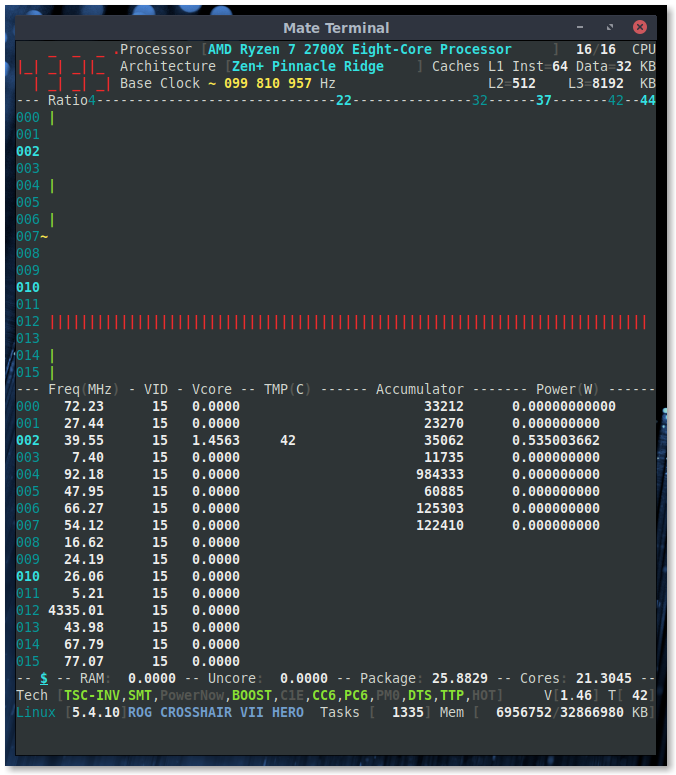
The temperature spike, as indicated by the 89C max, is still present, when changing intervals.
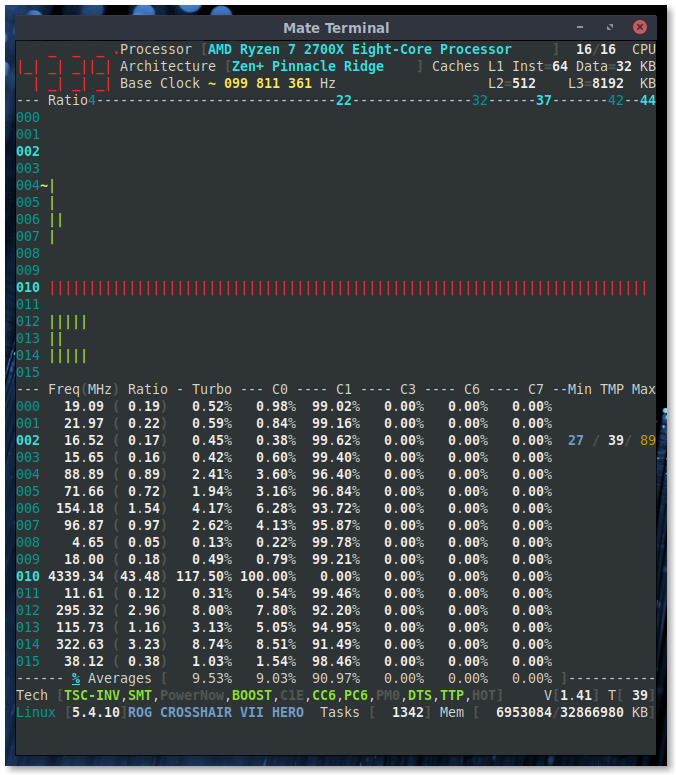
adatum
on 26 Jan 2020
OK, thank you for the screenshots. I'm also noticing issues in Vcore, zéro should not be here.
cyring
on 26 Jan 2020
The power value is given only for one core.
I have made a wrong copy/past in source code: should now be fixed.
The temperature spike, as indicated by the 89C max, is still present, when changing intervals.
Unsolved yet.
This version allows the user to alter the predefined scope of Temperature (_complete_), Voltage (_complete_), Power (_in progress_)
The sensors scope is supplied as new driver parameters chosen among those values:
ThermalScope:[0:None; 1:SMT; 2:Core; 3:Package]
VoltageScope:[0:None; 1:SMT; 2:Core; 3:Package]
PowerFormula:[0:None; 1:SMT; 2:Core; 3:Package]
For example, Temperature per Core, Vcore per Thread, Power for the Package:
insmod corefreqk.ko ThermalScope=2 VoltageScope=1 PowerFormula=3
Then, the scope definition is propagated from the driver, through the Daemon, up to the Cli
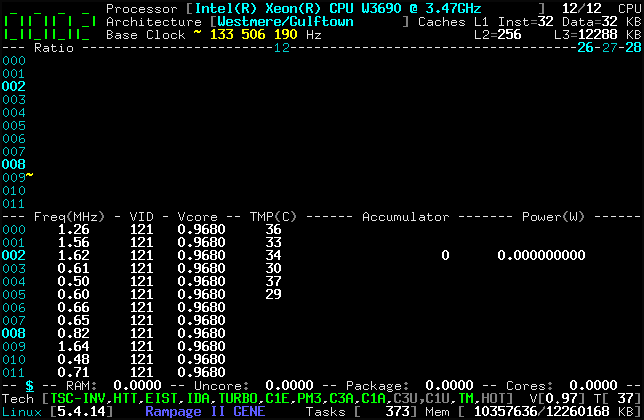
Here's the version:
CoreFreq.tar.gz
cyring
on 26 Jan 2020
Looks better.
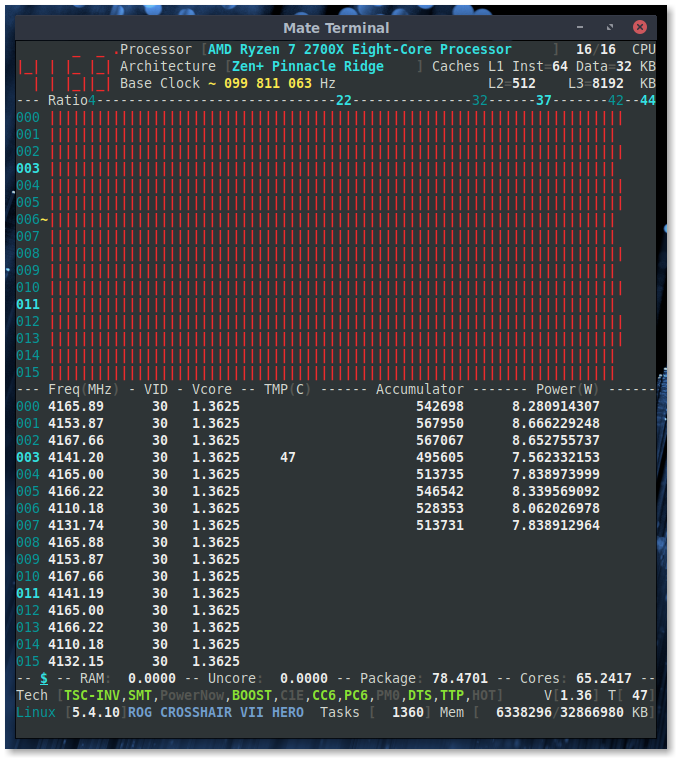
With predefined scopes insmod corefreqk.ko ThermalScope=2 VoltageScope=1 PowerFormula=3:
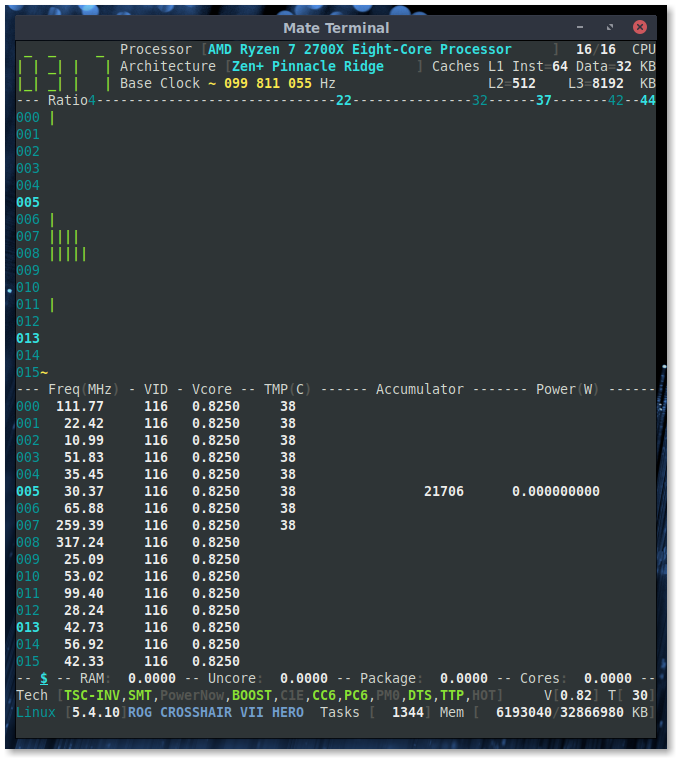
However, with predefined scopes, about every minute I get kernel errors like:
kernel: BUG: scheduling while atomic: swapper/3/0/0x00010000
kernel: BUG: scheduling while atomic: swapper/3/0/0x7fff0000
kernel: BUG: scheduling while atomic: swapper/3/0/0x00010000
kernel: BUG: scheduling while atomic: swapper/3/0/0x7fff0000
```
I don't explain it; probably one sensor register is too much read. I'm thinking about the temperature, which is queried through SMU, and I understand there's only one sensor per package or per CCD.
So reading per SMT might be too aggressive (or the kernel SMU API don't handle so many simultaneous calls)
cyring
on 26 Jan 2020
Do you get this Kernel trace with ThermalScope=3 (temperature per package) ?
cyring
on 26 Jan 2020
With insmod corefreqk.ko ThermalScope=3 VoltageScope=1 PowerFormula=3 I left corefreq-cli running for ~10 minutes and had no kernel trace.
Testing again with insmod corefreqk.ko ThermalScope=2 VoltageScope=1 PowerFormula=3 as a consistency check, I got kernel traces within about a minute as before.
adatum
on 26 Jan 2020
First answer found about " scheduling while atomic " ... My allocation is indeed atomic because the monitoring loops happen in a high resolution timer handler, which is an interrupt. ~I believe I'll have to relocate the Kernel SMU device in GFP_KERNEL~
I've made this version to use as a default the CoreFreq SMU own implementation (which is atomic by design) to check if it is ThermalScope=2 or ThermalScope=1 proof.
You'll have to unload k10temp/lm_sensors and other ASUS WMI drivers before starting corefreqk.ko
cyring
on 27 Jan 2020
With the last version and k10temp and asus-wmi-sensors unloaded, there were no kernel traces after running for 10+ minutes each with insmod corefreqk.ko ThermalScope=3 VoltageScope=1 PowerFormula=3 and also insmod corefreqk.ko ThermalScope=2 VoltageScope=1 PowerFormula=3
adatum
on 27 Jan 2020
I don't find a workaround to this mutex lock in my timer handler __Cycle_AMD_Family_17h(); beside rewriting the _CoreFreq_ loops with kthread !
The call flow is as bellow:
Start_AMD_Family_17h()
    |-> hrtimer_start()
            |-> Cycle_AMD_Family_17h()
                    |-> Core_AMD_Family_17h_Temp()
                            |-> amd_smn_read()
                                    |-> __amd_smn_rw()
                                            |-> mutex_lock()
Edit:
- apparently down_trylock "can be used from interrupt context" (although this contradiction here) which involves to patch the kernel function
__amd_smn_rw(). GFP_KERNELmay sleep but I never have an issue in my softirq handler; and many drivers in Linux are allocating timers with this flag.
cyring
on 28 Jan 2020
Hello,
In the development version, available in issue #162 , I'm working on the absolute frequencies.
Pressing the [!] key will toggle the bar chart in absolute or relative mode
For Zen, the driver is reading, per cpu, the Frequency ID of the Boosted P-State register. If it works with your Ryzen, can you please show me the bars when idle, single and full load
cyring
on 20 Feb 2020
make is failing with errors on both the development and latest git pull versions.
corefreqk.c:234:26: error: initialization of ‘int (*)(struct cpufreq_policy_data *)’ from incompatible pointer type ‘int (*)(struct cpufreq_policy *)’ [-Werror=incompatible-pointer-types]
  234 |  /*MANDATORY*/ .verify = CoreFreqK_Policy_Verify,
      |                          ^~~~~~~~~~~~~~~~~~~~~~~
corefreqk.c:234:26: note: (near initialization for ‘CoreFreqK.FreqDriver.verify’)
corefreqk.c: In function ‘CoreFreqK_Policy_Verify’:
corefreqk.c:9250:36: error: passing argument 1 of ‘cpufreq_verify_within_cpu_limits’ from incompatible pointer type [-Werror=incompatible-pointer-types]
 9250 |   cpufreq_verify_within_cpu_limits(policy);
      |                                    ^~~~~~
      |                                    |
      |                                    struct cpufreq_policy *
corefreqk.c:22:
./include/linux/cpufreq.h:448:62: note: expected ‘struct cpufreq_policy_data *’ but argument is of type ‘struct cpufreq_policy *’
  448 | cpufreq_verify_within_cpu_limits(struct cpufreq_policy_data *policy)
      |                                  ~~~~~~~~~~~~~~~~~~~~~~~~~~~~^~~~~~
Adatum; I mentioned these make/build errors in https://github.com/cyring/CoreFreq/issues/163 which seem to be fixed in fresh git pulls and a 5.5.5 kernel ..
chrisleup
on 20 Feb 2020
@chrisleup I got the errors with the latest git pull and kernel 5.4.19.
adatum
on 20 Feb 2020
With the kernel change, I have put conditions to use the right structure name:
https://github.com/cyring/CoreFreq/blob/37f8c5fe1562fa1d66c544cf3502333df3ebfefb/corefreqk.c#L9182
https://github.com/cyring/CoreFreq/blob/37f8c5fe1562fa1d66c544cf3502333df3ebfefb/corefreqk.h#L3646
Can you find which version make the change on your setup ?
cyring
on 20 Feb 2020
In CoreFreq_1740 I changed the two lines referenced above for kernel 5.4.19 and then it compiled successfully.
I don't think the bar chart is working properly. Toggling with [!] made all bars go to maximum even while the frequency is at idle. Toggling back made it normal as before.
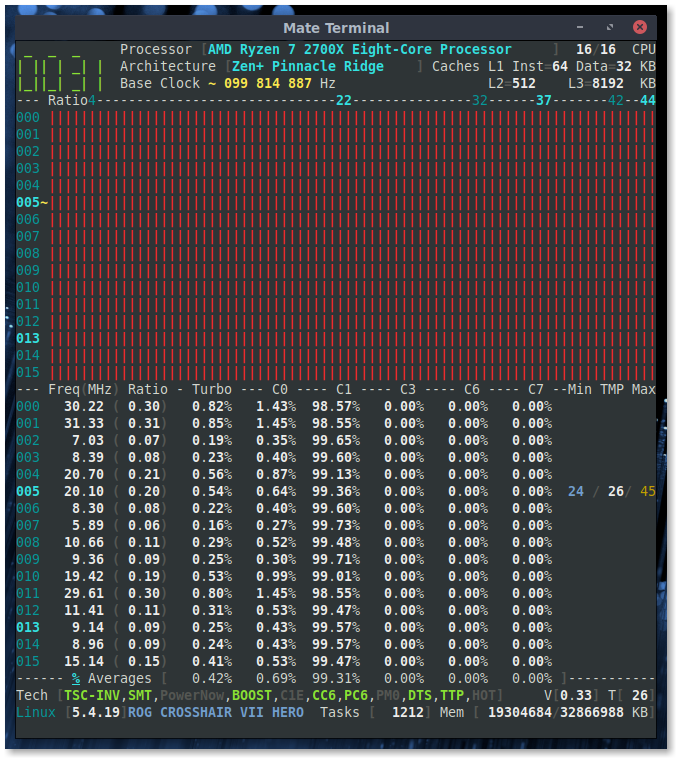
adatum
on 20 Feb 2020
In CoreFreq_1740 I changed the two lines referenced above for kernel 5.4.19 and then it compiled successfully.
I have tracked the change: indeed it happened between v5.4.18 and v5.4.19
I don't think the bar chart is working properly. Toggling with
[!]made all bars go to maximum even while the frequency is at idle. Toggling back made it normal as before.
I will add the printed frequency values to check if they are coherent. Stay tuned.
Regards
cyring
on 20 Feb 2020
Fyi: Master in version 1.73.7 released with kernel 5.4.19 requirements
cyring
on 21 Feb 2020
1.73.7 compiles and works for me, now on kernel 5.4.20.
adatum
on 21 Feb 2020
A new develop branch is available: pressing [!] will now show the absolute frequency/ratio values per cpu (_in the Frequency view only so far_)
Can you please try it, and show me the frequencies read with Ryzen.
cyring
on 21 Feb 2020
The bar, freq, and ratio values seem to be per core and not per thread, as seen by the symmetry in the screenshots, particularly for single core load. The turbo and Cx values are per thread as expected.
Idle:
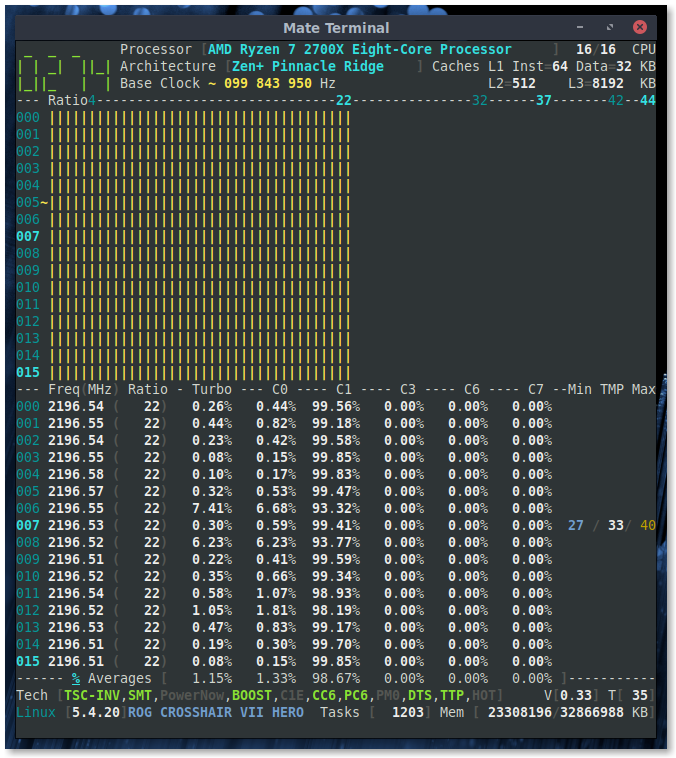
Single core load:
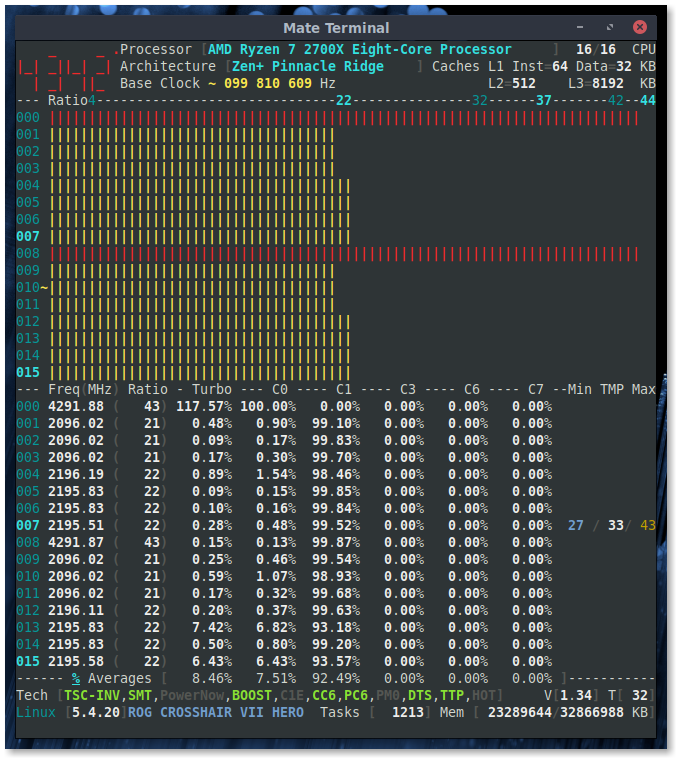
All core load:
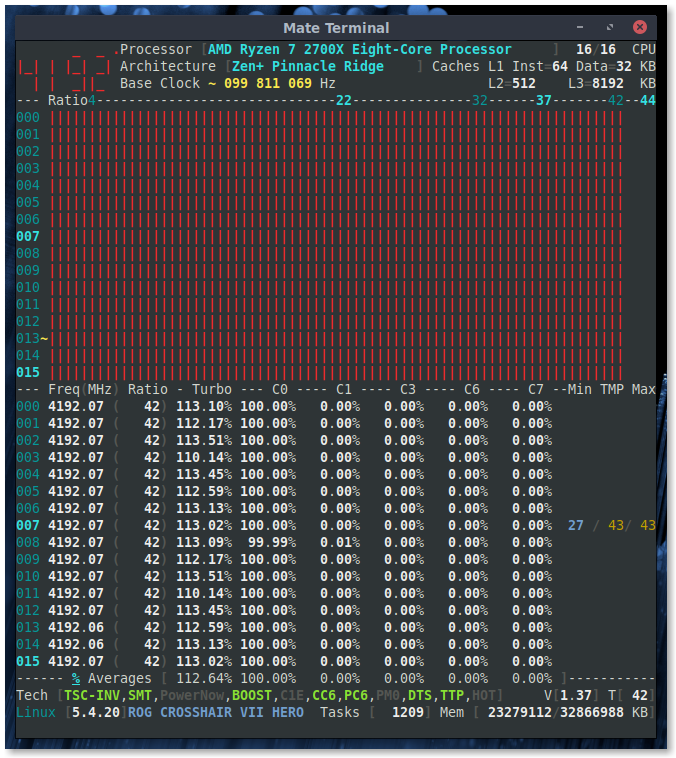
adatum
on 21 Feb 2020
The bar, freq, and ratio values seem to be per core and not per thread, as seen by the symmetry in the screenshots, particularly for single core load. The turbo and Cx values are per thread as expected.
Awesome.
I don't have such P-States discriminant with the Intel processors I've tested so far where all frequencies are set to the same value whatever the load is.
cyring
on 21 Feb 2020
CpuFid[7:0]: core frequency ID. Read-write. Reset: XXh. Specifies the core frequency multiplier. The core COF is a function of CpuFid and CpuDid, and defined by CoreCOF.
What AMD says about P-States registers that they are per Core; not SMT.
It looks coherent with what we read.
cyring
on 21 Feb 2020
Strange, one of the SandyBridge server is having discrete P-State frequency. Idle case
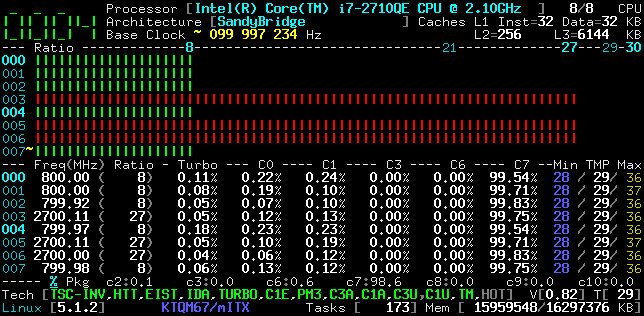
Whereas, with another one, Cores seem to share the same ratio
Idle case
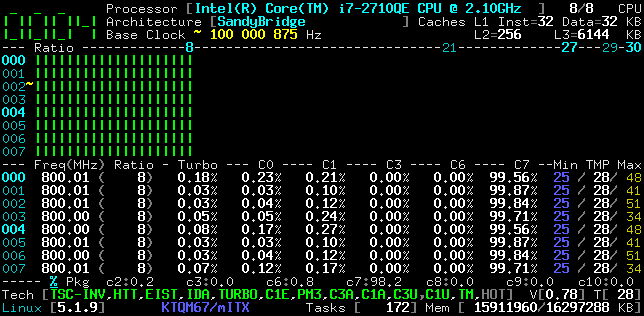
Load case
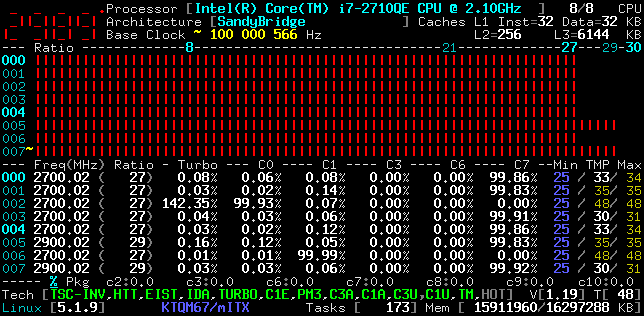
cyring
on 21 Feb 2020
OK, I partially solved the above effects by removing the warning cflags of the build.
However I can still notice some frequency spikes while system is idling and I believe each CPU monitoring loop might not read the same P-State value at the same time.
That's the side effect of pooling the same register on different Core, not the same tick.
And it becomes clearly obvious when changing the Settings->Interval to 100 ms
cyring
on 21 Feb 2020
Hello,
I'm moving the remainings to the roadmap #169
Take care
cyring
on 18 Mar 2020
Hi,
I hope you are doing fine.
I have met issues in Zen L3 cache size among Zen 3000 series.
Can you pull the develop branch and post back the output of the Topology
For some reasons I don't remember, the previous formula (units of 256 KB) was OK with your 2700X as shown bellow. But checking AMD specs again, units is indeed in 512 KB
Hello,
Using latest version, do you still get the following topology ?
CPU Pkg  Apic  Core Thread  Caches      (w)rite-Back (i)nclusive
 #   ID   ID    ID     ID  L1-Inst Way  L1-Data Way      L2  Way      L3  Way
00: BSP     0     0      0      64  4        32  8       512  8     16384  8
01:   0     1     0      1      64  4        32  8       512  8     16384  8
02:   0     2     1      0      64  4        32  8       512  8     16384  8
03:   0     3     1      1      64  4        32  8       512  8     16384  8
04:   0     4     2      0      64  4        32  8       512  8     16384  8
05:   0     5     2      1      64  4        32  8       512  8     16384  8
06:   0     6     3      0      64  4        32  8       512  8     16384  8
07:   0     7     3      1      64  4        32  8       512  8     16384  8
08:   0     8     4      0      64  4        32  8       512  8     16384  8
09:   0     9     4      1      64  4        32  8       512  8     16384  8
10:   0    10     5      0      64  4        32  8       512  8     16384  8
11:   0    11     5      1      64  4        32  8       512  8     16384  8
12:   0    12     6      0      64  4        32  8       512  8     16384  8
13:   0    13     6      1      64  4        32  8       512  8     16384  8
14:   0    14     7      0      64  4        32  8       512  8     16384  8
15:   0    15     7      1      64  4        32  8       512  8     16384  8
cyring
on 26 May 2020
Hi,
I'm fine, hope you're doing well.
I'm forgetting the details of what we did too, but here's the topology output. Hope it's helps.
---------------------------------- Topology ----------------------------------
 CPU Pkg  Apic  Core Thread  Caches      (w)rite-Back (i)nclusive
  #   ID   ID  CCX ID    ID L1-Inst Way  L1-Data Way      L2  Way      L3  Way
 000:BSP     0  0   0     0      64  4        32  8       512  8 i   16384 16w
 001:  0     2  0   1     0      64  4        32  8       512  8 i   16384 16w
 002:  0     4  0   2     0      64  4        32  8       512  8 i   16384 16w
 003:  0     6  0   3     0      64  4        32  8       512  8 i   16384 16w
 004:  0     8  1   4     0      64  4        32  8       512  8 i   16384 16w
 005:  0    10  1   5     0      64  4        32  8       512  8 i   16384 16w
 006:  0    12  1   6     0      64  4        32  8       512  8 i   16384 16w
 007:  0    14  1   7     0      64  4        32  8       512  8 i   16384 16w
 008:  0     1  0   0     1      64  4        32  8       512  8 i   16384 16w
 009:  0     3  0   1     1      64  4        32  8       512  8 i   16384 16w
 010:  0     5  0   2     1      64  4        32  8       512  8 i   16384 16w
 011:  0     7  0   3     1      64  4        32  8       512  8 i   16384 16w
 012:  0     9  1   4     1      64  4        32  8       512  8 i   16384 16w
 013:  0    11  1   5     1      64  4        32  8       512  8 i   16384 16w
 014:  0    13  1   6     1      64  4        32  8       512  8 i   16384 16w
 015:  0    15  1   7     1      64  4        32  8       512  8 i   16384 16w
 ------------------------------------------------------------------------------
The differences I see are a different core ordering due to the inclusion of CCX ID, and "Way" being 16 vs 8 previously.
adatum
on 27 May 2020
The differences I see are a different core ordering due to the inclusion of CCX ID, and "Way" being 16 vs 8 previously.
Looks it matches the cpu-world inventory
CCX has been moved from Daemon to Driver; other fixes, such as 16 way decoding, but Core ID enumeration algorithm remains the same.
I'm also noticing that L2 is now tagged as (i)nclusive
Do you have update the BIOS or AGESA ? (which may had changed the CPUID outputs)
Btw, CCD is also present in code but room is missing to display it in the Topology array of max 78 characters width.
cyring
on 27 May 2020
Do you have update the BIOS or AGESA ? (which may had changed the CPUID outputs)
I have not updated in about a year. I'm on BIOS version 2203. I'm not sure which AGESA given the confusing numbering scheme. https://www.asus.com/us/Motherboards/ROG-CROSSHAIR-VII-HERO/HelpDesk_BIOS/
adatum
on 27 May 2020
Obverse that the APIC ID ordering is also not the same as before.
I think changes happen in commit e957285e020159ead69f8f9aadfe0f29e366b4b0
Do you have lstopo to compare results with ?
cyring
on 27 May 2020
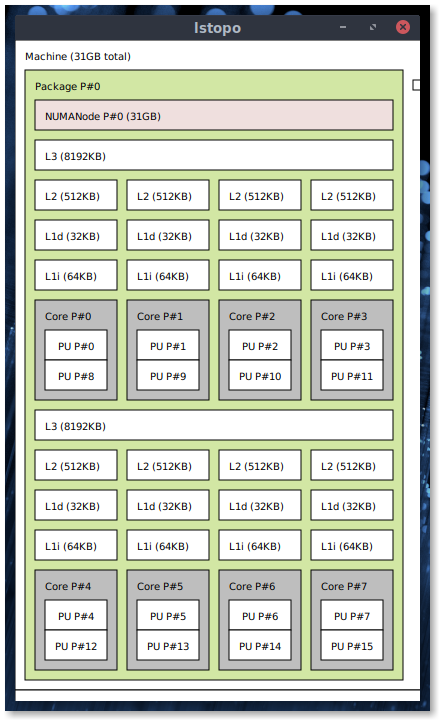
adatum
on 27 May 2020
So the relations look the same.
For example in lstopo Core ID 6 is made of CPU 6 and CPU 14
In _CoreFreq_ we see the same but in the reverse direction:
CPU 6 to Core ID 6 and CPU 14 to SMT Core ID 6
Apparently lstopo is divided the cache L3 size by the CCX count. See L3 (8192KB)
cyring
on 27 May 2020
Cyril;
Output of my Ryzen 3600 .. I'll get you a 1600 soon too..
root@oro:~/hwloc-2.2.0# utils/lstopo/lstopo-no-graphics  -v
Machine (P#0 total=16325748KB DMIProductName="To Be Filled By O.E.M."
DMIProductVersion="To Be Filled By O.E.M." DMIProductSerial="To Be Filled
By O.E.M." DMIProductUUID=ccc28570-825b-0000-0000-000000000000
DMIBoardVendor=ASRock DMIBoardName="B450M Pro4" DMIBoardVersion=
DMIBoardSerial=M80-C3009500438 DMIBoardAssetTag= DMIChassisVendor="To Be
Filled By O.E.M." DMIChassisType=3 DMIChassisVersion="To Be Filled By
O.E.M." DMIChassisSerial="To Be Filled By O.E.M." DMIChassisAssetTag="To Be
Filled By O.E.M." DMIBIOSVendor="American Megatrends Inc."
DMIBIOSVersion=P3.90 DMIBIOSDate=12/09/2019 DMISysVendor="To Be Filled By
O.E.M." Backend=Linux LinuxCgroup=/ OSName=Linux OSRelease=5.6.15-ck2
OSVersion="#1 SMP Wed May 27 11:24:54 CDT 2020" HostName=oro
Architecture=x86_64 hwlocVersion=2.2.0 ProcessName=lstopo-no-graphics)
  Package L#0 (P#0 total=16325748KB CPUVendor=AuthenticAMD
CPUFamilyNumber=23 CPUModelNumber=113 CPUModel="AMD Ryzen 5 3600 6-Core
Processor              " CPUStepping=0)
    NUMANode L#0 (P#0 local=16325748KB total=16325748KB)
    L3Cache L#0 (size=16384KB linesize=64 ways=16 Inclusive=0)
      L2Cache L#0 (size=512KB linesize=64 ways=8 Inclusive=1)
        L1dCache L#0 (size=32KB linesize=64 ways=8 Inclusive=0)
          L1iCache L#0 (size=32KB linesize=64 ways=8 Inclusive=0)
            Core L#0 (P#0)
              PU L#0 (P#0)
              PU L#1 (P#6)
      L2Cache L#1 (size=512KB linesize=64 ways=8 Inclusive=1)
        L1dCache L#1 (size=32KB linesize=64 ways=8 Inclusive=0)
          L1iCache L#1 (size=32KB linesize=64 ways=8 Inclusive=0)
            Core L#1 (P#1)
              PU L#2 (P#1)
              PU L#3 (P#7)
      L2Cache L#2 (size=512KB linesize=64 ways=8 Inclusive=1)
        L1dCache L#2 (size=32KB linesize=64 ways=8 Inclusive=0)
          L1iCache L#2 (size=32KB linesize=64 ways=8 Inclusive=0)
            Core L#2 (P#2)
              PU L#4 (P#2)
              PU L#5 (P#8)
    L3Cache L#1 (size=16384KB linesize=64 ways=16 Inclusive=0)
      L2Cache L#3 (size=512KB linesize=64 ways=8 Inclusive=1)
        L1dCache L#3 (size=32KB linesize=64 ways=8 Inclusive=0)
          L1iCache L#3 (size=32KB linesize=64 ways=8 Inclusive=0)
            Core L#3 (P#4)
              PU L#6 (P#3)
              PU L#7 (P#9)
      L2Cache L#4 (size=512KB linesize=64 ways=8 Inclusive=1)
        L1dCache L#4 (size=32KB linesize=64 ways=8 Inclusive=0)
          L1iCache L#4 (size=32KB linesize=64 ways=8 Inclusive=0)
            Core L#4 (P#5)
              PU L#8 (P#4)
              PU L#9 (P#10)
      L2Cache L#5 (size=512KB linesize=64 ways=8 Inclusive=1)
        L1dCache L#5 (size=32KB linesize=64 ways=8 Inclusive=0)
          L1iCache L#5 (size=32KB linesize=64 ways=8 Inclusive=0)
            Core L#5 (P#6)
              PU L#10 (P#5)
              PU L#11 (P#11)
  HostBridge L#0 (buses=0000:[00-0a])
    PCIBridge L#1 (busid=0000:00:01.1 id=1022:1483 class=0604(PCIBridge)
link=3.94GB/s buses=0000:[01-01])
      PCI L#0 (busid=0000:01:00.0 id=1987:5012 class=0108(NVMExp)
link=3.94GB/s)
        Block(Disk) L#0 (Size=250059096 SectorSize=512 LinuxDeviceID=259:0
Model="PCIe SSD" Revision=ECFM12.3 SerialNumber=19070125600039) "nvme0n1"
    PCIBridge L#2 (busid=0000:00:01.3 id=1022:1483 class=0604(PCIBridge)
link=3.94GB/s buses=0000:[02-06])
      PCI L#1 (busid=0000:02:00.1 id=1022:43c8 class=0106(SATA)
link=3.94GB/s)
      PCIBridge L#3 (busid=0000:02:00.2 id=1022:43c6 class=0604(PCIBridge)
link=3.94GB/s buses=0000:[03-06])
        PCIBridge L#4 (busid=0000:03:01.0 id=1022:43c7
class=0604(PCIBridge) link=0.25GB/s buses=0000:[05-05])
          PCI L#2 (busid=0000:05:00.0 id=10ec:8168 class=0200(Ethernet)
link=0.25GB/s)
            Network L#1 (Address=70:85:c2:cc:5b:82) "enp5s0"
    PCIBridge L#5 (busid=0000:00:08.2 id=1022:1484 class=0604(PCIBridge)
link=31.51GB/s buses=0000:[09-09])
      PCI L#3 (busid=0000:09:00.0 id=1022:7901 class=0106(SATA)
link=31.51GB/s)
    PCIBridge L#6 (busid=0000:00:08.3 id=1022:1484 class=0604(PCIBridge)
link=31.51GB/s buses=0000:[0a-0a])
      PCI L#4 (busid=0000:0a:00.0 id=1022:7901 class=0106(SATA)
link=31.51GB/s)
  Misc(MemoryModule) L#0 (P#0 DeviceLocation="DIMM 0" BankLocation="P0
CHANNEL A" Vendor=Unknown SerialNumber=Unknown PartNumber=Unknown)
  Misc(MemoryModule) L#1 (P#1 DeviceLocation="DIMM 1" BankLocation="P0
CHANNEL A" Vendor=Unknown SerialNumber=E1BD18CF
PartNumber=BLS8G4D32AESBK.M8FE)
  Misc(MemoryModule) L#2 (P#2 DeviceLocation="DIMM 0" BankLocation="P0
CHANNEL B" Vendor=Unknown SerialNumber=Unknown PartNumber=Unknown)
  Misc(MemoryModule) L#3 (P#3 DeviceLocation="DIMM 1" BankLocation="P0
CHANNEL B" Vendor=Unknown SerialNumber=E1BD18EA
PartNumber=BLS8G4D32AESBK.M8FE)
depth 0:           1 Machine (type #0)
 depth 1:          1 Package (type #1)
  depth 2:         2 L3Cache (type #6)
   depth 3:        6 L2Cache (type #5)
    depth 4:       6 L1dCache (type #4)
     depth 5:      6 L1iCache (type #9)
      depth 6:     6 Core (type #2)
       depth 7:    12 PU (type #3)
Special depth -3:  1 NUMANode (type #13)
Special depth -4:  7 Bridge (type #14)
Special depth -5:  5 PCIDev (type #15)
Special depth -6:  2 OSDev (type #16)
Special depth -7:  4 Misc (type #17)
On Tue, May 26, 2020 at 7:00 PM CYRIL INGENIERIE notifications@github.com
wrote:
So the relations look the same.
For example in lstopo Core ID 6 is made of CPU 6 and CPU 14
In CoreFreq we see the same but in the reverse direction:
CPU 6 to Core ID 6 and CPU 14 to SMT Core ID 6Apparently lstopo is divided the cache L3 size by the CCX count. See L3
(8192KB)—
You are receiving this because you were mentioned.
Reply to this email directly, view it on GitHub
https://github.com/cyring/CoreFreq/issues/54#issuecomment-634342828, or
unsubscribe
https://github.com/notifications/unsubscribe-auth/AMT32GRR5FLOQFGQK4G7DTLRTRJ3HANCNFSM4E7RDBIA
.
chrisleup
on 28 May 2020
- Fixing things in Markdown. Thanks for those inputs. Feel free to purge your post above where your credentials are revealed !
Can you now post the output of the Topology, regardingcorefreq-cli -m
lstopo-no-graphics  -v
Machine (P#0 total=16325748KB DMIProductName="To Be Filled By O.E.M."
DMIProductVersion="To Be Filled By O.E.M." DMIProductSerial="To Be Filled
By O.E.M." DMIProductUUID=ccc28570-825b-0000-0000-000000000000
DMIBoardVendor=ASRock DMIBoardName="B450M Pro4" DMIBoardVersion=
DMIBoardSerial=XXX DMIBoardAssetTag= DMIChassisVendor="To Be
Filled By O.E.M." DMIChassisType=3 DMIChassisVersion="To Be Filled By
O.E.M." DMIChassisSerial="To Be Filled By O.E.M." DMIChassisAssetTag="To Be
Filled By O.E.M." DMIBIOSVendor="American Megatrends Inc."
DMIBIOSVersion=P3.90 DMIBIOSDate=12/09/2019 DMISysVendor="To Be Filled By
O.E.M." Backend=Linux LinuxCgroup=/ OSName=Linux OSRelease=5.6.15-ck2
OSVersion="#1 SMP Wed May 27 11:24:54 CDT 2020" HostName=oro
Architecture=x86_64 hwlocVersion=2.2.0 ProcessName=lstopo-no-graphics)
  Package L#0 (P#0 total=16325748KB CPUVendor=AuthenticAMD
CPUFamilyNumber=23 CPUModelNumber=113 CPUModel="AMD Ryzen 5 3600 6-Core
Processor              " CPUStepping=0)
    NUMANode L#0 (P#0 local=16325748KB total=16325748KB)
    L3Cache L#0 (size=16384KB linesize=64 ways=16 Inclusive=0)
      L2Cache L#0 (size=512KB linesize=64 ways=8 Inclusive=1)
        L1dCache L#0 (size=32KB linesize=64 ways=8 Inclusive=0)
          L1iCache L#0 (size=32KB linesize=64 ways=8 Inclusive=0)
            Core L#0 (P#0)
              PU L#0 (P#0)
              PU L#1 (P#6)
      L2Cache L#1 (size=512KB linesize=64 ways=8 Inclusive=1)
        L1dCache L#1 (size=32KB linesize=64 ways=8 Inclusive=0)
          L1iCache L#1 (size=32KB linesize=64 ways=8 Inclusive=0)
            Core L#1 (P#1)
              PU L#2 (P#1)
              PU L#3 (P#7)
      L2Cache L#2 (size=512KB linesize=64 ways=8 Inclusive=1)
        L1dCache L#2 (size=32KB linesize=64 ways=8 Inclusive=0)
          L1iCache L#2 (size=32KB linesize=64 ways=8 Inclusive=0)
            Core L#2 (P#2)
              PU L#4 (P#2)
              PU L#5 (P#8)
    L3Cache L#1 (size=16384KB linesize=64 ways=16 Inclusive=0)
      L2Cache L#3 (size=512KB linesize=64 ways=8 Inclusive=1)
        L1dCache L#3 (size=32KB linesize=64 ways=8 Inclusive=0)
          L1iCache L#3 (size=32KB linesize=64 ways=8 Inclusive=0)
            Core L#3 (P#4)
              PU L#6 (P#3)
              PU L#7 (P#9)
      L2Cache L#4 (size=512KB linesize=64 ways=8 Inclusive=1)
        L1dCache L#4 (size=32KB linesize=64 ways=8 Inclusive=0)
          L1iCache L#4 (size=32KB linesize=64 ways=8 Inclusive=0)
            Core L#4 (P#5)
              PU L#8 (P#4)
              PU L#9 (P#10)
      L2Cache L#5 (size=512KB linesize=64 ways=8 Inclusive=1)
        L1dCache L#5 (size=32KB linesize=64 ways=8 Inclusive=0)
          L1iCache L#5 (size=32KB linesize=64 ways=8 Inclusive=0)
            Core L#5 (P#6)
              PU L#10 (P#5)
              PU L#11 (P#11)
  HostBridge L#0 (buses=0000:[00-0a])
    PCIBridge L#1 (busid=0000:00:01.1 id=1022:1483 class=0604(PCIBridge)
link=3.94GB/s buses=0000:[01-01])
      PCI L#0 (busid=0000:01:00.0 id=1987:5012 class=0108(NVMExp)
link=3.94GB/s)
        Block(Disk) L#0 (Size=250059096 SectorSize=512 LinuxDeviceID=259:0
Model="PCIe SSD" Revision=ECFM12.3 SerialNumber=XXX) "nvme0n1"
    PCIBridge L#2 (busid=0000:00:01.3 id=1022:1483 class=0604(PCIBridge)
link=3.94GB/s buses=0000:[02-06])
      PCI L#1 (busid=0000:02:00.1 id=1022:43c8 class=0106(SATA)
link=3.94GB/s)
      PCIBridge L#3 (busid=0000:02:00.2 id=1022:43c6 class=0604(PCIBridge)
link=3.94GB/s buses=0000:[03-06])
        PCIBridge L#4 (busid=0000:03:01.0 id=1022:43c7
class=0604(PCIBridge) link=0.25GB/s buses=0000:[05-05])
          PCI L#2 (busid=0000:05:00.0 id=10ec:8168 class=0200(Ethernet)
link=0.25GB/s)
            Network L#1 (Address=70:85:c2:cc:5b:82) "enp5s0"
    PCIBridge L#5 (busid=0000:00:08.2 id=1022:1484 class=0604(PCIBridge)
link=31.51GB/s buses=0000:[09-09])
      PCI L#3 (busid=0000:09:00.0 id=1022:7901 class=0106(SATA)
link=31.51GB/s)
    PCIBridge L#6 (busid=0000:00:08.3 id=1022:1484 class=0604(PCIBridge)
link=31.51GB/s buses=0000:[0a-0a])
      PCI L#4 (busid=0000:0a:00.0 id=1022:7901 class=0106(SATA)
link=31.51GB/s)
  Misc(MemoryModule) L#0 (P#0 DeviceLocation="DIMM 0" BankLocation="P0
CHANNEL A" Vendor=Unknown SerialNumber=Unknown PartNumber=Unknown)
  Misc(MemoryModule) L#1 (P#1 DeviceLocation="DIMM 1" BankLocation="P0
CHANNEL A" Vendor=Unknown SerialNumber=XXX
PartNumber=XXX)
  Misc(MemoryModule) L#2 (P#2 DeviceLocation="DIMM 0" BankLocation="P0
CHANNEL B" Vendor=Unknown SerialNumber=Unknown PartNumber=Unknown)
  Misc(MemoryModule) L#3 (P#3 DeviceLocation="DIMM 1" BankLocation="P0
CHANNEL B" Vendor=Unknown SerialNumber=XXX
PartNumber=XXX)
depth 0:           1 Machine (type #0)
 depth 1:          1 Package (type #1)
  depth 2:         2 L3Cache (type #6)
   depth 3:        6 L2Cache (type #5)
    depth 4:       6 L1dCache (type #4)
     depth 5:      6 L1iCache (type #9)
      depth 6:     6 Core (type #2)
       depth 7:    12 PU (type #3)
Special depth -3:  1 NUMANode (type #13)
Special depth -4:  7 Bridge (type #14)
Special depth -5:  5 PCIDev (type #15)
Special depth -6:  2 OSDev (type #16)
Special depth -7:  4 Misc (type #17)
- Also expecting a 3950X soon !
Hope developments will get better ...
cyring
on 29 May 2020
IOMMU is enabled in BIOS but CoreFreq still reports OFF.
Toggling CPB works to limit frequency to 3.7GHz, and the BOOST indicator also toggles, but the label in Technologies windows is always ON.
Hello,
I have added new code to query the IOMMU state: can you please give a try to the develop branch ?
cyring
on 2 Jul 2020
IOMMU is correctly identified as ON with CoreFreq 1.79.6
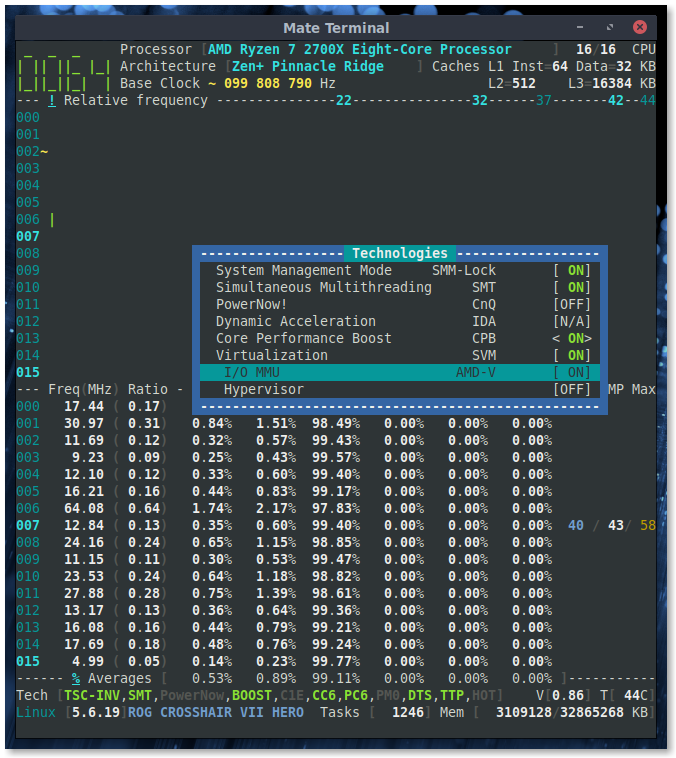
adatum
on 2 Jul 2020
IOMMU is correctly identified as ON with CoreFreq 1.79.6
Marvelous, thank you.
cyring
on 2 Jul 2020
PowerNow / CnQ being OFF caught my eye. Are these still relevant to modern AMD processors? According to wikipedia they are but I could not find much detail: https://en.wikipedia.org/wiki/Cool%27n%27Quiet
I did not find mentions of "cool", "quiet", or "cnq" in a saved BIOS config file, nor in the BIOS itself, though I thought I might have seen it at some point.
Dynamic voltage and frequency scaling is of course working as seen in the screenshot.
adatum
on 2 Jul 2020
I'm still working on it: in _CoreFreq_, it has been disabled and made as experimental.
Recently I also read in kernel source code that CnQ state is declared available just based on the family 17h (Zen)
Does it mean, any Ryzen has it do facto ?
cyring
on 2 Jul 2020
I'm not even sure what CnQ is exactly. Is it a hardware/BIOS level implementation of dynamic Vcore and frequency scaling?
Since those features are working, does it mean CnQ is enabled, or could they also be implemented at a software level?
adatum
on 3 Jul 2020
I'm not even sure what CnQ is exactly. Is it a hardware/BIOS level implementation of dynamic Vcore and frequency scaling?
Since those features are working, does it mean CnQ is enabled, or could they also be implemented at a software level?
- No CnQ or Cool and Quiet or PowerNow references found in BIOS
- I was misreading the kernel. The conditional capability is X86_FEATURE_3DNOWPREFETCH as a function of LM
Cool'n'Quiet at Wikipedia :
Ryzen - 3, 5, 7, and 9 all models support Cool ‘n’ Quiet
This raised too much questions: I will remove
PowerNowfrom UI for architecture families below than 17h
cyring
on 3 Jul 2020
Cool'n Quiet for Mobile; PowerNow for Desktop: same bit to my understanding
I remember the PowerNow aggregation code I made in the past:
https://github.com/cyring/CoreFreq/blob/9c672b75fc96c8ca470519604624c41e02c8dcce/corefreqd.c#L1249
PowerNow is a function of the FID and VID capabilities.
But those were wrongly highlighted in the UI.
FID and VID are probed from CPUID and according to the Zen PPR specification
VID: Voltage ID control. Read-only. Reset: Fixed,0. Function replaced by HwPstate.
FID: Frequency ID control. Read-only. Reset: Fixed,0. Function replaced by HwPstate.
Thus I also fix the state of HWP in the UI as a common name for both Intel and AMD
EDIT: HDC mark as Not Available with AMD processor.
Fix is available in the develop branch.
Unfortunately, I don't have any more access to Skylake to test HWP and HDC for non-regression !
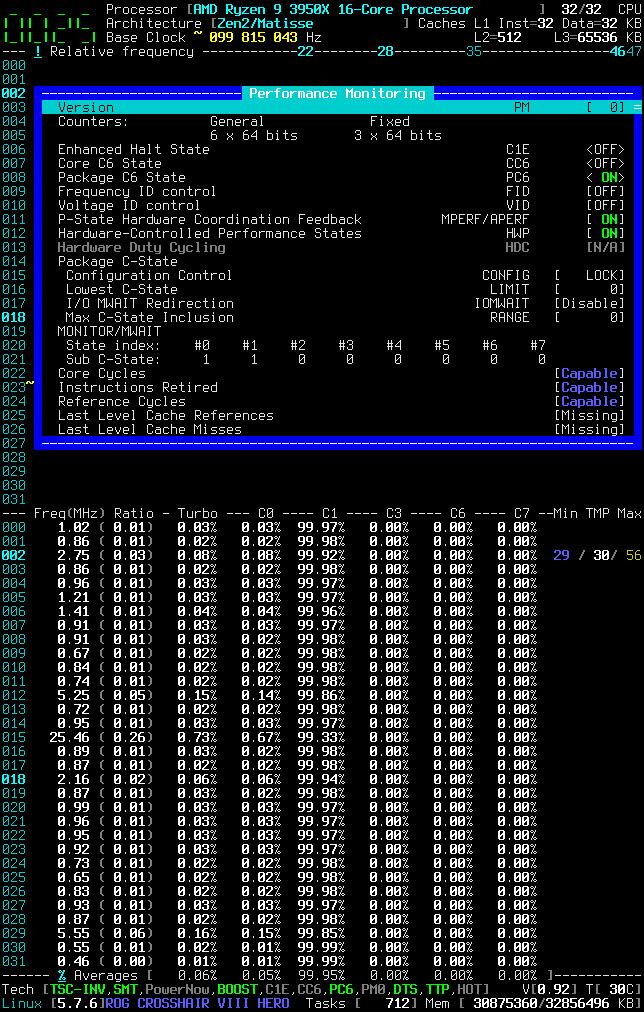
cyring
on 3 Jul 2020
Cool'n Quiet for Mobile; PowerNow for Desktop: same bit to my understanding
Looks like it's the other way around. PowerNow for mobile and Cool'n'Quiet for desktop, similar to Intel's SpeedStep. https://en.wikipedia.org/wiki/PowerNow!
This ancient article from phoronix mentions:
information pertaining to a specific CPU can be attained from sys/devices/system/cpu/cpu0/cpufreq
Contained inside of cpufreq/scaling_available_frequencies are the various frequency levels/states at which Cool 'n' Quiet supports. The specific voltage levels that correlate to the frequencies are not listed.
https://www.phoronix.com/scan.php?page=article&item=391&num=2
In the case of the 2700X:
$ cat /sys/devices/system/cpu/cpu0/cpufreq/scaling_available_frequencies
3700000 3200000 2200000
Does this mean CnQ is enabled? Does this technology still exist? I have not found recent information other than wikipedia.
adatum
on 3 Jul 2020
Cool'n Quiet for Mobile; PowerNow for Desktop: same bit to my understanding
Looks like it's the other way around. PowerNow for mobile and Cool'n'Quiet for desktop, similar to Intel's SpeedStep. https://en.wikipedia.org/wiki/PowerNow!
True
This ancient article from phoronix mentions:
information pertaining to a specific CPU can be attained from sys/devices/system/cpu/cpu0/cpufreq
Contained inside of cpufreq/scaling_available_frequencies are the various frequency levels/states at which Cool 'n' Quiet supports. The specific voltage levels that correlate to the frequencies are not listed.
https://www.phoronix.com/scan.php?page=article&item=391&num=2
In the case of the 2700X:
$ cat /sys/devices/system/cpu/cpu0/cpufreq/scaling_available_frequencies
3700000 3200000 2200000
Does this mean CnQ is enabled? Does this technology still exist? I have not found recent information other than wikipedia.
Please show me the _CoreFreq_ ratios in the Processor window, those are made from the P-States (the Frequency ID bits range). Should be the same as the values returned by cpufreq ?
cyring
on 3 Jul 2020
Could you also give a try to issue #195
Thank you
cyring
on 3 Jul 2020
Pure Power - A feature in Zen that allows for dynamic voltage and frequency scaling (DVFS), similar to AMD's PowerTune technology or Cool'n'Quiet
cyring
on 3 Jul 2020
Please show me the CoreFreq ratios in the Processor window, those are made from the P-States (the Frequency ID bits range). Should be the same as the values returned by cpufreq ?
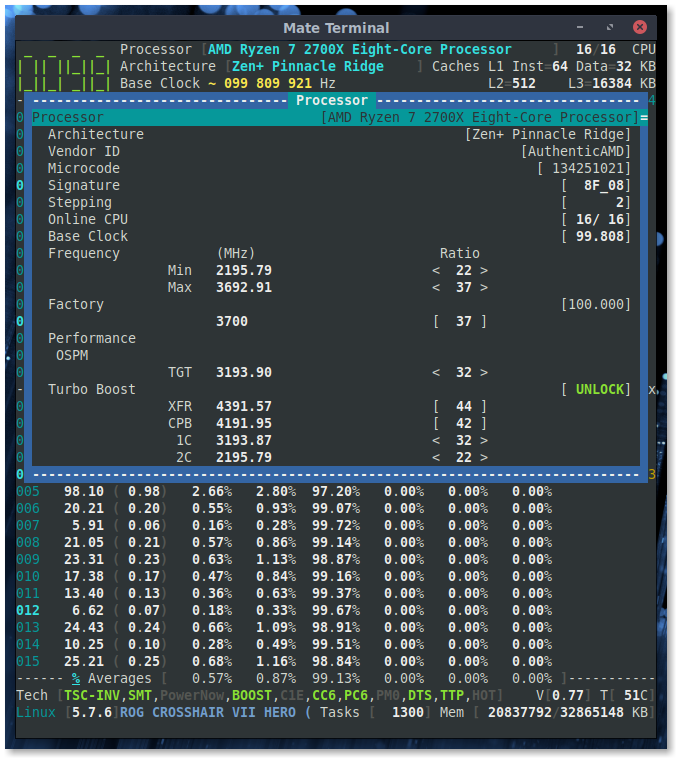
So Pure Power is "similar" to CnQ, but it is unclear whether CnQ still exists or if it has been superceded by Pure Power.
I also like this page:
amd/cool'n'quiet
There is currently no text in this page.
adatum
on 3 Jul 2020
https://github.com/cyring/CoreFreq/blob/6074dd6496d87d1ad1750d25bb4fa52ae920d4e1/coretypes.h#L1055
HwPstate has superced the old K8 FID/VID (CnQ)
This is mentioned in the BKDG of families 15h, 16h and the PPR of 17h
My Ryzen 9 does not report FID/VID, and I've not found any register to toggle those CPUID bits.
Using Zen, I would say this technology is definitely dead.
But some BIOS still mention CnQ because of the confusion with HwPstate.
The article seems also miss confused with P-States which are Identifiers of associated Performance and Voltage
cyring
on 3 Jul 2020
Indevelop , I brought minor changes in the footer to show the HWP state.
cyring
on 4 Jul 2020
I see it.
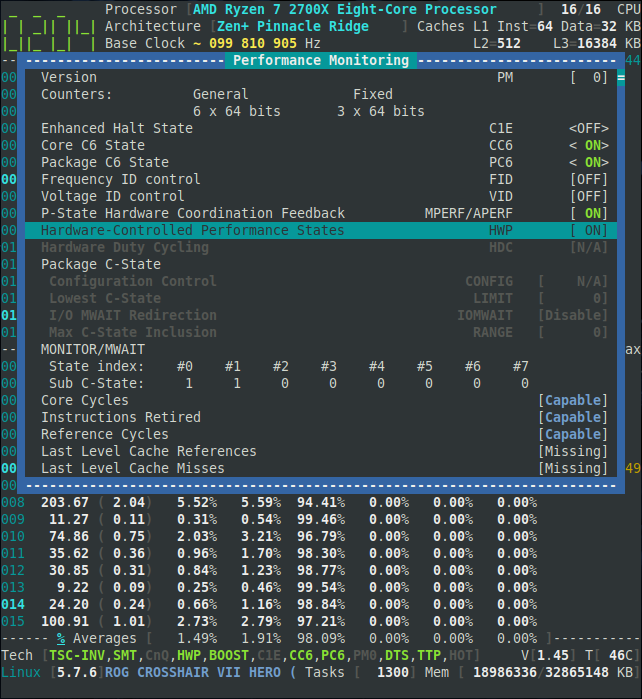
adatum
on 4 Jul 2020
In develop, I'm now displaying the CCx State (when C-State Base Address is not equaled to zero)
Not sure if disabling C-States in BIOS is reported by my query.
cyring
on 5 Jul 2020
Not sure what to look for with that change, but I do see the new CCx indicator.
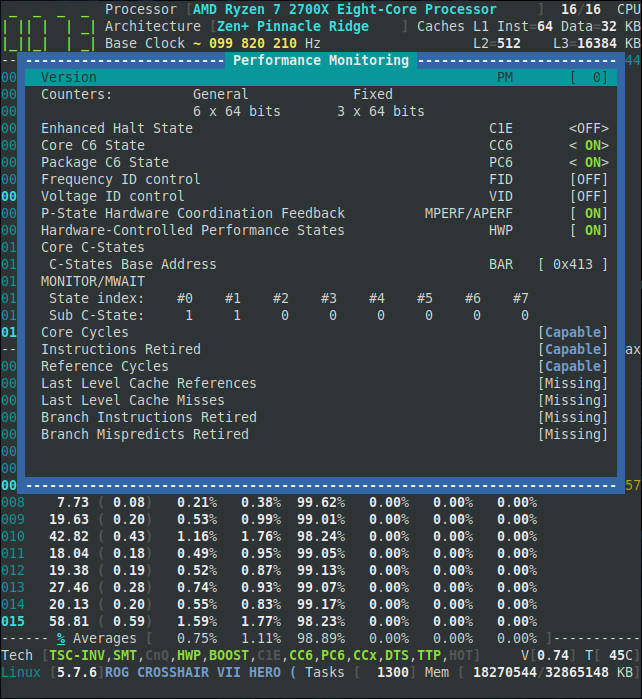
adatum
on 5 Jul 2020
Can't you still access to the update ?
https://github.com/cyring/CoreFreq/issues/195#issuecomment-653871612
cyring
on 5 Jul 2020
Hello,
Could you please give a try to this experimental version of the UMC ?
https://github.com/cyring/CoreFreq/issues/196#issuecomment-658772882
cyring
on 15 Jul 2020
I have been working on this _old_ issue to alter the Max Frequency Clock Ratio which has the side effect to freeze the system.
This brought me to this kthread of the kernel: clocksource_watchdog() which periodically compares a time delta with a previous computed one.
If a significant difference gets above a threshold then the current clock source, usually the TSC, is marked as unstable and the framework fallback to any previous and available clock source : hpet, acpi_pm
To disable the kthread, I'm adding those arguments to the kernel command line
tsc=reliable nowatchdog
Start the _CoreFreq_ driver this way to change the Max ratio
insmod Experimental=1 TurboBoost_Enable=0 AutoClock=0
Now in the UI, the ratio can be changed
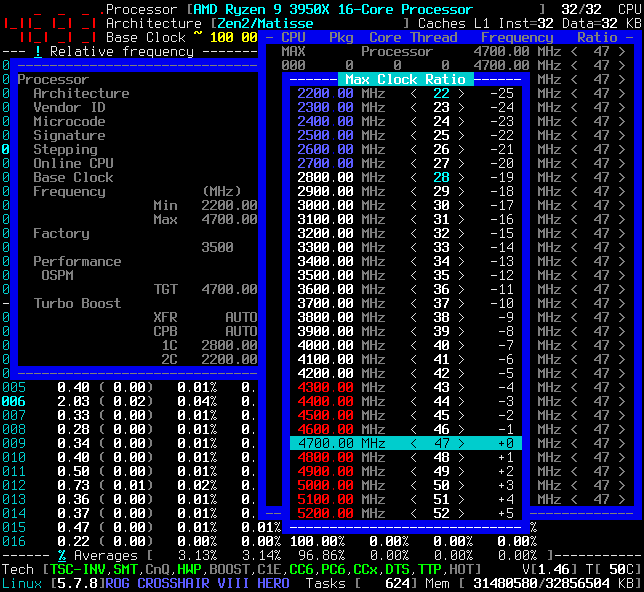
But, when changing the ratio back to a lower frequency, the system may freeze for a while or the UI exit.
Debugging the processes reveal that any library time functions get crazy: nanoclock_sleep(), poll() and so onAlso, starting the driver without
AutoClock=0shows that theBase Clockis increasing. In fact, the per CPU Kernel timers I'm using are also totally lost by this P-State change. That's why things stop moving in the UI
I have programmed a Clock Source driver into _CoreFreq_ to give a bit more control: I hope.
Here's the version.
CoreFreq_develop.tar.gz
It comes with a new argument to register the Clock Source
insmod corefreqk.ko Experimental=1 TurboBoost_Enable=0 Register_ClockSource=1

cat /sys/devices/system/clocksource/clocksource0/available_clocksource
tsc hpet corefreq acpi_pm

echo "corefreq" > /sys/devices/system/clocksource/clocksource0/current_clocksource
cat /sys/devices/system/clocksource/clocksource0/current_clocksource
corefreq
In short, I can increase the Clock but not decrease afterward with stability.
Something has to be found to re-calibrate the system time ...
cyring
on 19 Jul 2020
I'm now have a better understanding where the issue resides: loops per jiffy and relatives.
Whenever the main P0 P-State is changed, every things about timings in kernel has to be updated consequently.
I won't tell you how many times I have crashed my system while trying any kind of calibration loops !
Current development version is better stable. I'm able to reclock the Ryzen as will in ascending or descending order.
I can't however avoid the kernel marking TSC as unstable b/c its watchdog kthread don't appreciate what I'm doing with the base frequency.
So far the rule will be notsc as boot and _CoreFreq_ be the TSC clock source driver for the whole system.
cyring
on 21 Jul 2020
Nice to see the progress, and thanks for sparing me the crashes. :grin:
adatum
on 21 Jul 2020
Nice to see the progress, and thanks for sparing me the crashes. 😁
Can you give your point of view to the latest develop branch
I have tried all kinds of tests and it does not crash but I have weird results when TSC is the clock source, such as kernel timings getting slower or faster.
Best combination is so far to boot with nowatchdog notsc, to keep hpet as the system clock source and don't register the new _CoreFreq_ clock source driver argument. Then, changing the Max ratio to a lowest or highest value is giving the expecting TSC frequency you can monitor in the UI
cyring
on 21 Jul 2020
Hi, I've currently grappling with some data integrity issues between my system and backup, according to borgbackup. (id verification failure, chunk encryption envelope checksum mismatch)
Do you think crashes from testing software interfacing with low level hardware could be relevant? I've done 3+ passes of memtest, and fsck on both my system SSD and the HDD storing the backup, with no errors. SMART also reports no problems. And I have not experienced any problems in using my system.
The only hint of errors are from rasdaemon but without explanation: https://pastebin.com/z4m6h7PQ I observed them with some unease since installing rasdaemon, but ignored since I did not perceive problems and don't know what to address.
In any case, I think I will refrain from testing that might risk crashes, until I figure out what is going on with the data integrity issues. Sorry about the diversion.
adatum
on 22 Jul 2020
Sorry about the diversion.
Don't worry, I'm also fixing a math error in a kernel macro...
- Disk: run the SMART auto test with
hdparmor from BIOS if test is available - RAM: release timings and frequency. If more than 2 DIMM, increase the command rate to
2T - CPU, GPU & other ICs: stick to factory and safe specs: voltage, frequency and so on
- PSU: check fan, current stability
- Motherboard : check temps, voltage ; cables ; thermal interface materials
- Case: _remove dust_, check fans
- Start with bare minimum components, do tests
- One by one, add components, test each time for a defunct one
Good luck
cyring
on 23 Jul 2020
My system seems ok now, and after some wrangling, my backups have been mostly repaired.
I still have no idea what the problem is/was, but as curious as I am, I'm tempted not to fix what at the moment doesn't seem to be broken.
Maybe the source was related to a temporary GPU swap, as it coincided with a sudden bunch of PCIE, disk, and MCE errors caught by rasdaemon, but aside from the observations in logs I have no explanation.
ras-mc-ctl --summary
No Memory errors.

PCIe AER events summary:
    207 Corrected errors: Bad TLP
    3 Corrected errors: Bad TLP, Replay Timer Timeout
    6 Corrected errors: Replay Timer Timeout

No Extlog errors.

No devlink errors.
Disk errors summary:
    0:0 has 309 errors
    0:2048 has 2009 errors
    0:2064 has 22 errors
    0:2080 has 1 errors
    0:2816 has 16 errors
MCE records summary:
    1 Corrected error, no action required. errors
The really curious part of me wants to try the GPU swap again to see what happens...
=====
Ok, as for CoreFreq, I tried your suggestions, along with sudo insmod corefreqk.ko Experimental=1 TurboBoost_Enable=0 AutoClock=0:
boot with nowatchdog notsc, to keep hpet as the system clock source and don't register the new CoreFreq clock source driver argument. Then, changing the Max ratio to a lowest or highest value is giving the expecting TSC frequency you can monitor in the UI
I don't notice issues with clock stability or freezing UI. I notice a momentary, and likely false, spike in the temperature reading (eg. 83C) sometimes when switching ratios.
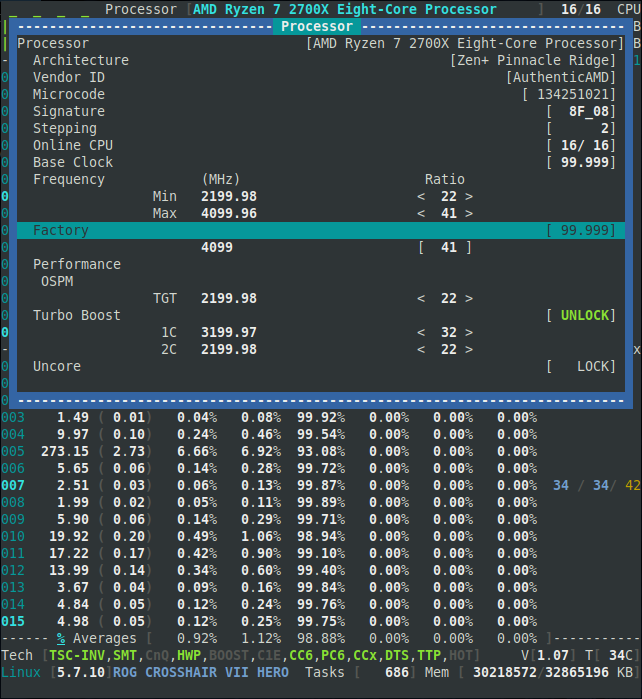
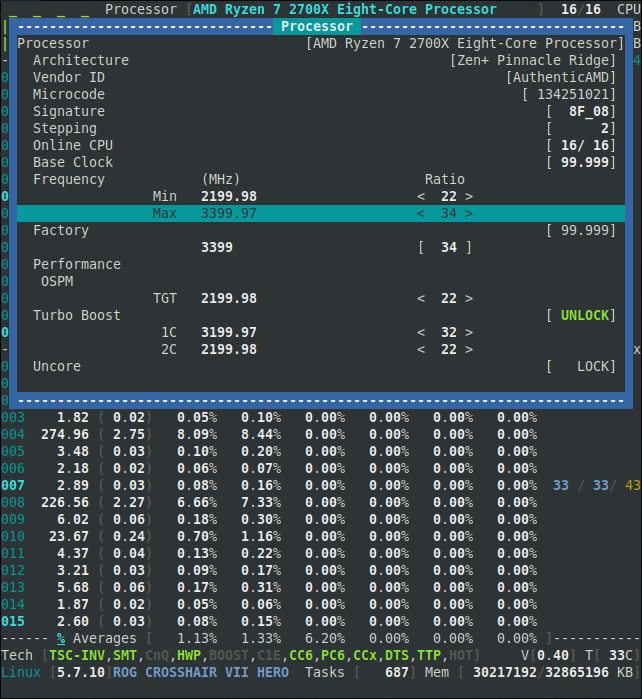
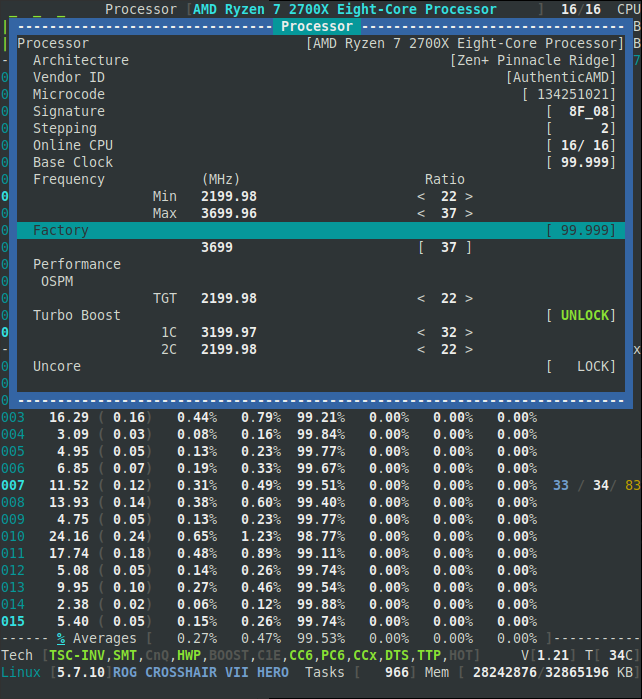
adatum
on 26 Jul 2020
I'm glade you solved your hardware issue.
Thank you for trying the Max ratio. I will check for the temperature value spike but I have not observed such change on my Ryzen.
Working on this subject brings me to a deep investigation of the kernel and its major variables
cpu_khz; loops_per_jiffy ; tsc_khz
All of them are somewhat involved in the time keeping, clock sourcing, delay functions
Altering the Max ratio means overriding the P0 P-State and thus the base clock of AMD processor.
I have to recalibrate these variables for whole system stability and time _coherency_.
I don't have found much explanations about these variables impact on the whole kernel source code.
_I have had, and still, a tuff journey into those codes_
With tsc as a clock source, selected automatically at boot, these variables are logically getting crazy when increasing P0
With clock source argument enabled when starting my driver, I'm still sourcing from a raw TSC read, but I switched it off and on during the recalibration phase.
I thus expect that the clock source has fallback to hpet or acpi timers during recalibration.
You should notice those clock source changes in kernel log
With hpet as a source and TSC fully blacklisted at boot using parameter notsc, I can reach a 4.7 GHz frequency
cyring
on 26 Jul 2020
Hello,
I now have a stable system after changing the Max frequency.
Testing version is available in the develop branch.
Following these build & run instructions, you enable the _CoreFreq_ Clock Source (CS) which substitutes with the TSC based Kernel CS.
This last one is indeed _surveying_ the base clock and its watchdog marks the TSC unstable.
Let _CoreFreq_ as the current CS to pursue with its own TSC implementation.
You will however notice that _CoreFreq_ unregisters then registers again its CS as soon as you enter a new frequency: this is an expected behavior as we need another source to compute the new BCLK and calibrate the kernel variables accordingly (LPJ)
make FEAT_DBG=2 clean all

insmod corefreqk.ko TurboBoost_Enable=0 Experimental=1 AutoClock=1 Register_ClockSource=1

echo corefreq > /sys/devices/system/clocksource/clocksource0/current_clocksource

./corefreqd -d
./corefreq-cli
In this screenshot, I'm altering the MAX Processor frequency to 4.7 GHz (for all CPUs)

CoreFreq(9:25): Processor [ 8F_71] Architecture [Zen2/Matisse] SMT [32/32]
clocksource: corefreq: mask: 0xffffffffffffffff max_cycles: 0x3261e1ca5bb, max_idle_ns: 440795332267 ns
clocksource: Switched to clocksource corefreq
corefreq: Freq_KHz[3495275] Kernel CPU_KHZ[3495169] TSC_KHZ[3495169]
LPJ[11650566] mask[ffffffffffffffff] mult[4799970] shift[24]
max:idle[440795332267]:adj[527996]:cycles[3462248834491]
clocksource: Switched to clocksource hpet
clocksource: corefreq: mask: 0xffffffffffffffff max_cycles: 0x43a7d5c934c, max_idle_ns: 440795207119 ns
clocksource: Switched to clocksource corefreq
corefreq: Freq_KHz[4693608] Kernel CPU_KHZ[4693608] TSC_KHZ[4693608]
LPJ[15645360] mask[ffffffffffffffff] mult[3574482] shift[24]
max:idle[440795207119]:adj[393193]:cycles[4649257833292]
clocksource: Switched to clocksource hpet
clocksource: corefreq: mask: 0xffffffffffffffff max_cycles: 0x32617ea34e9, max_idle_ns: 440795302517 ns
clocksource: Switched to clocksource corefreq
corefreq: Freq_KHz[3495170] Kernel CPU_KHZ[3495169] TSC_KHZ[3495169]
LPJ[11650566] mask[ffffffffffffffff] mult[4800114] shift[24]
max:idle[440795302517]:adj[528012]:cycles[3462144865513]
Could you make this test : change to the highest frequency you know your processor is capable to, then restore to the original frequency.
cyring
on 15 Aug 2020
I take it booting with nowatchdog was a prerequisite in the above instructions? Without it, the system clock jumped about 11 hours upon changing the max ratio and created some chaos in the system logs, which now have a bunch of entries in the future and out of actual chronological order.
CoreFreq did not crash though, nor did the system, though some services didn't like it.
Afterwards, I repeated the process after rebooting with nowatchdog.
Here are a few segments, which may be out of order:
chronyd[1690]: System clock wrong by -1.774064 seconds, adjustment started
chronyd[1690]: System clock was stepped by -1.774064 seconds
kernel: CoreFreq(5:13): Processor [ 8F_08] Architecture [Zen+ Pinnacle Ridge] SMT [16/16]
kernel: clocksource: corefreq: mask: 0xffffffffffffffff max_cycles: 0x6a73c785b96, max_idle_ns: 881590702794 ns
kernel: corefreq: Freq_KHz[3692563] Kernel CPU_KHZ[3692610] TSC_KHZ[3693061]
                             LPJ[3692610] mask[ffffffffffffffff] mult[2271758] shift[23]
                             max:idle[881590702794]:adj[249893]:cycles[7315343825814]
chronyd[1690]: System clock wrong by -6.966212 seconds, adjustment started
kernel: clocksource: Switched to clocksource hpet
kernel: clocksource: corefreq: mask: 0xffffffffffffffff max_cycles: 0x3afb1cfd068, max_idle_ns: 440795297890 ns
kernel: clocksource: Switched to clocksource corefreq
kernel: corefreq: Freq_KHz[4091800] Kernel CPU_KHZ[3692610] TSC_KHZ[3692610]
                             LPJ[3692610] mask[ffffffffffffffff] mult[4100204] shift[24]
                             max:idle[440795297890]:adj[451022]:cycles[4053137346664]
chronyd[1690]: System clock wrong by -2.032128 seconds, adjustment started
kernel: CoreFreq(5:13): Processor [ 8F_08] Architecture [Zen+ Pinnacle Ridge] SMT [16/16]
kernel: clocksource: corefreq: mask: 0xffffffffffffffff max_cycles: 0x6a73c785b96, max_idle_ns: 881590702794 ns
kernel: corefreq: Freq_KHz[3692563] Kernel CPU_KHZ[3692610] TSC_KHZ[3693061]
                             LPJ[3692610] mask[ffffffffffffffff] mult[2271758] shift[23]
                             max:idle[881590702794]:adj[249893]:cycles[7315343825814]
chronyd[1690]: Forward time jump detected!
kernel: clocksource: timekeeping watchdog on CPU12: Marking clocksource 'tsc' as unstable because the skew is too large:
kernel: clocksource:                       'hpet' wd_now: 3f6d2fae wd_last: 3f3ddc3f mask: ffffffff
kernel: clocksource:                       'tsc' cs_now: 188c1a14d65 cs_last: 162409e31c3 mask: ffffffffffffffff
kernel: tsc: Marking TSC unstable due to clocksource watchdog
kernel: TSC found unstable after boot, most likely due to broken BIOS. Use 'tsc=unstable'.
kernel: sched_clock: Marking unstable (418797069036, -70729792)<-(418763178447, -47888451)
kernel: clocksource: Switched to clocksource hpet
kernel: clocksource: corefreq: mask: 0xffffffffffffffff max_cycles: 0x6a740f748d1, max_idle_ns: 881591072050 ns
kernel: clocksource: Switched to clocksource corefreq
kernel: corefreq: Freq_KHz[3692600] Kernel CPU_KHZ[3692610] TSC_KHZ[3692610]
                             LPJ[3692610] mask[ffffffffffffffff] mult[2271735] shift[23]
                             max:idle[881591072050]:adj[249890]:cycles[7315419252945]
chronyd[1690]: System clock wrong by -57.486332 seconds, adjustment started
chronyd[1690]: System clock wrong by -6.905136 seconds, adjustment started
chronyd[1690]: System clock wrong by -6.857649 seconds, adjustment started
chronyd[1690]: System clock wrong by -6.966212 seconds, adjustment started
kernel: clocksource: Switched to clocksource hpet
kernel: clocksource: corefreq: mask: 0xffffffffffffffff max_cycles: 0x3afb1cfd068, max_idle_ns: 440795297890 ns
kernel: clocksource: Switched to clocksource corefreq
kernel: corefreq: Freq_KHz[4091800] Kernel CPU_KHZ[3692610] TSC_KHZ[3692610]
                             LPJ[3692610] mask[ffffffffffffffff] mult[4100204] shift[24]
                             max:idle[440795297890]:adj[451022]:cycles[4053137346664]
chronyd[1690]: System clock wrong by -2.032128 seconds, adjustment started

[JUMP TO FUTURE TIMESTAMPS IN JOURNALCTL]

chronyd[1699]: Forward time jump detected!
kernel: clocksource: timekeeping watchdog on CPU11: Marking clocksource 'tsc' as unstable because the skew is too large:
kernel: clocksource:                       'hpet' wd_now: 16bd2deb wd_last: 16bc6714 mask: ffffffff
kernel: clocksource:                       'tsc' cs_now: 504172cd88351 cs_last: 486d03a6b8162 mask: ffffffffffffffff
kernel: tsc: Marking TSC unstable due to clocksource watchdog
kernel: TSC found unstable after boot, most likely due to broken BIOS. Use 'tsc=unstable'.
kernel: sched_clock: Marking unstable (382293365307198, -37305857802024)<-(382285528448858, -58178617)
kernel: clocksource: corefreq: mask: 0xffffffffffffffff max_cycles: 0x3afaa7c9bc1, max_idle_ns: 440795219537 ns
kernel: clocksource: Switched to clocksource hpet
kernel: clocksource: Switched to clocksource corefreq
kernel: corefreq: Freq_KHz[4091677] Kernel CPU_KHZ[4091677] TSC_KHZ[4091677]
                             LPJ[4091677] mask[ffffffffffffffff] mult[4100328] shift[24]
                             max:idle[440795219537]:adj[451036]:cycles[4053014453185]
chronyd[1699]: System clock wrong by -37298.816609 seconds, adjustment started
Thank you. I have to set my system such as yours to find these issues. Especially why the LPJ is wrongly computed ? It should be:
LPJ = (CPU_KHZ * 1000) / HZ
My HZ is the default value of 300. Can you read yours from /proc/config
cyring
on 16 Aug 2020
There is no /proc/config on my system.
adatum
on 16 Aug 2020
There is no
/proc/configon my system.
You are getting nothing from:
zgrep CONFIG_HZ /proc/config.gz
Btw: I forgot to tell that I'm booting with nowatchdog and notsc
cyring
on 16 Aug 2020
$ zgrep CONFIG_HZ /proc/config.gz
gzip: /proc/config.gz: No such file or directory
Btw: I forgot to tell that I'm booting with nowatchdog and notsc
Turns out to be an important detail ^^
adatum
on 16 Aug 2020
Hello
master branch is released with the temperature per CCD, can you please try with your 2700X
Fyi, here is my result.
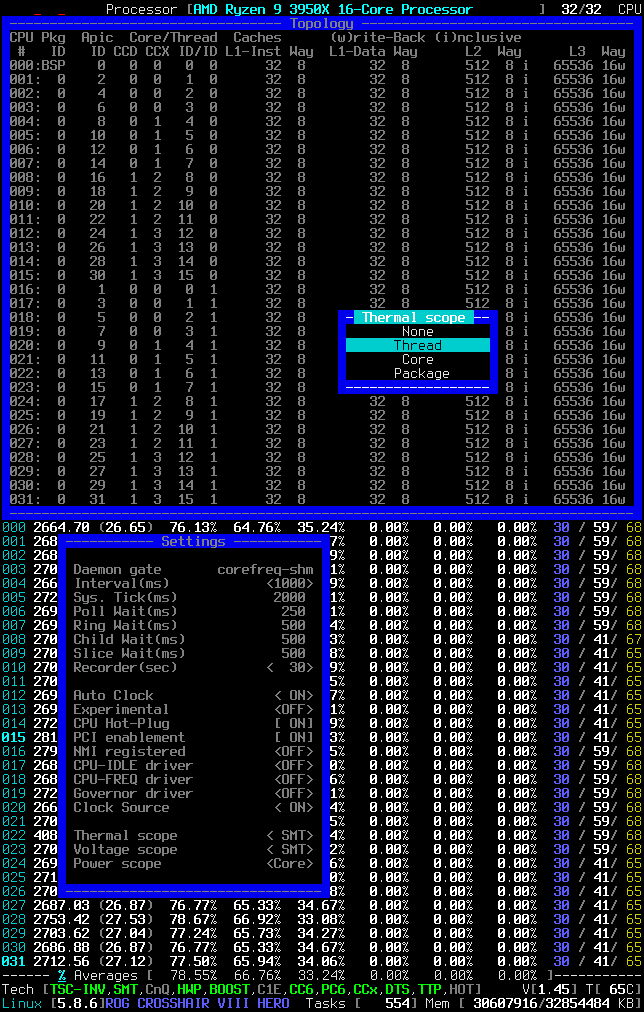
Remarks:
- The
Thermal scopehas to changed to SMT or Core - The
Topologyshould present the groups ofCCDandCCX - CPUs have to be stressed based on their CCD belonging to observe discrete temperature
cyring
on 6 Sep 2020
There is a problem with the temperature and voltage formatting and/or values:
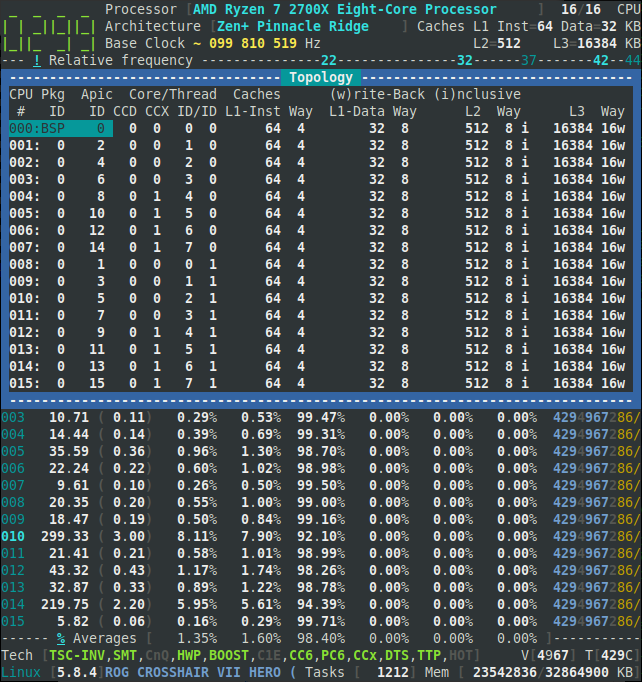
adatum
on 6 Sep 2020
There is a problem with the temperature and voltage formatting and/or values:
Note that the Makefile has changed: the Kernel SMU access HWM_CHIPSET=COMPATIBLE is now replaced by LEGACY=2.
Results of debug reveal that this Kernel SMU access can work for a single shot, but it freezes the system when multiple timers are requesting the SMU. It is not interrupt safe.
The best run is to exclusively reserved the SMU to _CoreFreq_; making sure no other monitoring tool is running in the same time.
After that, if it does not get better, then it could mean that the range of SMU registers is reserved to Ryzen 3000's
cyring
on 6 Sep 2020
The result is the same when starting CoreFreq after rmmod k10temp and rmmod asus-wmi-sensors.
adatum
on 6 Sep 2020
The result is the same when starting CoreFreq after
rmmod k10tempandrmmod asus-wmi-sensors.
Thank you for your return.
I must now determine if these registers are a function of the number of CCDs or of the generation of Zen architecture. For example, if they work with Threadripper 1900 and 2900 but also EPYC with more than 8 Cores. Need testers.
So far it seems to work with Threadripper 3900; probably because they belongs to the same generation than my 3950X
cyring
on 6 Sep 2020
The result is the same when starting CoreFreq after
rmmod k10tempandrmmod asus-wmi-sensors.
It could be just a formula issue.
Can you replace this equation:
https://github.com/cyring/CoreFreq/blob/5760c2f88dafe7d0ba4535ad92e7b7ff20912db2/corefreq.h#L545
with:
(Temp = ((Sensor * 5 / 40) - 30
Please rebuild and test
cyring
on 6 Sep 2020
(Temp = ((Sensor * 5 / 40) - 30 ))
This did not help, and also results in incorrect temperature readings.
adatum
on 6 Sep 2020
(Temp = ((Sensor * 5 / 40) - 30 ))
This did not help, and also results in incorrect temperature readings.
Thanks for trying. I have no clue yet.
Perhaps dumping registers with zencli may help.
As root:
zencli smu 0x00059954
zencli smu 0x00059958
zencli smu 0x0005995c
zencli smu 0x00059960
zencli smu 0x00059964
zencli smu 0x00059968
zencli smu 0x0005996c
zencli smu 0x00059970
At least the first register 0x00059954 in the 2 situations: idle and stressed CPU with CCD id 0, Core 0, Thread 0
cyring
on 6 Sep 2020
Idle:
sudo ./zencli smu 0x00059954
0x0 (0)
sudo ./zencli smu 0x00059958
0x0 (0)
sudo ./zencli smu 0x0005995c
0x0 (0)
sudo ./zencli smu 0x00059960
0x0 (0)
sudo ./zencli smu 0x00059964
0x8400001 (138412033)
sudo ./zencli smu 0x00059968
0x582c (22572)
sudo ./zencli smu 0x0005996c
0x4d (77)
sudo ./zencli smu 0x00059970
0xc0800005 (3229614085)
All cores stressed:
sudo ./zencli smu 0x00059954
0x0 (0)
sudo ./zencli smu 0x00059958
0x0 (0)
sudo ./zencli smu 0x0005995c
0x0 (0)
sudo ./zencli smu 0x00059960
0x0 (0)
sudo ./zencli smu 0x00059964
0x8400001 (138412033)
sudo ./zencli smu 0x00059968
0x9e4f (40527)
sudo ./zencli smu 0x0005996c
0x53 (83)
sudo ./zencli smu 0x00059970
0xc0800005 (3229614085)
After searching for datasheets, I'm understanding from Web readings that it's only supported on Zen 3000's . Don't you ?
Looking at your numbers, they don't fall into a 3 hexadecimal digits expected range; and nothing is showing up from the first SMU at 0x00059954
My 3950X CPU #0
- idle at 31°C
taskset -c 0 ./zencli smu 0x059954
0xa7e (2686)
- load at 47°C
taskset -c 0 ./zencli smu 0x059954
0xafe (2814)
After searching for datasheets, I'm understanding from Web readings that it's only supported on Zen 3000's . Don't you ?
Hmm yes that's possible.
Under both idle and load, I get:
$ taskset -c 0 sudo ./zencli smu 0x059954
0x0 (0)
After searching for datasheets, I'm understanding from Web readings that it's only supported on Zen 3000's . Don't you ?
Hmm yes that's possible.
Under both idle and load, I get:
$ taskset -c 0 sudo ./zencli smu 0x059954
0x0 (0)
Except a bug in zencli, but if zero is returned from this address, it means there is no sensor behind
Do you have other tools which show temperature per CCD ?
cyring
on 8 Sep 2020
Do you have other tools which show temperature per CCD ?
I have not been following tools or Zen specs as closely lately, but I am not aware of CPU temperature reports other than Tdie (and the offset Tctl) for Ryzen 2000 series.
adatum
on 8 Sep 2020
Hey !
Could you give a try to the latest develop branch which brings voltages of Processor and SoC.
When detected, the footer is now showing the Processor voltage. But the view Voltage still shows the Core values.

Those are undocumented registers, I can't presume what you'll get with the 2700X
- The other major feature is the addition of the CPU-IDLE handler for Zen.
Please see this comment https://github.com/cyring/CoreFreq/issues/115#issuecomment-699469580 for instructions.
I don't know if your Processor is suffering of anyMWAITbug
cyring
on 27 Sep 2020
Hi! The VSoC matches the sensors reading from k10temp:
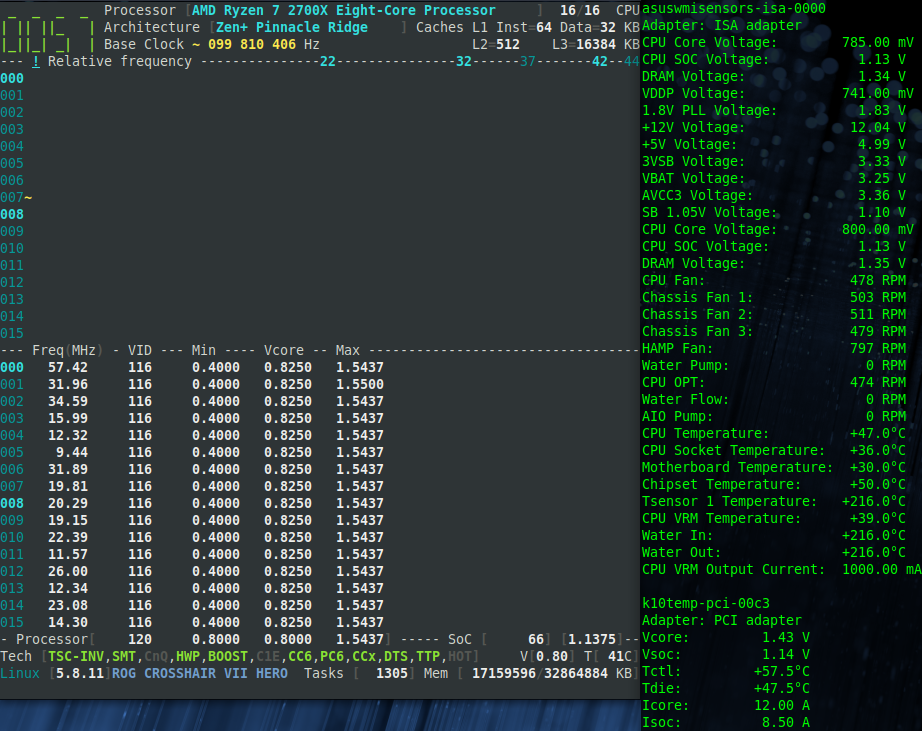
adatum
on 28 Sep 2020
Hi! The VSoC matches the
sensorsreading fromk10temp:
Great! Thank you for your answer.
I can now proceed with call path optimizations.
cyring
on 28 Sep 2020
Hello,
Can you give a try to the SoC power in
developbranch
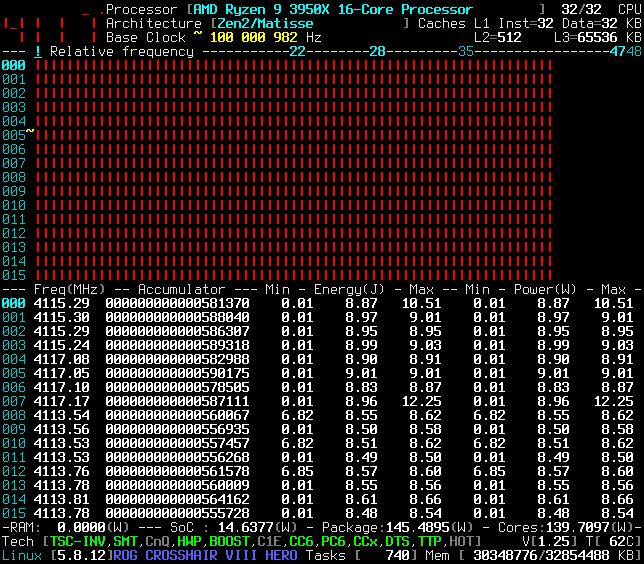
The factor applied to the current differs from Zen1 and Zen2. Not sure about the accuracy.I would also like to know if one of those registers provide the 2700X CPB ratios ?
zencli smu 0x0005d2c6 0x0

zencli smu 0x0005d326 0x0
Thank you
cyring
on 29 Sep 2020
Looks like it's working, but I don't have a reference to compare the values.

zencli smu 0x0005d2c6
0x8fa21a65 (2409765477)

zencli smu 0x0005d326
0xcee1edd2 (3470912978)
Thanks,
No Power reference either to compare 3950X with.
No CPB ratios computed from the above SMU dump; what do you get from:
zencli smu 0x5d494 0x0
zencli smu 0x5d497 0x0
I have added the TjMax for Zen2 but the changes have impacted the API.
Because an offset is applied to the 2700X sensor, can you please verify the Temperature within the latest develop branch ?
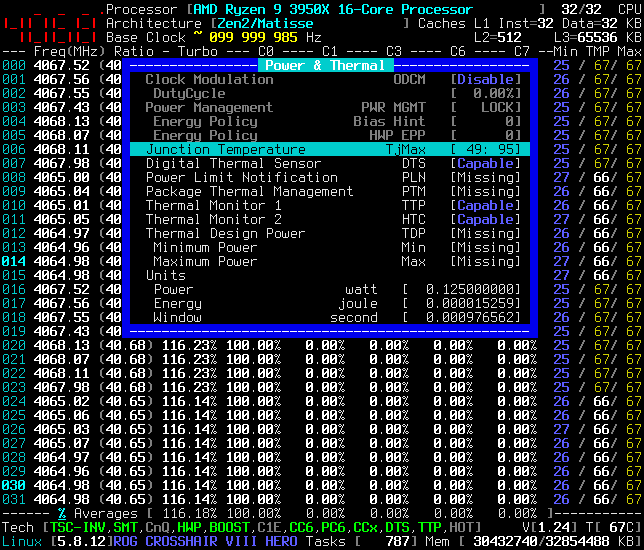
_Remark_: the TJMax is now printed instead of the Offset
cyring
on 29 Sep 2020
zencli smu 0x5d494
0xccc0c (838668)

zencli smu 0x5d497
0xccc0c (838668)
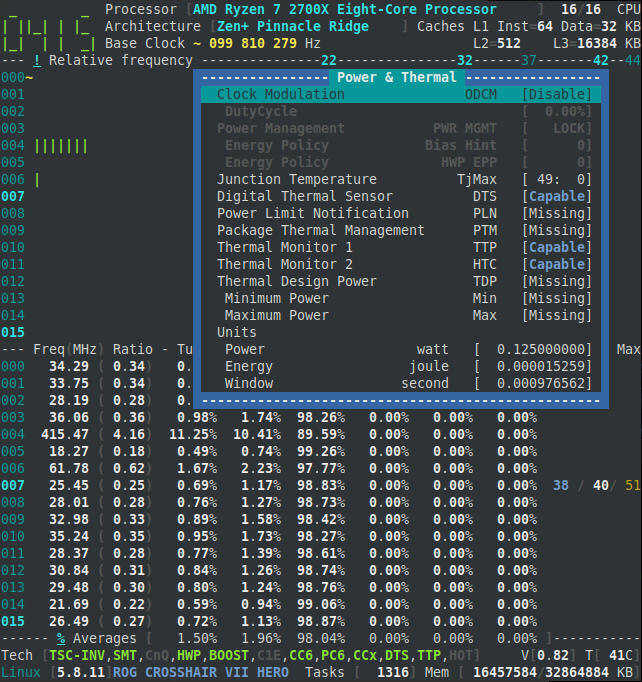
adatum
on 29 Sep 2020
zencli smu 0x5d494
0xccc0c (838668)

zencli smu 0x5d497
0xccc0c (838668)
Unfortunately, no Boost ratio decoded.
Fyi, here is the bitmap which works with Zen2
https://github.com/cyring/CoreFreq/blob/149c0110b6cda792fbd9b3ce08b81cf07b882884/amdmsr.h#L1182
cyring
on 29 Sep 2020
Hello,
In issue #212 , I'm trying to decode the DIMM ranks.
Could you please try the develop branch with your 2700X for Memory info ?
Thank you
cyring
on 12 Nov 2020
Hello,
Wish you first an happy new year.
Here is the development version bringing the TDP PPT EDC TDC
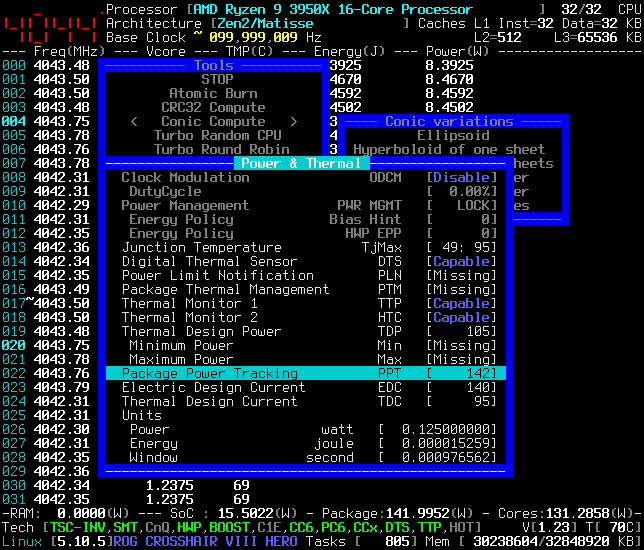
Could you please show me the results with your 2700X ?
Regards
Cyril
cyring
on 9 Jan 2021
Happy new year!
Sure. Looks like with CoreFreq Daemon 1.83.3 on the develop branch, those specifications are missing on the 2700X.

adatum
on 9 Jan 2021
Happy new year!
Sure. Looks like with CoreFreq Daemon 1.83.3 on the develop branch, those specifications are missing on the 2700X.
My bad. I totally forgot to include the function call for Zen and Zen+
A fix is now available in the develop branch.
For your next screenshot, can you please switch to the Sensors view while stressing all cores with one of the Conic algo running and show the Power & Thermal window.
If we are successfully getting the PPT, I want to check how far or close it is from the Package watt value ?
cyring
on 10 Jan 2021
Something is not quite right. The values are way off.
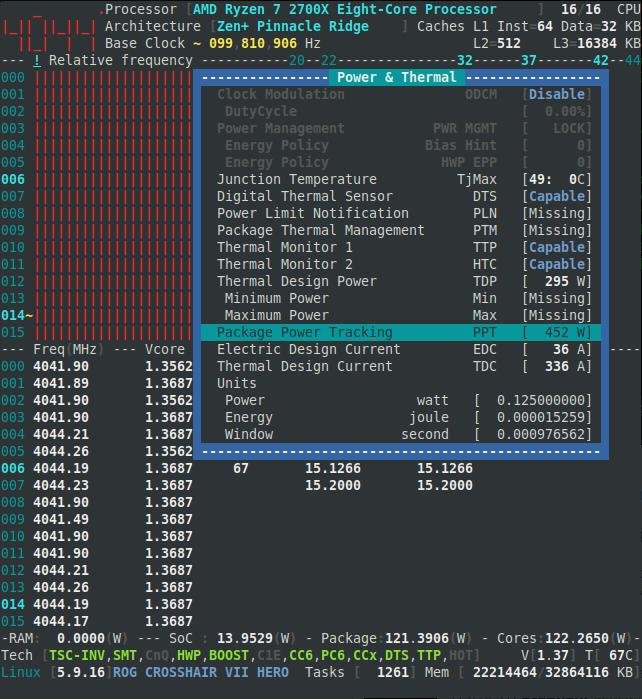
adatum
on 10 Jan 2021
Something is not quite right. The values are way off.
I was expecting such errors.
This part is now set as experimental for Zen1 & Zen+
I will improve zencli to dump differently the SMU ...
cyring
on 10 Jan 2021
Related issues
 LouisCyfer
·
5Comments
LouisCyfer
·
5Comments
 RomanHargrave
·
20Comments
RomanHargrave
·
20Comments
 inglor
·
16Comments
inglor
·
16Comments
 thor2002ro
·
22Comments
thor2002ro
·
22Comments
 uzername123
·
11Comments
uzername123
·
11Comments
Most helpful comment
I love these enhancements. They might seem minor, but having more information in a compact and easily accessible way makes tools so much more usable. Thanks for the continual improvements!