Cordova-plugin-googlemaps: Use this Plugin with React
Hi there,
I was using react-google-maps with my phonegap app before, but it doesn't work quite well now, which is why I am trying to switch to this plugin.
At first I couldn't see the map, then I found it's because I had a non-transparent background div which covers the map. I set the transparenty in css then I could see the map.
.page--material__background {
    background-color: transparent;
}
This plugin works great except when I have some React-written UI components on top of the map, I can't touch UI and all the touch events were passed to the map instead.

In index.html this is how I put the map plugin div with the React div:
<body>
<div id="app"></div>
    <div id="map_canvas">
    <button id="button">Click me!</button>
</div>
</body>
Wonder if I could find a working example using React which handles the touch event appropriately. Also wonder if it's because the "transparent" changes I made make the plugin think the map is on the top.
Thanks
 AonanLi
All 20 comments
Could you share a basic example project files on github? (Also please include how to build instruction)
I've never used React-js framework on PhoneGap/Cordova, because nobody requested.
 wf9a5m75
on 26 Oct 2018
wf9a5m75
on 26 Oct 2018
Thanks for your quick response.
It's a quite big project. I will see if I could create a simple one and provide you the link.
AonanLi
on 26 Oct 2018
Hi, @wf9a5m75
Here's the basic example project:
https://github.com/AonanLi/TestMap
AonanLi
on 27 Oct 2018
Thank you for creating, but you hide js code of the map page, I can not debug.
wf9a5m75
on 27 Oct 2018
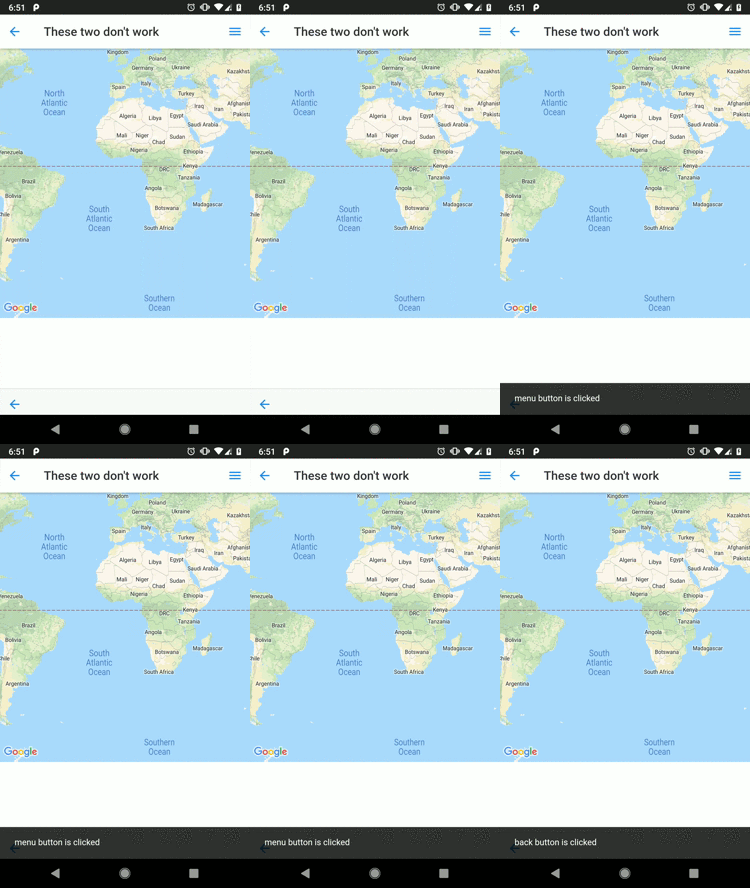
When I execute cordova run android, it seems buttons are clicked.
(I built with the multiple_maps branch version, not master branch version)
wf9a5m75
on 27 Oct 2018
There is only master branch in the repository, not sure what this "multiple_maps" branch is..
I have a Windows PC and an iPhone so I never used any simulator on my machine. I just installed the app on my phone and the two top buttons didn't work while the bottom one worked. Considering your android simulator test result, I assume this problem is most likely on iOS?
By the way what do you mean by "hiding js code of the map page"? Is there anything I could do to make it debugable?
AonanLi
on 27 Oct 2018
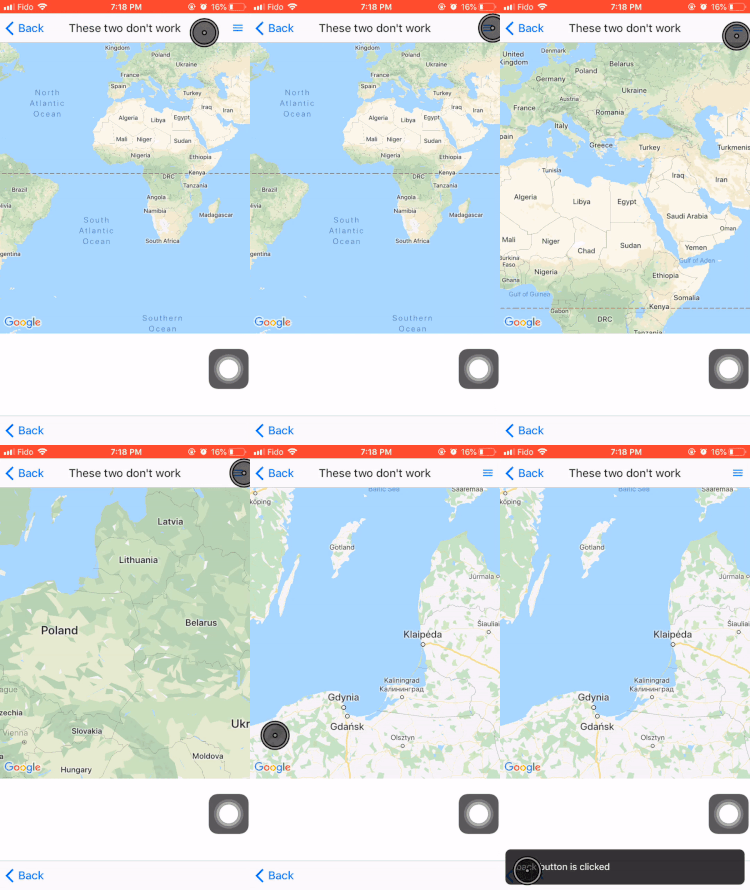
How it looks on my phone
AonanLi
on 27 Oct 2018
multiple_maps branch of this repo.
https://github.com/mapsplugin/cordova-plugin-googlemaps/blob/master/README.md#quick-install
wf9a5m75
on 27 Oct 2018
Could you link of the GitHub page where you write plugin.google.maps.getMap?
wf9a5m75
on 27 Oct 2018
AonanLi
on 27 Oct 2018
Thank you. I confirmed on iPhone simulator.
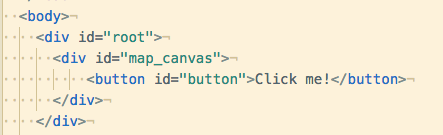
I have one question. If your index.html changes like this, does this become problem?
wf9a5m75
on 27 Oct 2018
Yes, you should only see the react ui without the map. It’s because React replaces the ‘root’ div with it’s own components, which means the map will be overwritten.
https://github.com/AonanLi/TestMap/blob/9d8e7cd1a8f7cd1f441b335bf1f90bf310f14a88/src/index.js#L10
AonanLi
on 27 Oct 2018
Umm, I see.
wf9a5m75
on 27 Oct 2018
Okay, I recognized this problem. One of the reasons is the iOS code is older than Android.
Now you can click on menu and back buttons.
However, you can not manipulate on map for another reason. I will inspect it tomorrow.
In order to use the edge version, you need to reinstall the maps plugin from Github directly.
$> cordova plugin rm cordova-plugin-googlemaps
$> cordova plugin add https://github.com/mapsplugin/cordova-plugin-googlemaps#multiple_maps --variable API_KEY_FOR_ANDROID="(your api key)" --variable API_KEY_FOR_IOS="(your api key)"
Thanks, please let me know if I could help with anything.
AonanLi
on 27 Oct 2018
Okay, the reason I can not manipulate the map is because of z-index rules.
In your app, <ons-page> receives all touch events because it has the highest z-index.
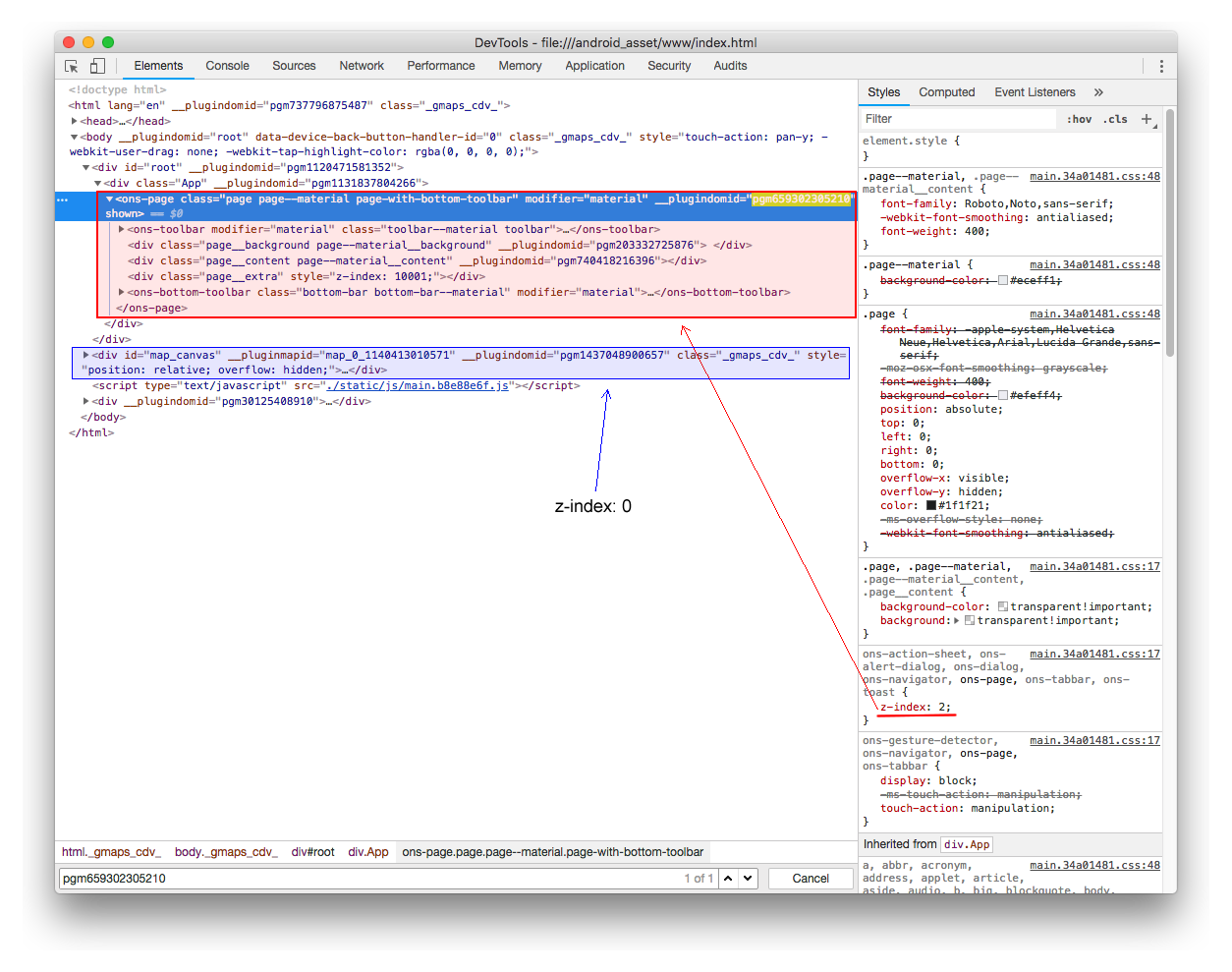
In order to describe, let's simplify this HTML.
<body>
  <ons-page style="position: absolute; left: 0; top: 0; right: 0; bottom: 0; z-index: 2;background:red"></ons-page>
  <div id="map_canvas" style="width:100%; height: 500px;background: blue"></div>
</body>
At this time, <ons-page> covers whole screen.
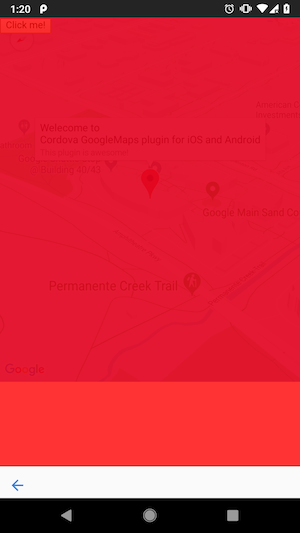
That's why you can not manipulate the map.
If you give z-index: 3 to <div id="map_canvas"> then you can manipulate the map.
However you can not touch the buttons.
<body>
  <ons-page style="position: absolute; left: 0; top: 0; right: 0; bottom: 0; z-index: 2;background:red"></ons-page>
  <div id="map_canvas" style="width:100%; height: 500px;background: blue;z-index:3"></div>
</body>
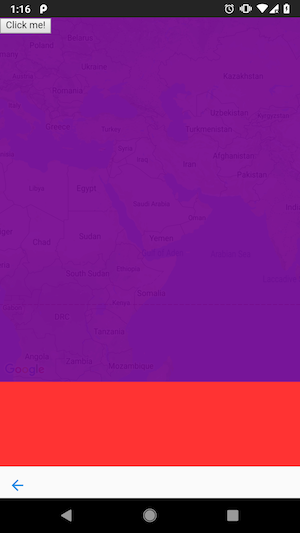
Then next, let's talk about the header.
Since <ons-toolbar> has z-index: 1000, the toolbar comes up above the <ons-page>(red).
<body>
  <ons-page style="position: absolute; left: 0; top: 0; right: 0; bottom: 0; z-index: 2;background:red">
      <ons-toolbar modifier="material" style="z-index: 1000;background:green">
  </ons-page>
  <div id="map_canvas" style="width:100%; height: 500px;background: blue"></div>
</body>
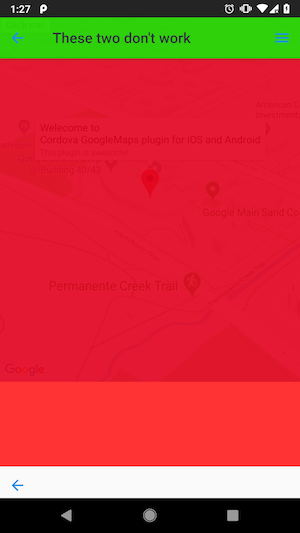
If you give you z-index: 3 to the toolbar, it should receive the touch events on normal HTML rules.
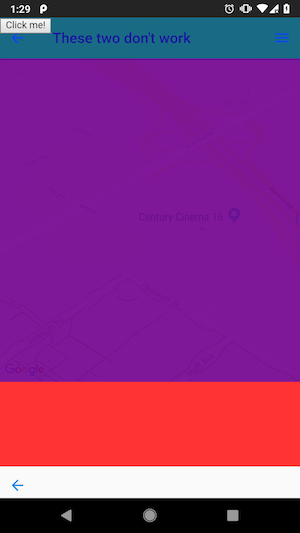
However this plugin does not (can not) follow the actual z-index hierarchy rules, because iOS does not support programatic click event.
That's why this plugin receives all touch events before browser receives touch events, then detect it which views should receive the events, browser or map.
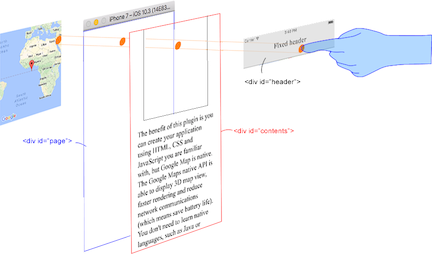
Browser has information of all HTML DOM nodes internally, such as a button in browser.
But that information is not exported.
That's why this plugin collects information in JS side, and detect touch event in native side.
In order to detect which DOM element should receive the touch event, this plugin has to check all HTML elements.
But it takes longer time. You feel kind of stress if this plugin do that.
That's why this plugin omits checking on some DOM elements.
<body>
  <ons-page style="position: absolute; left: 0; top: 0; right: 0; bottom: 0; z-index: 2;background:red">
      <ons-toolbar modifier="material" style="z-index: 1000;background:green">
  </ons-page>
  <div id="map_canvas" style="width:100%; height: 500px;background: blue"></div>
</body>
In the above HTML, the maps plugin checks <body>, <div id="map_canvas">, then <ons-page> elements. Not checked <ons-toolbar>.
Because <div id='map_canvas'> 's z-index is 0, and <ons-page>'s z-index is 2.
If you give z-index: 3 to <div id='map_canvas'>, the maps plugin checks <body>, <div id="map_canvas">, then <ons-page> elements. Not checked <ons-toolbar>.
Because <div id='map_canvas'> 's z-index is 3, and <ons-page>'s z-index is 2.
Like the above, this plugin does not check z-index deeply for speed up.
Many people prefer touch speed than z-index accuracy, I wont fix this.
wf9a5m75
on 27 Oct 2018
The perfect solution is to place <div id="map_canvas"> under <ons-page>.
Then the maps plugin should work correctly.
wf9a5m75
on 27 Oct 2018
I got it. Thanks for your detailed explanation.
The solution won't work though, because React will keep re-rendering which clears the status of map_canvas div. The map may show up in the beginning then disappear.
That's why I created this issue. Seems like we got the conclusion that this plugin cannot work with React together.
AonanLi
on 28 Oct 2018
Umm, it seems there is no good solution.
Sorry about that.
If you want to use this plugin, I recommend you use ionic framework and @ionic-native/google-maps.
wf9a5m75
on 28 Oct 2018
It’s all good. Thanks very much for your work. Really appreciate it.
You could close this issue if you want.
AonanLi
on 28 Oct 2018
Related issues
 BTW18
·
3Comments
BTW18
·
3Comments
 javi124
·
5Comments
javi124
·
5Comments
 bigbossmaher
·
3Comments
bigbossmaher
·
3Comments
 christoph-puppe
·
5Comments
christoph-puppe
·
5Comments
 sebagon
·
4Comments
sebagon
·
4Comments
Most helpful comment
Okay, the reason I can not manipulate the map is because of
z-indexrules.In your app,
<ons-page>receives all touch events because it has the highestz-index.In order to describe, let's simplify this HTML.
At this time,

<ons-page>covers whole screen.That's why you can not manipulate the map.
If you give
z-index: 3to<div id="map_canvas">then you can manipulate the map.However you can not touch the buttons.
Then next, let's talk about the header.
Since
<ons-toolbar>hasz-index: 1000, the toolbar comes up above the<ons-page>(red).If you give you
z-index: 3to the toolbar, it should receive the touch events on normal HTML rules.However this plugin does not (can not) follow the actual
z-indexhierarchy rules, because iOS does not supportprogramatic click event.That's why this plugin receives all touch events before browser receives touch events, then detect it which views should receive the events, browser or map.
Browser has information of all HTML DOM nodes internally, such as a button in browser.
But that information is not exported.
That's why this plugin collects information in JS side, and detect touch event in native side.
In order to detect which DOM element should receive the touch event, this plugin has to check all HTML elements.
But it takes longer time. You feel kind of stress if this plugin do that.
That's why this plugin omits checking on some DOM elements.
In the above HTML, the maps plugin checks
<body>,<div id="map_canvas">, then<ons-page>elements. Not checked<ons-toolbar>.Because
<div id='map_canvas'>'s z-index is 0, and<ons-page>'s z-index is 2.If you give
z-index: 3to<div id='map_canvas'>, the maps plugin checks<body>,<div id="map_canvas">, then<ons-page>elements. Not checked<ons-toolbar>.Because
<div id='map_canvas'>'s z-index is 3, and<ons-page>'s z-index is 2.Like the above, this plugin does not check
z-indexdeeply for speed up.Many people prefer
touch speedthanz-indexaccuracy, I wont fix this.