Cordova-plugin-googlemaps: Ionic 2 - Slow DOM manipulation
First, I would like to thank you guys for the great job you have done with this plugin, no doubts very useful for cordova developers.
My problem:
The plugin is taking too long every time a new Element is added to the page, for example this simple example I'm sharing, where I have 3 Tabs (Home, About and Contact).
- Home: The Map (working perfectly).
- About: I have a list of 100 Items, if you go to this Tab, you can't scroll the list at all, but if you destroy the map before going to that page (Clicking the button in the Home page), the list will scroll fine.
- Contact: Just another page.
My question:
Is it necessary to destroy The Map every time I'm going to another page?
- I could live with this, but will be better if I don't have to re-create The Map every time I'm going to this page.
Plugin Version: 2.0.0-beta2-20170625-1805
Testing Device:
Samsung SM-C115
Android Version: 4.4.2
cordova plugin list
cordova-plugin-console 1.0.5 "Console"
cordova-plugin-device 1.1.4 "Device"
cordova-plugin-googlemaps 2.0.0-beta2-20170625-1805 "cordova-plugin-googlemaps"
cordova-plugin-splashscreen 4.0.3 "Splashscreen"
cordova-plugin-statusbar 2.2.2 "StatusBar"
cordova-plugin-whitelist 1.3.1 "Whitelist"
ionic-plugin-keyboard 2.2.1 "Keyboard"
ionic info
global packages:
@ionic/cli-utils : 1.4.0
Cordova CLI : 6.5.0
Ionic CLI : 3.4.0
local packages:
@ionic/app-scripts : 1.3.12
@ionic/cli-plugin-cordova : 1.4.0
@ionic/cli-plugin-ionic-angular : 1.3.1
Cordova Platforms : android 6.1.2
Ionic Framework : ionic-angular 3.5.0
System:
Node : v6.9.4
OS : Windows 10
Xcode : not installed
ios-deploy : not installed
ios-sim : not installed
npm : 4.1.2
I have shared the code with you in bitbucket.
Thanks in advance.
 walfridosp
All 73 comments
Thank you for reporting. Could you tell me your repository name?
 wf9a5m75
on 2 Jul 2017
wf9a5m75
on 2 Jul 2017
Thanks for look into this. The name of the repository is gmaps. Here is the link:
walfridosp
on 2 Jul 2017
I have the same issue. Destroying the map works well and I don't mind doing it.
The real problem for me is that I have some buttons in the header of the same page as the map, and the click response is slow (1-2sec).
 antoine92190
on 2 Jul 2017
antoine92190
on 2 Jul 2017
@antonie92190 Please share your project, and if you take a video, that would be nice for me.
wf9a5m75
on 2 Jul 2017
@wf9a5m75 Unfortunately I cannot share my project.
I know it might help you understand the issue better but that is not an option, sorry.
However, I tried to reproduce the issue with a brand new ionic project and I cannot reproduce it.
I guess the map slows the DOM only when the app has already lot of elements to display.
I shared a video below:
map.zip
You can see there is a slow feeling when I switch between the buttons at the top.
This latency also exists when I click buttons in the header and when I click on any bottom tab.
This latency disappears as soon as I destroy the map.
For the purpose of the video, I removed all logic behind the buttons' click, just to make sure it is actually a DOM issue.
antoine92190
on 2 Jul 2017
OK. Thanks for sharing the video. I haven't checked it yet, but I understand you guys situation.
The reason of this is the plugin has to know all HTML element positions and Z-indexes.
That's why.
Especially, the ionic framework uses lots of HTML elements. So I can imagine the situation.
I will check the @walfridosp's project later.
wf9a5m75
on 2 Jul 2017
I can give you another info.
On the video you can see that the first page is a list.
As Ionic is doing a lot of caching, even when I go to the map, the DOM of the list still exists.
Maybe the map should only consider the visible DOM (and not what is cached).
Right now, the plugin seems to also consider the DOM of my list, even when I don't see it.
=> When I empty my list, the map latency issue is much better.
antoine92190
on 2 Jul 2017
@walfridosp Could you tell me how to build your project?
wf9a5m75
on 2 Jul 2017
@wf9a5m75 I added the steps in the README. Let me know if you need anything else.
walfridosp
on 3 Jul 2017
@walfridosp Thank you for the update.
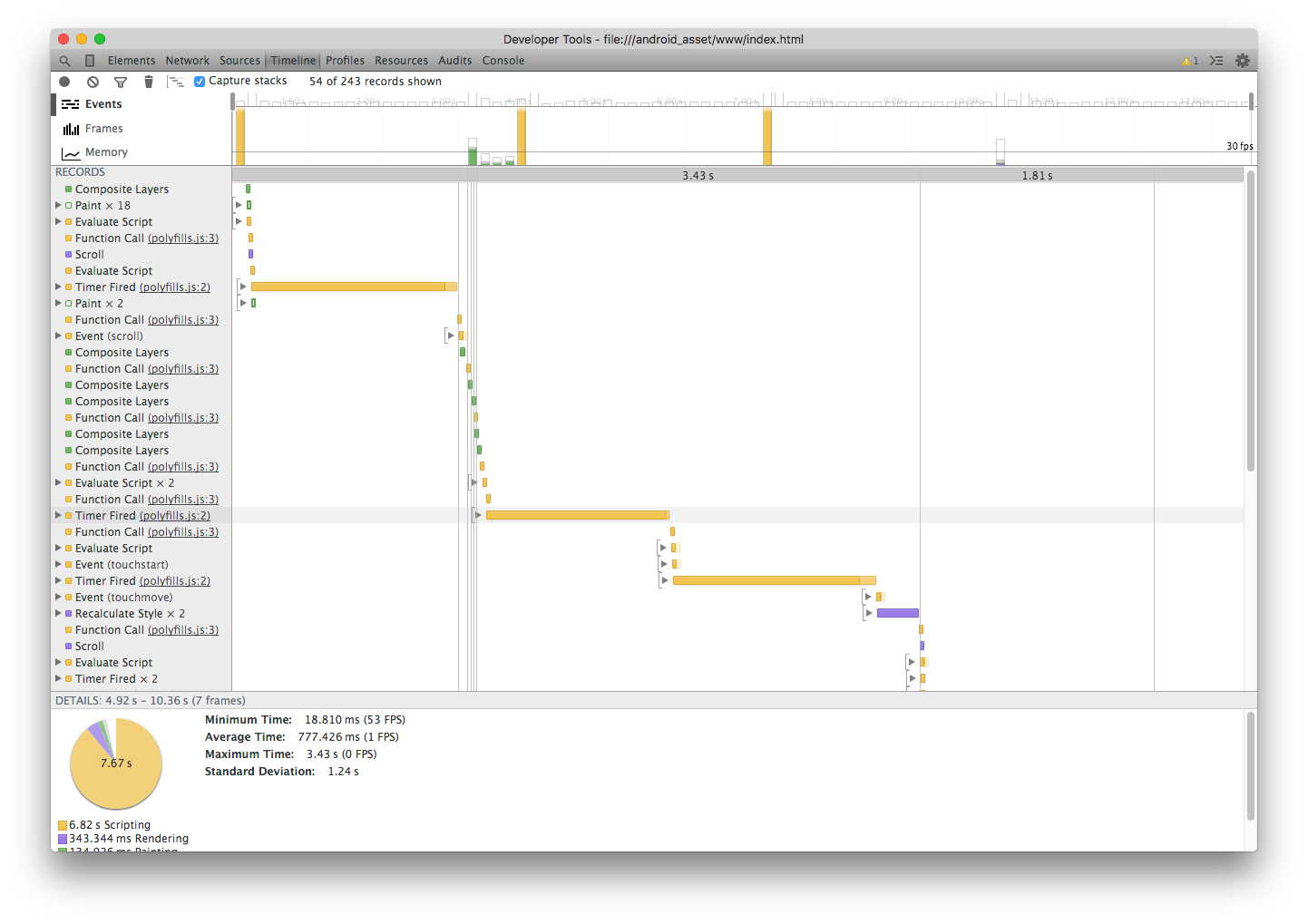
I confirmed your issue. The list page scrolling is very slow.
But it seems the polyfills.js takes long time.
wf9a5m75
on 4 Jul 2017
I noticed one thing.
The list page on Android 4.4 device is really slow, but running on Android 6.0.1 device is faster.
wf9a5m75
on 5 Jul 2017
I haven't try it in other android device, in iOS is also faster, anyway I would like to support that version of android and above.
I was wondering is it really necessary for the plugin to set a z-index for each element?, maybe adding it to the 'page' is enough, just an idea
walfridosp
on 5 Jul 2017
@wf9a5m75 I did not have this issue with the 1.4.1 version of your plugin, maybe you can check what is different about how you handle z-index since then?
antoine92190
on 5 Jul 2017
I was wondering is it really necessary for the plugin to set a z-index for each element?, maybe adding it to the 'page' is enough, just an idea
Yes, it is really necessary.
For example, when you show up a popup dialog on the map, then tap on the dialog, the plugin has to detect the tap is for HTML or map.
wf9a5m75
on 5 Jul 2017
@antoine92190 The version 1.4.1 monitors only the child elements under the map div. The version 2.0 monitors all HTML elements.
wf9a5m75
on 5 Jul 2017
Right, I got that from your last comment.
But can't you do anything about non visible HTML that ionic is caching?
antoine92190
on 5 Jul 2017
I'm testing about that.
wf9a5m75
on 5 Jul 2017
I updated the plugin code. Please try to reinstall the plugin.
Actually I haven't tested it on Android 4.4 because I don't have the device right now, but it should be fine.
wf9a5m75
on 5 Jul 2017
That's great!!! will test it right now and will let you know. Thanks!
walfridosp
on 5 Jul 2017
@wf9a5m75 I have tested it in Android 4.4 and its working smoothly now, no need to destroy The Map, I really appreciate the great work your are doing. Thanks
walfridosp
on 5 Jul 2017
Sounds good
wf9a5m75
on 5 Jul 2017
Will keep testing but so far so good. You can close the issue. Thanks again
walfridosp
on 5 Jul 2017
@antoine92190 How about you?
wf9a5m75
on 5 Jul 2017
I just tested, it is much smother now! Thanks a lot!
However, when I click on the map, the map disappears :sweat_smile:
It becomes blank and when I click again, the map reappears...
Can you also experience that?
antoine92190
on 5 Jul 2017
@antoine92190 I'm not presenting that issue.
walfridosp
on 5 Jul 2017
@antoine92190 Thanks for the update. Actually I fixed it after posting my previous comment.
The issue causes by ionic <div class='nav-decor'></div> element.
The reason of @walfridosp does not face this issue is he might insert CSS with this line.
ion-app._gmaps_cdv_ .nav-decor{
  background-color: transparent!important;
  display:none!important;
}
@antoine92190 I already fixed the plugin 2.0.0-beta2-20170705-1400.
Please reinstall the plugin. The issue should be gone.
wf9a5m75
on 5 Jul 2017
Yes, that's part of my CSS
walfridosp
on 5 Jul 2017
I also have those lines in my CSS.
But I still have the issue with your last update.
As the map become white on clicks, I'm not sure that it is related to those CSS lines.
I uploaded a video below.
antoine92190
on 5 Jul 2017
Do you know what may cause that?
If not, I will try to remove some HTML elements until I do not have the issue anymore.
antoine92190
on 5 Jul 2017
Could you make a simple project that reproduce your issue, and share it with me?
wf9a5m75
on 5 Jul 2017
Installation:
- npm install
- ionic cordova platform add ios
- open the xcodeproj file in platforms/ios
Click quickly and several times on the map, the issue should appear.
antoine92190
on 6 Jul 2017
Thanks. If you share it on git repository (like github or bitbucket) next time, I appreciate for that.
wf9a5m75
on 6 Jul 2017
Sure, I'll share it on github next time
antoine92190
on 6 Jul 2017
@antoine92190 I'm not able to reproduce this issue in android, with the shared project.
walfridosp
on 6 Jul 2017
Oh, I see. I reproduced @antoine92190 's issue on the iOS device.
wf9a5m75
on 6 Jul 2017
Yes, I guessed it was specific to iOS. Quiet annoying as you can see :smile:
antoine92190
on 6 Jul 2017
I finally figured out. It is my mistake. Please reinstall the plugin.
wf9a5m75
on 6 Jul 2017
All good, you're awesome!
antoine92190
on 6 Jul 2017
Sounds good :)
wf9a5m75
on 6 Jul 2017
Since the last updates, the DOM became slow again.
@walfridosp Do you also experience the issue in your project with version 2.0.0-beta2-20170716-1535 or over?
The issue is more noticeable on iOS than on Android (and my iOS device is more performant than my Android one).
antoine92190
on 18 Jul 2017
Please show me the evidence.
wf9a5m75
on 18 Jul 2017
Can two videos, one before and one after some of your updates might help you?
I can also add on both videos the according commit reference.
antoine92190
on 18 Jul 2017
Not just videos, and also chrome dev tools are appreciated.
By the way, which one is preferred, faster but not perfect (such as can not click some elements for some reasons), or kind of slow but you can click all HTML elements?
wf9a5m75
on 18 Jul 2017
As the issue seems more noticeable on iOS, I cannot use chrome dev tools.
But I guess I can use safari.
What section of the safari debugging tool would you need to see?
Considering my specific use of this plugin, the faster is better.
- I did not have any problem to click on any HTML elements with previous versions
- The slowness is impacting the user experience a lot.
Actually, I only had problem with HTML elements since the last updates, as I mentioned in #1568.
antoine92190
on 18 Jul 2017
I did not have any problem to click on any HTML elements with previous versions
Ok, you can stay at 2.0.0-beta2-20170716-1535. But other people had problem. I can not choose it.
wf9a5m75
on 18 Jul 2017
What section of the safari debugging tool would you need to see?
Please take screen picture of the timing section.
wf9a5m75
on 18 Jul 2017
You can find two folders:
- Fast DOM with version
2.0.0-beta2-20170716-1535 - Slow DOM with version
2.0.0-beta2-20170717-1045
I hope you can see what you need on the screenshots, if not please let me know.
antoine92190
on 18 Jul 2017
Thank you for taking video, but I'm really busy.
I hope you inspect more deeply by yourself.
- Open your text editor (such as ATOM)
- open the file "platforms/ios/platform_www/plugins/cordova-plugin-googlemaps/www/googlemaps-cdv-plugin.js" for example
- modify the code
- Executes
$> cordova preparecommand. This copies the plugin files toplatform/ios/www/ - Run your app.
wf9a5m75
on 18 Jul 2017
I will try my best, but unfortunately I am not an experienced developer such as yourself.
If you need me to build an ionic app, no problem. Other than that...
But no harm in trying :smile:
antoine92190
on 18 Jul 2017
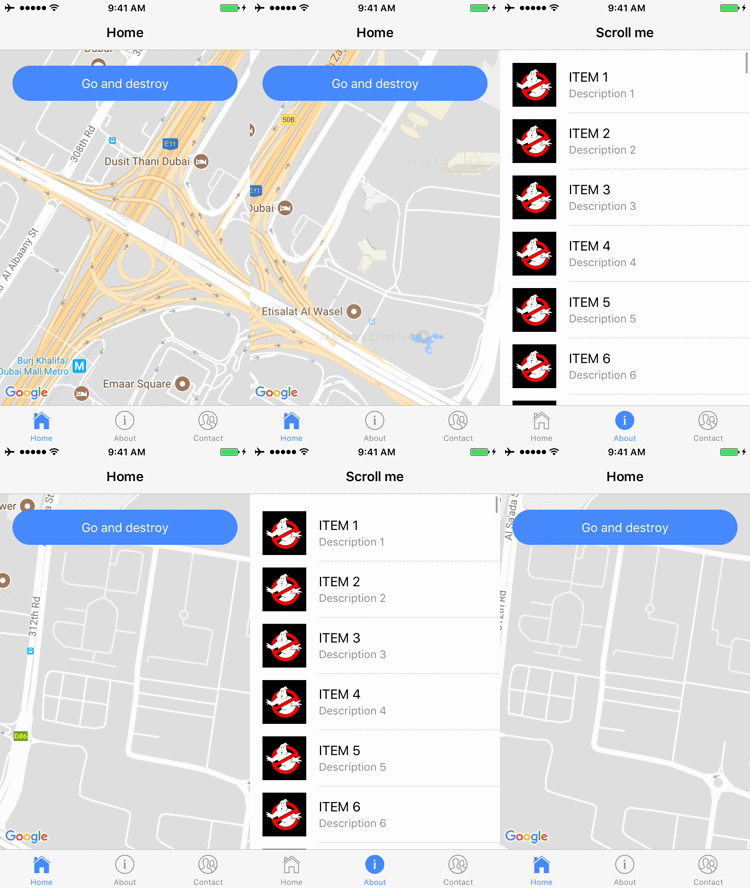
Try the version 2.0.0-beta2-20170718-1155. You should feel good.
wf9a5m75
on 18 Jul 2017
Unfortunately, it is not better.
I could find that everything works well until after 5dcd3f2.
Is there any other info I can give you that might help?
antoine92190
on 18 Jul 2017
Please share your REAL project files. Otherwise, there is nothing I can help you.
wf9a5m75
on 18 Jul 2017
The 2.0.0-beta2-20170718-1155 stops the DOM parsing when the map is not displayed.
It means the plugin does not execute anything. Only checking the map divs are visible or invisible.
wf9a5m75
on 18 Jul 2017
Sorry but I cannot share my real project files.
It is a company core business and I cannot afford to share it to anyone, even though I trust you.
Plus, I am not the only one to decide about that. I hope you understand.
I can try and reproduce my issue in a new project and share it with you.
As you can see on the video, I have some interactions with the DOM even when the map is visible.
I guess the fix helps with the original issue of walfridosp.
But not when the DOM is visible at the same time as the map.
antoine92190
on 18 Jul 2017
(Btw, I bought you some beers for all your help :wink:)
antoine92190
on 18 Jul 2017
I understand your situation, but I can not help you anymore at this time.
I can not go back to the old version, because it's going to be much trouble for me.
You need to choose:
1) stay at old version
2) debug the issue by your self
3) make a project that reproduce your issue 100%
4) give up this plugin
I think you choose 3), so let me know if you create it.
By the way, thank you for offering some beers :beers:
wf9a5m75
on 18 Jul 2017
Sure, I'll try 3) and let you know.
antoine92190
on 18 Jul 2017
@wf9a5m75 @antoine92190 Hi guys, I haven't test with the latest version but will check tomorrow and will let you know how is it going for android and iOS. Thanks
walfridosp
on 18 Jul 2017
You can try this: https://github.com/antoine92190/ionic-map
The app will open on a list with lots of elements.
When you go to Home and click on the segment buttons, you will be able to feel the issue.
Try removing the map and feel the difference.
antoine92190
on 19 Jul 2017
Thank you for the updating your repo.
Well, I tested your demo app, but I don't feel the app that the maps plugin does not contain is very smooth.
with the google maps plugin
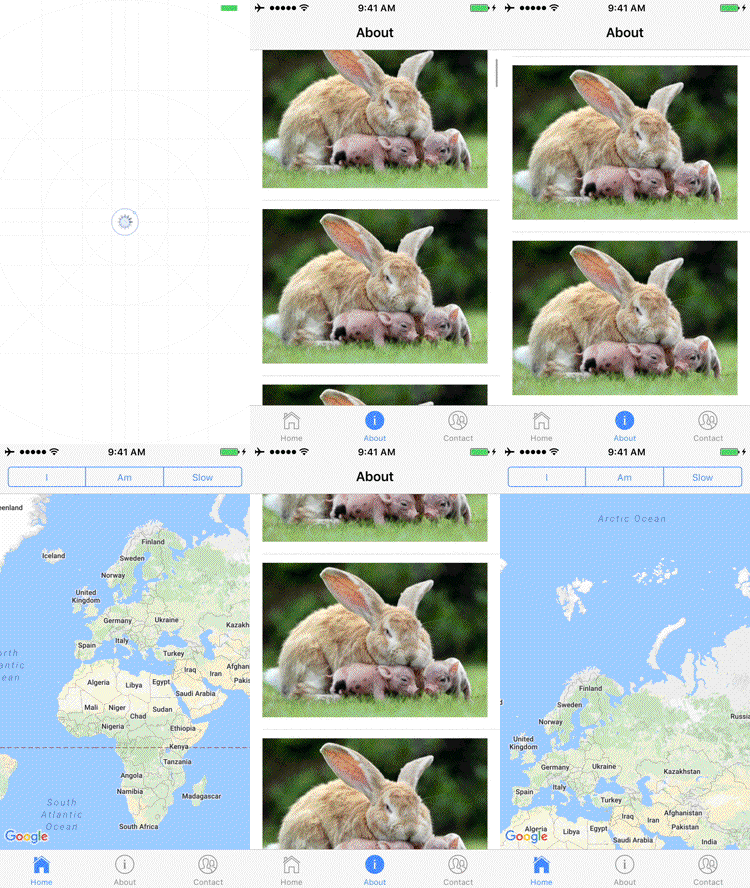
google maps plugin**
wf9a5m75
on 19 Jul 2017
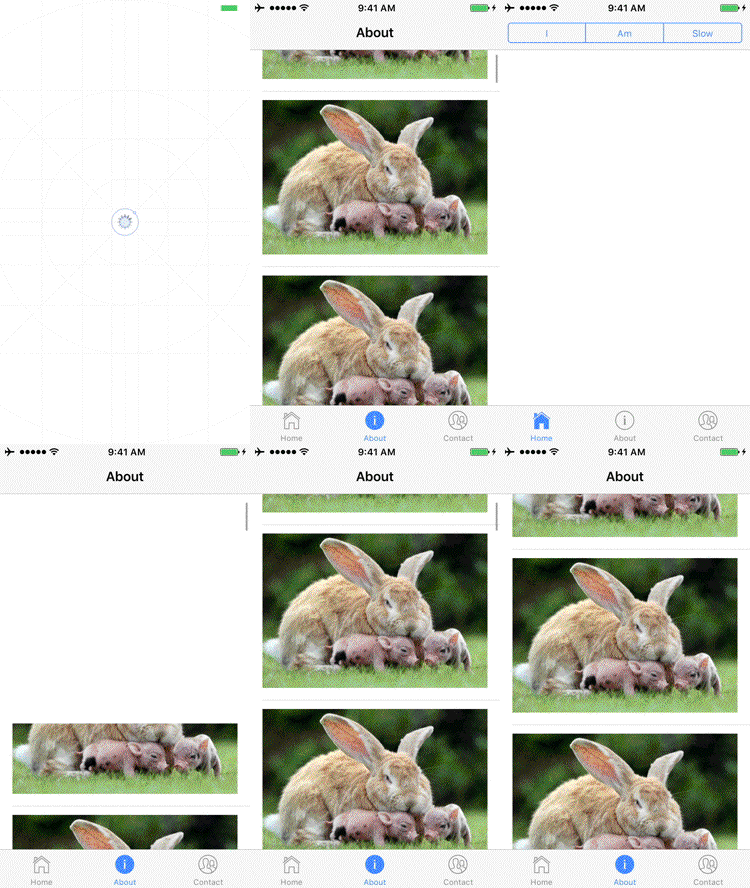
I didn't feel so much different with or without the google maps plugin.
Both are heavy.
without the google maps
wf9a5m75
on 19 Jul 2017
Yes I made the app heavy on purpose so you can see the difference better.
The list is just there to emphasise the issue, but what I'm trying to show you is not the feeling with the list, but the feeling with the buttons above the map "I - am - slow".
You should definitely see a difference there.
antoine92190
on 19 Jul 2017
As you said, the feeling with the list is the same with or without the plugin because you already fixed the issue when not map is not visible.
antoine92190
on 19 Jul 2017
I tried to improve the DOM parsing speed up last night until 2:30am, but omitting the process causes another apps are affected. (Your's one is simple)
wf9a5m75
on 19 Jul 2017
Is it maybe possible to add an option where we could choose to inspect all HTML or not?
In my case, I could not see any drawback up to 5dcd3f2.
My usage of the map is simple, but I guess it is the usage of lots of people.
=> Display a map, add/remove some markers dynamically.
It's a pity that we should sacrifice general performance of the app to fix issues that lots of people will not have anyway.
antoine92190
on 19 Jul 2017
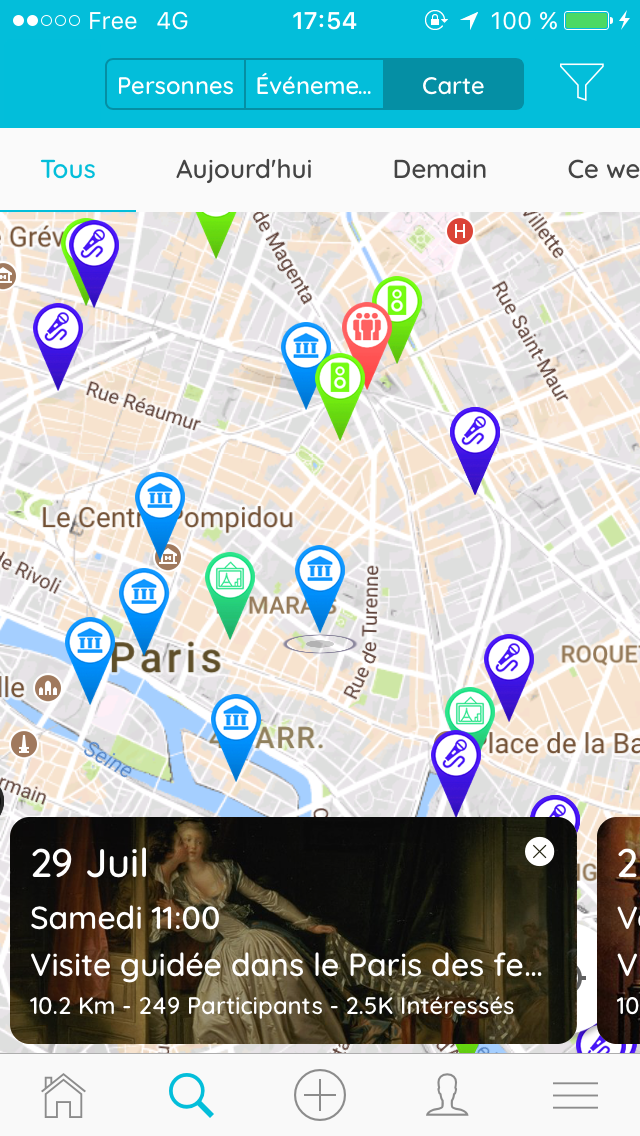
As you can see on my real project, I have quiet a few HTML elements on the map.
I can click on the bottom strip, scroll horizontally to see other strips, close them, etc.
I had no problem whatsoever to click on any of those, and everything was super smooth.
antoine92190
on 19 Jul 2017
My usage of the map is simple, but I guess it is the usage of lots of people.
Do you understand what case is simple and what case is difficult?
wf9a5m75
on 19 Jul 2017
I am not sure what you mean?
antoine92190
on 19 Jul 2017
I asked do you understand why this plugin need to parse all HTML elements even DOM depth (z-index, and order of anteroposterior relationship of each elements).
And if you understand the reason, can you establish the most people use this plugin for the simple case?
At least, using the Ionic framework, it's already complicated (but even still simple), but displaying alert dialog of ionic, it's already complicated.
But the most of users of this plugin do not read the documents deeply, and the people who read the internal code are really rare.
So I don't believe the most of developers use this plugin is for simple cases, and I can not accept giving an option.
At least, I understand your point. I'm still working. Please stay at the old version 2.0.0-beta2-20170716-1535 if you don't have any problem.
wf9a5m75
on 19 Jul 2017
Ok I understand and I get your point.
I wish I could help debugging the issue, but unfortunately it is beyond my competence.
I'll stay with the old version for now as it is stable for my case.
antoine92190
on 19 Jul 2017
Sorry, I was too strong words. But I recognized your issue, and I have been working on for it. Please wait for a while.
wf9a5m75
on 19 Jul 2017
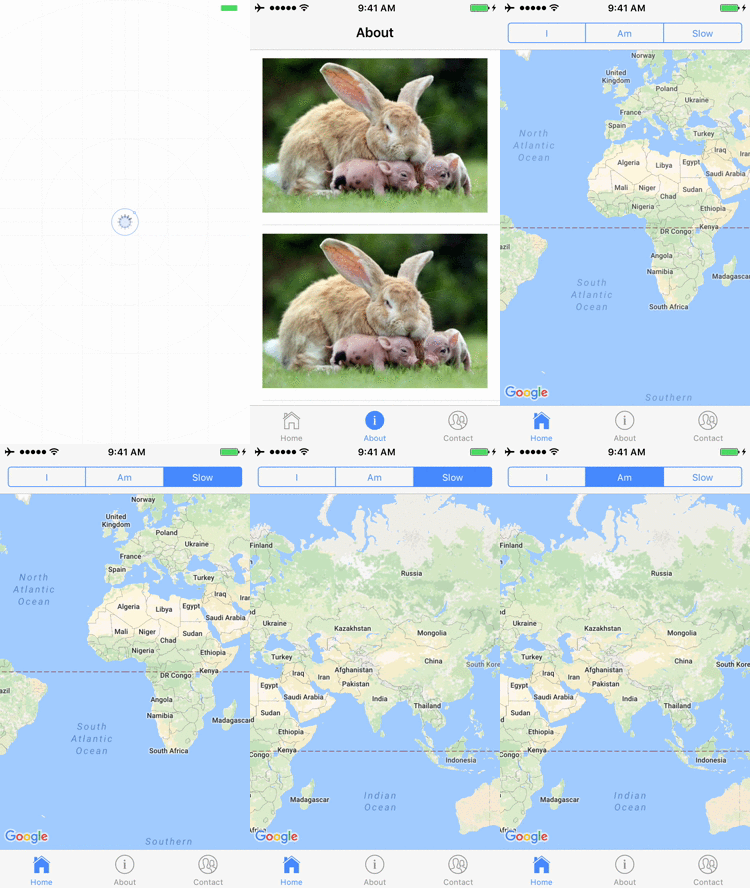
Fixed. Please reinstall the plugin 2.0.0-beta2-20170719-1400
wf9a5m75
on 19 Jul 2017
Perfect :ok_hand:
Once again, thank you so much.
antoine92190
on 19 Jul 2017
Related issues
 nakulkundaliya
·
5Comments
nakulkundaliya
·
5Comments
 melkir
·
5Comments
melkir
·
5Comments
 christoph-puppe
·
5Comments
wf9a5m75
·
3Comments
christoph-puppe
·
5Comments
wf9a5m75
·
3Comments
 ahmadkam72
·
3Comments
ahmadkam72
·
3Comments
Most helpful comment
Sorry, I was too strong words. But I recognized your issue, and I have been working on for it. Please wait for a while.