Copyq: High DPI display issue on Ubuntu 18.04 fresh install.
Describe the bug
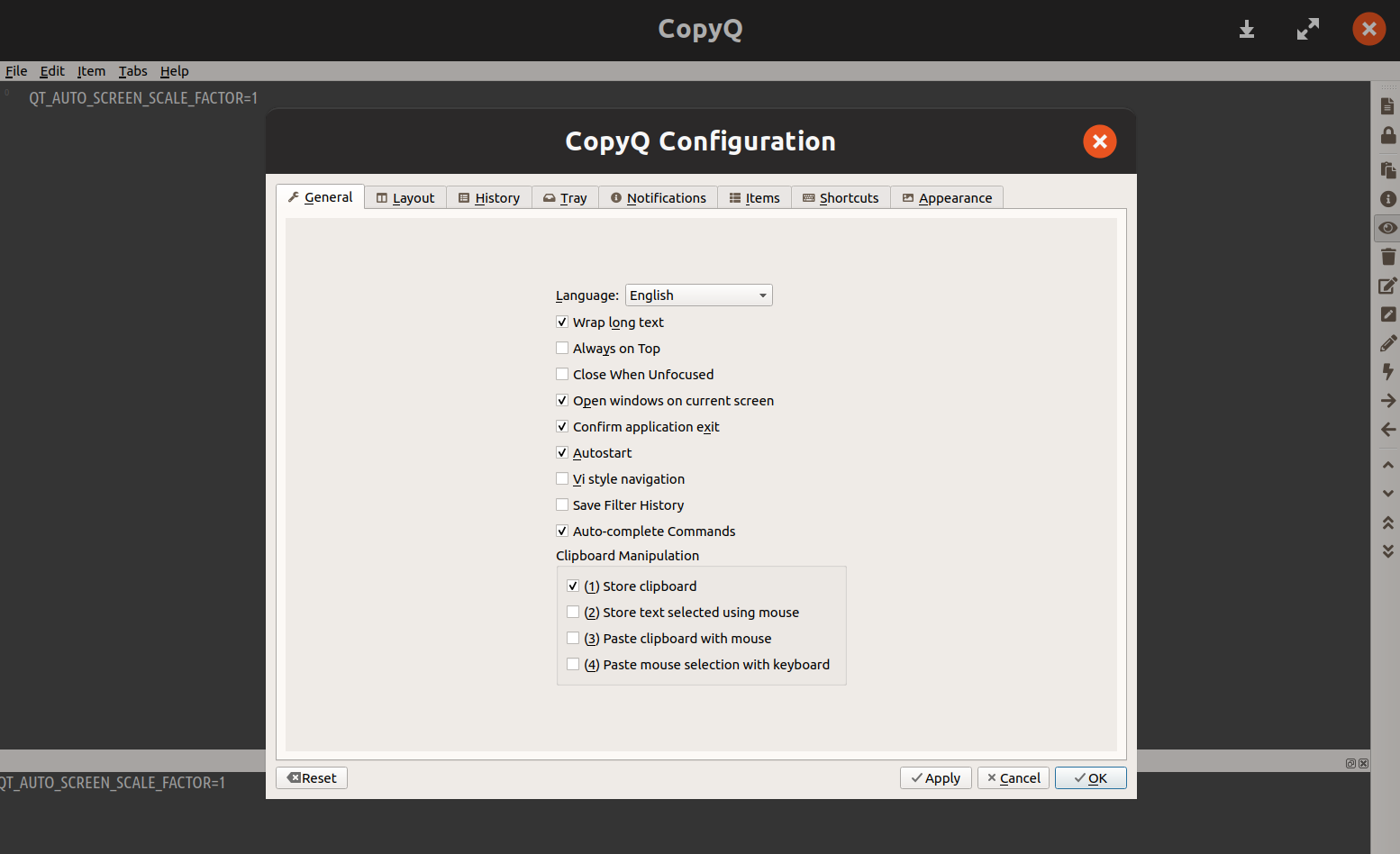
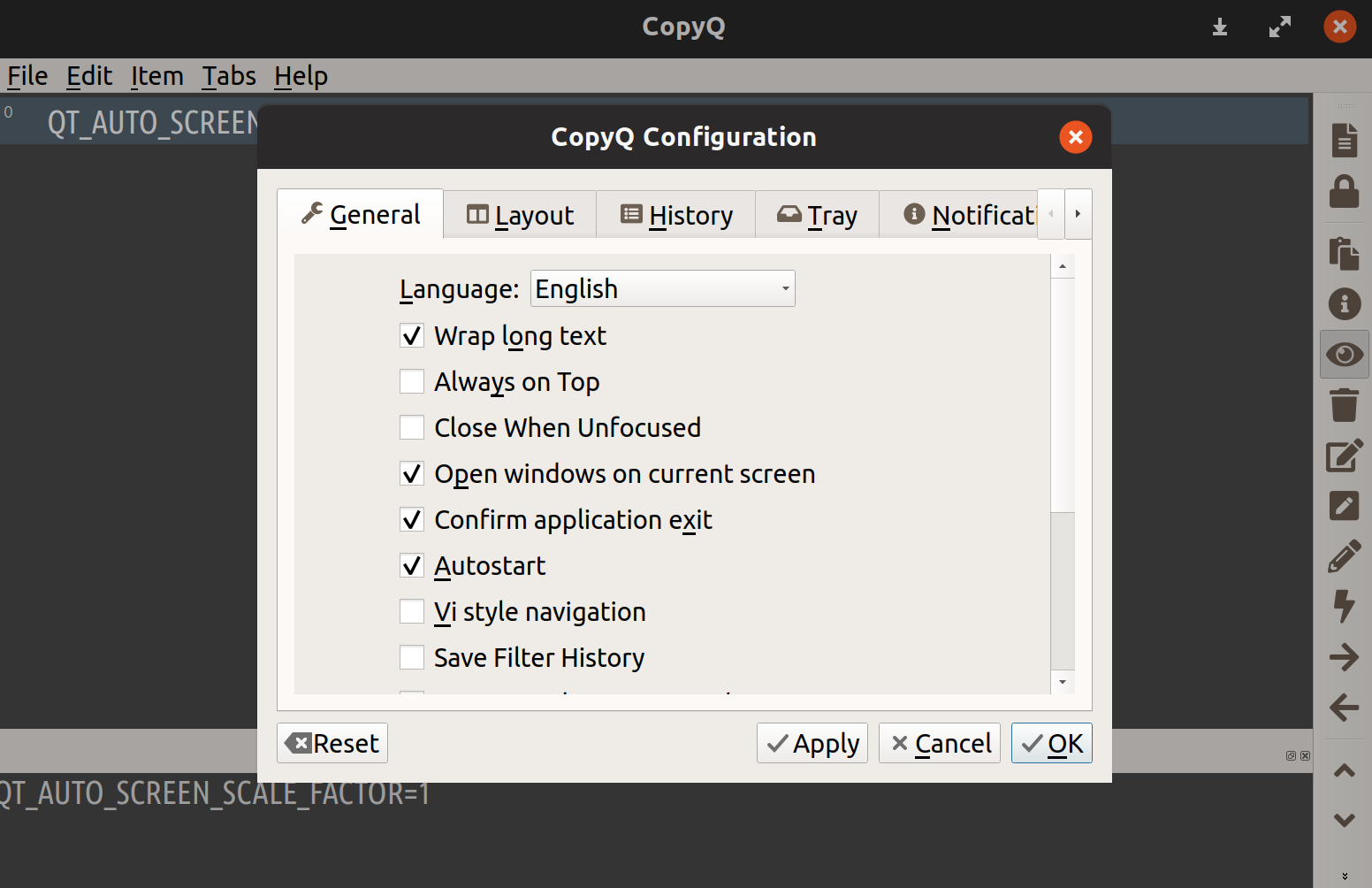
At Ubuntu startup (on a PC with a 4K display), incorrect scaling is shown on user interface. Fonts are very small basically. See screenshot below. If I close CopyQ and reopen it with command:
copyq
the user interface shows good scaling. Normal size fonts.
To Reproduce
Steps to reproduce the behavior:
- Start an Ubuntu PC with CopyQ autostart option enabled.
- Show user interface (bad scaling, very small fonts)
- Close CopyQ and reopen.
- Show user interface (good scaling, normal size fonts)
Expected behavior
I think it would be ideal if CopyQ autostarts with good scaling since the beggining.
Screenshots
At Ubuntu startup:
After closing it and reopening:
Version, OS and Environment
- CopyQ Clipboard Manager v3.2.0
Built with: Qt 5.9.3, LibQxt 0.7.0 - Ubuntu 18.04.2 fresh install.
- Gnome 3.26.
Additional context
I tried setting a environmental variable at application startup entry:
env QT_AUTO_SCREEN_SCALE_FACTOR=1 copyq
but it did not work.
Thanks!
 eera5607
All 7 comments
Yes, I have the same issue in both Gnome and KDE/Plasma.
It's related to #1119. Qt apps don't react on DPI/scaling change on X11.
You can try setting QT_SCALE_FACTOR=2 or QT_SCREEN_SCALE_FACTORS=2 instead.
 hluk
on 5 Jun 2019
hluk
on 5 Jun 2019
Yes. I mean, if I set those variables or not if I restart the app everything looks fine. Bad scaling only occurs at startup. I just have to quit CopyQ and open it again and it is solved. I don't understand why.
eera5607
on 5 Jun 2019
I think it's because at start the scaling in the desktop environment (DE) is not yet set correctly but apps are already being auto-started. And after the scaling is updated by the DE, Qt framework won't pick up it up unfortunately.
hluk
on 5 Jun 2019
Is it possible that a delay in the startup of CopyQ would fix it? Maybe 5 o 10 seconds.
eera5607
on 5 Jun 2019
Is it possible that a delay in the startup of CopyQ would fix it? Maybe 5 o 10 seconds.
See: https://github.com/hluk/CopyQ/issues/465#issuecomment-196685151
hluk
on 5 Jun 2019
Thank you. For some reason, using that type of commands does not work anymore on startup entries on Ubuntu 18.04+.
In this case the solution was to add this line:
X-GNOME-Autostart-Delay=3
at the end of the autostart file ~/.config/autostart/copyq.desktop
That solved the issue. Thanks for the all the help.
eera5607
on 5 Jun 2019
X-GNOME-Autostart-Delay=3
Nice, thanks for the tip, I didn't know about this option. Would be good if there is similar option for KDE.
I'm closing this as duplicate of #1119.
hluk
on 5 Jun 2019
Related issues
 lepalmtree
·
7Comments
lepalmtree
·
7Comments
 sebflipper
·
8Comments
sebflipper
·
8Comments
 beefeater7
·
8Comments
beefeater7
·
8Comments
 gatopeich
·
3Comments
gatopeich
·
3Comments
 SmileyStiles
·
3Comments
SmileyStiles
·
3Comments
Most helpful comment
Thank you. For some reason, using that type of commands does not work anymore on startup entries on Ubuntu 18.04+.
In this case the solution was to add this line:
X-GNOME-Autostart-Delay=3at the end of the autostart file
~/.config/autostart/copyq.desktopThat solved the issue. Thanks for the all the help.