Cookie-autodelete: [BUG] Unable to automatically delete localStorage held in protectedWeb / webapps / hosted applications.
Describe the bug
A fresh install of chrome, when you search something on Google.
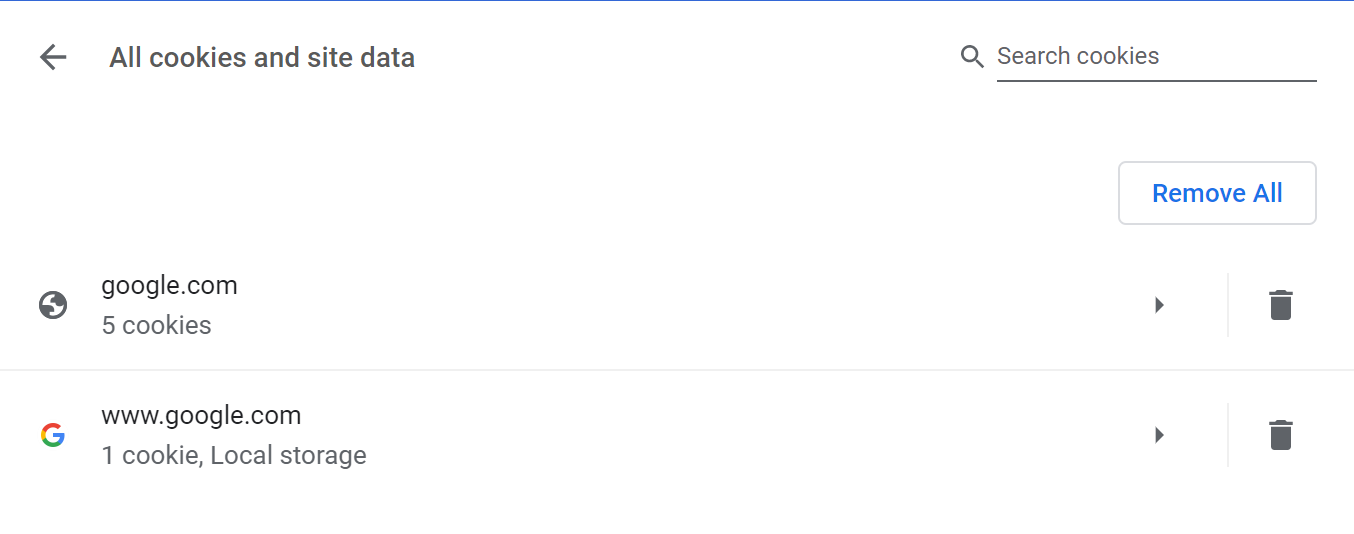
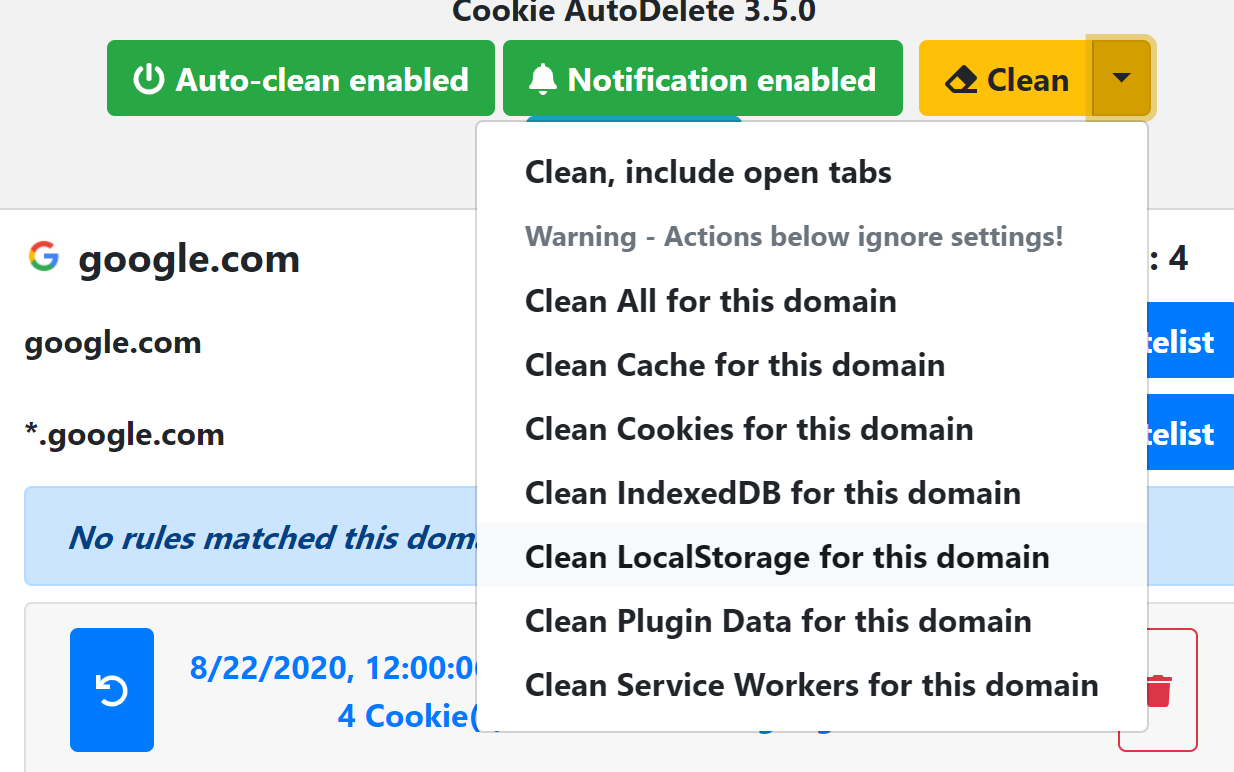
The CAD settings are as follows
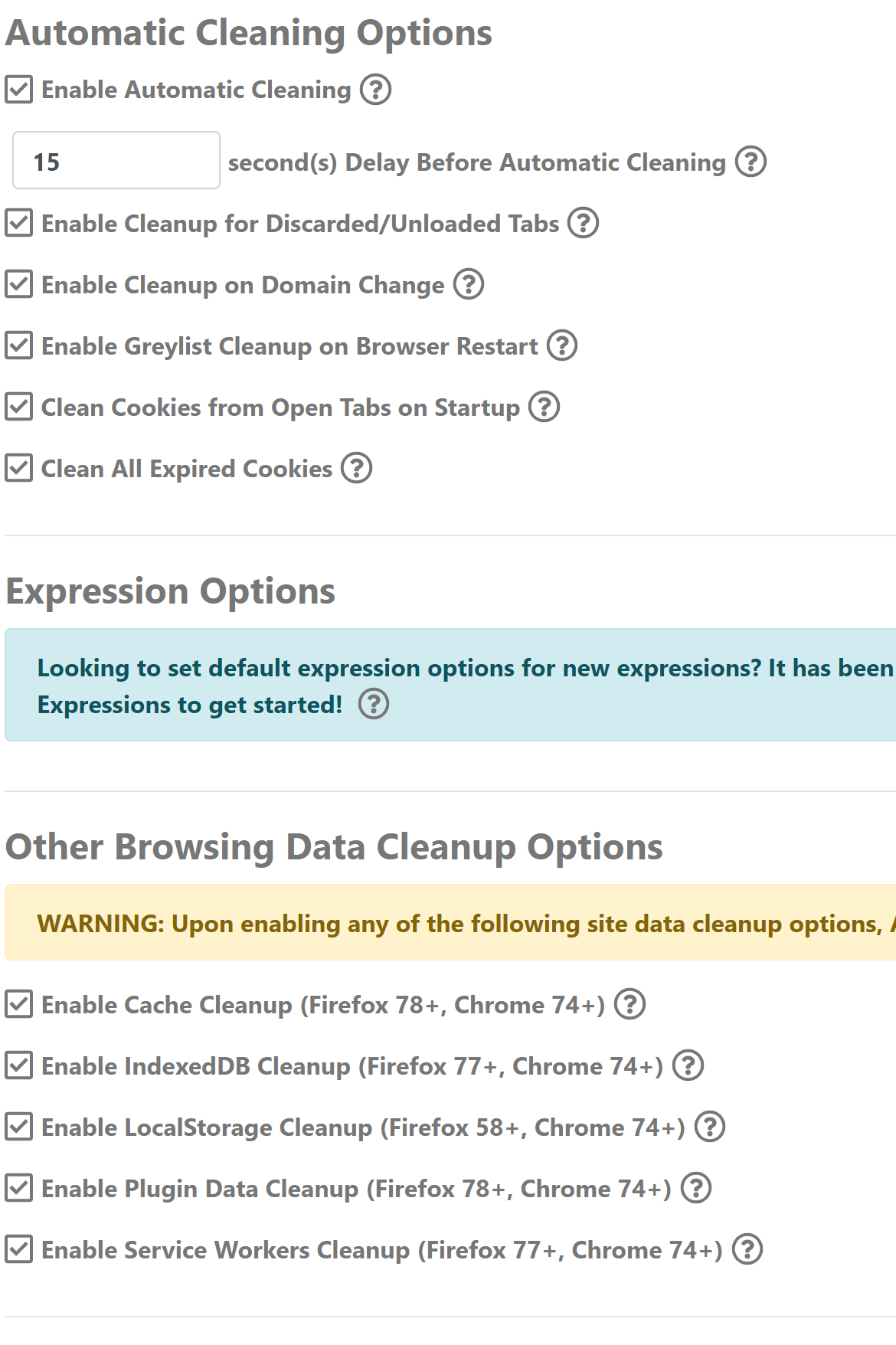
After 15 seconds
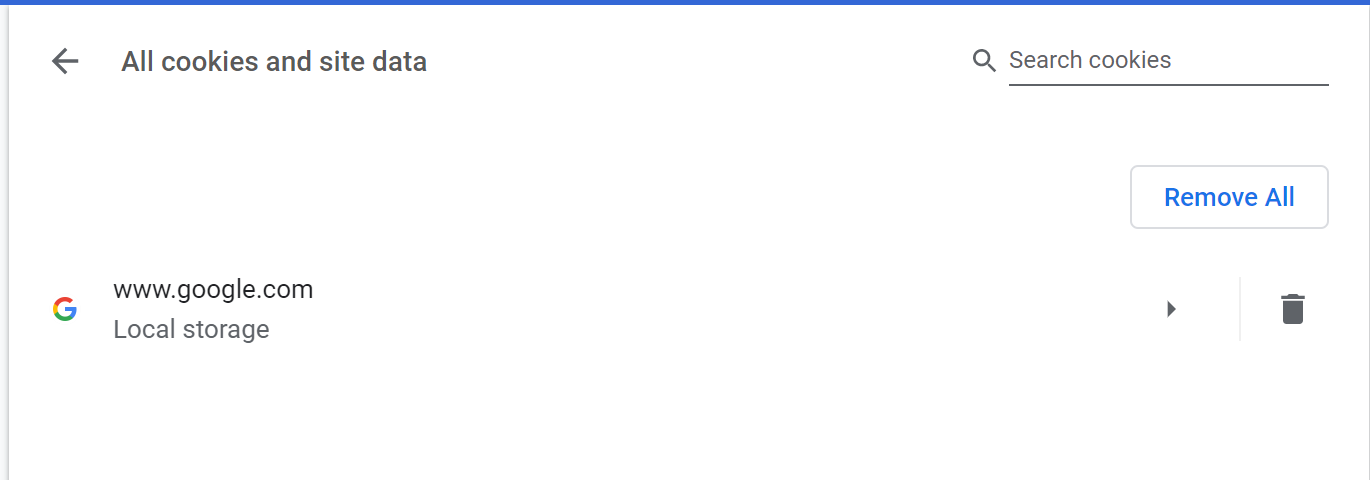
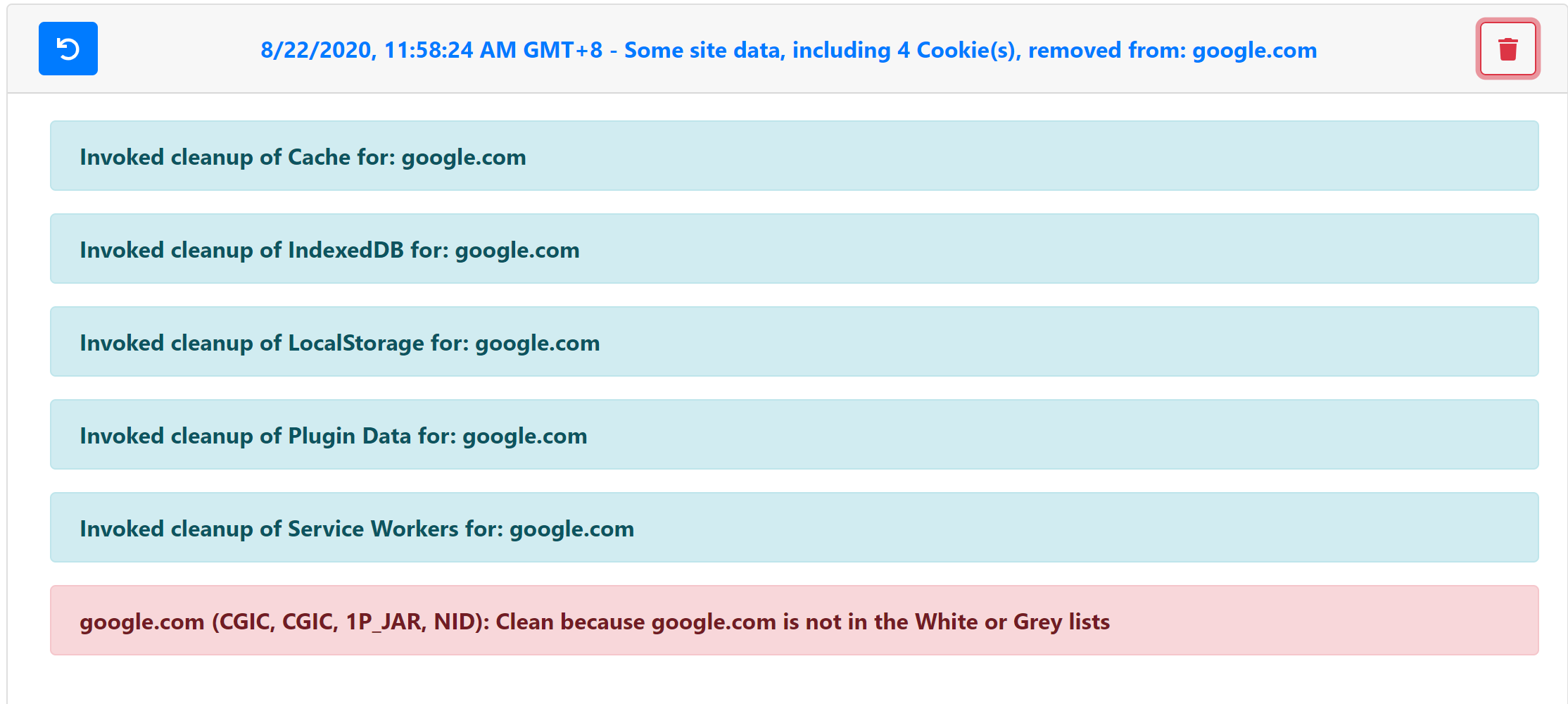
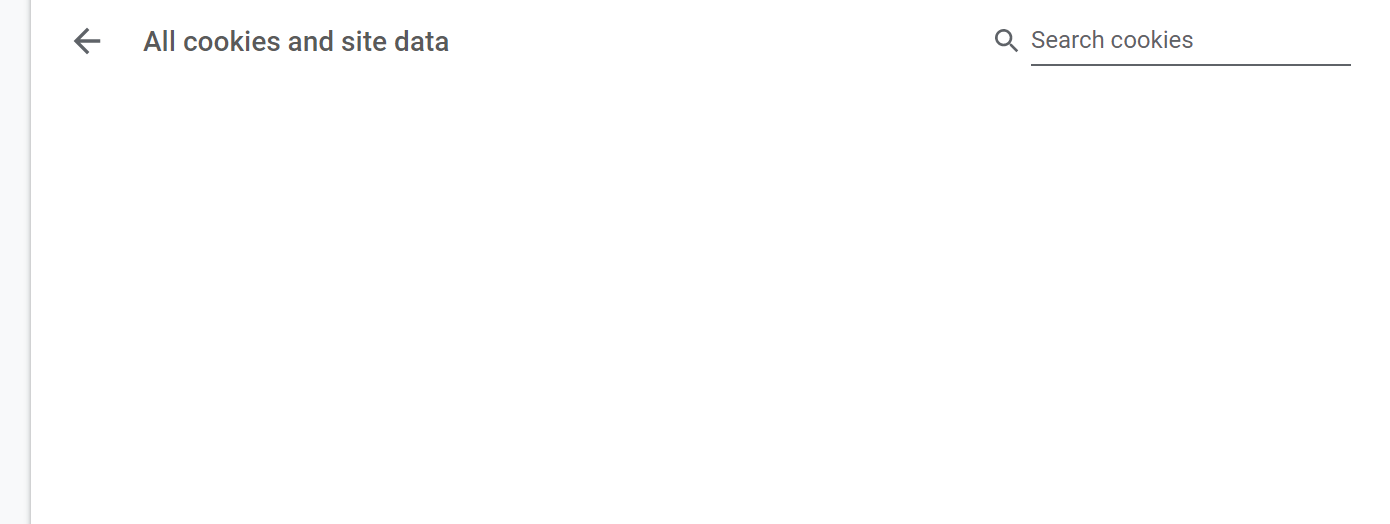
But if you clean localstorage manually, everything is fine
Your System Info (please complete the following information):
- OS: windows10 19041
- Browser Info: Version 83.0.4103.116 (Official Build) (64-bit)
- CookieAutoDelete Version 3.5.0
 nullnullnullnull0
All 14 comments
The manual localstorage clean and automatic localstorage clean are using different methods. The manual localstorage is actually removing it through the domain itself as it is still active. The browsingdata api should be working (I did test it through a different site). Could you enable the debug mode and follow the instructions, then repeat the process and send me (copy+paste to a file) the logs (just from the automatic cleaning process)?
 kennethtran93
on 22 Aug 2020
kennethtran93
on 22 Aug 2020
The manual localstorage clean and automatic localstorage clean are using different methods. The manual localstorage is actually removing it through the domain itself as it is still active. The browsingdata api should be working (I did test it through a different site). Could you enable the debug mode and follow the instructions, then repeat the process and send me (copy+paste to a file) the logs (just from the automatic cleaning process)?
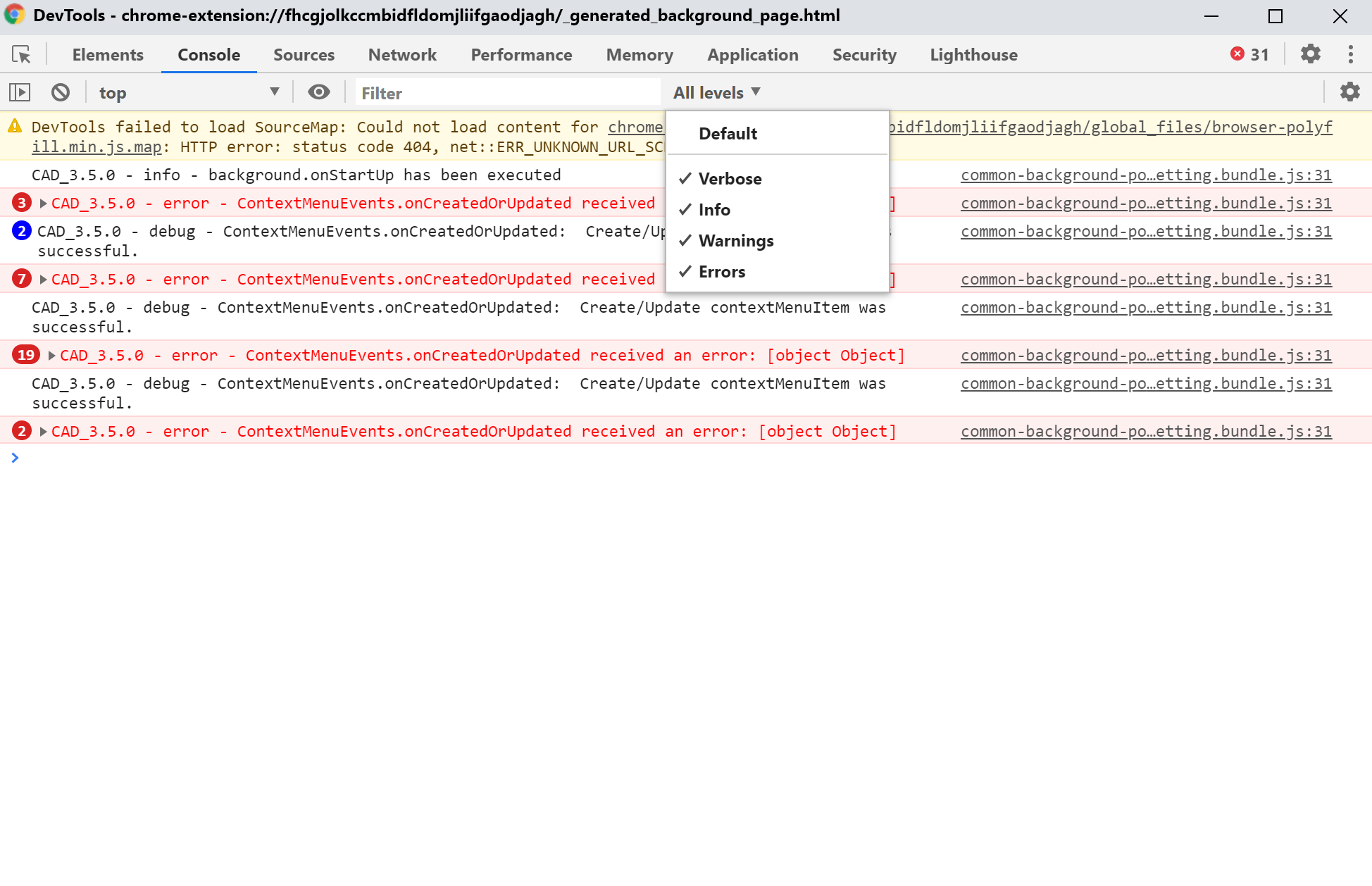
common-background-popup-setting.bundle.js:31 CAD_3.5.0 - info - background.onStartUp has been executed
common-background-popup-setting.bundle.js:31 CAD_3.5.0 - error - ContextMenuEvents.onCreatedOrUpdated received an error: [object Object]
t.cadLog @ common-background-popup-setting.bundle.js:31
onCreatedOrUpdated @ common-background.bundle.js:16
(anonymous) @ extensions::contextMenusHandlers:27
common-background-popup-setting.bundle.js:31 CAD_3.5.0 - error - ContextMenuEvents.onCreatedOrUpdated received an error: [object Object]
Repeat 30 times
nullnullnullnull0
on 22 Aug 2020

nullnullnullnull0
on 22 Aug 2020
Also please update your Google Chrome version. I'm using Version 84.0.4147.125 (Official Build) (64-bit), and on linux.
Those errors relate to Right-Click context menus, and should not affect what we're troubleshooting... In addition there's debug lines, so your filter, if any, is inaccurate. Include the debug/verbose level ones as well. It WILL be a very long one, so save it to a file.
It seems when I use google.ca instead, the cleanup works perfectly... This kinda means that the cleanup function is working as intended... Might not be anything on our end but I'll dig around.
kennethtran93
on 22 Aug 2020
fhcgjolkccmbidfldomjliifgaodjagh-1598073237382.log
A fresh install of Chrome_v84.0.4147.135_x64_Stable
nullnullnullnull0
on 22 Aug 2020
Did you re-run those tests? These logs only lasts for the browser duration.
kennethtran93
on 22 Aug 2020
Did you re-run those tests? These logs only lasts for the browser duration.
nullnullnullnull0
on 22 Aug 2020
So for some reason google.com is being treated as a protectedWeb (hosted applications) Those localstorage was only removed when I added the protectedWeb property as true... google.ca works fine though.
From: https://developer.chrome.com/extensions/browsingData#origin_types
protectedWebcovers those web origins that have been installed as hosted applications. Installing Angry Birds, for example, protects the origin http://chrome.angrybirds.com, and removes it from the unprotectedWeb category. Please do be careful when triggering deletion of data for these origins: make sure your users know what they're getting, as this will irrevocably remove their game data. No one wants to knock tiny pig houses over more often than necessary.
Unfortunately in the Firefox MDN (https://developer.mozilla.org/en-US/docs/Mozilla/Add-ons/WebExtensions/API/browsingData/RemovalOptions), it cannot remove protectedWeb yet (which also means it cannot remove that specific one by hostname), thus browsingData can only remove unprotected ones, but you're mentioning Chrome here.
...and to continue quoting on from Google...
Seriously: Be careful with protectedWeb and extension. These are destructive operations that your users will write angry email about if they're not well-informed about what to expect when your extension removes data on their behalf.
Implementing cleanup of protectedWeb requires an extra option in the UI (so that we confirm the user's intent). This also means that users MUST add an entry to remove it (to which a blacklist has yet to be implemented) so I'm marking this as being blocked until that gets implemented.
Well, that and the backend implementation will get more complicated with protectedWeb as would need to separate the domains to clean the usual way (unprotectedWeb) and the ones that require cleaning with 'protectedWeb'.
Take this with a grain of salt as I understand the need to remove unwanted data...even if it is from protectedWeb. I'm actually split as to what to do in these scenarios...
Note that protectedWeb / hosted applications from sites are not browser extensions.
kennethtran93
on 22 Aug 2020
Is this caused by the same reason? But this cannot be deleted manually.

nullnullnullnull0
on 22 Aug 2020
Those we have yet to implement. Firefox currently doesn't have any support for those yet. Majority of the implementations were made once Firefox had support for them.
First, is the webSQL one, and your second is the cacheStorage one (which is NOT the same as browser cache).
kennethtran93
on 22 Aug 2020
This happens to me too with certain site data. I use an extra extension called "Clear Site Data" just for the purpose of cleaning cache. I hope that with the introduction of this new feature, it will get improved over time and no further extension is required for such purpose.
 salman-q
on 30 Aug 2020
salman-q
on 30 Aug 2020
@kennethtran93
Is there any progress in implementing support for protectedWeb? Your extension is the best of its kind out there, but unfortunately the lack of protectedWeb support for Chromium browsers is an issue, which has no workaround so far in the form of an extension. We can either delete all cookies on exit, or manually clear the unwanted data all the time, both options aren't very practical. I understand that Firefox doesn't support protectedWeb, but it's very likely it won't introduce it in the near future, which would directly affect all Chromium users using your extension in a bad way.
I have huge respect for you and all people working on CAD, but please consider introducing support for protectedWeb sooner than Mozilla, as we don't even know whether they'll do that in the near future. A quick look at CAD's settings shows that Firefox introduces features with a delay of a few versions compared to Chrome.
 Tonev
on 19 Sep 2020
Tonev
on 19 Sep 2020
There is a bunch of requests for things but only yours truly working on it on my spare time outside of work.
kennethtran93
on 19 Sep 2020
Found a temporary solution until we get protectedWeb support. The solution I found clears the unwanted data on browser startup. This method works on Brave and Chromium, so I expect it to work on other Chromium-based browsers as well.
Download this extension and edit its index.js file as below:
deleteOne();
deleteTwo();

function deleteOne()
{
    chrome.browsingData.remove
    ({
        "since":0
    },
    {
        "appcache": true,
        "cache": true,
        "cacheStorage": true,
        "downloads": true,
        "fileSystems": true,
        "formData": true,
        "history": true,
        "indexedDB": true,
        "localStorage": true,
        "pluginData": true,
        "passwords": true,
        "serviceWorkers": true,
        "webSQL": true
    });
}

function deleteTwo()
{
    chrome.browsingData.remove
    ({
        "since":0,
        "originTypes":
        {
            "protectedWeb": true
        }
    },
    {
        "appcache": true,
        "cache": true,
        "cacheStorage": true,
        "downloads": true,
        "fileSystems": true,
        "formData": true,
        "history": true,
        "indexedDB": true,
        "localStorage": true,
        "pluginData": true,
        "passwords": true,
        "serviceWorkers": true,
        "webSQL": true
    });
}
Install the extension through _Extensions - Manage Extensions - Enable Developer Mode - Load unpacked - Select the src folder_.
Note 1: Currently all browsing data but cookies will be deleted upon browser startup, for the cookies we're sticking with CAD. Follow the instructions here to adjust what data you want to keep/remove.
Note 2: Use the extension at your own risk. It works great for me thus I decided to share it with you, but that doesn't necessarily mean that it will work as good for you.
Note 3: Extension's permissions in its manifest file can probably be changed, but I have no idea how to write extensions so I would rather leave the file as it is, change it at your own risk.
Note 4: The deleteOne function deletes the "unprotected" data, which I believe our browsers are capable of, but as I like to keep my browser clean from unwanted data, I decided to leave it there. You can try and leave only the deleteTwo function which deletes the "protectedWeb" data, if you want to. I'm yet to notice issues with the extension as it is.
Tonev
on 20 Sep 2020
Related issues
 claudiopolis
·
5Comments
claudiopolis
·
5Comments
 mooms06
·
7Comments
mooms06
·
7Comments
 05nelsonm
·
5Comments
05nelsonm
·
5Comments
 erotavlasme
·
3Comments
erotavlasme
·
3Comments
 gwarser
·
7Comments
gwarser
·
7Comments
Most helpful comment
There is a bunch of requests for things but only yours truly working on it on my spare time outside of work.