Cookie-autodelete: Feature Request: Enable (firefox) mobile browsers have *silent* notifications
I have disabled notifications on my mobile firefox because I don't want to get notifications with sound every time cookies are deleted. It could be great though if these notifications could be there but silent and without an icon in the notifications bar.
 doronbehar
All 8 comments
In my LineageOS based on Android 7.1 notification can be configured to disable sound.
 gwarser
on 24 Jan 2018
gwarser
on 24 Jan 2018
The point of this feature request is that I won't have to touch the global settings of firefox' notifications.
doronbehar
on 24 Jan 2018
https://github.com/Cookie-AutoDelete/Cookie-AutoDelete/issues/276#issuecomment-349486023
Unless someone other extension has done it before but according to the documentation, I don't think there's a way for other extensions to control how are they displayed in every OS, since the API is suppose to be OS independent.
https://developer.mozilla.org/en-US/Add-ons/WebExtensions/API/notifications/NotificationOptions
 ke-d
on 24 Jan 2018
ke-d
on 24 Jan 2018
There's a bug for tracking SnackBar (successor to Toast) support for WebExtensions that would be ideal for this: https://bugzilla.mozilla.org/show_bug.cgi?id=1415817
 AlexVallat
on 10 Feb 2018
AlexVallat
on 10 Feb 2018
I understand this isn't necessarily easily done and this comment isn't necessarily helpful, but man this is driving me crazy on MacOS.
 belling
on 10 Apr 2018
belling
on 10 Apr 2018
Is there any solution or any hack to remove the "notification" permission of the addon? Following this guide I ran the following code in addon debugging pane to remove the permission but it didn't change anything:
browser.permissions.remove({permissions: ['notifications']})
.then(msg => console.log('succeess'))
.catch(err => console.log('failed' + err))
Is there any hack to disable notification of only this addon?
Thanks
 mehdisadeghi
on 29 Oct 2019
mehdisadeghi
on 29 Oct 2019
To disable notifications (I.e. You don't want to see it in the android notification system) , you should be able to simply uncheck the highlighted option below.
This wasn't the right issue to comment in as the people above want to keep the notifications enabled but not be alerted (I.e sound/vibrate).
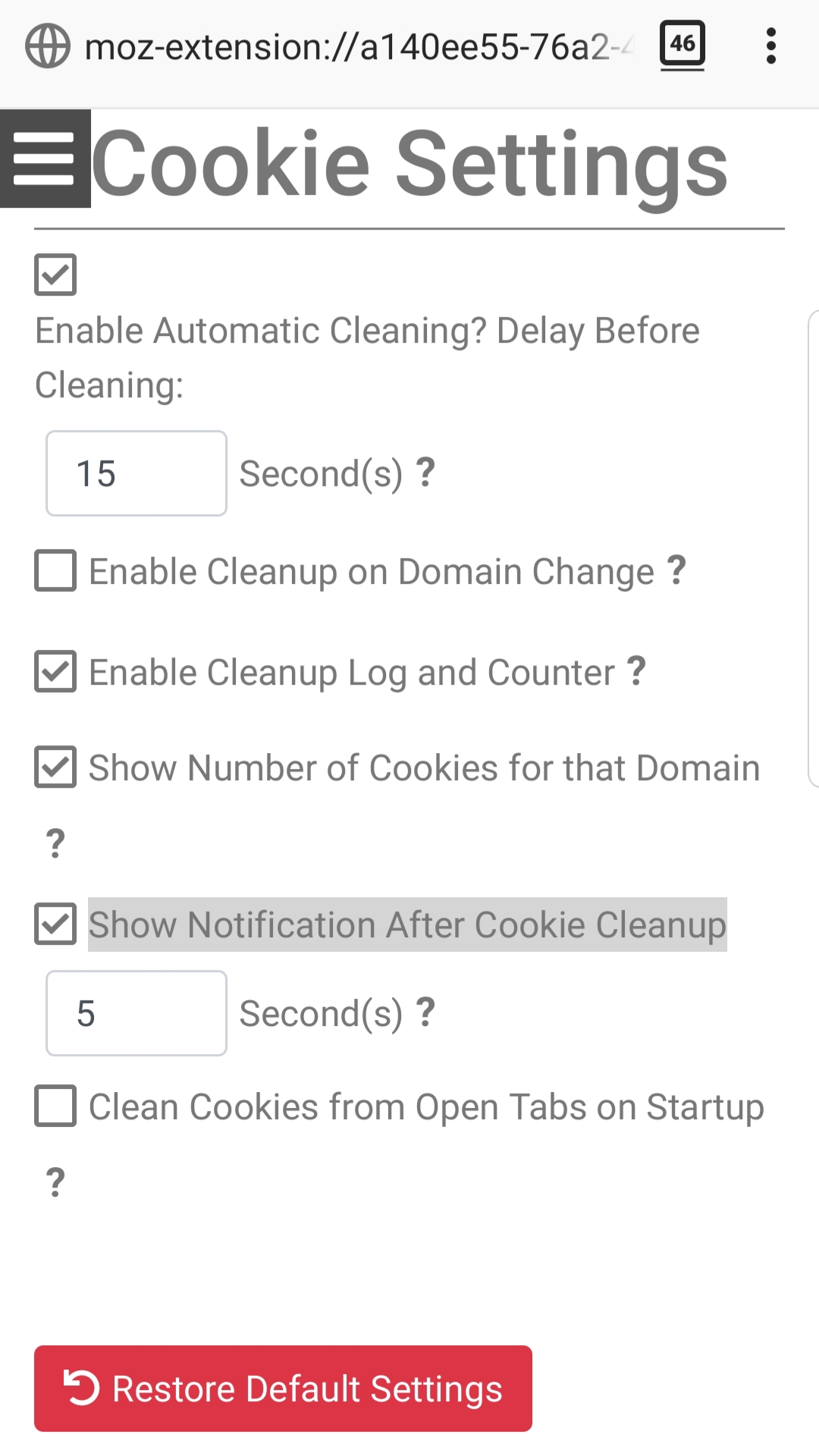 .
.
That hack is probably only temporary and most likely only works on desktop browser versions. . If you removed notifications and still have it enabled in the addon settings then it may or may not crash.
Unfortunately it is the operating system itself that does the notification alert option for the global Firefox.
We cannot remove the notification permission from the addon itself as there is a notification checkbox in the settings of the addon itself. We probably shouldn't request the notification permission at runtime as we don't want to annoy the user with a request permission popup everytime they start the browser.
 kennethtran93
on 29 Oct 2019
kennethtran93
on 29 Oct 2019
Closing as it is a browser limitation. We do not control how the browsers/desktop/mobile does their notifications.
kennethtran93
on 23 Apr 2020
Related issues
 erotavlasme
·
3Comments
erotavlasme
·
3Comments
 dacav
·
7Comments
dacav
·
7Comments
 MarkRH
·
5Comments
MarkRH
·
5Comments
 AtomicRobotMan0101
·
3Comments
AtomicRobotMan0101
·
3Comments
 05nelsonm
·
5Comments
05nelsonm
·
5Comments
Most helpful comment
The point of this feature request is that I won't have to touch the global settings of firefox' notifications.