Cookie-autodelete: Every time I start the browser (57.0.3 now), it cleans 3 cookies from some unknown domain
Describe the Bug/Feature
Every time I start the browser (57.0.3 now), it cleans 3 cookies from some unknown domain, even if all I do is start the browser, close it, open it. I have auto-clean enabled and the greylist is the default "^$"
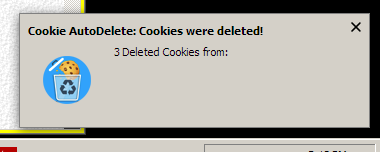
It's looks like it is these cookies:
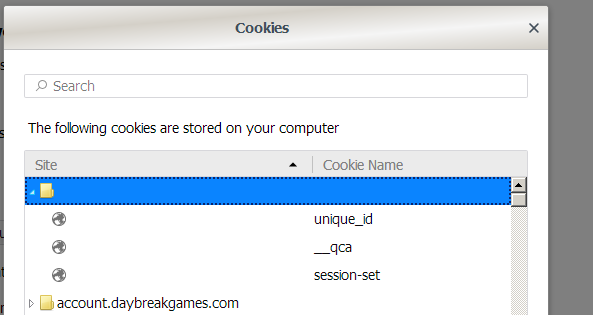
To reproduce, not sure.. probably something specific to this installation somehow. Could it be some extension created cookies?
- OS/version: Windows 7 Pro 64bit
- Browser/version: Firefox 57.0.3
- Cookie AutoDelete version: 2.0.1
 MarkRH
All 5 comments
Well, while disabling some extensions to troubleshoot, I decided to manually delete those cookies in the list. Now, they are not re-appearing with same extensions enabled. Is it possible CAD wasn't actually able to delete these cookies so it just kept trying to every time?
MarkRH
on 29 Dec 2017
Is it possible CAD wasn't actually able to delete these cookies so it just kept trying to every time?
Most likely...
I'm not even sure how blank hostname cookies happen tbh, so it's hard to debug. If anyone knows how to create a cookie without a hostname let me know.
 ke-d
on 29 Dec 2017
ke-d
on 29 Dec 2017
If anyone knows how to create a cookie without a hostname let me know.
Download a webpage and then open it from your hard drive.
 Joel889
on 29 Dec 2017
Joel889
on 29 Dec 2017
That could be. I did save a complete Twitch Subscription webpage and then open it. Troubleshooting Roboform not filling a pay form issue.
MarkRH
on 29 Dec 2017
Closing as this is related to #482
ke-d
on 15 Jan 2019
Related issues
 haarp
·
3Comments
haarp
·
3Comments
 tedomedo
·
3Comments
tedomedo
·
3Comments
 RandomGOTI
·
3Comments
RandomGOTI
·
3Comments
 imtbl
·
4Comments
imtbl
·
4Comments
 gwarser
·
5Comments
gwarser
·
5Comments
Most helpful comment
Download a webpage and then open it from your hard drive.