Content: Cannot import components inside a markdown file

<template>
    <div class="prose prose-lg mx-auto">
        <nuxt-content :document="page" />
    </div>
</template>

<script>
    export default {
        async asyncData ({ $content, params }) {
            const page = await $content(params.slug || 'index').fetch()

            return {
                page
            }
        }
    }
</script>
---
title: Getting started
description: ''
---

<example></example>
Steps to reproduce
- Create a component inside the
components/directory. - Try to include the component in a markdown file.
What is Expected?
See the component on the web page when you navigate to the URL.
What is actually happening?
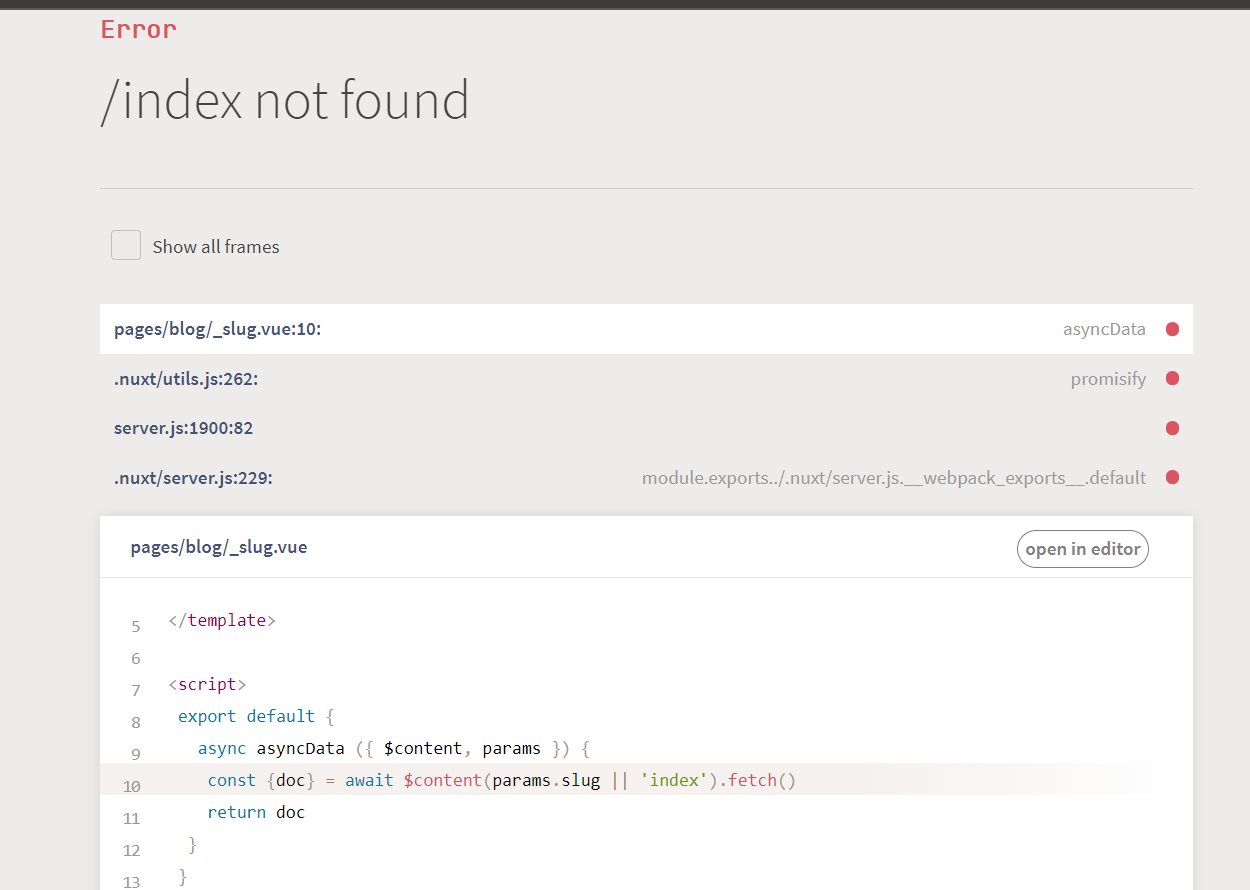
Seeing an error in the console (screenshot attached.)
 alihassan1133
All 9 comments
I have a similiar situation, can not load the markdown files
 HomyeeKing
on 14 Jul 2020
HomyeeKing
on 14 Jul 2020
Hey @alihassan1133, you need to register the <example> component, you can either put your component inside components/global/ to be imported automatically or import the component in your page.
 benjamincanac
on 14 Jul 2020
benjamincanac
on 14 Jul 2020
The documentation should help you. Everything is explained : https://content.nuxtjs.org/writing#global-components
 lucpotage
on 15 Jul 2020
lucpotage
on 15 Jul 2020
What if I don't want to use a component globally? Suppose I have a single component for a single blog page, how would I do that?
I would have only one markdown file and a vue file, where would I import the vue file?
 phiter
on 15 Jul 2020
phiter
on 15 Jul 2020
@phiter You have to import the component in the page you use the nuxt-content component:
<script>
import Example from '~/components/example.vue'

export default {
    components: {
         Example
    }
}
</script>
I have the same problem.
Imported as usual, it works in code, but when I move declaration to .md it fails with the same error.
<my-image src="/img/w1/logo.png"></my-image>
 melnikovdv
on 16 Jul 2020
melnikovdv
on 16 Jul 2020
Could you provide reproduction links so we help you out?
Thanks!
benjamincanac
on 20 Jul 2020
It seems there is an issue with local components registration in development due to live edit mode.
For now, to solve the issue you can put your components inside components/global/ using Nuxt 2.13+ and setting components: true in your nuxt.config.js, see Vue components > Global components.
You will also be able to disable the live edit feature once #285 is merged.
benjamincanac
on 23 Jul 2020
is this resolved ? in nuxt theme docs it can be override by adding
{
 components: [
//import default components directory and global directory here
    {
      path: 'your custom component dir path',
      global: true
    }
  ]
}
 mlazuardy
on 20 Oct 2020
mlazuardy
on 20 Oct 2020
Related issues
 mathieunicolas
·
4Comments
mathieunicolas
·
4Comments
 Rednas83
·
3Comments
Rednas83
·
3Comments
 LukaszRados
·
3Comments
LukaszRados
·
3Comments
 adrianschubek
·
4Comments
adrianschubek
·
4Comments
 pxwee5
·
4Comments
pxwee5
·
4Comments
Most helpful comment
It seems there is an issue with local components registration in development due to live edit mode.
For now, to solve the issue you can put your components inside
components/global/using Nuxt 2.13+ and settingcomponents: truein yournuxt.config.js, see Vue components >Global components.You will also be able to disable the live edit feature once #285 is merged.