Updating map at URL: admin/site_customization/images doesn't update it at: proposals/map
 ppeczek
All 6 comments
Hey Piotr, I don't see any setting to update the map at the address you mention. You can change the map by adding the file named map.jpg at app/assets/images/custom.
This is what is recommended in the docs.
If you want to use a PNG (which makes more sense sometimes), you'll need to modify the reference to the map directly on the page templates.
 PierreMesure
on 30 Apr 2019
PierreMesure
on 30 Apr 2019
Hi, I did the same step than ppeczek and have the same issue ( The map appears in /proposals but in /proposals/map still is the default).
- I added an image in the file app/assets/images/custom/map.jpg , no works.
- I modify the file map.jpg in app/assets/images/ and nothing too.
 Dr4u95
on 2 May 2019
Dr4u95
on 2 May 2019
Not sure what to tell you besides making sure that you deployed the code and restarted the server. It might be that the assets haven't been precompiled correctly.
See our demo instance and our source code for comparison.
PierreMesure
on 2 May 2019
First of all, i only install the Production Server. I did the step in the other post and compile the assets using :
- RAILS_ENV=production bundle exec rake assets:clobber
- RAILS_ENV=production bundle exec rake assets:precompile
All the files that I touch, they modified in public/assets, while the map (districts) disappears and does not show any.
Dr4u95
on 6 May 2019
Hi @ppeczek @PierreMesure @Dr4u95!
Admin users can change map image on /admin/site_customization/images:
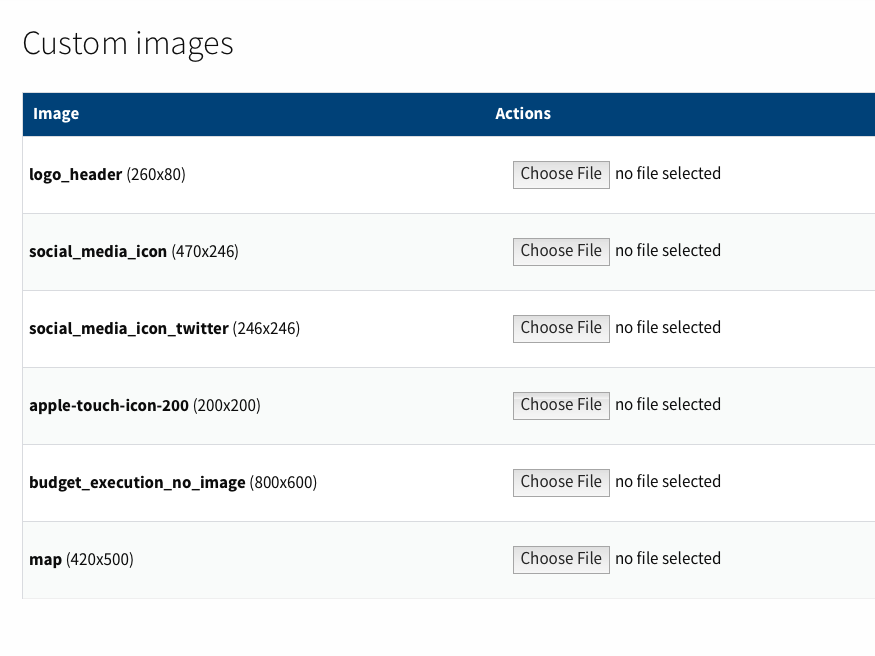
But this custom image is not rendering in all pages with the map 😅.
I create a PR https://github.com/consul/consul/pull/3472 to fix it! 🙏
 decabeza
on 7 May 2019
decabeza
on 7 May 2019
@decabeza Ty, that works 💯 ... only forget close the ("map.jpg") in the second file 👍 .
@PierreMesure Ty for let me see your demo, I check a fault that had with the coordinates, should insert only the coordinates and not the entire label 👍 .
Dr4u95
on 7 May 2019
Related issues
 periflo90
·
5Comments
periflo90
·
5Comments
 voodoorai2000
·
7Comments
decabeza
·
4Comments
voodoorai2000
·
6Comments
voodoorai2000
·
7Comments
decabeza
·
4Comments
voodoorai2000
·
6Comments
 MariaCheca
·
4Comments
MariaCheca
·
4Comments
Most helpful comment
@decabeza Ty, that works 💯 ... only forget close the ("map.jpg") in the second file 👍 .
@PierreMesure Ty for let me see your demo, I check a fault that had with the coordinates, should insert only the coordinates and not the entire label 👍 .