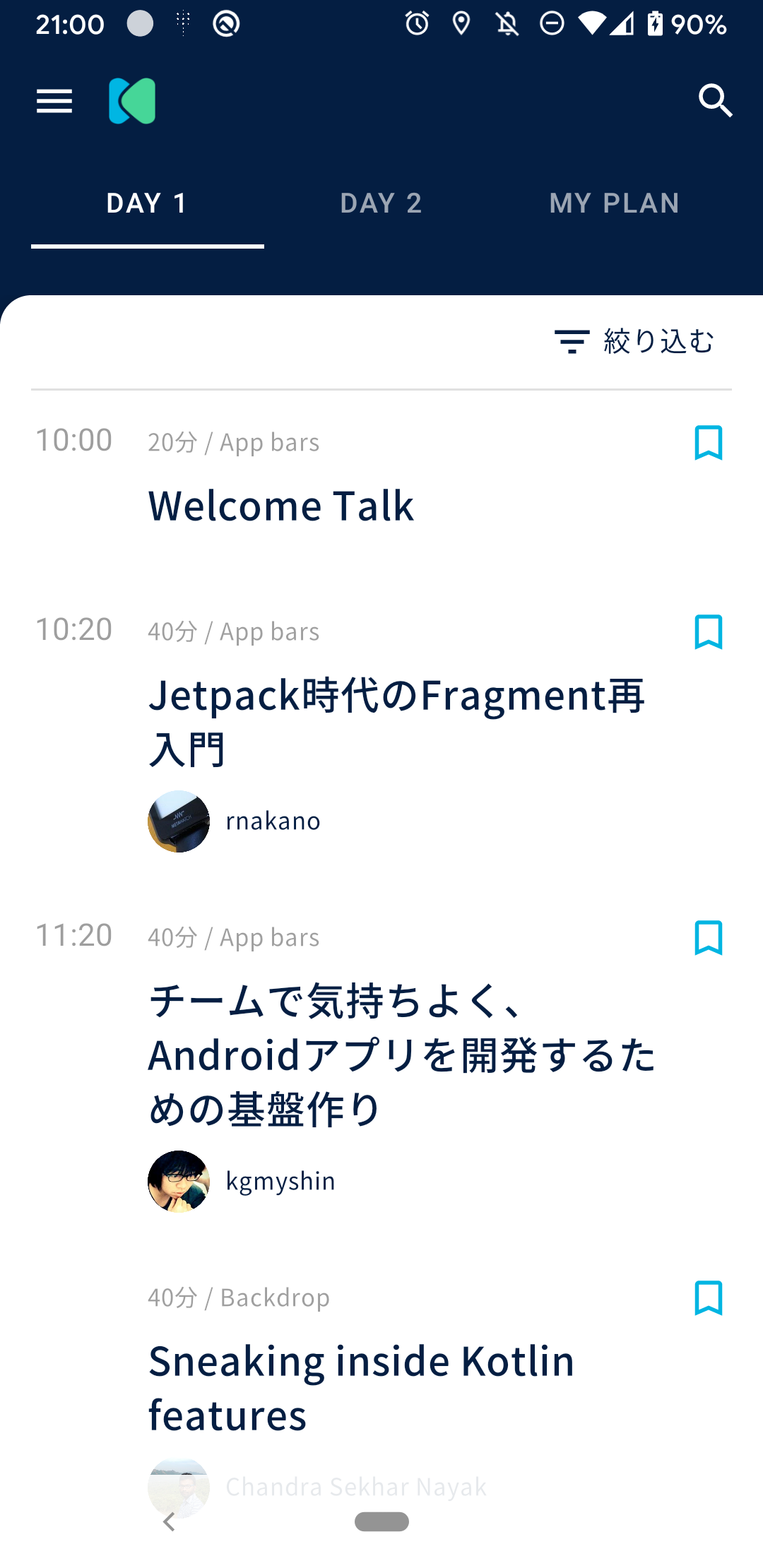
Conference-app-2020: Home button is difficult to see in dark Theme.
Kind (Required)
Improvement
Overview (Required)
Home button is difficult to see in dark Theme.
- For example, change to white
Screenshot
 CookieySun
All 12 comments
@kkt-yu Thank you for reporting the issue 🎉
By the way, could you put a screenshot here so that everyone can have an idea where the issue exists?
 KeithYokoma
on 21 Jan 2020
KeithYokoma
on 21 Jan 2020
Thank you for your feedback!
I guess Dark __Theme__ is better because this repository includes iOS project.
 S-Shimotori
on 21 Jan 2020
S-Shimotori
on 21 Jan 2020
Thank you some feedbacks.
CookieySun
on 21 Jan 2020
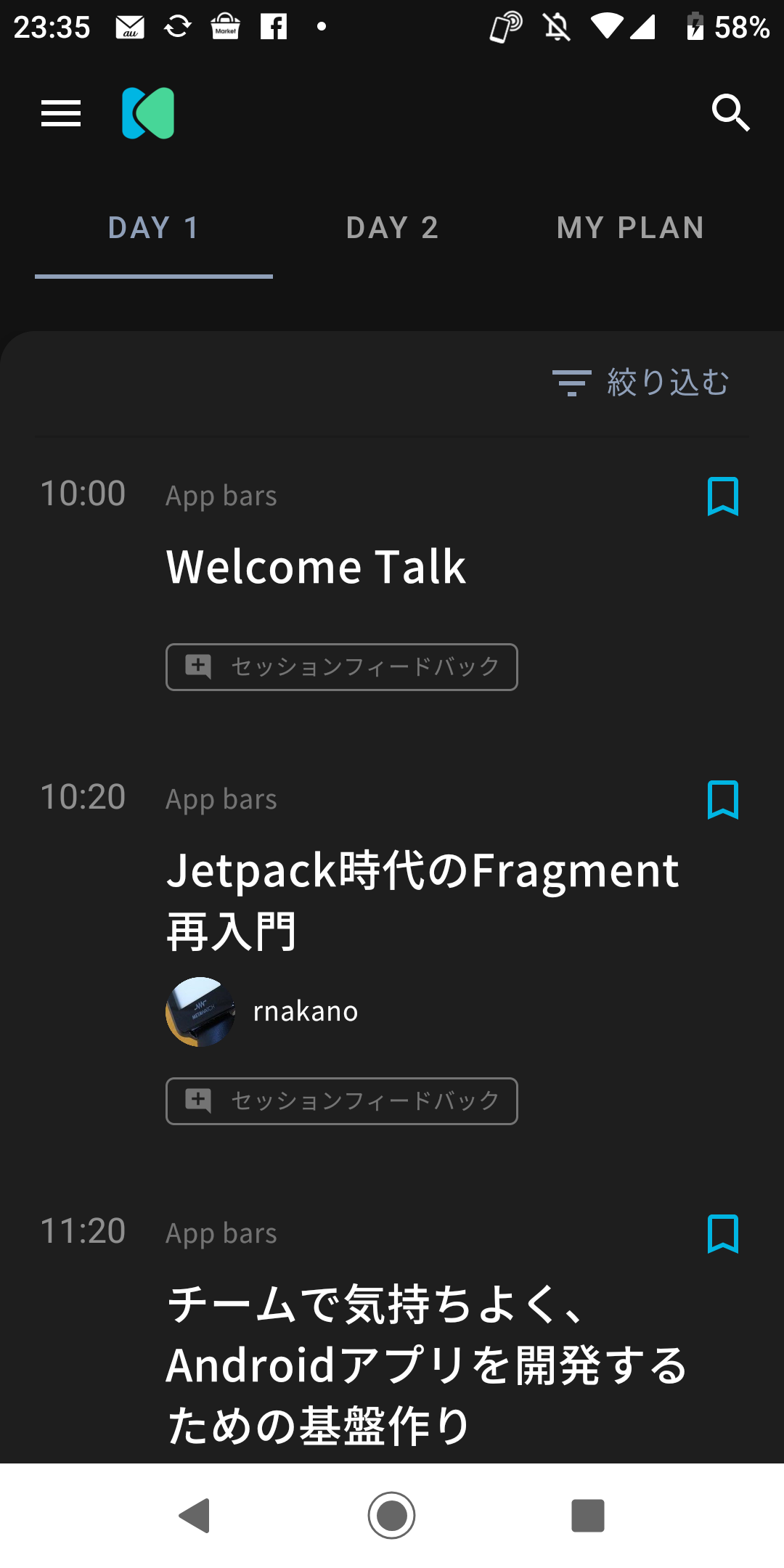
I Changed to Trial white.
I think white is easy to see.
If there is no problem, i create pull request.
 shinya-takano
on 22 Jan 2020
shinya-takano
on 22 Jan 2020
Thanks for trying👍
I want to create an app that uses the entire screen, so I don't want to narrow the screen if possible.
 takahirom
on 23 Jan 2020
takahirom
on 23 Jan 2020
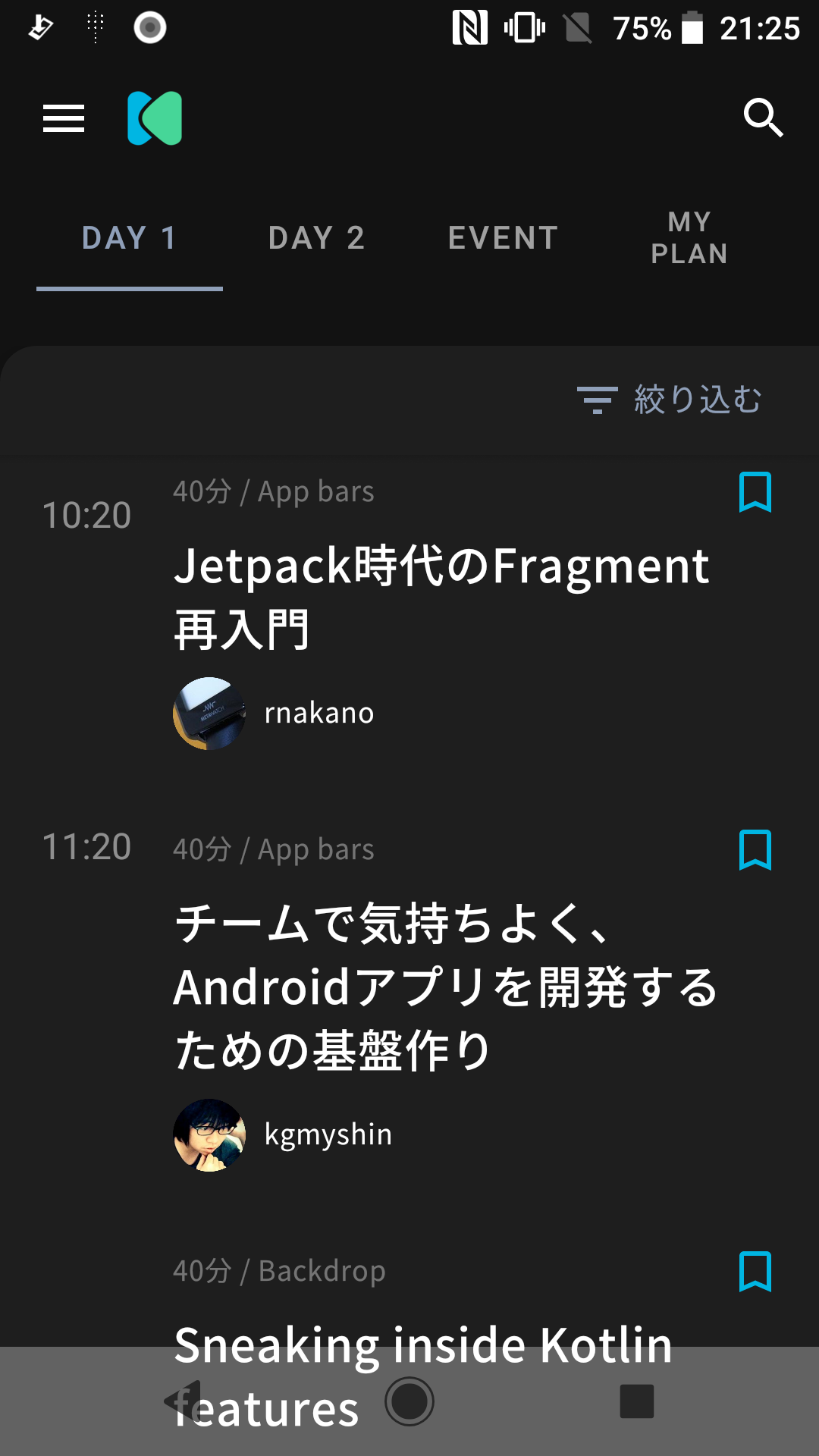
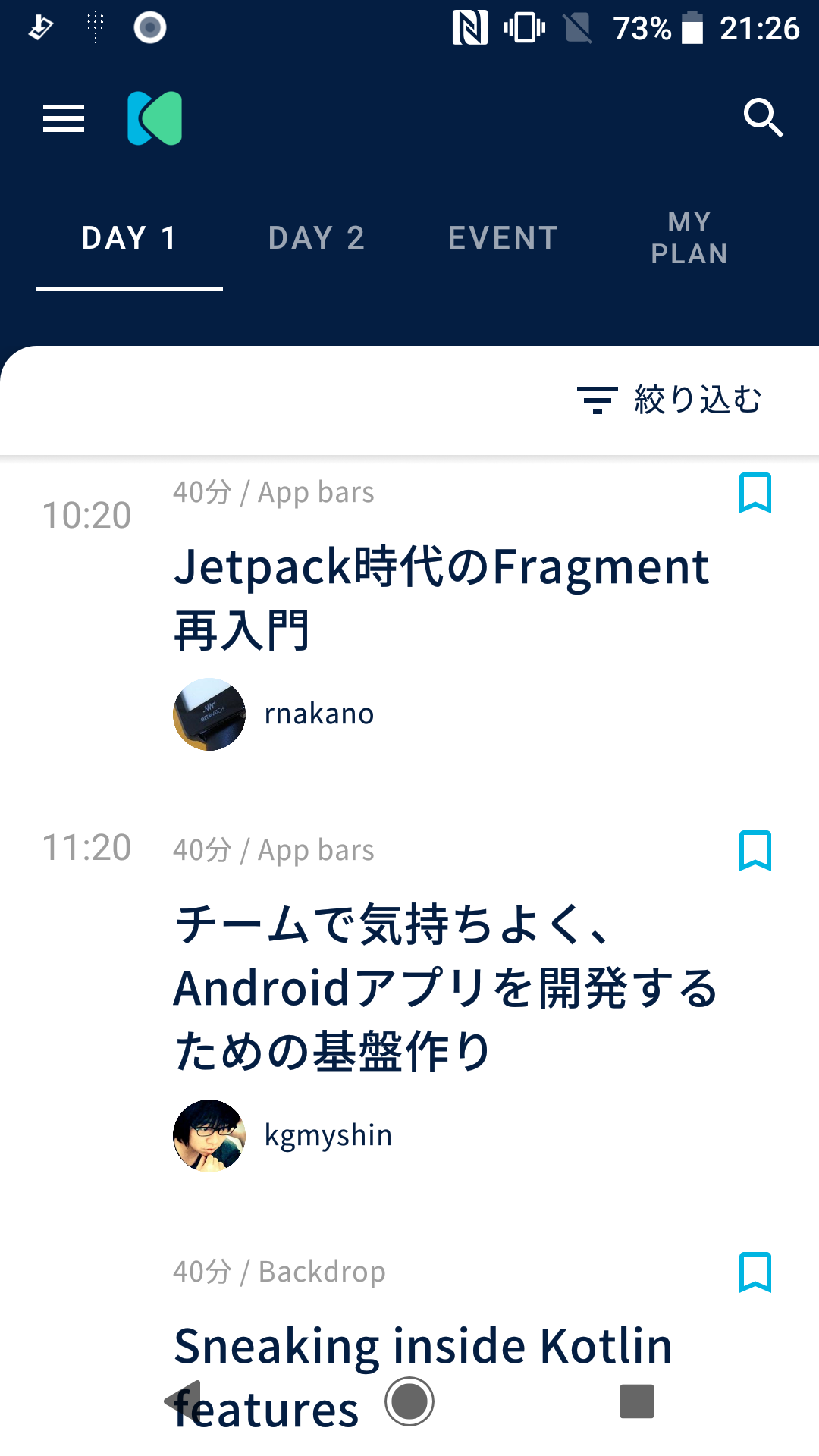
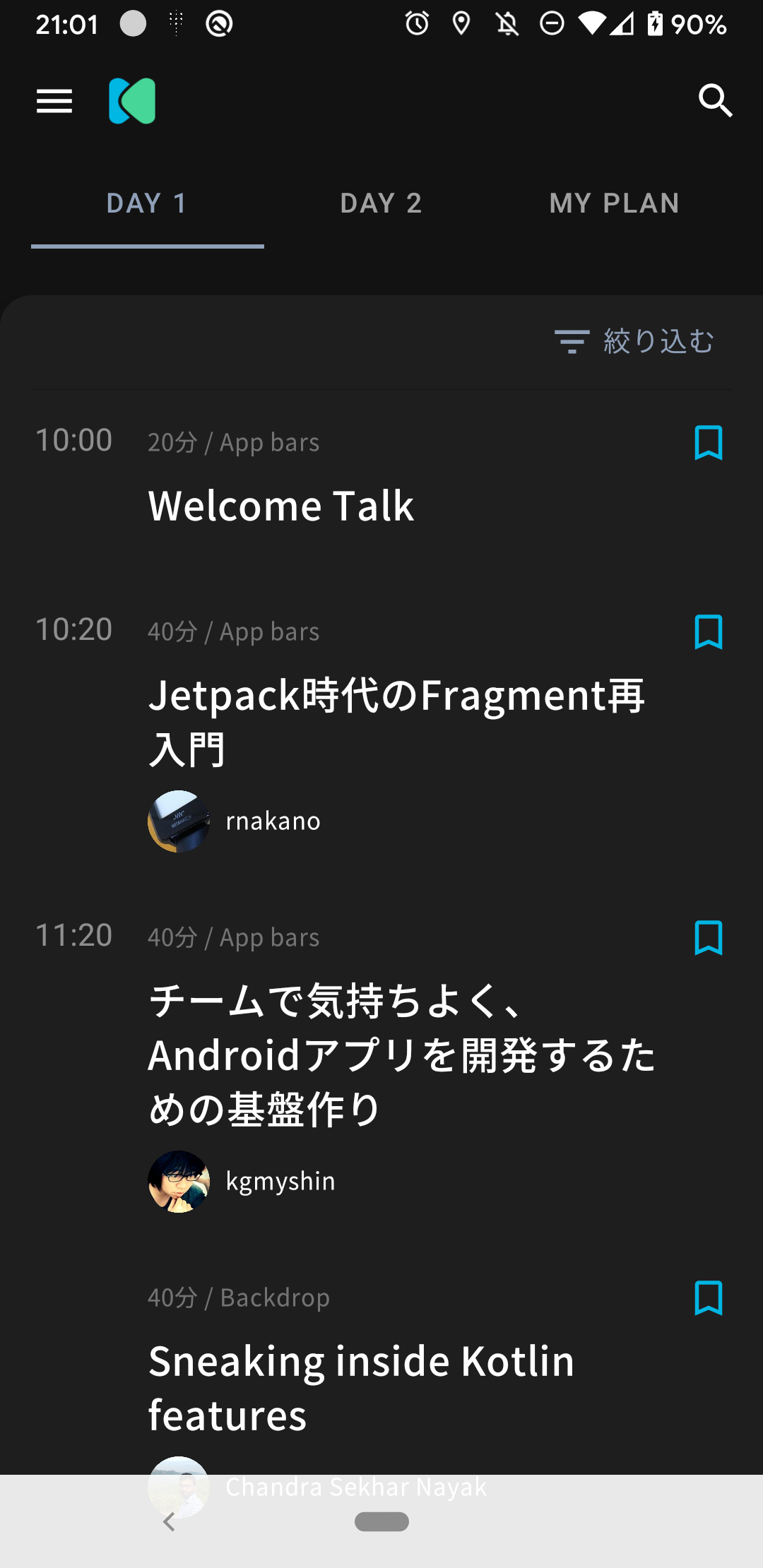
What about such a fix?
When using a dark theme on Android9 or lower, set NavigationBar to a color with low transparency.
Sorry, I didn't know how to change the button color.
Android 8 Dark
Android 8 Light
Android 10 Dark
Android 10 Light
 mukaiyachidaiki
on 25 Jan 2020
mukaiyachidaiki
on 25 Jan 2020
How about changing navigation bar when only DarkTheme?👀
takahirom
on 29 Jan 2020
@takahirom
Prepare LiveData in SystemUiManager in a form similar to the status bar, and change the color of the navigation bar according to the OS version when Context.isNightMode changes.
(Referenced code) MainActivity L216
statusBarColors.statusBarColor.distinctUntilChanged().observe(this) { color ->
    window.statusBarColor = color
}
(英語苦手なので見当違いな回答していたらすみません!)
mukaiyachidaiki
on 30 Jan 2020
@mukaiyachidaiki Sorry for late! looks good!
takahirom
on 30 Jan 2020
I will try this:raising_hand:
mukaiyachidaiki
on 31 Jan 2020
@mukaiyachidaiki
Assigned!👍
 FujiKinaga
on 31 Jan 2020
FujiKinaga
on 31 Jan 2020
Related issues
 jmatsu
·
4Comments
jmatsu
·
4Comments
 rmakiyama
·
4Comments
rmakiyama
·
4Comments
 nashcft
·
3Comments
nashcft
·
3Comments
 alto-tone
·
6Comments
alto-tone
·
6Comments
 rkonno
·
5Comments
rkonno
·
5Comments