 musm
musm
All 21 comments
Actually, I have intention to make scrollbars drawn internally. But till it is not implemented, I can try API way.
 Maximus5
on 12 Oct 2018
Maximus5
on 12 Oct 2018
see the suggestion here https://github.com/Microsoft/console/issues/277#issuecomment-428831635
musm
on 12 Oct 2018
Can you try to set
SetWindowTheme(GetConsoleWindow(), L"DarkMode_Explorer", nullptr); ?
musm
on 29 Oct 2018
friendly bump 😄
musm
on 16 Jan 2019

Maximus5
on 10 Mar 2019
Maximus5
on 11 Mar 2019
so awesome, thanks mate
musm
on 11 Mar 2019
Is there a way to enable this for conemu shell integration?
musm
on 11 Mar 2019
Yup, would be good to just have it as a toggle in the settings menu.
 seritools
on 11 Mar 2019
seritools
on 11 Mar 2019
Yup, would be good to just have it as a toggle in the settings menu.
There are too many options and toggles.
Is there a way to enable this for conemu shell integration?
Of course. Integration docs for Command field
Example: -Theme -run {powershell} -cur_console:n
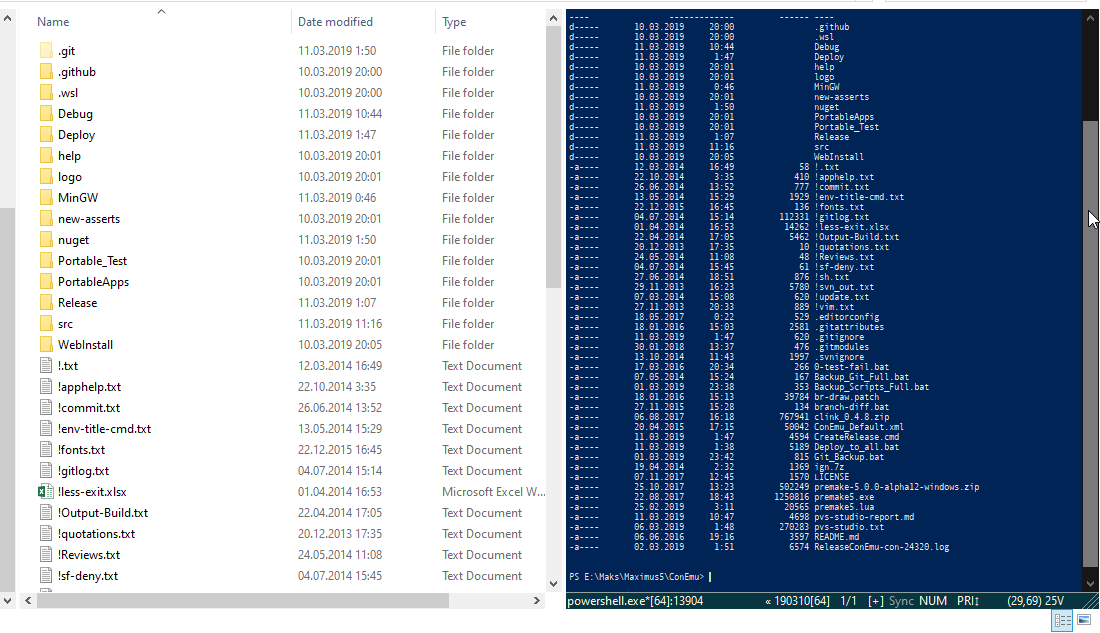
Maximus5
on 11 Mar 2019
Thanks,
what about for Startup - Tasks ?
musm
on 11 Mar 2019
@musm Do you mean taskbar jump lists? If not, you may just modify shortcut properties.
Maximus5
on 11 Mar 2019
No, I mean
jumplist tasks
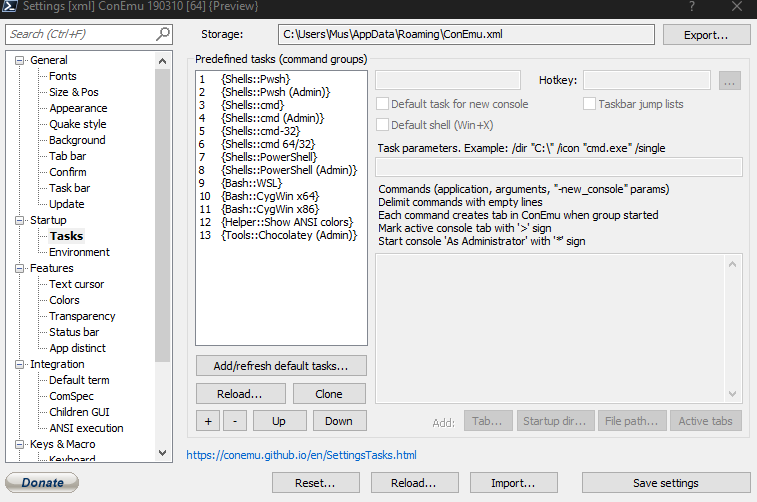
I can't get these to use the new dark theme bar
musm
on 11 Mar 2019
Jump lists are tricky 🙄
Add -theme in Task parameters.
Go to the "Task bar" settings page and update jump lists, disable "auto update" if it's enabled.
Return to "Tasks" page, remove "-theme" from parameters.
Save settings
Maximus5
on 12 Mar 2019
works 👍 , but yes indeed tricky
musm
on 12 Mar 2019
There are too many options and toggles.
I mean I'd prefer a setting rather than adding -Theme everywhere, but I guess that works as well.
seritools
on 13 Mar 2019
Oh, maybe checking if dark mode is enabled in the system could work too?
seritools
on 13 Mar 2019
Good point, I'll check it
Maximus5
on 13 Mar 2019
https://github.com/ysc3839/win32-darkmode
Here is a program shows how to use undocumented dark mode API.
 ysc3839
on 14 Mar 2019
ysc3839
on 14 Mar 2019
dark scrollbars are amazing thx
 silverqx
on 24 Jun 2019
silverqx
on 24 Jun 2019
~Dark scrollbars doesn't work when I select auto hide scrollbar~, my fault, works as expected, I didn't have '-Theme' parameter in start menu shortcut ( lnk ) file
silverqx
on 25 Jun 2019
Related issues
 marfillaster
·
6Comments
marfillaster
·
6Comments
 phazei
·
6Comments
phazei
·
6Comments
 pyhedgehog
·
3Comments
pyhedgehog
·
3Comments
 wildeyes
·
4Comments
wildeyes
·
4Comments
 jrcharney
·
5Comments
jrcharney
·
5Comments
Most helpful comment
190310