Conemu: Window border appears in quake mode in v17.12.17
ConEmu build: v17.12.17 x64
OS version: Windows 7 x64
Used shell version (Far Manager, git-bash, cmd, powershell, cygwin, whatever): any
Problem description
Window border is visible in quake mode in v17.12.17. Was not visible in v17.12.05. This also pushes a full screen quake mode over into a second monitor.
Actual results
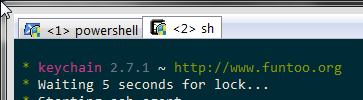
Expected results
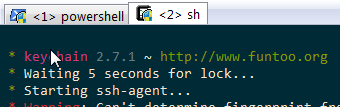
 lmf-mx
All 11 comments
It also moves the window to the right (by about 50px on my screen) and the right-hand border cuts the red "X" on the top right.
 cobrabr
on 18 Dec 2017
cobrabr
on 18 Dec 2017
I experience the very same behavior as @lmf-mx
 uahim
on 18 Dec 2017
uahim
on 18 Dec 2017
I using cmder and this bug reduce design aesthetics much
 frizadiga
on 19 Dec 2017
frizadiga
on 19 Dec 2017
+1
 uarrgghh
on 19 Dec 2017
uarrgghh
on 19 Dec 2017
I have this problem, but I don't use quake mode. It cuts off about half of the scroll bar and some of the bottom line:

 dakotahawkins
on 21 Dec 2017
dakotahawkins
on 21 Dec 2017
Possibly related to the fix for #1344 (?)
dakotahawkins
on 21 Dec 2017
Same problem with ConEmu 171217 alpha on Windows 7 64 bits!
Observations.
- ConEmu's window is maximized
- ConEmu's window "moves" alone (see the second screenshot)
Screenshot of the top left from window of the ConEmu on Windows 7:
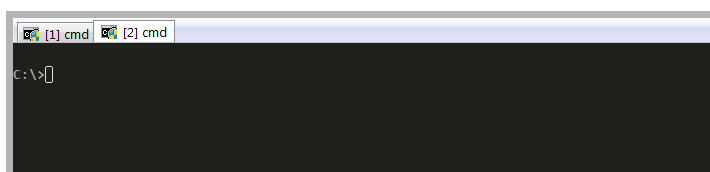
Screenshot of the top right from window of the ConEmu on Windows 7:

 OverlordBR
on 22 Dec 2017
OverlordBR
on 22 Dec 2017
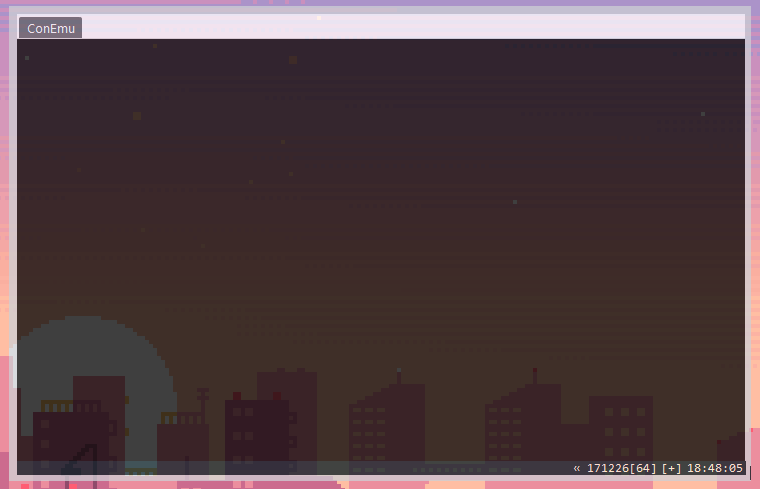
Same problem after update
171226 alpha
 Modeus-the-Lustful-Demon
on 30 Dec 2017
Modeus-the-Lustful-Demon
on 30 Dec 2017
I have no idea if this worked in previous versions, but in 171226, I set "Quake Style" -> "Frame Width" to -1 and it now fits the screen correctly.
 armordog
on 2 Jan 2018
armordog
on 2 Jan 2018
That worked for me as well, initially. Then I tried messing with other settings to see if it was stable and the right-side window frame was appearing on my second monitor, ConEmu being on the left monitor. Could not get it to stop appearing and went back down to an old version again, where it is hidden.
lmf-mx
on 8 Jan 2018
Seems to be fixed in 180108 alpha!
armordog
on 9 Jan 2018
Related issues
 DrMerlin
·
4Comments
DrMerlin
·
4Comments
 vampiricwulf
·
5Comments
vampiricwulf
·
5Comments
 joanis
·
3Comments
joanis
·
3Comments
 xkx
·
3Comments
xkx
·
3Comments
 MandarSant
·
3Comments
MandarSant
·
3Comments
Most helpful comment
Same problem with ConEmu 171217 alpha on Windows 7 64 bits!
Observations.
Screenshot of the top left from window of the ConEmu on Windows 7:

Screenshot of the top right from window of the ConEmu on Windows 7:
