Code-settings-sync: sync:invalid gist id
"token": "208be61ad1ea827182e9268d89f088ce11b55dcd",
"sync.gist": "02d010c815dec4580aa1875ca0cf9203"
gist
https://gist.github.com/dingzuhua/02d010c815dec4580aa1875ca0cf9203
Sync: reset the extension Settings
Sync: downloads Settings
And then always sync:invalid gist id
 dingzuhua
All 17 comments
Reset the settings and connect your github with new UI.
Does this happens with UI also ?
 shanalikhan
on 2 Aug 2019
shanalikhan
on 2 Aug 2019
Yeah, reset doesn't help. I've looked at similar questions that you've already closed, tried all the solutions in the answers, and it still doesn't work
dingzuhua
on 2 Aug 2019


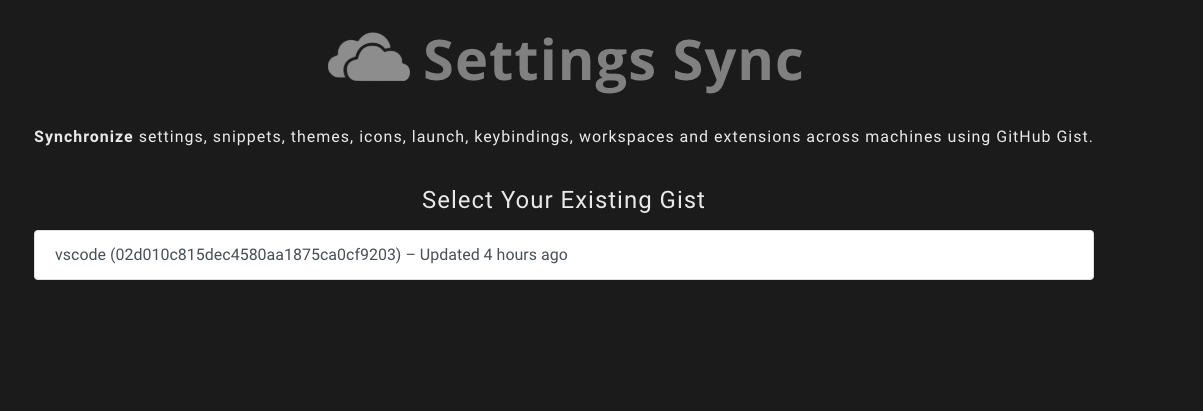
upload

dingzuhua
on 2 Aug 2019
Can you share both of the local sync.* settings for Settings Sync and Global Settigns.
shanalikhan
on 2 Aug 2019
Can you share both of the local
sync.*settings for Settings Sync and Global Settigns.
settings.json:
{
"workbench.iconTheme": "material-icon-theme",
"workbench.colorTheme": "Dracula Soft",
"editor.fontSize": 14,
"window.zoomLevel": 0,
"explorer.confirmDelete": false,
"editor.formatOnType": true,
"editor.formatOnSave": true,
"go.formatTool": "goimports",
"vs-kubernetes": {
"vs-kubernetes.helm-path": "/Users/dingzuhua/.vs-kubernetes/tools/helm/darwin-amd64/helm",
"vs-kubernetes.minikube-path": "/Users/dingzuhua/.vs-kubernetes/tools/minikube/darwin-amd64/minikube"
},
"sync.gist": "02d010c815dec4580aa1875ca0cf9203",
"sync.autoUpload": false,
"sync.syncExtensions": true,
"sync.askGistName": true,
"sync.autoDownload": false,
"sync.quietSync": false
}
syncLocalSettings.json:
{
"ignoreUploadFiles": [
"state.*",
"syncLocalSettings.json",
".DS_Store",
"sync.lock",
"projects.json",
"projects_cache_vscode.json",
"projects_cache_git.json",
"projects_cache_svn.json",
"gpm_projects.json",
"gpm-recentItems.json"
],
"ignoreUploadFolders": [
"workspaceStorage"
],
"ignoreExtensions": [],
"gistDescription": "Visual Studio Code Settings Sync Gist",
"version": 341,
"token": "076889d0915709fd091582d1bdb0597af839b5cc",
"downloadPublicGist": false,
"supportedFileExtensions": [
"json",
"code-snippets"
],
"openTokenLink": true,
"disableUpdateMessage": false,
"lastUpload": null,
"lastDownload": null,
"githubEnterpriseUrl": null,
"askGistName": false,
"customFiles": {},
"hostName": null,
"universalKeybindings": false,
"autoUploadDelay": 20
}
dingzuhua
on 5 Aug 2019
Can you try with the new version and let me know if there is still problem
shanalikhan
on 21 Aug 2019
It still does not work. My Gist ID is a valid URL (https://gist.github.com/hipertracker/4047a46c9774bfda9b7ec4bc28699c68), My Access Token is fine. But every time I to do "Sync:Download Settings" my VSCode displays "Invalid Gist ID" error. This does not make any sense. It worked 2 months ago...
 hipertracker
on 4 Oct 2019
hipertracker
on 4 Oct 2019
@hipertracker try resetting extension settings and then configure to download
shanalikhan
on 4 Oct 2019
The error I am getting:

The gist ID is valid, furthermore I was able to download that empty settings.json file, but I can not upload my settings to Github.
 ayagodinsc
on 8 Nov 2019
ayagodinsc
on 8 Nov 2019
Following all the steps I am still seeing in my github that the extension has read-only access

That might be a reason...
ayagodinsc
on 8 Nov 2019
Finally working! Following all the steps, the extension still had read-only access. Fixing it solved the problem.
ayagodinsc
on 9 Nov 2019
Finally working! Following all the steps, the extension still had read-only access. Fixing it solved the problem.
How exactly to solve it?
 linyanyuan
on 8 Feb 2020
linyanyuan
on 8 Feb 2020
I have the exact same problem trying to setup a new system. I've reset the extension (several times) and even tried reinstalling the app from scratch. Any word on a fix?
 philsinatra
on 30 Jul 2020
philsinatra
on 30 Jul 2020
Same issue. Recap :
- Gist is correctly written from 1st computer
- Github Authentication token and Gist ID are correctly setup on 2nd computer
- Error when attempting to download settings from 2nd computer :
Sync: Invalid Gist ID
Details :
- 1st computer is Debian/Ubuntu-based Linux (Pop!OS 20.04) and uses VSCode 1.47.3 / Settings Sync 3.4.3
- 2nd computer is Arch-based Linux (EndeavourOS 2020.07.15) and uses Code - OSS 1.47.3 / Settings Sync 3.4.3
Important note : Settings Sync does not appear in extensions that can be installed from VSCodium.
 Paulmicha
on 7 Aug 2020
Paulmicha
on 7 Aug 2020
I figured out the issue in my case. Pasting the Gist ID into the extension settings interface was actually adding the ID to the settings twice. I checked the settings.json file and found the duplication in the sync.gist key. Once I corrected that, the download worked properly.
philsinatra
on 7 Aug 2020
Thanks @philsinatra ! Didn't think to check that, nice catch ! I can confirm this manual fix works.
The path to the file to edit was ~/.config/Code - OSS/User/settings.json in my case (replaced the duplicated Gist ID).
Paulmicha
on 7 Aug 2020
@philsinatra it works! Thanks buddy.
 hrgweb
on 13 May 2021
hrgweb
on 13 May 2021
Related issues
 fdncred
·
3Comments
fdncred
·
3Comments
 darkvertex
·
4Comments
darkvertex
·
4Comments
 mklement0
·
5Comments
mklement0
·
5Comments
mklement0
·
5Comments
mklement0
·
5Comments
 betimer
·
3Comments
betimer
·
3Comments
Most helpful comment
I figured out the issue in my case. Pasting the Gist ID into the extension settings interface was actually adding the ID to the settings twice. I checked the
settings.jsonfile and found the duplication in thesync.gistkey. Once I corrected that, the download worked properly.