Code-server: TypeScript and JavaScript language server dies and renders JavaScript functionality.
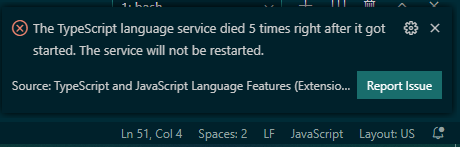
Sorry to say but new issue Javascript and TypeScript language server and features are failing just after updating to 3.1.0 rendering editing JS & TS features nonfunctional. Rolling back to previous release.
Server is hosted on Google Cloud Shell.
 Abhid14
All 9 comments
Could you post additional console output? I'm not experiencing this issue.
 kylecarbs
on 14 Apr 2020
kylecarbs
on 14 Apr 2020
Could you post additional console output? I'm not experiencing this issue.
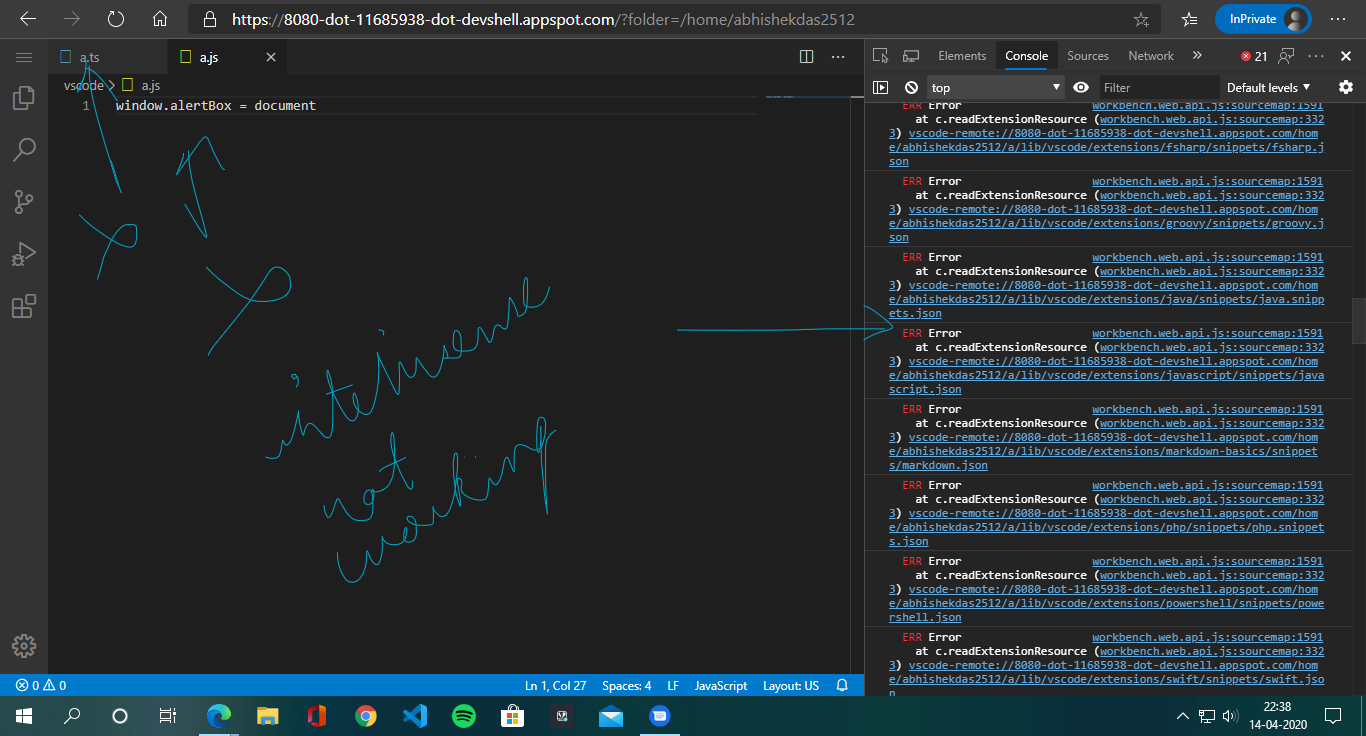
Ya sure one thing I on a fresh gcp account also did a fresh install still both ts & js is dead what's interesting is in new account I didn't get the notification that extensions are having error.
Here below is how it is on new account..On old account reports error in vscode but has no console message regarding this.....
Abhid14
on 14 Apr 2020
I have the same issue, code-server is basically unusable with typescript.
Maybe it's the version of typescript that causes problems?
Is there a way to change it in code-server?
 jeromemeichelbeck
on 27 Apr 2020
jeromemeichelbeck
on 27 Apr 2020
I have the same issue, code-server is basically unusable with typescript.
Maybe it's the version of typescript that causes problems?
Is there a way to change it in code-server?
Ya sure there is a way to change version but in my case there are issues with both JS & TS hope it will be fixed soon.
Abhid14
on 27 Apr 2020
Ya sure there is a way to change version but in my case there are issues with both JS & TS hope it will be fixed soon.
Oh great thank you! And how if I may ask?
jeromemeichelbeck
on 27 Apr 2020
Ya sure there is a way to change version but in my case there are issues with both JS & TS hope it will be fixed soon.
Oh great thank you! And how if I may ask?
Go through this page to fulfill your needs
Abhid14
on 27 Apr 2020
Go through this page to fulfill your needs
Thanks a lot!
jeromemeichelbeck
on 27 Apr 2020
I ran 3.1.0 in Google cloud shell but I haven't been able to replicate the issue. All I did was start cloud shell, download then run 3.1.0 with --auth none, then open a TypeScript file. Any ideas on other steps I can try that might trigger this behavior?
 code-asher
on 27 Apr 2020
code-asher
on 27 Apr 2020
I ran 3.1.0 in Google cloud shell but I haven't been able to replicate the issue. All I did was start cloud shell, download then run 3.1.0 with
--auth none, then open a TypeScript file. Any ideas on other steps I can try that might trigger this behavior?
Okay in latest version all the functions I need are working great release I really loved it thank you coder team : ). I am closing the issue.
Abhid14
on 10 May 2020
Related issues
 infogulch
·
3Comments
infogulch
·
3Comments
 justmao945
·
3Comments
justmao945
·
3Comments
 korzq
·
3Comments
korzq
·
3Comments
 Arsaev
·
3Comments
Arsaev
·
3Comments
 chrischabot
·
3Comments
chrischabot
·
3Comments