Code-server: v2 - Content Security Policy prevents vscode-java-test from working
The ms vscode java test runner extension inlines jquery-3.3.1.slim.min.js and a number of css files to generate it's view.
This was working fine while running 1.33.1, however using the latest v2 webview branch it's now generating content security policy errors when it tries to load those, creating the following error in chrome:
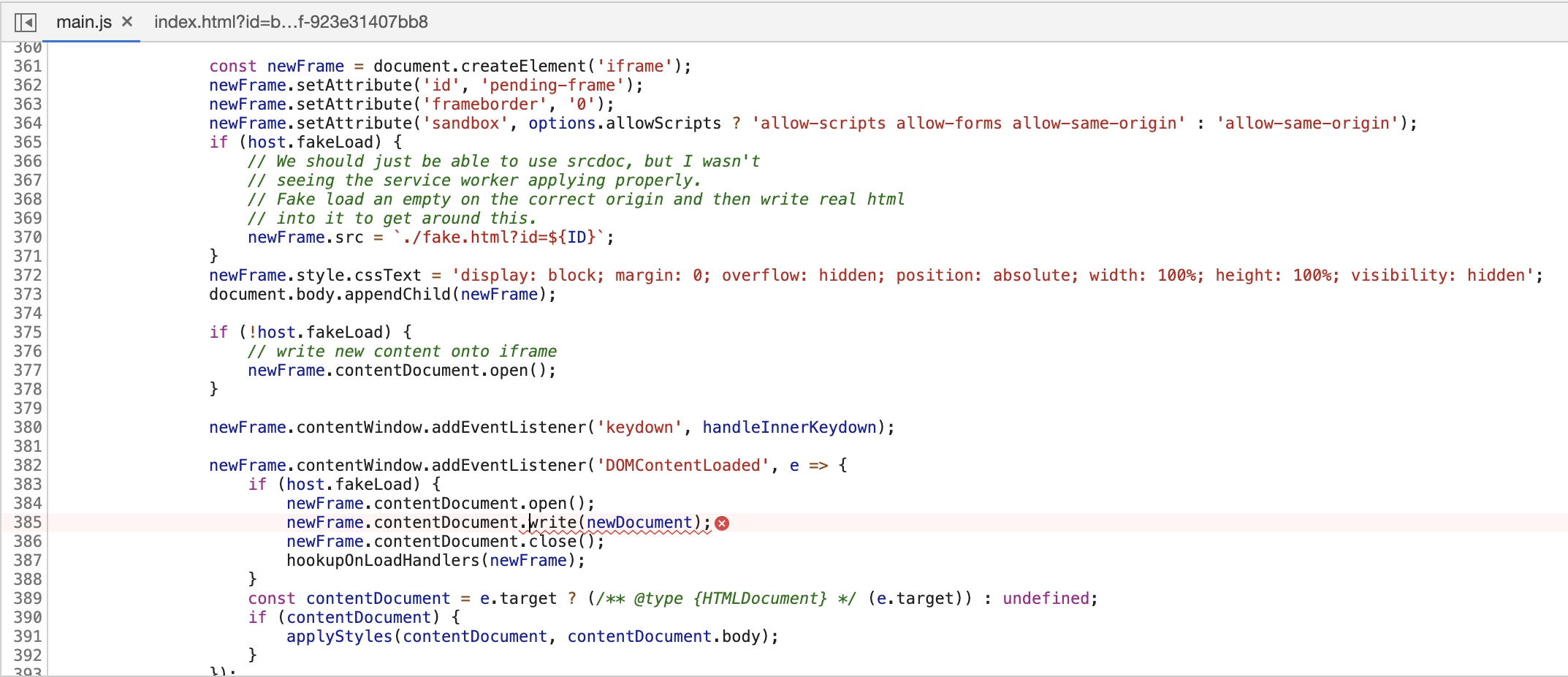
main.js:385 Refused to load the script 'http://localhost:8080/webview/vscode-resource/usr/local/extensions/vscjava.vscode-java-test-0.18.2/resources/templates/js/jquery-3.3.1.slim.min.js' because it violates the following Content Security Policy directive: "script-src vscode-resource: 'unsafe-inline'". Note that 'script-src-elem' was not explicitly set, so 'script-src' is used as a fallback.
The full console output:

And the code which is doing the loading:
 chrischabot
All 3 comments
@rikusen0335 reported that in the console a similar CSP issue can be seen on startup:
Refused to load the font '<URL>' because it violates the following Content Security Policy directive: "font-src 'self' blob: vscode-remote:".
 deansheather
on 15 Aug 2019
deansheather
on 15 Aug 2019
@deansheather Thank you for answering. So we'll stay wait for a fix.
 rikusen0335
on 15 Aug 2019
rikusen0335
on 15 Aug 2019
I've tried out the latest changes and it's confirmed fixed. Thanks!
chrischabot
on 16 Aug 2019
Related issues
 justmao945
·
3Comments
justmao945
·
3Comments
 grant
·
3Comments
grant
·
3Comments
 nol166
·
3Comments
nol166
·
3Comments
 avelino
·
3Comments
avelino
·
3Comments
 oonqt
·
3Comments
oonqt
·
3Comments
Most helpful comment
I've tried out the latest changes and it's confirmed fixed. Thanks!