Code-server: Can't see any text in terminal
code-serverversion: 2.1523-vsc1.38.1- OS Version: Debian 10
Description
No text in terminal:

When type htop:
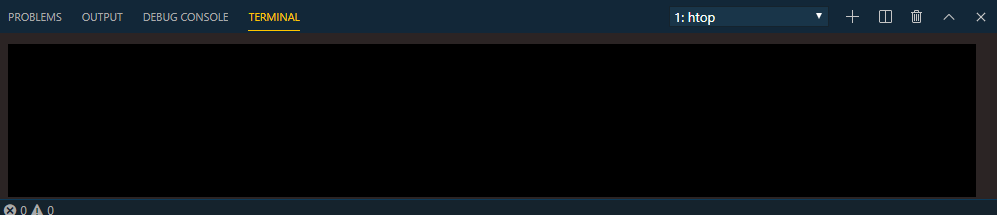
Just black...but it is running.
    "workbench.colorCustomizations": {
        "terminal.foreground": "#37FF13",
        "terminal.background": "#2B2424"
    },
And above settings does not help.
Steps to Reproduce
- Open terminal
 misaka00251
All 10 comments
It seems the latest Firefox & Brave browser has this issue.
misaka00251
on 30 Sep 2019
Try refreshing if that helps.
 sr229
on 30 Sep 2019
sr229
on 30 Sep 2019
No, that didn't help.
misaka00251
on 30 Sep 2019
this happens to me if I don't have enough access to tmp.. like I cant execute, when my temp is mounted read-only that happened xD
 Dj-jom2x
on 3 Oct 2019
Dj-jom2x
on 3 Oct 2019
this happens to me if I don't have enough access to tmp.. like I cant execute, when my temp is mounted read-only that happened xD
That's weird. We'll investigate and see what happens, but I do know that VSCode does create tempfiles during its runtime.
sr229
on 3 Oct 2019
I wanted to say this before kindly keep putting files on tmp.. others restrict it because of whm or cyber panel web hosting panel.. you cant exec there most of the time. I don't care what folder ... or just keep them in one folder... so we can easily delete them ... or install on other jailed shell accounts. without having access to temp.
Dj-jom2x
on 4 Oct 2019
I wanted to say this before kindly keep putting files on tmp.. others restrict it because of whm or cyber panel web hosting panel.. you cant exec there most of the time. I don't care what folder ... or just keep them in one folder... so we can easily delete them ... or install on other jailed shell accounts. without having access to temp.
I don't think we have control over that, that's how Visual Studio Code was designed, we just wrap around its codebase to make a rather flexible Cloud IDE that everyone can use @Dj-jom2x.
sr229
on 4 Oct 2019
I found a solution, add this line to settings.json will solve it.
"terminal.integrated.rendererType": "dom"
Still, I don't understand what cause it.
misaka00251
on 7 Oct 2019
@misaka00251 I think your browser does not support HTML5 Canvas or the canvas support in it is buggy. I tried it on CrOS 77 and it seems to be consistent with your behavior when the Wayland server reboots.
sr229
on 7 Oct 2019
That's it!
misaka00251
on 8 Oct 2019
Related issues
 broady
·
3Comments
broady
·
3Comments
 oonqt
·
3Comments
oonqt
·
3Comments
 KSXGitHub
·
3Comments
KSXGitHub
·
3Comments
 infogulch
·
3Comments
infogulch
·
3Comments
 justmao945
·
3Comments
justmao945
·
3Comments