Description
It would be nice to have some documentation regarding the use of SSH and/or GPG keys with code-server.
Currently, the supported methods would be to either store the private keys on the server running code-server, or use a forwarded ssh session to the local machine where the keys are stored.
Option 2, with a forwarded session, is handled nicely by sshcode however it would be nice if this was mentioned somewhere.
Of course, this breaks the idea of being able to work from any device with a web browser.
Example Workflows
- Clone/push/pull to git
Anytime you need to work with a repository, you would need to either use basic authentication (username & password) or ssh keys. I would be surprised if most people were using password-based authentication.
- Signing commits
When you want to sign a commit, you need access to your private GPG key. Generally, you would want to keep this in as few locations as possible. In my case, I keep the key on a yubikey.
Related Issues
I was unable to find any issues or documentation related to using SSH or GPG keys with code-server.
 Just-Insane
All 12 comments
+1
 nwtnsqrd
on 24 May 2019
nwtnsqrd
on 24 May 2019
Will add to the FAQ.
 nhooyr
on 28 Jan 2020
nhooyr
on 28 Jan 2020
Any update on the FAQ?
I've finally gotten around to using code-server some more, and am having some issues (I suspect I'm expecting too much of the program).
I've created new SSH and GPG keys on my server, and setup git to use them to push/pull and sign my commits. The problem is that using the code-server commit option fails due to a lack of pinentry (I suspect). I then have to open the terminal and commit my changes manually.
I suspect there is no way of prompting the user to enter their pin via the browser itself :/
Just-Insane
on 20 Feb 2020
The FAQ is nearly complete, this is the last missing question at the moment. See #1338
Will reopen so I don't forget.
nhooyr
on 20 Feb 2020
I've created new SSH and GPG keys on my server, and setup git to use them to push/pull and sign my commits. The problem is that using the code-server commit option fails due to a lack of pinentry (I suspect). I then have to open the terminal and commit my changes manually.
Remove pin entry from your gpg config and it should work fine.
nhooyr
on 20 Feb 2020
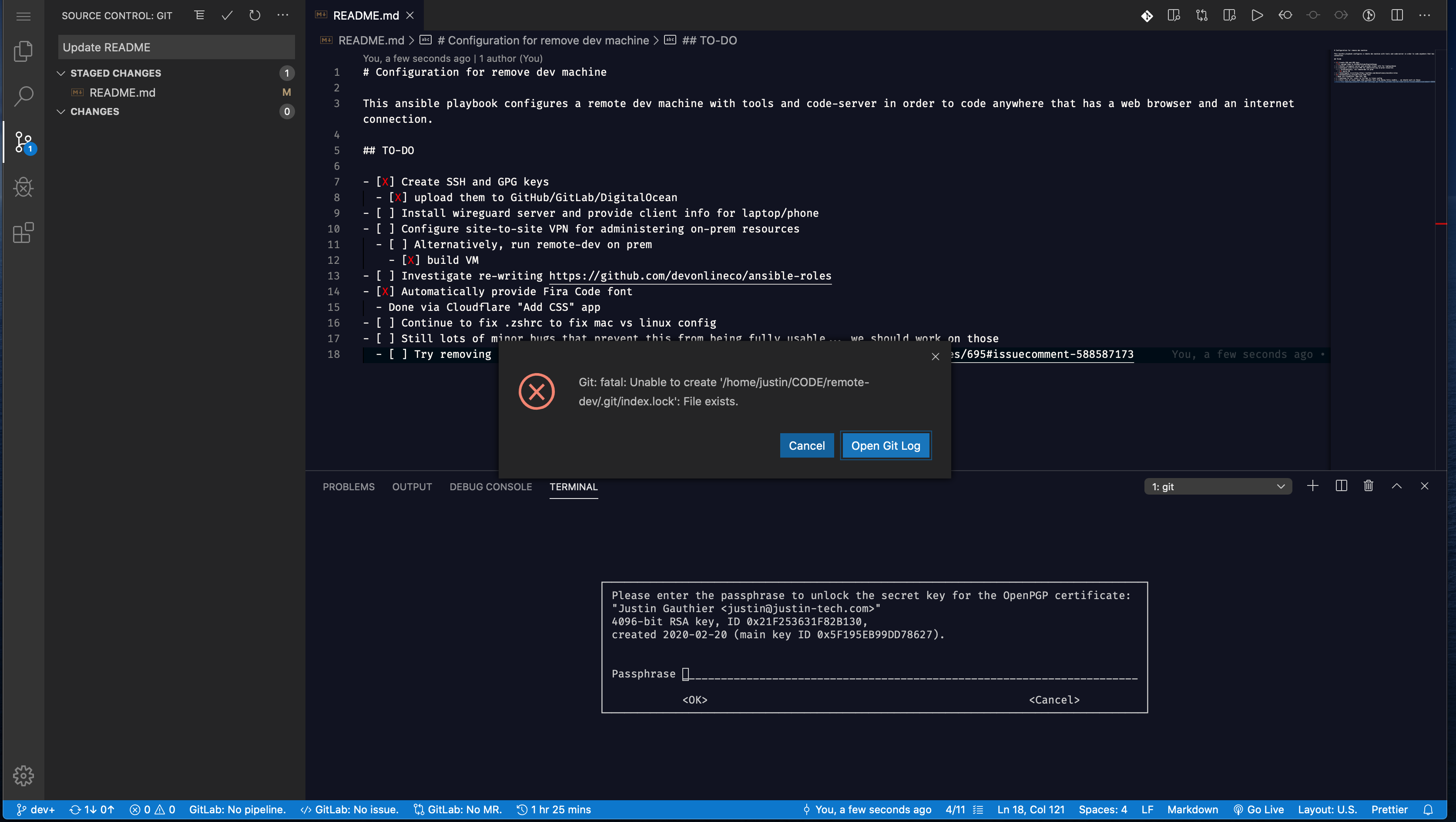
I've removed the pinentry settings from gpg-agent.conf, and rebooted, however this does not seem to have made a difference.
When trying to commit, it still says failed to sign the data. Doing it via CLI still prompts for a password.
Just-Insane
on 20 Feb 2020
Ah this is a bug it’s using the terminal of the code server process instead of prompting.
Cc @code-asher
nhooyr
on 20 Feb 2020
I think we'd need to create our own pinentry. Maybe something like
code-server --pinentry which will show a prompt in the browser via
the currently running code-server instance then spit out the response.
Either that or some trickery with parsing code-server's own stdout and
when it sees the password prompt text it could show a prompt in the
browser and then write out the result to stdin.
 code-asher
on 20 Feb 2020
code-asher
on 20 Feb 2020
What does vscode do?
nhooyr
on 20 Feb 2020
I don't believe they do anything. I think the expectation is that you're
using some graphical pinentry popup like pinentry-gtk-2 or something.
code-asher
on 21 Feb 2020
nhooyr
on 30 Mar 2020
This is documented in the FAQ by sshcode/exposing code-server section.
nhooyr
on 20 Apr 2020
Related issues
 grant
·
3Comments
grant
·
3Comments
 balazssoltesz
·
3Comments
balazssoltesz
·
3Comments
 korzq
·
3Comments
korzq
·
3Comments
 chrischabot
·
3Comments
chrischabot
·
3Comments
 KSXGitHub
·
3Comments
KSXGitHub
·
3Comments
Most helpful comment
Will add to the FAQ.