Code-server: Auth redirect does not work under cloudflare universal SSL
code-serverversion: 1.0.0- OS Version: Debian 9, using docker
Steps to Reproduce
- Setup Cloudflare with universal SSL ( Which basically turns on their proxy service )
- That's it. The auth redirect somehow does not work! Doesn't matter what password I use, it just redirects to the same login page, with no useful indication in either client or server console
If I either drop down Cloudflare SSL and use plain HTTP, or disable auth and directly run with --no-auth option, both work just fine....
 ICEFIR
All 22 comments
What level is your SSL set to?
https://support.cloudflare.com/hc/en-us/articles/200170416-What-do-the-SSL-options-mean-
 kylecarbs
on 7 Mar 2019
kylecarbs
on 7 Mar 2019
Currently Flexible, and on my server, I have not deployed any certs to the subdomain that the code server use yet... Currently just testing out stuffs
ICEFIR
on 7 Mar 2019
Ah kk. Could you try updating to Full SSL and seeing if it works? Could just be the way we redirect.
kylecarbs
on 7 Mar 2019
Sure :) I will test it out
On a side note, i do have nginx setup, with the following script...
Dont think that will cause the redirect though?
server {
    listen 80;
    listen [::]:80;
    server_name something.something.com;
    location ~/ {
       proxy_pass http://localhost:8443;
       proxy_set_header Upgrade $http_upgrade;
       proxy_set_header Connection upgrade;
    }
}
Hm. This will almost definitely work by adding the --allow-http flag.
kylecarbs
on 7 Mar 2019
--allow-http has always been specified in the docker-compose command ;)
The service works fine with --no-auth option, after all.
ICEFIR
on 7 Mar 2019
Will still look into this for ya. Something funky must be going on!
kylecarbs
on 7 Mar 2019
Thx! And I have confirmed (at least from my limited testing) Full SLL does not work, either.
Drop their SSL and use self-signed one works, tho.
ICEFIR
on 7 Mar 2019
I'm not using the docker image, but I am running the code-server through CloudFlare with SSL set to Full (Strict), Universal SSL and Always use HTTPS and it works just fine.
If you want I can give you my nginx config to check.
EDIT: Might as well just paste it here for anyone with the same issue.
upstream code {
        server 127.0.0.1:7000;
}

server {
    listen 80;
    listen [::]:80;
    server_name your.domain;

    return 301 https://$server_name$request_uri;
}

server {
    listen 443 ssl http2;
    listen [::]:443 ssl http2;

    server_name your.domain;

    ssl_certificate /etc/cloudflare/live/your.domain/your.domain.pem;
    ssl_certificate_key /etc/cloudflare/live/your.domain/your.domain.key;
    ssl_trusted_certificate /etc/cloudflare/live/your.domain/your.domain.pem;

    access_log /var/log/nginx/your.domain.access.log;
    error_log /var/log/nginx/your.domain.error.log;

    # Security
    ssl_session_timeout 1d;
    ssl_session_cache shared:SSL:50m;
    ssl_session_tickets off;
    ssl_protocols TLSv1 TLSv1.1 TLSv1.2;
    ssl_ciphers 'ECDHE-ECDSA-CHACHA20-POLY1305:ECDHE-RSA-CHACHA20-POLY1305:ECDHE-ECDSA-AES128-GCM-SHA256:ECDHE-RSA-AES128-GCM-SHA256:ECDHE-ECDSA-AES256-GCM-SHA384:ECDHE-RSA-AES256-GCM-SHA384:DHE-RSA-AES128-
    GCM-SHA256:DHE-RSA-AES256-GCM-SHA384:ECDHE-ECDSA-AES128-SHA256:ECDHE-RSA-AES128-SHA256:ECDHE-ECDSA-AES128-SHA:ECDHE-RSA-AES256-SHA384:ECDHE-RSA-AES128-SHA:ECDHE-ECDSA-AES256-SHA384:ECDHE-ECDSA-AES256-SH
    A:ECDHE-RSA-AES256-SHA:DHE-RSA-AES128-SHA256:DHE-RSA-AES128-SHA:DHE-RSA-AES256-SHA256:DHE-RSA-AES256-SHA:ECDHE-ECDSA-DES-CBC3-SHA:ECDHE-RSA-DES-CBC3-SHA:EDH-RSA-DES-CBC3-SHA:AES128-GCM-SHA256:AES256-GCM
    -SHA384:AES128-SHA256:AES256-SHA256:AES128-SHA:AES256-SHA:DES-CBC3-SHA:!DSS';
    ssl_prefer_server_ciphers on;
    add_header X-XSS-Protection "1; mode=block";
    ssl_stapling on;
    ssl_stapling_verify on;
    resolver 8.8.8.8 8.8.4.4 valid=300s;
    resolver_timeout 5s;

    location / {
        add_header Access-Control-Allow-Origin *;
        try_files $uri @proxy;
    }

    location @proxy {
        proxy_set_header X-Real-IP $remote_addr;
        proxy_set_header X-Forwarded-For $proxy_add_x_forwarded_for;
        proxy_set_header Host $http_host;
        proxy_set_header X-NginX-Proxy true;
        proxy_pass http://code;
        proxy_redirect off;
        proxy_http_version 1.1;
        proxy_set_header Upgrade $http_upgrade;
        proxy_set_header Connection "upgrade";
        proxy_redirect off;
        proxy_set_header X-Forwarded-Proto $scheme;
    }
}
 Pitu
on 8 Mar 2019
Pitu
on 8 Mar 2019
@Pitu Thx! Though I have tried it out yet still not working
Deployed Letsencrypt SSL on the server, direct connection works fine.
With CloudFlare SSL set to Full (Strict), Universal SSL and Always use HTTPS, along with your nginx proxy config, still, no way to log in.
This is a wired one...
Though the part that I did not copy were the ssl settings.... which should not matter in theory?
My current nginx config, just for reference
server {
    listen 443 ssl http2;
    listen [::]:443 ssl http2;
    ssl_certificate /etc/letsencrypt/live/yourdomain.com/fullchain.pem; # managed by Certbot
    ssl_certificate_key /etc/letsencrypt/live/yourdomain.com/privkey.pem; # managed by Certbot
    server_name your.domain.com;
    location ~ /.well-known/acme-challenge {
        allow all;
        root /usr/share/nginx/html;
    }

    location / {
        add_header Access-Control-Allow-Origin *;
        try_files $uri @proxy;
    }
    location @proxy {
        proxy_set_header X-Real-IP $remote_addr;
        proxy_set_header X-Forwarded-For $proxy_add_x_forwarded_for;
        proxy_set_header Host $http_host;
        proxy_set_header X-NginX-Proxy true;
        proxy_pass http://localhost:8443;
        proxy_redirect off;
        proxy_http_version 1.1;
        proxy_set_header Upgrade $http_upgrade;
        proxy_set_header Connection "upgrade";
        proxy_redirect off;
        proxy_set_header X-Forwarded-Proto $scheme;
    }
}

server {
    if ($host = your.domain.com) {
        return 301 https://$host$request_uri;
    } # managed by Certbot


    listen 80;
    listen [::]:80;
    server_name your.domain.com;
    return 404; # managed by Certbot


}
That's pretty weird indeed. And yeah, the SSL config shouldn't matter unless your connection is getting drop which doesn't seem the case, otherwise you wouldn't be able to access the login page at all.
Just for the sake of curiosity could you stop code-server, start it again so it generates a new password and then with DevTools open and the setting Disable cache (while DevTools is open) turned on, hard refresh with CTRL + R try getting in with the new password?
Pitu
on 8 Mar 2019
@Pitu Wow apparently that worked!
Upon further testing, the only thing that's mattered was Disable cache (while DevTools is open) option... But how does this make any sense tho? (scratching my head trying to figure out what went wrong....)
All local cache was clear before any kind of testing, Cloudfare cache was bypassed (Development Mode), multiple browsers and devices have been tested...
ICEFIR
on 8 Mar 2019
Also, irrelevant to the option mentioned above, apparently if I smash the Ctrl-R enough times, it does let me in, somehow?
So, basically, from a normal login page
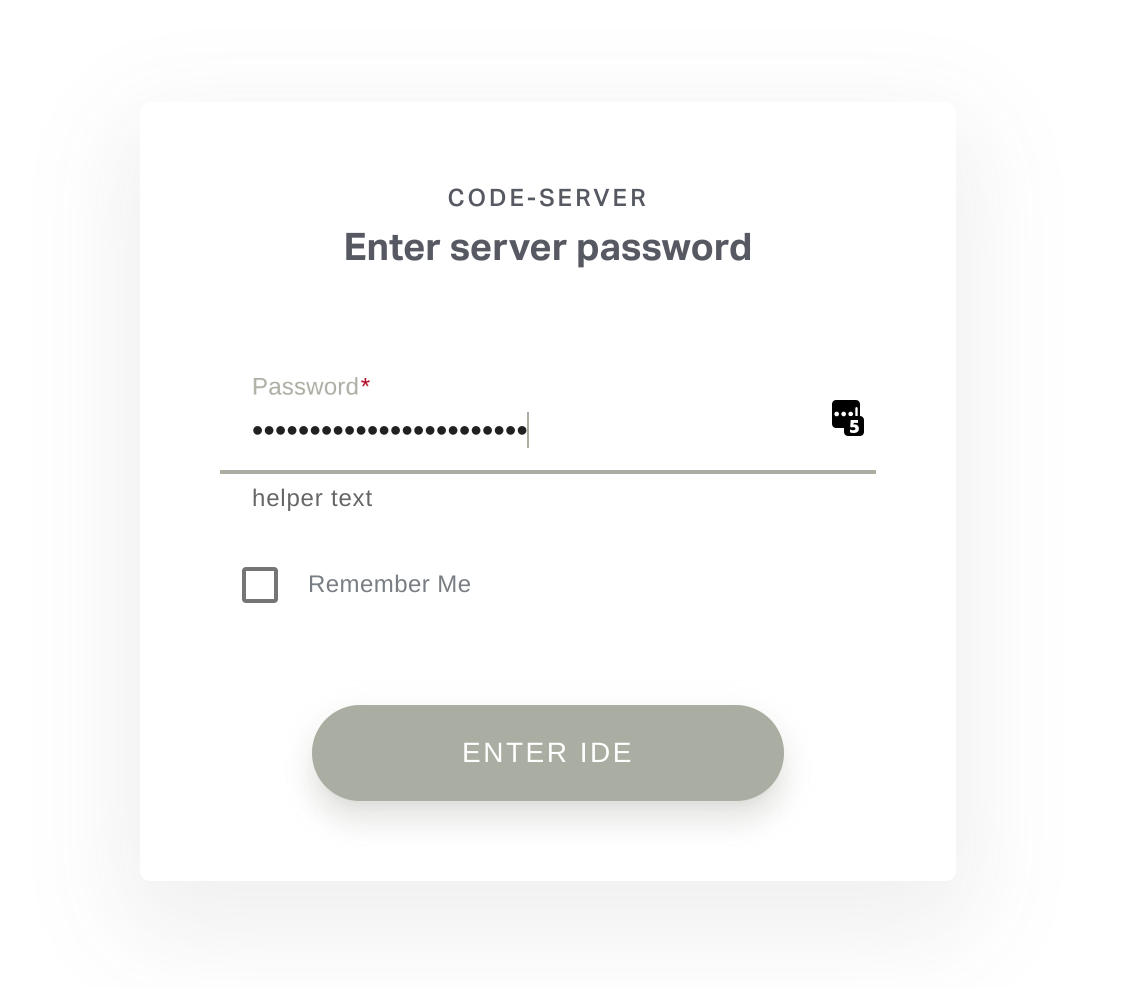
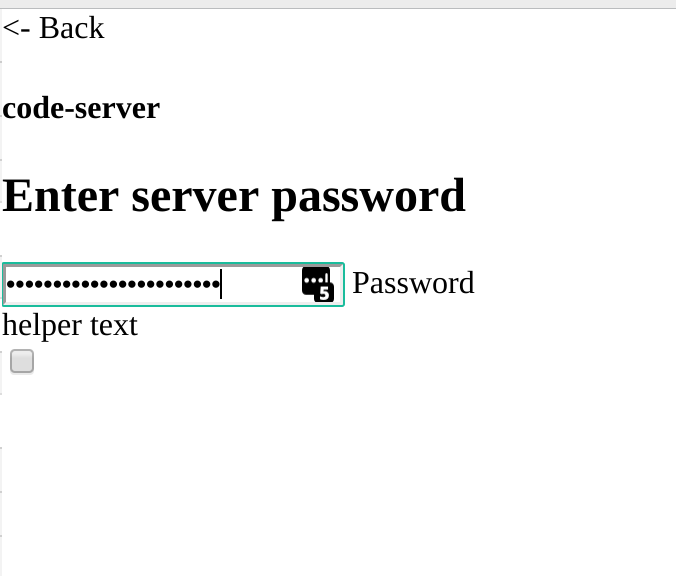
To whatever this is, with console showing GET https://yourdomain.com/main.js net::ERR_ABORTED 404
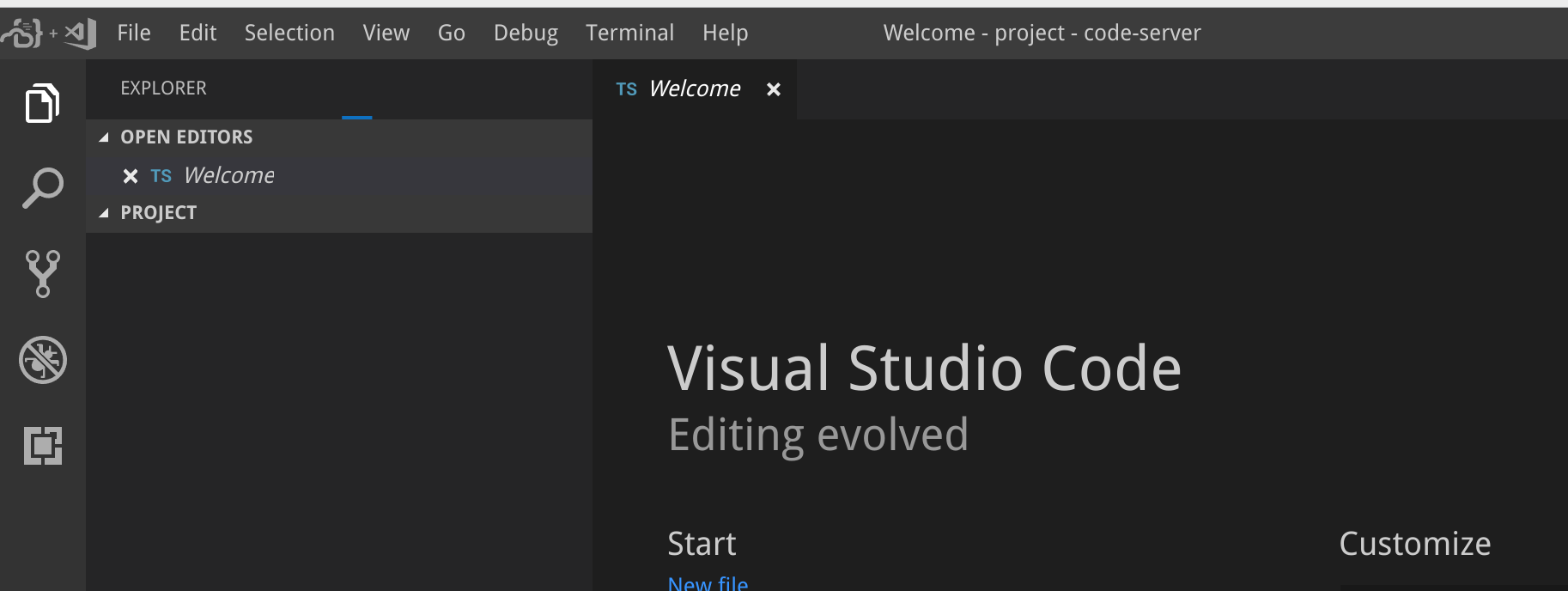
And now just smash that Ctrl-R. like, 10+ times or so, i am in?
ICEFIR
on 8 Mar 2019
Yeah this project has something interesting going on with cache, I haven't had the time yet to put my finger on it, but I had the same issue happen to me so I'm glad I was able to help someone out with it.
Pitu
on 8 Mar 2019
At the same time, I'm in favor of ditching the login page entirely and just relying on .htpasswd for my own personal use, so that should help with the cache probably and it's something I'll implement tonight.
Pitu
on 8 Mar 2019
We use the same filenames in both the authed and unauthed bundle so your browser is caching them. This will be fixed soon!
kylecarbs
on 8 Mar 2019
Great! Was thinking about using .htpasswd as well, but I guess now I just need to wait a bit :)
ICEFIR
on 8 Mar 2019
Same problem here, but weirdly logging in works on iPad no problem. Glad to here a fix is in the works!
 Briguns
on 13 Mar 2019
Briguns
on 13 Mar 2019
This happens for me too. I have cloudflare as a proxy and have SSL on Flexible. It works on https, but on http it doesn't. On my host I use nginx, and this is the nginx file for my code-server:
server {
    listen 80;
    server_name ide.website.com;

    location / {
        proxy_set_header   X-Forwarded-For $remote_addr;
        proxy_set_header   Connection upgrade;
        proxy_set_header   Host $http_host;
        proxy_set_header   Upgrade $http_upgrade;
        proxy_pass         "http://127.0.0.1:8443";
    }
}
I've noticed that on http, no matter what I put as the password, it always sets the password cookie to my HOSTS ip, not the cloudflare proxy but my host machine's public ip.
 Vap0r1ze
on 13 Mar 2019
Vap0r1ze
on 13 Mar 2019
I had same issue and after reading this thread, had an idea of possible workaround:
add_header Cache-Control 'no-store, no-cache, must-revalidate, proxy-revalidate, max-age=0';
googled in here: disable caching in nginx for js files
so mine nginx configuration (apart other projects I host) became smth like this:
upstream vscode {
    server 127.0.0.1:1234;
}

server {
        listen *:443 ssl;

    server_name code.example.com vscode.example.com;

    location / {
        proxy_pass        https://vscode;
        proxy_http_version 1.1;
        proxy_set_header   Upgrade $http_upgrade;
        proxy_set_header   Connection upgrade;
        proxy_set_header   Host $host;
        proxy_cache_bypass $http_upgrade;
        proxy_redirect off;
        proxy_set_header   X-Forwarded-For $proxy_add_x_forwarded_for;
        proxy_set_header   X-Forwarded-Proto $scheme;
        add_header Cache-Control 'no-store, no-cache, must-revalidate, proxy-revalidate, max-age=0';
    }
        ssl on;
        ssl_certificate /etc/ssl/domain/certificate.pem;
        ssl_certificate_key /etc/ssl/domain/private.key;
}
and issue was resolved for me
P.S. used GithubReleases version code-server-1.32.0-282-linux-x64.tar.gz
Launch command smth like this:
./code-server --port 1234 --cert=/etc/ssl/domain/certificate.pem --cert-key=/etc/ssl/domain/private.key --password=vscode.password /home/walpy/some/working/dir
but not sure I haven't broke smth
 allan-walpy
on 16 Mar 2019
allan-walpy
on 16 Mar 2019
using CF flexible SSL. Same issue, unable to set the password and make it work. Works pretty well if I use --no-auth.
 gijo-varghese
on 31 Mar 2019
gijo-varghese
on 31 Mar 2019
Self-signed certificates should work with cloudflare. Closing
kylecarbs
on 24 Apr 2019
Related issues
 RealSlimMahdi
·
3Comments
RealSlimMahdi
·
3Comments
 nol166
·
3Comments
nol166
·
3Comments
 avelino
·
3Comments
avelino
·
3Comments
 pchecinski
·
3Comments
pchecinski
·
3Comments
 chrischabot
·
3Comments
chrischabot
·
3Comments
Most helpful comment
We use the same filenames in both the authed and unauthed bundle so your browser is caching them. This will be fixed soon!