Cockpit: Can not link containers inside Cockpit
Hi
There is a cool feature in docker than let us to link to containers, for example if I wan to run the official odoo image (https://registry.hub.docker.com/_/odoo/ ) first i need to pull a postgres container and link the odoo container to the db with something like:
docker run -p 127.0.0.1:8069:8069 --name odoo --link db:db -t odoo
if I only download the image from cockpit and run it I got a error because dont find a container with the db linked, this is related with the docker file to create the image, if a chosse a image with postgres inside I can run the odoo container because I do not need lo link to other container hosting the database.
 williamjmorenor
All 12 comments
Makes sense.
 stefwalter
on 16 Jan 2015
stefwalter
on 16 Jan 2015
 andreasn
on 19 Jan 2015
andreasn
on 30 Jan 2015
andreasn
on 19 Jan 2015
andreasn
on 30 Jan 2015
Can you only link to one container at a time, or is it possible to link to several?
andreasn
on 30 Jan 2015
Following the premise that linking to several containers is possible (it is not mentioned directly in http://docs.docker.com/userguide/dockerlinks/ but implies it by saying "First, Docker will set an
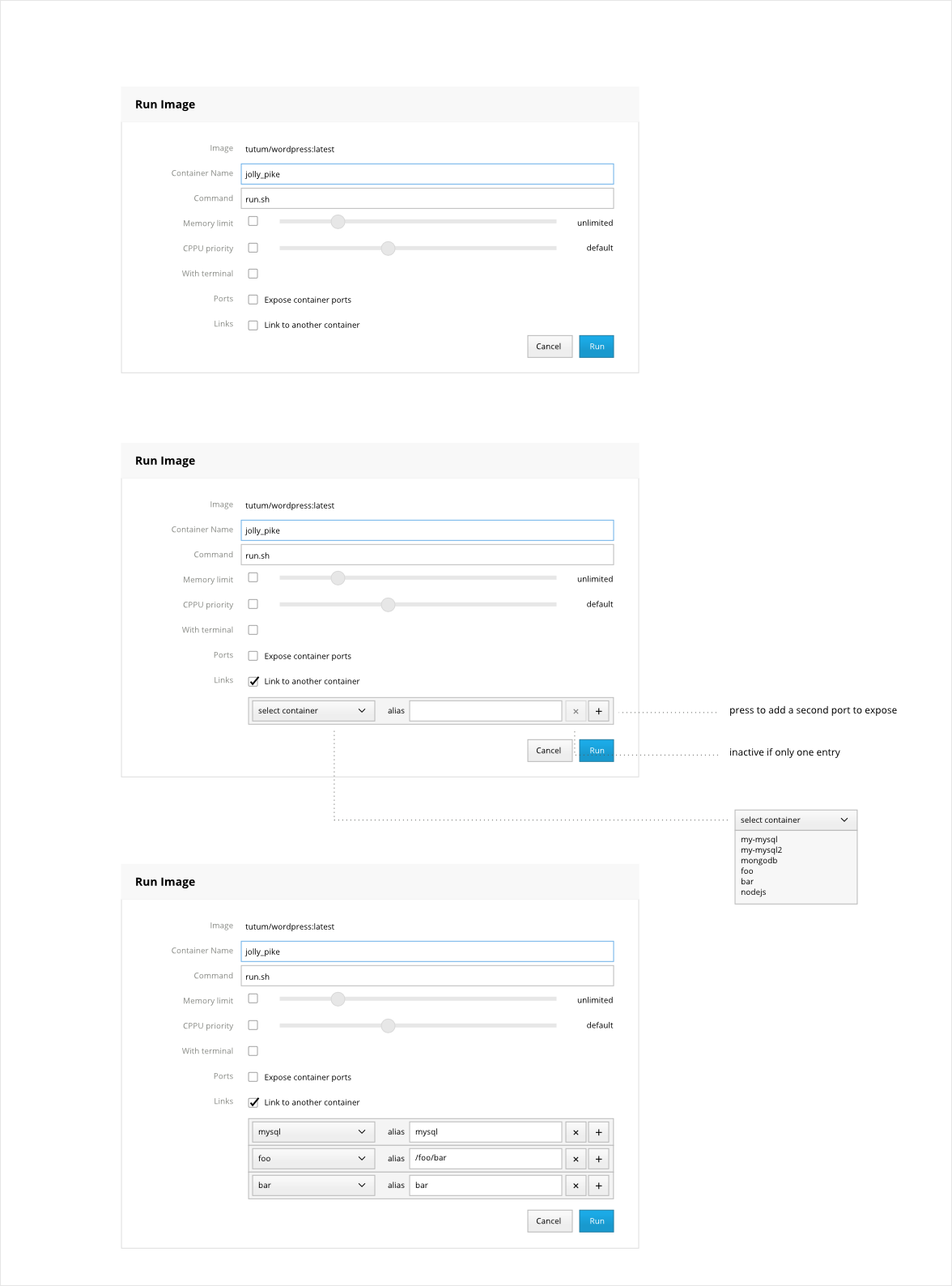
This mockup is very similar to the ones for ports (#1587) and volumes (#1451)
andreasn
on 30 Jan 2015
Looks great, can this mockup merge with the mockup for add volumes in #1451 ?
williamjmorenor
on 30 Jan 2015
Volumes and links are somewhat different of nature I think, especially since volumes can get data from the host, so I would keep them separate.
andreasn
on 30 Jan 2015
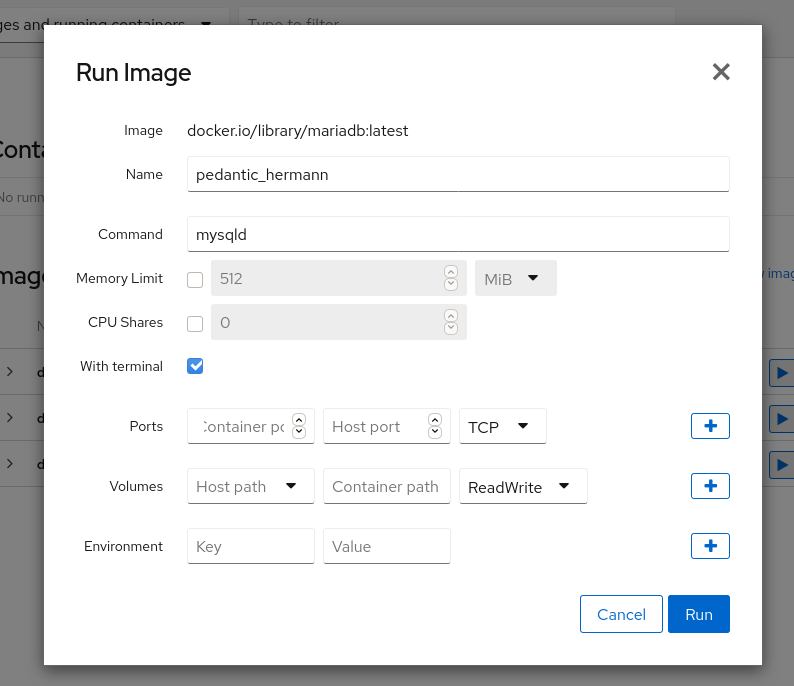
Hey, I know this issue has been closed for years, but it appears that when the call was made to replace Docker with Podman (and the cockpit plugin thereof), this functionality was lost, unless I'm mistaken.
Could this functionality be restored as part of the podman plugin? only having containers without the ability to link them together is very limiting for anything larger than small test deployments..
Btw, thanks for making the Cockpit interface, it has been an absolute blessing for managing lots of smaller deployments in various locations, having a webinterface like this to quickly make changes and have a good overview of various setups when switching between them is pure bliss, keep up the great work!
 xarinatan
on 14 Sep 2020
xarinatan
on 14 Sep 2020
The podman plugin is maintained in the cockpit-podman repository.
If you can file that as a new issue there, that would be great!
Btw, thanks for making the Cockpit interface, it has been an absolute blessing for managing lots of smaller deployments in various locations, having a webinterface like this to quickly make changes and have a good overview of various setups when switching between them is pure bliss, keep up the great work!
Thank you! This made me really happy to hear!
andreasn
on 14 Sep 2020
only having containers without the ability to link them together is very limiting for anything larger than small test deployments..
There is no such think in podman as --link (or how it is called in docker). Podman has concept of pods which means group of containers which share the same network, pid and ipc namespaces (see podman pod --help).
cockpit-podman has support for pods since version 21, see https://cockpit-project.org/blog/cockpit-225.html
 marusak
on 14 Sep 2020
marusak
on 14 Sep 2020
only having containers without the ability to link them together is very limiting for anything larger than small test deployments..
There is no such think in podman as
--link(or how it is called in docker). Podman has concept of pods which means group of containers which share the same network, pid and ipc namespaces (seepodman pod --help).
cockpit-podmanhas support for pods since version 21, see https://cockpit-project.org/blog/cockpit-225.html
Yea I realized this later while digging, and I was going to follow up with a post because I'm fairly new to podman, and I found they've already been working on it here (https://github.com/cockpit-project/cockpit-podman/issues/238), but I also still couldn't find ways to create new groups from Cockpit itself, so I was a bit confused at first.
Perhaps I should file that as a separate request, being able to create pods from Cockpit would be nice, now I still have to use podman-compose or something alike for my setup. For now the circle is complete though ;) thanks for the help everyone!
xarinatan
on 15 Sep 2020
I also still couldn't find ways to create new groups from Cockpit itself
This is indeed missing but it is being tracked in https://github.com/cockpit-project/cockpit-podman/issues/485
marusak
on 15 Sep 2020
Related issues
 MauriceNorden
·
3Comments
MauriceNorden
·
3Comments
 daniel-wtd
·
8Comments
daniel-wtd
·
8Comments
 kxxoling
·
5Comments
kxxoling
·
5Comments
 garrett
·
4Comments
garrett
·
4Comments
 cedroid09
·
5Comments
cedroid09
·
5Comments
Most helpful comment
The podman plugin is maintained in the cockpit-podman repository.
If you can file that as a new issue there, that would be great!
Thank you! This made me really happy to hear!