Cockpit: Login don't work with caddy reverse-proxy
Hello,
Cockpit version: 202.1
OS: Debian Sid
When I try to login on cockpit on the normal, self signed https (port 9090). Everything work perfectly.
But, to have a signed https instead of a self signed, (I use caddy for that). It work strangely.
Sometimes it works sometimes it doesn't. That's strange. ( ex: Last night it worked very well... )
The error I get when it don't work is :
                              Connection failed

        There was an unexpected error while connecting to the machine.
          Messages related to the failure might be found in the journal:
                                  journalctl -u cockpit
and, on the browser console, I get that :
Erreur dans les liens source : request failed with status 401
how to reproduce :
Relevant parts of the system log are also useful:
cockpit logs :
sept. 28 07:42:34 servername cockpit-session[22847]: pam_ssh_add: Failed adding some keys
sept. 28 07:42:34 servername cockpit-session[22847]: pam_unix(cockpit:session): session  opened for user ertuit by (uid=0)
sept. 28 07:42:34 servername cockpit-ws[22515]: logged in user session
sept. 28 07:42:50 servername cockpit-ws[22515]: session timed out
sept. 28 07:43:03 servername cockpit-session[22911]: pam_ssh_add: Failed adding some keys
sept. 28 07:43:03 servername cockpit-session[22911]: pam_unix(cockpit:session): session  opened for user ertuit by (uid=0)
sept. 28 07:43:03 servername cockpit-ws[22515]: logged in user session
Steps to reproduce
- Install cockpit on a debian sid machine.
- Install caddy and configure the caddy file ( my configuration is that : )
my.domain.name:9091 {
proxy / localhost:9090 {
transparent
websocket
}
tls {
max_certs 1
}
- Run caddy
- Try to login into cockpit via the reverse-proxy, let's encrypt signed https by caddy.
- If it work reboot a few time the machine or wait a night.
However, the cockpit on port 9090, self signed still works very well.

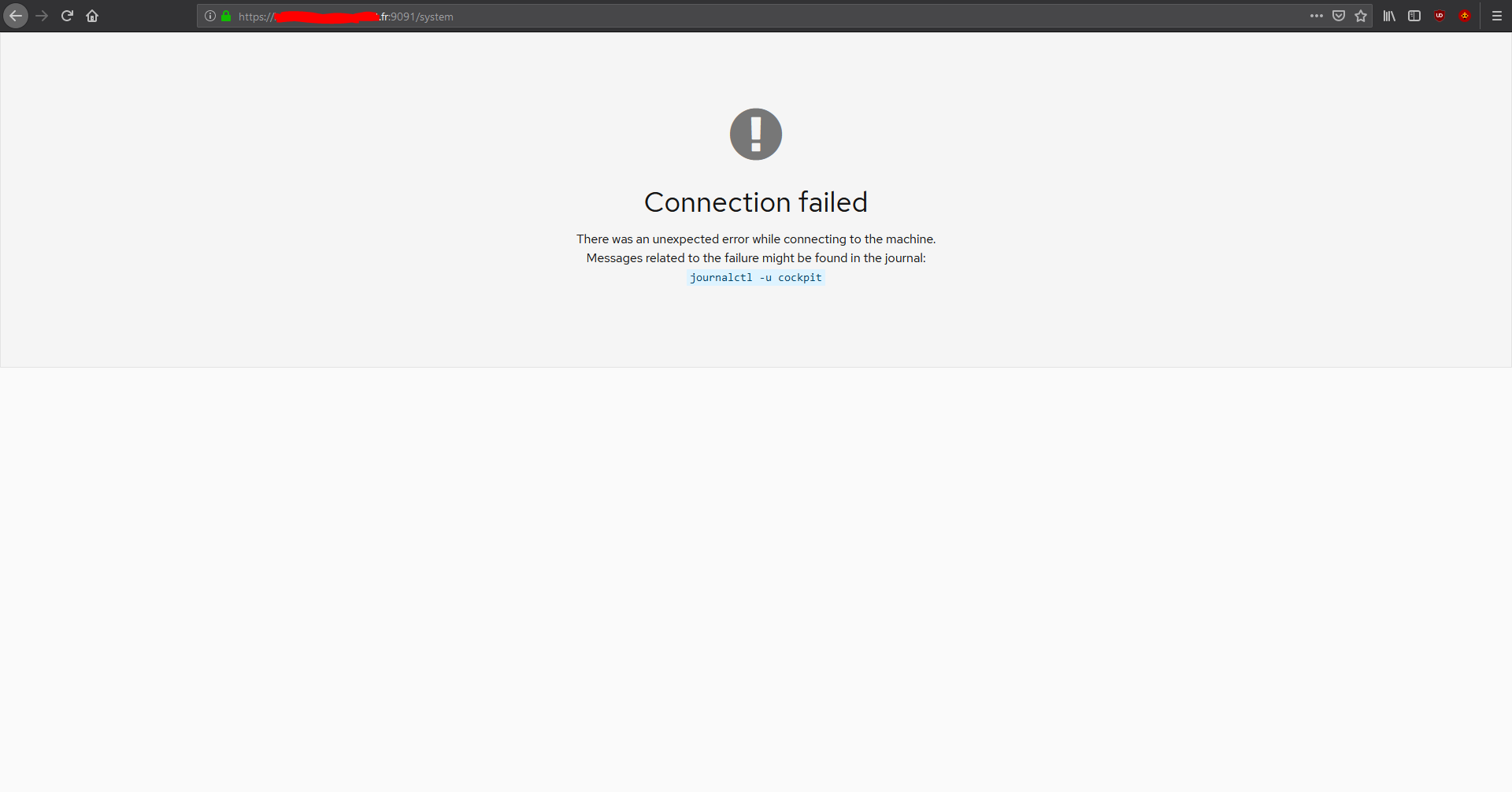

( yes, I'm french...)
_also, on my other debian server, a debian stretch, I have the same problem but without having any error displayed. Instead I have a white screen. ( it's a different version of the cockpit)._
Thank you.
Ertuit.
 Ertuit
All 10 comments
I got exact the same problem on Debian using nginx, but couldnt find any solution so far.
 blubbsy
on 14 Oct 2019
blubbsy
on 14 Oct 2019
Same problem for me behind traefik reverse proxy on an ubuntu 18.04
 billy34
on 2 Dec 2019
billy34
on 2 Dec 2019
I am having a similar issue
cockpit.js:347 WebSocket connection to 'wss://<snip>.com/cockpit/socket' failed: Error during WebSocket handshake: Unexpected response code: 403
EDIT:
I was able to fix it by following https://github.com/cockpit-project/cockpit/wiki/Proxying-Cockpit-over-NGINX
I ended up having to adjust my proxy settings to allow websockets to connect
 lrusak
on 3 Dec 2019
lrusak
on 3 Dec 2019
So did anybody resolved this with traefik v2?
 kekec777
on 19 Mar 2020
kekec777
on 19 Mar 2020
Edit the fie (create if not existing) /etc/cockpit/cockpit.conf and add the following:
[WebService]
Origins = https://example.com
in Caddyfile I have the following:
example.com {
        proxy / localhost:9090  {
                websocket
        }
}
Works fine for me
 gmkv
on 1 May 2020
gmkv
on 1 May 2020
Using Caddy v2, this config works for me.
/etc/caddy/Caddyfile
cockpit.example.com
reverse_proxy localhost:9090
/etc/cockpit/cockpit.conf
[WebService]
Origins = https://cockpit.example.com wss://cockpit.example.com
ProtocolHeader = X-Forwarded-Proto
 carlwgeorge
on 15 May 2020
carlwgeorge
on 15 May 2020
this confiiguration with caddy v2 and debian 10 and cockpit v188 does not work
/etc/cockpit/cockpit.conf
[WebService]
Origins = https://cockpit.example.com wss://cockpit.example.com
ProtocolHeader = X-Forwarded-Proto
my caddyserver is on another machine (raspbian buster)
/etc/caddy/Caddyfile
cockpit.example.com {
reverse_proxy my.int.ern.al.ip:9090
}
 guizmoau
on 24 Jun 2020
guizmoau
on 24 Jun 2020
I got it to work with those parameters in cockpit conf
/etc/cockpit/cockpit.conf
[WebService]
AllowUnencrypted = true
Origins = https://cockpit.example.com
ProtocolHeader = X-Forwarded-Proto
I am quite sure it is not a safe config, anyone got a better solution here ?!?
guizmoau
on 6 Jul 2020
Any update? I have the same problem with apache2 and proxypass.
 pioz
on 22 Sep 2020
pioz
on 22 Sep 2020
Traefik v2 still doesn't work
 FlatMapIO
on 19 Nov 2020
FlatMapIO
on 19 Nov 2020
Related issues
 q2dg
·
6Comments
q2dg
·
6Comments
 kai4785
·
4Comments
kai4785
·
4Comments
 FireDrunk
·
6Comments
FireDrunk
·
6Comments
 jacksnodgrass
·
6Comments
jacksnodgrass
·
6Comments
 tmjpugh
·
8Comments
tmjpugh
·
8Comments
Most helpful comment
Same problem for me behind traefik reverse proxy on an ubuntu 18.04