Cms: Please bring back Link to Asset in Bard
In V2 one could link to an asset by selecting text and than clicking the "link to asset" button. That would be nice in V3 too:

 manogi
All 10 comments
You can still do this, but it's a bit different in v3. We have Assets pre-integrated into the "Image" button. You can choose your container(s) and it'll put the image inline where you can set a unique alt tag for this one instance.
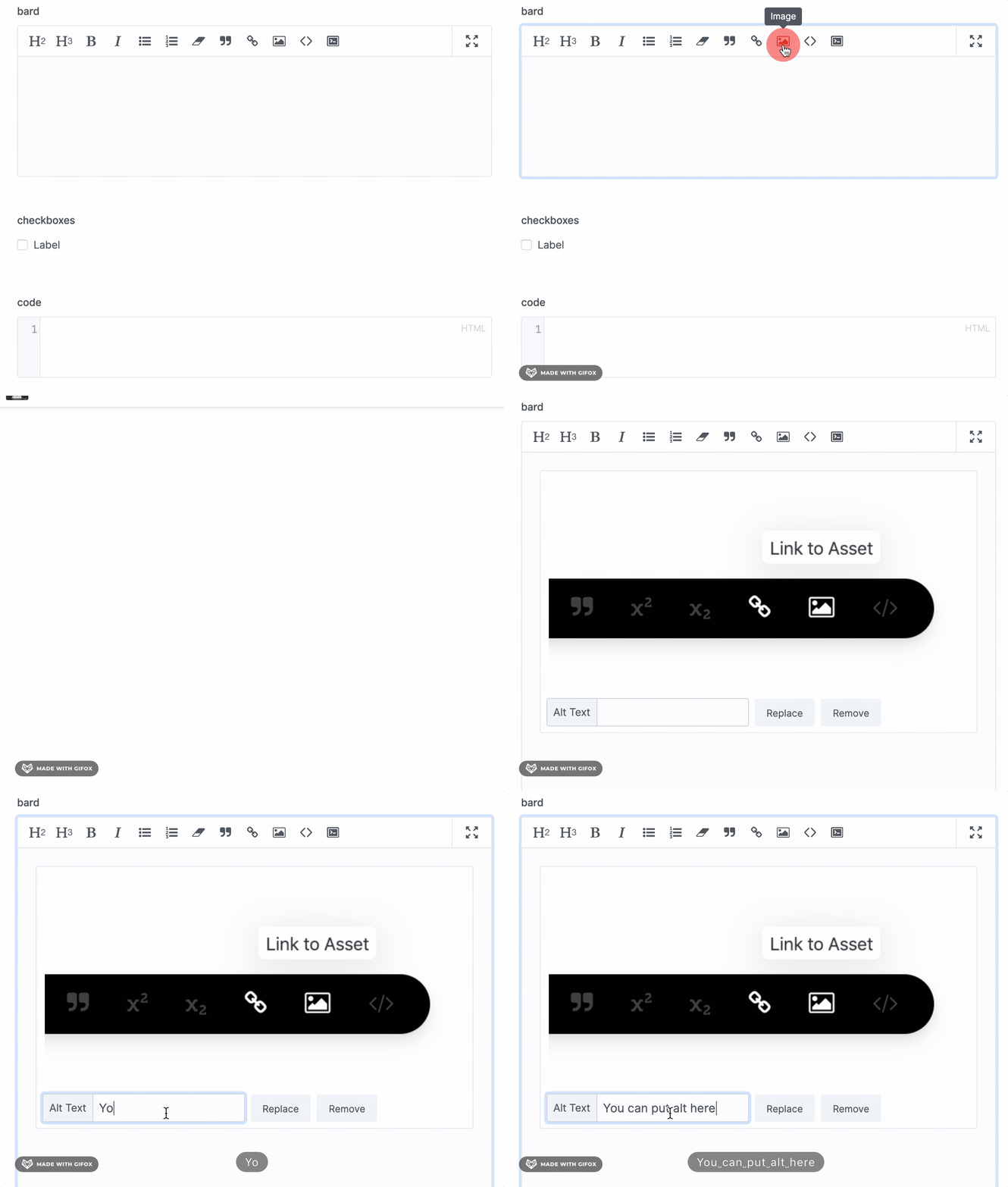
If you want to add non-image assets, we recommend using Sets. Just add a set with an Assets field and you'll have much more control than "inlining" a PDF or something. 👍
 jackmcdade
on 5 Feb 2020
jackmcdade
on 5 Feb 2020
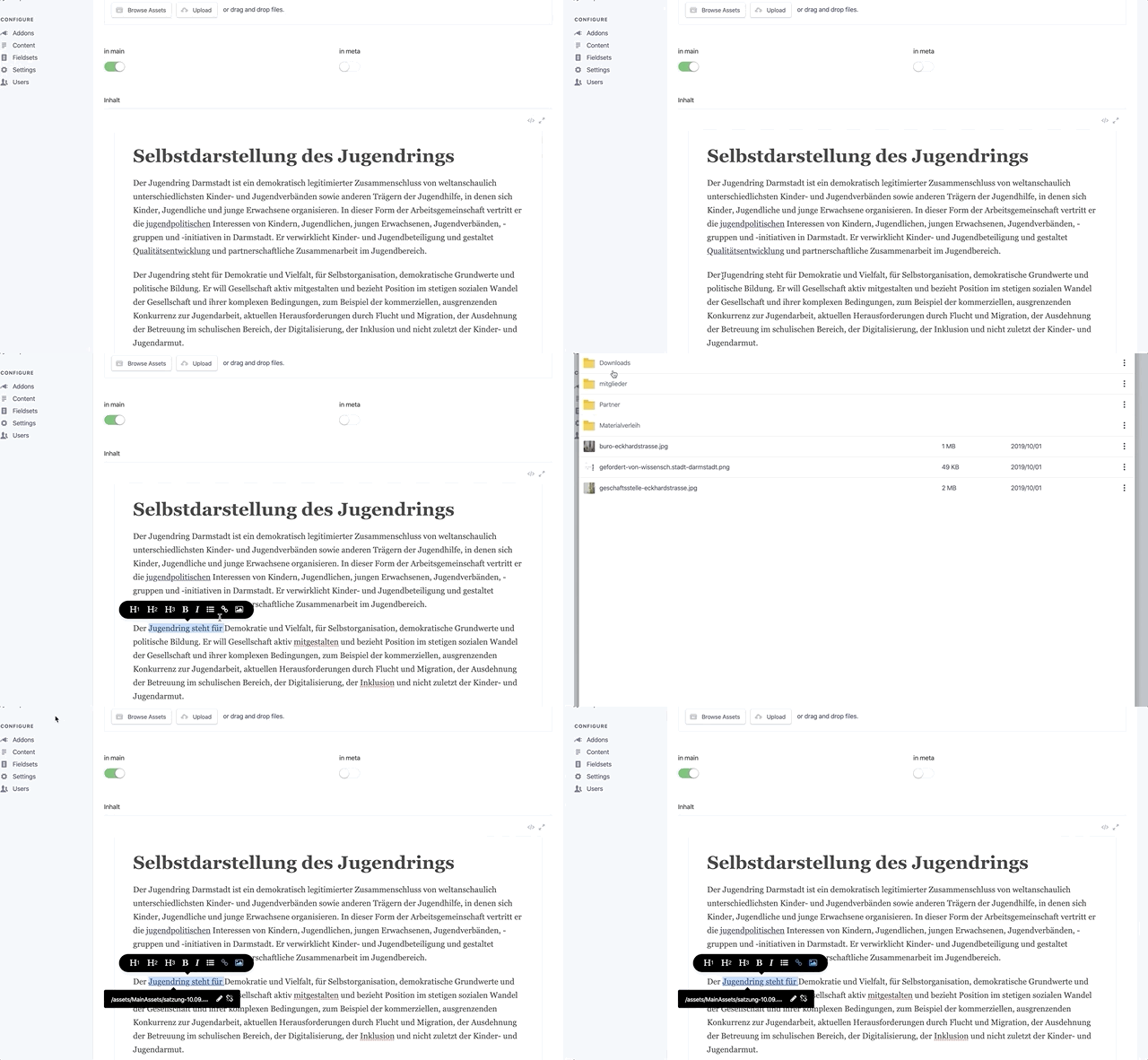
Ah - this is not what I meant. You are able to select some text and link it directly to an asset in V2:
manogi
on 6 Feb 2020
It still works the same, except that I just now noticed that it doesn't replace your selection, it only inserts the image after.
 jasonvarga
on 6 Feb 2020
jasonvarga
on 6 Feb 2020
I am sorry, but I don't understand - in V2 the function is to make a a href link out of the selected text and put the path to the asset in the href attribute. That does not happen anymore, if I am not mistaken. Which would be fine with me, if the Link button

could be enhanced so that it would be possible to somehow select assets to link to right in the link button.
manogi
on 6 Feb 2020
I’m agreeing with you, it should work that way, but isn’t.
jasonvarga
on 6 Feb 2020
Ah - sorry I misunderstood.
One further note on this subject: I personally would prefer the functionality to happen inside the link button, because one might want users to be able to link to assets, but not to insert images inside the editor. Just my two cents.
manogi
on 6 Feb 2020
@manogi is this possible and works or not?
I'm having the same «problem»: How can I link a specific word in a bard field to e.g. a pdf without copying the path from somewhere else?
 j3ll3yfi5h
on 6 Aug 2020
j3ll3yfi5h
on 6 Aug 2020
@j3ll3yfi5h no, not working for me yet. Maybe this issue needs to be reopened - or is this functionality not planned anymore, @jackmcdade @jasonvarga ?
manogi
on 6 Aug 2020
@manogi --> #2199
j3ll3yfi5h
on 10 Aug 2020
@j3ll3yfi5h Thanks!
manogi
on 10 Aug 2020
Related issues
 skoontastic
·
4Comments
skoontastic
·
4Comments
 philippgrimm
·
3Comments
philippgrimm
·
3Comments
 jimblue
·
3Comments
jimblue
·
3Comments
 jelleroorda
·
3Comments
jelleroorda
·
3Comments
 dakisan
·
4Comments
dakisan
·
4Comments