Client: How to build the client on Mac OS X
Expected behaviour
owncloud.app/Contents/Frameworks should exists
Actual behaviour
It does not
Steps to reproduce
- Do the mac build steps
- Set cmake parameters
cmake -DCMAKE_PREFIX_PATH=/usr/local/Cellar/qt/5.15.0 -DCMAKE_INSTALL_PREFIX=~/owncloud/build ../ - run
make - Check bin/owncloud.app/Contents you will see "Info.plist MacOS PlugIns Resources" folders and files but no Frameworks folder.
- Download owncloud desktop mac client from official site. Install it, you will see owncloud.app/Contents/Frameworks
Without Frameworks app won't run on Macs with no QT Packages.
 ozata
ozata
All 20 comments
Hi for 2.7 we switched to Craft on mac.
So in a dev environment the client can be directly started in the build dir but for a deployment we use Craft.
We have a new neat script which should help to set up a dev env, https://github.com/owncloud/ownbuild .
It not only sets up Craft but also creates a setup identical to the one we use on out ci (versions etc).
Could you give it a try :)
 TheOneRing
on 17 Jul 2020
TheOneRing
on 17 Jul 2020
Hello, I'm giving it a try now, thanks
ozata
on 17 Jul 2020
@TheOneRing I tried the craft but it gave me permission errors (Maybe couldnt connect to the repo.) And as far as I know we can't build 2.6.3 with craft right? And there is no 2.7 release right now?
The error I have: (I'm looking into the script right now)
`➜ ownbuild git:(master) sudo python3 build.py owncloud-client
Password:
Cloning into '/Users/ataoz/owncloud/ownbuild/craftmast'...
[email protected]: Permission denied (publickey).
fatal: Could not read from remote repository.
Please make sure you have the correct access rights
and the repository exists.`
ozata
on 20 Jul 2020
Hi I fixed the url, just do a pull in the ownbuild folder.
I'm sorry I used authenticated git url... thx for testing 🙈
TheOneRing
on 20 Jul 2020
ownbuild built but I got an error at the last step, still there's a possibility that I have a successful build, Im trying to open it right now, not sure if error is because of my system.
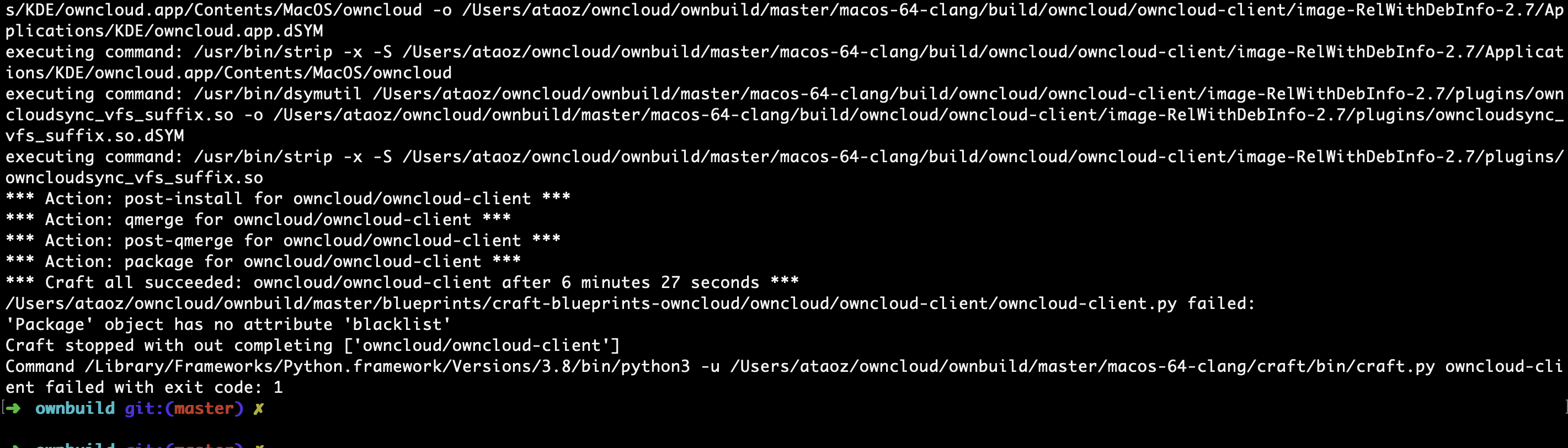
The second error is when I'm trying to build 2.
ownbuild git:(master) ✗ python3 build.py --branch 2.7 owncloud-client
Download: https://raw.githubusercontent.com/owncloud/client/2.7/.craft.ini to /Users/ataoz/owncloud/ownbuild/2.7/.craft.ini
HTTP Error 404: Not Found
thx for pointing out I will fix it.
For now passing --no-cache should fix it (be sure dependencies are installed first. if not it will build everything from scratch)
TheOneRing
on 21 Jul 2020
Should by fixed by https://github.com/owncloud/ownbuild/commit/a6eb57538181b470d0d6801fc2b31f0b9f423d9f
TheOneRing
on 21 Jul 2020
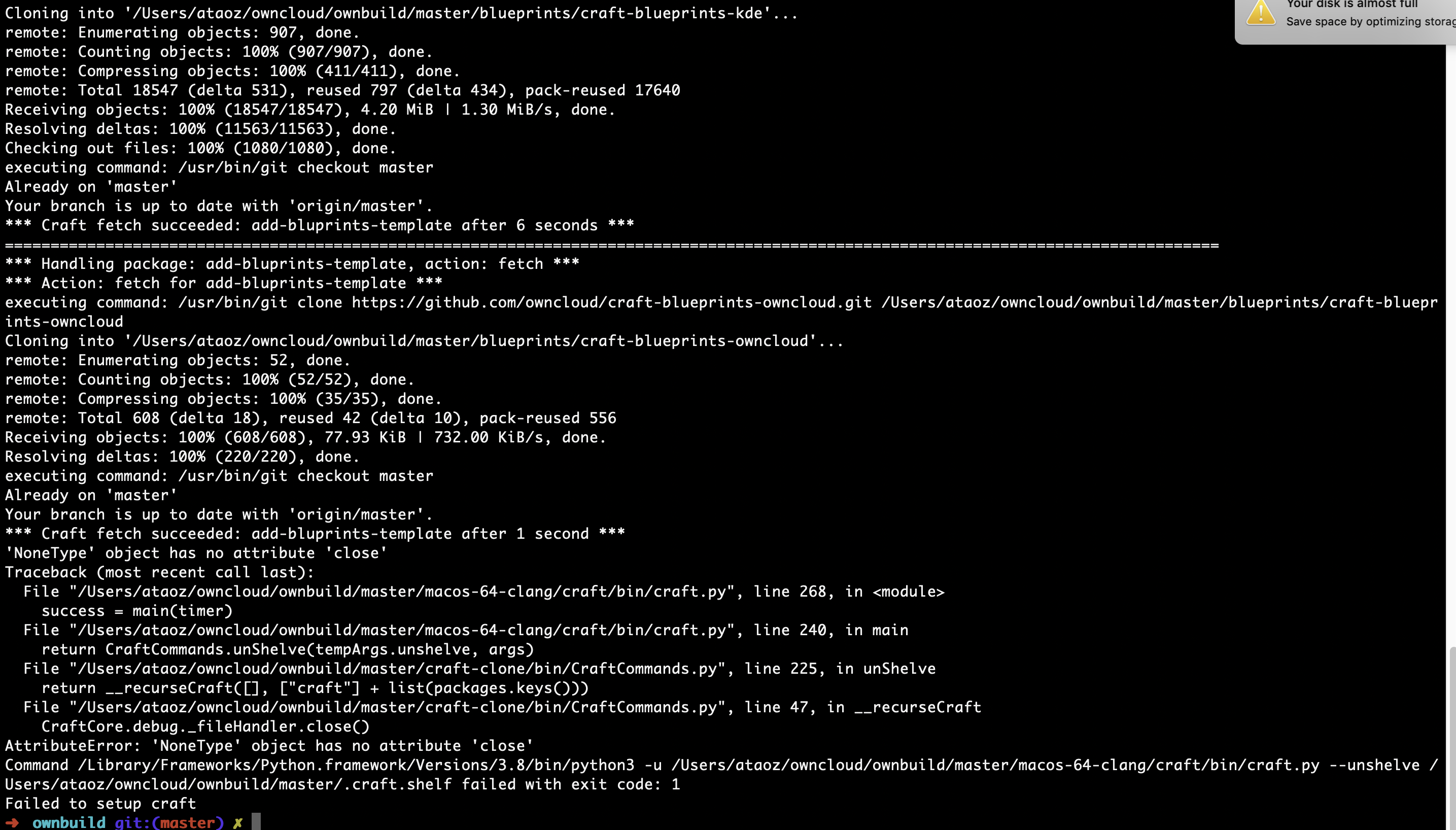
It stops because of a python error but it was getting past this steps 2 days ago, couldn't understand the error, im trying to debug
ozata
on 22 Jul 2020
Fixed in https://invent.kde.org/packaging/craft/commit/f613280429fb44de75b889c13e7f0ac30287e060 but the only way that could happen is if craft failed to create a log file.
This can happen with a full disk, see the notification on the screenshot or on Windows when multiple instance are running.
TheOneRing
on 22 Jul 2020
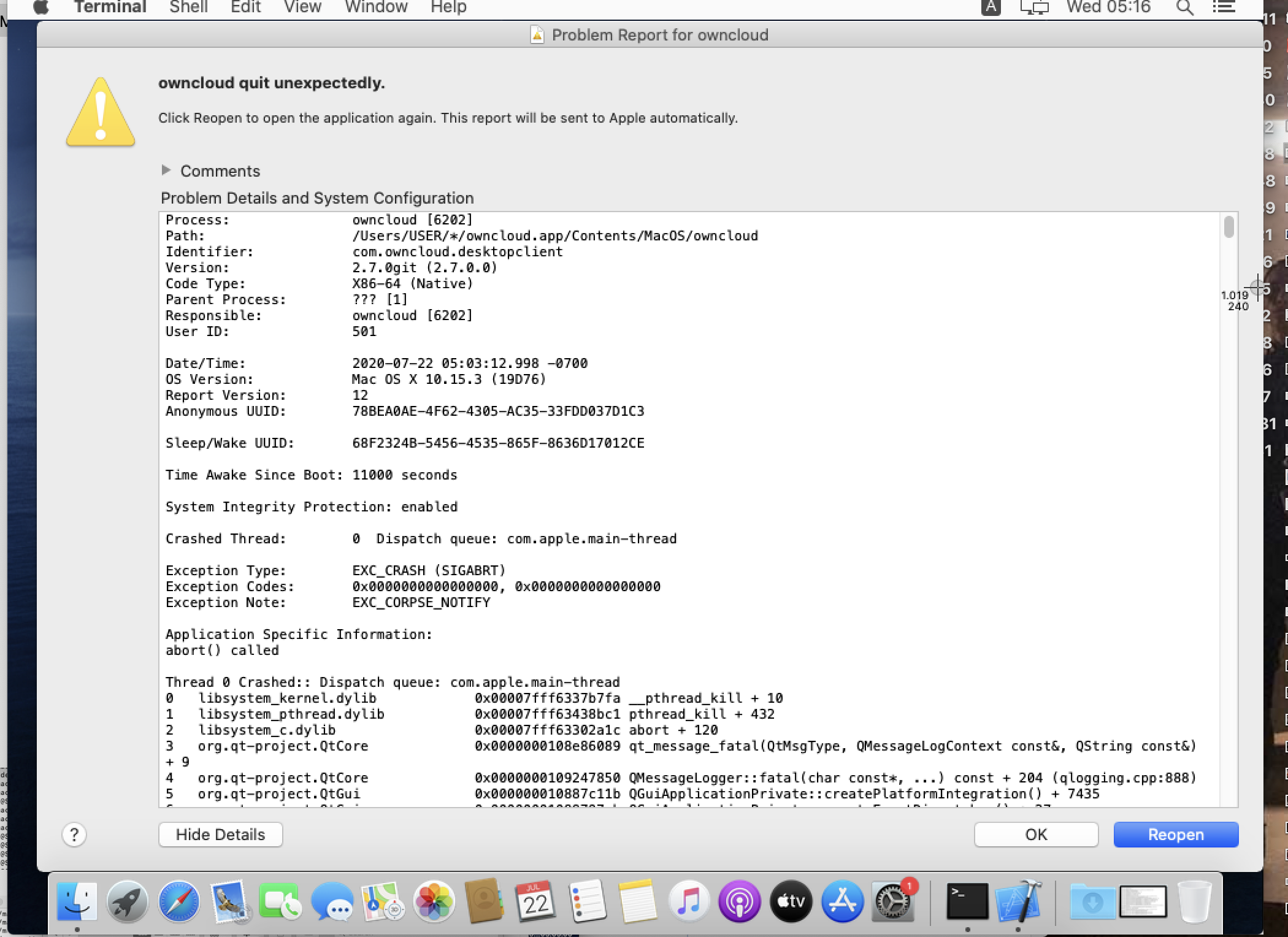
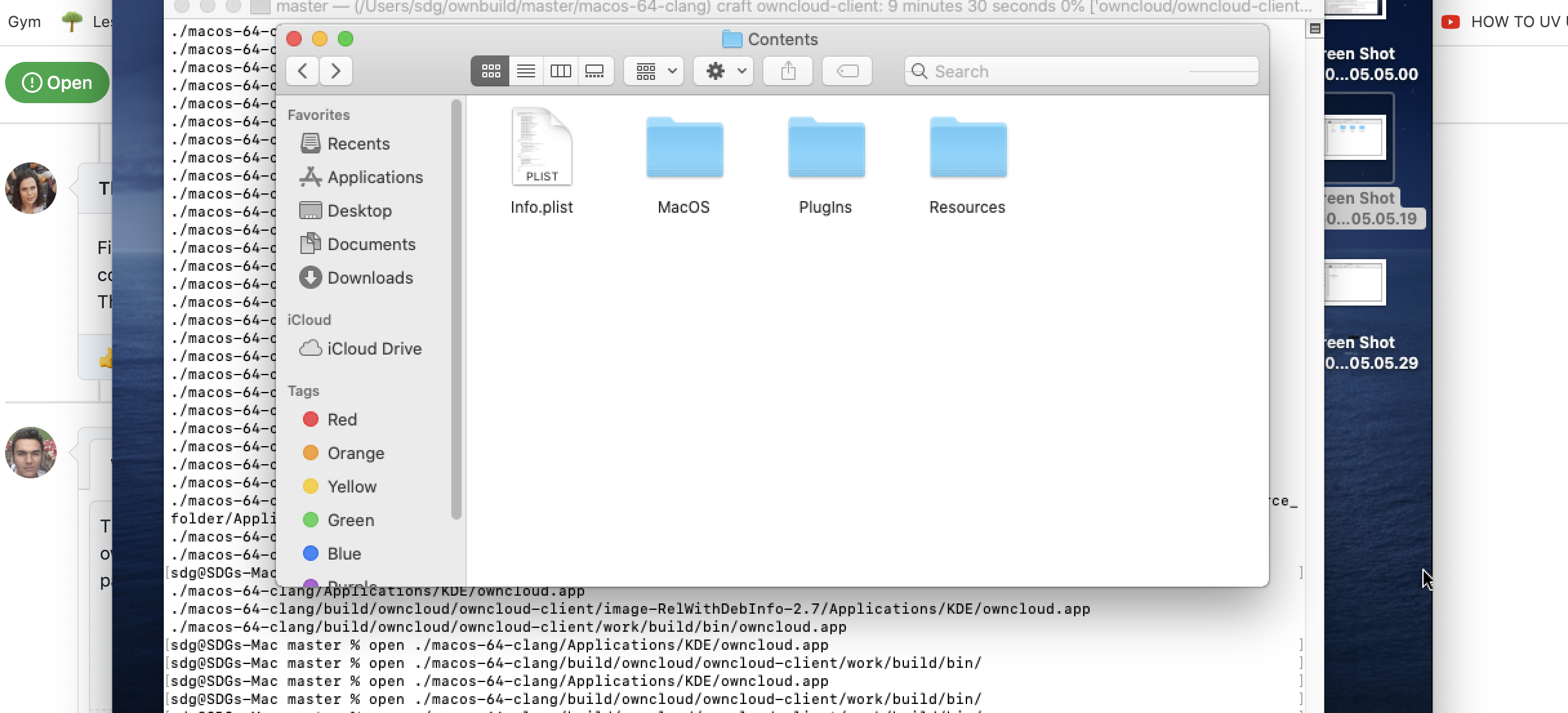
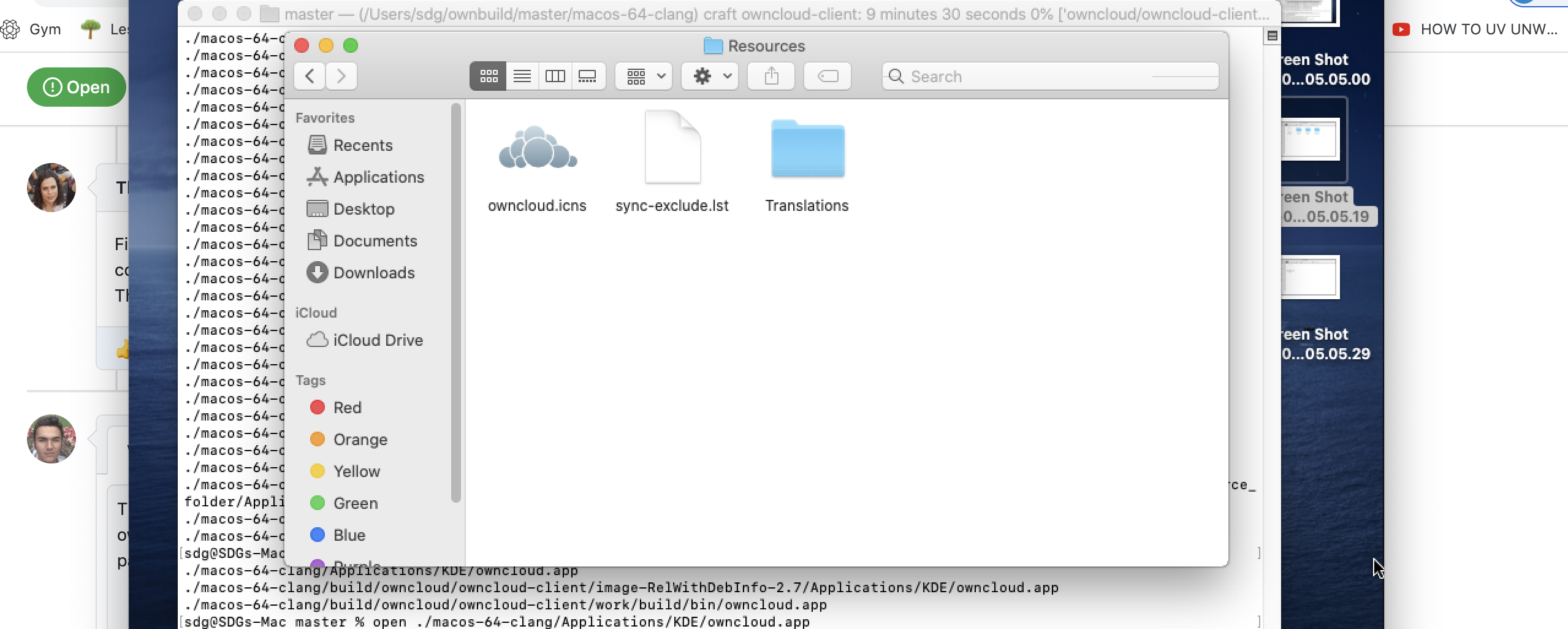
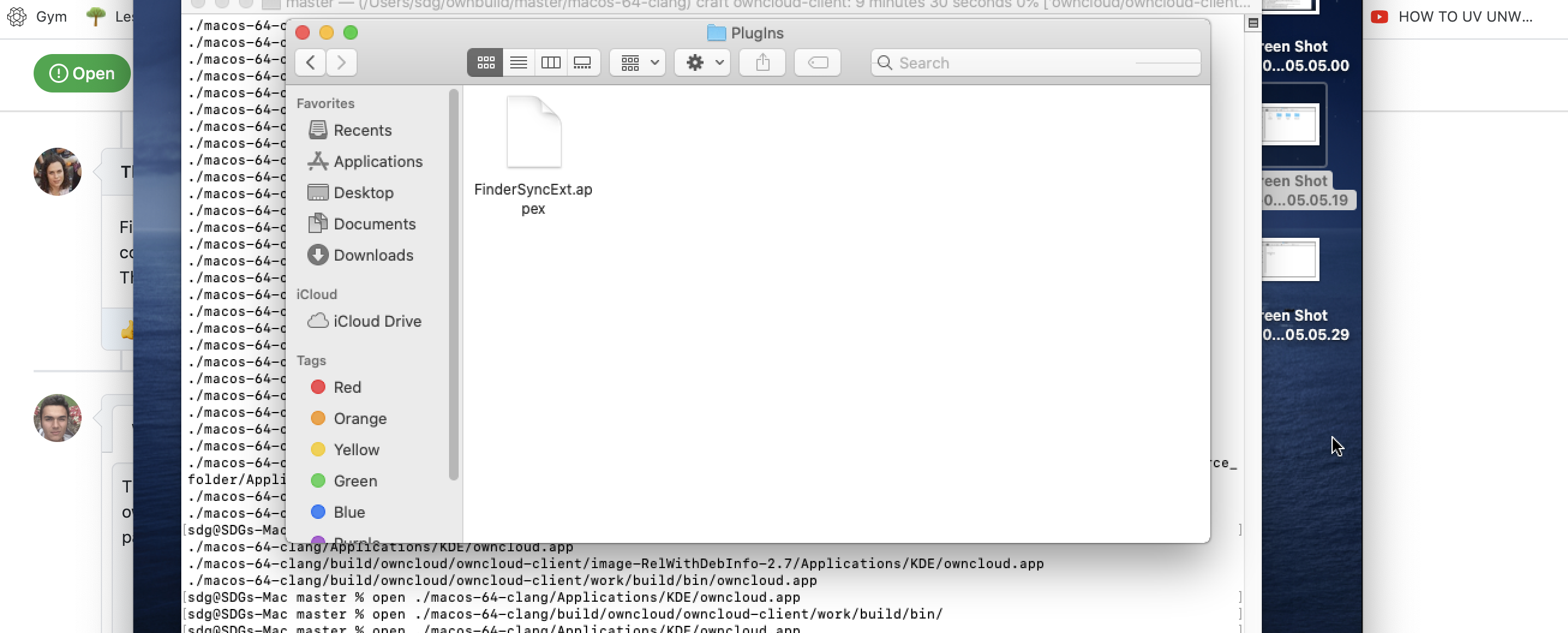
Thanks. Process finished successfully but app couldnt be opened because Frameworks folder and some Plugins is not in owncloud.app. (This was my first problem, they dont come when building with generic build instructions too.) Is there a parameter where installs the frameworks and plugins into the owncloud.app
I tried on clean mac machine with only xcode. There is no errors but no QT frameworks or plugins either.
ozata
on 22 Jul 2020
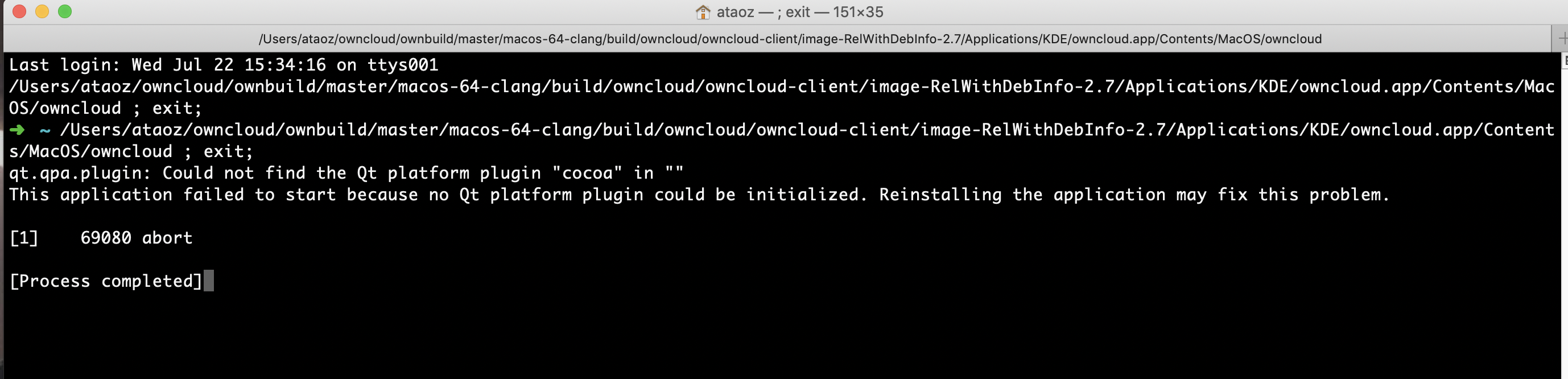
I belive it doesnt install QT
ozata
on 22 Jul 2020
Ah yes you'd need to execute it through the build script by passing --run ./macos-x64.....
or by entering a craft env by sourcing the craftenv.sh in the sub folder.
The reason for this is that craft will set some environment variables needed.
Another solution is to call the build.py with --package owncloud-client which should produce a .pkg file :)
TheOneRing
on 22 Jul 2020
I'm trying the first solution but I got error in second solution:



ozata
on 22 Jul 2020
python3 build.py -- --package owncloud-client
python3 build.py -- --run ./Applications/...
TheOneRing
on 22 Jul 2020
I updated the readme https://github.com/owncloud/ownbuild/blob/master/README.md
TheOneRing
on 22 Jul 2020
I had this error on one machine with python3 build.py -- --package owncloud-client

And this one on the second machine
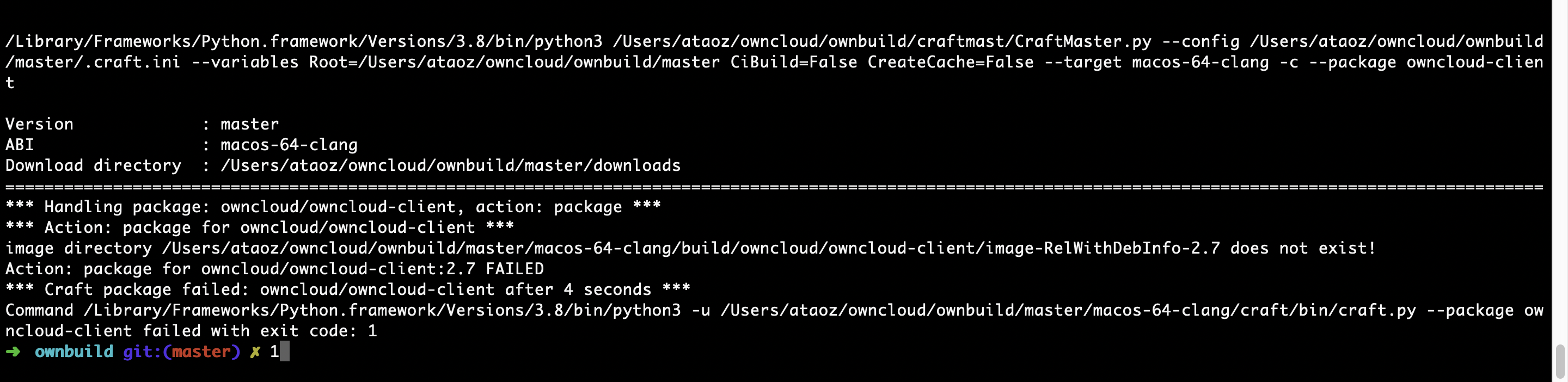
Two different errors looked odd. Second instance kept going longer but stopped in the end.
ozata
on 23 Jul 2020
Hi, did you delete the build folder in between?
If yes, before you can package owncloud, you need to build it first :)
so its build.py -- owncloud-client build.py -- --package owncloud-client
TheOneRing
on 23 Jul 2020
I have successfully build with: 🚀
python3 build.py --branch 2.7 owncloud-client
python3 build.py --branch 2.7 -- --package owncloud-client
But it shows 2.8.0 git as the version
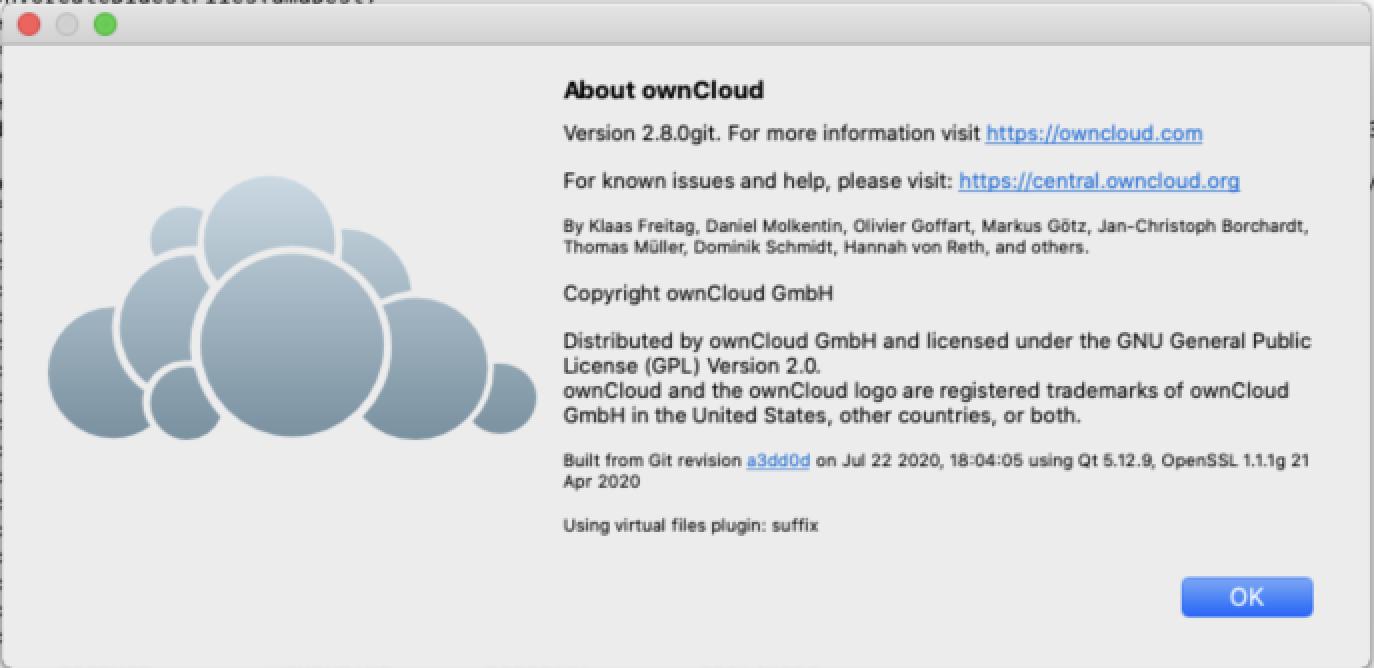
And I have a question. We already have a branded 2.6.3 branch. Could I build that branch with Craft?
Or can I edit build.py and build our custom branded branch by changing the links?
Do you have any suggestions?
ozata
on 23 Jul 2020
2.6 is not supported with craft on mac, and 2.6 is not supported with the build.py at all.
The branch command is for builds.py and ensures that you end up with the dependencies for that branch.
To get a 2.7 build run python3 build.py --branch 2.7 -- --target 2.7 owncloud-client same for the package step.
TheOneRing
on 23 Jul 2020
Hello Hannah, owncloud builds successfully and easily with craft but we couldn't build our branded version, but we managed it with generic build instructions on Mac OS X. Our problem is solved, so, I'm closing this ticket, thanks for your help.
ozata
on 6 Aug 2020
Related issues
 ymakhloufi
·
3Comments
ymakhloufi
·
3Comments
 ctrlbru
·
5Comments
ctrlbru
·
5Comments
 tflidd
·
3Comments
tflidd
·
3Comments
 guruz
·
4Comments
guruz
·
4Comments
 denniskhong
·
4Comments
denniskhong
·
4Comments