Client: [macOS] [Mojave] No boxes surrounding the settings sections anymore
The former client (<= 2.5.0) had gray boxes around the different sections. This increased the user experience. It seems as if there is a regression here.
Expected behaviour
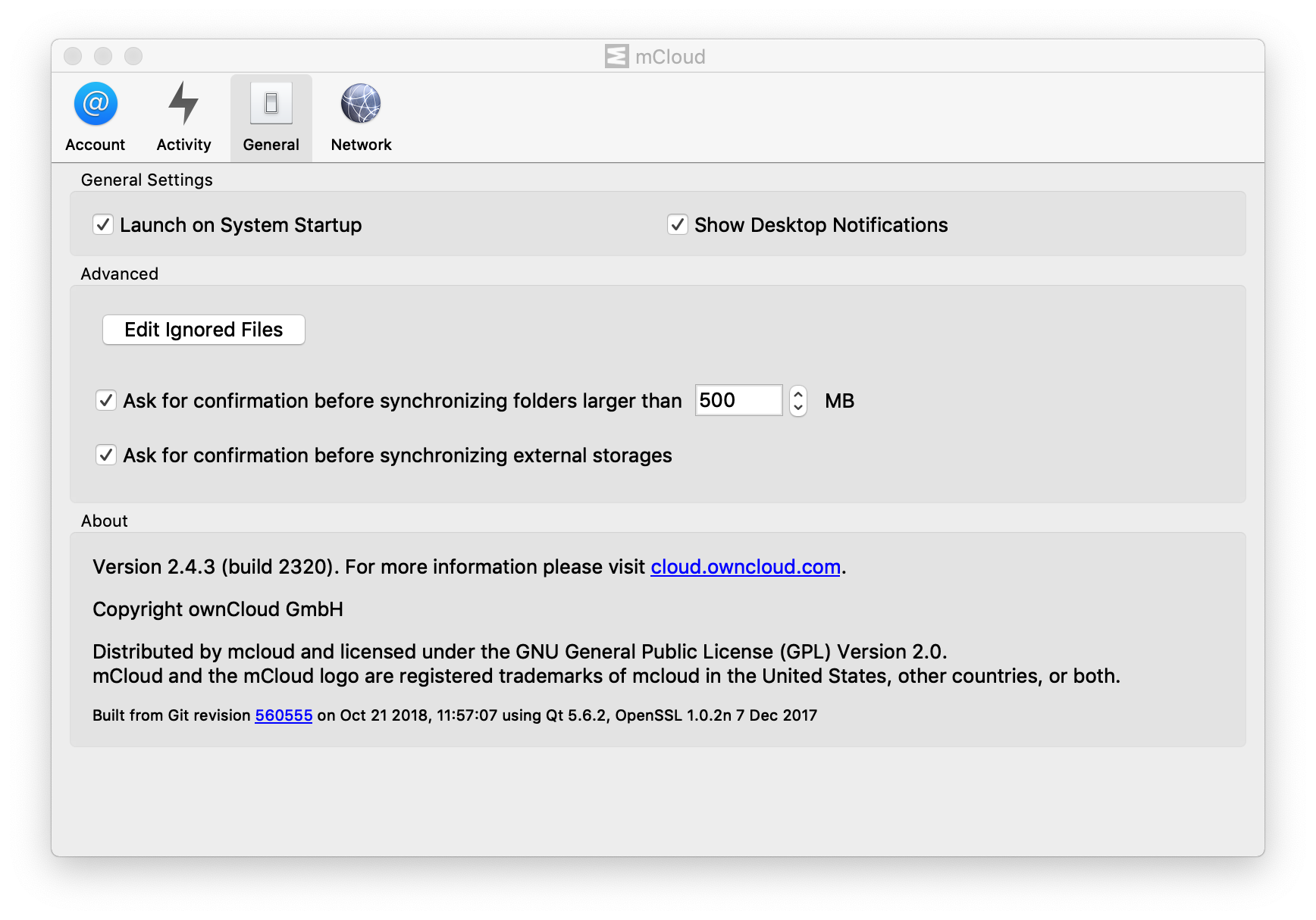
Actual behaviour
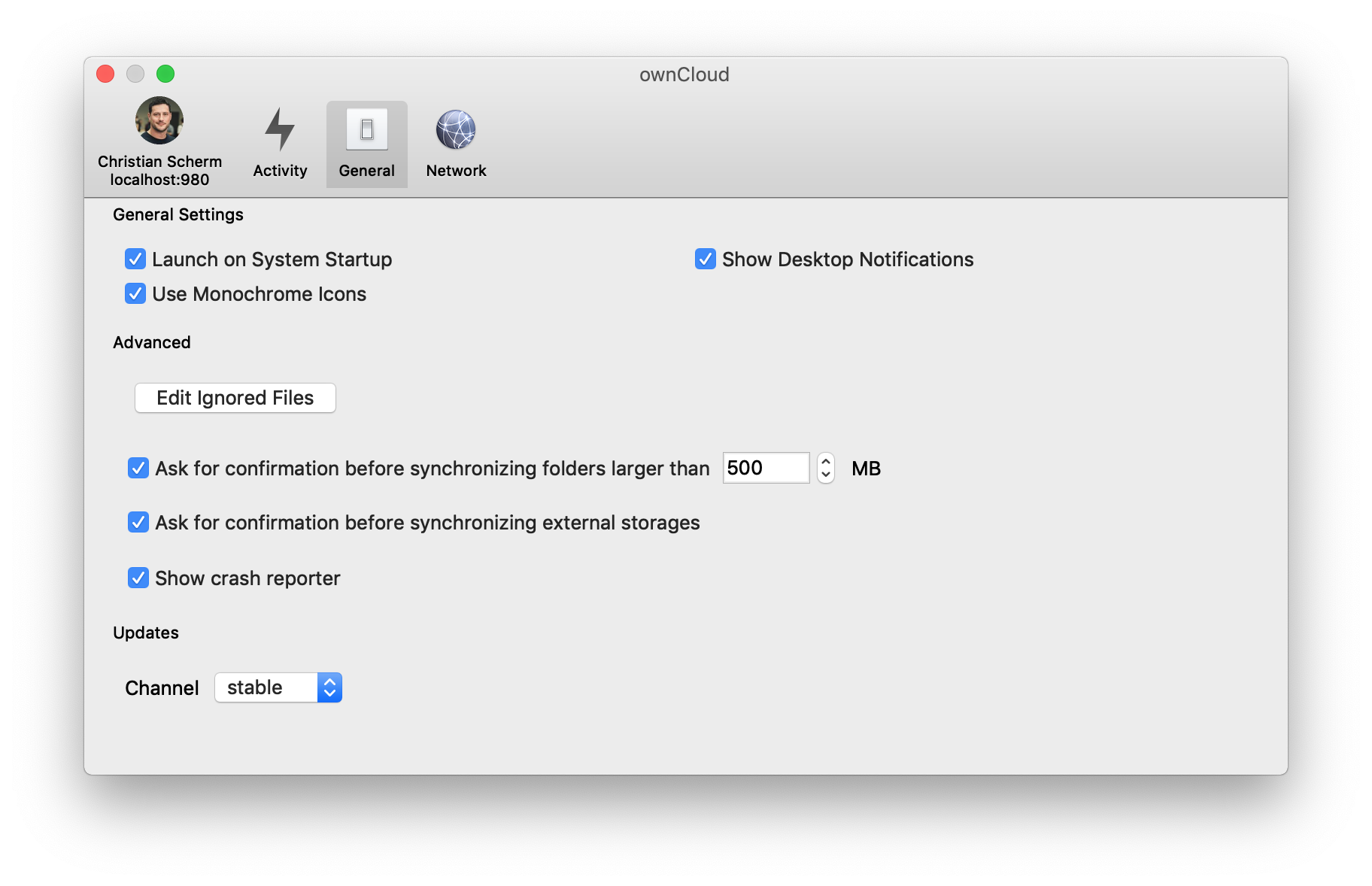
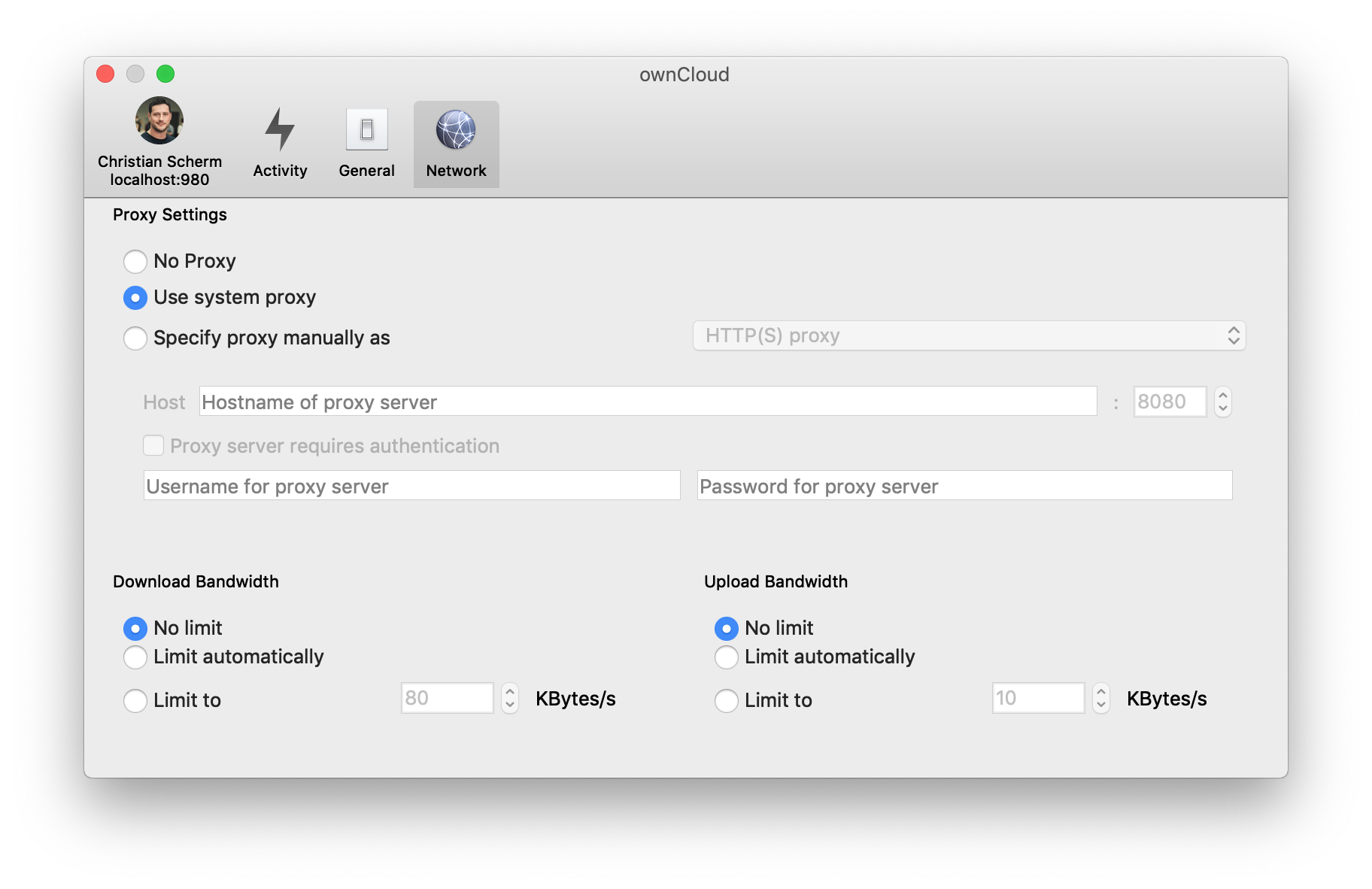
Steps to reproduce
- Install 2.5.1 daily build
- Go to General or Network tab
Client configuration
Client version:
2.5.x
Operating system:
macOS Mojave
OS language:
English
Qt version used by client package (Linux only, see also Settings dialog):
Qt 5.10.1 - ownCloud-2.5.1.10736-daily20181022
@guruz @ogoffart
 ChrisEdS
All 6 comments
The box are still there, for me on linux.
I think that's the style on macOS Mojave
 ogoffart
on 22 Oct 2018
ogoffart
on 22 Oct 2018
But maybe the boxes are gone because that's how mojave's style is.
I mean, maybe the box disappeared from every application.
ogoffart
on 29 Nov 2018
Same system different style:
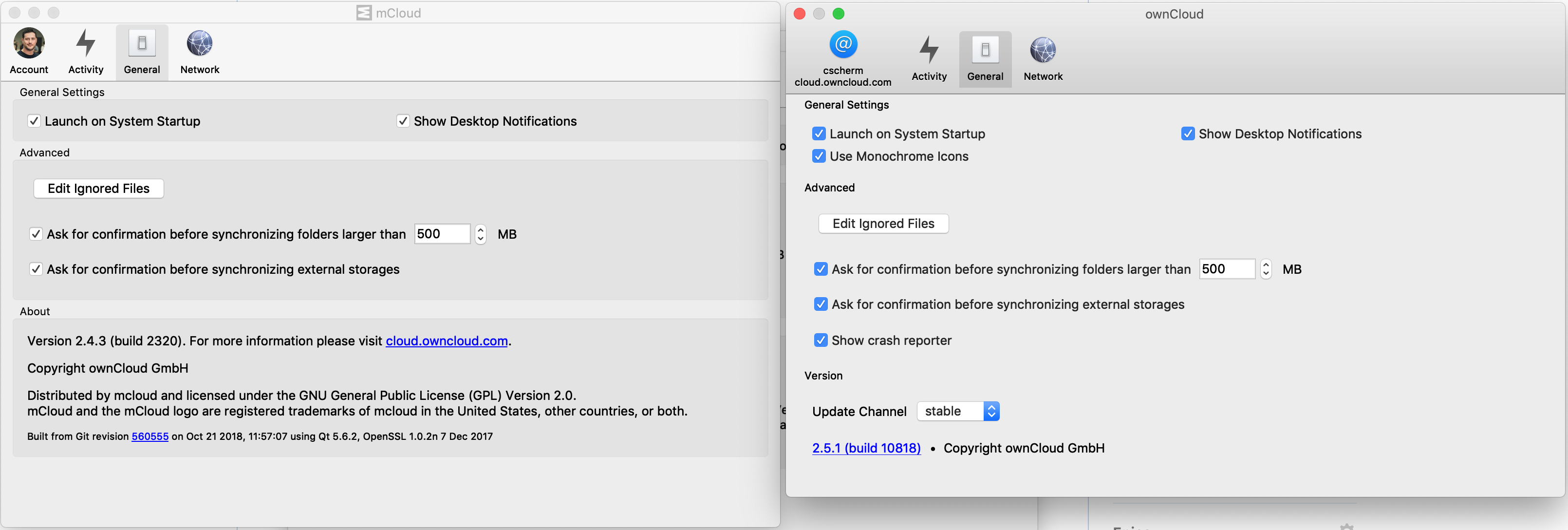
Left: 2.4.3 client from customer.owncloud.com portal | Right: 2.5.1 client from ownCloud
ChrisEdS
on 29 Nov 2018
Boxes come back with Qt 5.12.1:
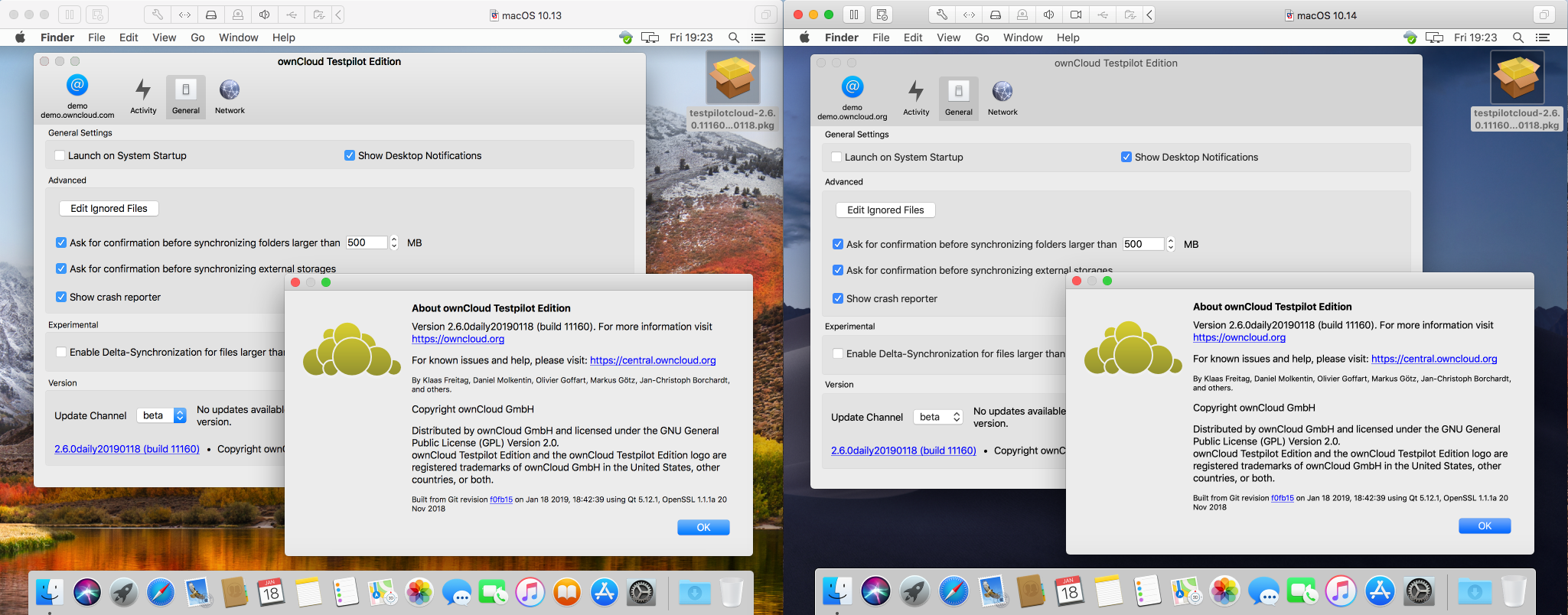
Thanks @dschmidt for building it!
 michaelstingl
on 18 Jan 2019
michaelstingl
on 18 Jan 2019
So.. do we want 5.12.1 with 2.5.3?
This would also help with https://github.com/owncloud/client/issues/6968
 guruz
on 30 Jan 2019
guruz
on 30 Jan 2019
Boxes are back according to comment above and according to https://github.com/owncloud/enterprise/issues/3138#issuecomment-465055091
See discussion regarding dark mode in https://github.com/owncloud/client/issues/7043#issuecomment-465448121
guruz
on 20 Feb 2019
Related issues
 ymakhloufi
·
3Comments
guruz
·
4Comments
ChrisEdS
·
4Comments
ymakhloufi
·
3Comments
guruz
·
4Comments
ChrisEdS
·
4Comments
 jnweiger
·
5Comments
jnweiger
·
5Comments
 tflidd
·
3Comments
tflidd
·
3Comments
Most helpful comment
Boxes come back with Qt 5.12.1:
Thanks @dschmidt for building it!