Cli-microsoft365: New command: `teams report directroutingcalls`
Usage
teams report directroutingcalls [options]
Description
Get details about Direct Routing calls made within a given time period
Options
| Option | Description |
| ----------------------- | ----------------------------------------- |
| --fromDateTime <fromDateTime> | The start of time range to query. UTC, inclusive. |
| --toDateTime [toDateTime] | The end time range to query. UTC, inclusive. Defaults to current DateTime if omitted |
| -o, --output [output] | Output type. json,text. Default text |
| --verbose | Runs command with verbose logging |
| --debug | Runs command with debug logging |
Additional Information
- callRecord: getDirectRoutingCalls: https://docs.microsoft.com/en-us/graph/api/callrecords-callrecord-getpstncalls?view=graph-rest-beta
- Example request:
GET https://graph.microsoft.com/beta/communications/callRecords/getDirectRoutingCalls(fromDateTime=2019-11-01,toDateTime=2019-12-01) - Requires
CallRecords.Read.AllApplication permission
 garrytrinder
All 15 comments
Hi All, I'd like to work on this.
 aakashbhardwaj619
on 25 Aug 2020
aakashbhardwaj619
on 25 Aug 2020
Woot! All yours @aakashbhardwaj619 👏
 waldekmastykarz
on 25 Aug 2020
waldekmastykarz
on 25 Aug 2020
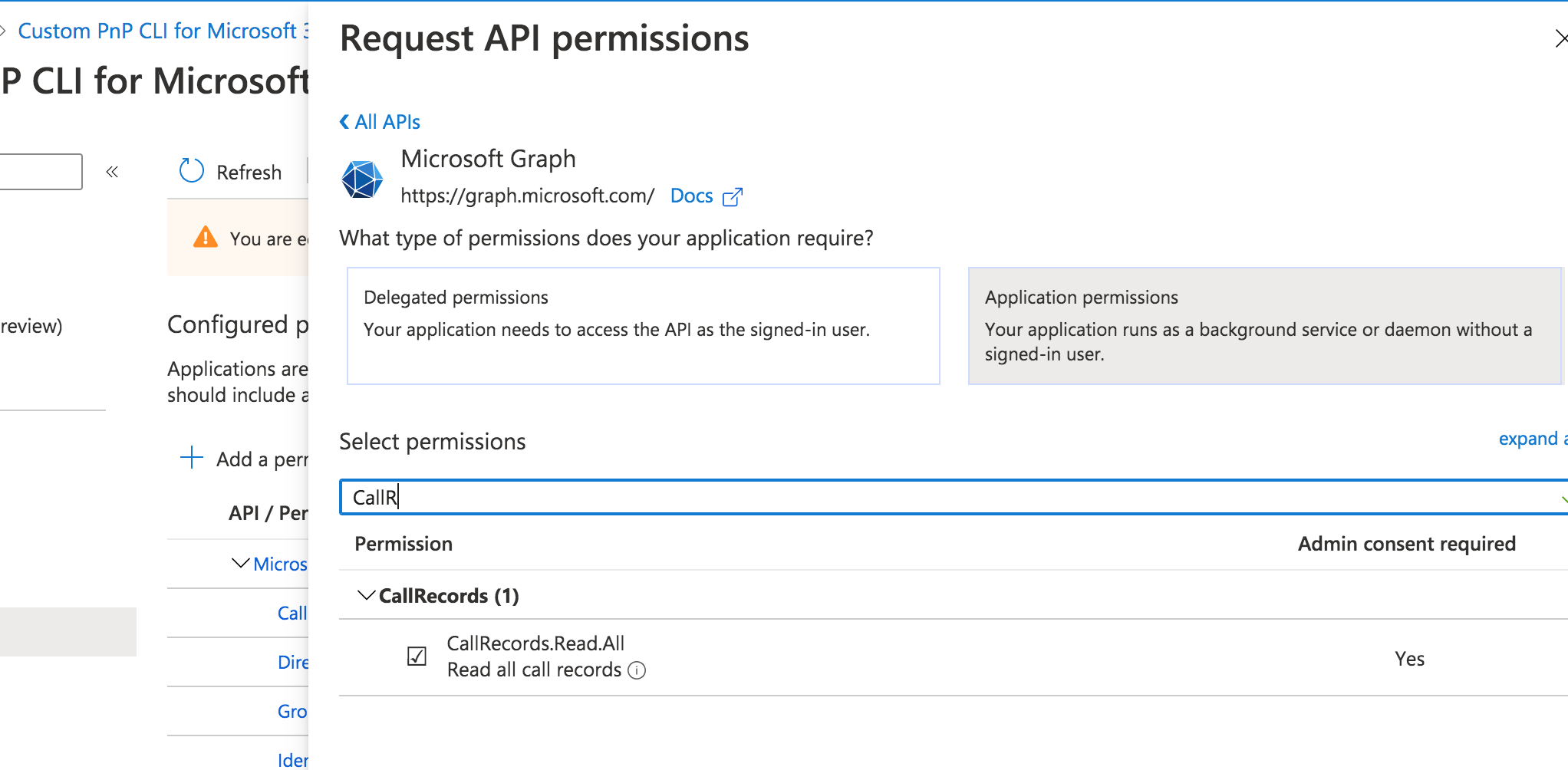
Hi guys! Since this command requires a new permission scope CallRecords.Read.PstnCalls, I was trying it out using a custom AAD app registration in my tenant. But somehow, I can't find this permission scope when trying to grant Graph API permission access. Am I missing something here?
aakashbhardwaj619
on 29 Aug 2020
That would be a good question in the MS Graph docs
waldekmastykarz
on 30 Aug 2020
@aakashbhardwaj619 does it work with CallRecords.Read.All?
Agree with @waldekmastykarz that creating a question issue against the docs is the next step for raising this to the Graph team.
garrytrinder
on 30 Aug 2020
@garrytrinder It doesn't work with CallRecords.Read.All and I get Error: Access token is empty error when running the CLI command.
I just checked in the Graph docs that there is already an issue created for this missing permission scope. https://github.com/microsoftgraph/microsoft-graph-docs/issues/9410
aakashbhardwaj619
on 30 Aug 2020
Thanks for the update @aakashbhardwaj619
I’ve also reached out to the Graph team to see if this can be looked at, referencing the GH issue, this has been acknowledged so hopefully this will be resolved quickly.
Until then, let’s place this issue on hold until we hear of any progress.
garrytrinder
on 1 Sep 2020
Following the closure of https://github.com/microsoftgraph/microsoft-graph-docs/pull/9859 the permission required for this endpoint is now CallRecords.Read.All.
garrytrinder
on 19 Sep 2020
I'll add them to our AAD app after the PR is approved. Until then, during dev, @aakashbhardwaj619 you can use a custom AAD app.
waldekmastykarz
on 21 Sep 2020
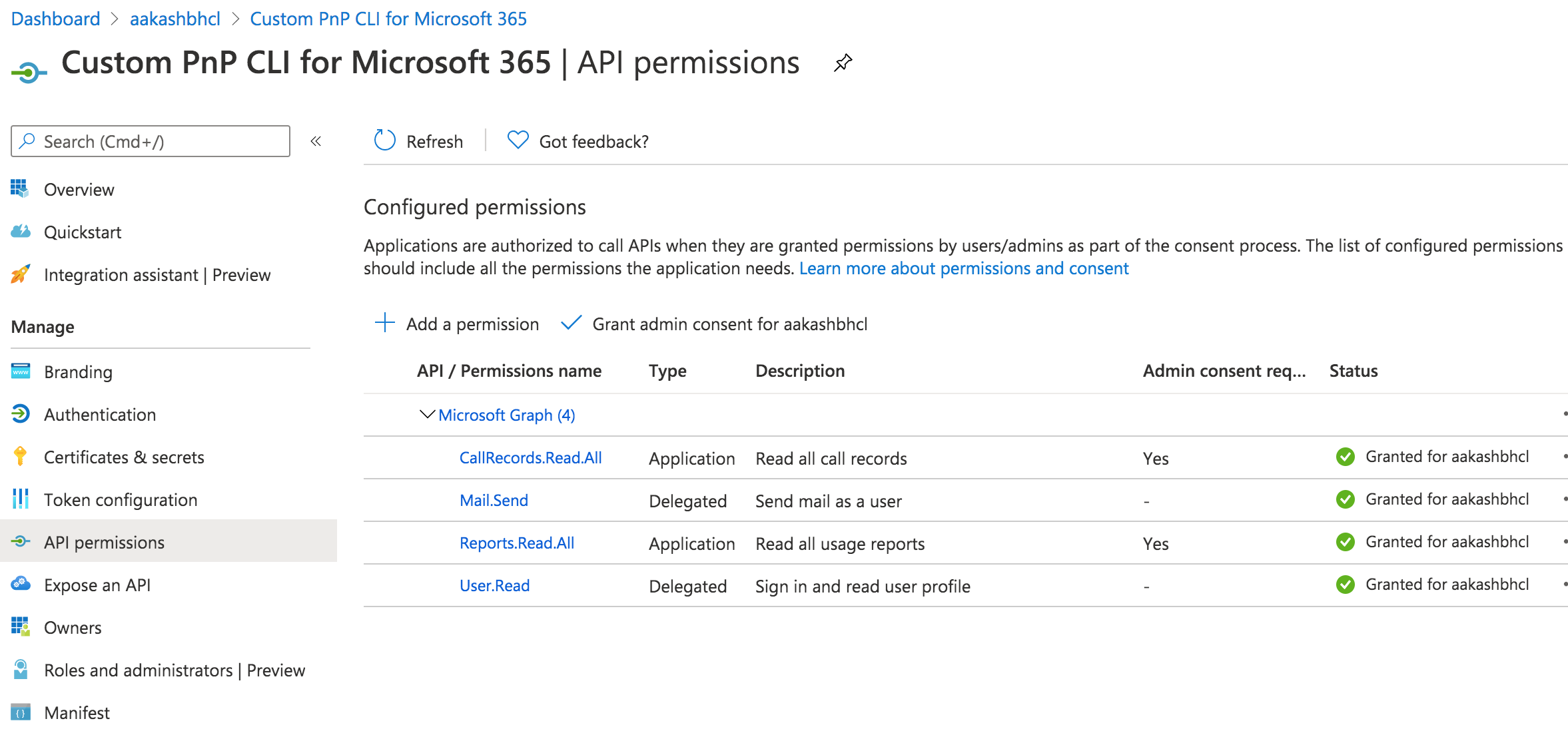
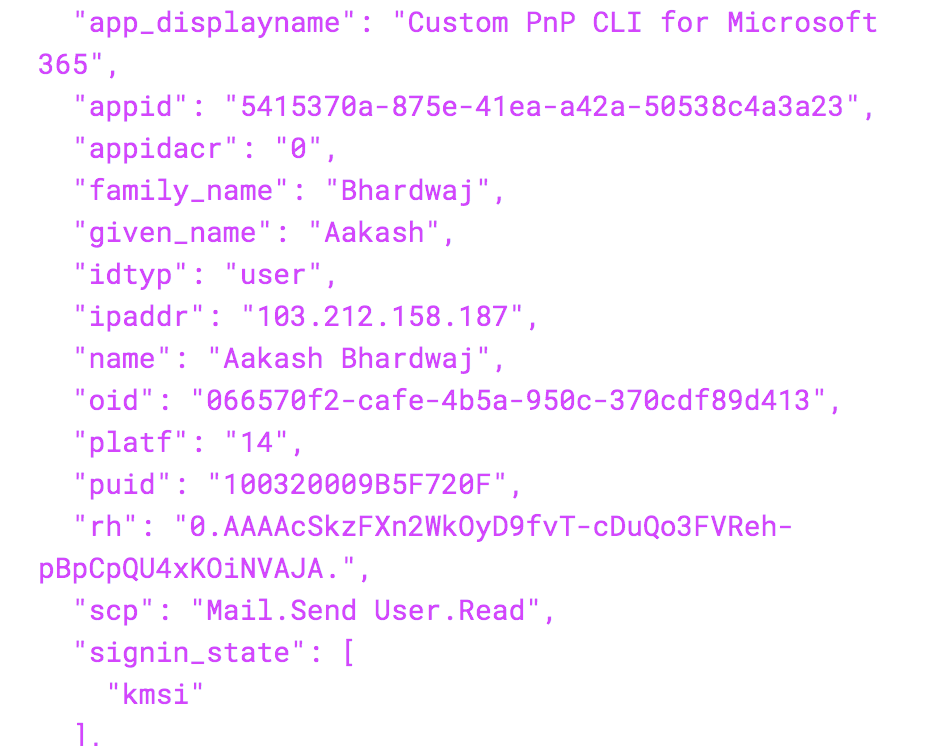
Hi guys, I started working on this command but struggling with getting the appropriate access token. I've granted the CallRecords.Read.All application permission to my custom AAD app but when I try to execute the command, the access token I'm getting does not contain the CallRecords.Read.All scope in the scp value and only has the delegated permission scopes. Could anyone guide me on how to get the application permission scope using the device code flow?
Custom AAD App:
JWT Token:
aakashbhardwaj619
on 2 Oct 2020
You assigned an app-only permission so if you're authenticating with user credentials, that permission won't be included in the token.
waldekmastykarz
on 5 Oct 2020
@aakashbhardwaj619 you will need to authenticate using Certificate auth that uses a Custom Azure AD application that has the relevant app permission assigned to it.
I don't think we have any docs covering that scenario end to end, so something we should consider adding gong forwards.
I've found this article which may be able to help.
garrytrinder
on 7 Oct 2020
Hey @aakashbhardwaj619 👋🏻
How are you getting on with this command?
Feel free to reach out if you have any questions.
garrytrinder
on 22 Dec 2020
Discussed with @aakashbhardwaj619 offline, he's happy to let someone else take this on.
@leeford as discussed, this is all yours, thanks again for your help ❤️
garrytrinder
on 22 Dec 2020
Thank you, will get started 👍
 leeford
on 22 Dec 2020
leeford
on 22 Dec 2020
Related issues
waldekmastykarz
·
3Comments
 arjunumenon
·
3Comments
arjunumenon
·
3Comments
 vineet2907
·
3Comments
vineet2907
·
3Comments
 plamber
·
3Comments
arjunumenon
·
3Comments
plamber
·
3Comments
arjunumenon
·
3Comments
Most helpful comment
Thank you, will get started 👍