Clay: A click on trigger to expand ClayDropDown submits form
Steps to reproduce:
- Add
<form>wrapper to anyClayDropDowntesting environment you have.
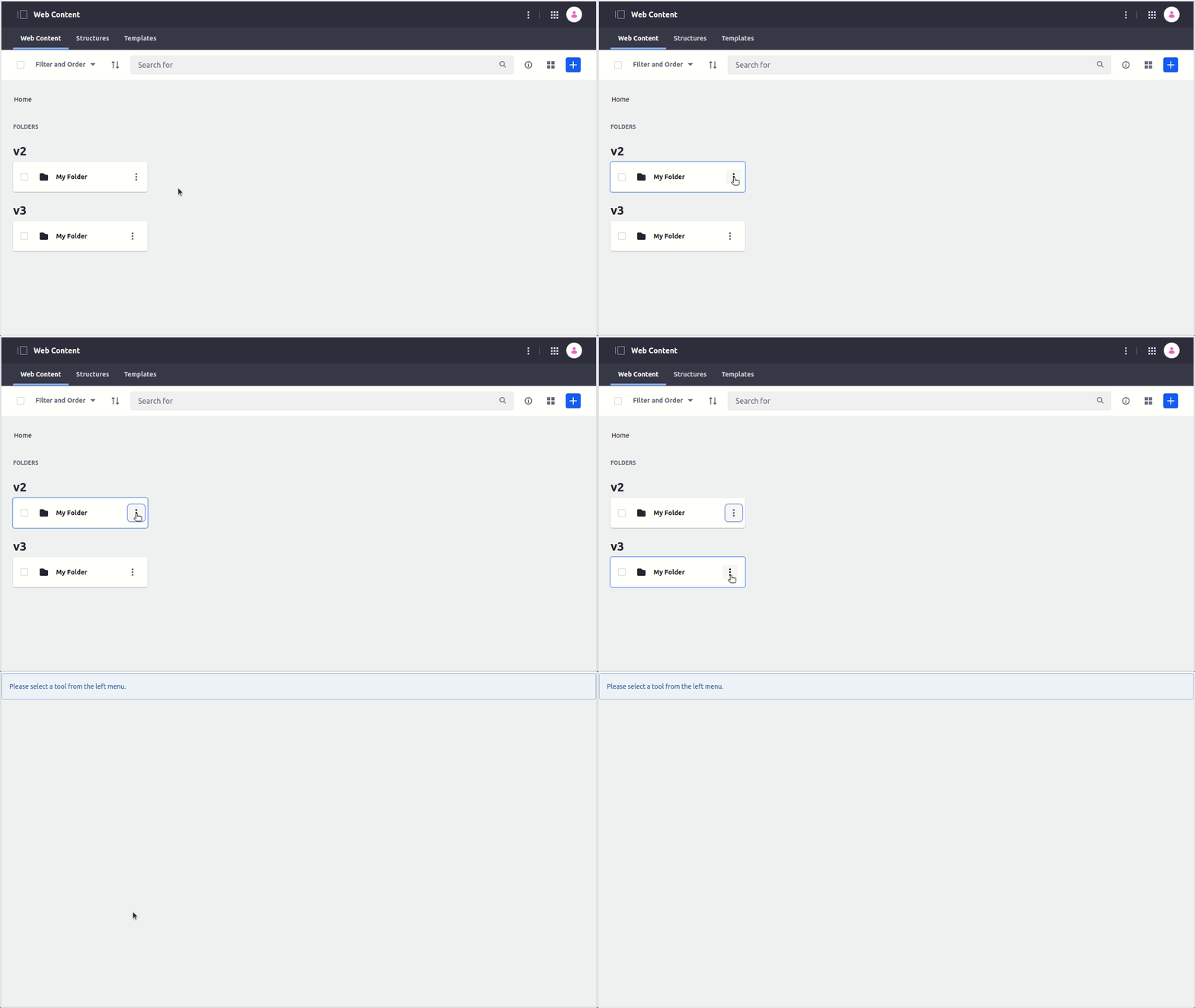
or, to get the case from attached gif:
- Make sure https://github.com/brianchandotcom/liferay-portal/pull/95671 is merged (or take branch). This implements horizontal card based on Clay 3
CardWithHorizontal, which containsClayDropDown. - Change this line from
<clay:horizontal-card-v2>to<clay:horizontal-card>. - Create a new folder in journal-web.
- Click on ellipsis to open dropdown (see gif on bottom).
What is the expected result?
- Click on trigger expands dropdown
What actually happens:
- Click expands dropdown and submits form (see gif on bottom).
Notes:
- This cannot be noticed in storybook as there is no form.
- In Clay 2 component we had this line with
event.preventDefault(), that handled this case. In Clay 3 component, there is no such thing. On click we are just invoking callback. - Solutions I can think of:
- add
event.preventDefault() - pass
eventobject toonActiveChangecallback, so that form interaction can be controlled from top component - use something other than
buttonfor trigger
- add
Environment
| Tech | Version |
| ----- | ------- |
| @clayui/drop-down | v3.8.0 |
| @clayui/card | v3.5.0 |
| React | |
 markocikos
All 5 comments
/cc @julien @carloslancha
markocikos
on 5 Nov 2020
@markocikos thanks for bringing this, I think we don't need to define event.preventDefault() or anything else, I think we can just switch to using <ClayButton/> in <ClayCardWithHorizontal/> it will solve the problem or just set the type to button, without it, a button will trigger the submit form.
 matuzalemsteles
on 5 Nov 2020
matuzalemsteles
on 5 Nov 2020
@matuzalemsteles we probably wouldn't have had this issue if we used ClayButton instead of button since we default the type to "button". 😂 😂 😂
Might be a good opportunity for us to re-evaluate our uses of <button> throughout clay to make sure we always have a default type.
 bryceosterhaus
on 5 Nov 2020
bryceosterhaus
on 5 Nov 2020
@bryceosterhaus yeah 😂, we probably missed something while we were building the components in the beginning and we weren't using our own components 😅 or really some were not yet ready 🤷♂️
matuzalemsteles
on 5 Nov 2020
I will close this. Fixed by #3794 and #3795.
matuzalemsteles
on 11 Nov 2020
Related issues
 drakonux
·
5Comments
bryceosterhaus
·
4Comments
drakonux
·
5Comments
bryceosterhaus
·
4Comments
 joseigor
·
5Comments
bryceosterhaus
·
4Comments
bryceosterhaus
·
5Comments
joseigor
·
5Comments
bryceosterhaus
·
4Comments
bryceosterhaus
·
5Comments