Clarity: DataGrid cells not aligned properly
Select one ... (check one with "x")
[x ] bug
[ ] feature request
[ ] enhancement
Expected behavior
Data in DataGrid should be aligned one below the other
Actual behavior
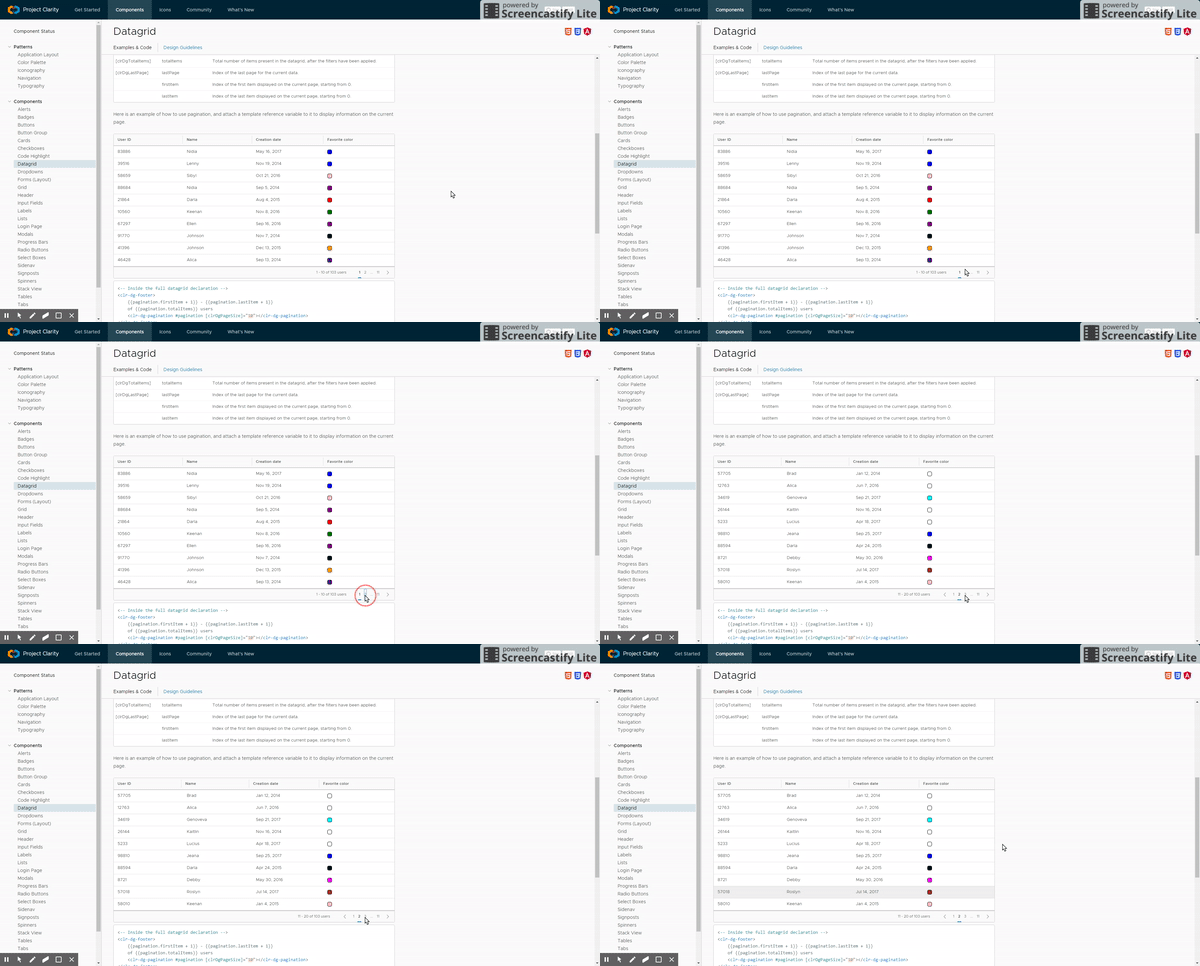
When using clr-dg-pagination and you switch to other page, data in clr-datagrid moves to the right (more, if you have many colomns and the shift is more aparent in the latest columns). Header then does not align with the data in clr-dg-cell. Problem is observable in Google Chrome, IE behaves well.
Reproduction of behavior
It is observable even in your examples: (https://vmware.github.io/clarity/documentation/datagrid/pagination)
Environment details
Angular version: 4.3.0
Clarity version: 0.10.1 (also tried latest 0.10.6)
OS and version:
Browser: [ Chrome 60.0 ]
 koldaman
All 17 comments
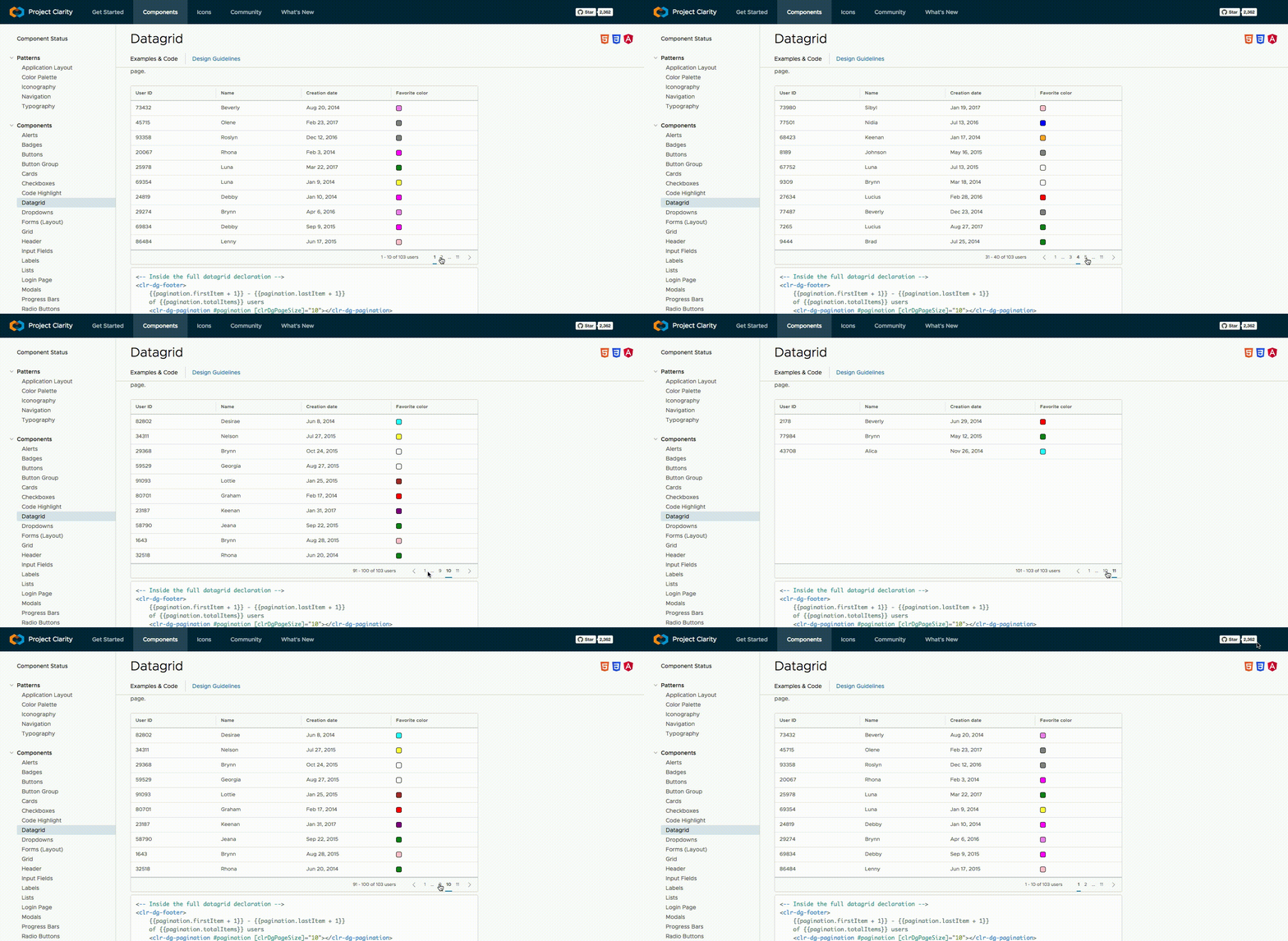
@koldaman: Sorry but I am not able to understand the issue correctly. Could you please provide more details (Plnkr or a Gif)? On our docs pagination page, I don't see any issues with the alignment: https://vmware.github.io/clarity/documentation/datagrid/pagination
Here is the GIF of the docs page in Chrome:
 adityarb88
on 26 Sep 2017
adityarb88
on 26 Sep 2017
Here is my behaviour:
koldaman
on 27 Sep 2017
This appears to be happening only on Chrome 60 and only when scrollbars are visible.
 mathisscott
on 27 Sep 2017
mathisscott
on 27 Sep 2017
Can confirm, this is happening to me too. Pagination messes up the datagrid cell widths. The headers and the normal cells have different widths. Is there any plan to address this issue?
 jayrungta
on 4 Oct 2017
jayrungta
on 4 Oct 2017
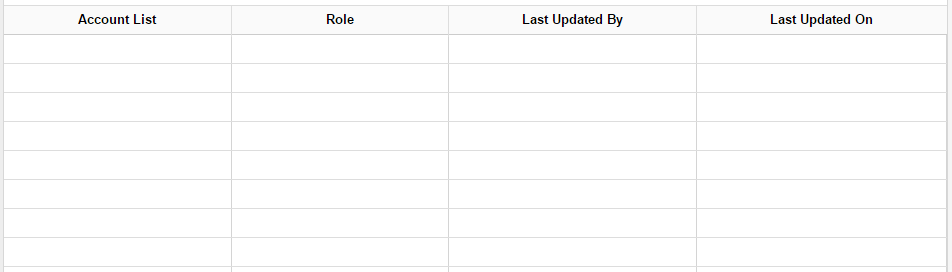
Just to add, this looks especially bad if you add borders to cells:
Before:
After:
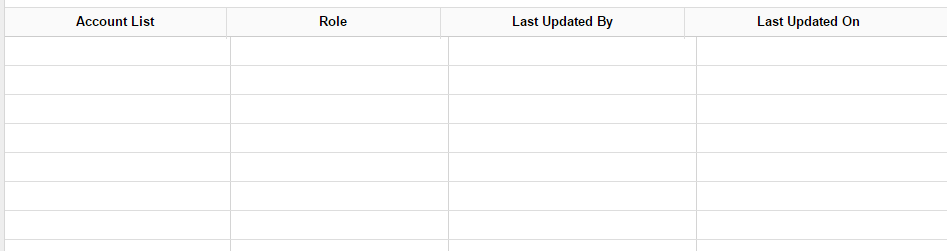
I can't show the data I'm working with, but you get the point. Also, this is not limited to pagination but every time the array containing the datagrid row values is updated.
jayrungta
on 4 Oct 2017
@jayrungta
Thanks for posting more information about your experience with this issue. We have not had time to triage this issue so it has not been moved into our backlog yet.
If someone in the community has time to check this out and give us an idea of why it is happening, It would greatly speed up the resolution of this issue.
As it stands, we will try to triage it when a resource becomes available.
mathisscott
on 4 Oct 2017
@mathisscott My guess is that this has something to do with the scroll bar and how a padding is added to the header row whenever there is a scroll bar (even though this is happening for me even when there is no scroll bar). That's because you can see that only the header row is moving slightly to the left, like it's making room for something at the end.
Hope you get to triage this soon, as this is a very glaring issue in my project.
jayrungta
on 4 Oct 2017
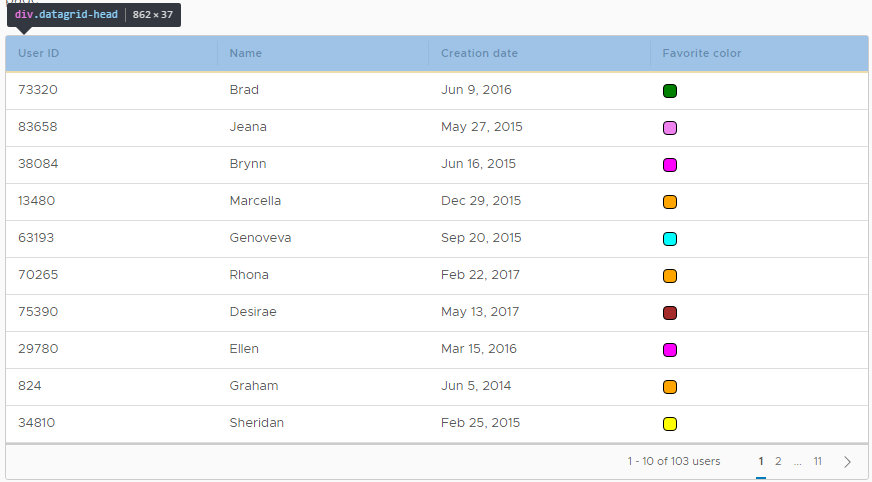
@mathisscott OK my guess was right, I used the Chrome Dev Tools to check for the padding on the Clarity Datagrid page:
Initially:
After changing the page:
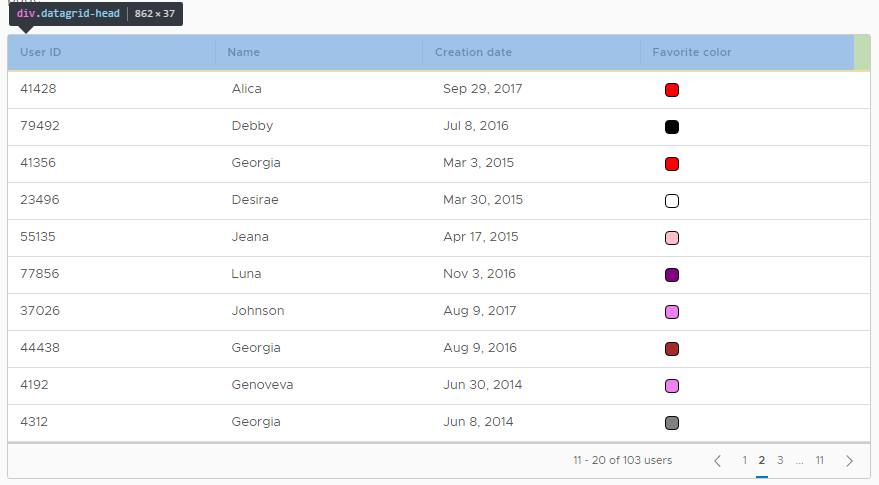
A padding of 16px is being added to the header row even when there is no scroll bar. Seems like a bug for sure.
jayrungta
on 4 Oct 2017
Was just looking into this issue and I found that whenever a page is changed, the scrollbar appears for a moment and then disappears again:
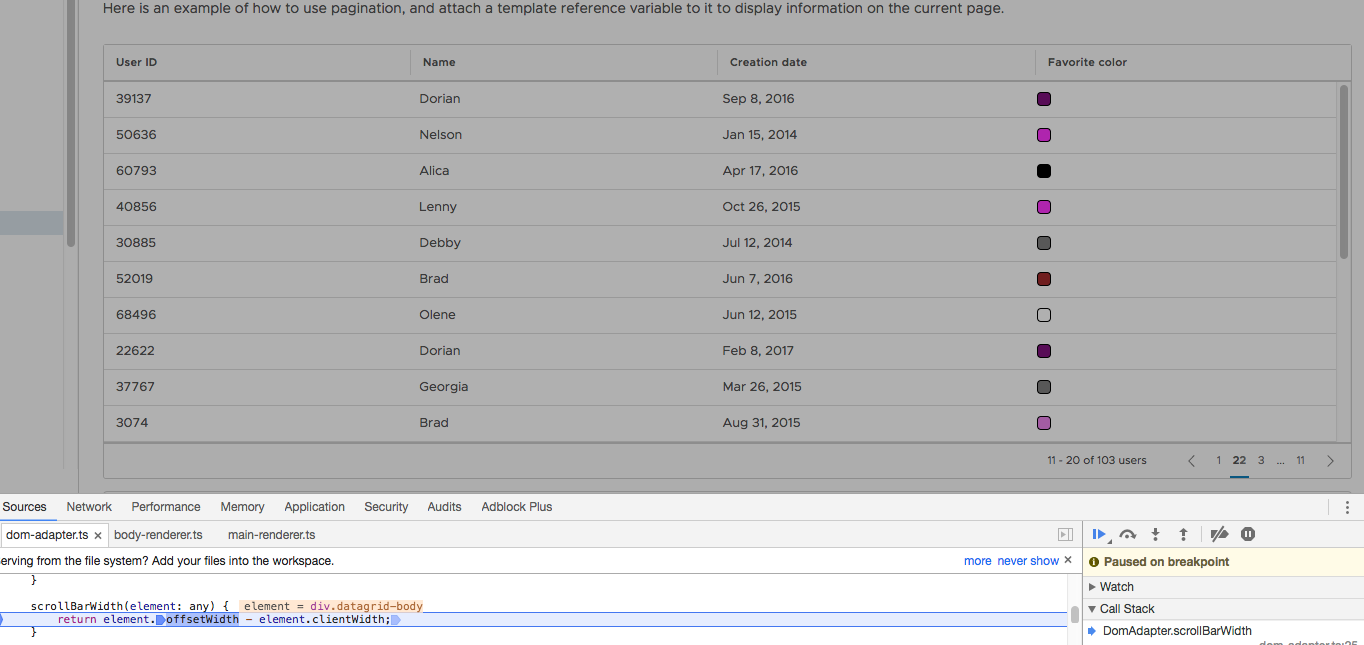
The scrollbar width is calculated when the scrollbar is visible and then added the to datagrid header.
adityarb88
on 4 Oct 2017
The scrollbar is visible for a small amount of time because the items on the page contain more elements than the page size (The previous page's elements remain):
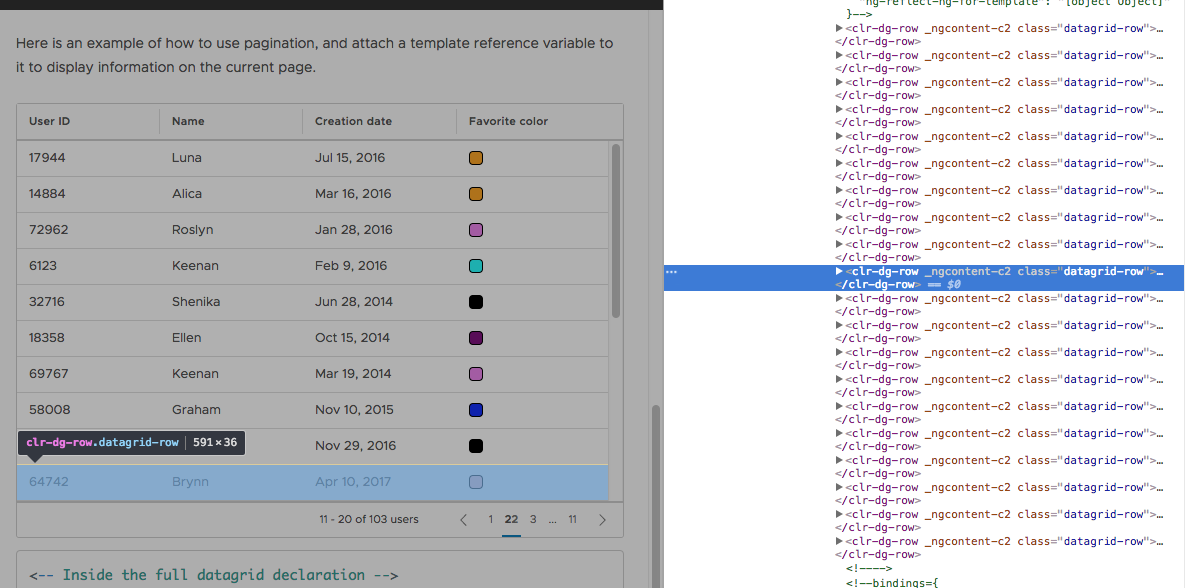
In the image above instead of 10 items there are 20.
adityarb88
on 4 Oct 2017
Wow that's a really good catch. Is this due to the Angular change detector, or something to do with Clarity?
jayrungta
on 5 Oct 2017
@adityarb88 Hi Aditya, is there any timeline by which this issue is going to be addressed?
jayrungta
on 17 Oct 2017
@jayrungta: No ETA yet. We are working on a fix for this.
adityarb88
on 17 Oct 2017
Thank you @adityarb88 !
jayrungta
on 19 Oct 2017
@jayrungta: Just a heads up. This has not been released yet but the fix has been merged into master. It will be released soon.
adityarb88
on 19 Oct 2017
@adityarb88 that's good enough for me. Thanks again.
jayrungta
on 24 Oct 2017
Hi there 👋, this is an automated message. To help Clarity keep track of discussions, we automatically lock closed issues after 14 days. Please look for another open issue or open a new issue with updated details and reference this one as necessary.
![github-actions[bot] picture](https://avatars.githubusercontent.com/in/15368?v=4&s=40) github-actions[bot]
on 10 Oct 2020
github-actions[bot]
on 10 Oct 2020
Related issues
 elesueur
·
3Comments
elesueur
·
3Comments
 yandong01
·
3Comments
yandong01
·
3Comments
 srikanthps
·
3Comments
srikanthps
·
3Comments
 ChrisKaun
·
3Comments
ChrisKaun
·
3Comments
 ph55
·
3Comments
ph55
·
3Comments