Ckeditor5: Custom attribute typed by user from input text
📝 Description
Hey there! I dont know if this is the right section to ask it but I am working with a custom build in Ckeditor5, I added a plugin that adds a span tag in any text selected by the user. I want to add a custom tooltip attribute to this span tag when the user clicks on the plugin's button.
_How the feature works now and what you'd like to change_?
I got to show an input text when the user clicks the button, but my problem is when the user types the attribute. When the user click on the plugin and types the custom attribute I got this:
<span style="color:red;" tooltip="">Sample</span>
and I expected something like:
<span style="color:red;" tooltip="attribute typed by user">Sample</span>
I don't know if it is possible in CkEditor5, if someone knows, it will be great.
 ErikGarfia
All 10 comments
Hi, it's difficult to say why it doesn't behave as expected without knowing details about your implementation. Could you describe how you handle your custom plugin and provide some code examples?
 Mgsy
on 28 Aug 2020
Mgsy
on 28 Aug 2020
Yeah, first at all I have this custom plugin from ClassicEditor
ClassicEditor.builtinPlugins = [
        ....
        ....
    SmallCaps,
];
and I custom the attribute here
schema.extend( '$text', { allowAttributes: [SMALL_CAPS, 'tooltip'] } );

        editor.conversion.attributeToElement( {
            model: SMALL_CAPS,
            view: {
                name: 'span',
                styles: {
                    'color': 'red',
                },
                              //classValue is typed by the user in the input text
                attributes: {'tooltip': classValue },
            },
        } );

        editor.commands.add( SMALL_CAPS, new SmallCapsCommand( editor, SMALL_CAPS ) );
and this is my ui
editor.ui.componentFactory.add( 'smallCaps', locale => {
            const command = editor.commands.get( SMALL_CAPS );
            var view = new ButtonView( locale );

            view.set( {
                label: 'Small caps',
                icon: smallCapsIcon,
                tooltip: true,
                class: 'small-caps',
            } );

            //this is the input text that appears when the user clicks on plugin's botton
            view.on('execute', () =>{
                classValue = prompt( 'types the value of classValue' );
            });


            view.bind( 'isOn', 'isEnabled' ).to( command, 'value', 'isEnabled' );

            this.listenTo( view, 'execute', () => {
                editor.execute( SMALL_CAPS )
            } );
            return view;
        } );
on my view, I have a Sample label with this html tag:
<h2>Sample</h2>
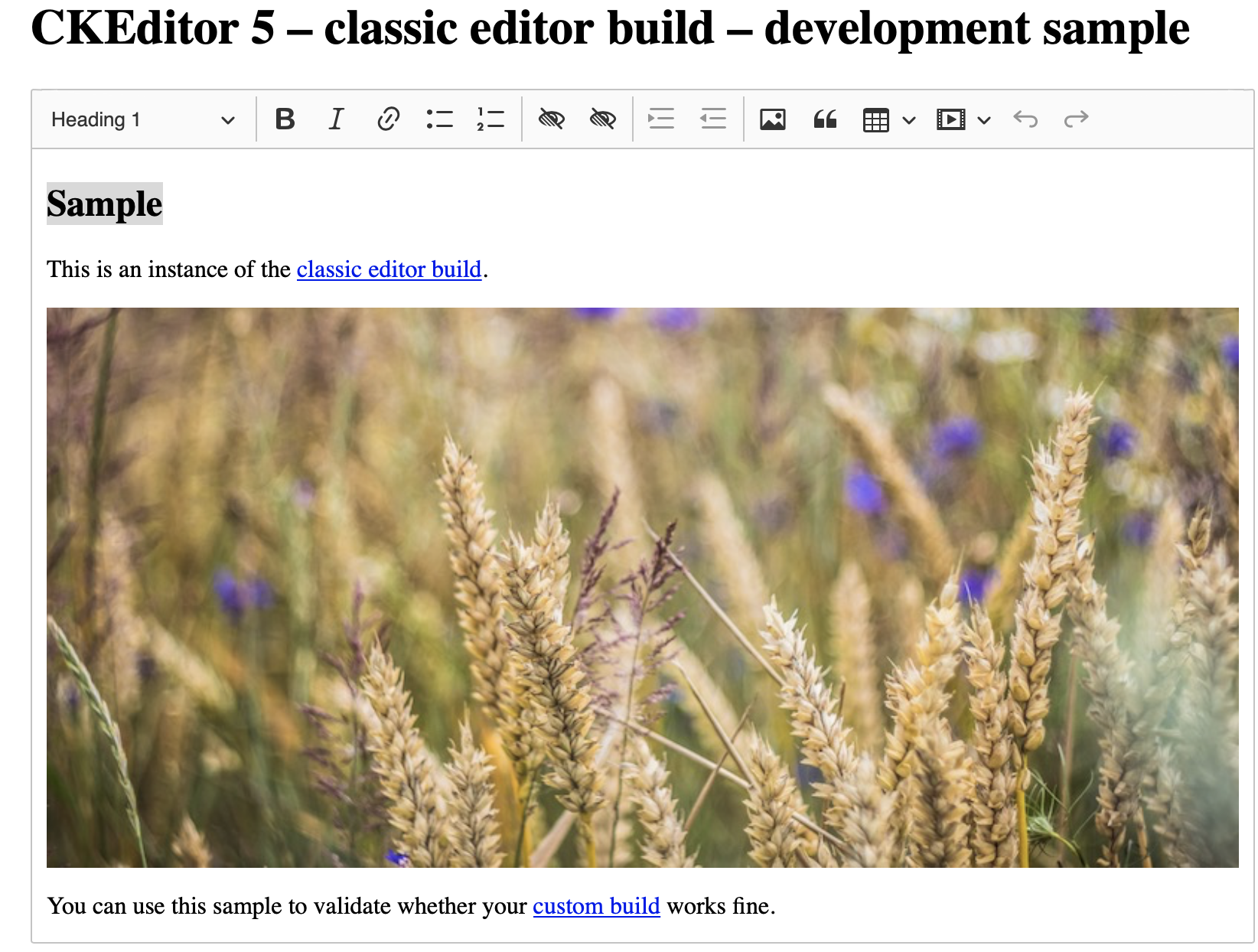
when I press the plugin icon on my view, it shows a prompt where the users types the custom attribute to tooltip, but the only function that my plugin does is to change the Sample html tag to:
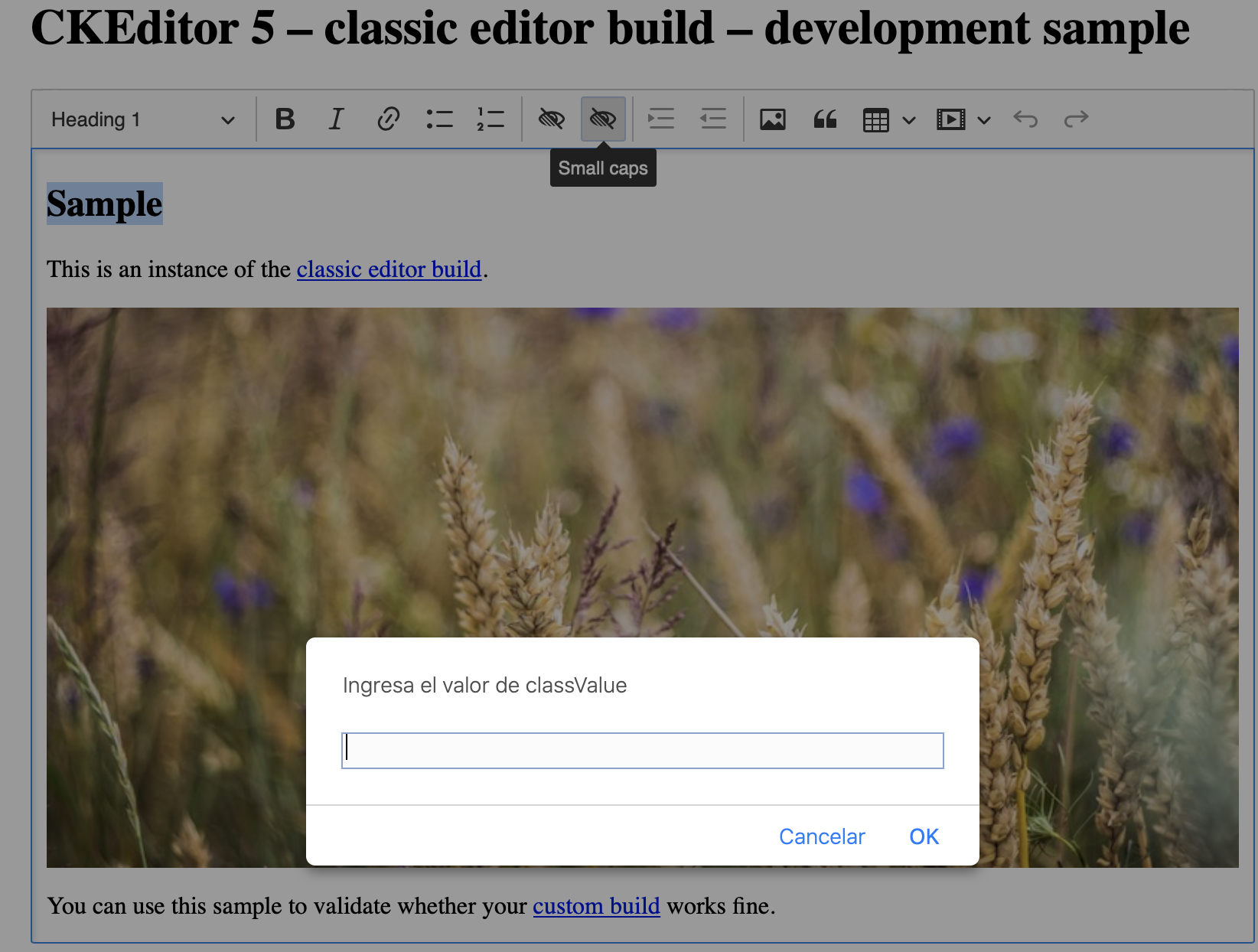
<span style="color:red;" tooltip=" ">Sample</span>
tooltip should have the value that the user typed in the input. I want to do something like the Image alternative Text plugin but in text
Thank you for your answer
ErikGarfia
on 28 Aug 2020
I don't know how your command looks like, however
view.on('execute', () =>{
    classValue = prompt( 'types the value of classValue' );
});
is a place where it should be executed. There's no need to additionally listen on button execution.
Based on your code, you can simply use Writer to add a proper attribute to the selected text. Here is a simple code example:
view.on('execute', () =>{
    classValue = prompt( 'types the value of classValue' );

    editor.model.change( writer => {
        const range = editor.model.document.selection.getFirstRange();

        writer.setAttribute( SMALL_CAPS, classValue, range );
    } );
} );
Apart from that, I can see that your conversion isn't correct and some cases might not be covered. I recommend splitting the conversion to downcast and upcast and make those more precise. See below:
editor.conversion.for( 'upcast' ).elementToAttribute( {
        view: {
            name: 'span',
            attributes: {
                tooltip: true
            }
        },
        model: {
                key: SMALL_CAPS,
                value: ( viewElement, { writer } ) => {
                    return viewElement.getAttribute( 'tooltip' );
                }
        }
} );

editor.conversion.for( 'downcast' ).attributeToElement( {
        model: SMALL_CAPS,
        view: ( attributeValue, { writer } ) => {
            return writer.createAttributeElement( 'span', { style: 'color:red', tooltip: attributeValue } );
        }
} );
After the above changes, your plugin should work properly.
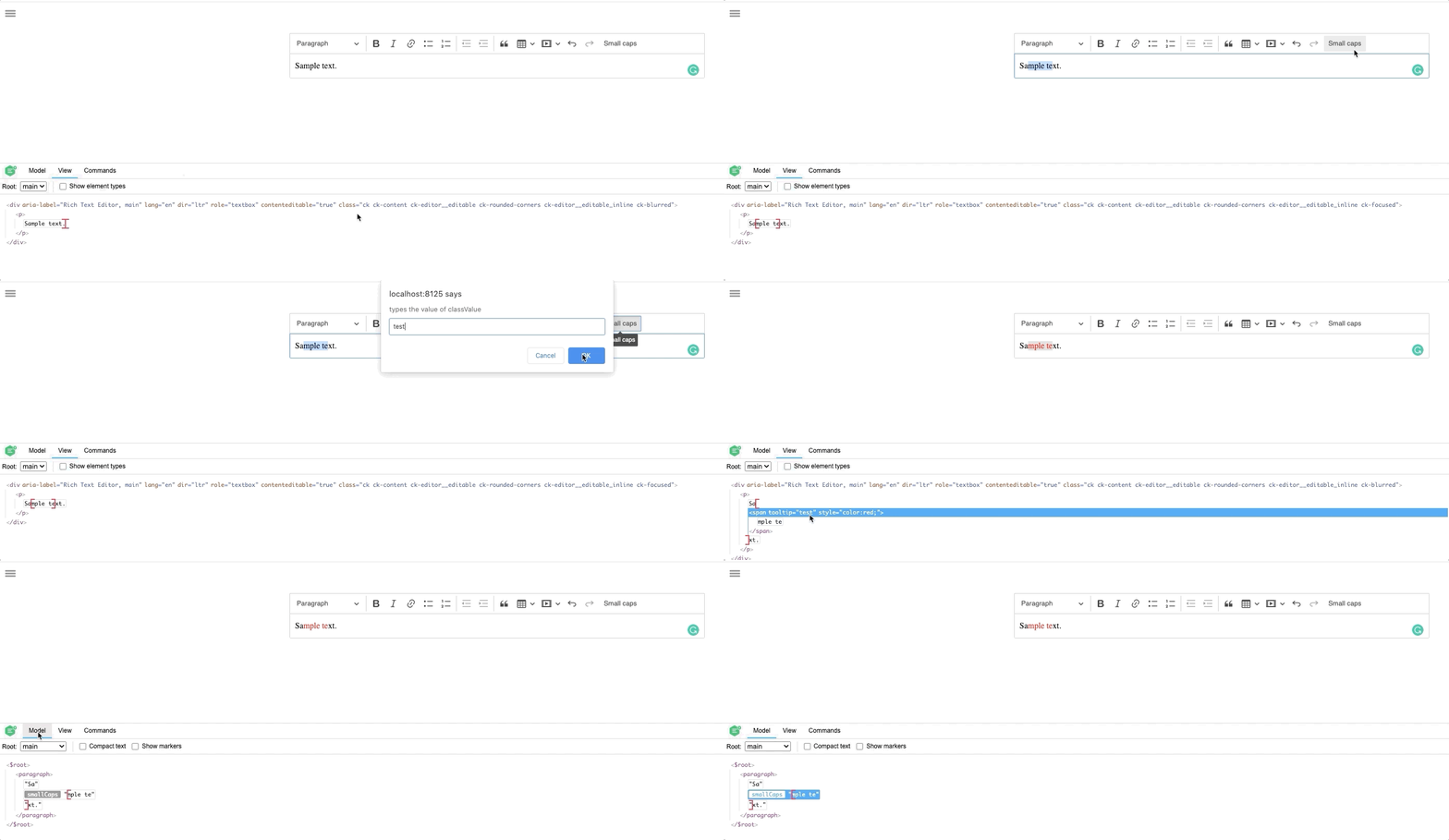
Mgsy
on 3 Sep 2020
Thanks!
I could solve my problem adding this:
` view.on('execute', () => {
            editor.conversion.attributeToElement({
                model: SMALL_CAPS,
                view: {
                    name: 'tooltip',
                    styles: {
                        'color': 'blue',
                    },
                    attributes: {
                        'text': prompt('Add an attribute')
                    },

                },

            });

        });`
but I will improve you solution to have a better code.
Thanks for your time!
ErikGarfia
on 3 Sep 2020
Great that you managed to solve your issue :) However, be aware that your conversion might not work if you'll load your <span> element to the editor initial content.
Mgsy
on 3 Sep 2020
Yeah, You had reason, @Mgsy :(( now I am having problems to keep the selected text style.
I change my code to have a better conversion but now my problem is that the prompt appears as soon as I reload the page instead of appearing when the user click on the plugins Botton, this is my new code
Small Caps Editing
export class SmallCapsEditing extends Plugin {
    init() {
        const editor = this.editor;
        const schema = editor.model.schema;
        const t = editor.t;

        schema.extend('$text', {
            allowAttributes: [SMALL_CAPS, 'tooltip', 'id']
        });
        editor.conversion.attributeToElement({
            model: SMALL_CAPS,
            view: {
                name: 'tooltip',
                styles: {
                    'color': 'blue',
                },
                attributes: {
                    'text': prompt('Add a tooltip')
                },

            },
            upcastAlso: [{
                styles: {
                    'color': 'blue'
                }
            }]
        });
        editor.commands.add(SMALL_CAPS, new SmallCapsCommand(editor, SMALL_CAPS));
    }
}
Small Caps UI
export class SmallCapsUi extends Plugin {
    init() {
        const editor = this.editor;

        editor.ui.componentFactory.add('smallCaps', locale => {
            const command = editor.commands.get(SMALL_CAPS);
            var view = new ButtonView(locale);

            view.set({
                label: 'Tooltips',
                icon: smallCapsIcon,
                tooltip: true,
                class: 'small-caps',
            });


            view.bind('isOn', 'isEnabled').to(command, 'value', 'isEnabled');

            this.listenTo(view, 'execute', () => {
                editor.execute(SMALL_CAPS)
            });
            return view;
        });

    }
}
Small Caps Command
export default class SmallCapsCommand extends Command {
    constructor(editor, attributeKey) {
        super(editor);

        this.attributeKey = attributeKey;
    }

    /**
     * @inheritDoc
     */
    refresh() {
        const model = this.editor.model;
        const doc = model.document;

        this.value = this._getValueFromFirstAllowedNode();
        this.isEnabled = model.schema.checkAttributeInSelection(doc.selection, this.attributeKey);
    }

    execute(options = {}) {
        const model = this.editor.model;
        const doc = model.document;
        const selection = doc.selection;
        const value = (options.forceValue === undefined) ? !this.value : options.forceValue;

        model.change(writer => {
            if (selection.isCollapsed) {
                if (value) {
                    writer.setSelectionAttribute(this.attributeKey, true);
                } else {
                    writer.removeSelectionAttribute(this.attributeKey);
                }
            } else {
                const ranges = model.schema.getValidRanges(selection.getRanges(), this.attributeKey);

                for (const range of ranges) {
                    if (value) {
                        writer.setAttribute(this.attributeKey, value, range);
                    } else {
                        writer.removeAttribute(this.attributeKey, range);
                    }
                }
            }
        });
    }

    _getValueFromFirstAllowedNode() {
        const model = this.editor.model;
        const schema = model.schema;
        const selection = model.document.selection;

        if (selection.isCollapsed) {
            return selection.hasAttribute(this.attributeKey);
        }

        for (const range of selection.getRanges()) {
            for (const item of range.getItems()) {
                if (schema.checkAttribute(item, this.attributeKey)) {
                    return item.hasAttribute(this.attributeKey);
                }
            }
        }

        return false;
    }
}
I guess the prompt shouldn't be in Small Caps Editing but I am not so sure how to implement it
ErikGarfia
on 4 Sep 2020
@ErikGarfia to answer your latest question. You can't have prompt in converter code. The prompt value could be used in the UI button to get and then passed to a command as a value.
Basically here: this.listenTo(view, 'execute', () => {.
 jodator
on 7 Sep 2020
jodator
on 7 Sep 2020
ok ok @jodator I rewrite my code and I think I got a better code and it works but I am not so sure how to pass the value that the user types on the prompt
UI
editor.ui.componentFactory.add('smallCaps', locale => {
            const command = editor.commands.get(SMALL_CAPS);
            var view = new ButtonView(locale);
            view.set({
                label: 'Tooltips',
                icon: smallCapsIcon,
                tooltip: true,
                class: 'small-caps',
            });

            view.on('execute', () => {
                swal.fire({
                        input: 'text',
                        inputPlaceholder: 'Add a toolt'
                    })
                    .then(result => {
                        if (result.value) {
            //this is the value that the user typed
                const tooltipAttribute = result.value;
                //I am not so sure about this part
                            editor.model.change(writer => {
                                console.log(tooltipAttribute);
                                const tooltip = writer.setAttributes({ 'color': 'blue', 'text': tooltipAttribute }, 'tooltip')
                                editor.model.insertContent(tooltip, editor.model.document.selection);
                            });
                        }
                    })
            });
            view.bind('isOn', 'isEnabled').to(command, 'value', 'isEnabled');
            return view;
        });
Editing
export class SmallCapsEditing extends Plugin {
    init() {
        const editor = this.editor;
        const schema = editor.model.schema;
        const t = editor.t;

        schema.extend('$text', {
            allowAttributes: [SMALL_CAPS, 'tooltip', 'id', 'text']
        });
        editor.conversion.attributeToElement({
            model: SMALL_CAPS,
            key: 'tooltip',
            view: {
                name: 'tooltip',
                styles: {
                    'color': 'blue',
                },
                attributes: {
                   //this is the value that I want to get from the prompt, the value is typed by the user
                    'text': 'attribute'
                }
            },
        });
        editor.commands.add(SMALL_CAPS, new SmallCapsCommand(editor, SMALL_CAPS));
    }
}
Command
export default class SmallCapsCommand extends Command {
    constructor(editor, attributeKey) {
        super(editor);

        this.attributeKey = attributeKey;
    }

    /**
     * @inheritDoc
     */
    refresh() {
        const model = this.editor.model;
        const doc = model.document;

        this.value = this._getValueFromFirstAllowedNode();
        this.isEnabled = model.schema.checkAttributeInSelection(doc.selection, this.attributeKey);
    }

    execute(options = {}) {
        const model = this.editor.model;
        const doc = model.document;
        const selection = doc.selection;
        const value = (options.forceValue === undefined) ? !this.value : options.forceValue;

        model.change(writer => {
            if (selection.isCollapsed) {
                if (value) {
                    writer.setSelectionAttribute(this.attributeKey, true);
                } else {
                    writer.removeSelectionAttribute(this.attributeKey);
                }
            } else {
                const ranges = model.schema.getValidRanges(selection.getRanges(), this.attributeKey);

                for (const range of ranges) {
                    if (value) {
                        writer.setAttribute(this.attributeKey, value, range);
                    } else {
                        writer.removeAttribute(this.attributeKey, range);
                    }
                }
            }
        });
    }

    _getValueFromFirstAllowedNode() {
        const model = this.editor.model;
        const schema = model.schema;
        const selection = model.document.selection;

        if (selection.isCollapsed) {
            return selection.hasAttribute(this.attributeKey);
        }

        for (const range of selection.getRanges()) {
            for (const item of range.getItems()) {
                if (schema.checkAttribute(item, this.attributeKey)) {
                    return item.hasAttribute(this.attributeKey);
                }
            }
        }

        return false;
    }
}
It drives me crazy, I have tried all the writer methods that the documentation says but it doesn't work
ErikGarfia
on 7 Sep 2020
const tooltipAttribute = result.value;

editor.execute( 'smallCaps', { value: tooltpAttribute } );
// or
command.exectue( { value: tooltipAttribute } );
Something like above :pointmd5-e247ca24dad4ca137dbdc2c2e5e37aedup:. You can read more about commands here. This article describes how we wire things up. But basically, the code that modifies model (content) goes to Command. UI or other user interaction uses commands to execute that logic.
jodator
on 7 Sep 2020
thanks, it is fixed!
ErikGarfia
on 8 Sep 2020
Related issues
 pomek
·
3Comments
pomek
·
3Comments
 msamsel
·
3Comments
msamsel
·
3Comments
 wwalc
·
3Comments
wwalc
·
3Comments
 pandora-iuz
·
3Comments
pandora-iuz
·
3Comments
 PaulParker
·
3Comments
PaulParker
·
3Comments