Ckeditor5: Create a custom link button
How i can create a custom link button for a CMS implementation?
 joachimdoerr
All 14 comments
What do you mean? What do you want it to do?
cc @oleq
 Reinmar
on 4 May 2018
Reinmar
on 4 May 2018
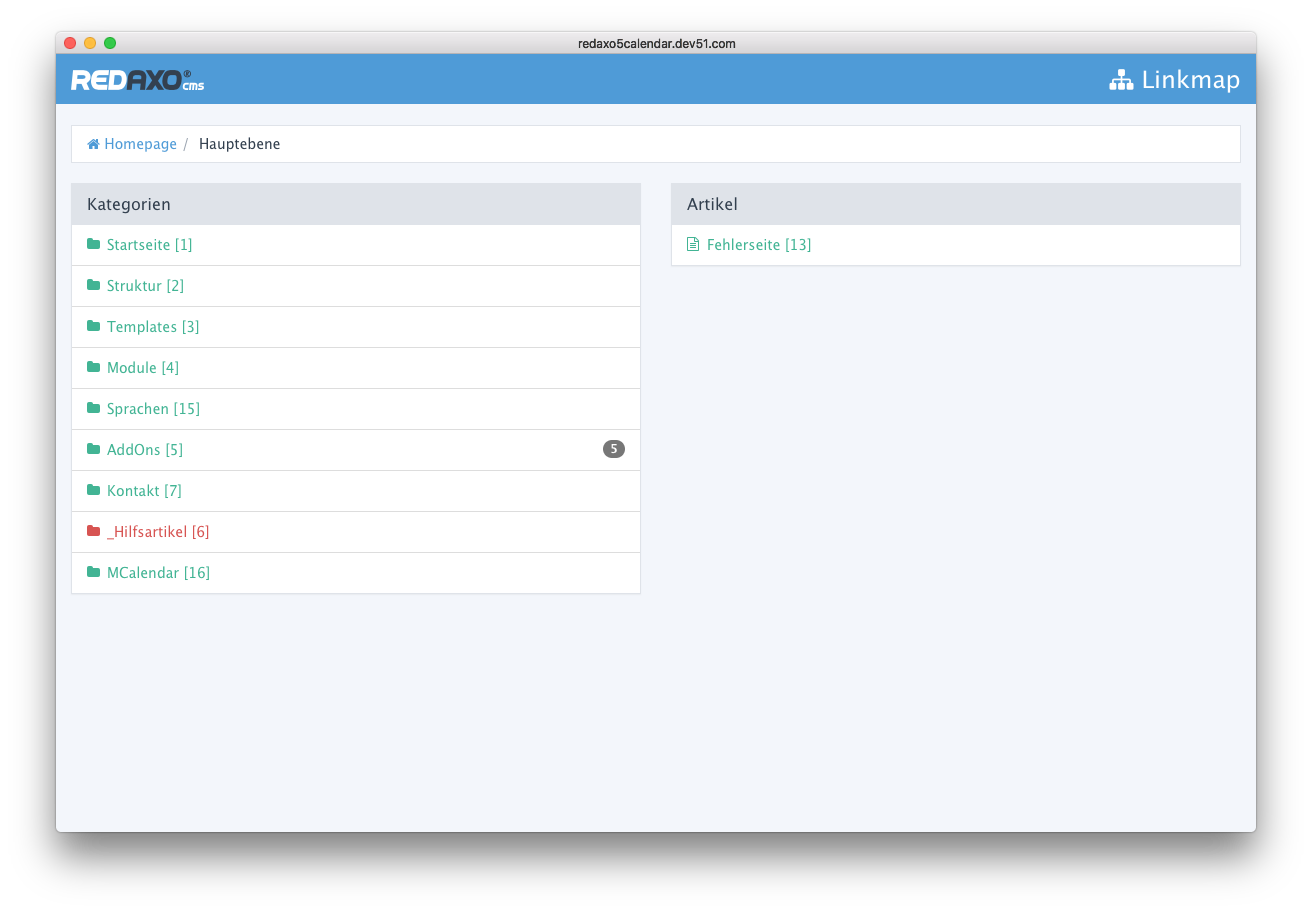
Hello @Reinmar, for the cms redaxo i want to create a extension that provide the ckeditor5. The button that I need to add must be call a cms dialog like the screenshot:

- On click to the Button "Interner Link" a popup will be open and you can chose a Site:
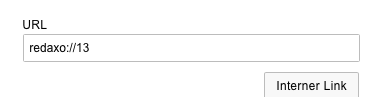
- On click to a site in the linklist the popup close automatically and write the cms link into the link input field:
joachimdoerr
on 4 May 2018
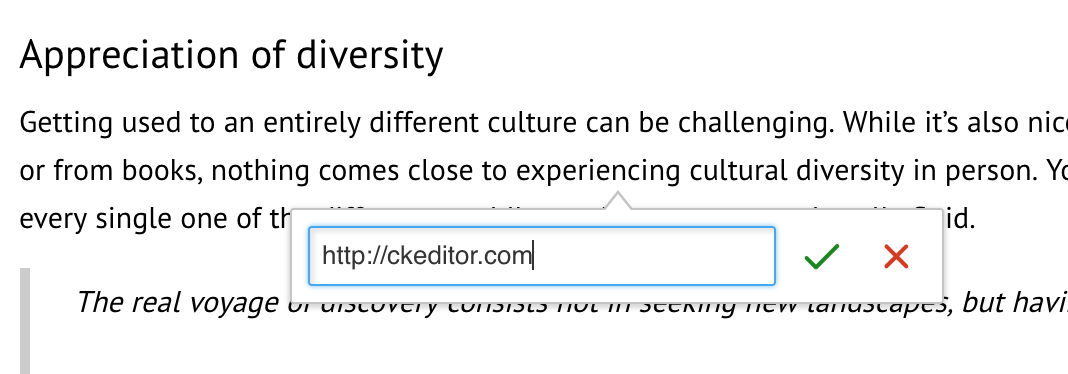
Would you like to use the existing UI (see below) or build a new one for that?
 oleq
on 8 May 2018
oleq
on 8 May 2018
I want ot us the existing UI a button between the tow buttons in the UI would be the best solution.
joachimdoerr
on 8 May 2018
You can write a simple plugin to add a button to the existing UI. Check out https://docs.ckeditor.com/ckeditor5/latest/builds/guides/development/installing-plugins.html to learn how to extend existing editor build, create own editor builds, etc.

import ButtonView from '@ckeditor/ckeditor5-ui/src/button/buttonview';
import Plugin from '@ckeditor/ckeditor5-core/src/plugin';
import LinkUI from '@ckeditor/ckeditor5-link/src/linkui';

class InternalLink extends Plugin {
    init() {
        const editor = this.editor;
        const linkUI = editor.plugins.get( LinkUI );

        this.linkFormView = linkUI.formView;
        this.button = this._createButton();

        this.linkFormView.once( 'render', () => {
            // Render button's tamplate.
            this.button.render();

            // Register the button under the link form view, it will handle its destruction.
            this.linkFormView.registerChild( this.button );

            // Inject the element into DOM.
            this.linkFormView.element.insertBefore( this.button.element, this.linkFormView.saveButtonView.element );
        } );
    }

    _createButton() {
        const editor = this.editor;
        const button = new ButtonView( this.locale );
        const linkCommand = editor.commands.get( 'link' );

        button.set( {
            label: 'Internal link',
            withText: true,
            tooltip: true
        } );

        // Probably this button should be also disabled when the link command is disabled.
        // Try setting editor.isReadOnly = true to see it in action.
        button.bind( 'isEnabled' ).to( linkCommand );

        button.on( 'execute', () => {
            // Do something (like open the popup), then update the link URL field's value.
            // The line below will be probably executed inside some callback.
            this.linkFormView.urlInputView.value = 'http://some.internal.link';
        } );

        return button;
    }
}
@oleq thanks for your example!
- I try to use that and create for it this repository https://github.com/basecondition/ckeditor5-rexlink and publish it as a npm package.
- Than i add the package as
devDependencies, add it to the build.config asplugins, and add it to thesrc/ckeditor.js.
    plugins: [ ....
        'ckeditor5-rexlink/src/rexlink'
    ],
...
import RexlinkPlugin from 'ckeditor5-rexlink/src/rexlink';
...
ClassicEditor.build = {
    plugins: [
        RexlinkPlugin
    ],


md5-93eed20d1c5b2ad352de34c25a795610


WARNING in ./src/ckeditor.js
59:2-15 "export 'default' (imported as 'RexlinkPlugin') was not found in 'ckeditor5-rexlink/src/rexlink'
 @ ./src/ckeditor.js
What is wrong?
joachimdoerr
on 9 May 2018
Probably missing export default keyword before class here:
 jodator
on 9 May 2018
jodator
on 9 May 2018
@jodator thanks! Now it works. @oleq your example works absolutely perfect! Thanks a lot!
https://github.com/basecondition/ckeditor5-rexlink/blob/master/src/rexlink.js#L46
joachimdoerr
on 9 May 2018
I have still one question about that. I want add the button optional. As options like alignment
options['alignment'] = [ 'left', 'right', 'center', 'justify' ];
Also:
options['rexlink'] = [ 'internal', 'media' ];
How i can modify the plugin to ensure it?
joachimdoerr
on 9 May 2018
Your plugin should define a config option in plugin's constructor, e.g.
constructor( editor ) {
    super( editor );

    editor.config.define( 'link.rexlink', [ 'internal', 'media' ] );
}
then in the init() you can read the config's value and make the buttons conditional:
const rexlinkConfig = editor.config.get( 'link.rexlink' );

if ( something about rexlinkConfig ) {
    // create buttons or not
}
ClassicEditor
    .create( ...., {
        link: {
            rexlink: [ 'foo' ]
        }
    } )
    .then( editor => {
        window.editor = editor;
    } )
    .catch( err => {
        console.error( err );
    } );
Thanks @oleq thats work perfekt!
Now i add 2 svg icons for the media and the internal button. I think that looks good

The next point that i see is the link text problem. When i dont mark any words in the text and add a link the editor will be add the link with the link as text - that is ok for domain links but for internal links that look stupid
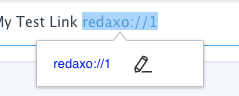
The internal link widget gives the internal link site title. is it possible that the editor write an other text as the link target text in this case?
For this i want to use the
linktext: https://github.com/basecondition/ckeditor5-rexlink/blob/master/src/rexlink.js#L75
joachimdoerr
on 10 May 2018
@joachimdoerr Check out https://github.com/ckeditor/ckeditor5-link/issues/73 and https://github.com/ckeditor/ckeditor5-link/issues/15.
You can try listening to LinkFormView#submit event, which is fired when the user clicks the save ("tick") button. Then, if you discover that the link is internal and the current selection is collapsed (nothing is selected), you can insert a corresponding text. It could work.
oleq
on 10 May 2018
@oleq thanks for the event idee. For now I crate this solution that works for me
        button.on( 'execute', () => {
            // Do something (like open the popup), then update the link URL field's value.

            var linkMap = openLinkMap('', '&clang=1');
            const urlInputView = this.linkFormView.urlInputView;
            const thatLinkFormView = this.linkFormView.element;

            $(linkMap).on('rex:selectLink', function (event, linkurl, linktext) {
                event.preventDefault();
                linkMap.close();

                // The line below will be probably executed inside some callback.
                urlInputView.value = linkurl;

                $(thatLinkFormView).submit(function(){
                    var regex = '>' + linkurl + '<',
                        matches = editor.getData().match(regex);

                    if (matches) {
                        var result = editor.getData().replace(regex, '>' + linktext + '<');
                        editor.setData(result);
                    }
                });
            });

        } );
The next step is the image integration. I want to use the redaxo mediamanager to add images. In which repository can I open a issue about that?
joachimdoerr
on 10 May 2018
If I were you, I'd experiment with https://github.com/ckeditor/ckeditor5-link/issues/195#issuecomment-388057470. What you did in the last snippet could fail if one decided to change the text of the link later on and then insert the same URL somewhere else because (if I got it correctly) it blindly seeks certain <a> and replaces their text. It will override existing texts upon successive insertions of the same link.
The next step is the image integration. I want to use the redaxo mediamanager to add images. In which repository can I open a issue about that?
Check out https://docs.ckeditor.com/ckeditor5/latest/api/adapter-ckfinder.html
oleq
on 11 May 2018
Related issues
 hamenon
·
3Comments
hamenon
·
3Comments
 benjismith
·
3Comments
jodator
·
3Comments
benjismith
·
3Comments
jodator
·
3Comments
 PaulParker
·
3Comments
Reinmar
·
3Comments
PaulParker
·
3Comments
Reinmar
·
3Comments
Most helpful comment
You can write a simple plugin to add a button to the existing UI. Check out https://docs.ckeditor.com/ckeditor5/latest/builds/guides/development/installing-plugins.html to learn how to extend existing editor build, create own editor builds, etc.