Circuitverse: Small size and overflowing text of circuit elements in Simulator.
Describe the bug
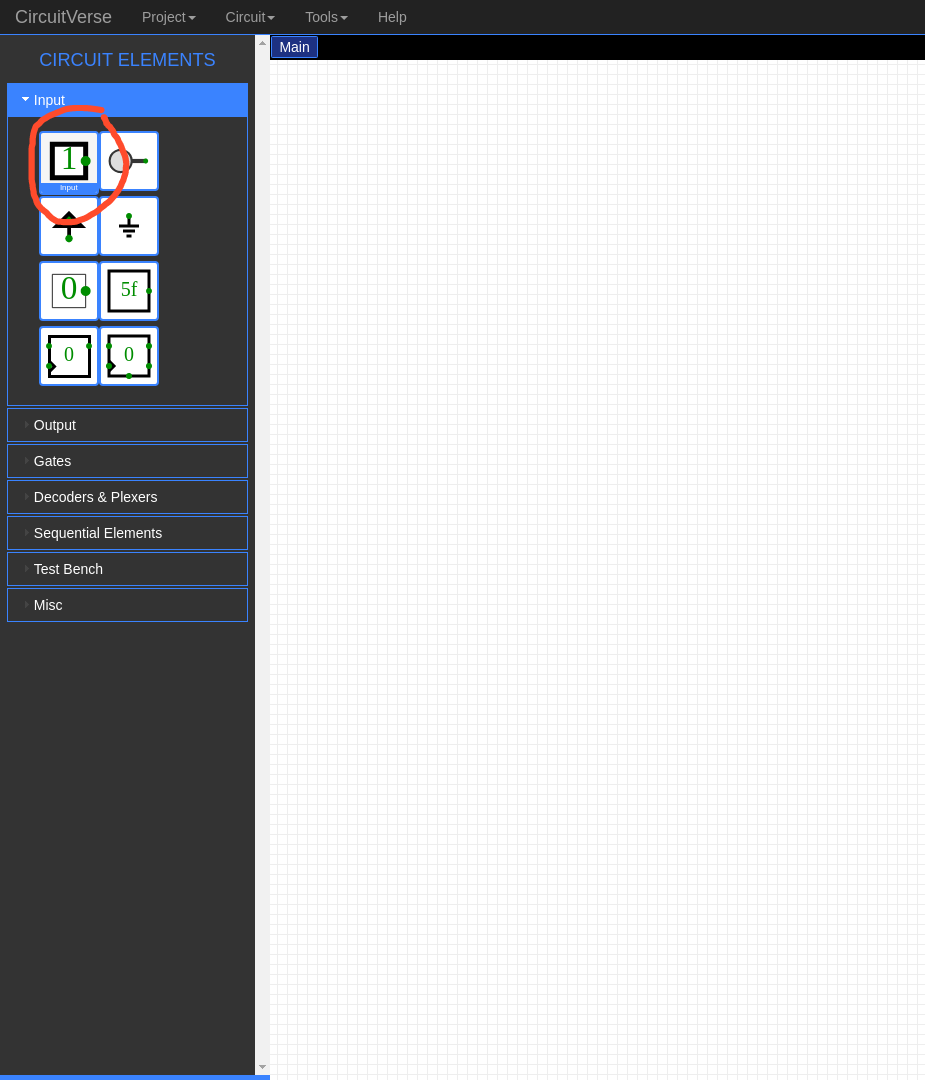
The circuit elements are very small sized and text is overflowing in some of them too.Without zooming its pretty hard to read.
To Reproduce
Steps to reproduce the behavior:
- Go to 'https://circuitverse.org/'
- Click on 'simulator'
- See the circuit elements on the right.
Expected behavior
The circuit elements must be big enough to be visible clearly and text overflow must be fixed too
Screenshots

Desktop (please complete the following information):
- OS: Ubuntu 18.04.3 LTS
- Browser: Brave
- Version : 0.70.123
Are you working on this issue? (Yes/No)
Yes
 samarpan1738
All 13 comments
can i work on this??
 ryuk156
on 5 Feb 2020
ryuk156
on 5 Feb 2020
Is this issue still open? I'd like to work on it.
 KaustubhDamania
on 19 Mar 2020
KaustubhDamania
on 19 Mar 2020
@KaustubhDamania both the issues are solved i think @Shivansh2407 and i have made pr
ryuk156
on 19 Mar 2020
@yash15601 Okay, just saw your PR. I think Tooltips would be more useful in this case.
KaustubhDamania
on 19 Mar 2020
Each element has a defined tooltip @KaustubhDamania .
 Shivansh2407
on 19 Mar 2020
Shivansh2407
on 19 Mar 2020
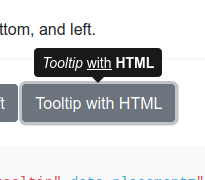
@Shivansh2407 I meant the tooltip mentioned below, on hovering on each element, a tooltip would be visible mentioning the name of the element. I'm not talking about the tooltip which is present on the bottom right of simulator area.
KaustubhDamania
on 19 Mar 2020
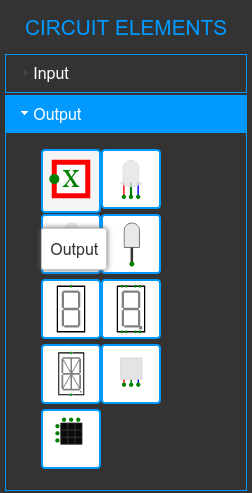
Yes this can be done @KaustubhDamania. Other way of implementing it can be, we can fade the element on hover and then on a light blue faded bg we can show the element name. This way we get more space and also bigger text. I would like to know the views of @satu0king and @nitin10s on this.
Shivansh2407
on 19 Mar 2020
The result will look like this (I haven't styled it yet)
@Shivansh2407 @nitin10s
KaustubhDamania
on 19 Mar 2020
Looks good will be visible to all this can overcome the issues of small size element name
ryuk156
on 19 Mar 2020
Nope, the text doesn't look associated with the element due to lack of proximity.
 nitin10s
on 19 Mar 2020
nitin10s
on 19 Mar 2020
@nitin10s I can make it look like the screenshot I sent earlier, the latest screenshot wasn't styled
KaustubhDamania
on 19 Mar 2020
That would be great
nitin10s
on 20 Mar 2020
Cool, then I'll start working on this and submit a PR ASAP! @nitin10s
KaustubhDamania
on 20 Mar 2020
Related issues
 tachyons
·
6Comments
tachyons
·
6Comments
 MrBartusek
·
8Comments
MrBartusek
·
8Comments
 darkshredder
·
8Comments
darkshredder
·
8Comments
 Ananthavijay
·
5Comments
Ananthavijay
·
5Comments
 satu0king
·
8Comments
satu0king
·
8Comments
Most helpful comment
Yes this can be done @KaustubhDamania. Other way of implementing it can be, we can fade the element on hover and then on a light blue faded bg we can show the element name. This way we get more space and also bigger text. I would like to know the views of @satu0king and @nitin10s on this.