Cherrytree: Fail to write file to disk
Related forum thread:
https://www.giuspen.com/topic/ctb-write-failed-writing-to-disk/
Sometimes when saving the database an error message appears ".ctb write failed – writing to disk".
My issue is with Windows 10 x64 and Cherrytree 0.38.1 and earlier, and up to version 0.38.3 (as far as i have tested) - so the bug have obviously being lurking around for some time.
Earlier on - the issue was present only when the database file was located on a network drive (not administating by me nor have I any control over that file server).
What helped my out was to simply relocate the database to a local drive.
On the link provided above, I expain how I found it to be possible to replicate the bug.
The steps to reproduce the bug:
- Open Cherrytree and load a file
- Use another program to copy/backup the database file while it is open by Cherrytree. On Windows, I have a Autohotkey script that make backups of the database file.
- Do some changes (I don't thing it matters if 2 and 3 swaps).
- Save.
At point 4, Cherrytree will give this error saying it cannot save the file. The only workaround is to save the database as a file with different name, and then save as again using original file name.
 Groberen
All 56 comments
Are you using password protection? Your script is accessing read only? Is it only doing copy/paste or also parsing the sqlite3 database?
 giuspen
on 7 Aug 2018
giuspen
on 7 Aug 2018
Are you using password protection?
No, I'm not using password protection.
Your script is accessing read only?
No I assume it doesn't. However, the backup job is done without any error.
Is it only doing copy/paste or also parsing the sqlite3 database?
It's a simple file copy.
Groberen
on 7 Aug 2018
I have similar problem. I can't save file, but I also not able to save as. It is possible to somehow save my data without manually moving it?
already running '/root/notes' - 'notes.ctb'
4 run ''
utf-8
pending_new_db_node 1
utf-8
pending_new_db_node 2
sel node id=33, seq=8
sel node id=251, seq=7
sel node id=1, seq=2
sel node id=343, seq=10
sel node id=406, seq=14
sel node id=689, seq=15
sel node id=406, seq=14
sel node id=179, seq=13
sel node id=718, seq=12
sel node id=719, seq=1
sel node id=731, seq=2
sel node id=732, seq=3
sel node id=734, seq=2
sel node id=732, seq=3
sel node id=731, seq=2
win destroy: runn_win found with id 1
sel node id=385, seq=4
sel node id=384, seq=5
sel node id=385, seq=4
Traceback (most recent call last):
  File "/usr/share/cherrytree/modules/core.py", line 1585, in file_save
    if not self.file_write(os.path.join(self.file_dir, self.file_name), first_write=False):
  File "/usr/share/cherrytree/modules/core.py", line 1708, in file_write
    try: xml_string = self.xml_handler.treestore_to_dom()
  File "/usr/share/cherrytree/modules/machines.py", line 321, in treestore_to_dom
    self.append_dom_node(tree_iter, cherrytree, to_disk=True)
  File "/usr/share/cherrytree/modules/machines.py", line 393, in append_dom_node
    self.append_dom_node(tree_iter, dom_iter, to_disk)
  File "/usr/share/cherrytree/modules/machines.py", line 393, in append_dom_node
    self.append_dom_node(tree_iter, dom_iter, to_disk)
  File "/usr/share/cherrytree/modules/machines.py", line 393, in append_dom_node
    self.append_dom_node(tree_iter, dom_iter, to_disk)
  File "/usr/share/cherrytree/modules/machines.py", line 393, in append_dom_node
    self.append_dom_node(tree_iter, dom_iter, to_disk)
  File "/usr/share/cherrytree/modules/machines.py", line 393, in append_dom_node
    self.append_dom_node(tree_iter, dom_iter, to_disk)
  File "/usr/share/cherrytree/modules/machines.py", line 352, in append_dom_node
    curr_buffer = self.dad.get_textbuffer_from_tree_iter(tree_iter)
  File "/usr/share/cherrytree/modules/core.py", line 3125, in get_textbuffer_from_tree_iter
    self.ctdb_handler.read_db_node_content(tree_iter, self.db)
  File "/usr/share/cherrytree/modules/ctdb.py", line 496, in read_db_node_content
    node_row = db.execute('SELECT txt, has_codebox, has_table, has_image FROM node WHERE node_id=?', (node_id,)).fetchone()
sqlite3.OperationalError: disk I/O error
Traceback (most recent call last):
  File "/usr/share/cherrytree/modules/core.py", line 1548, in file_save_as
    if not self.file_write(filepath, first_write=True):
  File "/usr/share/cherrytree/modules/core.py", line 1708, in file_write
    try: xml_string = self.xml_handler.treestore_to_dom()
  File "/usr/share/cherrytree/modules/machines.py", line 321, in treestore_to_dom
    self.append_dom_node(tree_iter, cherrytree, to_disk=True)
  File "/usr/share/cherrytree/modules/machines.py", line 393, in append_dom_node
    self.append_dom_node(tree_iter, dom_iter, to_disk)
  File "/usr/share/cherrytree/modules/machines.py", line 393, in append_dom_node
    self.append_dom_node(tree_iter, dom_iter, to_disk)
  File "/usr/share/cherrytree/modules/machines.py", line 393, in append_dom_node
    self.append_dom_node(tree_iter, dom_iter, to_disk)
  File "/usr/share/cherrytree/modules/machines.py", line 393, in append_dom_node
    self.append_dom_node(tree_iter, dom_iter, to_disk)
  File "/usr/share/cherrytree/modules/machines.py", line 352, in append_dom_node
    curr_buffer = self.dad.get_textbuffer_from_tree_iter(tree_iter)
  File "/usr/share/cherrytree/modules/core.py", line 3125, in get_textbuffer_from_tree_iter
    self.ctdb_handler.read_db_node_content(tree_iter, self.db)
  File "/usr/share/cherrytree/modules/ctdb.py", line 496, in read_db_node_content
    node_row = db.execute('SELECT txt, has_codebox, has_table, has_image FROM node WHERE node_id=?', (node_id,)).fetchone()
sqlite3.OperationalError: disk I/O error
 k3rne
on 2 Sep 2018
k3rne
on 2 Sep 2018
I am also not able to export ;/
sel node id=382, seq=2
sel node id=388, seq=2
sel node id=385, seq=4
sel node id=1, seq=2
Traceback (most recent call last):
  File "/usr/share/cherrytree/modules/core.py", line 2097, in export_to_ctd
    ctd_handler.nodes_all_export_to_ctd(ctd_filepath)
  File "/usr/share/cherrytree/modules/exports.py", line 162, in nodes_all_export_to_ctd
    try: xml_string = self.dad.xml_handler.treestore_to_dom()
  File "/usr/share/cherrytree/modules/machines.py", line 321, in treestore_to_dom
    self.append_dom_node(tree_iter, cherrytree, to_disk=True)
  File "/usr/share/cherrytree/modules/machines.py", line 393, in append_dom_node
    self.append_dom_node(tree_iter, dom_iter, to_disk)
  File "/usr/share/cherrytree/modules/machines.py", line 393, in append_dom_node
    self.append_dom_node(tree_iter, dom_iter, to_disk)
  File "/usr/share/cherrytree/modules/machines.py", line 393, in append_dom_node
    self.append_dom_node(tree_iter, dom_iter, to_disk)
  File "/usr/share/cherrytree/modules/machines.py", line 393, in append_dom_node
    self.append_dom_node(tree_iter, dom_iter, to_disk)
  File "/usr/share/cherrytree/modules/machines.py", line 352, in append_dom_node
    curr_buffer = self.dad.get_textbuffer_from_tree_iter(tree_iter)
  File "/usr/share/cherrytree/modules/core.py", line 3125, in get_textbuffer_from_tree_iter
    self.ctdb_handler.read_db_node_content(tree_iter, self.db)
  File "/usr/share/cherrytree/modules/ctdb.py", line 496, in read_db_node_content
    node_row = db.execute('SELECT txt, has_codebox, has_table, has_image FROM node WHERE node_id=?', (node_id,)).fetchone()
sqlite3.OperationalError: disk I/O error
@k3rne are you running latest 0.38.5?
giuspen
on 4 Sep 2018
yes, CherryTree 0.38.5
k3rne
on 4 Sep 2018
If I try to 'save as' it's saves only 40K.
m$ file note.ctb
note.ctb: SQLite 3.x database, last written using SQLite version 3024000
m$ cat note.ctb
SQLite format 3@
�$�
U       {��
 �

�
 {
  ��tablebookmarkbookmark   CREATE TABLE bookmark (
node_id INTEGER UNIQUE,
sequence INTEGER
)/  Cindexsqlite_autoindex_bookmark_1bookmark
r�7tablechildrenchildrenCREATE TABLE children (
node_id INTEGER UNIQUE,
father_id INTEGER,
sequence INTEGER
)/Cindexsqlite_autoindex_children_1childre� �tableimageimageCREATE TABLE image (
node_id INTEGER,
offset INTEGER,
justification TEXT,
anchor TEXT,
png BLOB,
filename TEXT,
link TEXT,
time INTEGER
)�
�wtablegridgridCREATE TABLE grid (
node_id INTEGER,
offset INTEGER,
justification TEXT,
txt TEXT,
col_min INTEGER,
col_max INTEGER
)�b�ablecodeboxcodeboxCREATE TABLE codebox (
node_id INTEGER,
offset INTEGER,
justification TEXT,
txt TEXT,
syntax TEXT,
width INTEGER,
height INTEGER,
is_width_pix INTEGER,
do_highl_bra INTEGER,
do_show_linenum INTEGER
)��mtablenodenodeCREATE TABLE node (
node_id INTEGER UNIQUE,
name TEXT,
txt TEXT,
syntax TEXT,
tags TEXT,
is_ro INTEGER,
is_richtxt INTEGER,
has_codebox INTEGER,
has_table INTEGER,
has_image INTEGER,
level INTEGER,
ts_creation INTEGER,
ts_lastsave INTEGER
)';indexsqlite_autoindex_node_1node
Any chances to save this notes?
k3rne
on 5 Sep 2018
Never mind I moved those data, if I use ctd am I safe?
k3rne
on 6 Sep 2018
Hi, I'm sorry I could not help with that, if you find what actions caused cherrytree to be unable to save successfully please let me know. CTD is pure XML rather than a DB, the drawback is that the whole document is re-saved every time so it's slower, and same for the read when you open the document
giuspen
on 8 Sep 2018
I had a similar issue. Unfortunately, I lost tons of work. If the error ends in '-writing to disk' is there some way to recover the file? Where was it written?
 DancingCritter
on 26 Feb 2019
DancingCritter
on 26 Feb 2019
@DancingCritter no but be patient in future C++ gtk3 version the problem will go
giuspen
on 26 Feb 2019
That is depressing. So I was using it for a month without restarting my computer thinking autosave was working. When I restarted my computer only the most recently created nodes were saved on the file, everything else was deleted. Not sure if that detail is useful to you or not. :/
DancingCritter
on 26 Feb 2019
On a windows computer - I hav taken the following measurements in order to prevent data loss:
- Using a script to make a backup of the file before opening cs.
- Store the database on a local disk. Any attempt to store the file on the external file server will cause data loss.
Groberen
on 26 Feb 2019
I also get the "write failed - writing to disk" error:
I'm curious about another smaller file that appeared next to the ctb file:
notas.ctb
notas.ctb-journal
Is this created by CherryTree or is something related to the filesystem?
 golimarrrr
on 22 Apr 2019
golimarrrr
on 22 Apr 2019
@golimarrrr the -journal is surely not generated by cherrytree
giuspen
on 24 Apr 2019
I was also getting this issue and I was saving cherrytree database file over a samba share on Linux. I found a solution that seems to work well and that is to use a specific option on samba mount about lock/unlock, as explained here: https://support.shotgunsoftware.com/hc/en-us/community/posts/209491808-Getting-database-is-locked-on-NFS-and-CIFS-setup
Here is my config on /etc/fstab (NOTE the nolock option):
//192.167.2.30/home_gpd_2_pocket_pc /media/HOME_GPD2_POCKET_PC cifs vers=3.0,username=xxx,password=xxx,nolock,iocharset=utf8,uid=1000 0 0
 casainho
on 7 May 2019
casainho
on 7 May 2019
Hi Giuspen and everyone,
Ended up here after finding a thread on your site.
I’m having similar issues (if not the same) as others: "[DIRECTORY]/[FILE NAME].ctb write failed - writing to disk"
This happens after:
- I import a whole tree (multiple nodes, CherryTree to CherryTree)
- I create a new node
This does not happen when I simply edit the contents (or notes) in existing nodes.
My CT databases/files are mainly on Dropbox, with which I use Cryptomator.
Right now I'm on my Linux Mint 19.1 Cinnamon laptop (for about a week now) and it's where I'm getting the error. I have a Windows 8.1 desktop but haven't gotten errors yet.
It was on Windows that I copied all my notes (from MS OneNote and Zhorn Stickies). (Linux laptop is brand new.)
Anyway, I uploaded files on Dropbox+Cryptomator on Windows, and then downloaded on Linux.
Before today I got the occassional errors—maybe once or twice a day. The workaround was:
- Lock Vault on Cryptomator
- Remove the Vault
- Add it back again...and then open.
- (The point of all that is to open a “fresh” (sort of) mounted drive.)
But today I can not save anymore. “Save As” doesn’t help.
I tried replicating the error by copying the database out from Dropbox, saving it on my local PC—the error's indeed the same.
The “blank” CT also happens: a database is suddenly reduced to 40kb—with nothing. Good thing I’ve set 2 backups for every save.
Some info that might help (on Linux Mint):
- CT version 0.38.8, installed from the Software Manager
- CT notes' directory when opened via Dropbox+Cryptomator: /home/[PC NAME]/.local/share/Cryptomator/mnt/bUAwzbT6S4pP_0/[CT FOLDER]/[.CTB FILE]
Thank you, and thanks heaps for CherryTree. I like its simplicity (even though I don’t do coding, with which CT was created with that in mind I think?) And more important, it being cross-platform.
 firepainting
on 8 May 2019
firepainting
on 8 May 2019
Personally I didn't move, copy, etc, it just happened write failed - writing to disk, but with a different debug message sqlite3.OperationalError: attempt to write a readonly database.
- It happends only with sqlite (.ctb)
- Several backup files are left behind
- Permissions are (it runs as root here, but also did that with regular user / perms in debian):
drwxr-xr-x 1 root root     4096 Jun 14  2019 .
drwxr-xr-x 1 root root     4096 Jun 10 18:11 ..
-rw-r--r-- 1 root root 24268800 Jun 14  2019 myfile.ctb
-rw-r--r-- 1 root root 24268800 Jun 14  2019 myfile.ctb~
-rw-r--r-- 1 root root 24268800 Jun 14  2019 myfile.ctb~~
-rw-r--r-- 1 root root 24268800 Jun 14  2019 myfile.ctb~~~
-rw-r--r-- 1 root root 31991195 Jun 14  2019 myfile.ctd
-rw-r--r-- 1 root root 31991123 Jun 14  2019 myfile.ctd~
versions:
linux kali 4.19.0-kali5-amd64
cherrrytree 0.38.8
Stdout:
sel node id=131, seq=2
pending_edit_db_node_buff 131
sel node id=131, seq=2
write node content, node_id 42 , write_dict {'upd': True, 'buff': True, 'hier': False, 'child': False, 'prop': False}
Traceback (most recent call last):
  File "/usr/share/cherrytree/modules/core.py", line 1585, in file_save
    if not self.file_write(os.path.join(self.file_dir, self.file_name), first_write=False):
  File "/usr/share/cherrytree/modules/core.py", line 1721, in file_write
    self.file_write_low_level(filepath, xml_string, first_write)
  File "/usr/share/cherrytree/modules/core.py", line 1622, in file_write_low_level
    else: self.ctdb_handler.pending_data_write(self.db)
  File "/usr/share/cherrytree/modules/ctdb.py", line 61, in pending_data_write
    self.write_db_node(db, tree_iter, node_sequence, node_father_id, write_dict)
  File "/usr/share/cherrytree/modules/ctdb.py", line 375, in write_db_node
    db.execute('UPDATE node SET txt=?, syntax=?, is_richtxt=?, has_codebox=?, has_table=?, has_image=?, ts_lastsave=? WHERE node_id=?', (txt, syntax, is_richtxt, has_codebox, has_table, has_image, ts_lastsave, node_id))
sqlite3.OperationalError: attempt to write a readonly database
Workaround:
Saving to xml (.ctd) and then again to sqlite, works.SOLVED:
In my case the folder where the file was saved was a shared VirtualBox folder between host:Debian <-> guest:Kali (Debian). Moving the file into guest's filesystem, solved the issue.
 sbrb
on 27 May 2019
sbrb
on 27 May 2019
I've got the same problem after moving and deleting some nodes around. Everything works fine when I am only saving text on existing nodes.
Running on Linux 4.20.17-1-MANJARO and cherrytree 0.38.8.
 caio-messias
on 6 Jun 2019
caio-messias
on 6 Jun 2019
Hello,
I’m having similar issue with CherryTree 0.38.8 on Windows.
cherrytree.exe.log:
Traceback (most recent call last):
  File "core.pyc", line 1548, in file_save_as
  File "core.pyc", line 1721, in file_write
  File "main.pyc", line 238, in main
  File "dbus\bus.pyc", line 241, in get_object
  File "dbus\proxies.pyc", line 248, in __init__
  File "dbus\bus.pyc", line 180, in activate_name_owner
  File "dbus\bus.pyc", line 278, in start_service_by_name
  File "dbus\connection.pyc", line 651, in call_blocking
dbus.exceptions.DBusException: org.freedesktop.DBus.Error.ServiceUnknown: The name com.giuspen.CherryTreeService was not provided by any .service files
 nmroque
on 17 Jun 2019
nmroque
on 17 Jun 2019
Same write error in my setup as follows:
- cherrytree 0.38.9 running on kubuntu 19.04
- sql.ctb resides on a remote kubuntu machine mounted as cifs
- using xml has always worked
- using sql fails with this write error ONLY when my local machine
comes up (for whatever reason) with the remote NOT mounted.
if the remote is manually mounted, it does not help cherrytree.
the machine has to come up with it mounted.
here's my fstab entry:
//192.168.1.150/music /mnt/NUCi cifs username=xxx,password=xxx,noauto,x-systemd.automount,x-systemd.device-timeout=10,nolock,uid=xxx,gid=xxx,file_mode=0777,dir_mode=0777 0 0
 gahisee
on 4 Sep 2019
gahisee
on 4 Sep 2019
Same issue if ctb is located in a mounted network drive. If the connection is lost its not possible to save changes to the DB even after network connection is restored.
OS: win10 x64
Recent cherrytree version
 bitboy85
on 12 Oct 2019
bitboy85
on 12 Oct 2019
I had the write error only when adding a new node, not data. I saved-as under the same name and overwrote the existing data file. Problem solved, I have been able to save nodes and sub-nodes. My first guess is that the years-old data file had code incompatible with the current CT version. Second guess is that the old data file was corrupted.
Linux Mint 19.2, local computer ( ie no network involved ), cherrytree 0.35.10
Mike
 StellerJay
on 30 Oct 2019
StellerJay
on 30 Oct 2019
Same problem on Linux (currently Lubuntu 19.10). I can write text and save to an existing node but I can't save a new node or save images I have copied to an existing node. No problems on my Windows 10 machine.
 donjps
on 4 Nov 2019
donjps
on 4 Nov 2019
"Same problem on Linux (currently Lubuntu 19.10). I can write text and save to an existing node but I can't save a new node or save images I have copied to an existing node. No problems on my Windows 10 machine." - I should say that directory structure and content of my documents including the location of the Cherrytree DB is mirrored on my Windows 10 machine via a cloud service.
donjps
on 4 Nov 2019
I get the same problem when creating a new node with Ubuntu 18.10 and the ctb file format with CherryTree version 0.37.6
 LSchueler
on 5 Nov 2019
LSchueler
on 5 Nov 2019
A work around that worked for me - saved cherrytree file to another name as in saving "orginal_file.ctb" to "original_file_copy.ctb" which worked. I then resaved it back to my original_file.ctb.
I also had a similar problem with Wikidpad which also used sqlite. As with Cherrytree I used it on Windows and Linux but had the problem only with Linux.
donjps
on 5 Nov 2019
Same problem as noted in the above comments. I was running 0.37.6 on Ubuntu 19.10 with my ctb on Dropbox. Issue was resolved for me by updating to 0.38.9 via https://www.giuspen.com/cherrytree/#downl
Hope it helps.
 Dan-Osul
on 7 Nov 2019
Dan-Osul
on 7 Nov 2019
same issue as the folks above, for me it helped to rename one of the autosaves, then open the renamed file, and save it in sqlite, which then continued to work again. saving it as xml failed. the autosave option should be turned on by default. i had version 0.38.5.
 r0bag
on 3 Jan 2020
r0bag
on 3 Jan 2020
Hi,
same problem on Windows 7 x64 Ultimate (lastest patches ) and Windows 10 Education (Very similar to Enterprise) versions. CherryTree version is 0.38.10 *althoug i have seen the error last two years in many versions:

I have SSD and HDD disks connected to my laptop. Temporally, for disk space reasons, i moved CherryTree data files from main SSD (C:) to HDD (G:). There is no problem up to when HDD sleeps (WD Energy Green) and I try to save the document. From this point CherryTree can't save anymore the document to any disk (G: C: etc).
Conditions:
a. No password used ever.
b. No manipulation over files after CherryTree app was open.
c. Tested in same drive (HDD=G:) as original document and then another drive (SSD=C:).Tryouts:
a. "Save as... SQLite" with another filename, just save 12KB from a total of 1.260 KB. ERROR: As seen in image 2 and 3.


b. "Save as... XML", doesn't save anything at all. ERROR: Nothing is shown.
c. "Export as CherryTree Document", "All Tree", "SQLite unprotected". ERROR: Idem to (a).
d. "Export as CherryTree Document", "All Tree", "XML unprotected". ERROR: Idem to (b).
So, save or export XML doesn't works at all in this situation and SQLite only saves/exports a very little part of the information.
A simulation for this error is create some CherryTree document and save on USB Disk, then modify the document without save, then unplug the USB Disk and try to save.
As a minimal wanted behavior, I think it should let me save or export the whole data as a new file at least.
Thank you,
Patricio
 DevelCL
on 4 Feb 2020
DevelCL
on 4 Feb 2020
@DevelCL if you use a .ctd instead of a .ctb do you have the same issue?
giuspen
on 4 Feb 2020
Hi Giuseppe,
i have tested again, now with USB unplugging scenario.
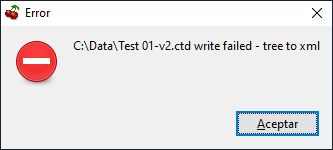
Now it shows some error messages for writing .ctd (XML) file.
Saving .ctd (XML) file to another drive:
Saving .ctd (XML) file to same drive and directory (F:\cherrytree):
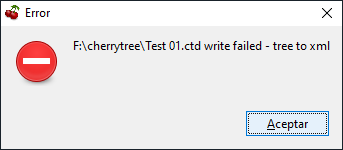
I should tell you first tryout it could save successfully. 2dn and 3rd try give me the errors. Maybe the first time I put very few data. Consistent errors accomplished with 3 nodes with 5 lines per node.
Also, when quitting application after the errors, complains about logs:

Thank you,
Patricio
DevelCL
on 5 Feb 2020
Could be a problem of integration of the obsolete current Gtk2 libraries with windows 10. New Gtk3 based version will come soon
giuspen
on 8 Feb 2020
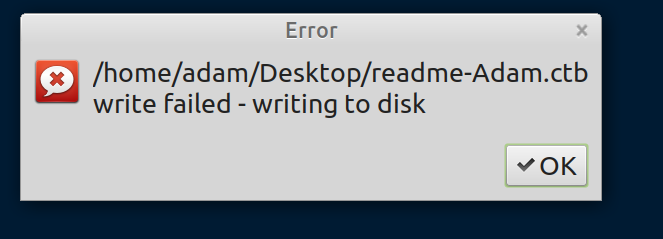
I am bit disappointed as after so much of using this tool (Linux Mint), now this.
Document with 20 nodes, many with subnodes, and basically of no use now...
 aniecki
on 28 Feb 2020
aniecki
on 28 Feb 2020
Hi @giuspen , I thought a bit about this issue and came to idea how to fix it
- check in
pending_data_writeif db is writable - if it is not, then close the connection and open it again. it should help with shared sources and unmounted usb.
- if it doesn't help when suggest to resave the whole document.
If you don't see any issue with this solution, I'll try to implement it.
 txe
on 28 Feb 2020
txe
on 28 Feb 2020
Hi @txe it is worth a try, please go ahead
giuspen
on 28 Feb 2020
same.
ubuntu 18.04
 amirtal-cp
on 22 Mar 2020
amirtal-cp
on 22 Mar 2020
@amirtal-cp , what cherrytree version do you have?
txe
on 22 Mar 2020
CherryTree 0.37.6
(installed from Ubuntu apt)
Amir.
amirtal-cp
on 22 Mar 2020
It fixed in 0.39. The version in the repository is outdated for some reason, so use an instruction for ubuntu to update your version.
txe
on 22 Mar 2020
It fixed in 0.39. The version in the repository is outdated for some reason, so use an instruction for ubuntu to update your version.
I have CherryTree 0.39.2 From AUR on Manjaro 20. If i place file .tcb on a network drive mounted with full rights, I get the following error: ...CherryTree/basenew.ctb write failed - is file blocked by a sync program? share - it is samba share.
 cheoleg
on 29 Apr 2020
cheoleg
on 29 Apr 2020
One of my CherryTree .ctb "Mission Critical" files is periodically loosing hours worth of note taking. Per txe comment on Mar 22 updated to 0.39 and it fixed nothing.
Cannot vacuum & clean, issues error: can not save to disk.
Cannot export to for a .ctd file, , issues error: can not save to disk.
Cannot export to PDF: it drops >50% of whats in the file.
Can export all the text, but then all imbedit images and graphs are lost.
IS THERE ANY EXTERNAL PROGRAM TO CHECK & REPAIR THE .CTB FILE
FYI running on Debian 10 as a stand alone computer
 jtlpa
on 29 Apr 2020
jtlpa
on 29 Apr 2020
@cheoleg
For a test purpose, can you save any document ctd (xml format) in that shared place?
txe
on 29 Apr 2020
@jtlpa, I suppose, the file is damaged, either due to bad network connection (if you copy the file though the network) or bad sectors on ssd/hdd. You can see more errors about it if start cherrytree from console (though, it won't be much helpful)
The file, however, is an SQlite database and there is a possibility of recovery; read, for example, this article. Before doing something with the file, make a copy of it.
txe
on 29 Apr 2020
@cheoleg
For a test purpose, can you save any document ctd (xml format) in that shared place?
I checked. Yes , if I use ctd(xml) - everything is OK in Linux and Windows, but with ctb - ok in Windows, but in Linux not working. This situation is right?? In Linux (with ctb) I get the following error: "...CherryTree/basenew.ctb write failed - is file blocked by a sync program? "
remind: I place file .tcb or .ctd on a network drive mounted with full rights.
cheoleg
on 30 Apr 2020
It's not right, I'll try to reproduce the issue on my machine.
txe
on 30 Apr 2020
I can reproduce it and it affects also C++ version, I'll try to fix it
txe
on 30 Apr 2020
You can use sqlite password protected, it should work because it has different mechanism.
txe
on 30 Apr 2020
@cheoleg
Turns out it's a common issue with sqlite and cifs. To fix it, you need to mount with nobrl options
txe
on 30 Apr 2020
Tex:
Thanks for helping out. Your tip of starting CherryTree in a terminal showed one (maybe more) corrupt nodes in my ctb file. Luckily I was able to rebuild the entire ctb file, but it was a time consuming process, close to 10 hours. Here is what I did:
Exported each parent node in the file one-by-one (to a separate .ctb file) and recorded the one parent node that would not export.
Then exported each child node one-by-one (from the node that would not export ) to a separate .ctb file and recorded the child node that would not export.
Luckily the corrupt child node was an older node (not my current work) and recovered that node from a 30 day old back up.
Lastly, created a new empty .ctb document, imported all the exported parent/child nodes and and saved the file.
Suggestion: replace the save icon on the tool bar with the “Save & Vacuum” option. Ya I know it takes time to do db clean up depending on the size of the db, but that time could prevent db corruption.
jtlpa
on 30 Apr 2020
That's good!
About the icon, you can change toolbar icons in Preferences dialog
txe
on 30 Apr 2020
@cheoleg
Turns out it's a common issue with sqlite and cifs. To fix it, you need to mount withnobrloptions
Thank you so much. Option nobrl solved the problem, i tested. In next(new) releases will be good to solved this questions for other customers(without specific options).
I have one more question : when will the long-awaited iOS program come out ? Really waiting, especially the version for iPad. Willing to pay for the app.
cheoleg
on 1 May 2020
FIY, to prevent the whole text becoming quoted, you need a blank line after a quote.
The idea is to create a test installer for Linux, after that - installer for Windows. also that includes bug fixing. It takes some time.
It is also possible to create an installer for macos, inkspace, as a C++ gtk3 app, is an example of that. But I'm not sure about iPad, does gtk3 work there?
txe
on 1 May 2020
Hi all, every time I've had this issue on Windows it's been because of the file being on a network share
Not sure what about it causes but moving it to a local disk fixes it without fail over like 5 different computers & shares
And also worth note is it's always with high uptime, so probably some kind of share disconnection thing
Cheers
 jaydn
on 18 May 2020
jaydn
on 18 May 2020
yes, the write error on a network share, in my case, on a linux machine.
that was some time back; here's what i ended up doing:
1) simply use the local copy, it's faster and more reliable.
2) use FreeFileSync to update the network copy.
little more work but a lot less irritation...
gahisee
on 18 May 2020
Related issues
 philogit
·
8Comments
philogit
·
8Comments
 valentinbesse
·
8Comments
valentinbesse
·
8Comments
 JC-paavo
·
3Comments
JC-paavo
·
3Comments
 ElnuDev
·
6Comments
ElnuDev
·
6Comments
 ForumLiker
·
8Comments
ForumLiker
·
8Comments
Most helpful comment
It fixed in 0.39. The version in the repository is outdated for some reason, so use an instruction for ubuntu to update your version.