Chakra-ui: consider changing `Text` to be inline
Is your feature request related to a problem? Please describe.
Right now the two generic components that get used most often are <Box> and <Text>, which is great. I've been using a similar pair of concepts for the private UI kits I've worked with.
<Box> defaults to a <div> which makes total sense. But right now <Text> defaults to <p> which I don't think makes sense.
I understand why it might be the way it is, because for the case of emulating <p> it makes it easy. But for every other case you're likely to either:
a. Need to us as= anyways to change the element, eg. <Text as="h2">.
b. Need to add an inline span of text, eg. <Text d="inline">.
In the (a) case, it would be just as easy to do <Box as="h2">, so there's no big benefit to having the separate <Text> component.
In the (b) case, which is very common (at least as far as I can tell from my own usage), the usage is pretty tedious when you're styling a handful of inline strings of text to have to write d="inline" (or even d="inline-block") all the time.
Describe the solution you'd like
I think the default element of the <Text> component should be changed from <p> to <span>, which would make it inline by default. It also meshes nicely with the default for <Box> being the equally generic <div>.
It would make something like this intuitive:
<Box fontSize="sm">
  <Text fontWeight="bold">{value}</Text> <Text color="gray.500">miles per hour</Text>
</Box>
These kinds of small bits of text are likely just as common in application UI contexts as full paragraphs of text.
People are then free to choose to use <Box as="p"> for cases where they truly want paragraphs. Or they could choose <Text as="p"> if they preferred that for some reason.
Describe alternatives you've considered
If the usage is already so entrenched, there could also be another generic component named <Span> for the same purpose. Although personally I think the default just be changed to avoid adding an extra concept to learn.
 ianstormtaylor
All 3 comments
Just ran into a further issue with the current behavior. If you forget that <Text> is a <p> and accidentally render one inside another one, you'll end up with lots of errors in the console:
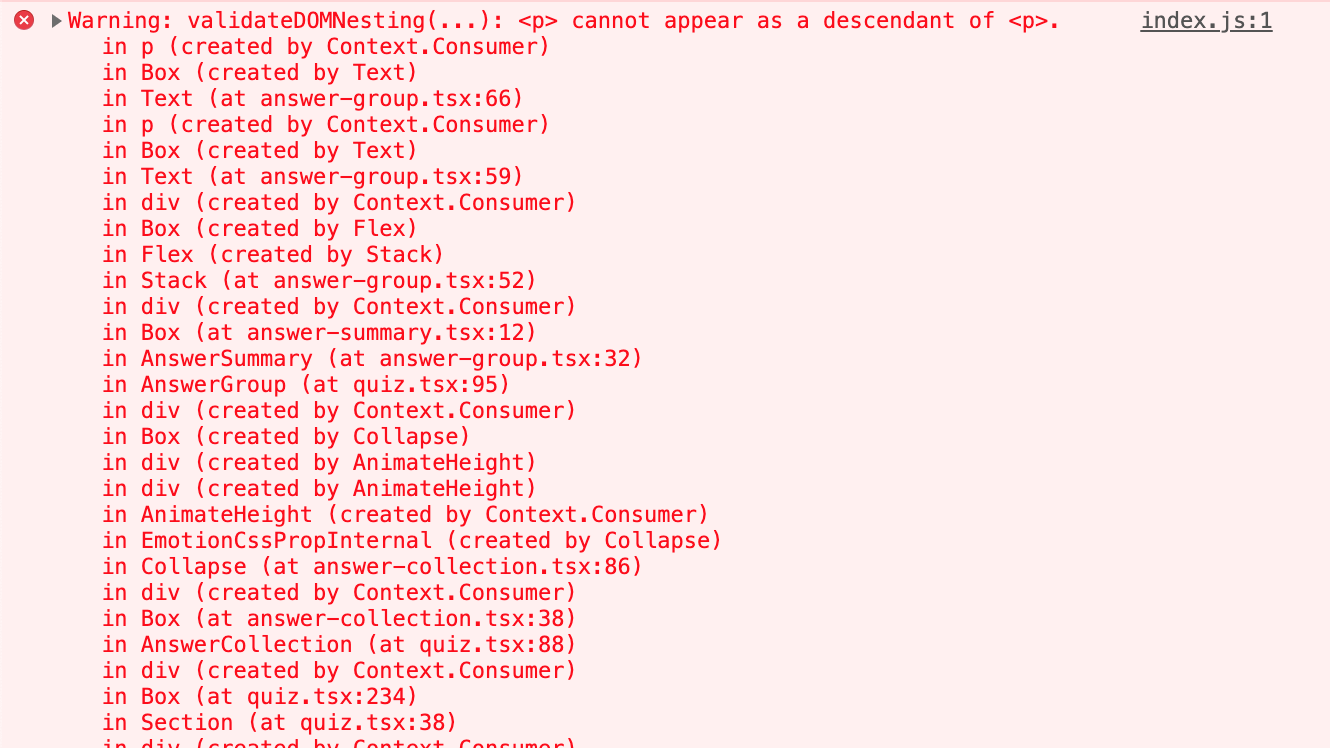
When it's not really unreasonable to just think that you can nested strings of texts with slight tweaks to style for each.
ianstormtaylor
on 13 Feb 2020
Changing Text to be inline might be a breaking change. I think we have a solution for this in the next release.
Here's what a sample code will look like:
// We're introducing chakra elements so you can just the tag you want on the fly
// or you can keep using Box, Text, etc.

<Box fontSize="sm">
  <chakra.span fontWeight="bold">{value}</chakra.span> <chakra.span color="gray.500">miles per hour</chakra.span>
</Box>
Thanks.
 segunadebayo
on 15 Feb 2020
segunadebayo
on 15 Feb 2020
@segunadebayo are you still planning to have those chakra.span-type elements? Asking because I still run into this issue every day when using Chakra, and I honestly think that a one-time breaking change to make <Text> and inline component would be better than the current situation.
Using <Text> I always mentally assume it's for inline elements, and I'm sure others get confused by this.
ianstormtaylor
on 1 Nov 2020
Related issues
 callumflack
·
3Comments
callumflack
·
3Comments
 Calvein
·
3Comments
Calvein
·
3Comments
 rovervannispen
·
3Comments
rovervannispen
·
3Comments
 ChrisLusted
·
3Comments
ChrisLusted
·
3Comments
 sumdook
·
3Comments
sumdook
·
3Comments
Most helpful comment
Changing
Textto be inline might be a breaking change. I think we have a solution for this in the next release.Here's what a sample code will look like:
Thanks.