Caseflow: Attorney check out | Edit issue
When an attorney is checking out a draft decision to a judge and notice an incorrect issue (or issues), they want to be able to update all fields for the issues on appeal, so that the Veteran's record is up to date for judge review.
Acceptance Criteria
- [ ] Verify that the user can update all fields for issues on appeal
- [ ] Verify that VACOLS issue fields are updated after the issue is edited
- [ ] Verify that we store the date and user who edited the issue
- [ ] Verify that when a user clicks edit issue on the dispositions screen they are taken to a page titled "Edit Issue"
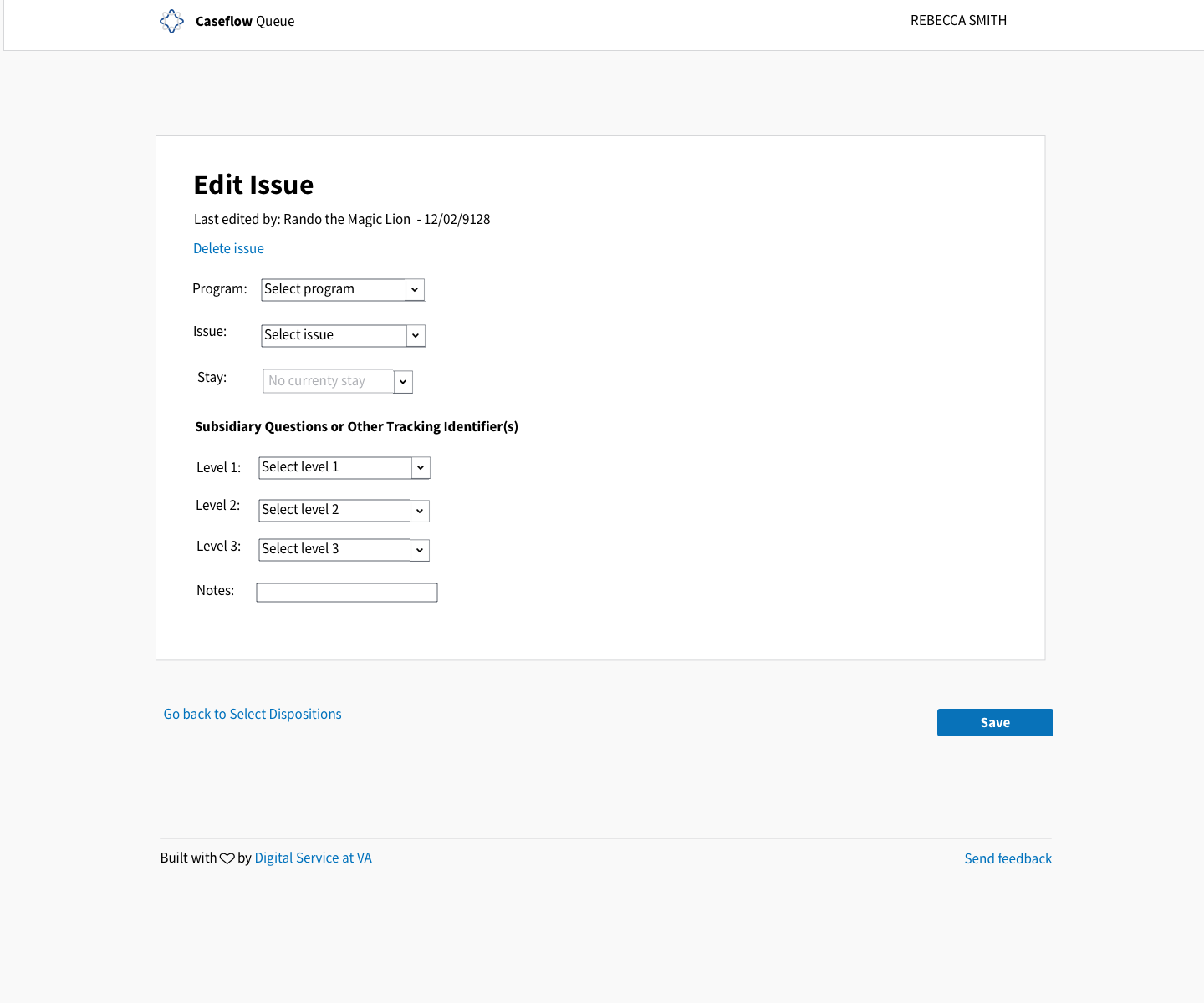
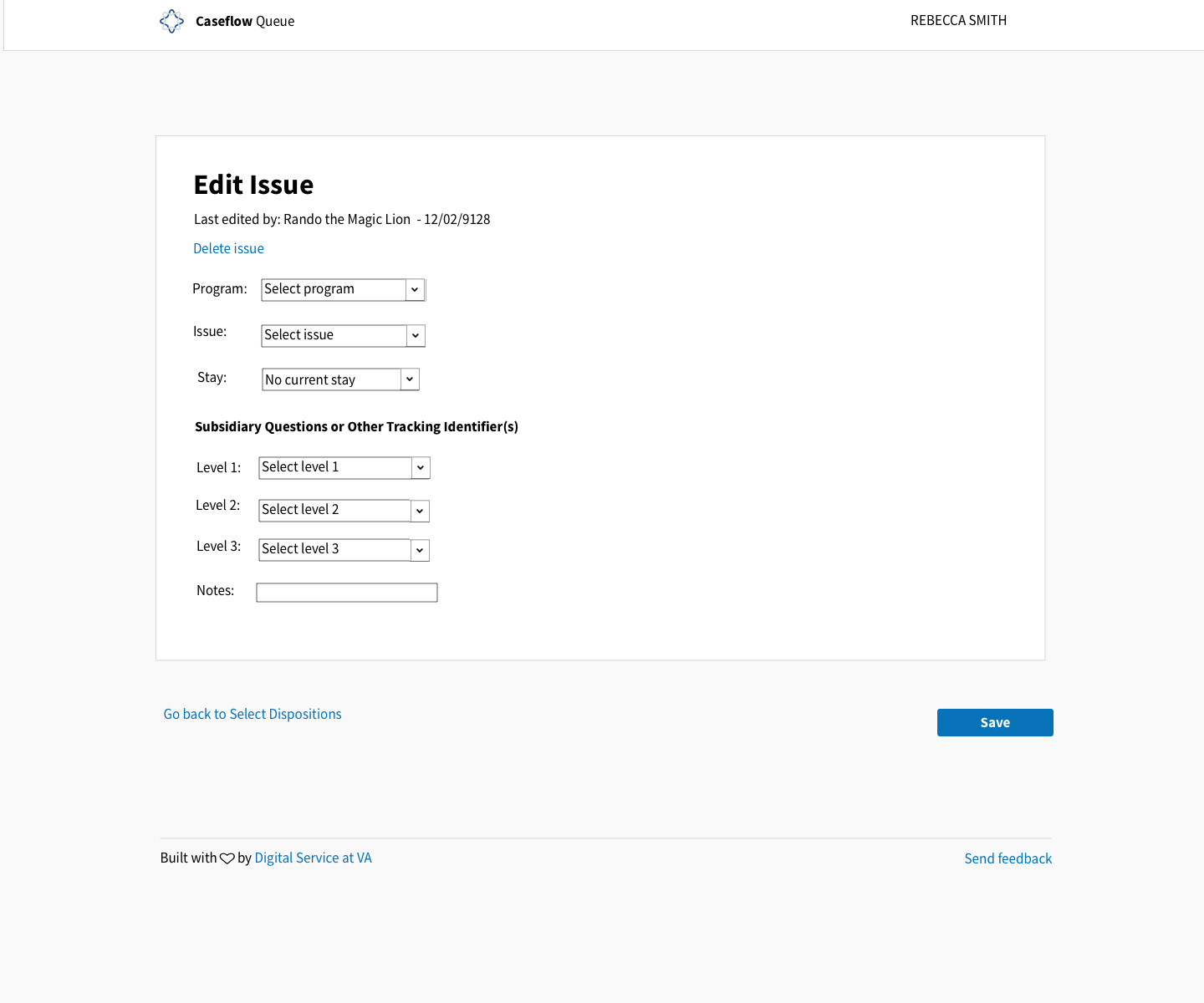
- [ ] Verify that underneath the title is a time stamp when this issue was lasted edited in the following format: Last edited by: Name - date
- [ ] Verify that there is a link underneath the time stamp with the following copy: Delete issue
- [ ] Verify that underneath the delete issue are the following:
- Program (text field)
- Compensation (text field)
- [ ] Verify that there is a sub section after the "Stay" dropdown with the following title "Subsidiary Questions or Other Tracking Identifier(s) with the correct level information when applicable
- [ ] Verify that there is a text input field called "Notes" under the level information
- [ ] Verify that there is a link at the bottom left of the Canvas that says "Go back to Select Dispositions" and when the user cancels and returns to the previous screen, issue data is unchanged
- [ ] Verify that there is a button on the bottom right of the canvas that says "Save"
Style Guide Components Used (top to bottom)
- Header
- App canvas
- Link
- Dropdown
- Text input field
- Primary button
- Footer
Mocks and specs
Title: Header
Body styling: Body
Spacing should follow queue ticket view
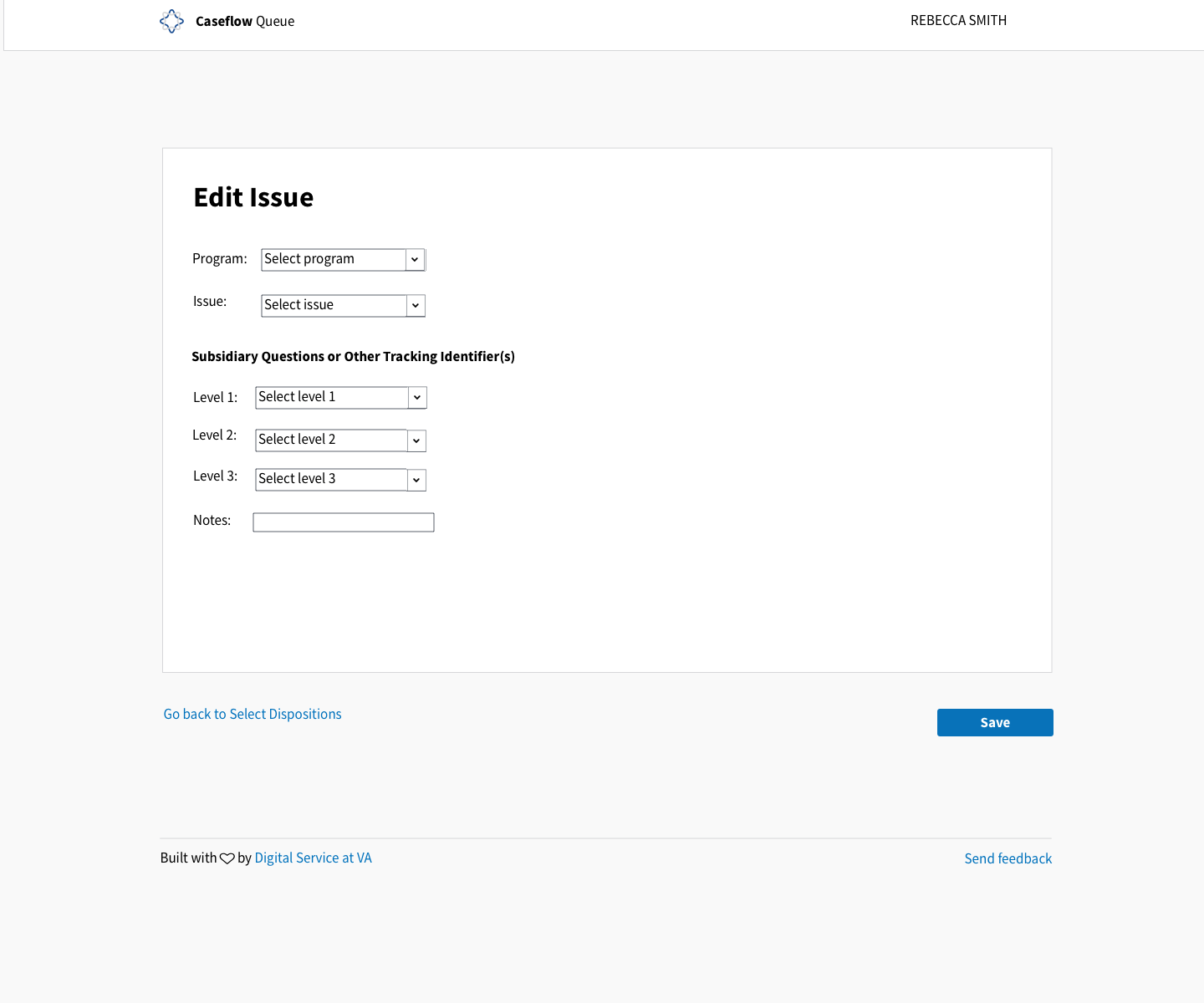
Related issues
4471 - Enter issue dispositions
 laurjpeterson
All 7 comments
AC details and mocks added
 Chingujo
on 29 Jan 2018
Chingujo
on 29 Jan 2018
@Chingujo Today, attorneys can't edit any other issue fields except notes. However, it probably makes sense for them to be able to edit the other fields. Especially because they could just delete an issue and add another one to accomplish the same thing.
Will confirm with Dave Spickler and Kim Osborne, but David Ames is on board.
laurjpeterson
on 31 Jan 2018
confirmed that attorneys can edit all issue fields - updated AC above.
@amprokop can we keep track of who edited an issue and on what date? what's the effort to track what the previous issue was as well?
laurjpeterson
on 5 Feb 2018
@laurjpeterson What options should go in the Add Stay dropdown? And is there any logic about which options should be shown when?
 dannysellers
on 21 Mar 2018
dannysellers
on 21 Mar 2018
@dannysellers @laurjpeterson
Confirmed with Dustin, Jebby, Theo that they are no current or active stays at the Board as all have been resolved.
The important logic here is:
- TBD (edited)
Some UI options:
- See mocks.
- Show a disabled dropdown to be active when/if a stay comes down (grayed out like we do with DECASS errors).
- Would have to change the dropdown/button type when a stay comes in
- Change the copy in the current dropdown from Add stay to No current stays with no relative interaction.
- Would just need to add values to the dropdown
- Do a mix of the two
Disabled
Just a text change
Chingujo
on 22 Mar 2018
If there're no stays, I'd be inclined to disable the component completely, and we can set the placeholder text to "No current stays" (as opposed to giving the user to choose a "No current stays" option).

When a new stay is created/instated, will we have to update this manually? Or is there some way we can retrieve stays programmatically and retrieve them from the server? @amprokop
dannysellers
on 22 Mar 2018
@dannysellers @Chingujo since there are 0 stays at the Board right now, let's remove this Stay option until we figure out the right way to handle it, based on more information about when/how a stay is added to an issue.
AC updated.
laurjpeterson
on 27 Mar 2018
Related issues
laurjpeterson
·
4Comments
 araposo-tistatech
·
5Comments
araposo-tistatech
·
5Comments
 lomky
·
3Comments
lomky
·
3Comments
 hschallhorn
·
4Comments
lomky
·
4Comments
hschallhorn
·
4Comments
lomky
·
4Comments
Most helpful comment
@dannysellers @Chingujo since there are 0 stays at the Board right now, let's remove this Stay option until we figure out the right way to handle it, based on more information about when/how a stay is added to an issue.
AC updated.