Cascadia-code: Some ligatures aren't working in Windows Terminal
I have installed Cascadia from Github here and in Visual Studio Code the ligatures seem to be working as expected.
In Windows Terminal though, some of them aren't working.
More in particular I have tested these: -> <- >= =>

 hansswolfs
All 3 comments
I think it's because characters are rendered separately as they have different colors.
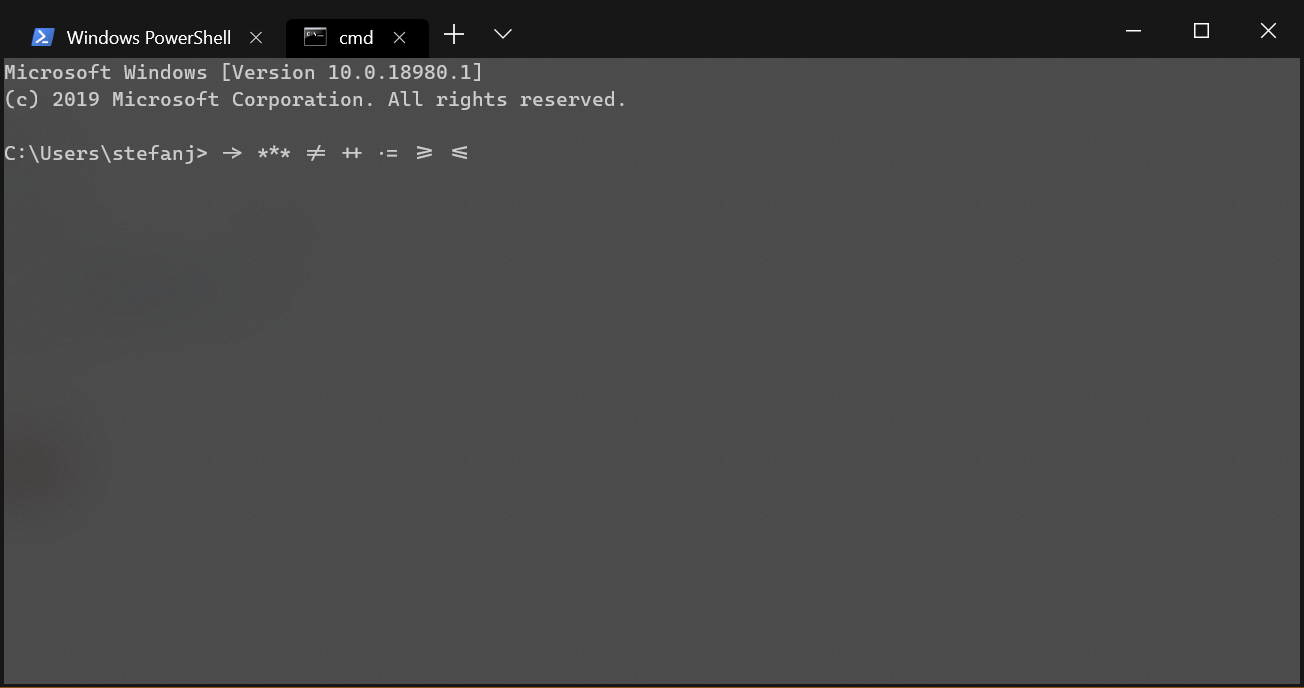
Try their ligatures in cmd which doesn't syntax highlight.
 hanubeki
on 19 Sep 2019
hanubeki
on 19 Sep 2019
👍4
Like @hanubeki mentioned above, they actuallly do work, in a standard command prompt. It seems to be just PowerShell they do not work with.
 stebet
on 19 Sep 2019
stebet
on 19 Sep 2019
👍3
Checked and indeed you both are right 👍
Also don't think it's that big of a thing in PowerShell as well.
Thanks both for chiming in and clearing this out!
hansswolfs
on 19 Sep 2019
Was this page helpful?
0 / 5 - 0 ratings
Related issues
 mdtauk
·
7Comments
mdtauk
·
7Comments
 AndreaPasqualini
·
4Comments
mdtauk
·
6Comments
AndreaPasqualini
·
4Comments
mdtauk
·
6Comments
 rivy
·
5Comments
rivy
·
5Comments
 ratishphilip
·
3Comments
ratishphilip
·
3Comments
Most helpful comment
I think it's because characters are rendered separately as they have different colors.
Try their ligatures in cmd which doesn't syntax highlight.