Cartodb: [Dashboard] List of maps / datasets is blank if all entries are locked
Steps to reproduce
- Login to the new dashboard.
- Select all maps or all datasets and click "Lock" so that all of your maps/datasets are locked.
Actual result
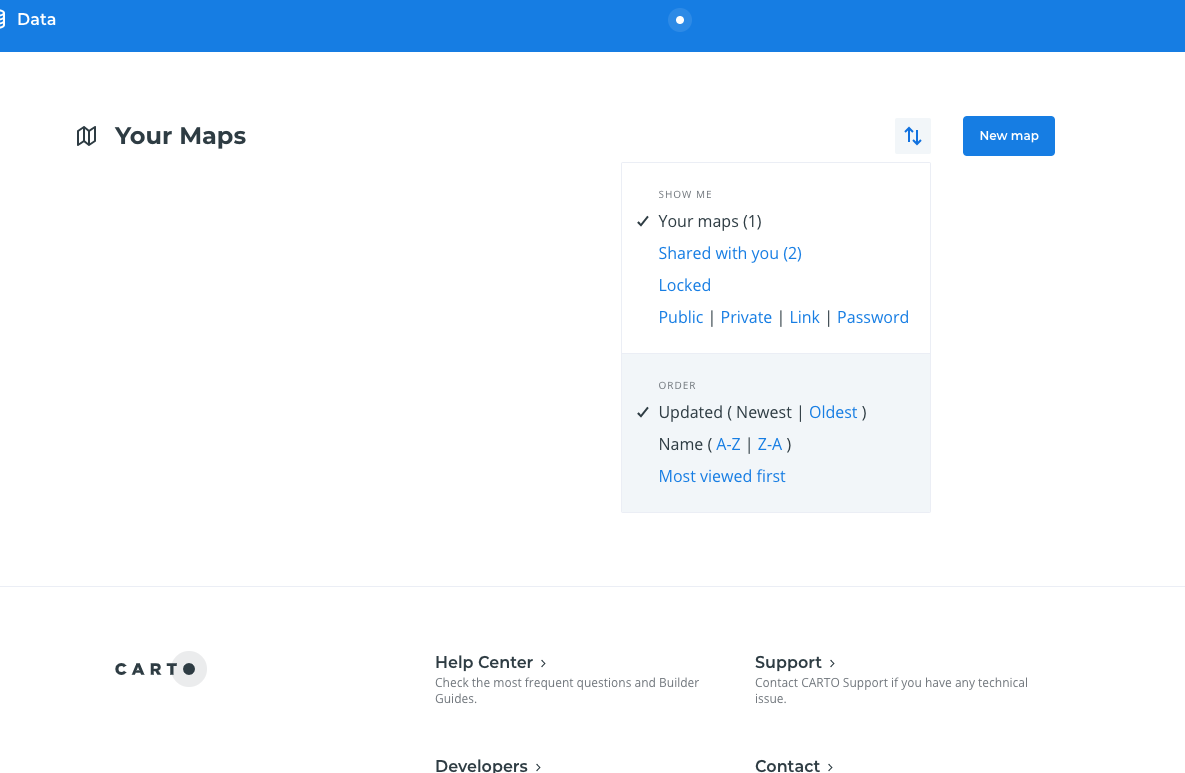
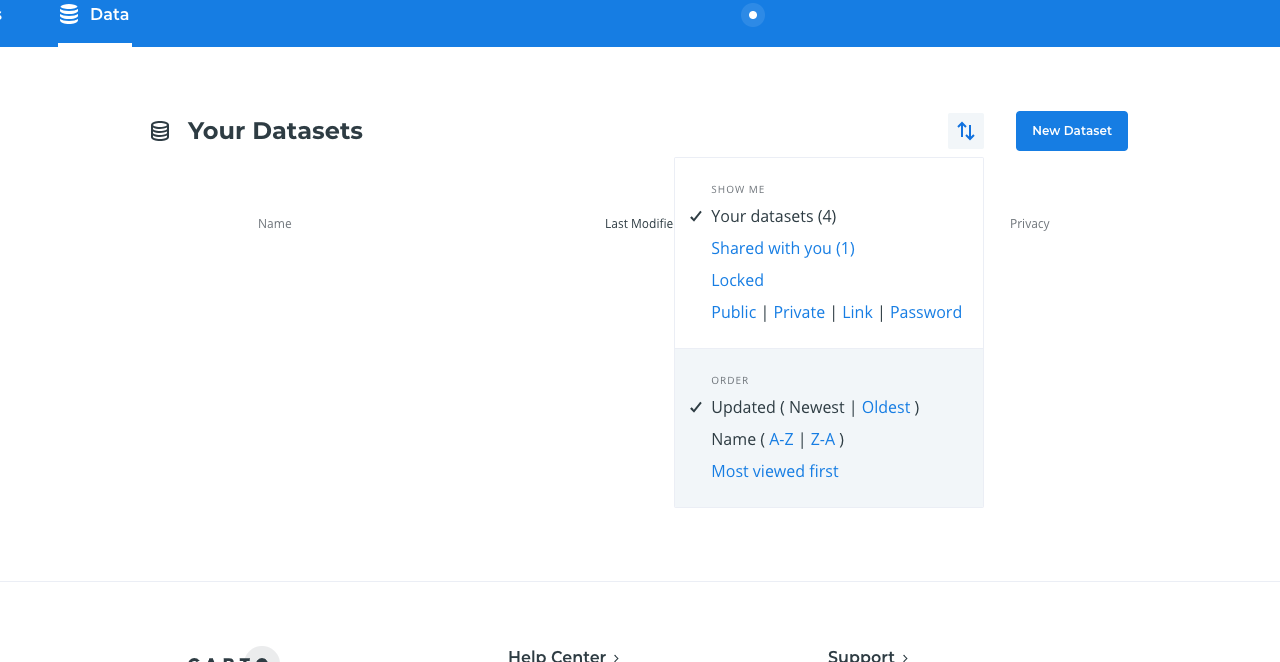
- Maps or Datasets are no longer visible because they are not locked, but there isn't any placeholder or anything that indicates the list is now empty.
- If I click on the filter, it still shows old number of maps/datasets on each of the categories:
Expected result
- If user has created any map/dataset but all of their maps/datasets are locked, we should display the same "blank" state we're using with other filters.
- In the datasets page, the columns are displayed, even if there are no datasets.
- The number of maps/datasets in the filters should be updated. For example, if I only have one map and I lock it: Your Maps (1) -> Your Maps (0) or Your Maps.
--
Solution:
- [ ] Maps:
- [x] "Your maps" doesn't show any number.
- [x] "Locked (X)" displays the number of Locked Maps. If user doesn't have any Locked map, the filter should be hidden. As soon as the user locks a map, the filter should be visible again.
- [x] "Shared with you (X)" displays the number of Maps shared with the user. If user doesn't have any map shared with her/him, the filter should be hidden.
- [ ] "Your maps" shows a placeholder if all of the user maps are locked.
- [ ] Datasets:
- [ ] "Your datasets" doesn't show any number.
- [ ] "Locked (X)" displays the number of Locked Datasets. If user doesn't have any Locked dataset, the filter should be hidden. As soon as the user locks a dataset, the filter should be visible again.
- [ ] "Shared with you (X)" displays the number of Datasets shared with the user. If user doesn't have any dataset shared with her/him, the filter should be hidden.
- [ ] "Your datasets" shows a placeholder if all of the user datasets are locked.
PRs:
 alonsogarciapablo
All 31 comments
This is what the endpoint is returning:
{"visualizations":[],"total_entries":0,"total_user_entries":1,"total_likes":0,"total_shared":2}
Perhaps this is why it shows Your Maps (1).
alonsogarciapablo
on 22 Nov 2018
Yes, we are using total_user_entries to know whether we have visualizations available or not. I don't know if we should be using total_entries. 🤔
 jesusbotella
on 22 Nov 2018
jesusbotella
on 22 Nov 2018
I think "Your Maps (XXX)" is counting all user maps (locked and unlocked) but then we're only showing unlocked ones, and that's why the number might not match. For example, in the following example I have two maps: one locked and one unlocked:
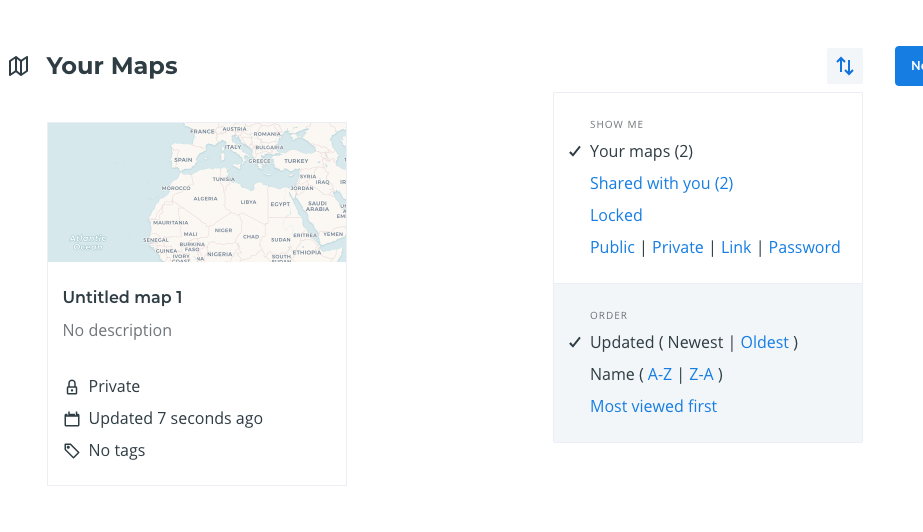
It says "Your Maps (2)" and it should say "Your Maps (1)".
alonsogarciapablo
on 22 Nov 2018
Yes, and what's the API response in that case?
jesusbotella
on 22 Nov 2018
{
   "visualizations":[
      { ... }
   ],
   "total_entries":1,
   "total_user_entries":2,
   "total_likes":0,
   "total_shared":2
}
Maybe we should be using total_entries?
alonsogarciapablo
on 22 Nov 2018
Yes, seems so :( Let me try tomorrow
jesusbotella
on 22 Nov 2018
I have fixed the initial/empty state conflict but there's no way of showing the non-locked maps in the dropdown. total_user_entries returns the locked and non-locked maps, and total_entries return the current number of maps in the current request.
I checked what happens in the current dashboard and it is broken too :(
jesusbotella
on 23 Nov 2018
I see.
@gonzaloriestra we need to display the total number of maps that are unlocked. What would you recommend? Thank you!
alonsogarciapablo
on 23 Nov 2018
I think the easiest solution would be to change the API to return only the amount of unlocked maps in total_user_entries, wouldn't it?
Also, shouldn't we also show the number of locked maps in the dropdown (Locked (1))?. In this case, we could add a new field total_locked. What do you think?
 gonzaloriestra
on 26 Nov 2018
gonzaloriestra
on 26 Nov 2018
I just updated the description after discussing with @kukukaka. Basically, we only want to display the number of "Locked (x)" maps/datasets and maps/datasets "Shared with you (x)". If x == 0, then the filter should not be displayed at all.
alonsogarciapablo
on 26 Nov 2018
@alonsogarciapablo what should we do with visualizations that are shared and locked at the same time?
In the old dashboard, they are taken into account for the shared tab count, but then hidden (with the link to show them at the bottom).
But in the new dashboard, there's no way now to see the shared and locked, as the locked filter only shows visualizations owned by the user.
gonzaloriestra
on 3 Dec 2018
@alonsogarciapablo what should we do with visualizations that are shared and locked at the same time?
We should display the total number of visualizations "shared with me" (no matter if they are locked or unlocked).
But in the new dashboard, there's no way now to see the shared and locked, as the locked filter only shows visualizations owned by the user.
In theory, that was fixed in https://github.com/CartoDB/cartodb/issues/14386, but let me double check.
alonsogarciapablo
on 5 Dec 2018
You are right, thanks. I forgot about that issue and I hadn't merged the latest changes.
And regarding the locked view, we shouldn't show/count shared visualizations there, right?
gonzaloriestra
on 5 Dec 2018
@gonzaloriestra I just tried and we're now displaying both locked and unlocked maps / datasets under the "Your maps / datasets" pages.
And regarding the locked view, we shouldn't show/count shared visualizations there, right?
No, those are the maps / datasets that you have created and that are locked.
alonsogarciapablo
on 5 Dec 2018
Hello, I've been playing with this in staging. Lock counts looks good now, but I still don't see any placeholder when all maps / datasets are locked:
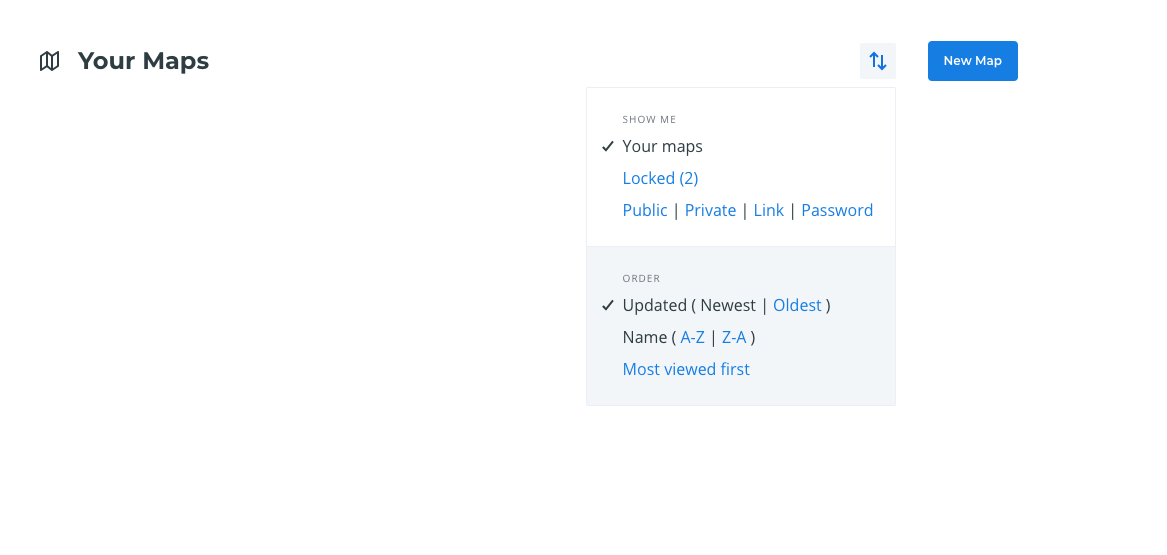
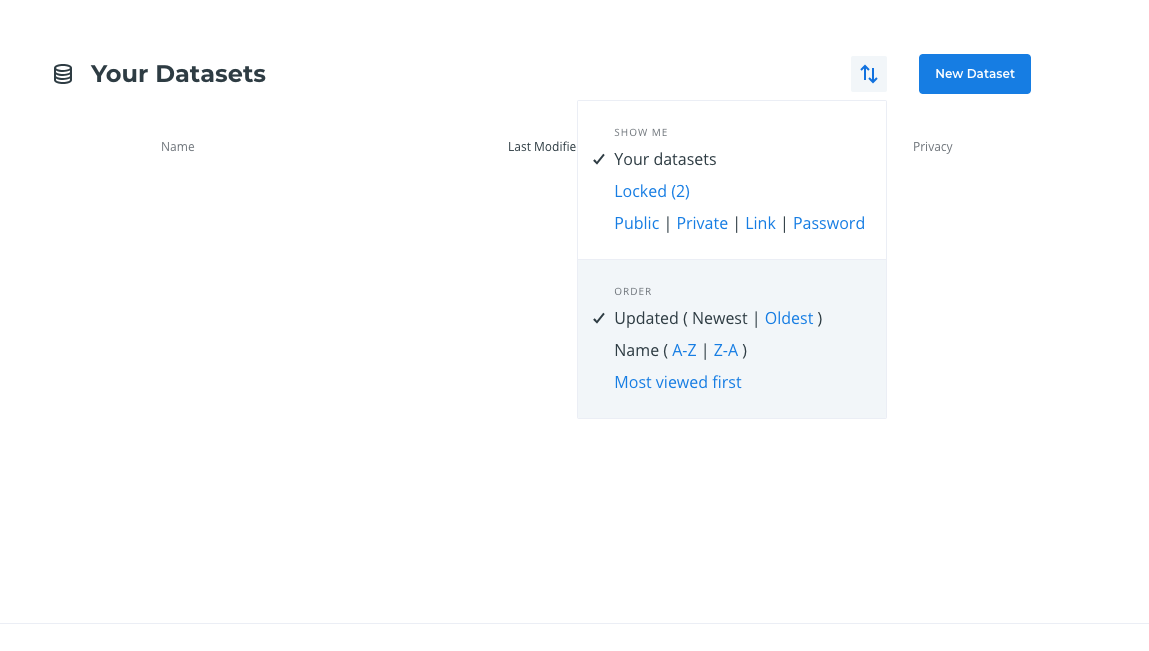
@jesusbotella not sure if that should actually be working or it still needs some frontend work. Moving it to ~In Progress~ TODO. Thank you!
alonsogarciapablo
on 11 Dec 2018
If total_entries === 0 and total_locked > 0 it should display this:
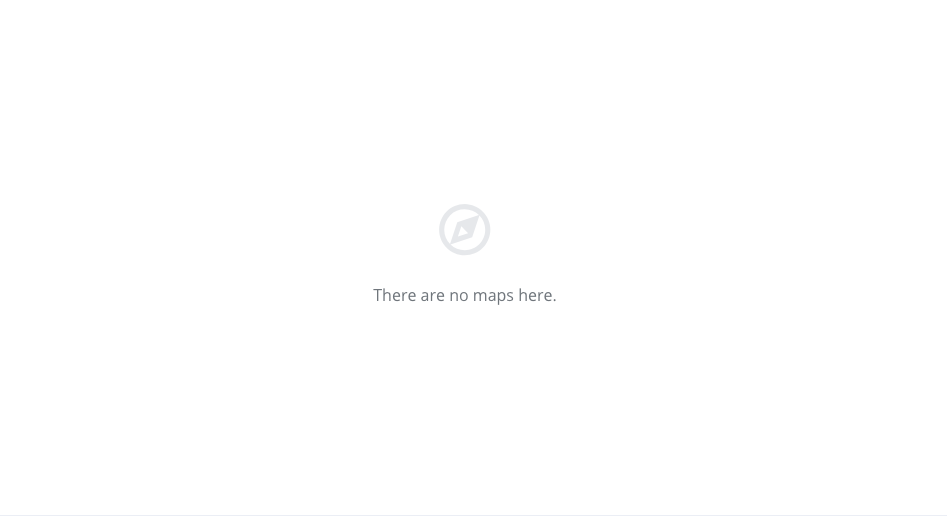
alonsogarciapablo
on 11 Dec 2018
Something I was discussing with @kukukaka is that some users might not have any maps / datasets they have created (locked or unlocked), but they might have some maps / datasets (eg: shared with all members of the organization). It might be hard for them to discover that, so we might want to inform them somehow. @kukukaka any idea? Thank you!
alonsogarciapablo
on 11 Dec 2018
Going to take a look at it! :)
jesusbotella
on 12 Dec 2018
Thank you!
alonsogarciapablo
on 12 Dec 2018
I think what I described in https://github.com/CartoDB/cartodb/issues/14482#issuecomment-446283320 is wrong. There are ~two~ tree different scenarios:
1. User has not created any map yet (total_user_entries === 0):

We can update the copy to:
Create your first map to predict key insights
Build your first Location Intelligence app and start predicting key insights from your location data with our drag and drop tool for analysts and business users. Check out our here
@ramiroaznar ☝️ link points to https://carto.com/help/tutorials/builder/... is there a better place to point users too?
2. User has created some maps but they are all locked (total_user_entries > 0 && total_user_entries - total_locked === 0):

3. User has not created any map yet but she/he has some maps that have been shared with her/him (total_user_entries === 0 && total_shared > 0):

There are no maps here. Check out the maps shared with you.
alonsogarciapablo
on 12 Dec 2018
Actually, if we know that all maps are locked, we could be more explicit:
All your maps are locked. Check out your locked maps.
alonsogarciapablo
on 12 Dec 2018
Do we want to change all these placeholders? This might require some thoughts and we're solving a bug here 😅
Moreover, this is not as simple as that because I think we defined the placeholders as:
1) If Your Maps filter is selected and you don't have any created maps, we should show the Create your first map... card.
2) If any other filter is selected and you don't have any created maps or you have created maps but the filter query return no results, we should show the standard empty placeholder.
jesusbotella
on 12 Dec 2018
Yes, sorry. I'm increasing the scope of this issue on-the-fly. I figured it's a great opportunity to change this now that we're here :P. If you guys feel we should do it in a different PR, I'm happy to open a new issue with all these things 😄
alonsogarciapablo
on 12 Dec 2018
Yes, would you please open a new issue for that? 🙏 🙇
jesusbotella
on 12 Dec 2018
Sure thing.
alonsogarciapablo
on 12 Dec 2018
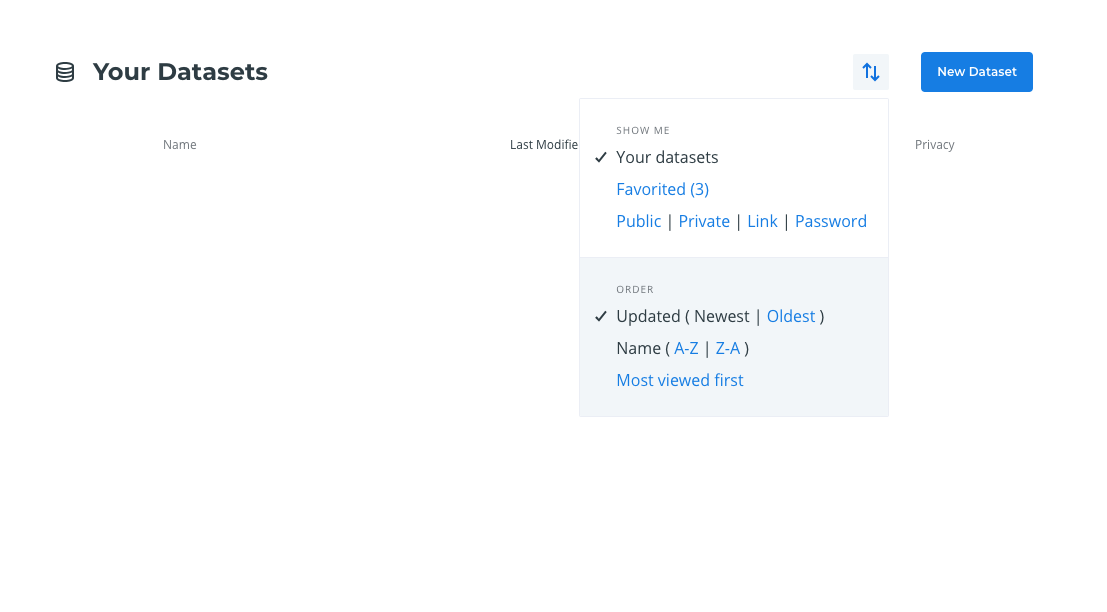
For some reason, I'm not seeing the "Locked (X)" filter in "Your Datasets" page:
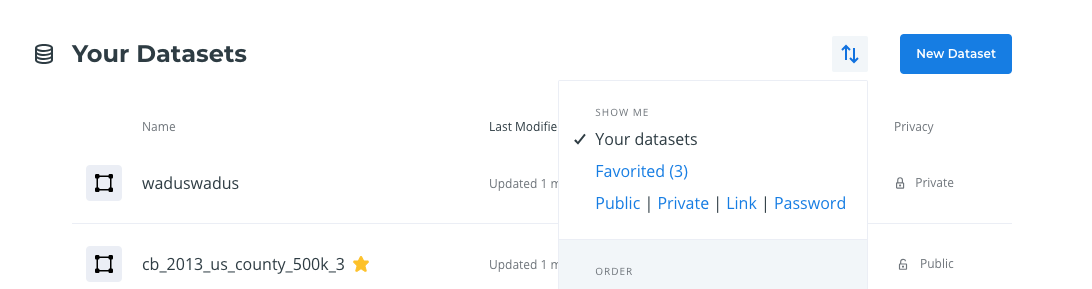
alonsogarciapablo
on 12 Dec 2018
And I do have locked datasets (I changed the URL manually to see them):
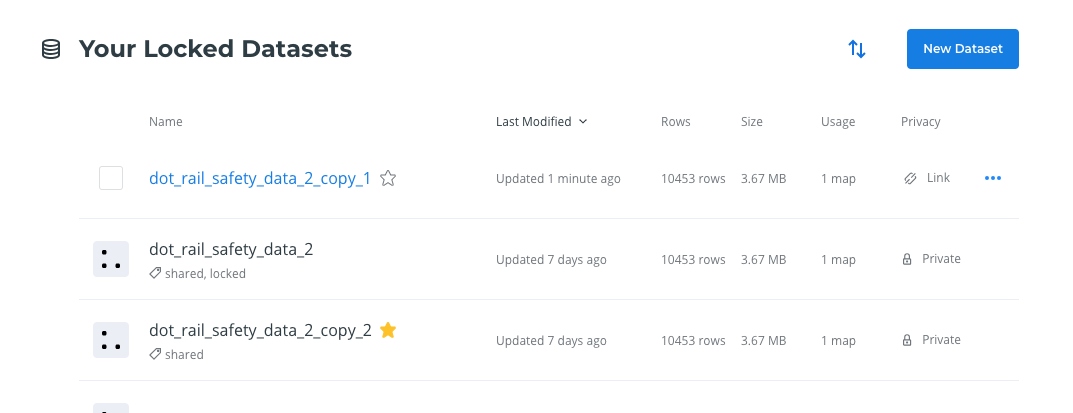
alonsogarciapablo
on 12 Dec 2018
The placeholder looks fine on "Your maps" page, but I don't see it in "Your Datasets" page:
alonsogarciapablo
on 12 Dec 2018
Yes, sorry I forgot to do it 😢. I have just done it and redeployed, it should be there in a while.
jesusbotella
on 12 Dec 2018
I checked it and it should be working! Please let me know if everything is OK! :)
jesusbotella
on 13 Dec 2018
Just tested again... LGTM! 👏👏👏 Let's merge this and I will open a new issue to make the placeholders even better!
alonsogarciapablo
on 13 Dec 2018
Related issues
 ramiroaznar
·
4Comments
jesusbotella
·
4Comments
ramiroaznar
·
4Comments
jesusbotella
·
4Comments
 saleiva
·
4Comments
saleiva
·
4Comments
 ivanmalagon
·
3Comments
ivanmalagon
·
3Comments
 noguerol
·
5Comments
noguerol
·
5Comments