Cartodb: Change "Add" buttons design (Add Layer, Add Analysis, Add Widget)
Context
Design ticket: https://github.com/CartoDB/design/issues/1071
Invision project: https://invis.io/XJEKMDODE
 urbanphes
All 12 comments
There is one case we didn't think about, in the widgets tab, when there is a widget we show a placeholder with a blue button, we've changed it to this:
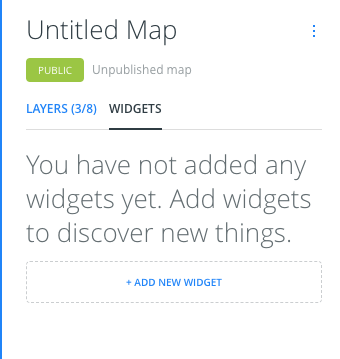
It also happens in the analysis view:
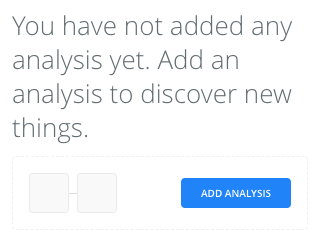
What do you think @CartoDB/design?
 rubenmoya
on 12 Dec 2017
rubenmoya
on 12 Dec 2017
In the analyses tab right now we have a loading state, with this changes, what do we do in that case? @CartoDB/design
rubenmoya
on 12 Dec 2017
actually we also have errors, check every different state for the analyses list
 matallo
on 12 Dec 2017
matallo
on 12 Dec 2017
Zero case:
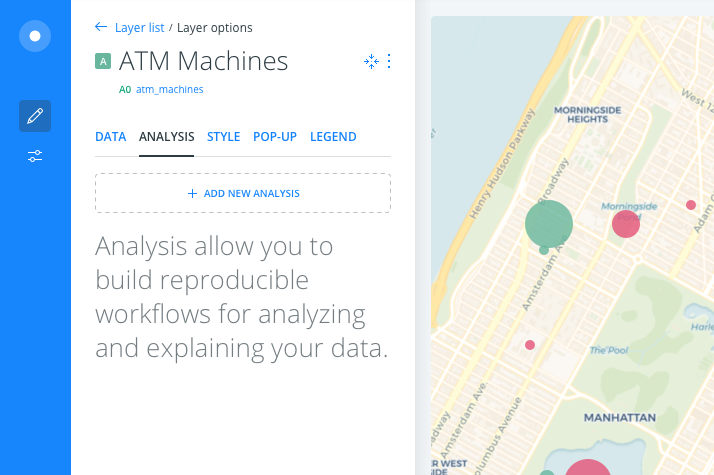
Copy: Analysis allow you to build reproducible workflows for analyzing and explaining your data.
 arianaescobar
on 13 Dec 2017
arianaescobar
on 13 Dec 2017
List states:
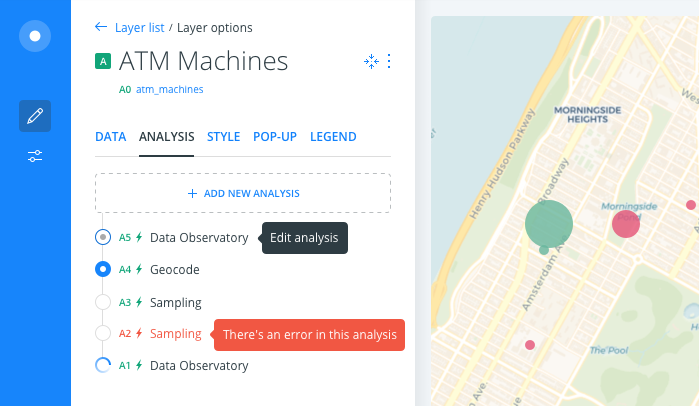
Hover
Selected
Normal
Error
Loading
arianaescobar
on 13 Dec 2017
In the analysis view, the dropdown in the redesign is showing the nodeId and the layerName:
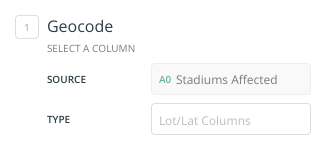
but currently we're also showing the nodeTitle in this case Sampling, what should we do in the new design?
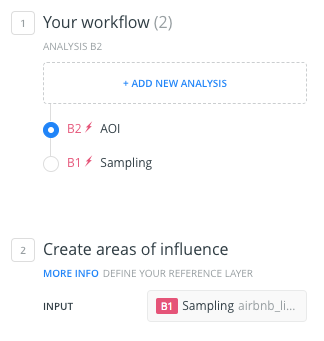
@arianaescobar
rubenmoya
on 13 Dec 2017
Also, in the widgets tab:
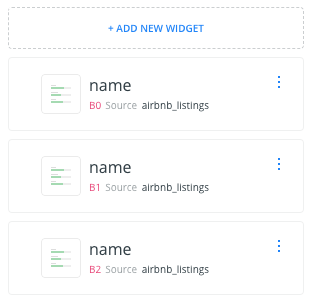
we're always showing "source" and the layer name, no matter if the source it's an analysis or the dataset itself, for example. this is how it looks in the widgets:
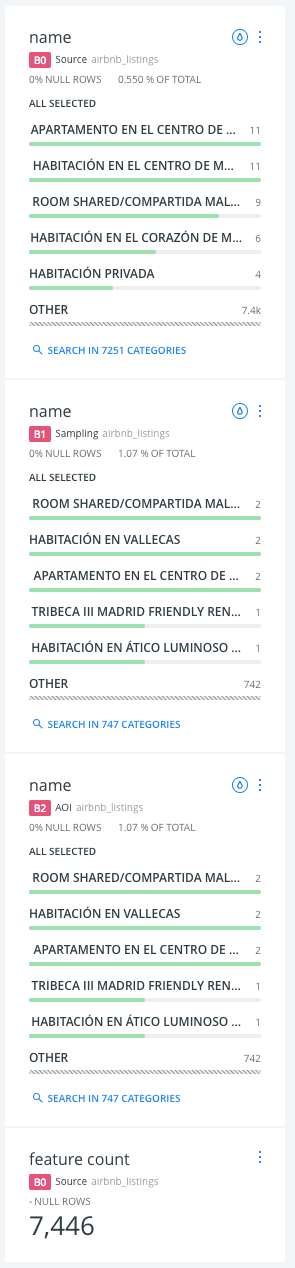
And the color for the nodeTitle and the layerName are different in the layer list and the widget:
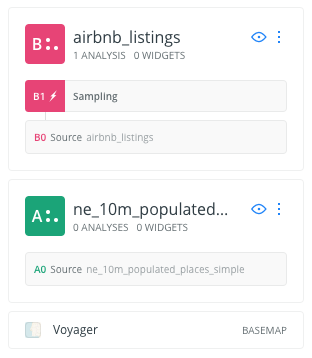
Should the nodeTitle be darker than the layerName?
Another thing is the button, it's in the top of the list, but when the new widget is added it appears at the bottom of the list, should we change it to be at the bottom? In the layer list, it's at the top, and the layer is added at the top, should the button be consistent with where the resource is added?
rubenmoya
on 13 Dec 2017
To the nodes styling questions, this is how they should always look:
- Node is always darker
- Node is either Source or the Analysis name (simplified)
- An analysis node is always "XX + Flash icon + Analysis name + Layer name"
- A source node is always "XX + "Source" + Dataset name"
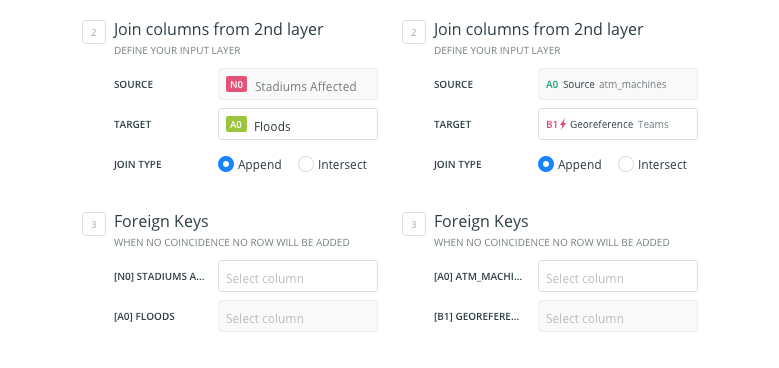
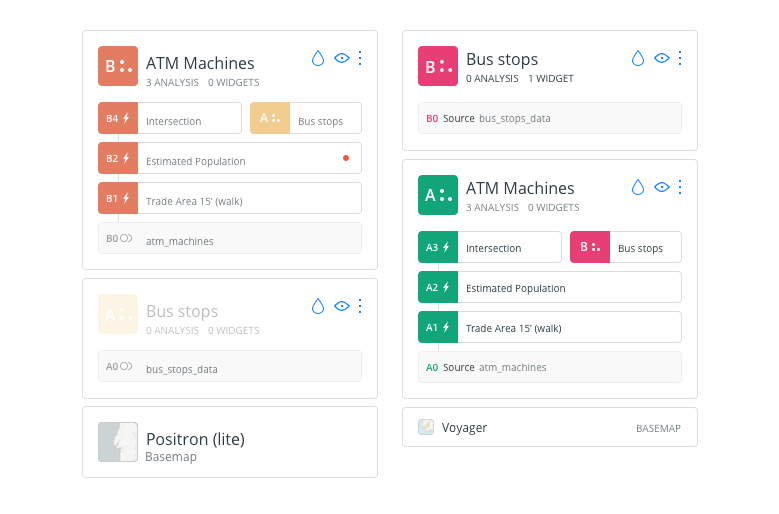
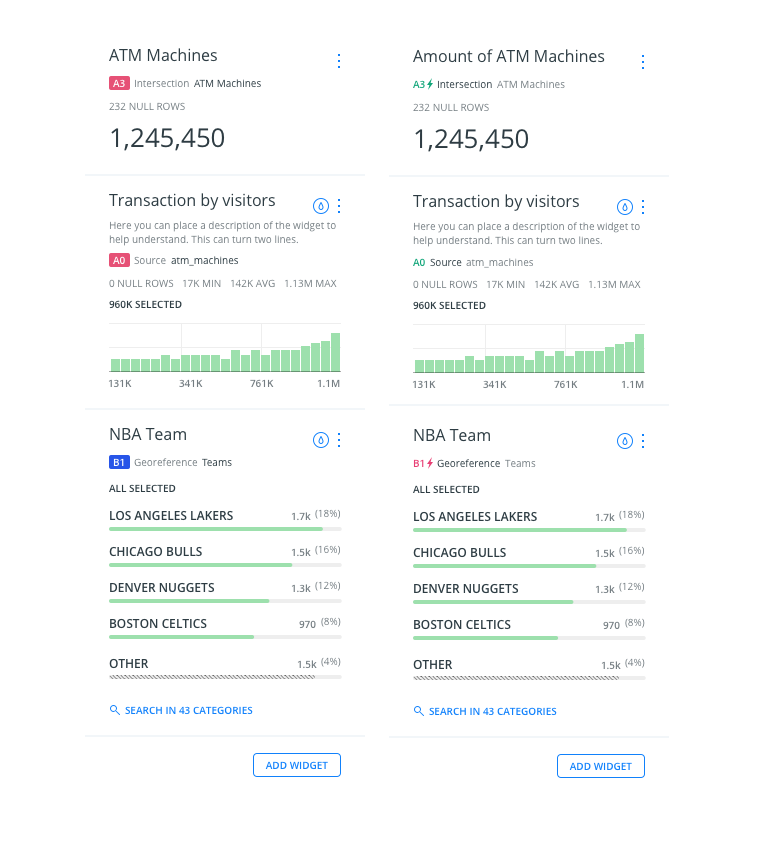
To the button question: We want it at the top, always. And to solve that, we want to change the behavior so they get added on top (both in the Widgets list and the widgets themselves), just like layers do, to unify.
Does that answer your doubts?
arianaescobar
on 13 Dec 2017
Yes, thank you!
rubenmoya
on 13 Dec 2017
Why did we change the blue color to the last one? 😞 I loved it 💔
rubenmoya
on 14 Dec 2017
I loved it too, but it's too similar to our Builder blue and people might confuse them and think that it is interactive :(
arianaescobar
on 14 Dec 2017
In production! 🚀
rubenmoya
on 22 Dec 2017
Related issues
 xavijam
·
5Comments
xavijam
·
5Comments
 ramiroaznar
·
4Comments
ramiroaznar
·
4Comments
 piensaenpixel
·
4Comments
piensaenpixel
·
4Comments
 santisaez
·
5Comments
santisaez
·
5Comments
 saleiva
·
4Comments
saleiva
·
4Comments
Most helpful comment
List states:
Hover
Selected
Normal
Error
Loading