Cardview: IndicatorsControl overflow
First, thanks for the tool!
I want to put the Indicators Control between the cards and the colored button group, but when I try to TranslateY it is being cut by the end of the CarouselView.
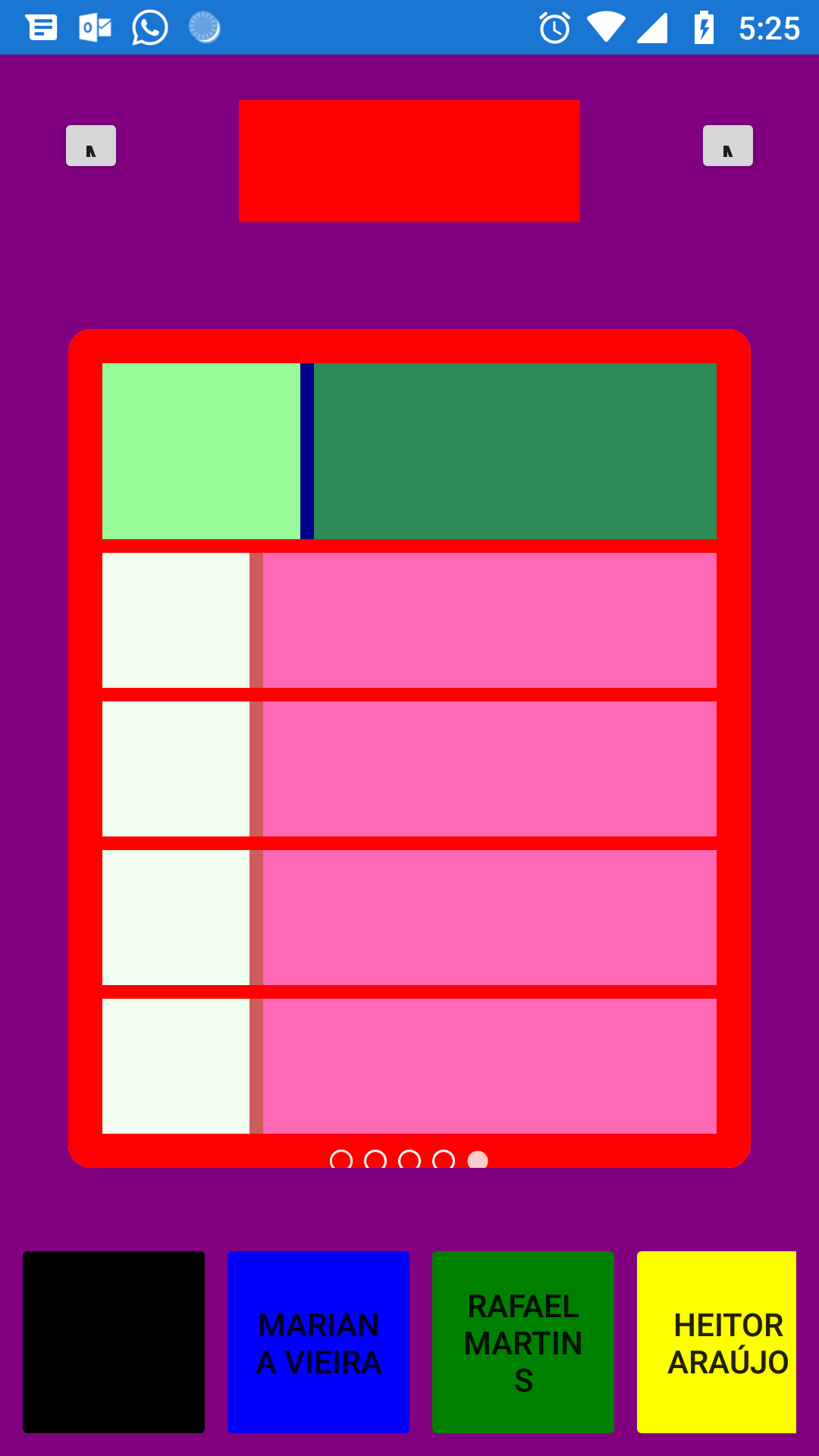
I tried making the CarouselView bigger and the Card smaller, so there would be a spare space to the Controls, but this way I was not able to set the sizes according to the screen size (I use Grids to achieve it right now).
Any help?
Thanks!
 ronaldosena
All 2 comments
I too needed to control the location of the IndicatorsControl. I defined an IndicatorsControl outside of the Carousel/Cardview which allowed me to move it wherever I needed to in a layout. Then the IndicatorsControl properties need to be bound to the Carousel/CardView.
    <panIndicators:IndicatorsControl
                UseParentAsBindingContext="False"
                HorizontalOptions="Center"
                BindingContext="{x:Reference PanCardView}"
                Margin="5"
                SelectedIndex="{Binding SelectedIndex}"
                ItemsCount="{Binding ItemsCount}"
                IndicatorsContexts="{Binding ItemsSource}"
                IsUserInteractionRunning="{Binding IsUserInteractionRunning}"
                IsAutoInteractionRunning="{Binding IsAutoInteractionRunning}"/>
Its important to assign false to the UseParentAsBindingContext property. The current implementation of the control assumes you're using it as a child of Carousel/Cardview and then sets the BindingContext to the parent.
 eamreyes
on 15 Aug 2018
eamreyes
on 15 Aug 2018
Hi all
@ronaldosena yes, as @eamreyes said, it's possible.
But as I remember, you needn't have to bind every property, next lines would be enough:
<StackLayout>
    <cards:CarouselView x:Name="Carousel" />
    <panIndicators:IndicatorsControl
                UseParentAsBindingContext="False"
                BindingContext="{x:Reference PanCardView}" />
</StackLayout>
Because all bindings are defined at constructor. Indeed, as @eamreyes noted, you should set UseParentAsBindingContext to False and bind indicators bindingContext to your Carousel/Cards control.
__
Btw, if you like this plugin, you may set star on this repo =)
 AndreiMisiukevich
on 15 Aug 2018
AndreiMisiukevich
on 15 Aug 2018
Related issues
 stealthcold
·
6Comments
stealthcold
·
6Comments
 baranpirincal
·
4Comments
baranpirincal
·
4Comments
 jungjanos
·
8Comments
jungjanos
·
8Comments
 JTOne123
·
5Comments
JTOne123
·
5Comments
 LuisM000
·
3Comments
LuisM000
·
3Comments
Most helpful comment
I too needed to control the location of the IndicatorsControl. I defined an IndicatorsControl outside of the Carousel/Cardview which allowed me to move it wherever I needed to in a layout. Then the IndicatorsControl properties need to be bound to the Carousel/CardView.
Its important to assign false to the UseParentAsBindingContext property. The current implementation of the control assumes you're using it as a child of Carousel/Cardview and then sets the BindingContext to the parent.