Caprine: Refusal to stay signed in
Every time I close out of Caprine, it instantly logs me out, having to log in again every time that I open Caprine. I have closed out of it using the Quit Caprine button, I have done Command + Q and have tried logging out of it, logging back in and quitting with the same result.
Caprine 2.36.0
Electron 5.0.6
darwin 18.7.0
Locale: en-GB
 arcues19875
All 26 comments
Same problem for me.
Caprine 2.36.0
MacOS Mojave 10.14.6
 khvnhtung
on 13 Aug 2019
khvnhtung
on 13 Aug 2019
same here
 sneila
on 13 Aug 2019
sneila
on 13 Aug 2019
Same issue for me.
 realtaras
on 13 Aug 2019
realtaras
on 13 Aug 2019
Here as well.
 stevyhacker
on 13 Aug 2019
stevyhacker
on 13 Aug 2019
Can confirm.
 RaunoT
on 13 Aug 2019
RaunoT
on 13 Aug 2019
I can't seem to sign in at all or type in the username and password fields. This started today for me.
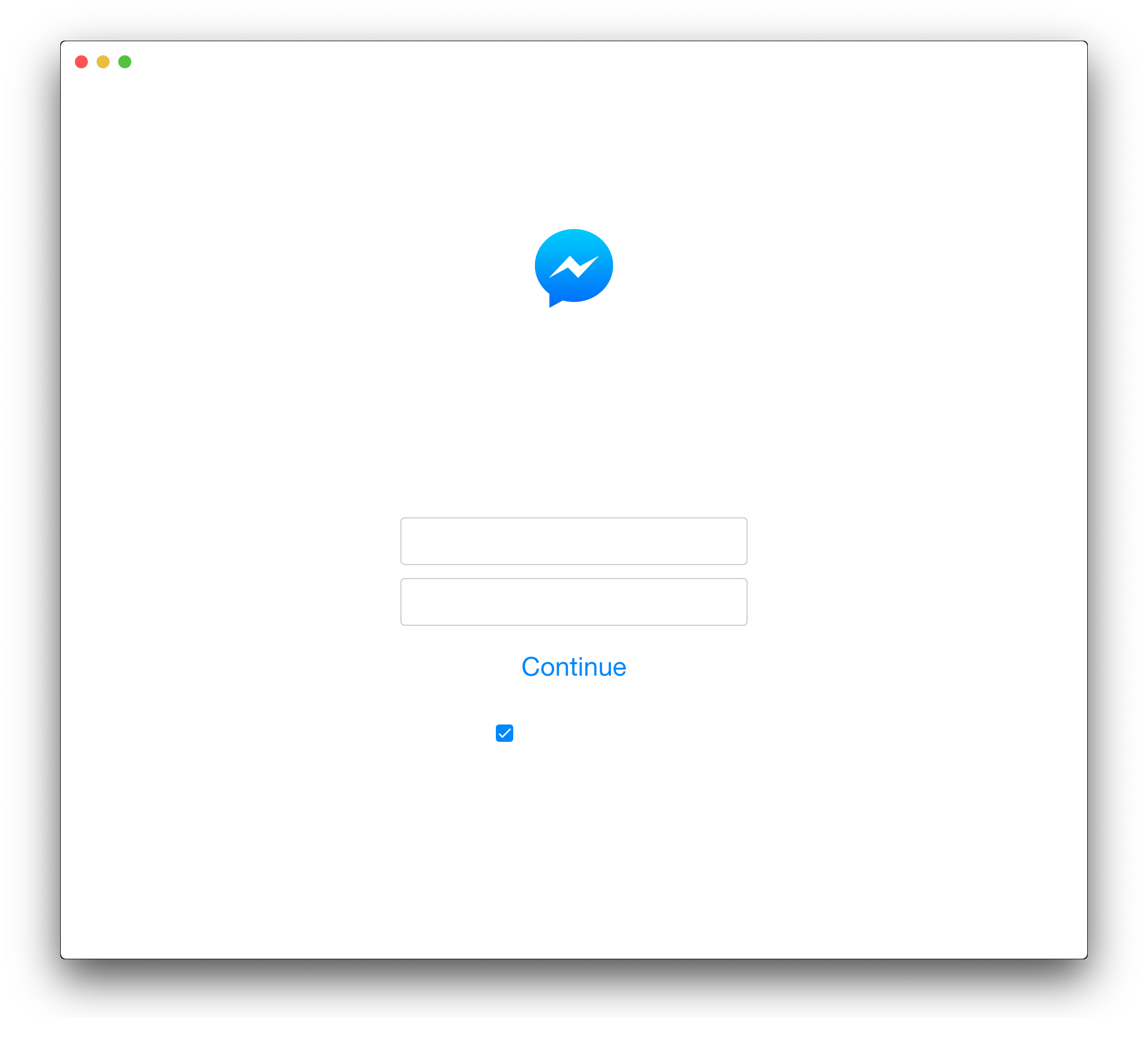
Versions
macOS Mojave: 10.14.16
Caprine: 2.36.0 (2.36.0.1586)
 epicserve
on 13 Aug 2019
epicserve
on 13 Aug 2019
@epicserve This one is related to #712, as a workaround you can just temporarily disable vibrancy and/or dark mode.
 CvX
on 13 Aug 2019
CvX
on 13 Aug 2019
How to disable auto app updates?
 ssztemberg
on 13 Aug 2019
ssztemberg
on 13 Aug 2019
@CvX, Thanks for the help, unfortunately, I ran into a new issue where my security key for 2FA doesn't work. Has that issue been reported at all?
epicserve
on 13 Aug 2019
Me too ~~ 2FA and blank scren
 ookangzheng
on 13 Aug 2019
ookangzheng
on 13 Aug 2019
Same issue here
 DaivikGoel
on 13 Aug 2019
DaivikGoel
on 13 Aug 2019
I think it would be helpful to stop with the "me too" posts and just add a thumbs up to issue at the top. The "me too" posts spam everyone following the issue and add unnecessary clutter to sort through. 🙂
epicserve
on 13 Aug 2019
It might be a duplicate of #1036
 matkaz
on 13 Aug 2019
matkaz
on 13 Aug 2019
It's the MeToo movement but for programmers.
khvnhtung
on 14 Aug 2019
Same here. I have no enabled the vibrancy option.

 hieuhuynh93
on 14 Aug 2019
hieuhuynh93
on 14 Aug 2019
How to disable auto app updates?
There's no way to stop auto app update, It kinda sucks that I have to use Firewall(Littlesnitch) to block caprine from surfing github.com. 🙅♂
ookangzheng
on 14 Aug 2019
Not sure autoupdate matters. I just downloaded v1 and still same problem cause it's gotta be due to messenger website.
 zebapy
on 14 Aug 2019
zebapy
on 14 Aug 2019
There's no way to stop auto app update, It kinda sucks that I have to use Firewall(Littlesnitch) to block caprine from surfing github.com. 🙅♂
Ohhhh, I didn't even think to do that. Blocking now!
edit: As everyone else is reporting, won’t stay signed in when relaunched.
 thisiskeithb
on 15 Aug 2019
thisiskeithb
on 15 Aug 2019
Same. It's definitely the latest version.
 stevensacks
on 16 Aug 2019
stevensacks
on 16 Aug 2019
Caprine 2.36.0
macOS 10.14.5
Got it to work by uninstalling with AppCleaner (note: this will remove any settings via pref/config files you have set on caprine). Drag and drop Caprine from applications dir into AppCleaner and remove all files suggested.
Then proceed normally with a clean reinstall of 2.36.0.
 gentb
on 16 Aug 2019
gentb
on 16 Aug 2019
@gentb That helped, thanks a lot!
 mgol
on 16 Aug 2019
mgol
on 16 Aug 2019
@gentb Thanks. That helped. We also can use either AppCleaner or CleanMyMac to uninstall the current Caprine app. The issue was resolved.
hieuhuynh93
on 19 Aug 2019
@gentb thank you! worked for me
 shivaalroy
on 20 Aug 2019
shivaalroy
on 20 Aug 2019
I uninstalled Caprine, removed Caprine's folder in the userData directory and then installed again. It solved the problem! I had no need to either use AppCleaner or CleanMyMac to have the issue fixed.
I think uninstalling Caprine was an unnecessary step. Just removing the directory with the app closed should be effective as well.
If you want to try the same, the directory I mentioned is:
%APPDATA%on Windows$XDG_CONFIG_HOMEor~/.configon Linux~/Library/Application\ Supporton macOS
In case you are wondering how I got to these directories:
- Caprine uses electron-store to save its state. We can check its usage in _config.ts_.
- electron-store uses
userDataas the default path. Underlying, this package uses the electron APIapp.getPath(name).
 antonio-ramadas
on 24 Aug 2019
antonio-ramadas
on 24 Aug 2019
Confirm that just removing the directory is effective. Thanks!
 Mattrak
on 26 Aug 2019
Mattrak
on 26 Aug 2019
This seems to be fixed by https://github.com/sindresorhus/caprine/issues/1044#issuecomment-521925982. I'll close this now.
 dusansimic
on 1 Nov 2020
dusansimic
on 1 Nov 2020
Related issues
 Yukaii
·
3Comments
Yukaii
·
3Comments
 PanagiotisGts
·
4Comments
PanagiotisGts
·
4Comments
 IdiosApps
·
3Comments
IdiosApps
·
3Comments
 linuxlite
·
4Comments
linuxlite
·
4Comments
 sindresorhus
·
4Comments
sindresorhus
·
4Comments
Most helpful comment
Caprine 2.36.0
macOS 10.14.5
Got it to work by uninstalling with AppCleaner (note: this will remove any settings via pref/config files you have set on caprine). Drag and drop Caprine from applications dir into AppCleaner and remove all files suggested.
Then proceed normally with a clean reinstall of 2.36.0.