Caprine: Image preview sizes are too big
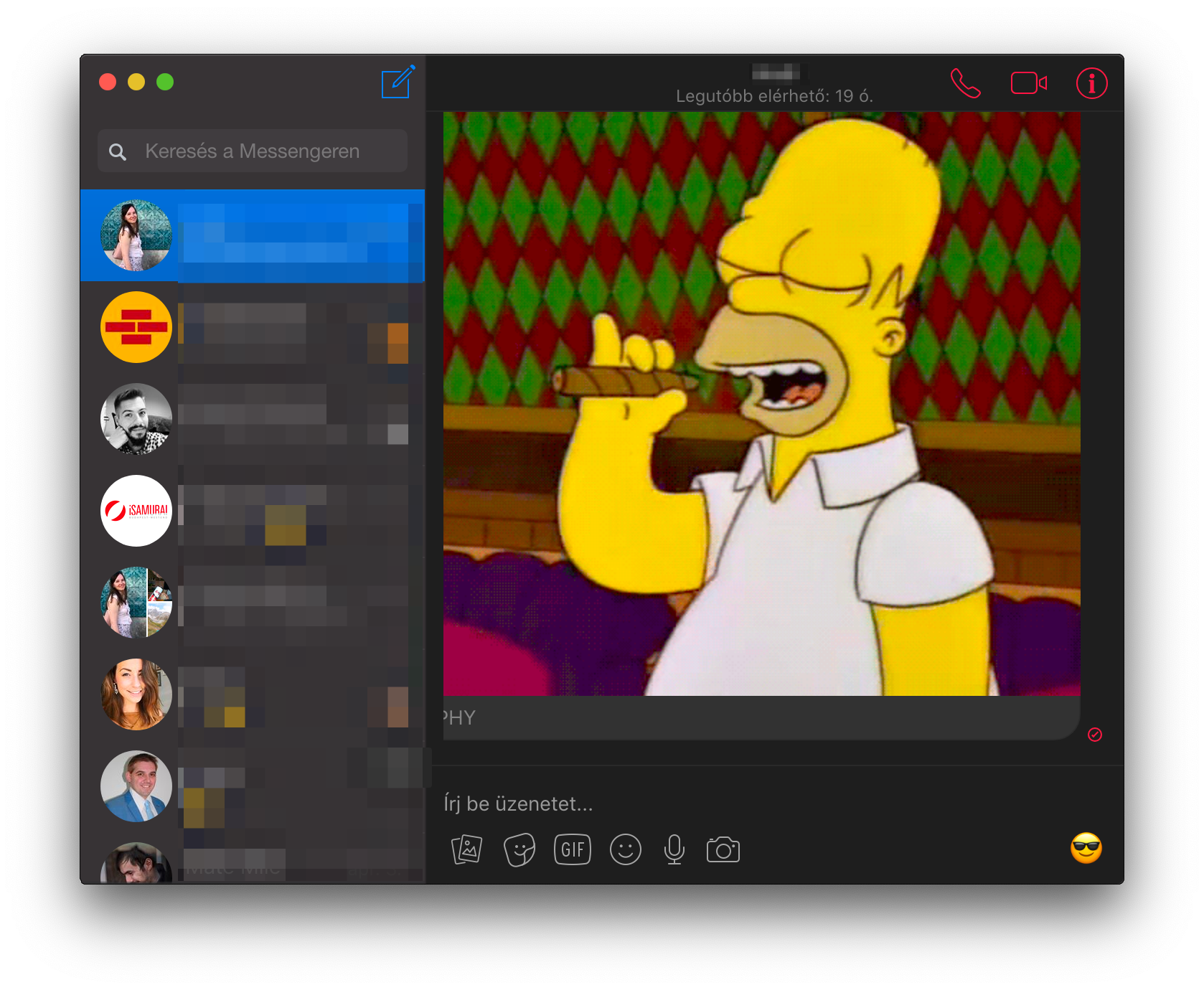
I think the image preview size should be maximized to the 60-90% of the available space and never should be cropped by the viewport. Facebook clearly optimizes these for full screen windows, but macOS users tend to use apps in smaller window sizes.
I am not sure, but it seems to me that happens only on own images/gifs, and not for the other participants in the chat.
 gklka
gklka
All 5 comments
I am not sure, but it seems to me that happens only on own images/gifs, and not for the other participants in the chat.
I've tested this, and it seems that it's just that some gifs are actually quite large ("cigar homer" being one of the biggest) and Messenger doesn't doesn't scale these images at all. So, they are shown in their original size, regardless of who sent them.
Anyway, I agree that it would be best to ensure any images are scaled down beyond some threshold. I'll add that to my TODO list. 😉
 CvX
on 14 Apr 2019
CvX
on 14 Apr 2019
Thank you for testing it out. My experience is that this happens more than once a day, and not only with GIFs but images dragged into Messenger or captured with my iPhone (and sent from there) too.
gklka
on 14 Apr 2019
Hi there! I submitted a PR for this issue over at #861
I set the image/GIF sizes to be be contained within the boundaries of the screen. I also included before and after pictures. Feel free to take a look and let me know what you think.
 sadmanf
on 15 Apr 2019
sadmanf
on 15 Apr 2019
Perfect, thank you!
gklka
on 15 Apr 2019
Just wanted to add that a quick fix for this problem is to open up custom styles and use this rule:
Go to Caprine > Caprine Preferences > Advanced > Custom Styles and paste the following CSS rule at the bottom of the file.
div[role="presentation"] * {
  max-width: 100% !important;
}
Restart the app and it should be fixed! Note that I've tested this briefly, so there may be some unexpected behaviour. If so, remove the rule and wait for the PR to be merged.
Cheers!
 comrx
on 7 Nov 2019
comrx
on 7 Nov 2019
Related issues
 Yukaii
·
3Comments
Yukaii
·
3Comments
 linuxlite
·
4Comments
linuxlite
·
4Comments
 PanagiotisGts
·
4Comments
PanagiotisGts
·
4Comments
 Vexorify
·
3Comments
Vexorify
·
3Comments
 skymakai
·
3Comments
skymakai
·
3Comments
Most helpful comment
Hi there! I submitted a PR for this issue over at #861
I set the image/GIF sizes to be be contained within the boundaries of the screen. I also included before and after pictures. Feel free to take a look and let me know what you think.