Canvasblocker: Latest update breaks Canvas Website and Github Unless user clears _all_ settings
Since the update I can no longer use the Canvas(Educational platform) website.
https://vccs.instructure.com/
Description
After update if I do not disable the addon the site will no longer work. It worked until today when the extension autoupdated. Unless the user clears _all_ settings the thing won't work. So something's going on here. I've included both the original and the modified settings at the bottom.
It prevents someone from using the site and since it's no _supposed_ to be blocking anything as the icon doesn't change you can't even white list the site.
Expected Behavior
It should just work. It worked before the last update.
Current Behavior
The site fails to load. And the following is written the browser console.
Error: WebExtension context not found!  ExtensionParent.jsm:778:13
Error: Attempt to postMessage on disconnected port  frame.js:121:5
Loading failed for the <script> with source “https://www.google-analytics.com/analytics.js”.  vccs.instructure.com:1
ReferenceError: $ is not defined
Possible Solution
I have no idea what I'm doing but maybe this information below might help you out more.
Extra information. If I tell canvas blocker to ask for permission and then block it, it works just fine. Also if I disable the "DOMRect API" it also works just fine. So I don't know what's going with this site. If I block access to it, or prompt and then block it works fine but if I try to just fake it, the site will fail with the message Error: Attempt to postMessage on disconnected port showing up. Which I think is from canvas blocker but who knows.
OK after some more digging this is the issue this section of code.
            notificationCounter[data.messageId].count += 1;
            if (!sentAPIs[data.api]){
                sentAPIs[data.api] = true;
                port.postMessage({"canvasBlocker-notify": data});
            }
        }
    }
It is doing something with the Canvas website. When I tell it to just fake out reading on the DomRect API it'll give me that error and stop the site from loading but if I prompt or block the site it'll work just fine. As in if I set the mode to "block" no error will pop up.
Steps to Reproduce (for bugs)
- Try to go to the site. See that it fails to load with the messsages above.
- Can't get it work anymore without disabling the thing or setting the mode to prompt or block.
- Get frustrated and post a bug report here.
Context
I was trying to do my homework for my classes that are online.
Not needed itworked yesterday.
Your Environment
- CanvasBlocker Version used:0.5.11
- Firefox version incl. 32- or 64-bit:64bit
- Operating System and version (desktop or mobile):Desktop
- Installed addons:
```CanvasBlocker 0.5.11 true [email protected]
Classic Add-ons Archive 2.0.1 true [email protected]
Classic Theme Restorer 1.7.7.2 true ClassicThemeRestorer@ArisT2Noia4dev
Decentraleyes 2.0.11 true jid1-BoFifL9Vbdl2zQ@jetpack
DownThemAll! 3.0.8 true {DDC359D1-844A-42a7-9AA1-88A850A938A8}
DownThemAll! AntiContainer 1.5 true [email protected]
Link Cleaner 1.5 true {6d85dea2-0fb4-4de3-9f8c-264bce9a2296}
No Transition 1.1.8 true {8b5fde66-c64d-4a33-99f1-c7c94138d67e}
NoScript 5.1.8.4 true {73a6fe31-595d-460b-a920-fcc0f8843232}
Tab Groups 2.1.4 true tabgroups@quicksaver
uBlock Origin 1.20.0 true [email protected]
## Your Settings
<!--- Copy your CanvasBlocker settings here. -->
{
"logLevel": 1,
"urlSettings": [],
"hiddenSettings": {},
"expandStatus": {},
"displayHiddenSettings": false,
"whiteList": "",
"sessionWhiteList": "",
"blackList": "",
"blockMode": "fake",
"protectedCanvasPart": "readout",
"minFakeSize": 1,
"maxFakeSize": 0,
"rng": "nonPersistent",
"protectedAPIFeatures": {},
"useCanvasCache": true,
"ignoreFrequentColors": 0,
"minColors": 0,
"fakeAlphaChannel": false,
"persistentRndStorage": "",
"persistentIncognitoRndStorage": "",
"storePersistentRnd": false,
"persistentRndClearIntervalValue": 0,
"persistentRndClearIntervalUnit": "days",
"lastPersistentRndClearing": 1561344734600,
"sharePersistentRndBetweenDomains": false,
"askOnlyOnce": "individual",
"askDenyMode": "block",
"showCanvasWhileAsking": true,
"showNotifications": true,
"highlightPageAction": "color",
"highlightBrowserAction": "color",
"displayBadge": true,
"storeNotificationData": false,
"storeImageForInspection": false,
"ignoreList": "",
"ignoredAPIs": {},
"showCallingFile": false,
"showCompleteCallingStack": false,
"enableStackList": false,
"stackList": "",
"protectAudio": true,
"audioFakeRate": "100",
"audioNoiseLevel": "minimal",
"useAudioCache": true,
"audioUseFixedIndices": true,
"audioFixedIndices": "15",
"historyLengthThreshold": 2,
"protectWindow": false,
"protectDOMRect": true,
"domRectIntegerFactor": 4,
"blockDataURLs": true,
"protectNavigator": false,
"navigatorDetails": {},
"displayAdvancedSettings": false,
"displayDescriptions": false,
"theme": "dark",
"dontShowOptionsOnUpdate": false,
"isStillDefault": false,
"storageVersion": 0.5
}
<!-- They can be retrieved by checking the expert mode and going to export settings. -->
here's the reset settings after changing theme to dark.
{
"logLevel": 1,
"urlSettings": [],
"hiddenSettings": {},
"expandStatus": {},
"displayHiddenSettings": false,
"whiteList": "",
"sessionWhiteList": "",
"blackList": "",
"blockMode": "fake",
"protectedCanvasPart": "readout",
"minFakeSize": 1,
"maxFakeSize": 0,
"rng": "nonPersistent",
"protectedAPIFeatures": {},
"useCanvasCache": true,
"ignoreFrequentColors": 0,
"minColors": 0,
"fakeAlphaChannel": false,
"persistentRndStorage": "",
"persistentIncognitoRndStorage": "",
"storePersistentRnd": false,
"persistentRndClearIntervalValue": 0,
"persistentRndClearIntervalUnit": "days",
"lastPersistentRndClearing": 0,
"sharePersistentRndBetweenDomains": false,
"askOnlyOnce": "individual",
"askDenyMode": "block",
"showCanvasWhileAsking": true,
"showNotifications": true,
"highlightPageAction": "none",
"highlightBrowserAction": "color",
"displayBadge": true,
"storeNotificationData": false,
"storeImageForInspection": false,
"ignoreList": "",
"ignoredAPIs": {},
"showCallingFile": false,
"showCompleteCallingStack": false,
"enableStackList": false,
"stackList": "",
"protectAudio": true,
"audioFakeRate": "100",
"audioNoiseLevel": "minimal",
"useAudioCache": true,
"audioUseFixedIndices": true,
"audioFixedIndices": "11",
"historyLengthThreshold": 2,
"protectWindow": false,
"protectDOMRect": true,
"domRectIntegerFactor": 4,
"blockDataURLs": true,
"protectNavigator": false,
"navigatorDetails": {},
"displayAdvancedSettings": false,
"displayDescriptions": false,
"theme": "dark",
"dontShowOptionsOnUpdate": false,
"isStillDefault": false,
"storageVersion": 0.5
}
```
 133794m3r
All 18 comments
I don't see any big changes in the two settings that should cause different behaviour.
Was the page already loaded when the update was performed? Did you perform a refresh of the page (F5)? Did everything work fine after a refresh?
I know that already open pages get in a weird state when updating CB. A simple refresh solves this issue. But you are right that this could be streamlined.
 kkapsner
on 24 Jun 2019
kkapsner
on 24 Jun 2019
I am having similiar issues with discord browser version and reddit after update. Blank sites, only disabling the addon make them work again.
I have cleared cache, reloaded several times, closed and restarted the browser twice. I'm using Waterfox 56.2.11
 karhima
on 24 Jun 2019
karhima
on 24 Jun 2019
Ditto for Twitter with Waterfox 56.2.11 (which is based on Firefox 56) and Canvas Blocker 0.5.11.
Reverting to Canvas Blocker 0.5.10 fixes it for me (even though the changelog for Canvas Blocker 0.5.10 says that the minimum version of Firefox has been bumped to Firefox 57).
 chocolateboy
on 24 Jun 2019
chocolateboy
on 24 Jun 2019
Also having issues after yesterday's update. Linkedin looks like this:
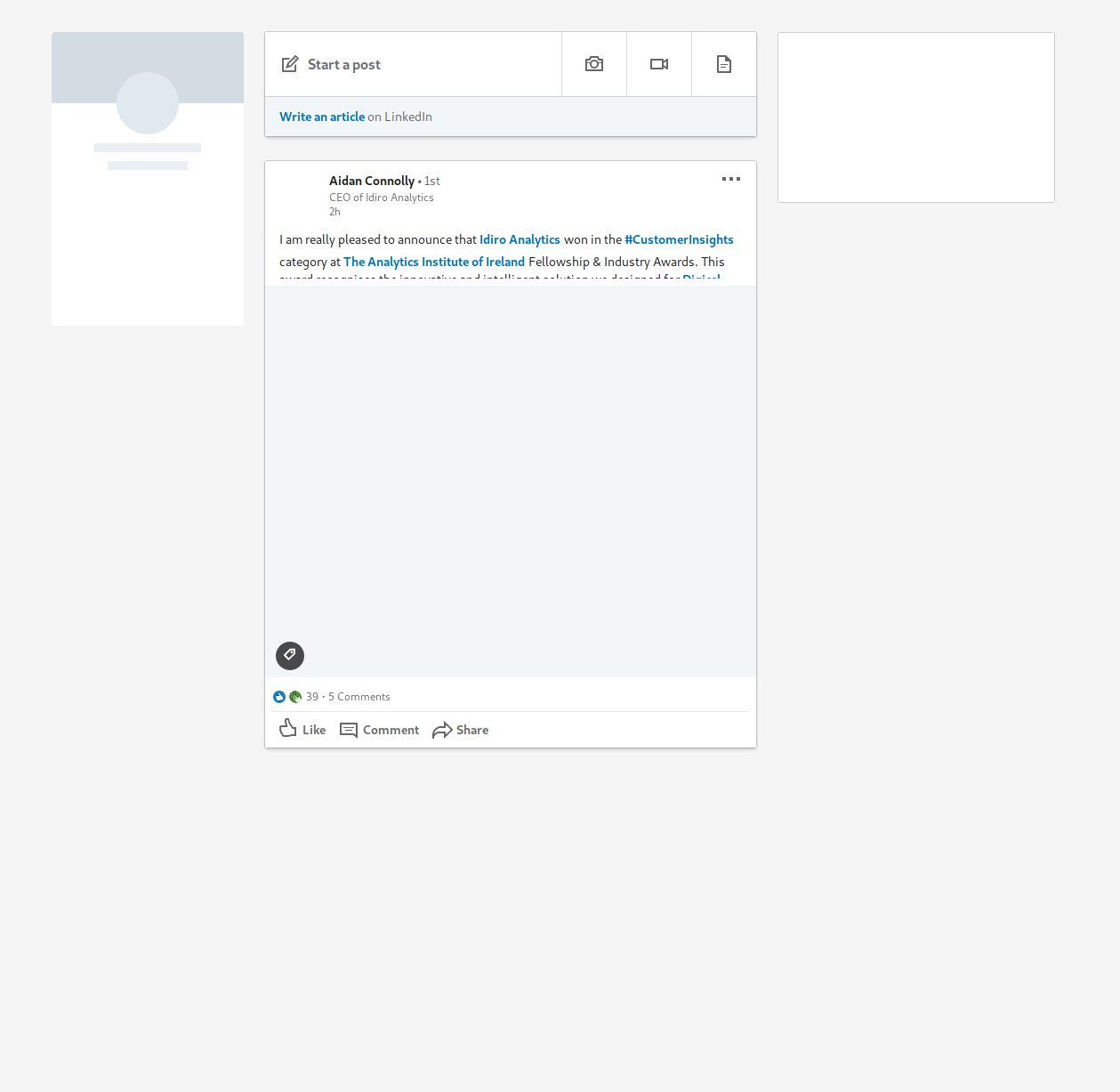
And I'm experiencing similar problems with Duolingo. Disabling Canvas Blocker stops it from happening.
 mcodax
on 24 Jun 2019
mcodax
on 24 Jun 2019
The OP uses Firefox. Are all the other people using Waterfox? Which random number generator do you use?
I think the Waterfox problem is a different one. @karhima (you were the first): please open a separate issue with all the necessary informations (all versions, reproduction scenario, other plugins, settings, etc.).
kkapsner
on 24 Jun 2019
Confirmed the problem with linkedIn in Waterfox (not in Firefox ESR 60.7.0).
kkapsner
on 24 Jun 2019
@kkapsner I think the OP is using Waterfox:
- Classic Add-ons Archive
- Classic Theme Restorer
Either way, I get the same error message as the OP on the same line:
Error: Attempt to postMessage on disconnected port
chocolateboy
on 24 Jun 2019
When the OP also uses Waterfox one issue is enough ;)
Let's see how I can solve this.
Regarding the support drop of Firefox < 57: I want to support Waterfox as much as I can. Not sure if it's possible...
kkapsner
on 24 Jun 2019
Very weird issue... please try the latest alpha: https://canvasblocker.kkapsner.de/versions/
kkapsner
on 24 Jun 2019
I am really confused by the fact that reverting to 0.5.10 helps in some cases.
kkapsner
on 25 Jun 2019
The 0.5.12 alpha doesn't appear to break anything, but I'm not sure it's working as the toolbar icon is always green and doesn't report anything being blocked. Blocks appear to be reported correctly with 0.5.10.
chocolateboy
on 25 Jun 2019
I noticed that yesterday as well and now I'm less confused because I found the real problem. I removed the fix of the symptom and the latest alpha should solve the real thing.
Please test the latest alpha.
kkapsner
on 25 Jun 2019
Thanks, that's working :tada:
chocolateboy
on 25 Jun 2019
Great. What about the others? @mcodax @karhima @133794m3r
kkapsner
on 25 Jun 2019
Thanks @kkapsner, I can confirm it's working for me too :)
mcodax
on 25 Jun 2019
@kkapsner it's working fine for me. I didn't realize that waterfox is based on ESR if I had I would've included it. The sole reason I'm using it is because mozilla's not really one to support old-ui and I'm no a major fan of australis(never have been).
It's working fine now. The little icon shows what looks like a "D" character but at least sites aren't broken anymore.
133794m3r
on 25 Jun 2019
Three out of four is enough for me.
kkapsner
on 26 Jun 2019
kkapsner
on 6 Jul 2019
Related issues
 spodermenpls
·
4Comments
spodermenpls
·
4Comments
 nkestrel
·
7Comments
nkestrel
·
7Comments
 DRigby26
·
5Comments
DRigby26
·
5Comments
 concatime
·
7Comments
concatime
·
7Comments
 thiagoroberio
·
6Comments
thiagoroberio
·
6Comments