Canvasblocker: Slight display issue with toolbar badge
Description
This issue only affects the CanvasBlocker badge when you put it in the "toolbox" door-hanger menu (my preferred location).
Current Behavior
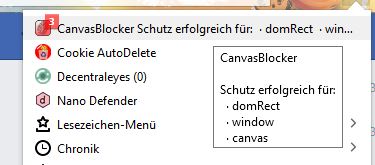
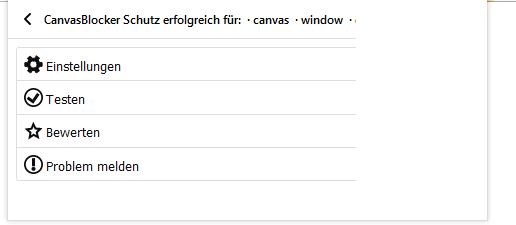
When there are 3 or more affected APIs, that get displayed while surfing the web, the toolbar gets wider accordingly to make room for more API names, but the space in the title bar doesn't get used, it always gets cut off after two API names.
Example with 3 APIs:
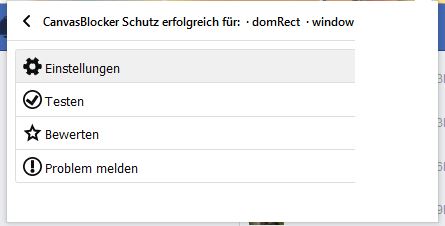
Example with 4 APIs:
Possible Solution
The "adaptive widening" of the badge menu should be either removed, or the toolbar menu should be adjusted in a way that it's able to display 3, 4 or more API names by using the added width.
Steps to Reproduce (for bugs)
- Put the toolbar badge in FF's "More tools.." menu
- Visit a website that affects 3 or more APIs (e.g. facebook.com with 3 APIs in use and the CB test page with 4 APIs, as used for my screenshots)
- watch the menu adjust its width, but not using the new space
Context
_"What are you trying to accomplish?"_ Enjoying an aesthetically pleasing toolbar menu.
Your Environment
- CanvasBlocker Version used: 0.5.4
- Firefox version: 62.0.2 - 64 bit
- Operating System and version (desktop or mobile): Windows 10 Pro
- Installed addons: lots..
 spodermenpls
All 22 comments
Unfortunately I cannot do anything about that as this whole width adapting and the wrong display are managed by Firefox itself and not the extension. You can see the same behaviour in NoScript for example.
Please open a bug for firefox (http://bugzilla.mozilla.org/)
 kkapsner
on 25 Sep 2018
kkapsner
on 25 Sep 2018
You're right, the issue seems to be a Firefox "regression" from either the 62.0 or 62.0.2 update, this happens likewise with the first Alpha, which definitely didn't have this width adaption thing going on back then (I think I would've noticed, I opened that menu about 800 times during the development phase of 0.5.4..).
spodermenpls
on 25 Sep 2018
@kkapsner New trouble with the menu (tested with 0.5.9.1 and 0.5.10. RC3):
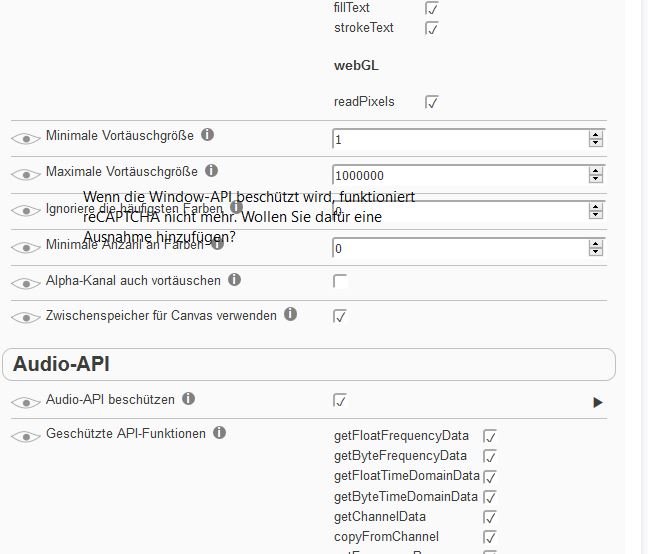
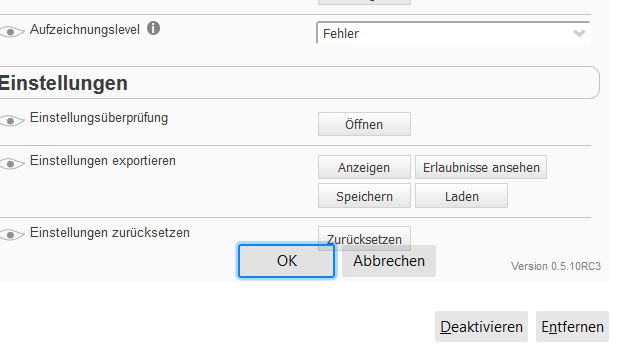
After clicking the empty Window API checkbox, everything gets unresponsive, and the "OK"/"Cancel" buttons appear at the very end of the menu.
spodermenpls
on 30 May 2019
Great - they did not fix that... and creating a good position for a dialog is quite a challenge.
Funny enough this problem is fixed in the nightly built.
kkapsner
on 30 May 2019
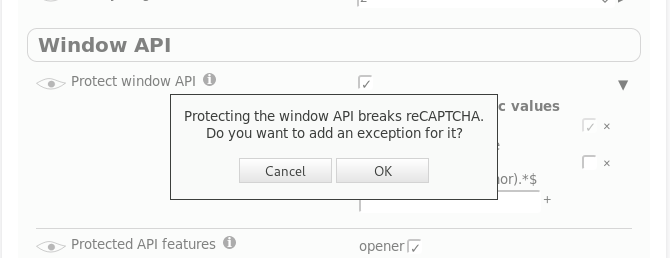
It's even fixed in beta. But I think I like the dialog I built:
kkapsner
on 31 May 2019
Good job!
spodermenpls
on 31 May 2019
@kkapsner And more trouble, this time adequate to this issue's title - of the four toolbar menu options (Settings, Testing, Rating, Reporting) only "Settings" works, the other three are not opening the intended sites. Are those working with Beta and Nightly again, too?
spodermenpls
on 1 Jun 2019
It's working for me in beta, nightly and normal (67.0). Are they opening wrong sites or do they do nothing?
kkapsner
on 1 Jun 2019
They didn't do anything - after a restart they're working again now, though.. still weird, that one worked (internal link) and three didn't (external links), maybe there's more to it than just a Firefox hiccup.
spodermenpls
on 1 Jun 2019
Your Firefox is weird sometimes... ;)
But without further information I cannot investigate more. If it happens again you should look at the browser console (Ctrl+Shift+J) if there is something related.
kkapsner
on 1 Jun 2019
Your extension is weird.
I guessed so, I will continue to have a close look on the menus, and will check the consoles in case of malfunctions.
spodermenpls
on 1 Jun 2019
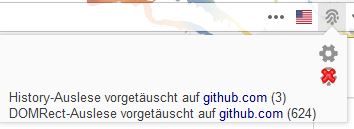
@kkapsner I've got another one for you: when I hover over the second URL (in case there is a second line) in the page action menu, the text starts bouncing up and down like crazy:
Do you reproduce?
spodermenpls
on 8 Jun 2019
No - I do not reproduce, but it looked bad:
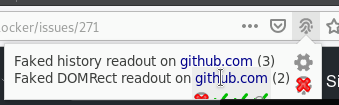
Maybe your issue is gone after I fixed this display issue. (I have to create a new alpha soon...)
kkapsner
on 8 Jun 2019
You can check the new alpha: https://canvasblocker.kkapsner.de/versions/
kkapsner
on 9 Jun 2019
@kkapsner Yes, that solved it, thanks.
spodermenpls
on 10 Jun 2019
@kkapsner While checking my site-specific values to see what sites need to be whitelisted to work, I noticed that my existing two entries no longer are shown, inspite of still being active:
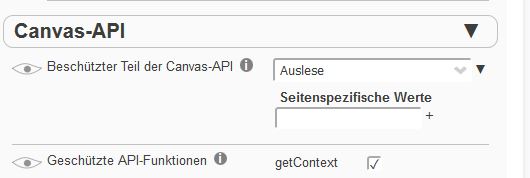
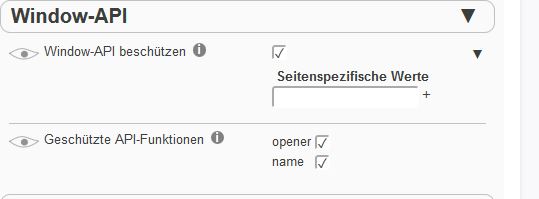
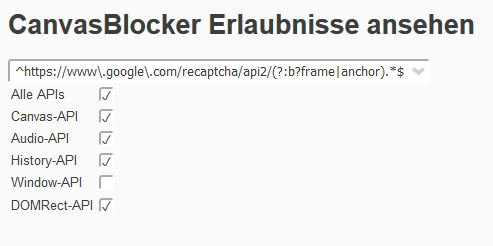
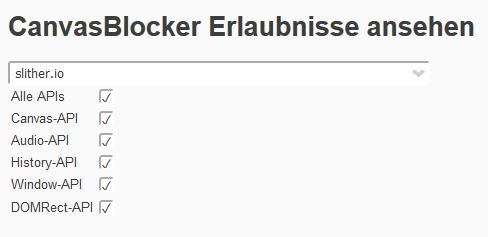
spodermenpls
on 12 Jul 2019
Please give me your settings to check. Which version are you currently on?
kkapsner
on 12 Jul 2019
{
"logLevel": 1,
"urlSettings": [
{
"url": "slither.io",
"blockMode": "allowEverything"
},
{
"url": "^https://www\.google\.com/recaptcha/api2/(?:b?frame|anchor).*$",
"protectWindow": false
}
],
"hiddenSettings": {
"displayAdvancedSettings": false,
"displayDescriptions": false,
"displayBadge": false
},
"expandStatus": {
"blockMode": false,
"useAudioCache": false,
"protectedCanvasPart": false,
"protectWindow": false,
"protectAudio": false,
"protectNavigator": false,
"protectDOMRect": false
},
"displayHiddenSettings": true,
"whiteList": "",
"sessionWhiteList": "",
"blackList": "",
"blockMode": "fake",
"protectedCanvasPart": "readout",
"minFakeSize": 1,
"maxFakeSize": 1000000,
"rng": "nonPersistent",
"protectedAPIFeatures": {
"name": true,
"opener": true
},
"useCanvasCache": true,
"ignoreFrequentColors": 0,
"minColors": 0,
"fakeAlphaChannel": false,
"persistentRndStorage": "",
"persistentIncognitoRndStorage": "{}",
"storePersistentRnd": false,
"persistentRndClearIntervalValue": 0,
"persistentRndClearIntervalUnit": "days",
"lastPersistentRndClearing": 1562700453860,
"sharePersistentRndBetweenDomains": false,
"askOnlyOnce": "individual",
"askDenyMode": "block",
"showCanvasWhileAsking": true,
"showNotifications": true,
"highlightPageAction": "none",
"highlightBrowserAction": "color",
"displayBadge": true,
"storeNotificationData": false,
"storeImageForInspection": false,
"ignoreList": "",
"ignoredAPIs": {
"history": false,
"window": false
},
"showCallingFile": false,
"showCompleteCallingStack": false,
"enableStackList": false,
"stackList": "",
"protectAudio": true,
"audioFakeRate": "100",
"audioNoiseLevel": "minimal",
"useAudioCache": true,
"audioUseFixedIndices": true,
"audioFixedIndices": "29",
"historyLengthThreshold": 2,
"protectWindow": true,
"protectDOMRect": true,
"domRectIntegerFactor": 4,
"blockDataURLs": true,
"protectNavigator": false,
"navigatorDetails": {},
"displayAdvancedSettings": true,
"displayDescriptions": false,
"theme": "auto",
"dontShowOptionsOnUpdate": false,
"isStillDefault": false,
"storageVersion": 0.5
}
I am on Firefox 68.0 and CB 0.5.12.
spodermenpls
on 12 Jul 2019
OK - found the issue.
kkapsner
on 12 Jul 2019
@kkapsner I've ran into another display issue concerning the settings menu - when making changes (adding / deleting URL entries, enabling the view of previously hidden settings) requires an individual reload of the page to be visible. I've wanted to delete an item from the "Data URL"-specific list, and pressing the "X" had no effect, so I de- and re-enabled CB, reset the settings, then restarted FF and finally de- and re-installed CB altogether, to no avail, until I noticed that the culprit is really only the lack of "instant refresh" of the settings page, which for some odd reason doesn't work anymore. Do you reproduce, and / or maybe have an idea what it could stem from?
Addendum: My settings seem to be completely wrecked, inspite of deactivating certain API protections or allowing everything for a URL, the toolbar badge reports faking for those APIs nevertheless. The only thing I "did differently" may have been setting / re-setting settings in a private window instead of a normal, could that be the hidden nuke button?
Edit: Luckily changed settings are still enforceable, however this requires a de- and re-enabling of CB for every single change made, for the changes to be honored.
Addendum 2: After the update to 86.0.1, the settings panel works instantaneously again regarding changes and enforcing them, who knows what happened under the bonnet before and after..
spodermenpls
on 11 Mar 2021
Well... the new settings management of Firefox for web-extensions was not very reliable from the get go. (And also in Thunderbird.)
So everything is working now?
kkapsner
on 12 Mar 2021
Yes, it works normally again, so far.
spodermenpls
on 12 Mar 2021
Related issues
 ghost
·
6Comments
ghost
·
6Comments
 Aq32
·
4Comments
Aq32
·
4Comments
 Kherby
·
6Comments
Kherby
·
6Comments
 prog-amateur
·
8Comments
ghost
·
4Comments
prog-amateur
·
8Comments
ghost
·
4Comments