Canvasblocker: WebExtensions are the future
The current plan is that Firefox 57 will only support web extensions. Your add-on is not a web extension yet as far as I can see, so you should consider remaking your add-on. The Firefox 57 release is planned for 28th November 2017.
Already for Firefox 53 (planned release: 18th April 2017) it is planned to no longer accept other new add-on submissions than web extensions on AMO (addons.mozilla.org). Old extensions can however still be updated.
The good message is that one should be able to use your web extensions add-on in all mayor browsers. That's the idea behind web extensions.
Note that you can use so-called hybrid extensions for switching to WebExtensions.
Note that all dates are estimates and may be changed.
German source: https://www.soeren-hentzschel.at/firefox/firefox-57-mit-exklusiver-webextension-unterstuetzung/
Original source: https://blog.mozilla.org/addons/2016/11/23/add-ons-in-2017/
 rugk
rugk
All 41 comments
Oh, just saw this might already be a WebExtension as you have a package.json, but on AMO no permissions are shown…
rugk
on 11 Mar 2017
No CB is not a WebExtension yet. But I'm already working on a hybrid. Not sure if this add-on can be realized with a WebExtension. For sure not one that will be useable in all mayor browsers since the WebExtension API is just too limited (exportFunction is only available in Firefox).
 kkapsner
on 12 Mar 2017
kkapsner
on 12 Mar 2017
Not sure if this add-on can be realized with a WebExtension
@kkapsner ScriptSafe - which is a Chrome extension (web-extension) has the ability to block/spoof the canvas readout. So, I would assume you will have these capabilities.
See the screenshot below:

 ghost
on 20 Apr 2017
ghost
on 20 Apr 2017
@DrunkenSasquatch I haven't looked at ScriptSafe recently, but when I did a few years ago they simply injected code into every website. That's not safe. It's fairly trivial to get around that.
 lawl
on 23 Apr 2017
lawl
on 23 Apr 2017
@DrunkenSasquatch In addition to the extension you mentioned, there are also two other extensions with the direct purpose of blocking canvas fingerprinting, so it should be possible to port it over
https://chrome.google.com/webstore/detail/canvas-defender/obdbgnebcljmgkoljcdddaopadkifnpm
https://chrome.google.com/webstore/detail/canvasfingerprintblock/ipmjngkmngdcdpmgmiebdmfbkcecdndc
 neroux
on 14 May 2017
neroux
on 14 May 2017
Mozilla will be addding loads of anti-fingerprinting features to Firefox 54/55
https://bugzilla.mozilla.org/show_bug.cgi?id=1329996
https://bugzilla.mozilla.org/show_bug.cgi?id=1041818 (I'm not sure if this exactly covers what this addon does)
This addon might become obsolete? Maybe it is better to wait for FF54/55 before rewriting for nothing.
 EchoDev
on 16 May 2017
EchoDev
on 16 May 2017
Version 0.3.8 is out which includes an embedded webExtension to allow the transition.
kkapsner
on 23 May 2017
@EchoDev: I think they will add something like the "ask for permission". So my favourite - the fake option - will not be available.
kkapsner
on 30 May 2017
I see a way to make the basics work. One main issue is that I currently see no good way to make anything configurable by the user: https://bugzilla.mozilla.org/show_bug.cgi?id=1332273
kkapsner
on 4 Jun 2017
@kkapsner Is CanvasBlocker a hybrid WebExtension yet?
 davidhedlund
on 2 Sep 2017
davidhedlund
on 2 Sep 2017
Yes - version 0.3.8 included a part to store the settings for later use in the WebExtension: a6e1b05045b857b3ebdf992503fee801e07da61f
kkapsner
on 2 Sep 2017
@kkapsner An add-on is a hybrid WE if it has a "hasEmbeddedWebExtension" key available in the install.rdf, its found in the current version of CanvasBlocker as you pointed out.
I didn't know that was the standard procedure when I asked, sorry.
davidhedlund
on 3 Sep 2017
No reason to apologize.
kkapsner
on 3 Sep 2017
Great to hear it will be ported! One small request - would be great if the icon was refreshed with something better and higher res. Keep up the good work.
ghost
on 4 Sep 2017
If you have something better in higher res - you are welcome to contribute to the project. I'm no artist and have no time to search for something that could be used (in terms of licence, aestetics and symbolism).
kkapsner
on 15 Sep 2017
What sizes do you need and in what format? png? I've been p*ssing around in PS for 20 years, and just did a google image search for icon fingerprint block - lots of padlocks (sigh), but the fingerprint designs themselves are simplistic and very clean (the current one is too busy/noisy). I could easily use something similar to the below and add a block type symbol
https://www.iconexperience.com/_img/i_collection_png/256x256/plain/fingerprint.png
http://www.psdgraphics.com/file/fingerprint-icon.jpg << simple/clean basis
https://cdn3.iconfinder.com/data/icons/law-and-justice-icons/512/Fingerprint_Search-512.png
https://freemobileapk.com/wp-content/uploads/2014/09/com_lab_fingerprint_lock.png
^^ examples of offsetting the overlaid "block" symbol (trust me, it looks better especially of you're trying to overlay a circle on a circle'ish print)
What symbol would you want? a fat X, the current circle+stroke, a padlock
Colors: I suggest 2 - dark grey print, red-tone symbol, however this creates a problem with transparency (dark themes), so I suggest a colored background as well, maybe rounded corners. I can have a play, just give me some ideas
 Thorin-Oakenpants
on 15 Sep 2017
Thorin-Oakenpants
on 15 Sep 2017
Only use free licenses (for copyright reasons): CC0 e.g. on https://openclipart.org/search/?query=fingerprint.
rugk
on 15 Sep 2017
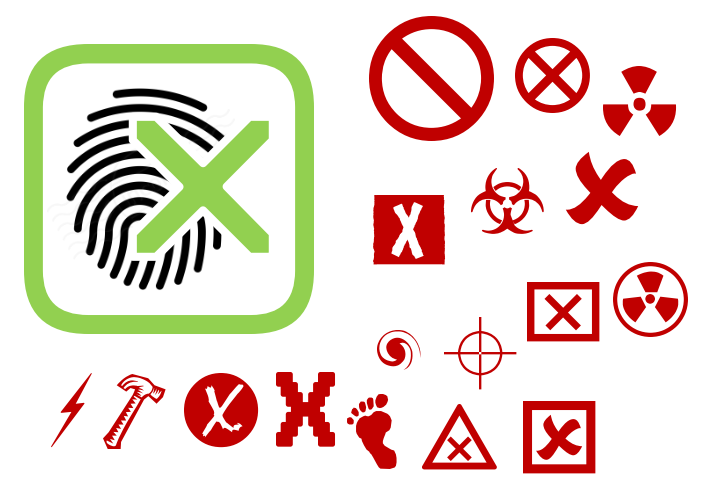
For sure - that was just examples to show what I meant. Am using own vectors, and will get a free fingerprint vector. I only dabble in this stuff very occasionally, so here's a quick sample. I would make the black FP lighter shade, and you could use red or green. Use any symbol. Placement of symbol as you like, etc. If you want me to take it further @ me in a new topic so we don't pollute this one ;)
Thorin-Oakenpants
on 16 Sep 2017
Yay... Mozila decided not to provide my needed API for FF 57... let's see if I can provide something where the user can use their settings.
kkapsner
on 22 Sep 2017
Which APIs? Don't you basically just modify the website (code/etc.) somehow, which you should be able to do freely, without any APIs needed?
rugk
on 22 Sep 2017
It's the API in https://bugzilla.mozilla.org/show_bug.cgi?id=1332273 - the changes in the canvas-API have to be dependent on the users settings. And these informations have to be in place before the website has a chance to perform a fingerprinting. And this is not guarateed with the asynchronous storage API. But I think the first WebExtension version has to take this risk...
kkapsner
on 22 Sep 2017
I created a beta version: https://github.com/kkapsner/CanvasBlocker/releases/tag/0.4.0-Beta.1
Can you all please test (you have to deactivate the regular version since they use different ids and would interfere otherwise)?
kkapsner
on 24 Sep 2017
I already found a bug when using the migrated settings... so do not test that yet.
kkapsner
on 24 Sep 2017
@kkapsner Is the setting migration supposed to happen immediately after the first install? Because I didn't notice that anything was transferred.. otherwise it seems to work fine, I really like the small icon in the adress bar.
 spodermenpls
on 24 Sep 2017
spodermenpls
on 24 Sep 2017
I really like the small icon in the adress bar.
Hopefully that is optional…
rugk
on 24 Sep 2017
I installed 0.4.0 Beta RC2 and had the following observations:
- The primary functionality seems to work, as tested at https://browserleaks.com/canvas.
- The drop-down menus on the options page appear offset from their origin. Actually, each menu seems to appear much closer to the next drop-down menu item on the options page.
 wbedard
on 24 Sep 2017
wbedard
on 24 Sep 2017
The RC2 of the beta is out: https://github.com/kkapsner/CanvasBlocker/releases/tag/0.4.0-Beta.2
Now you can test the migrated settings:
- disable the last release
- install the beta
- close firefox
- go to %USERPROFILE%\AppData\RoamingMozilla\Firefox\Profiles\
\browser-extension-data\ - copy the storage.js file from [email protected] to [email protected] (replace existing file
@spodermenpls: the transfer will only work for the released version because of the different ids between beta and release.
@rugk: this icon only appears when something is faked - it is a replacement for the notifications. If you disable the notifications this icon will not appear.
@wbedard: thanks for the feedback. I already noticed that but have no idea how to fix that. These drop-downs are just plain
EDIT: @wbedard: which Firefox version are you using. It's broken for me in nightly but not in FF 55.
kkapsner
on 24 Sep 2017
@kkapsner Replacing the storage.js broke the extension's functionality (no notifications, no canvas faking on browserleaks.com), after a re-install (without migrated settings) everything works again.
spodermenpls
on 24 Sep 2017
It worked for me - can you give me your storage.js?
kkapsner
on 24 Sep 2017
I uploaded the storage.js of CB 0.3.8: https://workupload.com/file/xGKsJ6X
spodermenpls
on 24 Sep 2017
Hm... your storage.js works for me. Did you update to RC2?
kkapsner
on 24 Sep 2017
I followed your instructions from above, and used RC2. I will try again..
spodermenpls
on 24 Sep 2017
And I tried again, with the same result. The old settings are migrated, but Browserleaks displays the same signature with every refresh. Could this be a specific problem of 55.0.3, that is solved in 56/57?
spodermenpls
on 24 Sep 2017
@kkapsner - I confirmed that you're likely correct about the drop-down issue being a bug in Firefox DevEd 57.0beta2. I just went through the rest of my extensions that have option pages w/ drop-down menus and they all behave in the same (buggy) way.
wbedard
on 24 Sep 2017
@spodermenpls: I'm currently also testing on 55.0.3 - this is weird. Can you open the the addon debugger (https://developer.mozilla.org/en-US/Add-ons/Add-on_Debugger) and check if there are any error messages?
@wbedard: good to know - thanks for checking.
kkapsner
on 24 Sep 2017
@kkapsner The migration of storage.js didn't break CB on the 3rd try now, it works fine. I also checked the debugging console, it is filled with a lot of errors and warnings, but those are most likely not related to CB, especially now that it works normally again. CB's storage section in the debugger is completely empty.
spodermenpls
on 25 Sep 2017
OK - good that it works now.
kkapsner
on 25 Sep 2017
@kkapsner When do you plan to release the WebExtension version for everyone?
spodermenpls
on 29 Sep 2017
At the moment I'm tweaking the page action display and I have to clean up some bits. After that I will release it.
kkapsner
on 29 Sep 2017
seems to work so far
thnks
 skyerjoe
on 4 Oct 2017
skyerjoe
on 4 Oct 2017
0.4.0 is out and at Mozilla for review.
kkapsner
on 6 Oct 2017
Related issues
 ChromeExtensionsOperator
·
3Comments
ChromeExtensionsOperator
·
3Comments
 StealthBlackOxide
·
6Comments
StealthBlackOxide
·
6Comments
 DRigby26
·
5Comments
DRigby26
·
5Comments
 MPeti1
·
4Comments
MPeti1
·
4Comments
 Aq32
·
4Comments
Aq32
·
4Comments
Most helpful comment
At the moment I'm tweaking the page action display and I have to clean up some bits. After that I will release it.