Calibre-web: I do not see read books in the Read Books menu in Calibre-Web
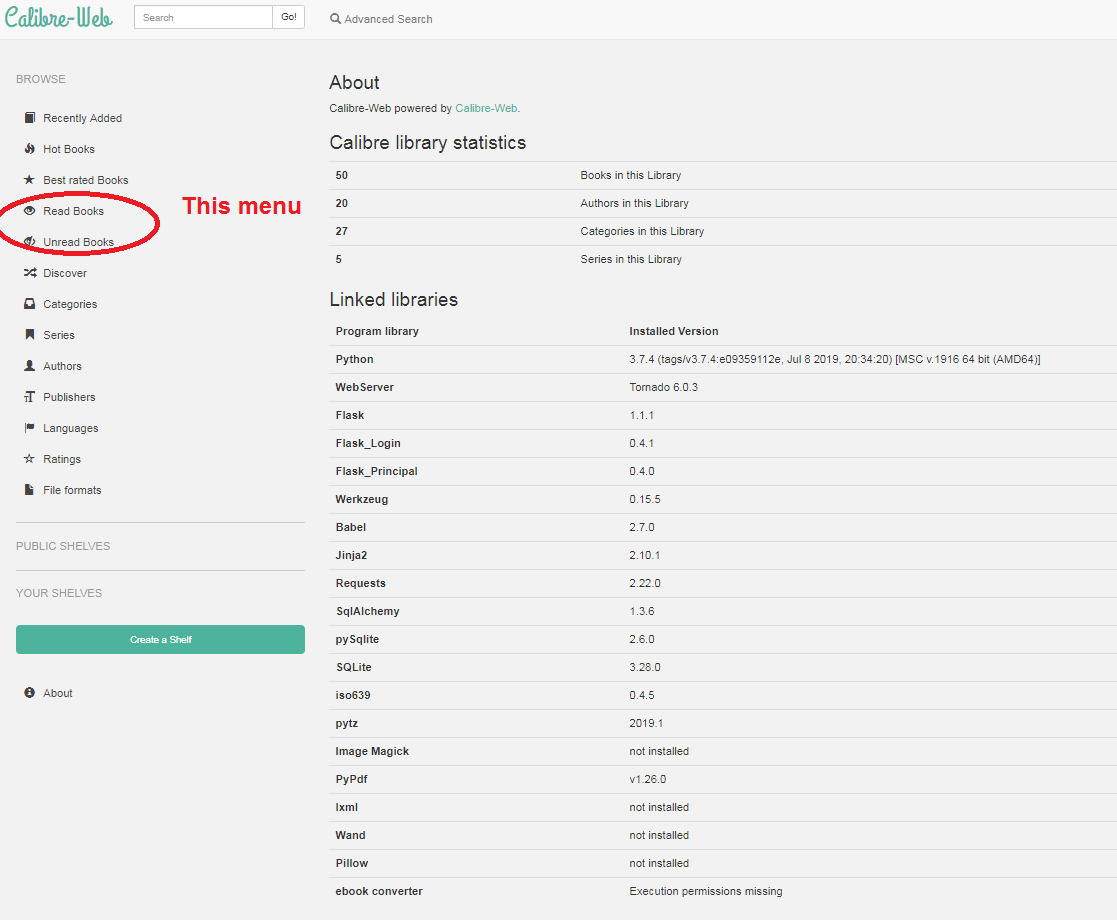
I do not see read books in the Read Books menu in Calibre-Web.
I used the Wiki information: https://github.com/janeczku/calibre-web/wiki/Configuration "UI Configuration" and Issues: https://github.com/janeczku/calibre-web/issues/409; https://github.com/janeczku/calibre-web/issues/704.
I set "Link read / unread status to Caliber column".
There is a READ / UNREAD synchronization between the Caliber base and Caliber-Web, OK. Unfortunately, in the Read Books menu (left menu on Caliber-Web) I do not see any read books. I have 50 books and all of them are in Unread Books (should be 40 Unread and 10 Read).
I only use one Caliber account.
My data:
OS: Windows 10
Calibre-Web: 0.6.5 Beta
Calibre: 3.46
 dzialeczko
All 5 comments
I forgot to write that it works correctly in version 0.6.2. :)
It does not work in the version 0.6.5 Beta.
dzialeczko
on 24 Jul 2019
It's fixed now. We did a lot of changes to the code and test coverage has some holes in it.
 OzzieIsaacs
on 24 Jul 2019
OzzieIsaacs
on 24 Jul 2019
This is still happening to me on 0.6.5 Beta with current master branch downloaded yesterday.
 danrneal
on 25 Aug 2019
danrneal
on 25 Aug 2019
@OzzieIsaacs Is there a way to download this changes? I'm on 0.6.5 Beta and this bug is still present.
danrneal
on 2 Sep 2019
If you switch to nightly updates and download the newest commit, it should work. If not, you are having another problem and I need more information (logbooks, error message, exact describtion of behavior, your environment...)
OzzieIsaacs
on 2 Sep 2019
Related issues
 MReprogle1
·
9Comments
MReprogle1
·
9Comments
 ground7
·
4Comments
ground7
·
4Comments
 sirprancelot
·
4Comments
sirprancelot
·
4Comments
 eubanks718
·
9Comments
eubanks718
·
9Comments
 ghost
·
7Comments
ghost
·
7Comments
Most helpful comment
If you switch to nightly updates and download the newest commit, it should work. If not, you are having another problem and I need more information (logbooks, error message, exact describtion of behavior, your environment...)