Calculator: Pressing enter in scientific mode opens navigation instead of displaying the result
In scientific mode, after pressing the Enter button, navigation menu opens instead of displaying the result.
Steps To Reproduce
- Go to Scientific mode.
- Click on C.
- Enter 2+2 on keyboard.
- Press Enter on keyboard.
Expected behavior
Result is displayed.
Actual behavior
Navigation menu is opened.
Device and Application Information
- OS Build: 10.0.17134.0
- Architecture: X64
- Application Version: 10.1910.0.0
- Region: en-US
- Dev Version Installed: -
Requested Assignment
I'm just reporting this problem. I don't want to fix it.
 milos321
All 19 comments
This is your friendly Microsoft Issue Bot. I've seen this issue come in and have gone to tell a human about it.
 MicrosoftIssueBot
on 11 Dec 2019
MicrosoftIssueBot
on 11 Dec 2019
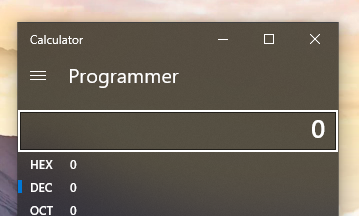
This problem also occurs in Programmer Mode.
When you use MOUSE to enter numbers and press ENTER, it will display the result correctly.
But when you use KEYBOARD to enter numbers and press ENTER, it will open the navigation menu.
Please fix it as soon as possible! It is bothering most programmers.
Thank you guys!
 SpriteOvO
on 14 Dec 2019
SpriteOvO
on 14 Dec 2019
Thanks for the detailed bug report! Unfortunately, I am not able to reproduce the problem (i.e., navigation menu does _not open_ when I hit ENTER). The steps to reproduce seem straightforward enough, but perhaps there is something minor that was left out that could help here?
The intended behavior is that when you enter any mode, focus moves to the display area explicitly to _prevent_ enter from opening the navigation menu, so if the menu is opening on ENTER, that definitely would be a bug. You can visualize that focus is moving to the right place if you use the arrow keys to navigate the menu and use the enter key to select a mode:
262 describes a similar issue with the history button, but that one is by design due to accessibility reasons.
 grochocki
on 15 Dec 2019
grochocki
on 15 Dec 2019
No, nothing was left out. Did you click on C using mouse?
I visualized the focus, and it seems that the focus shifts to navigation menu after the C button label changes to CE when I start typing on keyboard.
Here are some steps:
- Click on C. Use arrow keys to verify that the focus was on C, and then use arrow keys to get the focus back to C.
- Enter a number using keyboard. The label will change to CE and the focus will move to navigation menu.
I see a workaround now - the problem doesn't occur when i press Esc instead of clicking on C, however, it is still very annoying.
It started happening a couple of weeks ago, I think that's when my calculator was updated to a new version but I'm not really sure.
milos321
on 15 Dec 2019

Some time ago I saw a change in the UI. The problem came after this change.
Until then, everything works fine.
SpriteOvO
on 15 Dec 2019
This issue has been automatically marked as stale because it has not had any activity for 7 days. It will be closed if no further activity occurs within 7 days of this comment. Thank you for your contributions to Windows Calculator!
![msftbot[bot] picture](https://avatars2.githubusercontent.com/in/26612?v=4&s=40) msftbot[bot]
on 23 Dec 2019
msftbot[bot]
on 23 Dec 2019
This issue has been automatically marked as stale because it has not had any activity for 7 days. It will be closed if no further activity occurs within 7 days of this comment. Thank you for your contributions to Windows Calculator!
msftbot[bot]
on 30 Dec 2019
Is there any workaround that we can reproduce the error, even we didn't have the version that mention in the Issue. My application version is 10.1905.28.0 and its seems working properly.
 buddhikac96
on 1 Jan 2020
buddhikac96
on 1 Jan 2020
Not that I know of. Also, I don't think that the application version is the problem. I have a friend who also has the 10.1910.0.0 version and he can't reproduce the issue. His OS build is different though.
However, when he executed the following steps:
- Click on C. Use arrow keys to verify that the focus was on C, and then use arrow keys to get the focus back to C.
- Enter a number using keyboard. The label will change to CE and the focus will move to navigation menu.
the focus didn't move to the navigation menu, but it moved to the backspace button. I don't know if that counts as a workaround to reproduce the error.
The problem wouldn't occur if the focus didn't move from C/CE to other buttons when typing on keyboard, so perhaps that's the solution? To force the focus to stay on C/CE, if that's feasible?
milos321
on 1 Jan 2020
Actually, perhaps the application version is the problem, i.e. the problem never reproduces with other versions, but it is not sufficient to have that application version in order to reproduce the issue. Something else is also necessary, and I don't know what.
milos321
on 1 Jan 2020
BTW, I also use the OS version 17134.1130
SpriteOvO
on 1 Jan 2020
Not that I know of. Also, I don't think that the application version is the problem. I have a friend who also has the 10.1910.0.0 version and he can't reproduce the issue. His OS build is different though.
However, when he executed the following steps:
- Click on C. Use arrow keys to verify that the focus was on C, and then use arrow keys to get the focus back to C.
- Enter a number using keyboard. The label will change to CE and the focus will move to navigation menu.
the focus didn't move to the navigation menu, but it moved to the backspace button. I don't know if that counts as a workaround to reproduce the error.
The problem wouldn't occur if the focus didn't move from C/CE to other buttons when typing on keyboard, so perhaps that's the solution? To force the focus to stay on C/CE, if that's feasible?
I can't repro the original bug, but I do repro focus moving to backspace. I agree that focus should stay on c/ce, which may also fix the original bug.
 joseartrivera
on 3 Jan 2020
joseartrivera
on 3 Jan 2020
I can replicate this issue on a machine running Win10 1803 (10.0.17134.1069) but cannot replicate on a 1903 (10.0.18362.30) machine. Both have the same version of the calculator. Upgrading my users as a fix for now.
 rustylikeafox
on 7 Jan 2020
rustylikeafox
on 7 Jan 2020
This issue has been automatically marked as stale because it has not had any activity for 7 days. It will be closed if no further activity occurs within 7 days of this comment. Thank you for your contributions to Windows Calculator!
msftbot[bot]
on 15 Jan 2020
Having the same issue on 1803 (17134.1246) and calculator 10.1910.0.0
 yreuvekamp
on 29 Jan 2020
yreuvekamp
on 29 Jan 2020
I'm having the same issue, and it's annoying. I use my calculator all the time, and this sucks.
I'm on 10.1910.0.0
 jmena006
on 31 Jan 2020
jmena006
on 31 Jan 2020
Forgive me for not understanding, is there a fix for this? I'm a user still having this exact issue in the version mentioned.
 matthewberger10
on 5 May 2020
matthewberger10
on 5 May 2020
Forgive me for not understanding, is there a fix for this? I'm a user still having this exact issue in the version mentioned.
Hi, which version of Calculator are you using? This should be fixed in the newer versions (10.2003.0.0) or higher.
joseartrivera
on 5 May 2020
Forgive me for not understanding, is there a fix for this? I'm a user still having this exact issue in the version mentioned.
Hi, which version of Calculator are you using? This should be fixed in the newer versions (10.2003.0.0) or higher.
I'm still on Calculator 10.1910.0.0. Thank you for indicating it was fixed in 2003.0.0
matthewberger10
on 5 May 2020
Related issues
 arcadiogarcia
·
19Comments
arcadiogarcia
·
19Comments
 patrick-compass
·
22Comments
patrick-compass
·
22Comments
 ialhashim
·
14Comments
ialhashim
·
14Comments
 TristanYoung
·
28Comments
TristanYoung
·
28Comments
 LanceMcCarthy
·
17Comments
LanceMcCarthy
·
17Comments