Cacti: Latest source - Data Template Problems
I created a new data template and set the possibility to override the selected value during creation but unfortunately this flag doesn't seem to work.
It is possible to reproduce it as below:
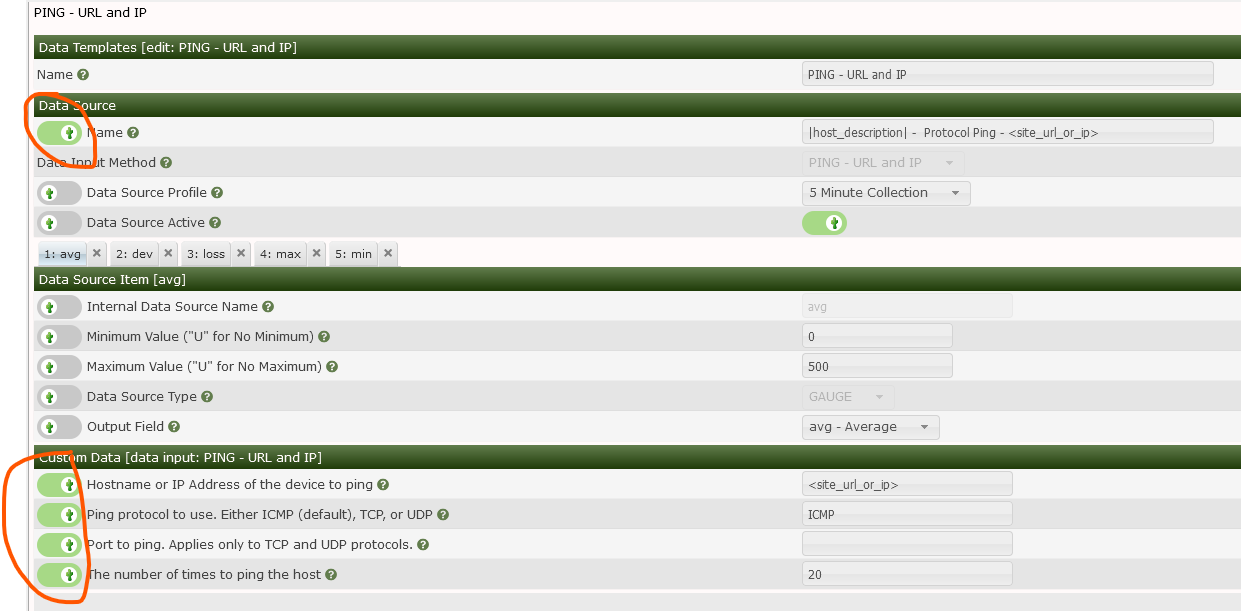
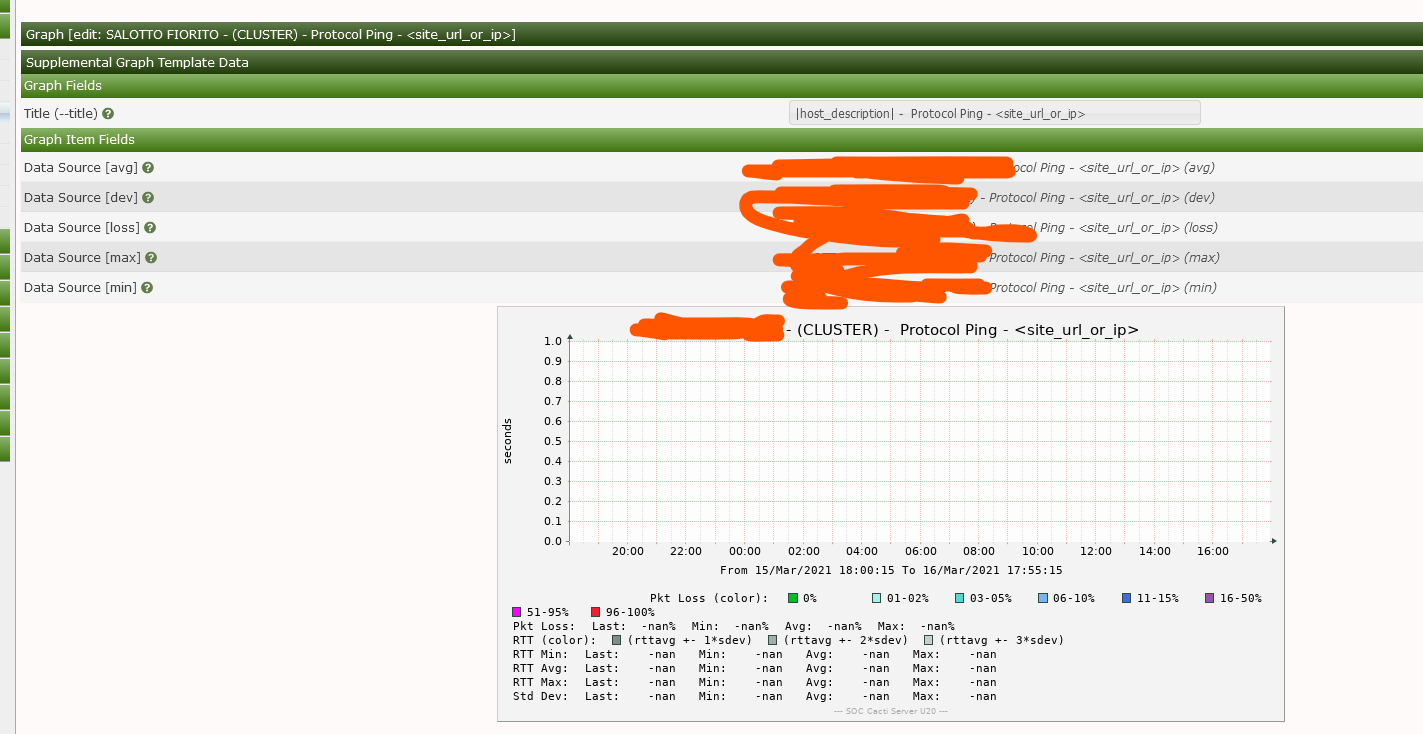
do you have any suggestions about it? am I doing something wrong?
 anarkia1976
All 7 comments
Is this on initial creation, are you doing it manually? If so, there is a fix already in the 1.2.x branch. However, explain how the Graphs are created, if you are letting automation do the naming, then, you won't get prompted. If you are looking to have the 'option' to change the values after creation since they were forced in using automation without giving you the option to set those values (which is kind of not part of automation), yea, that would be a bug I think. Give me some feedback.
 TheWitness
on 18 Mar 2021
TheWitness
on 18 Mar 2021
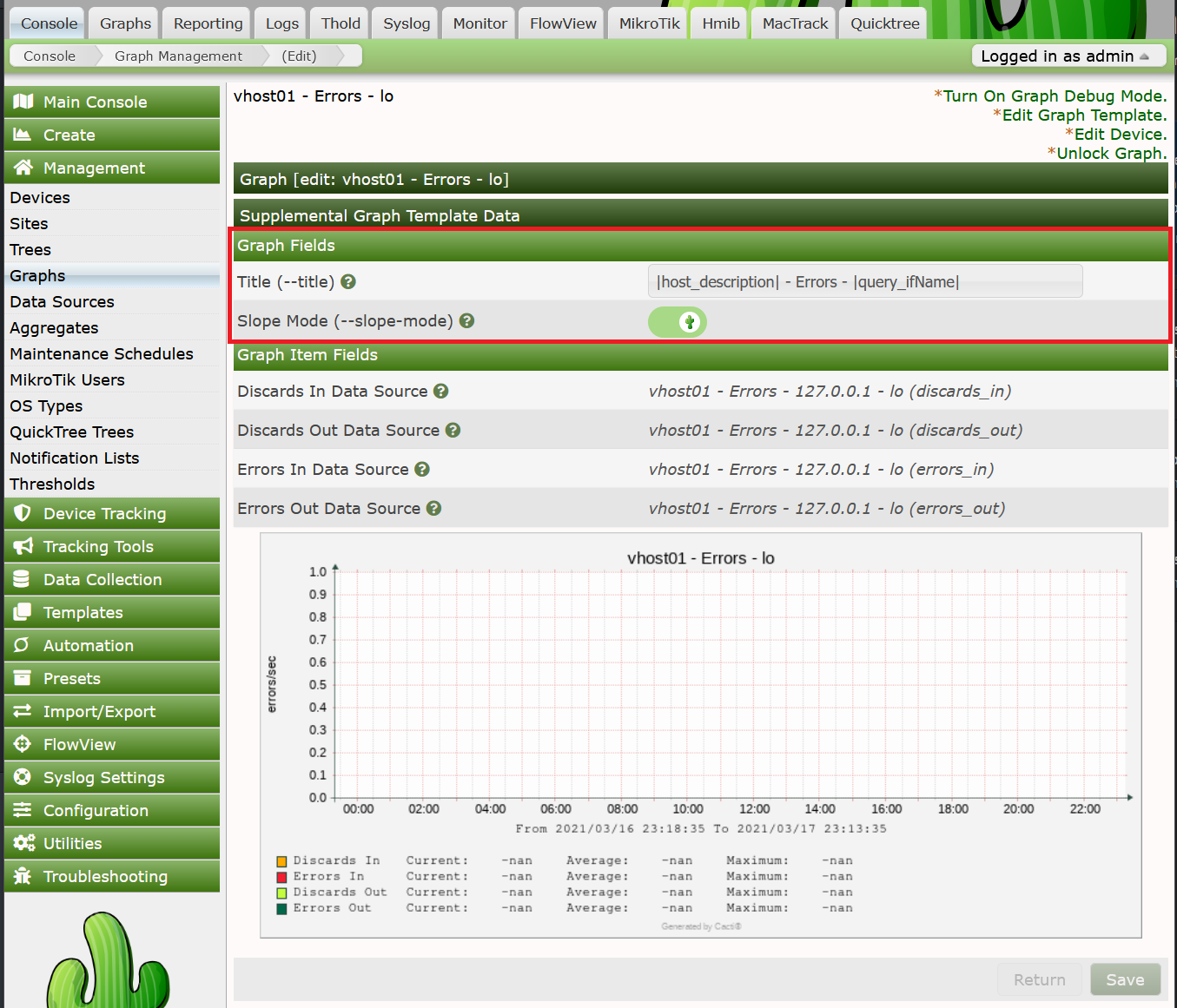
Was able to manually create and get this. But that's from the Graph Template. Let my try what you asked for.
TheWitness
on 18 Mar 2021
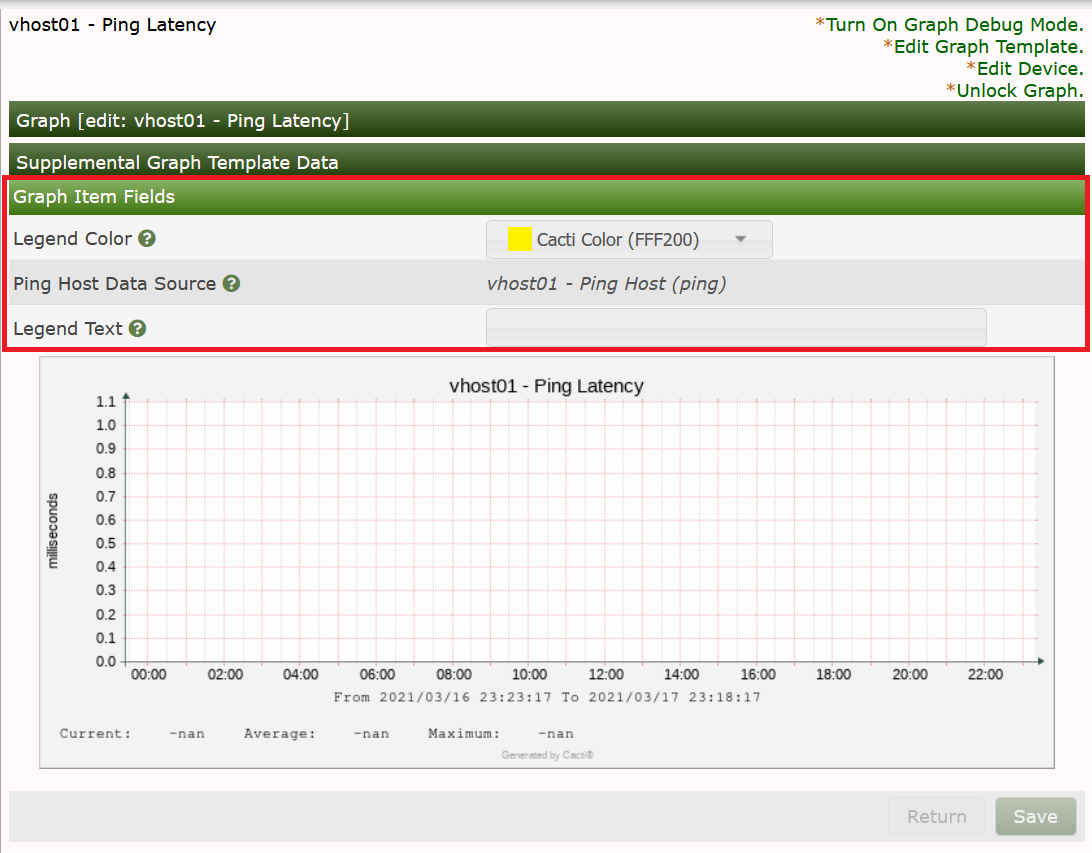
Confirming. Data and Graph template overrides show up, but not the Customer Data overrides.
TheWitness
on 18 Mar 2021
Likely just did not catch it when making the other related fix. Likely super simple to fix.
TheWitness
on 18 Mar 2021
Likely just did not catch it when making the other related fix. Likely super simple to fix.
Thanks a lot, i'm waiting.
anarkia1976
on 18 Mar 2021
Pretty sure this is working now. Take the recent updates and then let me know what happens with your existing Data Sources, and then delete and existing 'broken' graphs then do the following:
1) Run automation on the device and see that the graph is NOT created.
2) Create the Graph manually and see that you can now edit the 'Custom Data'.
3) Give me feedback on the existing ones.
TheWitness
on 21 Mar 2021
Very good, all is working now. Thanks a lot for your great work.
anarkia1976
on 22 Mar 2021
Related issues
 interduo
·
8Comments
interduo
·
6Comments
anarkia1976
·
3Comments
interduo
·
8Comments
interduo
·
6Comments
anarkia1976
·
3Comments
 barreljan
·
3Comments
barreljan
·
3Comments
 darius1706
·
5Comments
darius1706
·
5Comments