I am totally sure it has to do something with my environment but I could need a little help. I alway had Cachet good working on Redhat OpenShift, as they are moving to a new platform I decided to move away to my own FreeBSD server.
As for my enviroment I have downloaded the source with Git and followed the whole documentation https://docs.cachethq.io/docs/installing-cachet. I use FreeBSD 10, PHP56, NGINX, composer and PDO MySQL extension.
As for this issue I already cleared cache, did a new app:install, config:cache, got my app:key nicely filled in my .env-file, correctly set permissions for my WWW-user:777 (temp) and such sort of things.
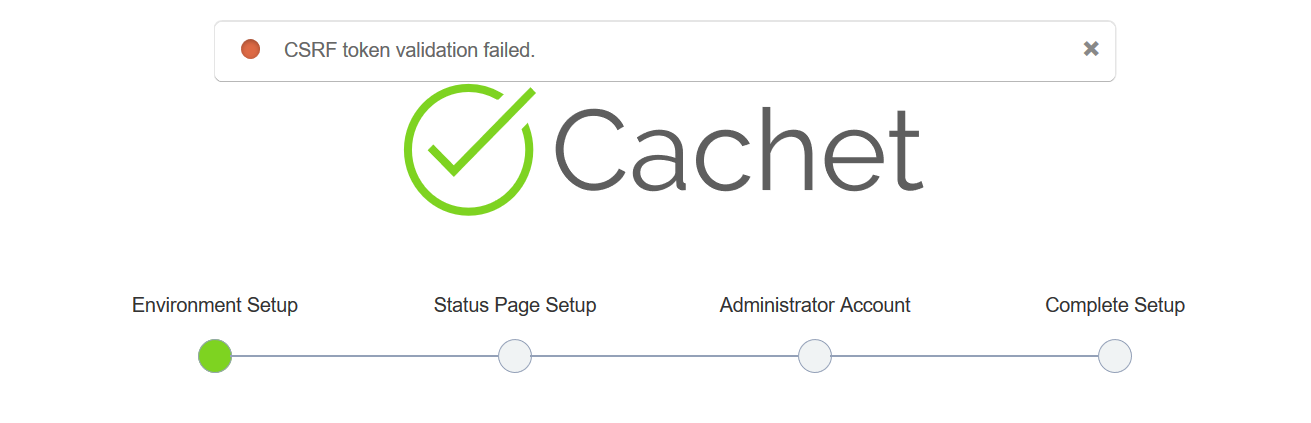
I have no caching apps tho. Any idea what this could be? When I browse to https://status.domain.com/setup I see the config page and as soon as I fill in my stuff I get: "CSRF TOKEN VALIDATION FAILED".
`APP_ENV=production
APP_DEBUG=true
APP_URL=http://status.xxxxxxxxx.nl
APP_KEY=base64:dtZmW2niOo/JUD+1lJDJPbZz/ywuAKUFN7xxxxxxxxx
DB_DRIVER=mysql
DB_HOST=localhost
DB_UNIX_SOCKET=null
DB_DATABASE=xxxxxxxxx
DB_USERNAME=xxxxxxxxx
DB_PASSWORD=xxxxxxxxx
DB_PORT=null
DB_PREFIX=null
CACHE_DRIVER=file
SESSION_DRIVER=file
QUEUE_DRIVER=sync
CACHET_BEACON=true
CACHET_EMOJI=false
CACHET_AUTO_TWITTER=true
`
 xxmoC
xxmoC
All 54 comments
I did the same thing but on Cloud Foundry few days ago and it was ok.
I did it yesterday and i have the same problem. I tried different commit and it seems that commit after the one with sha 1dd30613ebf0271cdd2812dc2fdd1be39ce7745e are not ok.
 lyandr
on 28 Sep 2017
lyandr
on 28 Sep 2017
Seems to be working again now.
 jbrooksuk
on 30 Sep 2017
jbrooksuk
on 30 Sep 2017
Still the same.
xxmoC
on 1 Oct 2017
I am getting the same error.
I hope you can help me with this issue.
all.js:11 POST http://cachet-syui.1d35.starter-us-east-1.openshiftapps.com/setup/step1 400 (Bad Request)
cachet version 2.4 : https://github.com/syui/Cachet
I am using openshift online (free) and mysql (oc new-app mysql).
http://cachet-syui.1d35.starter-us-east-1.openshiftapps.com/setup
I have followed most of the steps below.
https://github.com/CachetHQ/Docker/issues/175#issuecomment-287696223
CACHE_DRIVER=file
SESSION_DRIVER=file
QUEUE_DRIVER=sync
Setting CACHE_DRIVER=apc will result in 500 error.
 syui
on 1 Oct 2017
syui
on 1 Oct 2017
Double fixed in e426eff9
jbrooksuk
on 1 Oct 2017
@jbrooksuk I got 500 error.
syui
on 1 Oct 2017
Can you share your log file please.
jbrooksuk
on 1 Oct 2017
@jbrooksuk I'm sorry. I was wrong.
It went well.
Thank you so, so much!
syui
on 1 Oct 2017
Still same problem.
I install last release v2.3.13, update fix e426eff (manual) and getting "CSRF token validation failed"
My ngnix log is empty
 Apollo2000
on 19 Oct 2017
Apollo2000
on 19 Oct 2017
Try running rm -rf bootstrap/cache{,t}/*.
As far as I'm aware v2.3 never had this issue.
jbrooksuk
on 19 Oct 2017
Didn't solve it.
I install 2.3.9-2.3.13 all fresh, and same problem.
Debian 8.7,PHP 5.6.30, Nginx
Apollo2000
on 19 Oct 2017
The same here. Clean install and problem with CSRF.
 kporembinski
on 15 Dec 2017
kporembinski
on 15 Dec 2017
SESSION_DRIVER
from apc to file seems to have fixed it for me.
 JonTheWong
on 29 Oct 2018
JonTheWong
on 29 Oct 2018
Hi there
Same problem today with fresh docker install (Cachet: 2.4 PHP 7.2.18)
CSRF error when i try to log me to dashboard.
Session driver or session cache in file or apc mode do the same effect.
Any idea ?
 li-olivierfostier
on 20 May 2019
li-olivierfostier
on 20 May 2019
+1 on that
CSRF error on fresh docker install, changed SESSION_DRIVER and SESSION_DOMAIN to file and problem still occurs.
 Binternet
on 27 May 2019
Binternet
on 27 May 2019
+1
Same problem here (cachet_ver=2.4)
Symfony \ Component \ HttpKernel \ Exception \ BadRequestHttpException
CSRF token validation failed.
CACHE_DRIVER=file
SESSION_DRIVER=file
QUEUE_DRIVER=sync
 lmascarenhas
on 29 May 2019
lmascarenhas
on 29 May 2019
I've tried a lot of different things. I keep getting CSRF token validation failed no matter what I set. I've tried setting:
CACHE_DRIVER=file
SESSION_DRIVER=file
SESSION_DOMAIN=file
QUEUE_DRIVER=sync
 lunarthegrey
on 30 May 2019
lunarthegrey
on 30 May 2019
@jbrooksuk can you re-open this issue.
lunarthegrey
on 30 May 2019
Maybe @GrahamCampbell or @joecohens can assist as well.
lunarthegrey
on 30 May 2019
I'm having the same problem
 jgadbois
on 10 Jun 2019
jgadbois
on 10 Jun 2019
Facing the same issue
 urupaud
on 11 Jun 2019
urupaud
on 11 Jun 2019
I'm also having this issue.
 Mondrethos
on 12 Jun 2019
Mondrethos
on 12 Jun 2019
@urupaud and @shieldheart if using Docker, I was able to resolve by switching from master to the 4.2 branch of CachetHQ/Docker
jgadbois
on 12 Jun 2019
@urupaud and @shieldheart if using Docker, I was able to resolve by switching from master to the 4.2 branch of CachetHQ/Docker
Yes, I'm using docker. Did you mean branch 2.4? It already defaults to that anyway. I can't find a 4.2 branch.
Mondrethos
on 12 Jun 2019
Yes, sorry the 2.4 branch of the Docker repo (not just the 2.4 version of Cachet) - https://github.com/CachetHQ/Docker/tree/2.4
jgadbois
on 12 Jun 2019
If that works for you, then there's something with this last commit on Docker master that's breaking things - https://github.com/CachetHQ/Docker/commit/522cbd4dd735d5341b00cb797c23099e4a6714d9
jgadbois
on 12 Jun 2019
Yes, sorry the 2.4 branch of the Docker repo (not just the 2.4 version of Cachet) - https://github.com/CachetHQ/Docker/tree/2.4
Alright so the docker-compose.yml file looks for cachet 2.4 but I should clone the 2.4 branch of the Docker repo it self.
So you want me to do git clone -b 2.4 https://github.com/CachetHQ/Docker.git instead?
Mondrethos
on 12 Jun 2019
If you've already cloned the repo you can just do git checkout 2.4 to switch over to that branch.
jgadbois
on 12 Jun 2019
If you've already cloned the repo you can just do
git checkout 2.4to switch over to that branch.
Ah good to know thanks :)
I'll report back in a few minutes.
Mondrethos
on 12 Jun 2019
Cool, you probably want to docker-compose down so everything completely resets
jgadbois
on 12 Jun 2019
Cool, you probably want to
docker-compose downso everything completely resets
I'm happy to report that switching to the 2.4 branch worked!
Mondrethos
on 12 Jun 2019
Great! Can you report that information here - https://github.com/CachetHQ/Docker/issues/341
jgadbois
on 12 Jun 2019
Great! Can you report that information here - CachetHQ/Docker#341
Done, just trying to figure out if the popups (when you hover over a ? or say a green pip to get more details) not having a black background but it existing in the demo version is an error or not or if CSS is not loading somewhere.
Mondrethos
on 12 Jun 2019
@jgadbois I'm using the docker file with cachet version as 2.4, this is how i use it
FROM nginx:1.15.12-alpine
EXPOSE 8000
CMD ["/sbin/entrypoint.sh"]
ARG cachet_ver
ARG archive_url
ENV cachet_ver ${cachet_ver:-2.4}
ENV archive_url ${archive_url:-https://github.com/cachethq/Cachet/archive/${cachet_ver}.tar.gz}
urupaud
on 12 Jun 2019
Great! Can you report that information here - CachetHQ/Docker#341
How are you disabling the php bug bear bar at the bottom of the site? In my docker-compose.yml file it is set to
DEBUG=false
Mondrethos
on 12 Jun 2019
APP_ENV=production I think.
On Wed, Jun 12, 2019 at 9:04 AM Mr. Monster notifications@github.com
wrote:
Great! Can you report that information here - CachetHQ/Docker#341
https://github.com/CachetHQ/Docker/issues/341How are you disabling the php bug bear bar at the bottom of the site? In
my docker-compose.yml file it is set toDEBUG=false
—
You are receiving this because you were mentioned.
Reply to this email directly, view it on GitHub
https://github.com/CachetHQ/Cachet/issues/2741?email_source=notifications&email_token=AACBQVY3SVDXQC2PV7PUMEDP2CNXJA5CNFSM4D4PAV62YY3PNVWWK3TUL52HS4DFVREXG43VMVBW63LNMVXHJKTDN5WW2ZLOORPWSZGODXPOP4Y#issuecomment-501147635,
or mute the thread
https://github.com/notifications/unsubscribe-auth/AACBQV7HAG5DAPBYNFY3FNTP2CNXJANCNFSM4D4PAV6Q
.
jgadbois
on 12 Jun 2019
APP_ENV=production I think.
…
On Wed, Jun 12, 2019 at 9:04 AM Mr. Monster @.*> wrote: Great! Can you report that information here - CachetHQ/Docker#341 <CachetHQ/Docker#341> How are you disabling the php bug bear bar at the bottom of the site? In my docker-compose.yml file it is set to DEBUG=false — You are receiving this because you were mentioned. Reply to this email directly, view it on GitHub <#2741?email_source=notifications&email_token=AACBQVY3SVDXQC2PV7PUMEDP2CNXJA5CNFSM4D4PAV62YY3PNVWWK3TUL52HS4DFVREXG43VMVBW63LNMVXHJKTDN5WW2ZLOORPWSZGODXPOP4Y#issuecomment-501147635>, or mute the thread https://github.com/notifications/unsubscribe-auth/AACBQV7HAG5DAPBYNFY3FNTP2CNXJANCNFSM4D4PAV6Q .
Does not work, unfortunately.
Mondrethos
on 12 Jun 2019
Try
APP_ENV=production
APP_DEBUG=false
On Wed, Jun 12, 2019 at 9:25 AM Mr. Monster notifications@github.com
wrote:
APP_ENV=production I think.
… <#m_2399982135068350630_>
On Wed, Jun 12, 2019 at 9:04 AM Mr. Monster @.*> wrote: Great! Can
you report that information here - CachetHQ/Docker#341
https://github.com/CachetHQ/Docker/issues/341https://github.com/CachetHQ/Docker/issues/341> How are you disabling
the php bug bear bar at the bottom of the site? In my docker-compose.yml
file it is set to DEBUG=false — You are receiving this because you were
mentioned. Reply to this email directly, view it on GitHub <#2741
https://github.com/CachetHQ/Cachet/issues/2741?email_source=notifications&email_token=AACBQVY3SVDXQC2PV7PUMEDP2CNXJA5CNFSM4D4PAV62YY3PNVWWK3TUL52HS4DFVREXG43VMVBW63LNMVXHJKTDN5WW2ZLOORPWSZGODXPOP4Y#issuecomment-501147635>,
or mute the thread
https://github.com/notifications/unsubscribe-auth/AACBQV7HAG5DAPBYNFY3FNTP2CNXJANCNFSM4D4PAV6Q
.Does not work unfortunately.
—
You are receiving this because you were mentioned.
Reply to this email directly, view it on GitHub
https://github.com/CachetHQ/Cachet/issues/2741?email_source=notifications&email_token=AACBQV7FJZFUE74KBTQXKZLP2CQHPA5CNFSM4D4PAV62YY3PNVWWK3TUL52HS4DFVREXG43VMVBW63LNMVXHJKTDN5WW2ZLOORPWSZGODXPP5PI#issuecomment-501153469,
or mute the thread
https://github.com/notifications/unsubscribe-auth/AACBQV6NE7S2SWE2FW5S2MDP2CQHPANCNFSM4D4PAV6Q
.
jgadbois
on 12 Jun 2019
APP_ENV=production APP_DEBUG=false
That worked. Makes me wodner if the default "DEBUG=false" is a typo then. If you check the Repo for the docker version, its in the docker-compose.yml file.
If you spin up a working version with branch 2.4 are you getting the Styling problem with the hover popups as well?
Mondrethos
on 12 Jun 2019
btw I've done the same but still getting the same error. also want to mention that I'm migrating my data from cachet 2.3.15 to 2.4. steps I followed are,
- git clone https://github.com/cachethq/Docker.git cachet-docker
- cd cachet-docker; git checkout 2.4
- Updated .env file accordingly, pointed it to RDS (DB that was using for cachet 2.3.15)
- Updated docker-compose to use - cachet_ver=2.4
- docker-compose build
- docker-compose up
- Logged in to docker container and executed "php artisan migrate" to do the DB migration.
- Dashborard is working but there are messed up pannels. When try to login with old admin credentials still getting the "CSRF token validation failed."
Any advice regarding this would be highly appreciated, anything I'm doing wrong here?
urupaud
on 12 Jun 2019
btw I've done the same but still getting the same error. also want to mention that I'm migrating my data from cachet 2.3.15 to 2.4. steps I followed are,
1. git clone https://github.com/cachethq/Docker.git cachet-docker

2. cd cachet-docker; git checkout 2.4

3. Updated .env file accordingly, pointed it to RDS (DB that was using for cachet 2.3.15)

4. Updated docker-compose to use - cachet_ver=2.4

5. docker-compose build

6. docker-compose up

7. Logged in to docker container and executed "php artisan migrate" to do the DB migration.

8. Dashborard is working but there are messed up pannels. When try to login with old admin credentials still getting the "CSRF token validation failed."
Any advice regarding this would be highly appreciated, anything I'm doing wrong here?
Does your entrypoint.sh have these set? If so, just take out the apc and try again.
  SESSION_DRIVER=${SESSION_DRIVER:-apc}
  SESSION_DOMAIN=${SESSION_DOMAIN:-apc}
Also having this issue.
 zagaria
on 3 Aug 2019
zagaria
on 3 Aug 2019
@lunarthegrey I have tried as you suggested but removing the default APC driver and domain has had no effect. I've set them both to file in docker-compose.yml as well but still no dice.
 djk
on 9 Aug 2019
djk
on 9 Aug 2019
I'm also having this issue when running in docker. This also occurs which a completely fresh install. Changing session driver does not help. APP_DEBUG=false will remove the debug screen, but the issue still occurs when trying to log in for dashboard.
Switching to 2.4 branch does not work for me because this has a different bug on my system.
 lotodore
on 13 Aug 2019
lotodore
on 13 Aug 2019
After pulling hairs for some hours, I finally got around the dreaded "CSRF token validation failed" exception. Apparently somehow someone got the idea to set SESSION_DOMAIN to "apc" or whatever the session driver (not domain) should be if it didn't get supplied by the configuration.
The problem lies in that the Cookie, which gets set by Laravel, will contain domain=
The CSRF token is stored in the session. In the next request, the CSRF token will normally be verified by comparing it to the token stored in the session. However, because the session cookie doesn't get sent with the next request (because there is none registered in the browser), the CSRF token is just regenerated and obviously won't be equal to the one that's sent in that request. This is what's causing the token validation to fail.
TL;DR: fix SESSION_DOMAIN and you're probably done.
 friek
on 5 Sep 2019
friek
on 5 Sep 2019
Nice work @friek ! Hopefully we can get this merged and this will no longer be an issue. Could you also reference https://github.com/CachetHQ/Docker/issues/341 in your pull if possible so those people can get notified as well?
jgadbois
on 5 Sep 2019
Done 👍
friek
on 5 Sep 2019
I'm still experiencing this issue myself, even when manually overriding SESSION_DOMAIN in my deployment.
These are the variable values I am setting:
env:
  APP_ENV: production
  APP_DEBUG: false
  APP_URL: https://demo.cachethq.io/api/v1
  APP_KEY: <removed>
  DB_DRIVER: pgsql
  DB_HOST: cachet-postgresql
  DB_DATABASE: postgres
  DB_USERNAME: postgres
  DB_PASSWORD: <removed>
  DB_PORT: 5432
  DOCKER: true
  CACHE_DRIVER: file
  SESSION_DRIVER: file
  SESSION_DOMAIN: file
  QUEUE_DRIVER: database
  CACHET_EMOJI: false
  MAIL_DRIVER: smtp
  MAIL_HOST: <removed>
  MAIL_PORT: '25'
  MAIL_USERNAME: ''
  MAIL_PASSWORD: ''
  MAIL_NAME: 'NOC Status Updates'
 maddprof
on 6 Sep 2019
maddprof
on 6 Sep 2019
@maddprof your SESSION_DOMAIN value should be the domain your site's running on, when I run mine in a docker container on my laptop, it's running at localhost so the domain is 127.0.0.1, for example.
djk
on 6 Sep 2019
Even if I set that to null SESSION_DOMAIN: '' it's still happening @djk
kbrookhouse@BOSWKBROOK:/mnt/c/git/TechnicalOperations/Monitoring/Kubernetes/Helm/cachet$ kubectl exec -it cachet-5994d96974-xnbgb /bin/bash
bash-4.4$ echo $SESSION_DOMAIN

bash-4.4$
Note I am working on this for a helm deployment using minikube on a locally hosted VM.
maddprof
on 6 Sep 2019
What are you putting into your browser address bar when you're trying to access it and getting the CSRF error?
djk
on 6 Sep 2019
@djk http://<ip address>:<service port>/auth/login
I can get to the login page > Enter credentials > Submit > Error on login.
maddprof
on 6 Sep 2019
Set SESSION_DOMAIN to <ip address>
djk
on 6 Sep 2019
@djk I realized what you were getting at as soon as I posted that. I'm in now.
Thank you for your help, I'll make note of that when we deploy to our production cluster.
maddprof
on 6 Sep 2019
Related issues
 gn-ley
·
5Comments
jbrooksuk
·
7Comments
gn-ley
·
5Comments
jbrooksuk
·
7Comments
 vesper8
·
6Comments
vesper8
·
6Comments
 tcrall
·
4Comments
tcrall
·
4Comments
 GrahamCampbell
·
3Comments
GrahamCampbell
·
3Comments
Most helpful comment
Also having this issue.